





Eddie
Member
-
Joined
-
Last visited
Everything posted by Eddie
-
Hello, Unfortunately that isn't possible due to how the scenery in its entirety is structured. We continue to look at ways to mitigate the LOD-popping, however, as it stands, Rich's comment above is the latest information regarding this. Apologies for the inconvenience gents. Thank you
-
Hello, Thank you for the follow-up. I'll try to reproduce and report to the team in that case. Thank you!
-
Hello, How is performance in the 1.0.4 version of the aircraft?
-
Thank you. I've taken a look 🙂
-
Thank you for the detailed report. I've passed this on to the team and apologies for the inconvenience!
-
Hi again, Forwarded to the team. Thank you for the effort as always 🙂
-
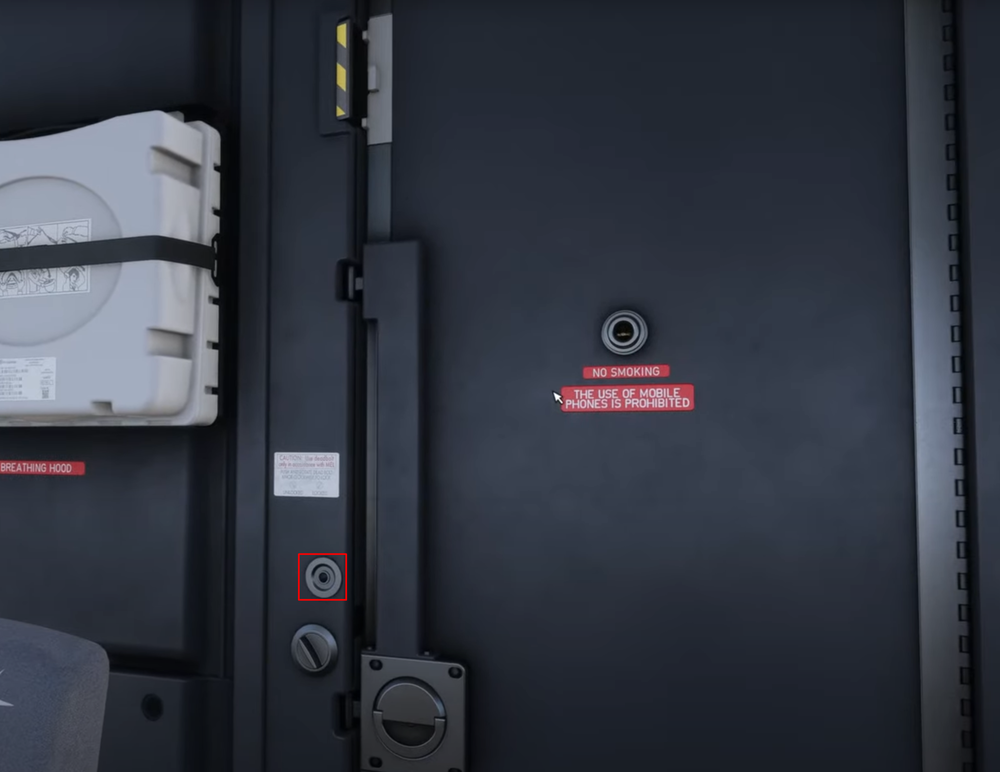
Hello again, Thank you for the follow-up. Can you double check dome/flood light knobs on the lower-pedestal. You can also control the dome lights by the light switch by the cockpit door. (seen below) Double check these and let me know if that helps! Thank you 🙂

-
Hello, Thank you for the report. Will check in with the team 🙂
-
Hello, Can you grab me a screenshot of your overhead panel please? Thank you 🙂
-
Of course. We want this beauty to be the absolute best it can be.
-
Hello, Apologies for no reply! I'll forward this to the team 🙂
-
Hello, I'm sorry to hear that you're experiencing WASM crashes. Are you reliably able to reproduce the same crash? If so, please see the linked guide on how to appropriately report this so that we can look into it accordingly. As for your EFIS being blank, see this post on how to re-enable it: Thank you 🙂
-
Hello Balint, I've forwarded this to the team and we'll see what we can do. Just to confirm, you are having this issue also by simply clicking the button in the virtual cockpit using the mouse? Thank you
-
Hello, The ANF map is drawn from the data available in the Navigraph Airport Mapping Database (AMDB). This means, the only way for this to be "fixed" is once that airport is updated in the AMDB. You can reach out to Navigraph to let them know of this; chances are that they already do. Thank you 🙂
-
Hello, What turbulence setting are you running in the MSFS settings?
-
Hello, What you're describing is a "WASM" crash. They're very unpredictable and highly dependant on specific scenarios that the user is performing. Nonetheless, we can fix them, we just need some more information. If you're able to reliably reproduce this issue, please have the following guide (linked below) ready to report the issue using the template. Thank you and apologies of the inconvenience!
-
Hello, Please try clearing your scenery indexes: To do that locate your folder by following the path below: MSFS 2020 MSFS 2024 Then delete the contents inside but leave the folder intact. The indexes will rebuild on next load of FS. Let me know if this resolves your issue.
-
Hello, Have you tried a complete uninstall then reinstall?
-
Hello, Are you using GSX?
-
-
-
-
Hello, I've forwarded this to the team. Thank you
-
Hello Alex, You mean L-CTRL no longer working for you?
-
Hello, Thank you, forwarded to the team. 🙂


