





Eddie
Member
-
Joined
-
Last visited
Everything posted by Eddie
-
Hello everyone, I've shared your reports with the team and we'll get back to you once we have more information to provide. Apologies for the inconvenience and we appreciate your patience! Thank you
-
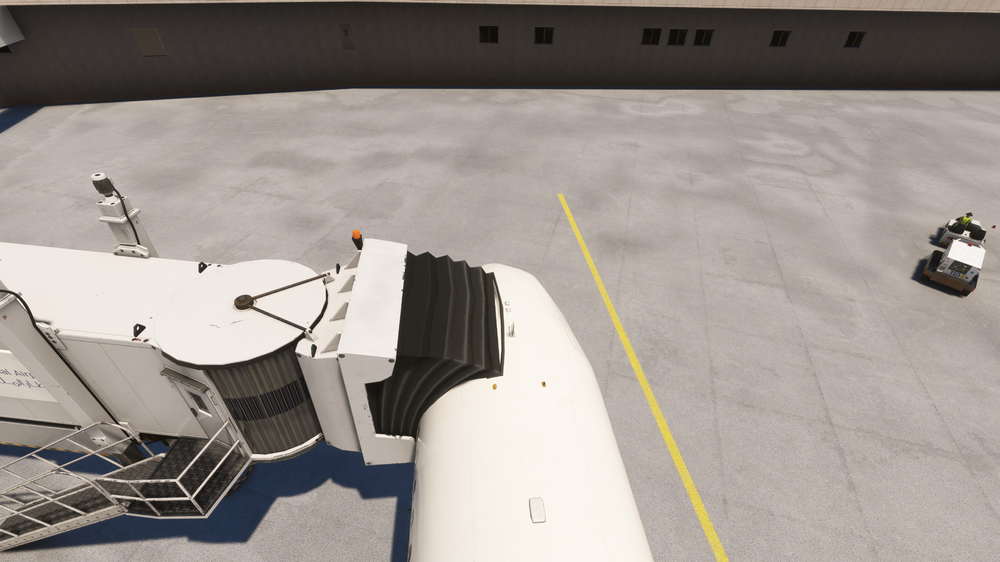
Hello again, I understand. Very odd. We attempted to reproduce the issue however been unsuccessful on multiple occasions. Jetways align almost perfectly on each test we did (image attached). Is it only the 320N & A310 that you experience said issues with? No other airliners? I would suggest waiting until AAU3 is released and perhaps it resolves the issue. I've attached screenshots and this is us using the latest (non-public build). No issue. Thank you!

-
Hi Werner! I see that you're using GSX, could you please double check your profiles and the door definitions for said profiles? GSX natively supports the 32N; remove any custom profiles (if any are installed) and try again. And I'm glad you're enjoying the aircraft, upcoming AAU3 update should make it even better! 😊 Thank you
-
Hello! Sorry to hear you're experiencing issues! Please uninstall the scenery entirely and clear your scenery indexes. To do that locate your folder by following the path below. (MS Store) \AppData\Local\Packages\Microsoft.FlightSimulator_8wekyb3d8bbwe\LocalCache\SceneryIndexes (Steam) \AppData\Roaming\Microsoft Flight Simulator\SceneryIndexes Then delete the contents inside but leave the folder intact. (The indexs will rebuild on next load of FS) Reinstall the scenery. This should solve the issue. Thank you!
-
Hello I'll pass the suggestion on to the team, but no promises! 😉 Thank you!
-
Hello! Thank you for your report. I'll share it with the team to see if there's anything that can be done on our end, however by the looks of it, it seems unlikely. I recommend reaching out to MS via their forums or Zendesk for further support as this issue stems from the default ATC. Thank you!
-
Hi! Glad its sorted for you 🙂 I'll mark it solved. Thanks!
-
Hi again, Non-caster steering is intentional due to the T-33 requiring differential braking to steer. Glad you resolved the wheel brake issue! We have logged the problem regarding the speed brakes. 😊
-
Hello, Happy to hear it's solved! Enjoy! 🙂
-
Hello, I'll pass this on to the team. Thanks!
-
Hi there, Sorry to hear that you're experiencing trouble downloading! Please try using "alternate downloader". This option can be enabled in the app settings section by clicking on your name on top left corner. Thanks!
-
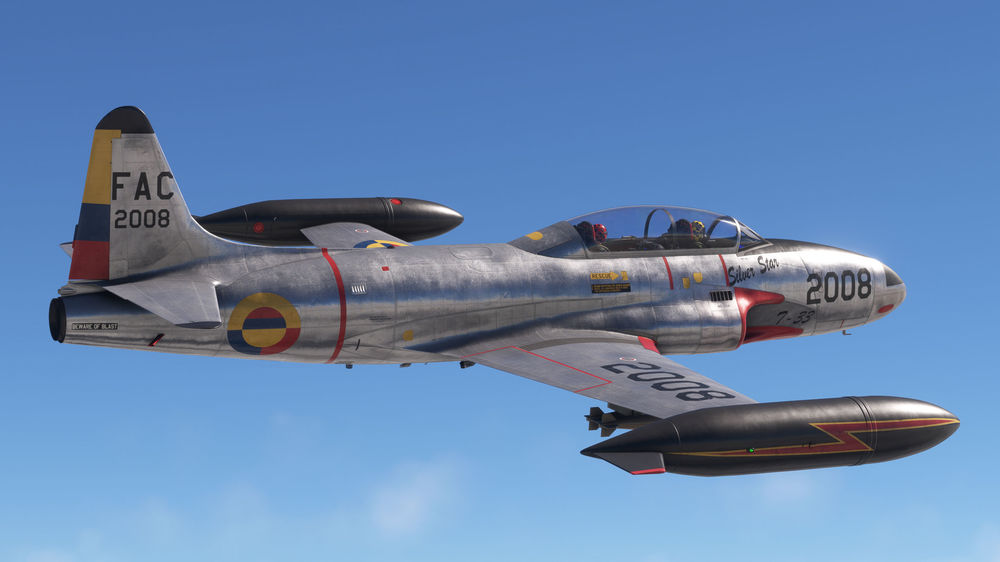
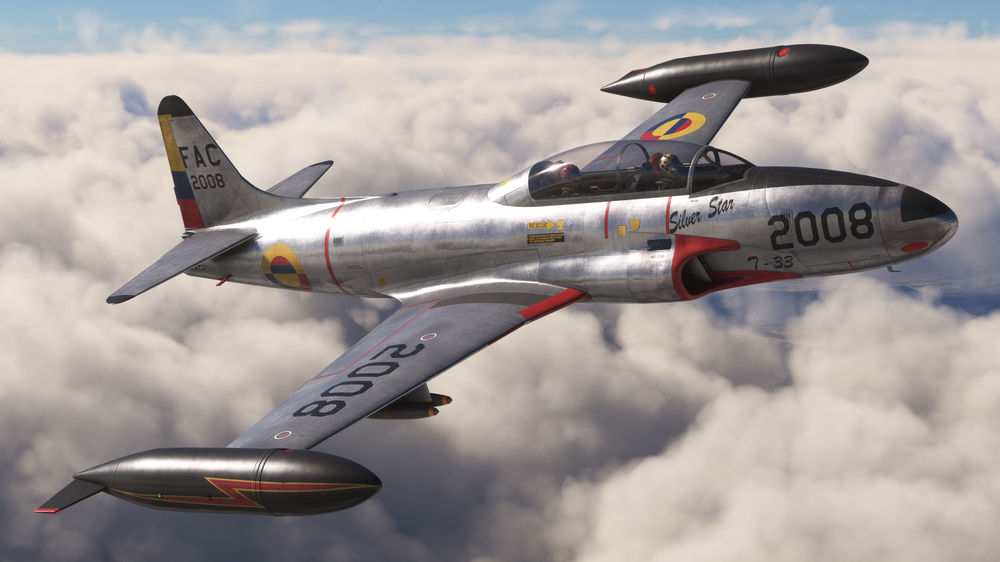
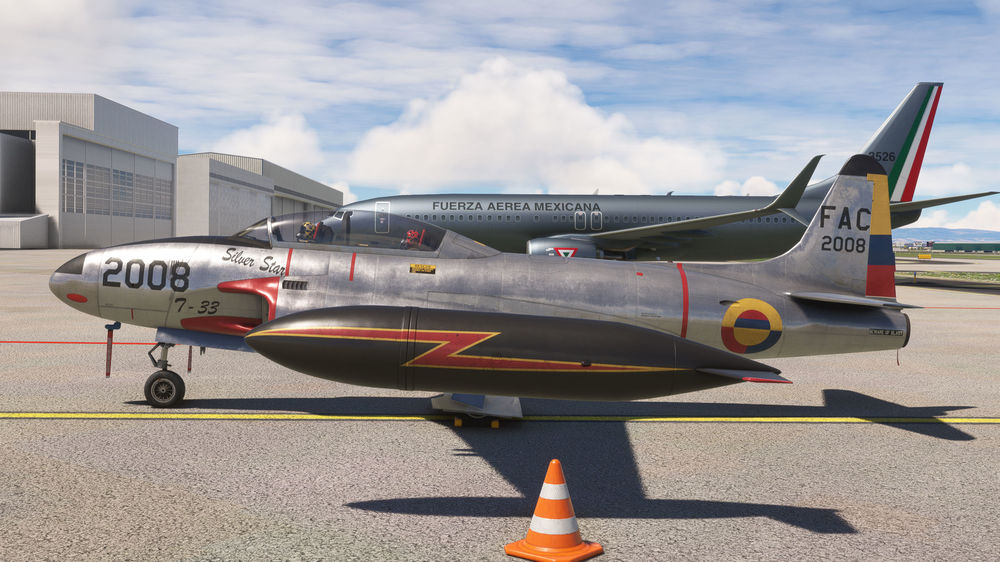
Thank you to all of the community for your awesome and valuable feedback on our T-33, especially the bare-metal paint. Here's a little sneak peek of something we're cooking up! 🙂
-
Hi there Andy, Have you tried removing the aircraft entirely (uninstalling) then re-installing?
-
Hello Marcel We have indeed increased the size of the models, however any larger we run into clipping issues. This is about as large as we can go, at least for now. Thank you
-
Hi Luke! Might be a bit too obvious but have you attempted a clean reinstall of the plane?
-
Hello! We currently have an update in the works that should address these issues. We appreciate your patience and apologize for the inconvenience! Thank you
-
Good morning, Glad to hear its sorted! Future update should address any issue you may have with what you mentioned 😊 Happy flying!
-
Hi again! Apologies, must've missed your reply yesterday. I'm glad it's sorted for you! Happy flying 😊
-
Hi René Sorry to hear you're having issues! Can you confirm that every other button on the EFB works? Is it just the GPU & CHOCKS buttons? Thank you
-
Hi @jankees! We've had a few reports regarding the size of the pilots. It does look like the pilots are both napping in their seats haha. But the team is aware nonetheless 🙂 Thanks!
-
Hello again, Can you please check your turbulence settings. The aircraft uses the new CFD model which in turn makes it susceptible to winds at the "Realistic" and/or "High" turbulence setting. I recommend to set it to "LOW" and try to reproduce the issue. (This setting is found in Assistance Options -> Piloting and at the bottom "Turbulence") If this does not resolve the issue, make sure you haven't accidentally set your rudder trim to a positive L/R value. Center it at 0,0 and try again. If both those options do not work, please attach a screenshot of your bindings under controls for Rudder Axis & Brake settings. Thank you!
-
Hi Rob! Sorry to hear you're experiencing these issues. First of all, have you double checked that no assistance options are enabled under "Assistance Options" in the MSFS settings? You also mention that you've tried messing with the EFB, but just to make sure, have you enabled "Rudder controls tiller"?


