Skip to content
View in the app

A better way to browse. Learn more.

iniBuilds Forum

A full-screen app on your home screen with push notifications, badges and more.

To install this app on iOS and iPadOS
  1. Tap the Share icon in Safari
  2. Scroll the menu and tap Add to Home Screen.
  3. Tap Add in the top-right corner.
To install this app on Android
  1. Tap the 3-dot menu (⋮) in the top-right corner of the browser.
  2. Tap Add to Home screen or Install app.
  3. Confirm by tapping Install.

iniKyle

Staff

Everything posted by iniKyle

  1. Hi, Our goal is to bring as many of our products as possible to PS5. Unfortunately, I’m unable to provide a timeline for this at the moment. Thanks for your patience and understanding!
  2. Interesting. Thanks for the feedback. I'll pass this along to the Synaptic team for further review!
  3. Great question! I don't believe this is possible though, as it would require two separate versions of the aircraft to be installed, one with the feature and one without. Hope that makes sense! Thanks!
  4. iniKyle replied to Kostya's topic in General Discussion
    I am not entirely sure, but from my understanding, the PC and Xbox versions will virtually be the exact same. Hope this helps clarify. Thanks!
  5. Hi, Have you tried setting them after restarting the sim? There can sometimes be issues when attempting to do so immediately after the initial load. Thanks!
  6. I'm very sorry to hear that this didn't help resolve the issue. I'll keep an eye out for any further information and will update you here if I receive anything that may help. Thanks again for your patience!
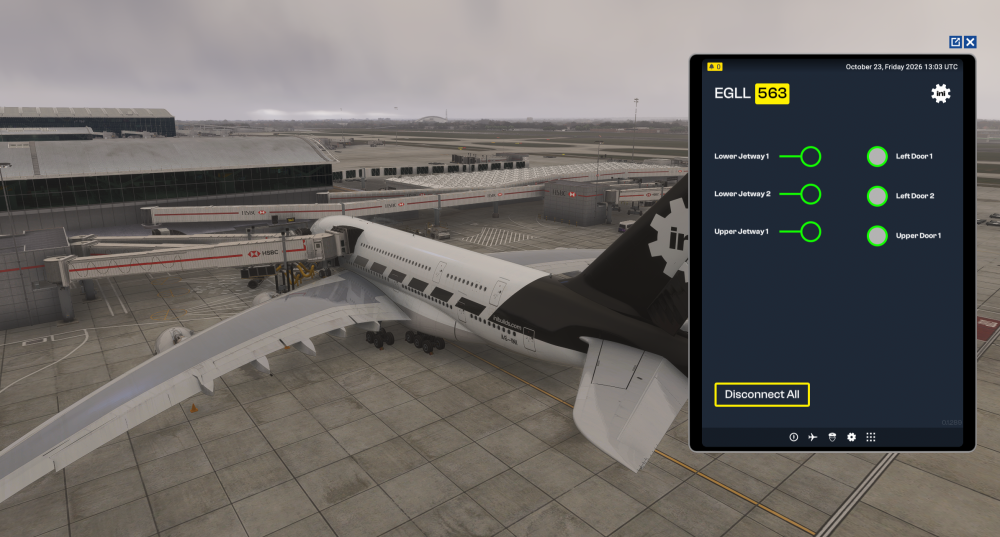
  7. Hi, I've just tested all of the gates you mentioned on my end, and everything is working as intended. Can you confirm that you have the default handcrafted EGLL disabled in your Content Manager? Thanks!
  8. I'm stumped as well. Was just testing something in the A350 and everything is working as intented. If you're willing to try this troubleshooting step, I'll leave it below: Make sure the simulator is completely closed. Locate your Community Folder. Rename your Community Folder to Community1. Relaunch the simulator. This should create a new Community folder. Once you reach the main menu, close the simulator. Move the A350 from Community1 into the newly created Community folder. Launch the simulator again. Let me know if that helps, thanks!
  9. You have always been able to turn on or off the terrain radar using the TERR button inside the aircraft. Or are you requesting to remove the feature all together? Thanks
  10. iniKyle replied to LLg's topic in General Discussion
    Yes, the aicraft will ship with ANF for Xbox. Thanks!
  11. I'm sorry I might have mispoke, it does indeed look like the A380 will ship with a similar terrain radar as the A340! Just waiting on 100% confirmation from the team. Thanks!
  12. iniKyle replied to Kostya's topic in General Discussion
    Hi, Yes, the cabin will be visible on the A380 for Xbox! We've also incorporated a Performance Mode that will hide the cabin if you find that performance isn't where you'd like it to be. Thanks!
  13. Hi, Unfortunately due to performance limitations on the Xbox, this is not possible. Thanks for your understanding!
  14. Thanks, will pass this along to the team for further review!
  15. Hi, From my testing, the MCDU looks like photo #1 from the original poster. WIll confirm with the team whether this has been logged or not. Thanks for your patience!
  16. Hi, Thanks for your feedback! I’ll test this on my end and send a report over to Synaptic. There are a ton of fixes and changes scheduled for v1.0.9, so this issue may have already been addressed. Thanks again!
  17. Awesome news, thanks so much for the clarification!
  18. I'll note this and pass it along to Synaptic for further evaluation. For reference are you using Navigraph or default sim data for your AIRAC? Thanks!
  19. Hi, Is this happening on every LPV/RNP approach you’re flying, or has it only occurred at one particular airport? Thanks!
  20. Hi, Are you able to attach a photo or a video clarifying what is happening? Thanks
  21. We always do our best to respond to all support tickets. Please give the team some time to review your ticket and get back to you. Thanks for your patience and understanding!
  22. Okay, thanks for trying the steps provided. At this point, I’ll have to ask you to contact our direct support for further guidance. Please link them to this forum thread as well, so they’re aware of the troubleshooting steps we’ve already tried. Thanks! Thanks!
  23. Try doing a fresh install from the iniBuilds website. Thanks!
  24. Hi Miguel, That is a known bug that we are trying to squash. In the meantime, you can download the map server directly from the Synaptic website. Thanks!
  25. Thanks. Lets try these steps if you don't mind: inimanager cache Make sure iniManager is completely closed. Check your Windows system tray/taskbar to ensure it isn't still running in the background. Press Windows Key + R on your keyboard to open the Run box. Clear Local AppData: Type %localappdata% into the Run box and press Enter. Locate the folder named iniManager and delete it. Clear Roaming AppData: Press Windows Key + R again to open the Run box. Type %appdata% and press Enter. Locate the folder named iniManager and delete it. Restart iniManager: Relaunch iniManager. It should start fresh and rebuild its configuration files.

Account

Navigation

Configure browser push notifications

Chrome (Android)
  1. Tap the lock icon next to the address bar.
  2. Tap Permissions → Notifications.
  3. Adjust your preference.
Chrome (Desktop)
  1. Click the padlock icon in the address bar.
  2. Select Site settings.
  3. Find Notifications and adjust your preference.