




spottersim
Member
-
Joined
-
Last visited
-
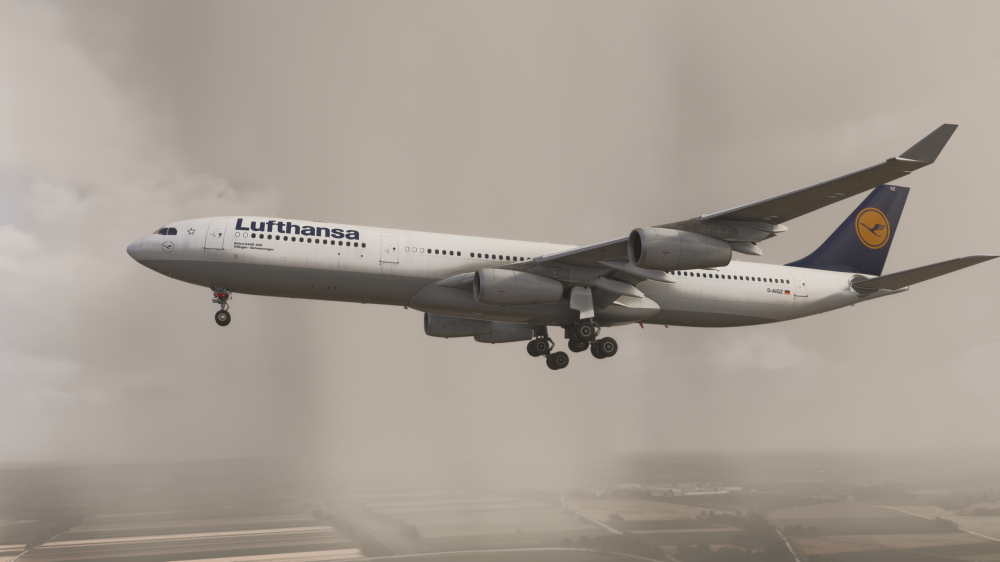
1st image was taken during landing (flaps) and second one prior to THS reset after landing. Feel free to check any A343 image during landing. The left side of the THS also features a ‘GND SET’ marking which is an excellent reference when comparing it to the inibuilds A340. Furthermore, irl F/D footage shows the aircraft re-trimming for a few seconds after landing to re-establish the GND SET setting. This is not the case in the ini A340 as it lands which roughly that trim setting. This behaviour has proven to consistently occur during landings in the ini A343. Not sure how weight, fuel loaded, and distance from threshold have an effect on the THS trim setting. I think it should largely depend on flap setting and CG, perhaps minor differences based on G/S angle and wind additive.
-
Will the takeoff roll and rotation be improved in v2? The aircraft acceleration is excessive (compare PFD trend vector) and the initial climb rate is too high (compare video footage and ADS-B readout). As mentioned here, the pitch attitude also can’t be maintained. During landing, the aircraft seems to require much less nose up trim than the real one, suggesting that the aerodynamic characteristics are implemented inaccurately.
-
Please note that this issue is also present on the A350 and A330 Series.
-
The real A343 seems to land with more nose up trim set. Comparing the trim setting during landing to irl references will immediately show this. Sim: IRL: D-AIGZ | Airbus A340-313X | Lufthansa | Martin Nimmervoll | JetPhotos D-AIGN | Airbus A340-313X | Lufthansa | Emil Zegnalek | JetPhotos Will this be addressed in an upcoming update?
-
-
-
-
-
-
-
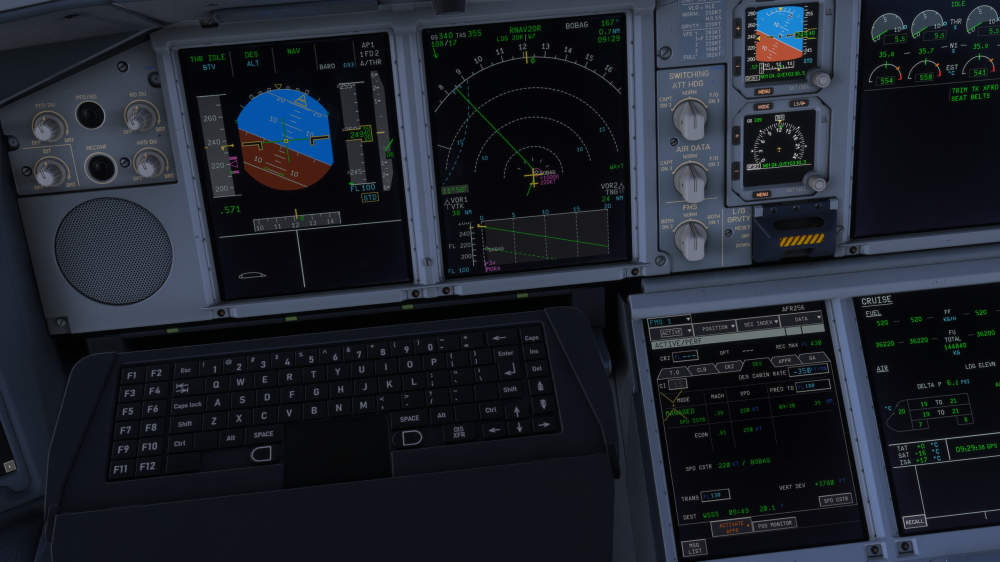
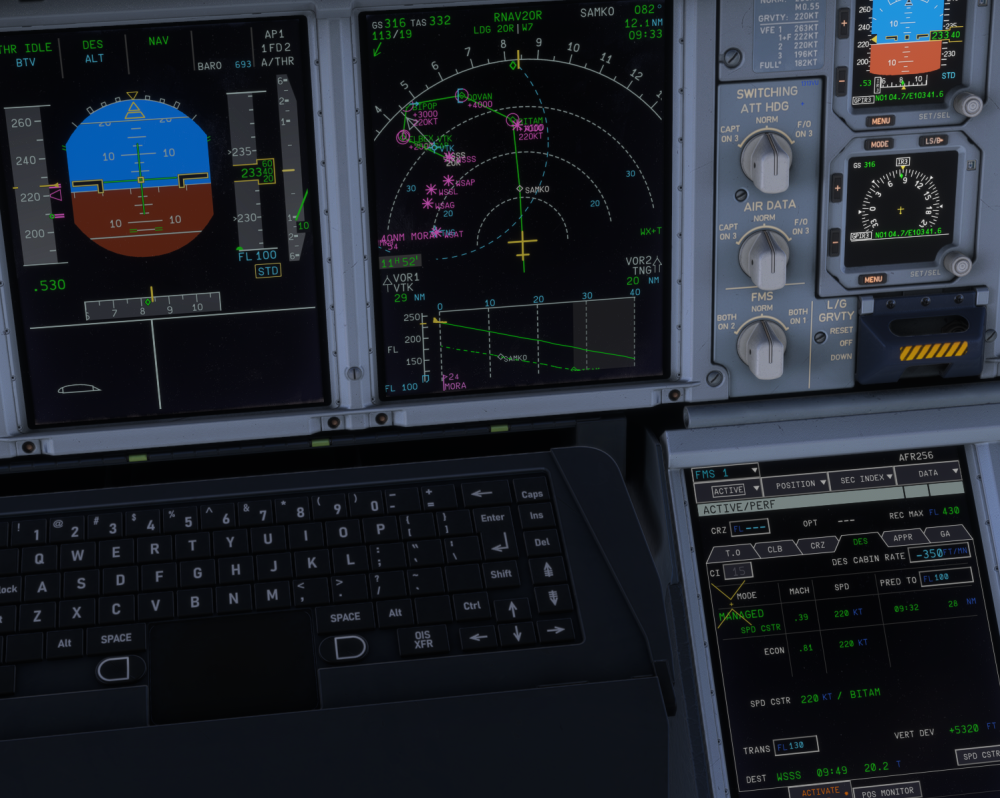
Does the vertical profile of the A380 correctly account for deceleration requirements on idle segments? I initiated the descent at the T/D and ended up almost 6000ft too high on profile. I suppose that it commanded the deceleration to the 250kt and 220kt constraints, but did not account for these restrictions in its idle descent computations. ARAMA1B into WSSS 1B
-
-
I did some further testing and noticed that the specific range increases with cost index, basically buying time for free. Segment Mach TAS Actual burn Specific range (nm/t, normalised to 392 t) CI15 0.831 484 11.06 t/h 44.1 CI150 0.851 496 11.24 t/h 44.3 CI500 0.862 503 11.28 t/h 44.7 CI15 (return) 0.831 485 10.99 t/h 44.2
-
Any news on this? As discussed here, simply adjusting the profile might not be sufficient, in fact even counterintuitive.
-
Usually, the the actual position is at the tip of the triangle. In the A380, it seems to be in the middle of the triangle symbol.


