




OxkyGThaib
Member
-
Joined
-
Last visited
-
IT IS SIMULATED, sir @spottersim . Both Climb Phase and Descend Phase. Like I told you before (If you read all my previous post). As I use V 1.0.7 now, it is simulated as long as you put SPD LIM on the Speed Constraint Page (e.g 250kt/10.000 or whatever speed and altitude you like). Please, I encourage you to check the SPD LIM Page. Otherwise, you might have be delete the limit.
-
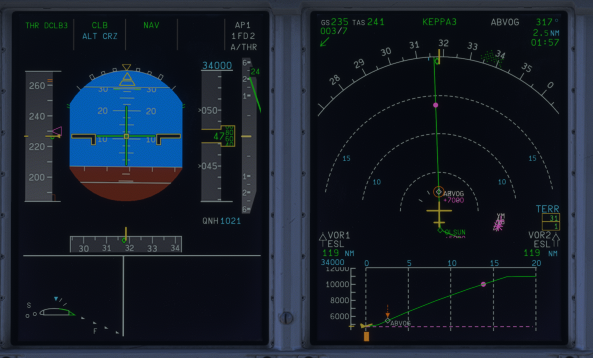
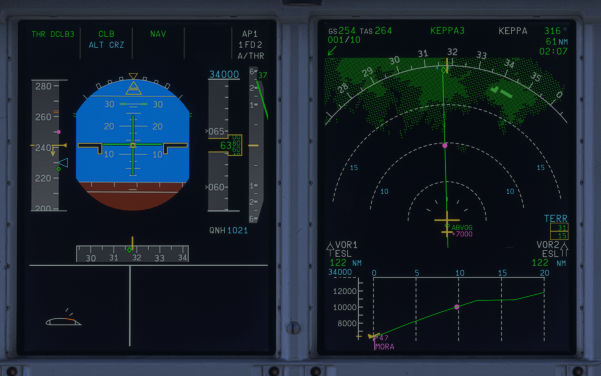
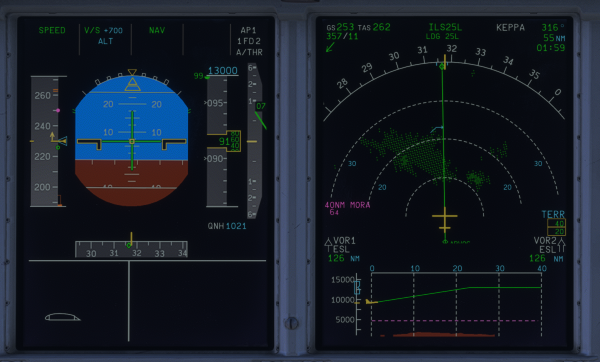
Sorry, @spottersim . I just have time to try the Magenta Dot just know. In the picture below, I can confirm that the Magenta Dot is there, as long as the Speed Limit is THERE. As you can see, the Magenta Dot P/W is there, placed and ready to be hit. So it is properly simulated during climb and descend. But for @iniKyle , like I said on the post above, there's a problem whenever we select speed, the Magenta Dot P/W is lost, see the pictures below: On PFD, the Magenta Dot IS THERE on the Speed Tape, but it is LOST when we do Selected Speed, so the sequencing IS THE PROBLEM now. Even after selecting Managed Speed, the Magenta Dot P/W STILL LOST eventhough it hasn't hit the FL100 threshold OR Climbing after level-off. And that caused the Managed Climb feature was also lost and revert to OpenClimb mode due to CRZ ALT on CDU is lost (required to reentry the CRZ ALT because of that). BTW, I am using the V1.0.7 as for references.
-
That Magenta Dot is Acceleration-Deceleration Point, it is already simulated in the A380, although still miss-calculated when Selected Speed when in use but it is there if you use Managed Speed. But it is clearly there to see and comply. For my side, it is works normal. Can you try on your side?
-
What happened to @Rezab are also happening with me, @iniKyle V1.0.5 was good, but suddenly by V1.0.6, I felt like it revert back to V1.0.3. After landing, PA AFter-Landing Announcements are working twice again, one is when passed 70 to 60Knots, the second happened when vacating the runway.
-
That's not happening with me, do you have any option to uninstall, close the MSFS, delete A380 WASM Folder, restart you PC/Laptop, start MSFS again, and redownload the A380? Just Asking...
-
Same here, suddenly the feature is lost
-
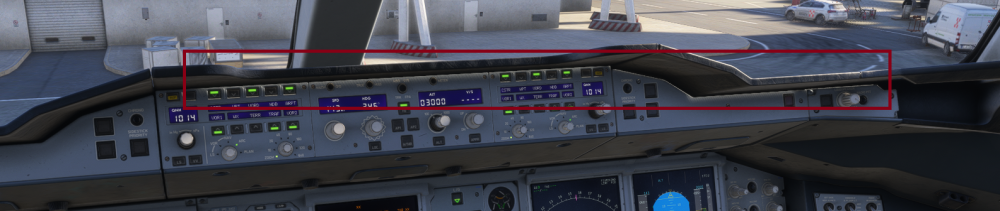
Dear @iniKyle This light leak is happening again in V1.0.6, please help Cheers
-
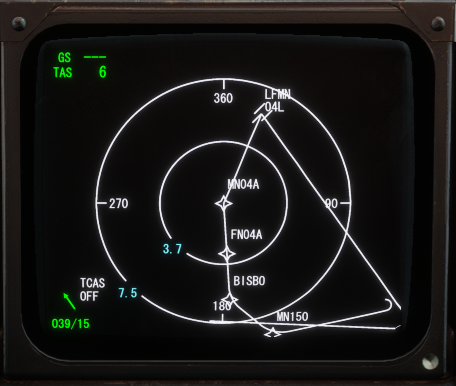
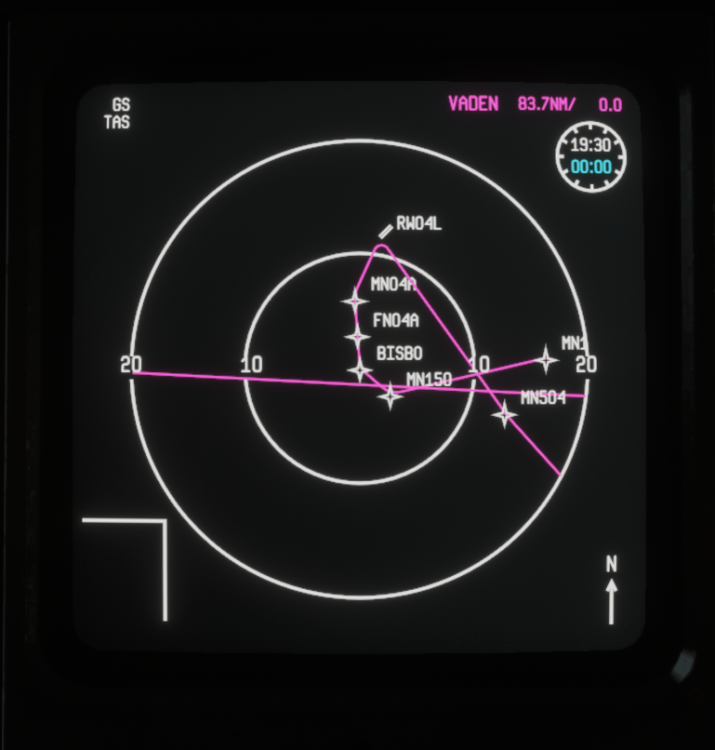
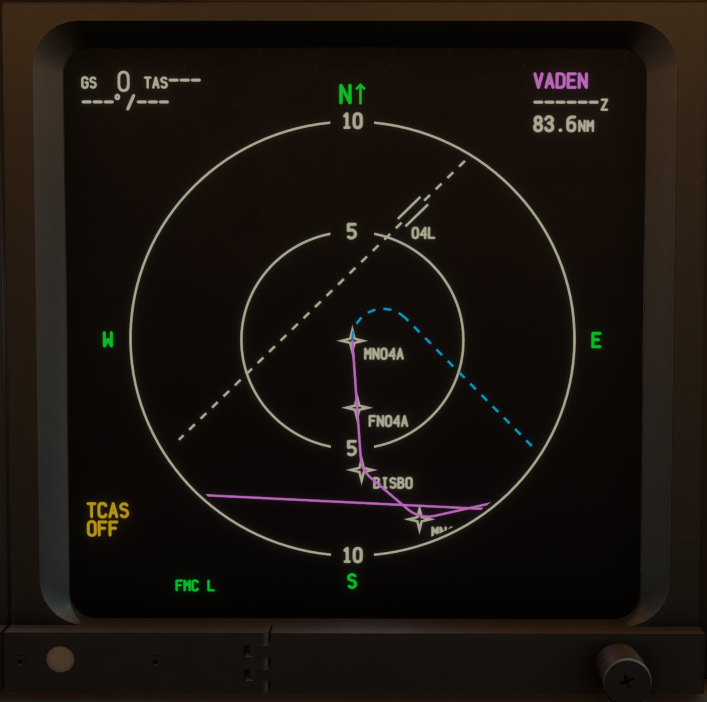
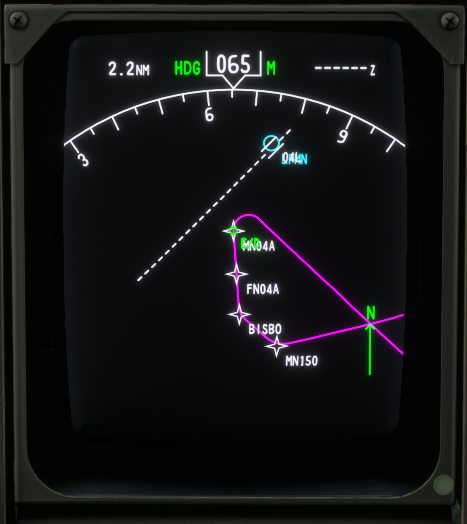
Trust me, mate. This is blow my mind😓 I found out quite different how an aircraft handle this type of approach, see the differences: How TFDi MD11 handle this type of Approach => How JustFLight Fokker 100 handle the approach => It is identical on how IniBuilds depict the Approach. But quite different with how Boeing depict the Approach, see: BlueBird Boeing 757 => And how PMDG do that Approach => I don't know how in the real life handling this Approaches. But for me, as for now, I agree with how IniBuilds represent the LFMN RNP-A 04L/R. This is quite mind blowing for me.....
-
Lovely with your reply and team's work. Send my regards to them. Cheers!!
-
Which one are you using, streamed or downloaded version? Have you updated to SU7? If you have updated to SU7, stop the MSFS, delete WASM Folder on MSFS Main folder, then start MSFS again. You will see the Uninstall/Disable button pop up again. SU7 causing chaos among the MSFS user, because MSFS won't start if there's outdated WASM 😒 and if loading normally, some function were lost (like Uninstall/Disable Button). So you need to delete WASM Folder entirely to regain access.
-
This is VNAV Management Issue from A320 to A380, mate. I forgot to tell you this, @iniKyle . But A380 have issue if there's 2 overlapping SPEED CONSTRAIN. Like the VNAV capability unable to prioritize which one to be use. It is chaos whenever you are descending to any airports, having STAR wtih turn or straight-in. The Energy Management is worst especially below 10,000 feet during descend. Usually there's 3 SPEED CONSTRAINT on VNAV: STANDARD Speed Limit Constraint, noticable by 250kt/10,000feet, PUBLISHED ARRIVAL Speed Constrain, usually there's speed limit for Departure and Arrival Published Speed Limit at specific waypoint, SELECTED Speed Constrain, this is inserted by pilot for flight management planning, I notice that A380 ONLY FOLLOWING Speed Limit number 1, whenever there's number 2 and/or number 3, the VNAV failed to do as programmed. And if there's speed constrain on specific W/P, the VNAV is ALWAYS targeting the speed constrain by the NEXT W/P not on the target W/P. Like the picture above, for context: DB515 having speed 210 knots, but somehow the VNAV targeting to reach 210 knot AT DB514 or DB513. and DB508 having speed 185 knot, VNAV will target specified speed either on DB507 or DB506, or even worst sometimes at DB505, WITHOUT DECEL P/WP between GIRGO to RIDEV. This is ALWAYS happening whenever you are either having turn (most cases) and/or during straight-in STAR. Like, VNAV prioritize ONLY the path without calculating the pre-selected speed requirement (somehow, only the speed 250/10000 is prioritized more than the path or any selected speed). Based on the infrastructure of FMCGS, the path calculated with Continuous Descend Operation (CDO), descend with the lowest energy available (Idle Descend) with calculating 4 factors: ANY CONSTRAIN (Speed and/or Altitude Constrain) inserted whether from arrival procedures speed limit or selected speed limit target, (yes, it calculates BOTH constrain) Idle Power Descend possible (the lowest energy available, WITHOUT having to extend speedbrake), Pre-selected Wind Condition (or zero-wind if the wind from simbrief NOT inserted), and CDO finished at IAF. I know this is loooonnngggg structure modification. But please, make a correction about this. Somehow, PMDG and TFDi having it better about this (I don't mean to compare, but this is only happens on IniBuilds except for A300/A310). And the most funniest things, A350 Prioritizing Speed Constraint but A380 Prioritizing Altitude Constrain (until you hit speed limit 250/FL100) 😆 I hope this can be corrected for the future upcoming development. Cheers!
-
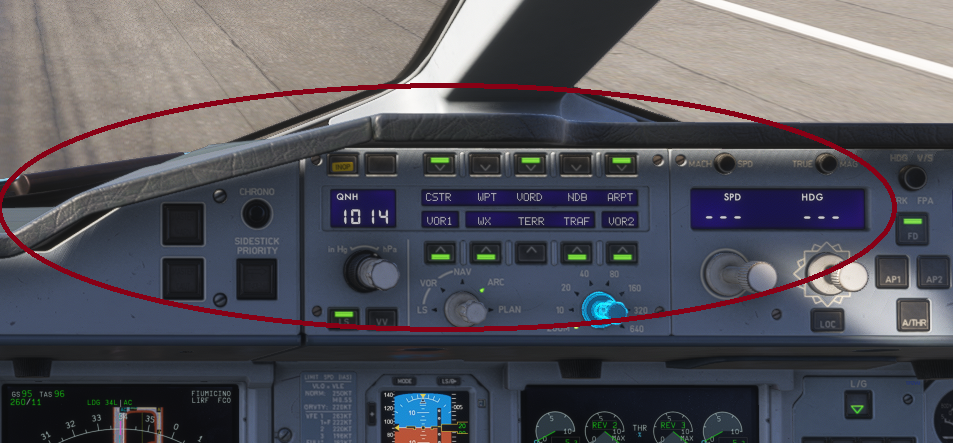
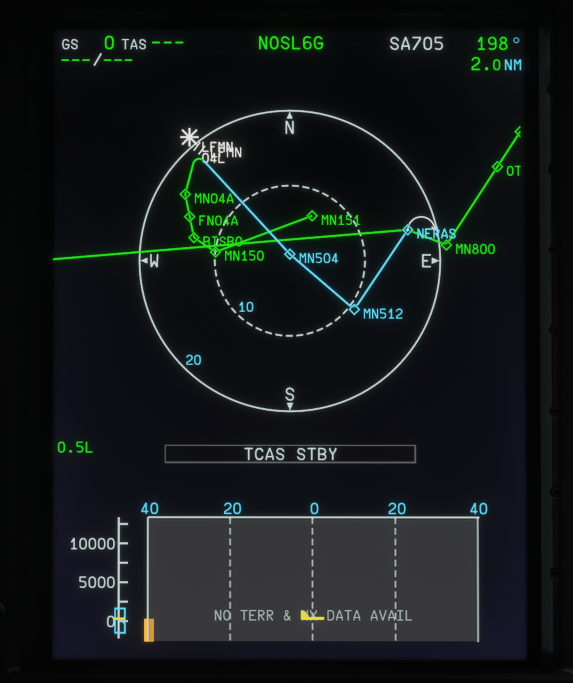
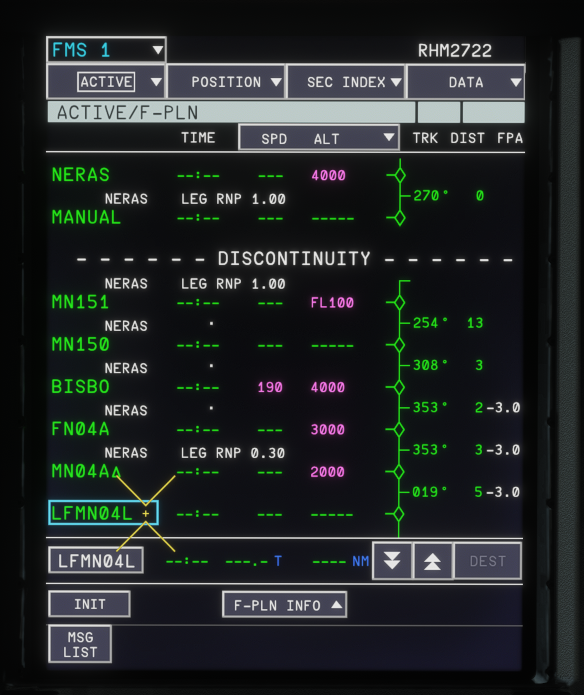
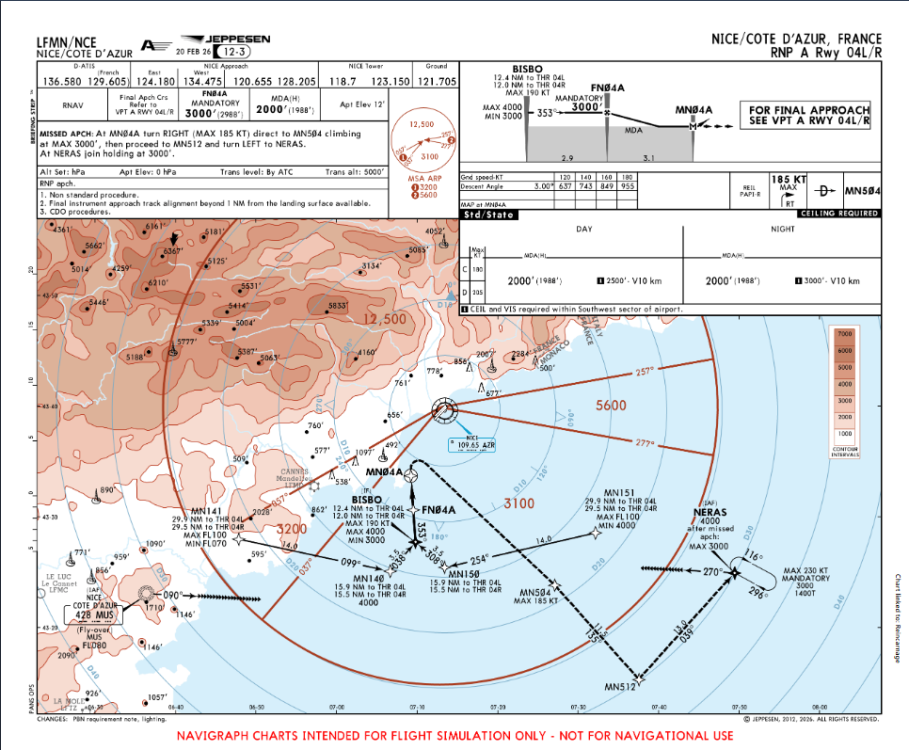
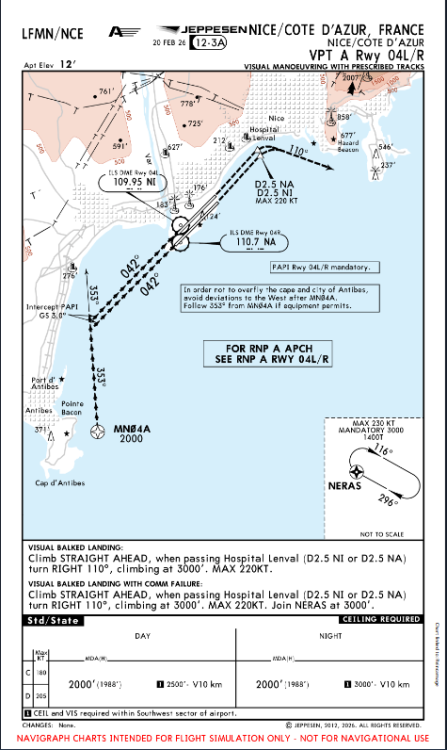
Hi, mate Sorry for the late reply, I just checked the LFMN RNP-A RW04L. I believe you are seeing this: ON the ND => (Pic 01) On the MCDU => (Pic 02) And I believe you are asking why the runway of LFMN04L is exist in MCDU, isn't it, @spottersim ? Let's have a look at the charts: (Chart 1, 12-3 RNP-A RW04L/R) The Procedures are there, after MN04A W/P, it goes to MN504 W/P under the dashed line depicting a Go-Around Route to NERAS. And you are wondering why LFMN04L is there on the MCDU (as depicted on the pict 02)?! But here's a thing, RNP-A/B/C on the procedures IS A DIFFERENT Procedures comparing with RNP-X/Y/Z. RNP-A/B/C is a COMBINED RNP Approach and Circling (Visual Approach), so it is goes visual approaches to the runway. And MN504 is the MAP (Missed Approach Point, a point to be made as a Decision Placement to decide wheter to continue to land or Go-Around). So, After MN504, if you want to continue approach, please refer to Chart 12-3A that contains Visual Guidance Approach after MN504 W/P: This Chart => (Chart 2, 12-3A VPT RW04L/R) See how there's a box contains explanation with thick word that refering us to charts 1. Also on the Chart 1, see the on the Top-Right Box, there's Reference Box to 12-3A. So Chart 12-3 and 12-3A are correlated to each other. So the Charts 12-3A is visual description/prescription of Visual Portion of the RNP-A procedures. Based on that, it is normal to have Runway on MCDU, you can compare it with LDA-X/Y/Z RJTT/HND Runway 22, it is almost identical between each other. I hope it's help to understand the MCDU Plan for Approach. Cheers!
-
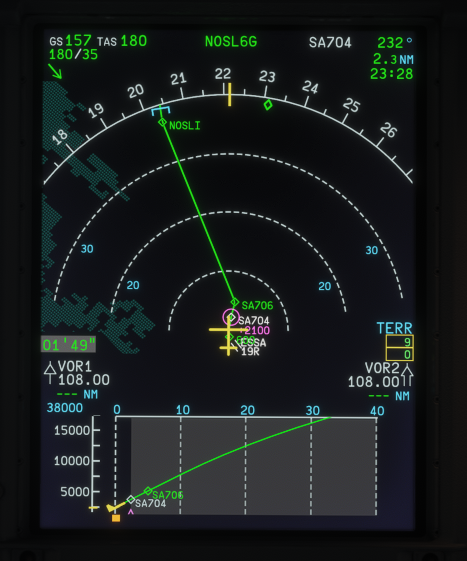
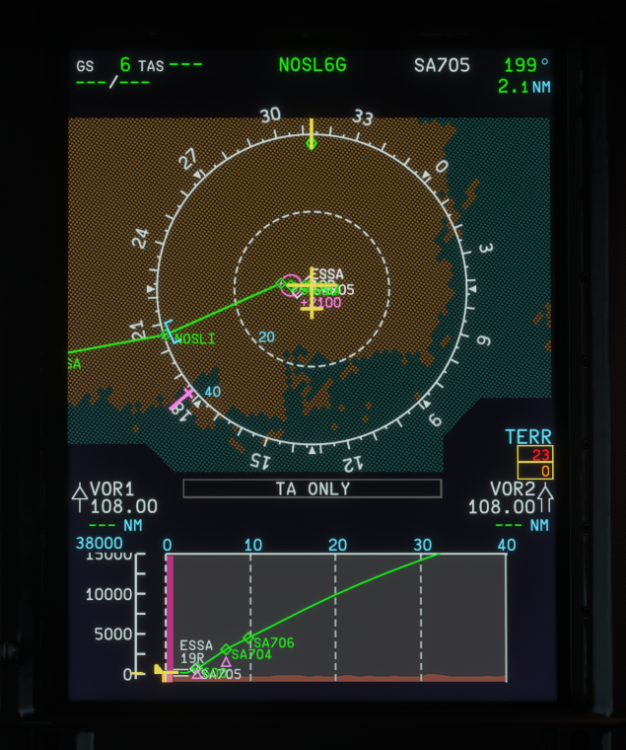
Hello guys, Just a quick check, is there any one having pixelate Terrain Display like this since V1.0.5? Is it me having texture problem since SU7 or everyone who also experience this? Cheers!!
-
Could you clarify which NPAs you're talking about? For: RNAV/RNP approaches generally feature a runway point, though chart labeling depends on regional regulators (e.g., RW##* or a 5-letter named waypoint). But Non-precision approaches like VOR or NDB may lack a dedicated runway point based on where the ground facility is located. Specifying the exact approach would help clarify, please
-


