Eddie
Member
-
Joined
-
Last visited
Everything posted by Eddie
-
Hello, We'll take another look. Thank you for the feedback 🙂
-
Hello, If you haven't already, there's a free trial for Xbox Game Pass. May be worth testing MSFS2024 that way 🙂
-
Hello, I understand that you want more communication but I do not want to keep coming back here telling you we are working on something and it'll be ready when it's ready. That is the only answer I can give. I do not have an ETA nor any other kind of news to give you. Development regarding this is actively in the works and once it is ready we'll ship it out to the aircraft. I apologize if that is not enough but I will not say anything else only to get your hopes up. Thank you
-
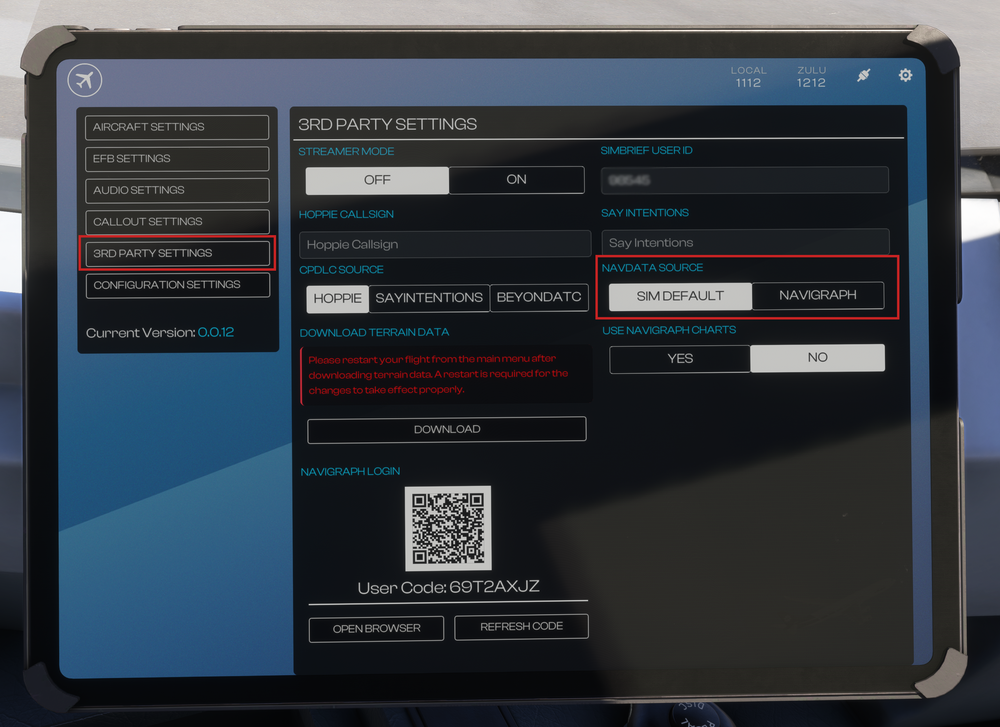
Before your first flight, you must set your preferred navigation database (Navdata) via the Electronic Flight Bag (EFB) - 3RD PARTY SETTINGS page. Sim Default Navdata The A340 Airliner will use the internal 'Sim Default' navdata as the default option, similar to all our previous airliners for MSFS. This means it will update whenever the sim navdata is updated by Microsoft, but also that the data may be affected by installed Scenery or other 3rd Party packages (e.g. Navigraph sim base via Navigraph Hub) installed in your sim Community or Official folders. This type of sim navdata conflict presents itself occasionally as missing SID/STAR/APPROACH completely or parts thereof, or outdated runways, or missing ILS data for auto-tuning of NAVAIDs page etc. Navigraph Navdata To workaround the conflicts listed above, active subscribers have the option to use external navdata provided by Navigraph directly that works independently of the installed Scenery or other 3rd Party packages. Once set-up, this navdata must be updated directly via the Electronic Flight Bag (EFB) - 3RD PARTY SETTINGS page. Connect to Navigraph First you must connect to your Navigraph account by Scanning the shown QR Code, OR Navigating to https://navigraph.com/code and enter the code shown on the OIS. After you have completed the authentication steps the OIS will update to show the additional 'UPDATE DATA' and 'RESET NAVIGRAPH' options. IMG2 Change Navdata Source You can swap between 'SIM DEFAULT' and 'NAVIGRAPH' navdata by simply clicking on its respective button under the NAVDATA option. This can ONLY be done on the ground without the engines running.
-
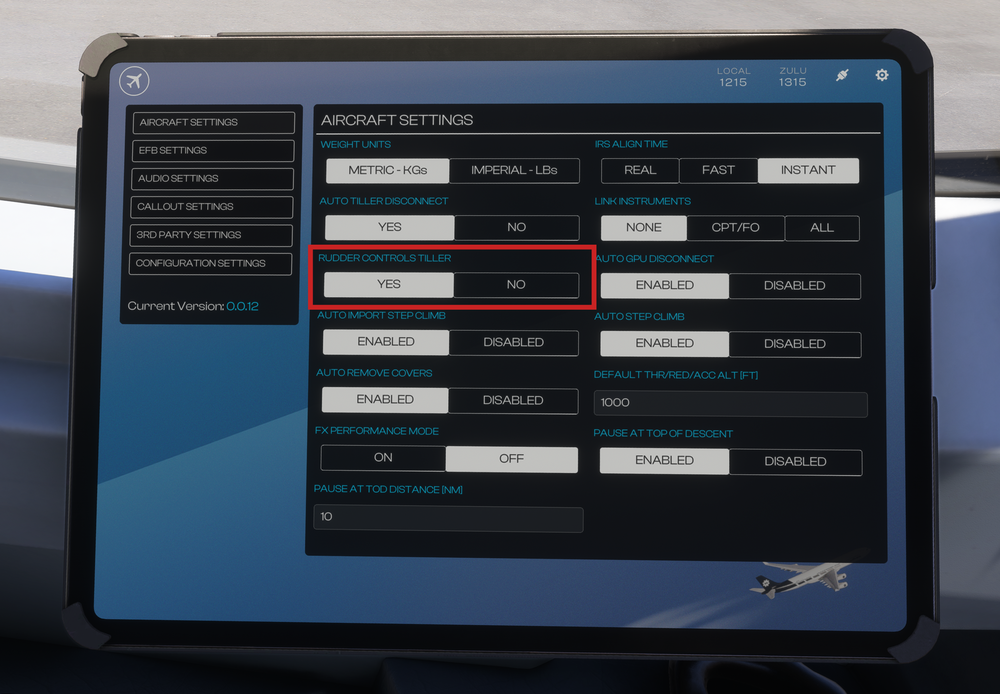
The Nose Wheel Steering is usually conducted using the tiller located on the side console. The tiller is bound to the 'NOSE WHEEL STEERING AXIS'. For simulation purposes, this can also be linked to your rudder axis for ease of use. This is done on the Electronic Flight Bag (EFB) settings page which can be reached via SETTINGS > AIRCRAFT SETTINGS > RUDDER CONTROLS TILLER. EFB AIRCRAFT OPTIONS Set the RUDDER CTRL TILLER option to YES to couple the Rudder Axis to the Nose Wheel Steering Axis. (Optional) Set the AUTO TILLER DISCO option to YES to automatically de-couple the Rudder Axis to the Nose Wheel Steering Axis when N1% > 70% for better directional control on the runway.
-
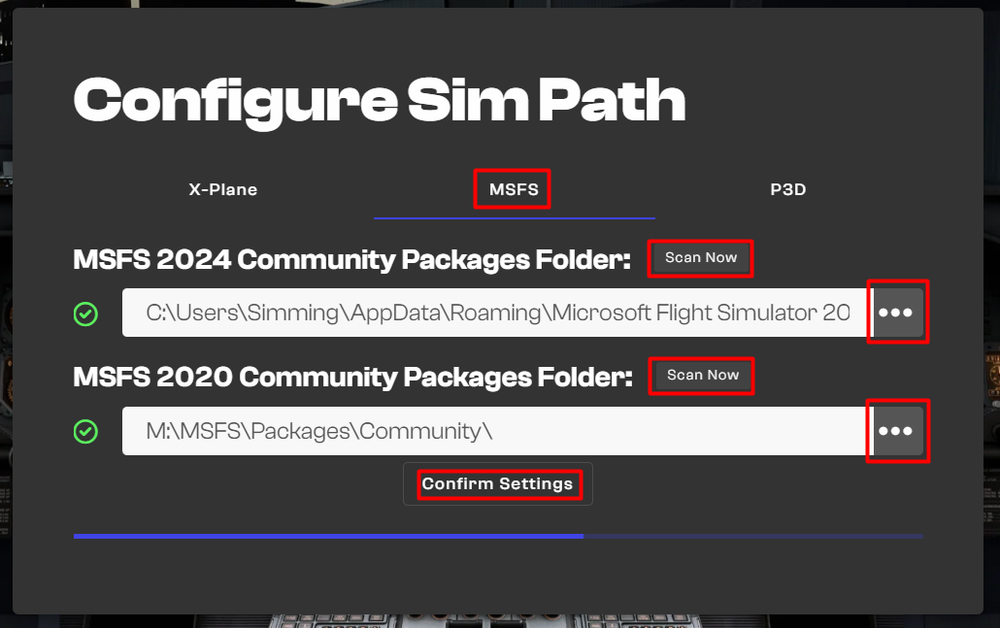
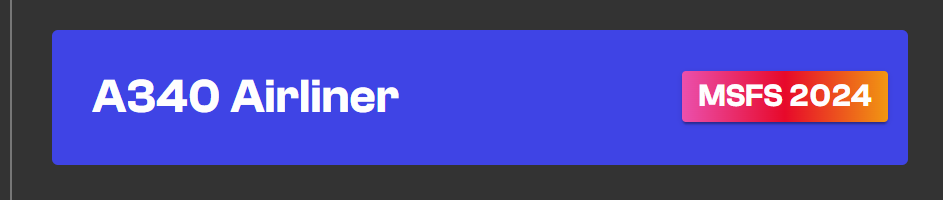
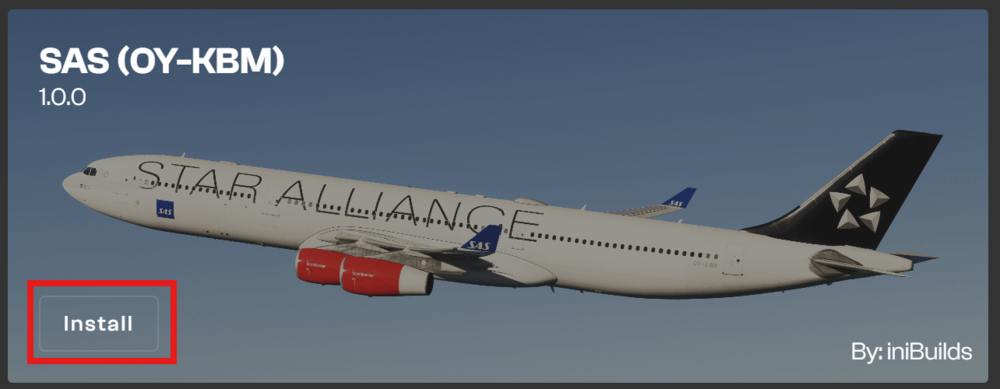
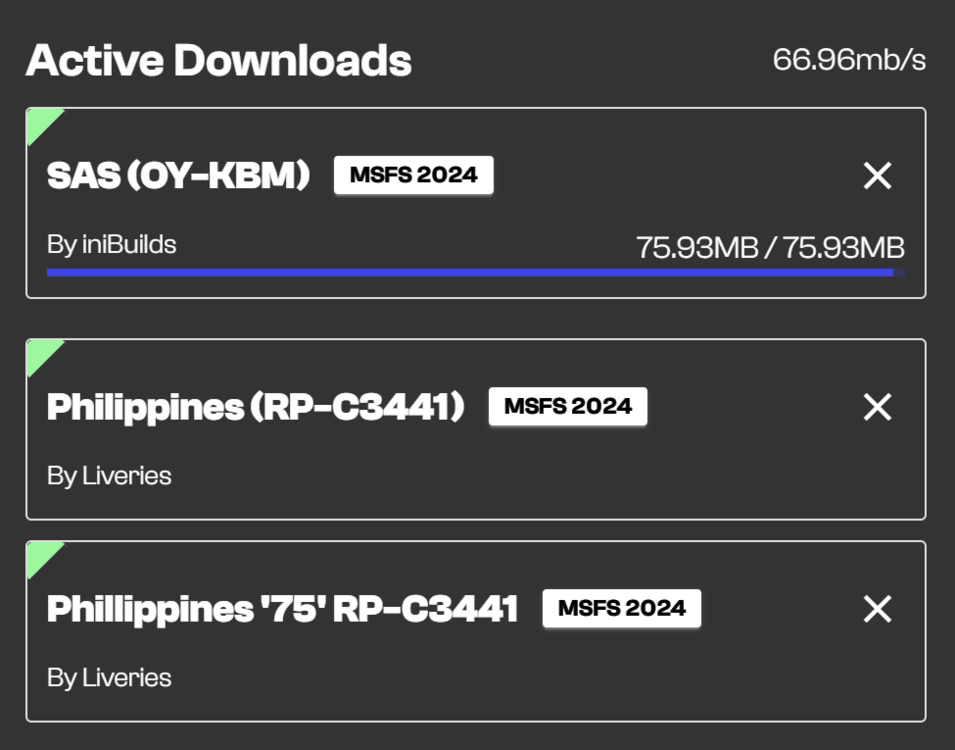
Overview The iniBuilds A340 Airliner comes with a plethora of liveries made by our in-house artists for you to faithfully re-create your preferred Airlines experience. These liveries are available for download via the iniManager directly into your sim's Community folder. IniManager - Installation & Setup New Users Download the latest version of iniManager from https://inibuilds.com/pages/inimanager-v2 Log in using your iniBuilds Store account. Set your MSFS 2024 Community Packages Folder paths: a. Default Location: Press the 'Scan Now' button to run an automatic scan for the default Community folder path. b. Custom Location: Press the '...' button to manually navigate to your custom Community folder path. Done! You may now download your desired products and liveries. iniManager - Liveries Management Accessing Liveries Open the iniManager Select the 'Liveries' from the sidebar Select the 'A340 Airliner FS24' Find your desired livery from the list. You may use the 'Filters' or 'Search Liveries' section at the top-right corner. Installing Liveries Click the 'Install' button on the desired livery. Read the disclaimer and press 'I Understand' button. Wait for the download to complete. You can see the status of your download via the Active Downloads icon on the top right corner. Done! You may now close the iniManager. Uninstalling / Updating Liveries Click the 'Uninstall' or 'Update' button on the desired livery. Done! You may now close the iniManager.

-
-
Attached below is the Aircraft Manual for the iniBuilds A340 Airliner for your reference. iniBuilds A340 Manual 1.5.pdf

-
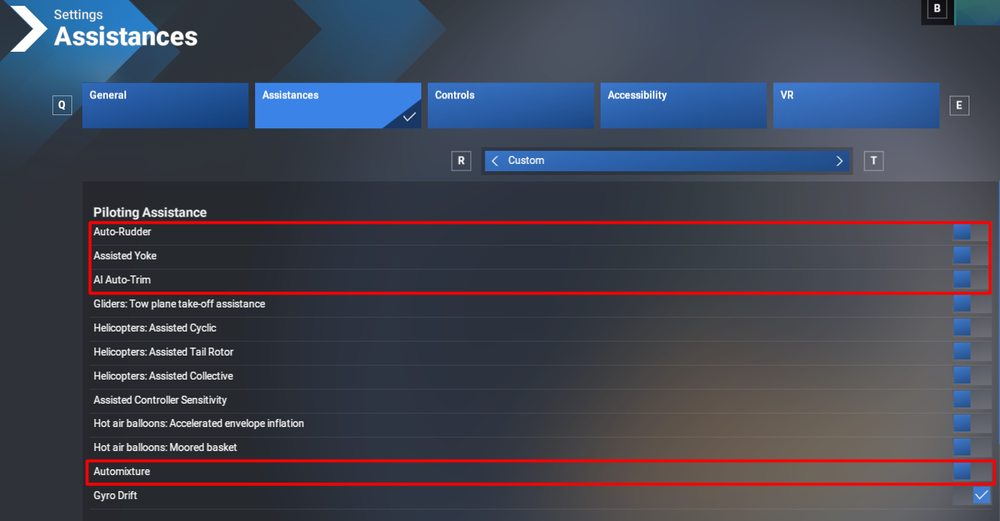
If your aircraft is not following the flight path correctly, please check your MSFS Assistance settings and ensure that the 4 options highlighted below in red below are switched to OFF.

-
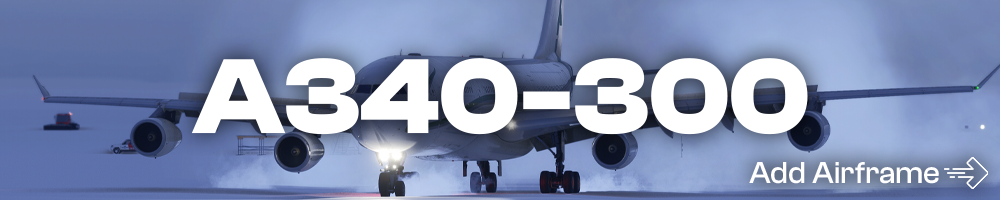
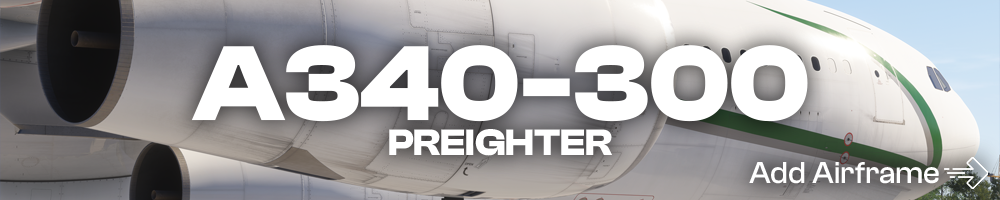
A340-300 Click the image to add the airframe to your SimBrief! A340-300 Preighter Click the image to add the airframe to your SimBrief! A340-300 VIP Click the image to add the airframe to your SimBrief!
-
Close the simulator if it is running. Navigate to your your FS24 WASM Folder: Steam: MS Store: Delete all the contents of this folder. This folder and its contents will be re-generated next time you load into a flight with the aircraft.

-
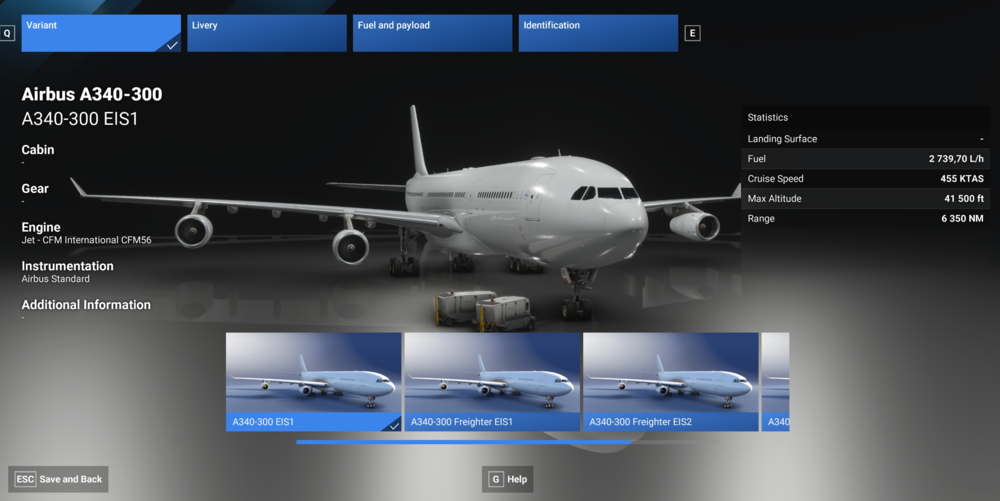
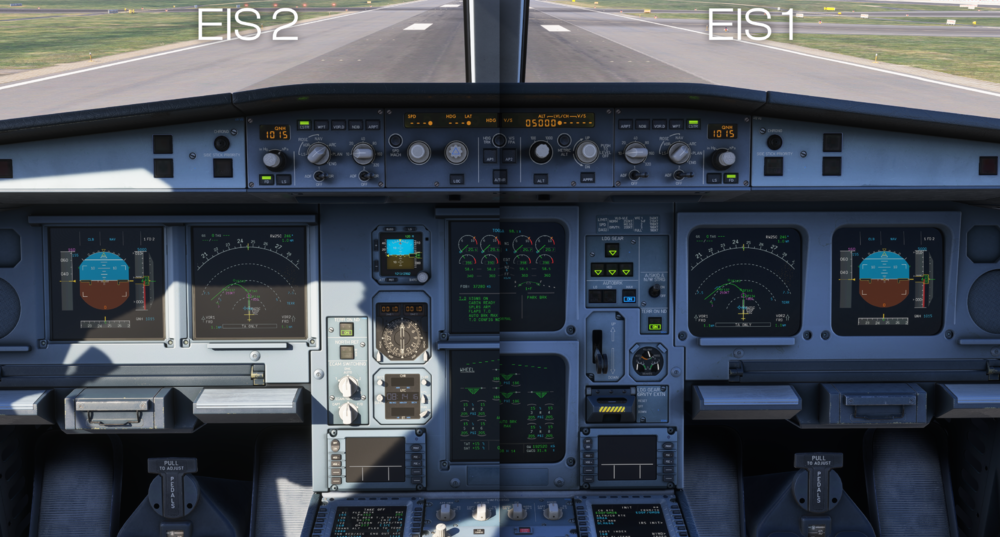
Overview The iniBuilds A340 Airliner is available in multiple variants which allow you to fly in any of the following combinations of Cockpit and Cabin - the Electronic Instrument System 1 & 2 (EIS 1 & 2) Cockpit option paired with Passenger, VIP or Preighter Cabin options. Changing Variants Open the Aircraft Selection Menu Find from the list or Search for the 'A340' Select 'Configure' at the bottom left corner of your screen via your mouse or by pressing the shown keybind Choose the 'Variant' tab at the top Select 'A340-300 (EIS1)', 'A340-300 (Freighter EIS1)', 'A340-300 (VIP EIS1)', 'A340-300 (EIS2)', 'A340-300 (Freighter EIS2)' or 'A340-300 (VIP EIS2)',. Switch to the 'Livery' tab at the top Choose your desired livery from the list Select 'Save and Back' at the bottom left corner of your screen via your mouse or by pressing the shown keybind Now you can return to the Free Flight menu and Start Flight to use the selected variant of the iniBuilds A340 Airliner.
-
Here you’ll find the manual for the NAMC YS-11. YS11_MSFS_Manual v1.0.7.pdf
-
Hi. I've prodded the team again. Apologies for the wait everyone, can imagine it's frustrating but we are doing what we can. I'll have a reply back to you once I know more. Thank you
-
What aircraft are you referring to? Thank you
-
Hello, We've made a full review of what needs refinement on the model of the aircraft and the wings are part of that needed-refinement; what does that mean? We will most likely not touch minor details such as these until we've remade the specific parts of the model that need said refinement. Unfortunately, such a large undertaking will take time. We apologize for the inconvenience and appreciate your patience! 🙂 Thank you
-
Hello, This should have already been resolved. Is this not the case? Thank you
-
Hello, We will provide an update on compatibility as soon as there is one to give. It is still in the works. We apologize that it is taking a while but like mentioned, it is being worked on. 🙂 Thank you
-
Hello, Will bring this up to the team and we'll see what can be done. No promises however 🙂 Thank you
-
Hello, Thank you for your suggestions! We have a large list of scenery requests on this forum already (https://forum.inibuilds.com/topic/23417-scenery-wishlist/page/7/). We wish we could make every airport out there! 🙂
-
Hello, This should now be resolved. Apologies for the wait. Enjoy 🙂
-
Hello, Glad to see it finally resolved! Sincerest apologies on the delay 🙂 It was indeed due to the LOD changes introduced with SU3. Enjoy!
-
Hello. Unfortunately not much I can share at this time. We're aware and looking into the quickest and most effective fix. When it comes to VR, the issue goes deeper into a platform-level problem which naturally makes things take longer; that's why I am not confident in providing you false hope in the form of an ETA.
-
Hi there, Unfortunately the shader only works using MSFS2024 techniques, as indicated by the disclaimer. We appreciate your understanding and continued support 🙂 Thank you
-
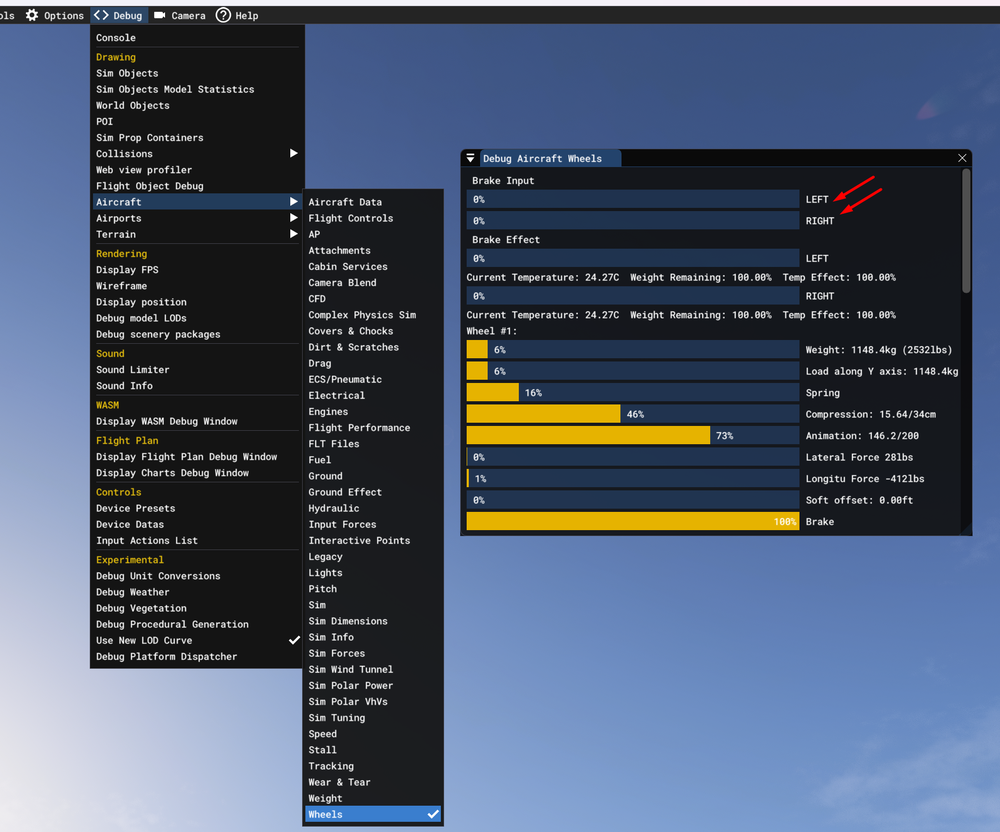
Hello, Since the last communication from us we have still been unable to reproduce the issue. We need some more information. First of all, please ensure ALL assists are disabled in the MSFS options (auto mixture, crash simulation etc). Also, if you continue to encounter this problem, please enable Developer mode and check Debug -> Aircraft -> Wheels to see if there's any brake input present (see image)