




richboy2307
Staff
-
Joined
-
Last visited
Everything posted by richboy2307
-
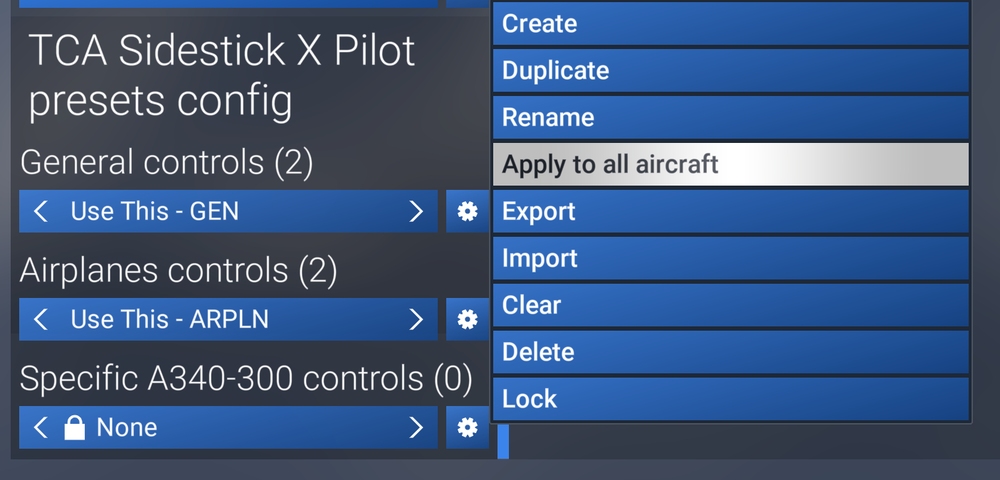
Hi, We do not have reproduction of any of your reported issues internally or amongst our testers once control profiles and controllers are properly configured. As for issues resolved after toggling GSX integration, sounds like GSX tugs are not properly releasing the aircraft, hence the difficulty with nosewheel steering and additional thrust required. Neither of those are normal conditions, and we are limited in how GSX behaves but things you should ensure Correct GSX profile installed (and properly in the right directory). The final path of the installed profile should be: You have completed the pushback procedure properly, with GSX having removed your gear pin and properly dismissed you. You need to wait for the marshaller to release you, starting taxi prematurely may have that effect. Ensure your chocks are properly removed prior to and after pushback. Chocks are controlled via the EFB Ground page. As for steering in general On the EFB Settings > Aircraft Settings page, there is a RUDDER CONTROLS TILLER option. When set to YES, your rudder axis controls the tiller as well. When set to NO, then the nosewheel has limited deflection, with full range of movement only possible via "Nose Wheel Steering Axis" in settings. Skidding is simulated with latest FS2024 ground handling physics, so you need to properly manage your speeds when initiating steep turns (less than 10kts GS). You also need to carefully use your rudder/tiller to steer into the turn, instead of slamming full LEFT/RIGHT to ensure proper turning. As for control profiles, since FS2024 has aircraft-specific control profiles now, ensure your correctly defined GENERAL, AIRPLANES and SPECIFIC A340-300 controls profiles are active. You may need to toggle between profiles or APPLY TO ALL (if you use the same across aircraft) for proper application. The same is true for any axis calibration/inversion applied. Thanks!

-
Hi @aekki From the dev team: Thanks!
-
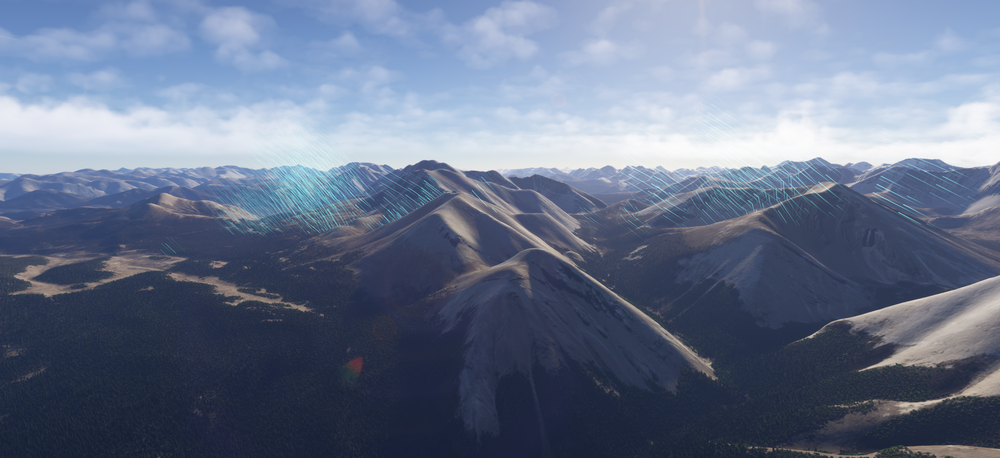
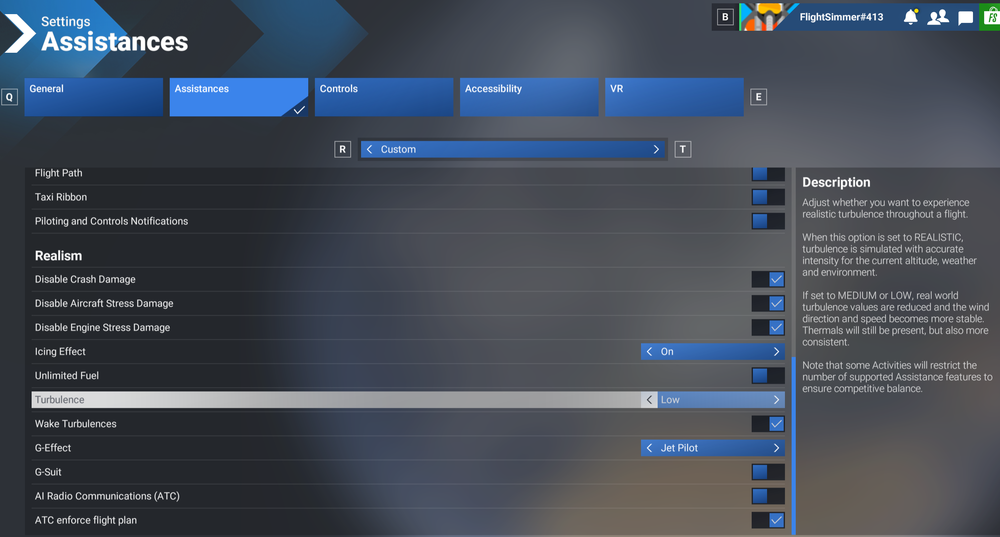
The aircraft is already highly optimized, so I'm not sure what else can be done to meet that expectation? For context we have testers using it across a spectrum of hardware, from mid-tier 20-series cards all the way up to the latest high-end 50-series, not to mention the same aircraft is available for use on Xbox. So while we are open to suggestions, do note that no effort has been spared to optimize performance already - be it code or art side and the resultant product is the best that can be achieved based on current knowledge and sim conditions. I'm sure you're aware but for the benefit of anyone else reading this - some things you should take into account: Hardware: you do have to be mindful of your hardware in adjusting your sim settings, especially when running at high resolutions (like 4K) with many addons. Render Resolution, Texture Resolution, Object & Terrain LOD settings will have a huge impact on your experience. Especially when you set it at the edge of your hardware capability such that there is little headroom for the smallest overrun in certain conditions (e.g. larger amounts of ai traffic models spawned than anticipated). For 4K at native render res with TAA, at High Texture Resolution, Terrain & Object LODs above 120, in excess of 16GB VRAM is recommended. Anything less, you should adjust accordingly. Liveries or any texture modification packs: The official liveries on the iniManager (or marketplace livery packs) are using the decal-painting method that allows for dynamic-scaling depending on your distance from the aircraft all the while keeping texture resolutions to a bare minimum (less than 2K even). By comparison, many 3rd Party Liveries still use the traditional method of painting on model textures directly, then exporting at extremely high resolutions (8K/4K) which will cause VRAM usage to spike unnaturally so you should take that into consideration. This method is used throughout the aircraft texturing process, inside out, as well as strict adherence to node/bone limits on models, and extensive use of FS24 LODs system to achieve the performance this aircraft currently has. Thanks!
-
Hey Thanks for your report. I've forwarded to the team. In the meantime, have you tried reaching out to Wingflex support team? @Louis P Usually it is for the hardware makers to ensure their products are compatible with the existing sim software, and if not reach out to developers of those software for additional information/action required. Thanks!
-
Thanks for the update. Yes need to ensure the files downloaded from the link below are placed in the correct directory. The final path should look like as follows: Thanks!
-
Hi @2302rs Unfortunately, this isn't an actionable report for the reasons listed below: This doesn't appear to be an A340 WASM crash. In fact the enclosed screenshot shows an issue with the "noolaero" WASM module, which has nothing to do with the A340. Report also does not provide us with any information to try and reproduce what you experienced, to then be able to observe it with additional debugging tools attached to the sim to determine the cause. In case you are experiencing this issue again, make another report along with all requested information in the WASM Crash report guide. Thanks!
-
Hi everyone, It does work and has done so since launch, though not as consistently across the board for all users as we'd prefer. We have identified this to be a potential artefact related to MP streaming/compression and notified MS/Asobo accordingly. If any changes are required/implemented on our end, it will be noted in the changelog explicitly for that particular update. Thanks for your patience meanwhile. 2025-11-03 18-13-50.mp4
-
Hi, Please try to reach out to Microsoft Support via Zendesk for more information: https://flightsimulator.zendesk.com/hc/en-us/requests/new Perhaps they have a solution for you. Thanks!
-
Thanks for your feedback, it is logged for the team.
-
Hi, You can refer to this guide here: Also ensure you have the right GSX profile in as GSX lacks any "internal" profile for the aircraft and the values it identifies as default are rather incorrect. As for payload and fuelling, please refer to this note on the guide as well. Thanks!

-
Hi, That sounds like a potential driver or shader cache issue. I would recommend clearing your GPU Shader Cache if you haven't done so for a while. There are plenty of video guides online, such as this that can help. Use the appropriate method for your particular brand of GPU (AMD or Nvidia). Thanks!
-
Hi, full / official compatibility for WinWing MCDU is still on the way, and not yet the case as of A340 v1.0.2. Until that happens in a further update, the MCDU may not work 100% reliably. When full compatibility is available, it will be noted explicitly on the changelog and accompanying posts. Appreciate your patience in the meantime.
-
@wolfko That is precisely what the comment above was referring to, and it is indeed a sim limitation. Please re-read the comment above to understand. The "grass" around the roads is part of the sim's road/vector data overlay, which isn't taking the snowfall into account. The sim currently does not allow custom scenery to overwrite this sim vector data or layer above it.
-
Hi, This is a sim issue with loading nodes for pilots to spawn at. We have little control beyond assigning the node/spawn point for these models, the rest is handled by the sim. This would be why they're there sometimes, not the others etc. Thanks!
-
It is the control for the air vent above it. Increase/decrease the airflow by moving towards +/- respectively.
-
Follow this guide to change variants. Please note whilst streaming the addon, it may take some time for the download to complete with the necessary files. Or you can manually download the whole aircraft via My Library to grab it all at once. Thanks!
-
Thanks, reported.
-
If you mean the window shades in the cabin, no they're not operable for performance reasons. If you mean "plugging" the windows on the outside, thats done via the livery textures by painting over the liveries. There is no dynamic setting to plug them. Thanks!
-
Thanks reported.
-
Hi @NickMunro It is definitely working, though there is a difference in the degree of change in A340 vs the A350, primarily for performance reasons. Dynamic Weathering/Dirt requires nodes, and each node comes at the cost of performance. In the current implementation, all efforts have been made to keep nodes to a bare minimum, as such alot more of the dirt/weathering is part of the livery/base textures as opposed to "dynamic". One place where you can observe this in effect currently for example is on the seals for avionics compartment (and other maintenance panels on the belly): (Click to enlarge image) But your feedback is noted and relayed to our Art team for consideration. Thanks!

-
Hey @Benutzer Thank you for your detailed report and information provided. Unfortunately we've not been able to reproduce your WASM crash as yet across various test systems, with or without your autosave. Here is a video from one of the attempts: 2025-10-14 15-28-12.mp4 This highlights the difficulty in replicating these crashes, so if you notice anything we can do differently in trying to reproduce, or better yet can provide a similar video of your own with the console window open, we can attempt again to hopefully trigger it and catch it with the additional sim debugging tools attached! Thanks for your cooperation.
-
@sdflyer Please make a seperate post and with all the appropriate information as per this guide pls:
-
Hey, Thanks for your report. We're working on some of the reported items, but there are also just few things we wanted to clarify that are non-actionable, Checked, it is coded as a window between the intercept alt (3000ft) and 1460ft in the Sim Default navdata unfortunately. Under Navigraph navdata this waypoint doesn't even exist (it goes from DESIM direct to EDDV09L with a 3 deg glidepath). Not much we can do about it, but yes it should not have shown as a 3000 Magenta ALT CSTR on the F-PLN page in this instance which is what team is working on. Team is working on this. For this particular approach, it is just an ILS-LOC, not an ILS-LOC-DME so that is correct behaviour in this instance. The DME information for this approach is to be received via VOR1/2 tuned to the HAD (113.95). That is dependent on the scenery as that is where the information is pulled from. If the scenery has not assigned ILS Freq/station to the runway, then it won't get pulled with the procedures for it. The plane is not in go-around phase, hence no go around indications on the PERF or anywhere else. For the LNAV however, this is an "artefact" of sim-default navdata, in the way that its been re-done now such that the Go-Around waypoints start from right after the MAPt in the database, rather than *after* the runway waypoint. As the leg from MAPt to runway gets sequenced, its already in the "go around legs" segment and hence its turned green. The triggers are different for LNAV vs the rest of the go around logic, and there is no easy way to get around this for sim default navdata without also introducing other complications with sequencing. It is on the docket but unlikely something that can receive a quick turnaround. Ideally though the sim would revert to the old way of defining go-around segment legs. Yes it is. If you're having issues, please provide video reference of observed behaviour in-sim for team's perusal. Thanks!
-
Hey @Asher Yearwood Thanks for the additional information. See this video - it is at a higher altitude, but also tried at alt/position where you stated and still could not repro: 2025-10-08 17-44-39.mp4 I have also attached an autosave (EGPH_DES.bin) that we loaded into for testing, this was saved whilst trying to re-create your flight. See if you can reproduce the issue on this autosave maybe? You can copy the autosave into the paths below, then load it via the EFB Autosave menu. Would be helpful if you can also create a video recording like the one above with the console window open that will help us see when the WASM crash triggers. We want to get to the bottom of these WASM crashes but step one is being able to reproduce them. So your help is appreciated. Thanks! EGPH_DES.bin
-
Hi @Asher Yearwood We have tried our end to reproduce your crash but have not been successful. Can you please provide the following additional info Are you able to reproduce this crash? Either this one specifically or in any other situation Which waypoint did you try to insert a DIR TO - RADIAL-IN towards? What RADIAL-IN value did you insert? Where approximate you were (closest waypoint) when you initiated this Ideally, please provide an autosave file closest to your time of crash so we can load in to the same scenario and try to reproduce you crash. File paths for the autosave can be found in the guide here: Thanks!


