




garett_09
Member
-
Joined
-
Last visited
-
Hello, since im writing on behalf of the XBOX users, iw ould like to have a moving maps in my A380 if it's psosible since i can see it in the charts, as well as the navigraph app. that would be amazing. Thanks!
-
-
-
Hello everyone, Just wanna say that the performance of this aircraft is good when I'm airborne but when I'm on the ground i keep getting the memory error in XBOX even after turning on performance mode. I also can't get to download the plane in the marketplace as well as the livery as I am right now just streaming the plane from the server. Thanks!
-
-
Hello Inibuilds team, sending here a new issue that I got after updating to the latest version in XBOX. This flight goes from Doha to Sao Paolo Brazil with a 13hr flight. All loaded from simbrief but getting weird fuel amounts again thus resulting in not accurate fuel in my plane.
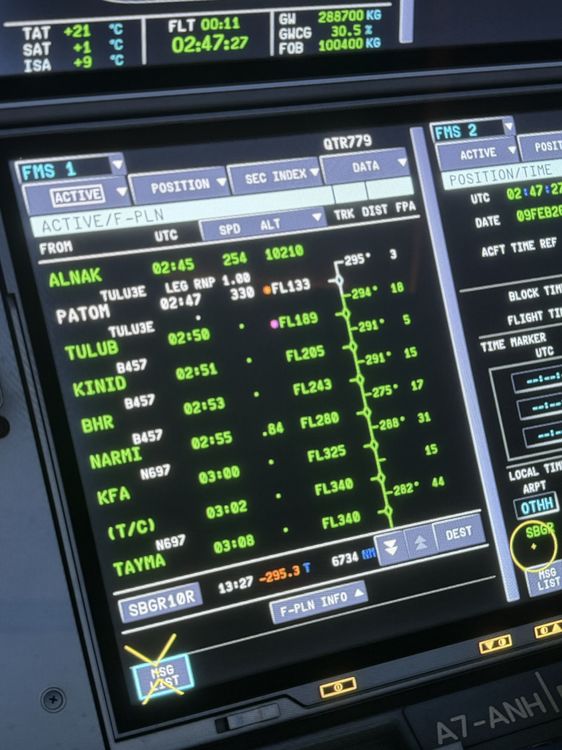
-
Hi @IniJamir, Did the fix for this issue get pushed in the 1.2.1 version for XBOX?
-
Hello, i tried not putting step climbs at all and it worked so when i did put step climbs manually or automatically, im getting negative fuel amounts or worse N-N. But whats the point of not putting step climbs if this plane is a long haul one :((
-
Hello! Also attaching here the step climbs @richboy2307
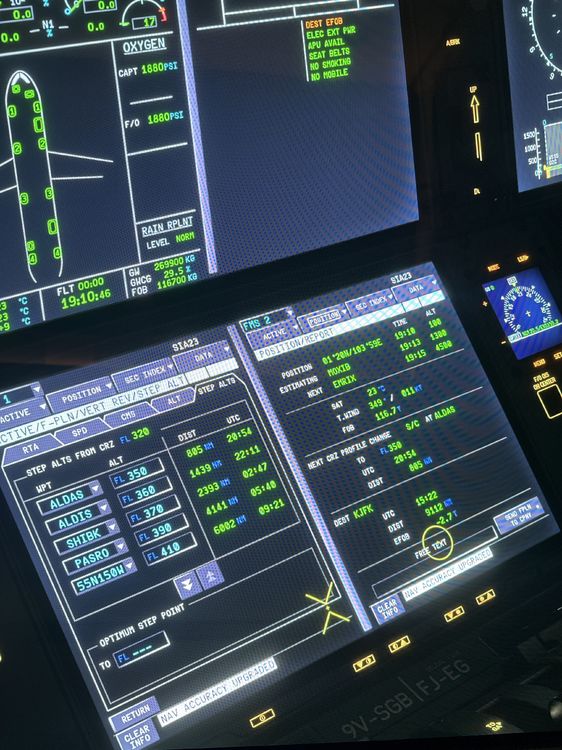
-
Hello! Thank you for the time to seeing this issue. Attaching the flight logs from Simbrief that happened today. I didnt get an N-N value but the fuel calculation is wrong. The block is only 116.8 but im getting a trip of 119.5t which is not correct thus getting DEST EFOB same as N-N. this is a legendary route for the airbus a350-900 ULR running 1.20 on xbox using latest SU4 update WSSSKJFK_PDF_1768071608.pdf
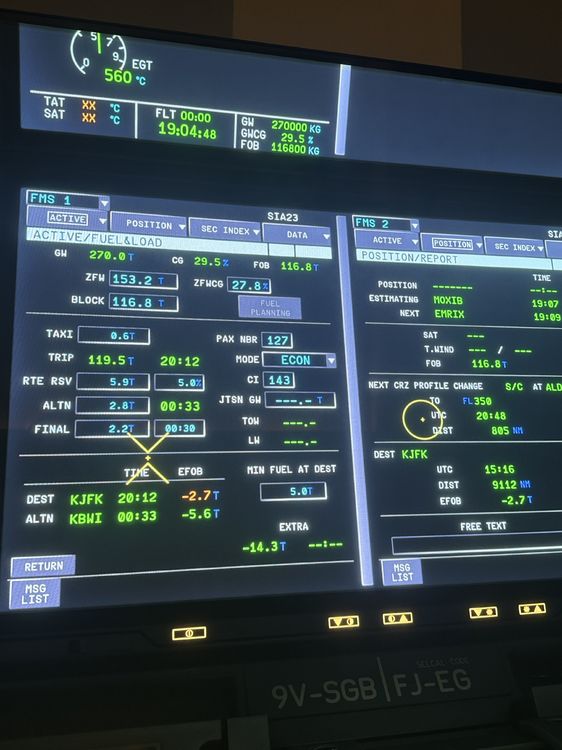
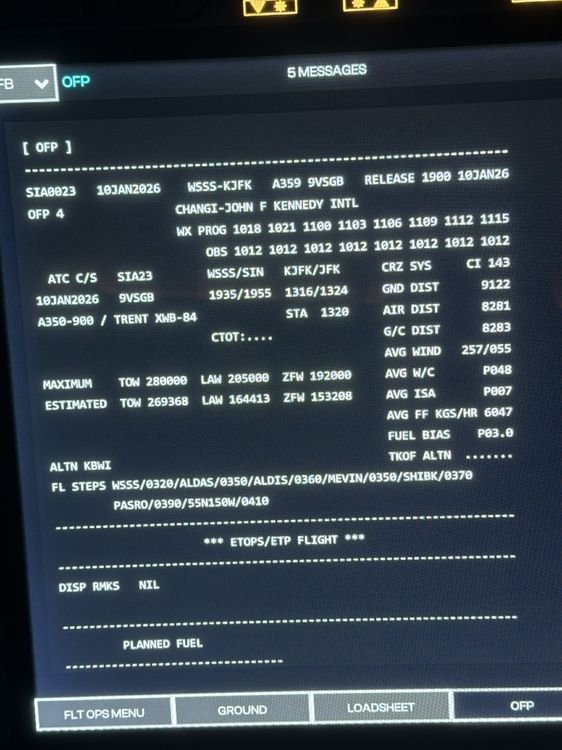
-
This is because of the fuel calculations in the fuel and load. The calculations are always wrong when step climbs are being added. If there are no step climbs, the fuel is normal. @iniBuilds Team @iniBuilds @IniSteve
-
Same issue for me. This has been happening in 1.1.9 when adjusting the QNH in XBOX. I hope inibuilds team can fix this.
-
That sucks. They should also update the livery i think?
-
-
I will try to do this and still fly the plane even if there are negative values. I always fly the plane on live weather and live time so i will see.


