




iniKyle
Staff
-
Joined
-
Last visited
Everything posted by iniKyle
-
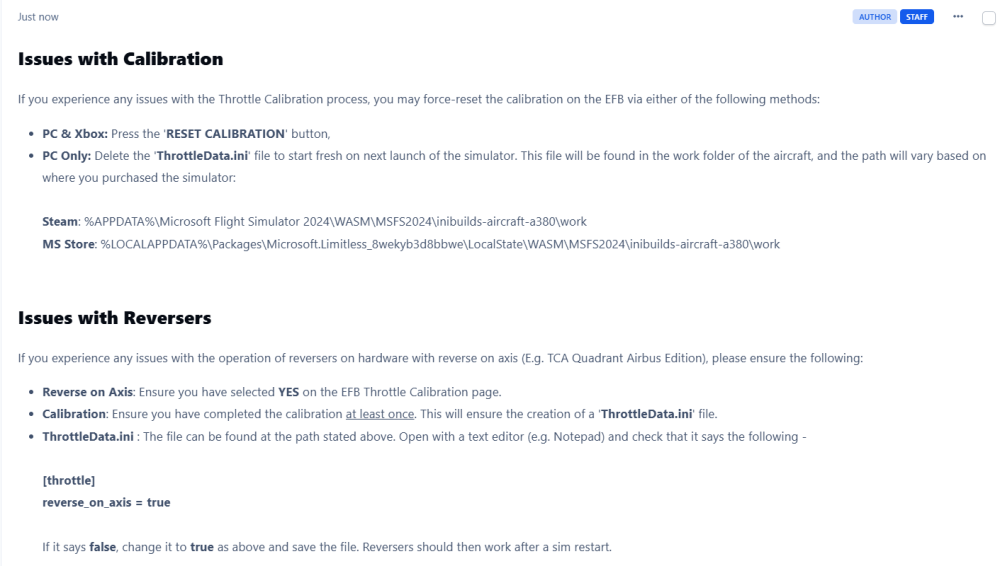
Hi, Please try the following:
-
Hi, Thanks for your detailed report. I will get this logged for the team, hopefully for the next update. Thanks again!
-
-
Hi, Just tested on my end and everything was working as intented. Did you make sure the aircraft was in NAV mode not HDG mode? Thanks!
-
-
Hi, Sorry to hear you've been having issues with the multi-jetway. Is this happening repeatedly? Thanks
-
This ^
-
Hi, thanks for your feedback. Will try and replicate on my end and report back. Thanks for your patience!
-
-
Hi, Thanks for your suggestion, I'll pass them along to the team for further consideration. Thanks again!
-
Thanks, Have you confirmed your scenery.ini is set correctly? Meaning the airport is above any ortho/libraries?
-
-
-
Hi, Are you referring to the GSX file in the scenery folder? Or are you referring to the profile installing into the GSX virtuali folder? Thanks!I believe this is if you do not want to use the VDGS (Visual Docking Guidance System). Thanks!Hi, The SimBrief profile was created using the data available to us from our development team. If you feel that adjustments to the OEW/DOW or cargo capacity are necessary, you’re welcome to make those adjustments accordingly. Thanks!Hi, Depending on the scenery, most have a small upgrade fee. If you log into your iniManager, you should see the discounted price on the store page. Thanks!I'll do some more troubleshooting on my end. Off the top of my head, I'm not entirely sure what's causing the issue, but I'll look into it further. Thanks for your patience!Hi Bert, As a follow-up: RWY 13 REIL: This has been logged and should be fixed in the next update. RWY 23 REIL: REIL will be added and should be included in the next update. RWY 31 PAPI: RWY 31 does indeed have PAPI lights on both sides, which has been confirmed by our reference material. Surrounding imagery: I've mentioned this to the team. However, I believe this may be a limitation with the surrounding ortho imagery provided by the sim. Spot 21: This has been noted and should be fixed in the next update. Dingli Cliffs: I've passed this along to the team for future consideration. Thanks again for taking the time to provide such detailed feedback!Thanks for your feedback. I've sent it over to the team for review. Appreciate your patience!Hi, Could you attempt a fresh install of the scenery again? Thanks!


