





Jamir
Member
-
Joined
-
Last visited
Everything posted by Jamir
-
Yeah it's possible I'll see what I can find on our end and check out MKE again myself when I can
-
When you got the new PC, did you format the drives and fully redownload everything from scratch? (I know you said above you reinstalled addons) and it sounds like something is corrupted somewhere between the sim and the addon itself.
-
Glad I could be of assistance 😉 enjoy 🙂
-
Hi, I will pass this along to the team, thank you.
-
-
Are you able to upload a video please, also do you have any assistance options enabled as this might be why that is happening
-
Hi, are you on PC or Xbox, if on PC try reinstalling the scenery and clearing the scenery indexes, then reinstall the scenery and relaunch the sim MS Store/Xbox App: %LOCALAPPDATA%\Packages\Microsoft.FlightSimulator_8wekyb3d8bbwe\LocalCache\SceneryIndexes Steam: %APPDATA%\Microsoft Flight Simulator\SceneryIndexes Let me know if this helps
-
Hi, have you disabled the default IniBuilds Heathrow that comes with the sim in both FS2020 and FS2024? You can do this via the Content Manager then search for EGLL in the box and disable the one that comes with MSFS
-
Have you attempted to clear the WASM folder
-
Hi, clear the WASM again as you are loading some of the more intensive sceneries we have with an intensive airplane in FS2020. Then relaunch the sim and load in at GVAC. This island has basically nothing around it and should correctly load the aircraft without putting as much strain on the system loading in sceneries and cityscapes, additionally remove everything from your community folder as this affects loading. Let me know if this helps.
-
I'll run this back past the team
-
-
-
I've been doing flights in it and haven't had these issues occurring, are you on Xbox or PC?
-
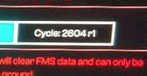
This is the current cycle, can you show me what your FMS displays on the initialization page for the current data cycle
-
A350F won't be a consideration until after the A350F has actually been delivered to an operator. Thank you 🙂 Also, I agree, it's gonna be cool to see 350F irl as a cargo flier in sim myself when not in 340.
-
Hi, I will pass this along to the team, thank you.
-
-
Have you attempted to reinstall the aircraft. You can enter the Content Manager and then uninstall as well as disable the aircraft. Then relaunch the sim. Is this occurring with any other 3rd Party/Default/Inibuilds Aircraft Only or just Tristar?
-
-
Hi, Is this happening on PC or Xbox? If it's on PC you can try clearing WASM as something may have gone wrong in there, additionally it might be worth checking to see if you graphics drivers for both the monitor and the GPU if on PC are all up-to-date. Let me know if this helps. Thank you.
-
-
Have you disabled all of the MSFS Jetways in the GSX Menu prior to launching the sim. I don't know much more outside of that, that was an issue when I still used 2020 that could be fixed that way. Might be a good question for the GSX Forums or Discord if that doesn't work
-
Hi, You don't need to arm DLC as it's automatic when you enter the landing config
-

