MD82
Member
-
Joined
-
Last visited
Everything posted by MD82
-
The time offset for DEP and ARR only goes up to UTC+12. Maximum UTC time offset is UTC+14. Auckland for example is UTC+13
-
This did the trick as well. Even so, the NSS charts still say out of date. EFB and FMC seem fine.
-
For now, go to the iniManager and disable static aircraft and see if at least you have working jetways. I haven't tested it out yet. Aparently that's a temporary fix until they can find out what's causing this.
-
I updated to v2.0.2, went in-game and get duplicated jetways. (I don't have any other OMDB since I have Standard MSFS) Exited MSFS, un-installed and re-installed OMDB v2.0.2 Went back in-game and to OMDB, still get duplicate jetways. Exited MSFS, un-installed Went back in-game so MSFS can clear the scenery library of OMDB. (Confirmed via My Library) Exited MSFS and re-installed OMDB Went back in-game and to OMDB, still get duplicate jetways. During the 1st un-install and re-install I even re-installed the multi jetway tool. Flight eventually cancelled. No matter what combination I tried, there were duplicated jetways. EDIT: Tests were all done with ini A380 EA A6-EOE at gates A4 and A5.
-
It is there because you had hot brakes after takeoff. The action to remedy hot brakes after takeoff is to lower the landing gear. Hence the speed limitation you are seeing there is the maximum gear down speed. If left un actioned, the limitation disappears after takeoff the temperatures drop out of the hot zone.
-
I tend to agree. Things like engine parameters, VNAV Control and Logic and flight model don't seem to fall into any news cycle. I understand the Tristar was a cheaper aircraft brought out by ini, but I figured it's because complex FMC calculations, BTV, systems, etc. etc. don't need to be modelled. I hope they prove me wrong and finish the product they started.
-
I reported this on April 17th. I see it still hasn't been fixed then ... STBY Power Test
-
-
-
Can it be that INS 3 coincidentally drifted away and then back? Resulting in such good accuracy? Did you do more than one flight?
-
I concur. I believe this was introduced with the release of SU5. Move the eyepoint a bit closer and you'll see it reappear. So, I think it's a LOD issue.
-
Give it time. I believe since 1.0.5 you need to keep the start button pressed for like 30 seconds before the old thing finally gets cranking. Try it and see if it's still the case. It was corrected I believe after it was reported that the APU lights up before the door sequence finished.
-
I'm guessing this line: "FIXED INS cannot check drift results post flight in INS due to wp parsing error" addresses it. I can only check it once I get back home.
-
I did a basic search in the BA systems pdf. For the VS autopilot mode, the following is stated: "Before engagement the vertical speed tape acts as a vertical speed indicator. When VS is engaged the VSI tape locks to current vertical speed, but this datum can be adjusted with the VS control wheel. This is the only pitch mode datum that can be varied with the mode engaged. Range available is +4000 to -8000 FPM." This is an earlier version of the Tristar autopilot. However, looking at the above system, it is not out of the realm of possibility that the basic engagement parameters between this and the new ACP remain identical in that when a major mode gets engaged (engaging VS, or in this case turning ON the AP with VS mode already engaged) the system resets to the current value. It makes sense a little bit as you don't want (or back then there wasn't a proper way to) the autopilot to suddenly jump to a new VS value on a mode change. Those days G limited autopilots I believe weren't a thing. So, again, even though I don't know the definitive answer, it MAY be designed like this. p.s. Combing through the Delta L-1011 manual and looking at the -500 specific differences, I read the following statement: "When an autopilot is engaged in CWS, it will automatically maintain the airplane pitch attitude and roll attitude (or heading if the bank angle is less than three degrees) existing at the moment the pilot releases the controls." Given the fact that on the Tristar you HAVE to transit through CWS to reach CMD, it would also make sense that the autopilot captures current values instead of the ones which the FD system previously had,
-
Will do Jamir. Currently on a trip that took me all the way to NZAA. when I'm back, I'll take her out for a spin and check 1.0.6 behaviour.
-
-
Did you try placing all three in RMT and then loading them in?
-
As reported in the v1.0.5 update post, Progressive Aircraft Loading will soon arrive --> So, it's on the way. Just not sure how it will be implemented in the end.
-
Very interesting. This would explain why while crossing the Atlantic and entering all waypoints manually, I pass directly overhead every waypoint because I keep resetting the airplane's position everytime I enter waypoints.
-
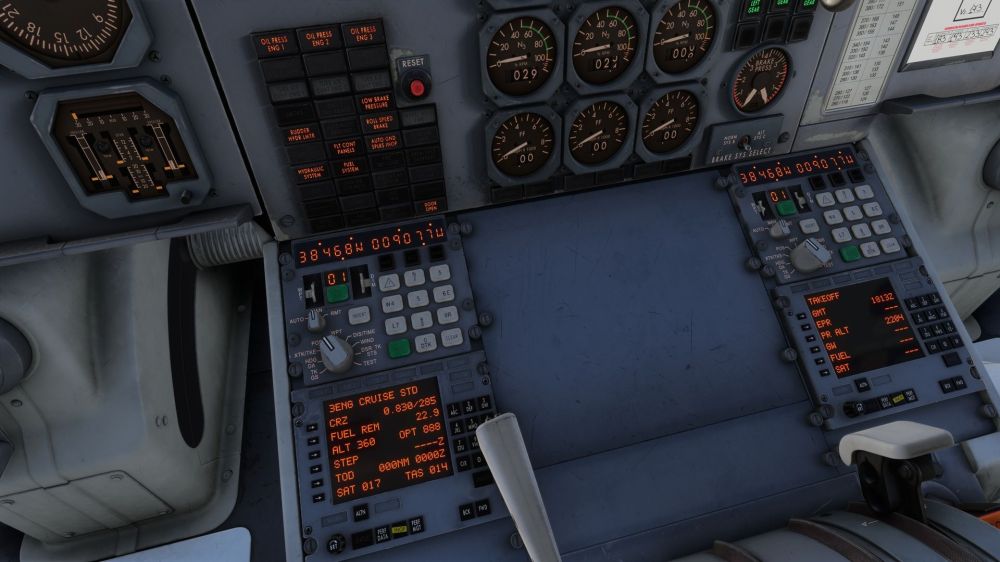
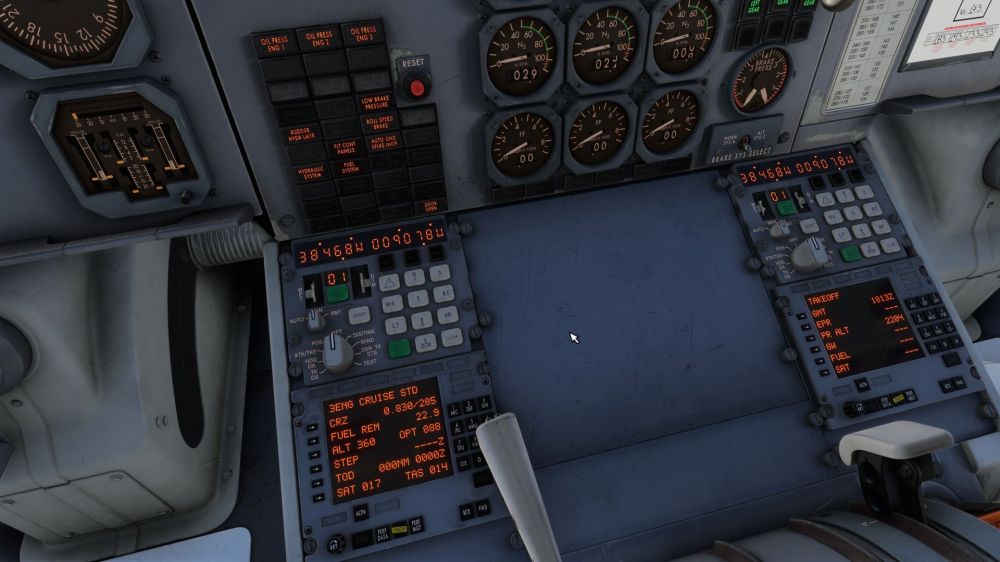
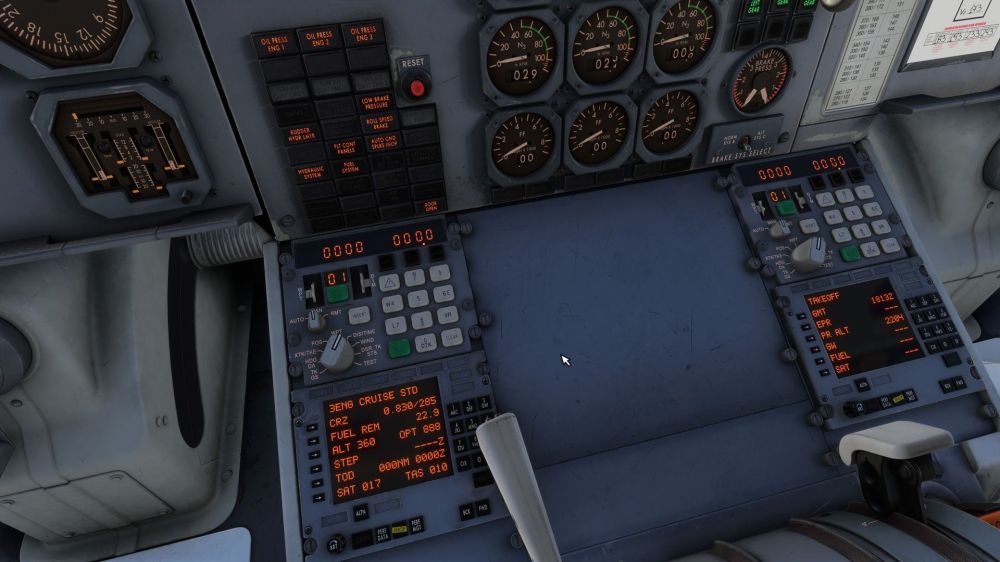
Coming back to the INS drift simulation, I just completed a 9-hour flight from Sao Paulo to Lisbon. On purpose I did not perform any position update procedures during the whole flight. After parking on Position 801 in Lisbon, I performed the INS post-flight drift check by entering the parking spot in waypoint 1, activating track change 0 --> 1 and switching the INS Mode to DIS/TIME/ Actual position LPPT Stand 801 coordinates --> Track change 0 to 1. Distance offset for both INS 1 and 2 showing 0.0 nautical miles. As you can see, at least for INS's 1 and 2 the net INS Drift over 9 hours of operation was 0.0 nautical miles. Which clearly indicates the INS Drift is still not there. p.s. Yes, INS Drift was enabled. I also flew with a buddy who flew out of Rio to Lisbon. Same result. No INS Drift.
-
Hello there, I have 1.0.5 and I see a manual 1.1 with change log and change bars. Which is pretty neat.
-
I'm quite sure you could be able to get the test pattern on the weather RADAR display. Not so anymore in 1.0.5. In all; No test pattern or TEST indication on screen Weather tilt manipulation does not change displayed value of U 3.0 Pressing one mode control button should de-select the previous selection (i.e. Pressing WX while WX+T is pressed, de-presses WX+T) WX+T mode only displays WX on screen. Same as WX mode. (Logical but unverified)
-
Ok, so I now have v 1.0.5. I understand the logic of 888 on the ground. But now, in cruise, the optimum altitude is still at 888 with an indicated SAT of -37 at FL310.
-
Remote loading works. All three INS's I had set in RMT.
-
This is from the TWA manual. We used these older systems on some MD80's I flew. It's all the same. The fact that the flow bar only appears when inhaling through the mask with the Supply ON is in this part of the manual. The TEST and EMERGENCY flow logically out of this. EDIT: I now also see item 26. that describes what happens when the Operating Mode is placed on EMERGENCY