




haza2
Staff
-
Joined
-
Last visited
Everything posted by haza2
-
Sorry to hear your frustrations, will feedback to the team and report back. Thank you for your patience.
-
Hello, 1. Start with a fresh community folder, rename in community 2 and start the sim (you may have to point MSFS over to your custom folder location if you have made on) 2. Reinstall the aircraft 3. Delete your WASM folder. 4. Start with no other mods in the community folder
-
Yes, via the Beyond ATC settings. Or check your volume mixer on your PC. Its not an A350 setting.
-
Hello, This is a known issue, please try and update from the manager, it should be resolved but it is to do with the next update.
-
Hello, I am not sure why all these things happened, but always a good start is to clear you WASM folder.
-
Thank you for the report. Of course, I will move it now.
-
Thanks guys, I have reported these issues back to the team. I will do so again if needed.
-
-
Hello, This is because you are using SU3 Beta. MSFS is currently exploring different LOD settings. Please return to SU2 if you do not want to be in the beta. Kindest.
-
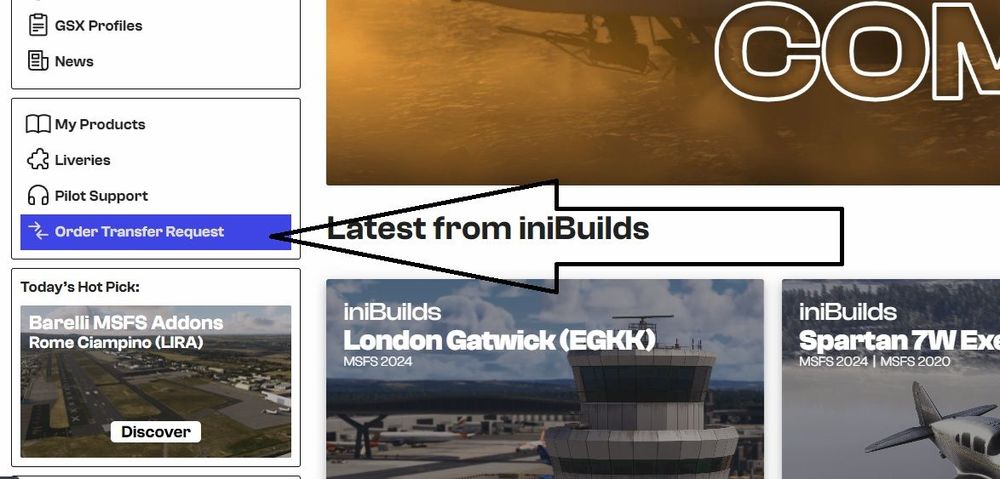
Hello, Thank you for your message. I can see your frustrated but I do have a solution for you. You can transfer your ownership and get the most up to date features. Please use the Inimanager. Kindest.
-
Hello, As its the weekend you may not get the proper support on here, all I can suggest is a reinstall and clear the scenery index.
-
Hello, I will try and get some info for you.
-
-
Thank you for letting us know, glad you are sorted.
-
Hello, Sorry to hear, please could we get some more details from you. This for the A350 but is also relevant to the A330. Thank you. Just as a side note MSFS are actively looking into and fixing WASM issues and SU3 seems to have a good amount of fixes.
-
Hello, I have done some digging for you. This is a MSFS issue and has been known about for a while, but due to it being a Microsoft product, there is no saying when an update will be available to users. The only work around atm is to change your panel state. Thanks for your patience.Please could we have this in English. Thank you!Just to confirm for everyone having this issue and narrow down the reproduction conditions (because we still haven't had reproduction it at listed airports so far): Please answer all of the below questions in a single post reply below: Which variant, 900 or 1000? or both?, Do you have GSX installed - Yes or No? -If yes, do you have GSX Setting - "Automated Reposition" enabled?, Which sim? (20/24 or both?), Thanks!
 Hello, This has been reported by other users and the team are aware, we believe it maybe a server issue but the team are fully aware. Thank you for your report.@richboy2307 Will be able to advise. Thank you for your report.Hello, I have reported this to the team. Thank you for you patience.Hello, I will report back your issue. Are you using SU3?Hello, Sorry for the delay, are you still having issues?It has been report, thank you.


