




Deleted Account
Member
-
Joined
-
Last visited
Everything posted by Deleted Account
-
Heya! Just tried to replicate this on my Xbox without success; youll once again need to give me some more information please. Same as in your first thread.
-
Heya! Tried it myself and I can't replicate this unfortunately. Can you try with an empty community folder please?
-
-
-
Heya! Sorry, that you are experiencing issues. To avoid confusion on my side, did you buy it on our Store or on the Marketplace? Also could you tell me how big your OKC folder is in your community / official folder?
-
It's already out for XBox!
-
That update was only shipped to XBox. Could you try with an empty community folder / white default livery please?
-
No, I'm afraid that hasn't been fixed yet. Sorry for the inconvenience.
-
Still works fine for me! Would be kinda weird anyways, as the A310 wasn't updated on PC with that most recent world update.
-
Shouldn't be much longer 🙂
-
That will be the issue. They have a custom bgl for JFK and it overrides ours.
-
Heya! Out of interest, do you have LatinVFR Static aircraft?
-
So it now works with the 50feet name as well? Nice!
-
Can you test with my ID please? Its "GumbyGER" Should give you a EDDF to EDDL flightplan
-
The problem is known to Microsoft ( https://forums.flightsimulator.com/t/wasm-on-xbox-update-3-24-2023/583368 ) and should be fixed with the next SU. In the meantime you can try the troubleshooting steps shown in that thread above. Refunds would go through MS themselves as it is their plane, not ours 🙂
-
As you username starts with a number, it might trip the system. Can you try to insert your numerical simbrief ID and try to see if it works with that one?
-
That is actually exactly how it is working though. We can`t replicate the issue on our side, so we need video of it happening. You say you have spent two hours on the forum already so I assume you found the thread where it says to make sure not to have anything bound to the "Mixture Axis" but I'll just mention it again just to make sure 🙂 If that's not the case then I would indeed need a video or at least more information when / where / how(what stage of flight) this is happening
-
Heya! Yeah, this is a known issue and will be fixed in the next patch 🙂 No ETA on that one though
-
Heya! Sorry for the late reply. I can´t seem to reproduce this, however as it is happening with other planes as well for you I doubt it is an issue with teh A310 and rather another plugin interfering with all these planes. Do you have any Ground Equipment plugins installed that could cause this? Best course of action would try to see if it happens with an empty community folder and if it doesn't add back the plugins one by one and see what causes the issue.
-
The patch items listed on the patch notes are currently on Xbox only. For PC users, these fixes are expected to roll out with a later patch, including some additional fixes 🙂
-
Heya! I found that only sometimes the AI communications don't work; nevertheless I'll add it to our internal list to look at 🙂
-
The manual has been updated to now include the Steam path 🙂
-
The avionics should continue working once you leave the area. So if you can live without them for the taxiing / takeoff, all should be well once you get airborne 🙂
-
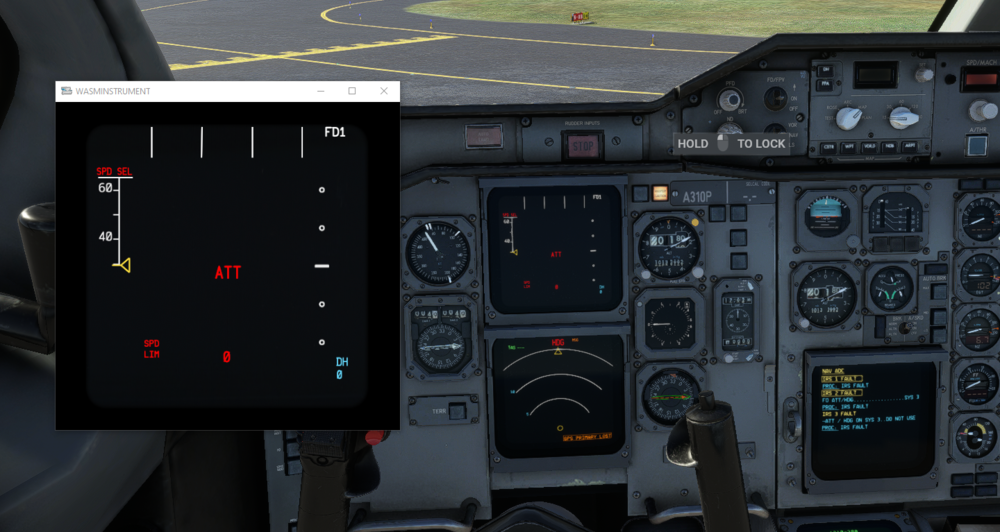
Heya! Are your engines still running when this happens? (You can check with the external camera) It's possible if you are in a graphics heavy enviroment that your sim is turning off non critical instrument so that the sim doesn't crash because your video memory is close to being full.
-
Okay, what platform are you on? Which pause do you mean - active pause or ESC pause? What hardware controls do you have?


