




rsmith6621a
Member
-
Joined
-
Last visited
-
-
I think the A-380 is a fantastic aircraft and has a lot of potential the further refined it gets. I am having issues with the brakes not releasing. I own the Thrustmaster Rudder Pedals. I have verified there are not conflicting binding and have tried everything in the control settings to find a fix and have loaded up my IniBuilds a-350 to see what rudder profile it uses that works and then used that profile in the A-380 but it does not work. I have discovered that when I brake with the R&L rudder pedals the A-380 will move forward but once I release the 930 stops. I have gone into the settings and reverse the axis and when I do that the 380 wont move with released brakes. I have also created a new profile What am I doing wrong? I spent most of my day trying to troubleshoot this with no luck. I am verifying that the Parking Brake is off. Help! This aircraft is not able to taxi to the runway. BTV, How do we get this to park on the BTV setting on the AutoBrk selector knob. My knob only parks on Disarm and LOW never on BTV. Thanks in advance for whatever advise/direction you can point me to.
-
-
-
First off, I am excited to hear about V2. Now on to my wish list. I would like to see improvements in the cockpit glass. The glass on the avionics quality does not come across as sharp, they look a tad grainy and amateurish. Over all an improvement in flight deck textures over all would be a great improvement. How about a switch on the EFB that we can choose to have the cabin curtains open or closed on start up, and get rid of those engine covers, they are not realistic. I think a look at Fenix quality would be a great place to start.
-
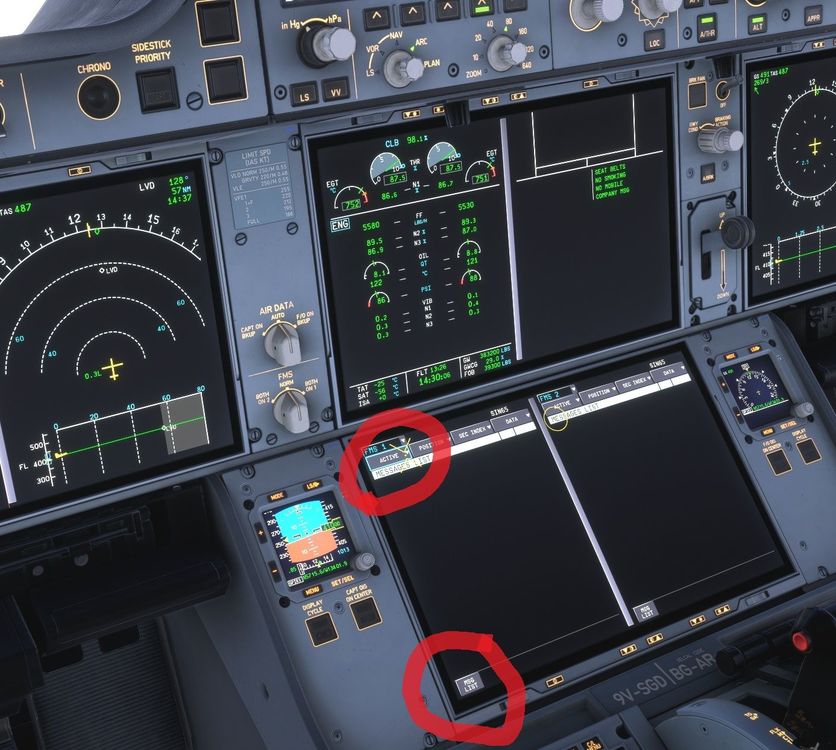
Hello. I was 85% into a 14.5 hour flight WSSS/KSEA when I noticed the 350 was flying in other direction even though the AP was still engaged. I went in to the MCDU to redirect the flighplan to another fix along the route. I could not get the drop down menu that hast the direct/add or delete etc to drop down. Then I went to clear a STEP CLIMB message and then the whole FP disappeared. I cannot recover the flight plan back to the MCDU. The aircraft currently is just flying in random direction. Any suggestion? The MCDU is just dead.
-
The Piracy argument is an inconsistent viewpoint. They are still selling the mostly recent released A-350 on the IniBuilds APP/Manager as well as thousands of other products. Again this is not making any sense.
-
Why do I have to buy the L-1011 on the MSFS2024 Marketplace and not the IniBuilds Manager APP. I don't like the Marketplace because it takes forever to get updates updated and I cant use Paypal to pay with it. The L-1011 would be on my system if I was able to buy through the IniBuilds APP. Please help me understand this logic! Signed Distressed in The Dakota
-
Hello IniJamir. In the past 5 years I have always pointed all of my installs to E:\Microsoft Flight Simulator 2024\Community. It seems since I have done a reset I need to point it at another location that being C:\Users\****\AppData\Local\Packages\Microsoft.Limitless_8wekyb3d8bbwe\LocalCache\Packages\Community. This seems to have fixed the issue.
-
Yesterday, something went buggy with my SIM. When I would attempt to load a flight it wouuld hang at the Start Flight menu and the circle in the corner would just spin and never load into the airport. After several try's to find a fix, I went ahead and did a repair and reset then I started to rebuild my sim back to its pre incident state. This morning, I uninstalled the A-350 and reinstalled it as it was not showing in the aircraft menu. After the re-install the A-350 is not showing up when I I am in the aircraft selection menu, but it is showing up as installed in my MSFS 2024 Community folder. What am I missing and what can I do to get it to show up. Thank you
-
So far for me this aircraft is a disappointment. I am unable to load the FP into the FMS by using the CPNY F-Plan Request. It is blacked out when I try and press it. I have imported the FP from Simbrief in the FLT OPSSTS page on the EFB and the same goes for the Loadsheet. What am I doing wrong?

-
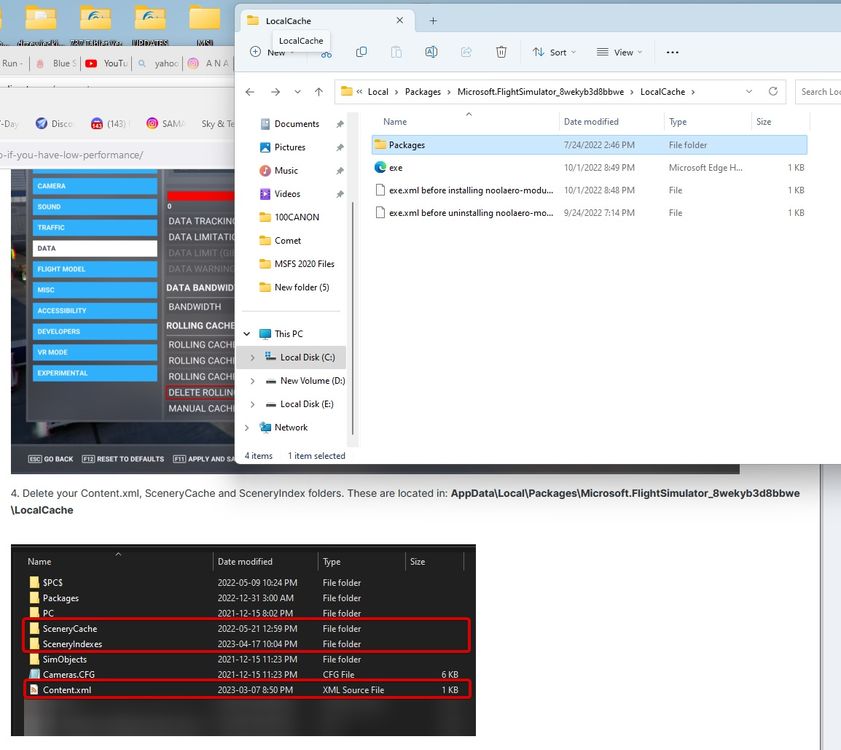
OK. I run the Steam Version. Here is what is in my Local Cache folder. Is there somewhere else I should be looking?
-
I gather the development team is working on reading complaints about optimization with KJFK. It is a spectacular scenery but when I land or take off anywhere near the terminal buildings my midrange machine goes into a moderate slideshow. I gather you are addressing this issue. I also have Feelthere KLGA installed along with Drzweki NYC Skyline. Thanks
-
I believe this is happening non the latest version of the INI Manager.
-
I am getting the following error while trying to adjust the coinfig for JFK. Any way to work around it?


