





IniJamir
Staff
-
Joined
-
Last visited
Everything posted by IniJamir
-
-
-
Thank you for both the media and confirmations. I have noted this issue and will push it to the team. Thank you.
-
Hi, First question I have to ask is if you are using Hues zHues Core Mod or any other light mods since updating to v1.2.1? If so, please remove said mods and then relaunch the sim.
-
Hello, Are you on Xbox or PC. This was on the fix list for v.1.0.9 regarding CPDLCs requesting METAR/ATIS/WX; as the A340 has CPDLC functionality with both SayIntentions and BeyondATC and was seeing issues prior. Can you let me know if you're on PC or Xbox and if PC are you on the Marketplace or IniManager?
-
-
All good, this video works perfectly even with the compression bit, thank you very much for this and for future if you want you can upload to youtube as unlisted and then link here and that will help with the upload limit/compression bits. Thank you for this once again!
-
Hi, Do you currently have have the Hues zCore Mod installed? Any other light mods. If so try removing those and then loading in again as those mods will need to be updated since 1.2.1 recently released.
-
Thank you for this, this is very much appreciated!
-
Hi, Are you in our discord per chance. Unfortunately I am not nearly as capable in this department compared to some of our users in there and if you make a support ticket in the IniManager detailing what is happening there, someone who is more technical/windows knowledgeable might be able to be of assistance. Sorry I am not able to assist more and I'll raise this issue to our team. In the mean time here is a link to our discord if you are not already in it where you can make a ticket. Thank you for your understanding and I hope this can be resolved quickly. https://discord.gg/inibuilds
-
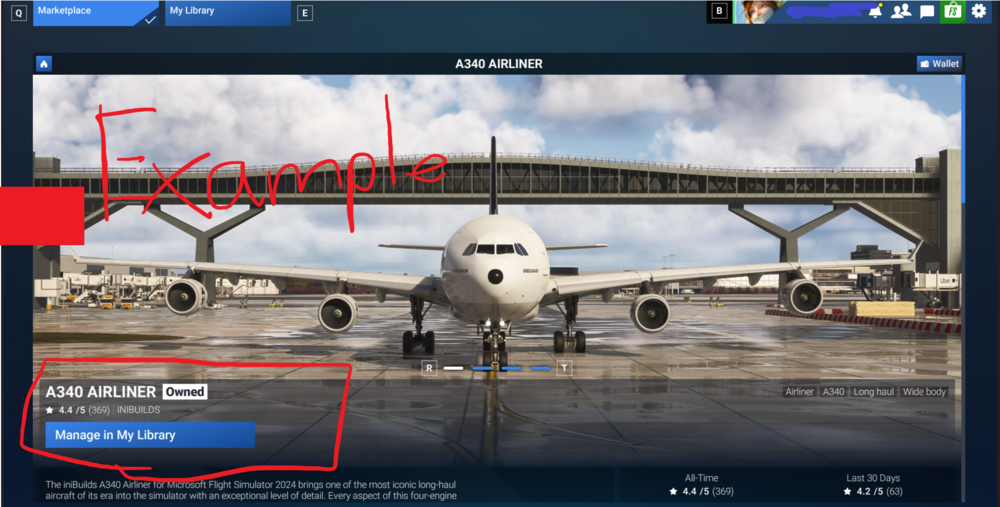
Hi, you can take a screenshot with your Microsoft username in the image when in the A340 Marketplace page where it says "Owned" and attach that to the Transfer Request. I've attached an example below. Thank you.
-
Hello and sorry for the delayed response, Unfortunately there is no option to remove the SATCOM from the 320/321NEOs by Inibuilds at this time. While we can take note of the feedback here anything regarding Microsoft/Inibuilds Aircraft has to go through the Official Microsoft Forums where they can then decide what happens with those aircraft. Thank you for understanding.
-
-
I was just going to suggest this as a solution as another user was having this issue, sometimes hardware just does what it wants xD I am glad that you were able to get this resolved, thank you and have a great weekend as well. 🙂
-
The Update has been sent to Asobo. Thank you.
-
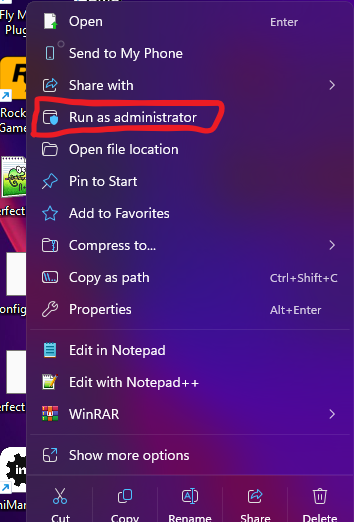
Have you attempted to run the IniManager and the Installer itself in Administrative Mode. You can do so by right clicking the desktop icon and selecting "Run as Administrator" Let me know if this helps, thank you.
-
Hi, If you have camera slew controls set up in the cockpit camera, you can slew inside the plane to the Flight Attendants panel and you should be able to adjust the compartment lights there, however as you stated the EFB Cabin Lighting controls should override that panel. Please let me know if that works; and if not I can forward this along to the team. If you can get a video as well showing you interacting with both the Panel and the EFB Lighting options demonstrating this behavior that would help as well. Thank you,
-
Hi, Thank you for this information, do you happen to have media of this happening? If not that is okay as you've provided steps to reproduce and still can push this along to the team so I thank you for that. Thank you
-
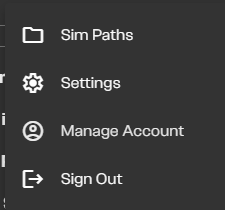
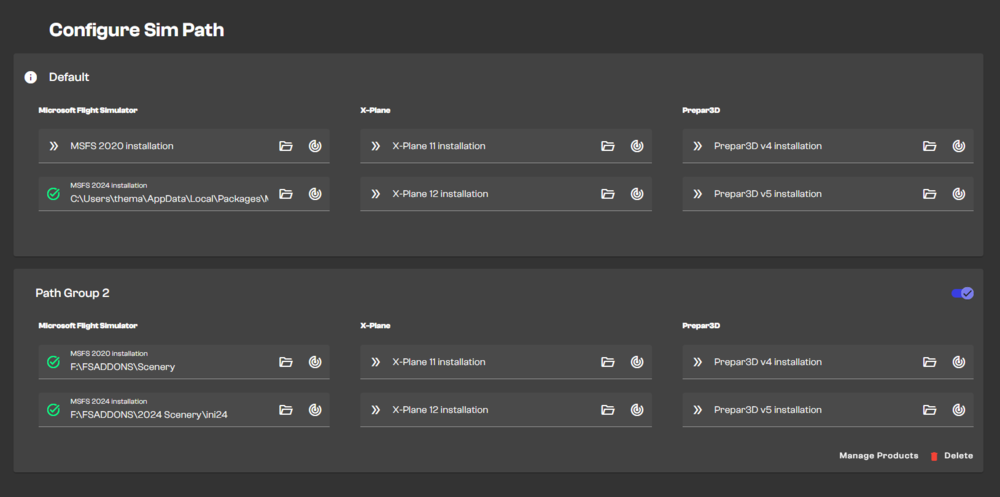
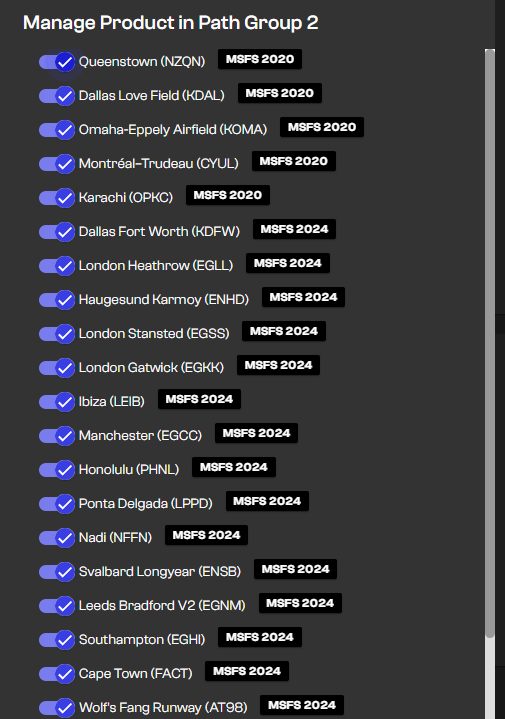
Hi, There are two things you can try first, one is logging in and out of the IniManager, the second is to clear the IniManager cache by deleting the relevant folders in %appdata%/Local & /Roaming. Has uninstalling everything worked in the past? If so that is an option but I understand that reinstalling every scenery is not in anyway convenient or time considerate so I am hoping the first two options will solve this. An additional question? Did you use the Sim Path System provided in the IniManager or Addon Linker per chance? I've attached the images below as you can navigate to this section in the IniManager by clicking on your username in the top left. Here as you can see I have my addons installed externally and then manually enabled. Hopefully this information helps. Thank you 🙂
-
Hi, When you say the FMS keyboard inputs are not working properly, what do you mean by this, do you have any footage of what isn't working that way we can better understand and assist? When I was in last night I wasn't having issues typing in the 350 MCDU, however other users are reporting issues; so if we can get more recorded instances of this happening, that would help us greatly. Thank you.
-
Lists specific to Xbox aren't going to be included for the PC patch notes of 1.2.1. The issue has been raised to the team and I hope to have more information for you all soon, rest assured you are not going unheard. If I can ask one thing, it's that anyone in this thread that can, attach videos of the issues happening to this thread so I can give that to the team as well. Thank you.
-
Hi, Do you have any videos that can be attached to the thread that way I can pass it along to the developers? Thank you.
-
Hello, First and foremost I want to say both thank you for your dedication, and thank you for taking the time to write this. Whilst I can't answer to everything in this post immediately as some things are just not possible for me to comment on currently as I am new to the position and have a decent amount of catching up to do, I hear both your frustrations and your compliments and I am grateful for both as much as I am grateful for the time and dedication you have put into your efforts to test our products and log issues that you find on the forums for the developers to view. As stated prior I can't speak on "What's going on with the A340 and A350?", but I can tell you that work is being done to bring more improvements to these airframes and I hope to be a better bridge for communications between the developers and you all in the community; whether it be feedback or bugs, suggestions or looking for support; the feedback that is left here in the forums is invaluable and I hope that as time goes on I will be able to improve the quality of communication both here and on the IniBuilds Official Discord. I've taken note of the issues you have listed with the MCDU Keyboard Entries Affecting the Aircraft as well as the HUD, (If you could make new entries for these I'll be happy to press them forward as well), and many of the other issues I've come across as I scroll through the backlog of forum issues that are still prominent today. All in all I'll leave it with this, improvements are coming on both fronts Development and Community, and I look forward to improving your experience here in the forums whether it be through bug sharing or feedback; everything here will be communicated with the team however I will be locking this thread as it's a prime example of insightful feedback and I don't want this thread to become bloated. Thank you once again for your dedicated support.
-
-
Hello, It seems you are not the only person who has begun to encounter this issue. There is another thread that I am going to split your post above here into and then relocate into the IniManager Section. This issue is being raised to the team currently, thank you.



