




darialove
Member
-
Joined
-
Last visited
-
Hi I created the ticket 63290 in 7th Sep, but still waiting for response.
-
Actually ive tried the steps with antivirus off and also i have exclusion for inimanager.exe in antivirus settings. and I asked ISP they said there is no direct block or official blacklist by Movistar Chile against any domin. The problem is that i cant even open the inimanager
-
Hi,i have tried those steps, didnt work for me🥲
-
Still not able to launch inimanager.😭
-
-
that wingflex is hilarious~
-
I created the ticket 63290 in 7th Sep, still waiting for response.
-
Yep, I ran into this problem back when I was using older versions like 2.4.4. And with the newest version, the app won’t even launch.😅
-
-
I can only open version before 2.4.6,but getting the same error message I got exclusion for inimanager,i tried full reinstall,i cleaned cache, none of them works.
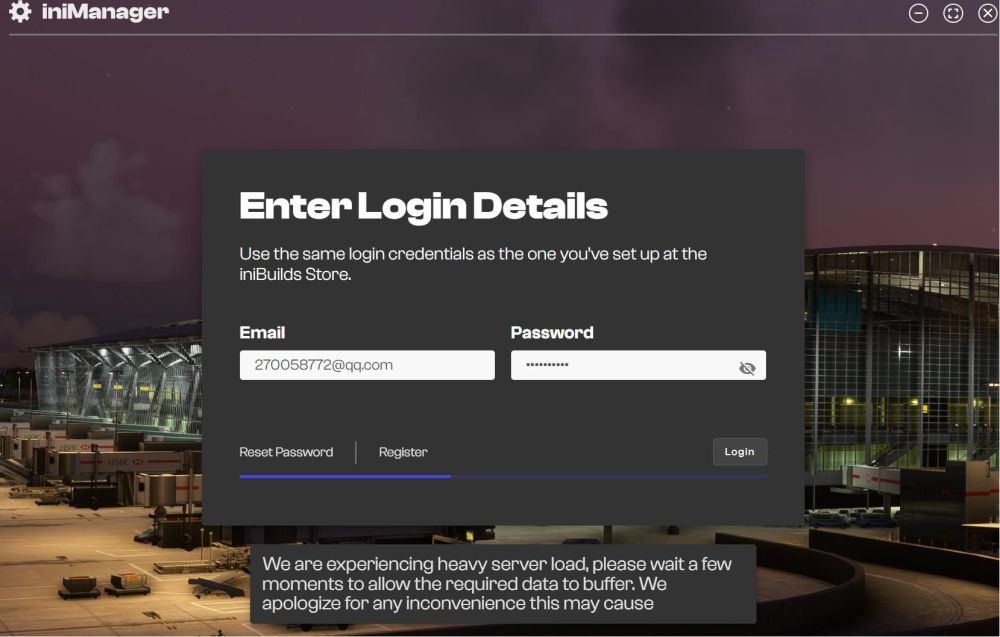
-
Hi did this problem solved, i have the same problem with 2.6.0,and ive created 2 ticket since 2 months ago and still no solution~🥲
-
I had this issue in the latest version~🤣
-
-
this error poped up
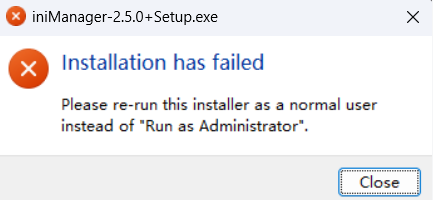
-
Hi,ive tried but it doesnt work. the installer wont launched


