




udidwht
Member
-
Joined
-
Last visited
-
From Lead Developer of BBS C-130J regarding WASM crashes... I am extremely happy to be able to finally announce that we now have a pinpoint diagnosis of the random WASM crashes (orange screens) which have afflicted this and other products. As we have long suspected, it is a bug internal to MSFS’s memory allocation system. It affects ALL WASM modules which make any significant allocations and deallocations, however the probability roughly scales with the size and number of allocations. Unfortunately, the particularly extensive systems and feature set of the C-130J - graphics for 16 complex display pages, imagery and terrain database, full TAWS and TCAS simulations, nav database, obstacle database, digital map, more than 200 performance/TOLD tables etc - also made it particularly susceptible to this bug. Asobo has stated that the actual fix may not make it into the sim until SU 8, however there is fortunately a work-around, which will be applied to the C-130J in the next update (ASAP), and to the rest of our wasm-based aircraft as soon as practical. I would like to personally thank all of you for your patience, understanding, and support, and especially those of you who have devoted considerable amounts of time and effort to testing the C-130J, helping us fix this and other issues, giving important feedback, and helping us grow this product into what it is today. Curious if the workaround could be implemented into other aircraft until Asobo resolves this?
-
Ok, just to clarify...if the ''POI models' is disabled and I enable the SS3D Sofi stadium it only shows as a crater (no SS3D stadium as it should be). Don't have this issue with 2020 and using SS3D Sofi stadium without issue with inibuilds KLAX.
-
Any update on this?
-
NO CTD here with 2024 v1.0.2. The issue I'm having is... https://forum.inibuilds.com/topic/35438-conflicts-with-city-update-13/#findComment-87088
-
It was working after the recent CU 13 but stopped working again after inibuilds released v1.0.2 of KLAX. Only the inibuilds Sofi stadium will work with SS3D vol 1 installed. There is also an issue of the Hooper & Venice items no longer showing in the config tool with inimanager whereas prior to v1.0.2 release they would show. My understanding is they are working on it.
-
Running SU4? Using 2020 in 2024??
-
Seems I'm not the only one... https://discord.com/channels/535246634448191499/1358813479657803782
-
Have you checked with SS3D vol1 installed?
-
This still being looked at?
-
Both Hooper and Venice no longer appear in the config options or the community folder. I've uninstalled KLAX and reinstalled and still the same results. Only KLAX gets installed in the sim community folder. iniManager is 2.5.2
-
Tested again with KLAX Enhanced v1.0.2 with only cars, ground clutter and people enabled with SS3D Vol 1 SoFi enabled and it looks just like my first pic stadium missing altogether. Also noticed that within the congif tool that Hooper and Venice are no longer listed.
-
This is with SS3D Vol 1 SoFi stadium disabled and KLAX Enhanced installed and all items enabled.
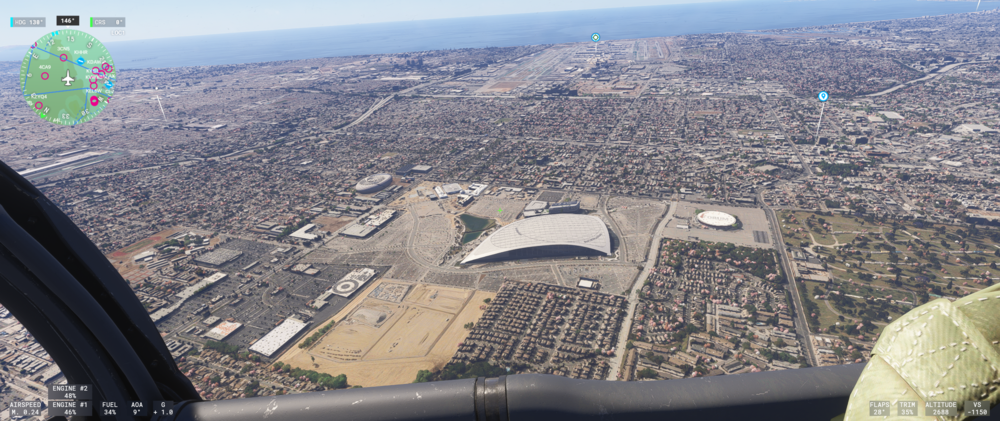
-
Ok will. For the mean time I tested with KLAX Enhanced uninstalled. The is what it looks like...
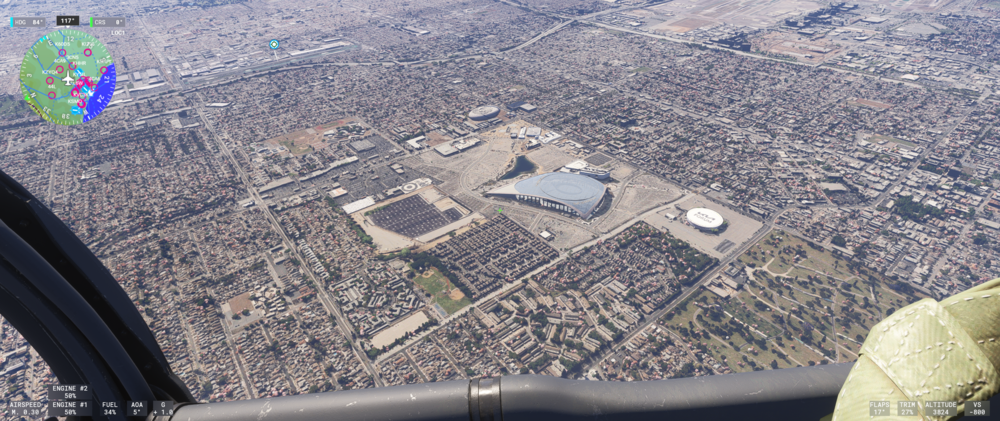
-
Have this after the recent KLAX Enhanced update v1.0.2. I have SS3D Vol 1 installed and was using their SoFi stadium so I disabled the 'POI Models' within the configuration tool. I clean the scenery cache folders and still have this.
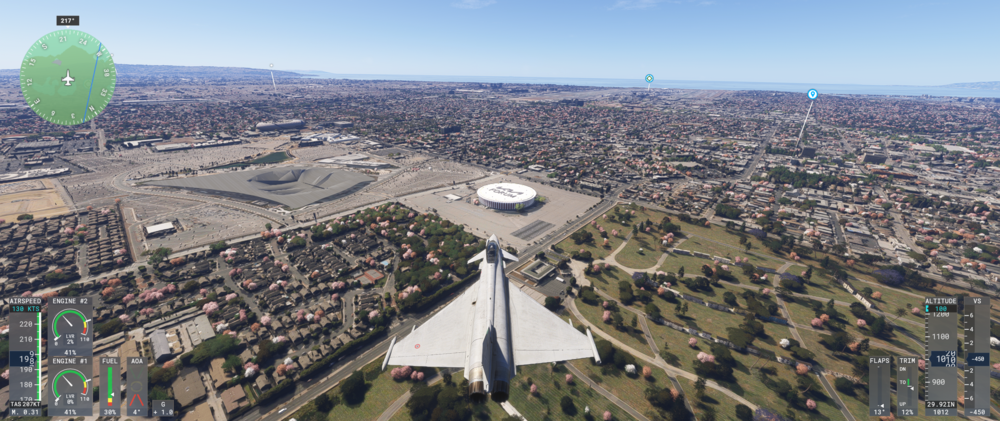
-
Just for reference. SS3D Vol 1 is for both 2020&2024. They have no 2024 exclusive version.


