IniJamir
-
Posts
371 -
Joined
-
Last visited
-
Days Won
16
Content Type
Profiles
Forums
Downloads
Everything posted by IniJamir
-
Hello, When you say the jetbridge is different than the others, do you mean currently in real life, or in the sim? In the sim the bridges look as they should per the references used at the time, looking now it's still currently the same design for the AMEX signs As for GSX I can push this along to the team and ask, thank you.
-
Glad you were able to solve it, I had been looking through FSUIPC and couldn't see why it wasn't working for you, but that would be it 🙂
-

Please have livery section for MSFS2024 in the inimanager
IniJamir replied to carss's topic in Suggestions
The team has been made aware that there is a need for liveries for the A310 -
HI, I will pass this along to the team
-
Hi, Have you tried running as administrator and downloading via the Alternate Downloader that can be found in the manager settings? Is your IniManager up to date?
-
Hello, do you have any sort of mods or terrain adjustments in your community folder regarding the UAE/OMAA area. I checked again at the spot listed and I'm not having terrain issues including a landing and vacating from the RWY

-
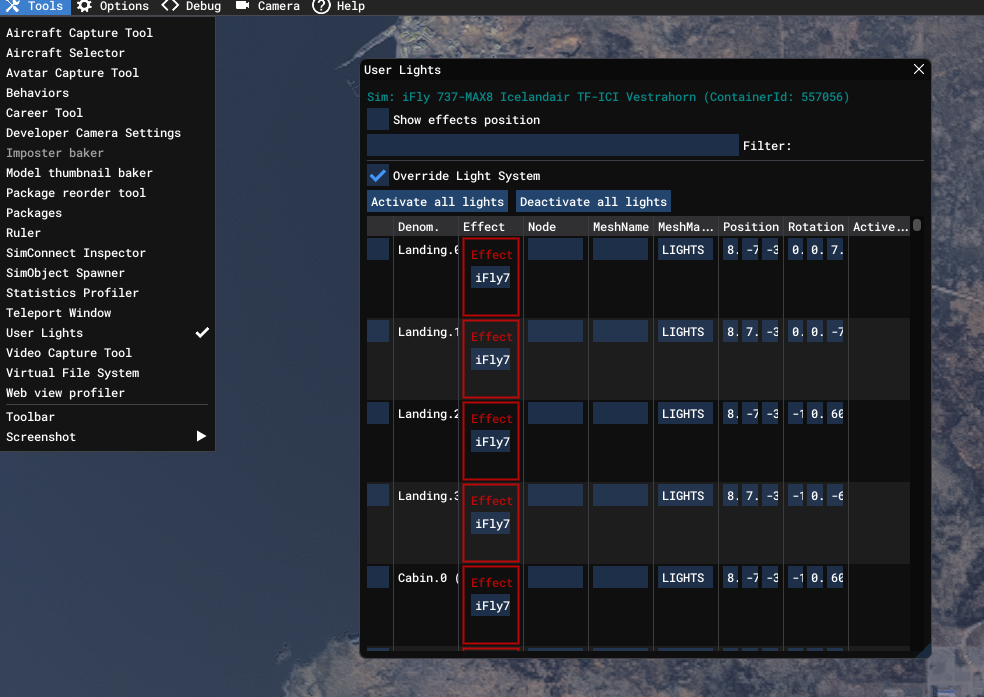
Hi, This might solve the issue you are having as I too have this issue half of the times I launch a flight where my lighting gets overridden in the sim regardless of aircraft Check the following down below and see if this helps. Pause Menu > Settings > Advanced Options > Enable Dev Mode >
-
Change the A350 OIS UI to be more realistic based on the Thales ui
IniJamir replied to FrenchThylacine's topic in Suggestions
Hello, The OIS we built was based on a reference aircraft we had access to as well as designed for usability in the sim. This is a pretty cool OIS that being said, thank you 🙂 -
These are Microsoft aircraft built by us, as such all reports regarding these aircraft need to be made on the https://forums.flightsimulator.com/ and not on every comment and repeat threads. Thank you
-
Yeah this is interesting, I am planning to do more A340 long hauling and such so I will be investigating this over time as well. Let me know what you find 🙂
-
Hi, You can attempt to clear the WASM folder as that will recompile the EFB alongside the aircraft and should fix the issue, Let me know if this helps, Thank you.
-
Hello, I checked some of my liveries to see their values and they are indeed changing and dynamic so it isn't something that is broken our end as far as I can tell. I can recommend to you that you clear your WASM but I am not 100% sure if it will rectify the issue here. Let me know if this helps, thanks.
-
Hello, Since you are in V/S Mode as indicated by the PFD, the aircraft will not follow Altitude Constraints but instead maintain the V/S. Constraints are only managed automatically when the aircraft is in Managed/Profile. The Altitude Band on the Left Screen shows the FL150 is selected in Blue indicating that the aircraft is operating outside of managed altitude modes, when it is Magenta than the aircraft will obey the constraints as published.
-
They will be able to assist you in more advanced aircraft issues as well as a refund should nothing there work https://inibuilds.com/pages/contact
-
Hi, I will pass this a long to the team.
-
My apologies, usually I link the WASM instructions
-
Hi, Sorry you are experiencing these issues, it's possible that something corrupted during the first time launch of the aircraft if not during the download and installation of the aircraft itself. Instructions can be found for clearing WASM below. Let me know if this helps. Thank you.
-
Missing galley textures on PW Converted Freighter?
IniJamir replied to Cheesysims's topic in Modelling & Texturing
Hi, Sorry, but the model is different between 2020 and 2024. Additionally the seat do that as lighting hits them at an angle, verified that the semi-gloss (best way to describe it), happens on my end and shifts as camera aspect changes. -
Not a waste at all, glad you were able to get it resolved!
-
PC or Xbox, if you are on PC you can attempt to clear the WASM folder and make sure all the liveries are up to date in the IniManager
-
Hi, Are you using any mods or the cabin packs for the A350?
-
Hi, I will pass this along to the team.
-
Hello, If you haven't done so already you can attempt to clear the WASM folder as something may have occurred during initialization to have caused this; as for the click-spots that issue has been raised. Thank you and let me know if this helps.
-
Hi, Are you on Xbox or PC?
-
Hello, This will be answered within the manual and forum FAQ posts as well as additional video content that will be showcasing the L1011-500.