




OxkyGThaib
Member
-
Joined
-
Last visited
-
Currently
Viewing Forum: A380 Airliner for Microsoft Flight Simulator 2024
Everything posted by OxkyGThaib
-
-
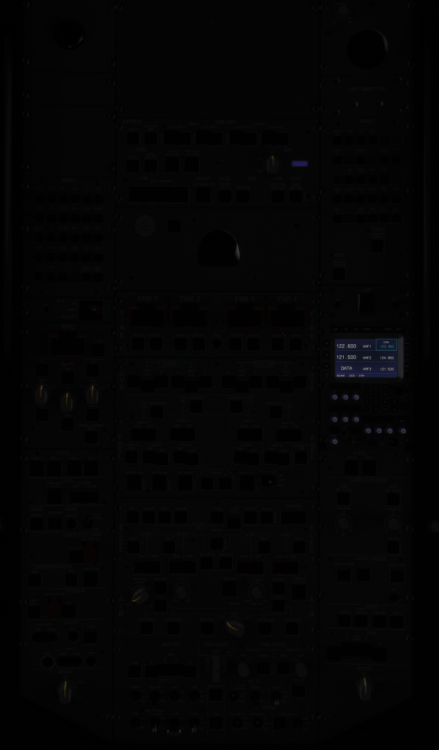
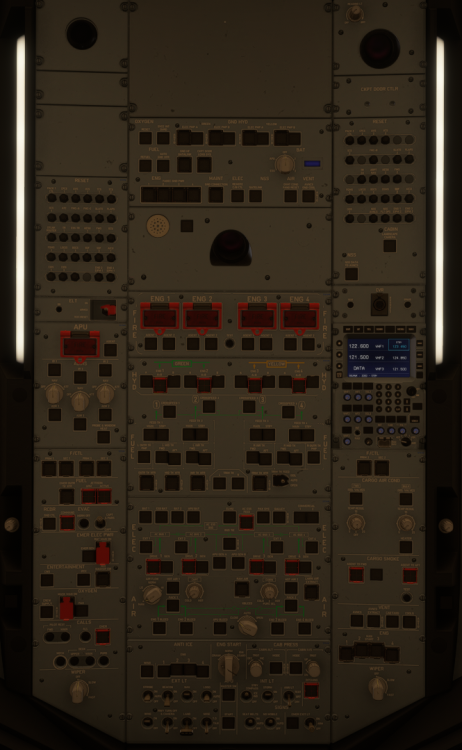
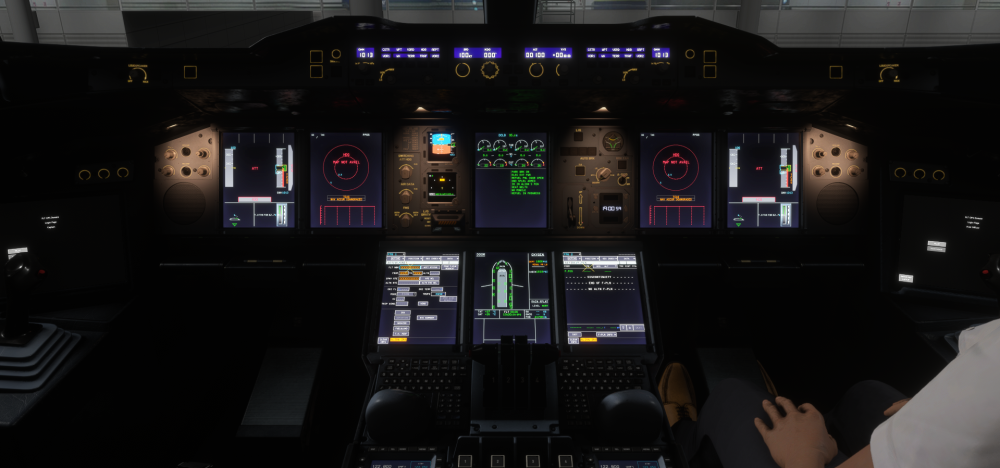
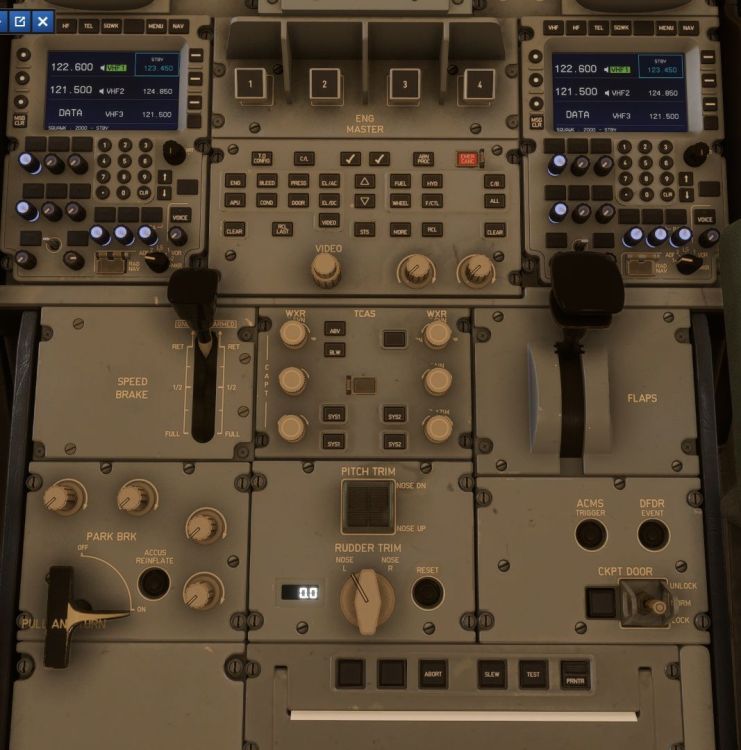
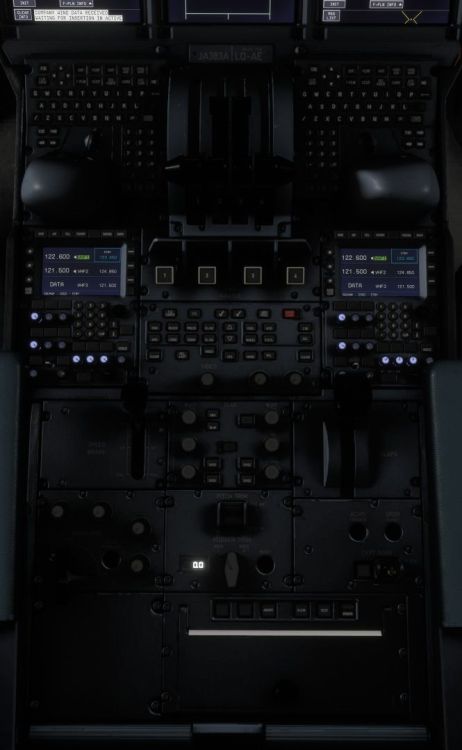
issue with @SebSch also happening with me, @iniKyle , see the picture below: ALL the Overhead Panel with some Knob placed incorrectly, and also with this Glareshield Panel below: This condition with ELECTRICAL ON (Either on GPU or APU), EFIS CPs (both) with CSTR, VOR1, VOR2, ARPT, TRAF and VORD actively pushed, FCU's FD ON, and Integral Light AT 100%. this is on pedestal: Differences between versions on initial loading (with good connection speed): Version 1.0.0: Exist for the first 30 seconds (sometimes less, on Downloaded Version), Version 1.0.1: Exist for the first 1-2 minutes (on Streamed Version with high bandwidth, low bandwidth may having prolonged time). BUT, since this streamed version, this is also happening during Inflight ONLY when the connection is poor, when transitioning from the external view to cockpit view, but the light resumed normal when the connection is resuming normal bandwidth. So by my experience, whenever the connection speed is drop below certain speed, this will be happening. --ADDITIONAL EDIT-- As for momentarily ALL P/B LIGHTS ON, because of sudden change from external view to Cockpit View, there's momentarily bandwidth spike happens when switching. This only happening on downloaded version, while streamed version is ONLY lost of Integral Light because of low bandwidth. I hope it helps to understand the situation. Cheers! HaveASafeFlight!
-
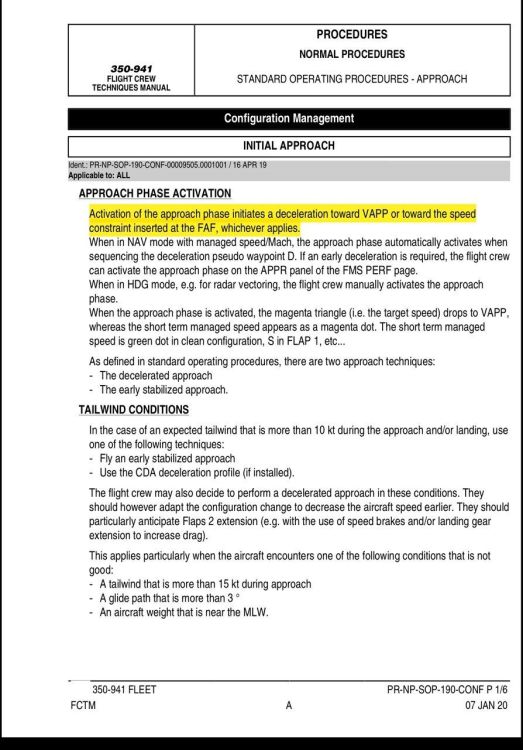
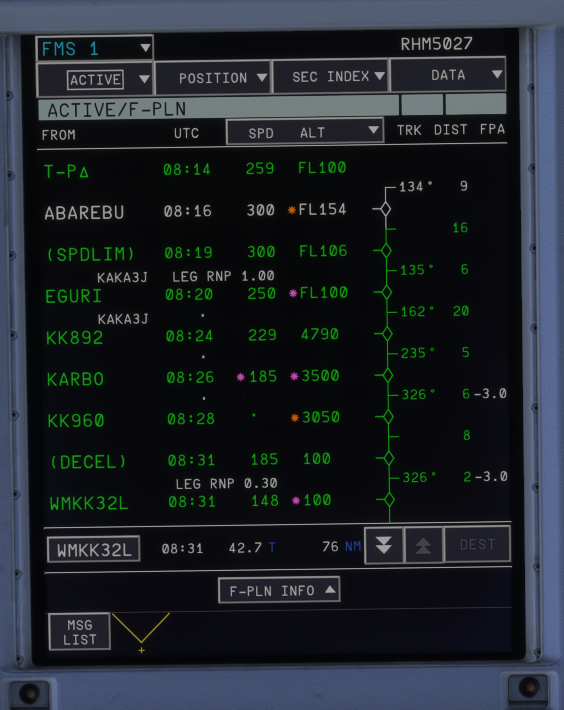
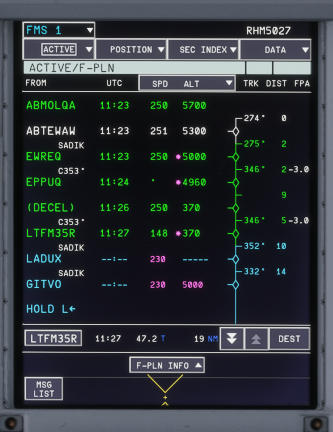
Just small information, @iniKyle , the FCTM said (see the highlighted): So there's 2 condition where DECEL P/W (or the beginning of Approach Phase): Automatic Activation, or Manual Activation by Pilots. This consist of 2 type of deceleration: Passing SPEED LIMIT Altitude (250kt/FL100 and/or 220kt/FL060, incase of highspeed descend, identified by Magenta Dot) -> Passing DECEL P/W -> decelerating to GDot -> further decelerating to VApp at FAF/P, OR Passing SPEED LIMIT Altitude (250kt/FL100 and/or 220kt/FL060, incase of highspeed descend, identified by Magenta Dot) -> Passing DECEL P/W -> decelerating to GDot -> Reduced to selected Speed Constraint (Either on IAF/P, IF/P, and/or FAF/P) -> further decelerating to VApp and to be established at VApp at FL010 AGL (IF there's a Speed Constraint on FAF/P). Example 1: As you can see the picture below, the DECEL P/W becoming JUST BEFORE the runway: As you can see the DECEL P/W just before the Runway because of there's speed constraint at point KARBO, while actual DECEL P/W SHOULD be between point EGURI to KKK892 Example 2: Although there's no speed constraint, because of Glideslope capturing from High Altitude, the DECEL P/W become AFTER the FAF/P and start at Ground Level. (which should be before EWREQ point). I know there's a misunderstanding because on FCTM/FCOM mentioning DECEL P/W targeting VApp AT the runway, but actually combined with the FCTM above, it should be AT VApp just before passing 1,000 feet AGL to satisfy the Stabilized Approach Criteria for Instrument Approach. And FYI, this structure is applied to ALL AIRBUS Aircraft, from A300-600 through A380. And therefore, it required ALL Airbuses by Inibuilds to be total makeover for DECEL P/W. I hope this can be implemented on future update on every aircraft by IniBuilds. It's sad as an ex-A330F Driver to face this inaccurate modelling. And I also hope this explanation will help. Cheers! HaveASafeFlight!
-
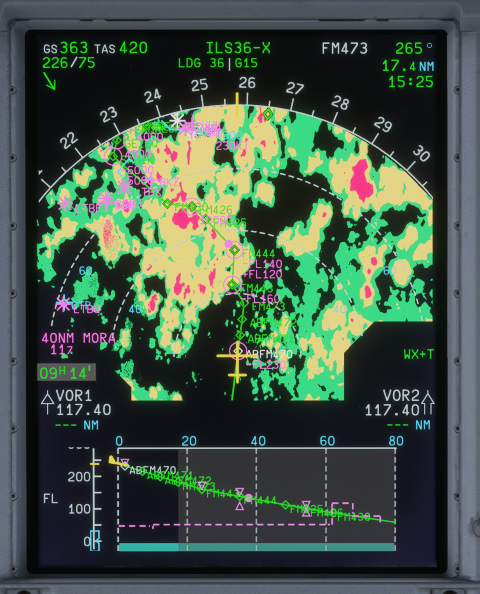
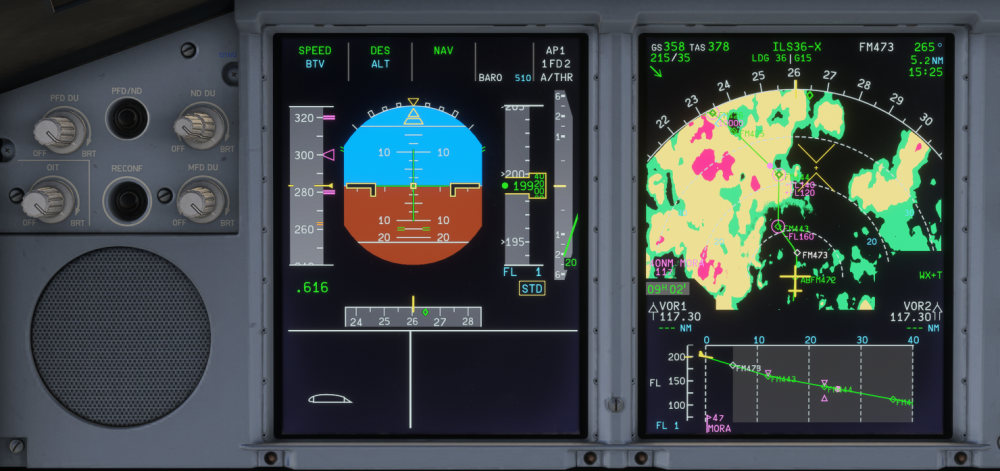
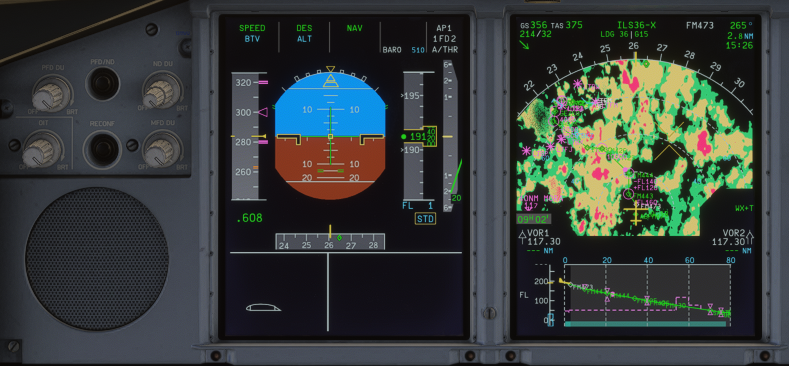
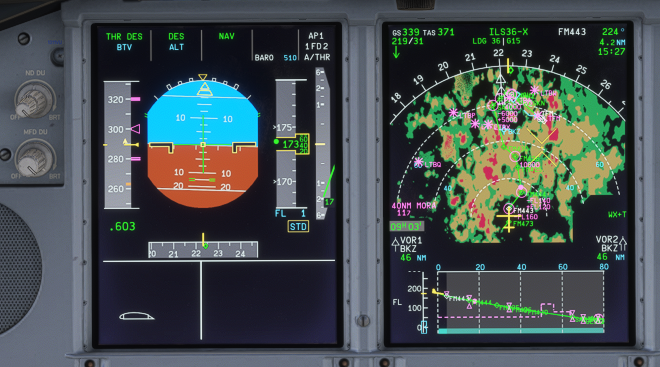
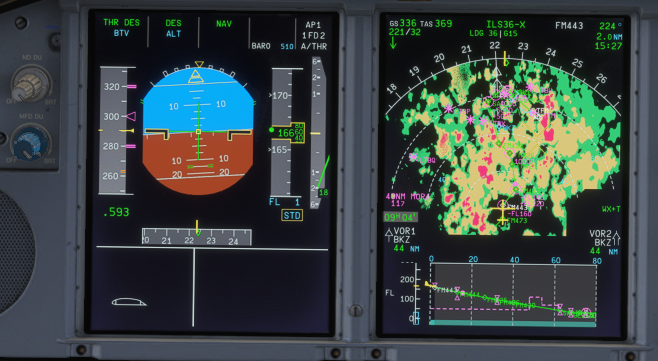
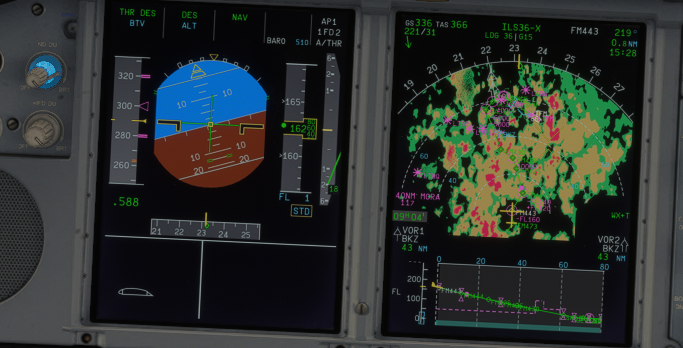
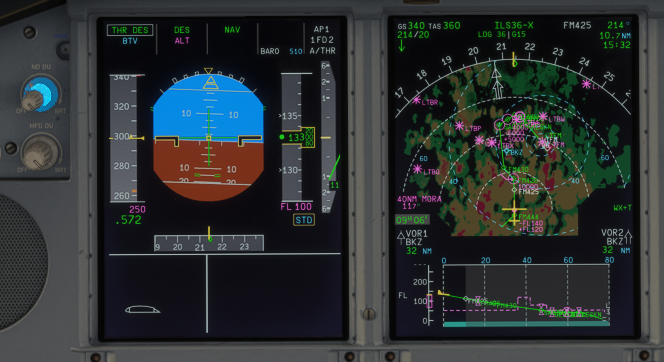
As for me, @iniKyle , the Weather Radar is too bright, it is blended with the route and waypoint. See below: Unless you zoom it, then you can start to distinguish between green of the weather and the green of the route. This is when you put 100% of the weather brightness: This is when you put 50% Brightness: This is when you put 75% Brightness This is when you put 40% Brightness Actual Weather Radar Brightness is slightly lower even in 100% Brightness, so, a bit reduced, maybe? And also in conjuction with @tturbo180 , the FD is need a bit bright to distinguish between Lateral FD and White Horizon References, and also required a bit thicker. HaveASafeFlight!
-
So this is normal? ok, maybe I will restart MSFS next time before I am about to use A380 then. Thank you very much, Kyle 👍
-
Greetings, Team. Another day flying the beautiful A380 v1.0.0. Today, I decided to play with Time Compression about 2x Compression. I made Step Descend by myself because it seems the pre-program Step Climb was unable to be executed due to Max Cruise Level. Previously, I flown FL400 and planned to FL410. Because of the simulated Max Cruise Level unable to be reached at that point, "Step Climb Cancelled" and decided to descend to FL390. Suddenly, the aircraft went to FL413 and flying below GDot, I tried to descend using Managed-Descend trying to achive FL390 as I pre-program FL390 on FMGCS. The Aircraft maintained at FL390, full thrust (even TOGA was applied to increase the speed), still flying 30 kt below GDot without any increament on the speed. Then I decide to descend to FL370 using Managed-Descend but still descending with full thrust and 30 kt below GDot. Tried to Open-Descend then the aircraft start to gain speed to the target Mach Number. Is this normal behaviour or a bug? Thank you for your attention, cheers HaveASafeFlight!
-
This is also happening to me, every time I download the V1.01, it was finished around 38%, and prompting to install. try installing what available, just to received the aircraft disabled. Tried to re-download it but still stopped at 38% with another prompting to install. Tried to re-load MSFS, re-load XBOX user name, but still stuck at 38% with prompting to install. maybe I will be waiting a few days before decide to re-download the v.1.0.1.
-
-
-
As for me these 2 days, every time I start A380, now the "Check AIRAC" button suddenly missing, required to re-Login to the Navigraph. Not happening on other IniBuilds aircraft so far. Please Help... HaveASafeFlight!
-
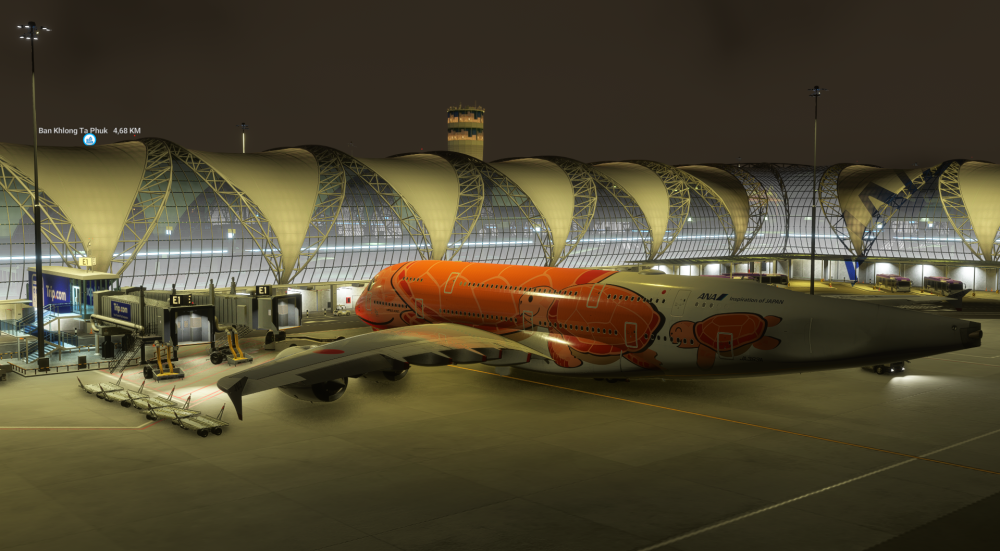
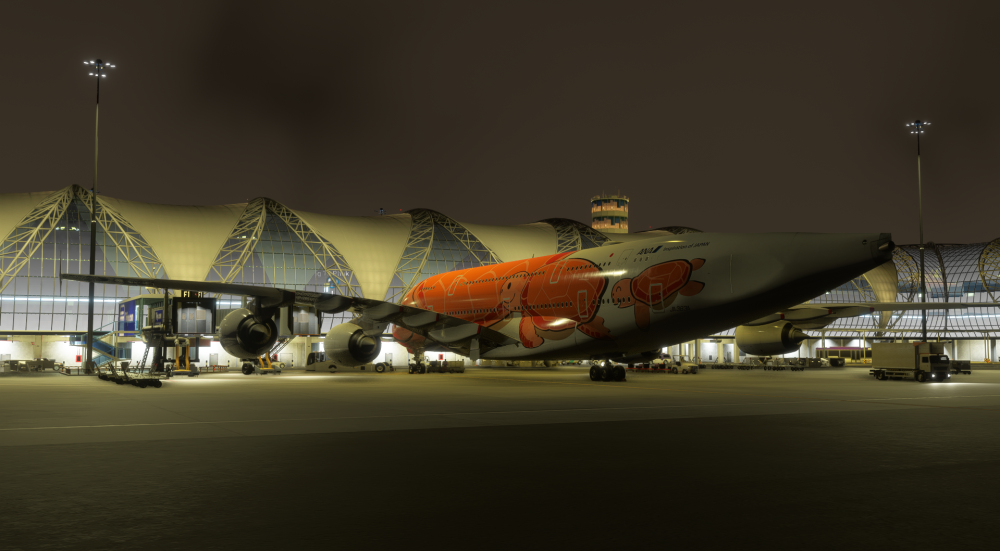
Greeting, Team I just finished flying A220 then switch to A380, suddenly A380 showing this: The vertical stab logo is blending with the terminal but it is gone when moving above the terminal. Also missing some gears in it. I have to reload MSFS because changing livery seems still exist. I tried with other IniBuilds Aircraft, is not happening like that, or any other aircraft. This is only happening everytime I switch from A220 to A380. But other IniBuilds Aircraft is not conflicting with A220. Please help. Cheers HaveASafeFlight!
-
I am also experiencing this, suddenly I was Logged Out everytime approaching Descend 😵💫 Cheers, HaveASafeFlight!
-
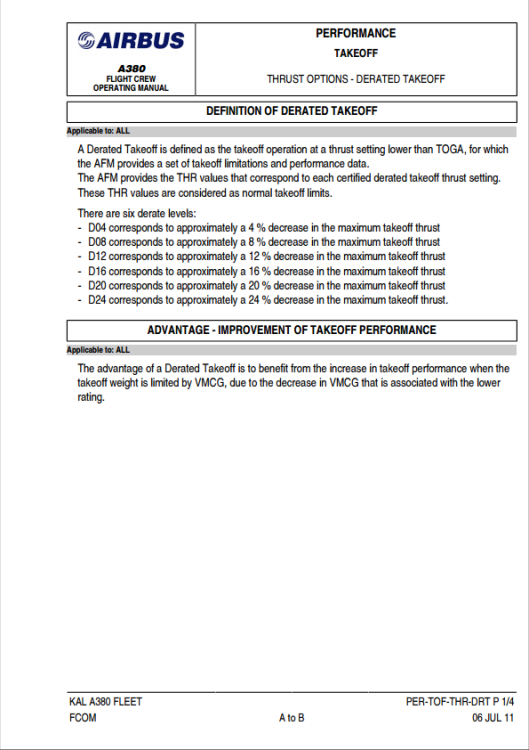
This is what I found from KAL A380 FCOM: So, obviously there's option for Derated Takeoff Thrust instead using ATM/FLEX or Max T/O Thrust Cheers, HaveASafeFlight!
-
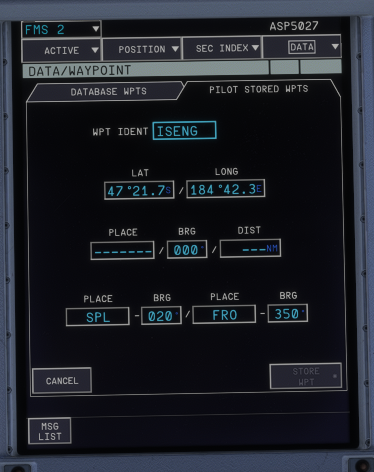
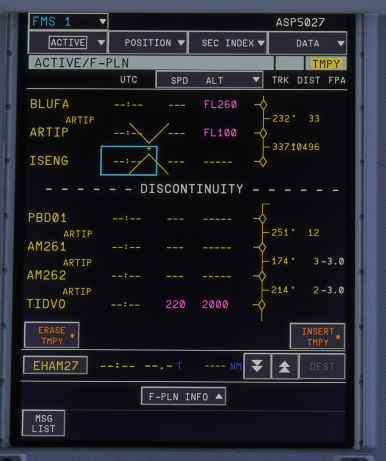
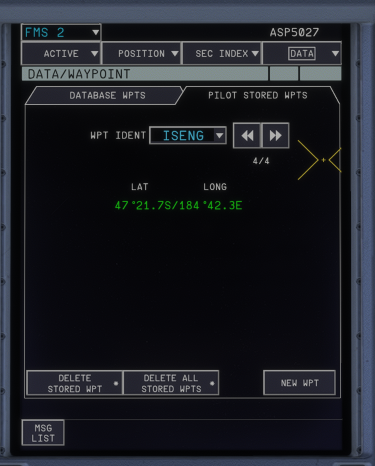
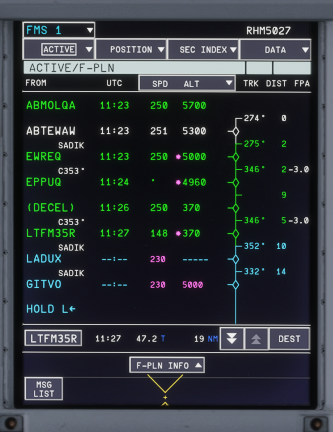
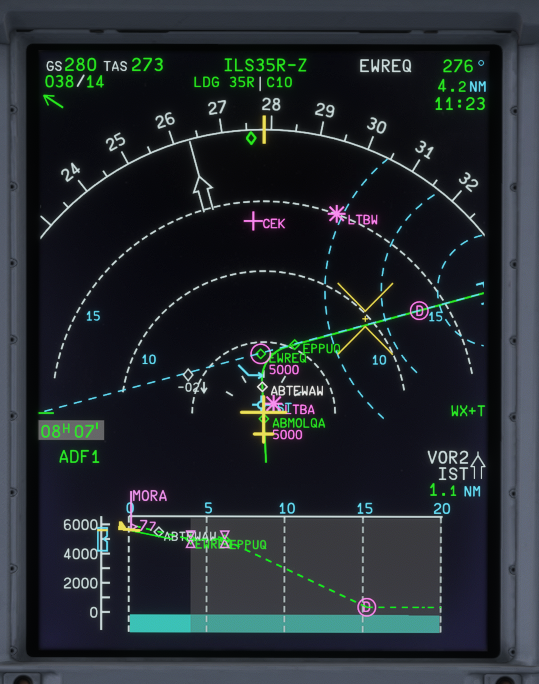
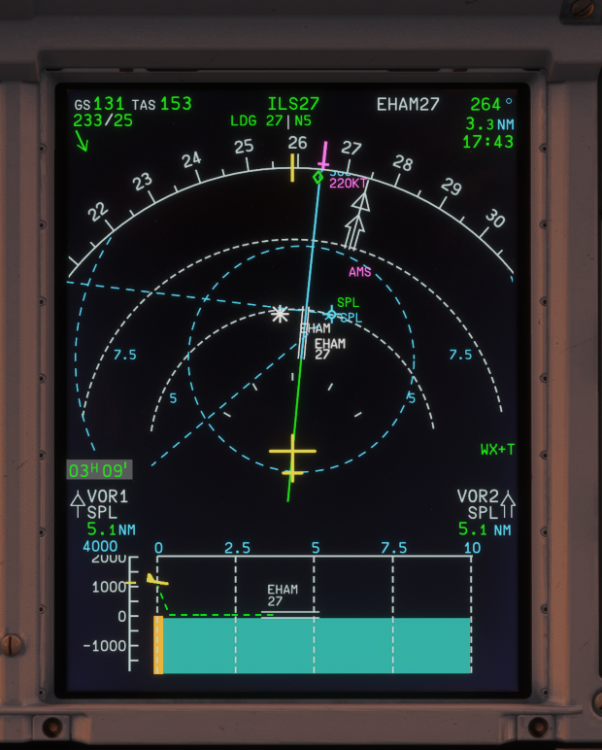
Greetings, Team Our lovely FMGCS have many function, also act as SUPER-COMPUTER for Pilots. But seems it misses some point. FMGCS CREATING WAYPOINT FMGCS known is able to create waypoints whenever is needed to help either targeting route or to "guard" some altitude. Directly to the FPLN Page or STORED WAYPOINT. I am flying SVO-AMS today, I can't help but notice that it having some problem, like 2 samples below: Sample 1: On FPLN Page is not able to create "Place-Bearing/Place-Bearing" Waypoint which identifies as PBX##, but whenever I tried to insert it on PILOT STORED WAYPOINTS, it goes funny 😂 I try inserting "ISENG" Waypoint which consist of SPL-020/FRO-350 which like this: but stored like this ===> it should showing the preset P-B/P-B (or in PBD, it should show the P/B/D) But, what makes it even funnier, it shown like this on FPLN Page ====> waaayyy too far from the planned waypoint 😂 Sample 2: The "Place/Distance" which shown as PD## also need correction, from Waypoint ARTIP to SPL to make ARTIP/6 or SPL/-25 which a place along the route in between, but somehow it is showing this: i put it AFTER ARTIP waypoint but somehow it placed AFTER SPL and not along the route, it also makes a different Bearing than the preset. I notice this is also happening on A350, but I forgot to tell you about this. FMGCS PROBLEM DURING DESCEND-TO-APPROACH PHASE AND AFTER-GO-AROUND-TO-RE-APPROACH PHASE Descend to Approach Phase During descend phase, FCTM said that FMGCS calculates Descend Profile AT 2.5Degrees Glide Path and with decelaration of 100feet/second on Level Flight or may less during deceleration (Rule of Thumb: 1,000 feet/10 Nm on Level Flight OR 2,000-2,500 feet/10 Nm in case of decelerating, with Speed of 10 Knots/Nm on Level Flight or around 20 kt/Nm during deceleration) ICAO Doc 4444 stating that Speed should be 250 kt below 10 000 feet, and speed 220-210 kt below 5 000 - 6 000 feet at TMA (Around 30-25 Nm from the Airport), and most of airport now are doing speed 180 kt between 12 Nm to 8 Nm and 160 kt from 8 Nm to 4 Nm. Then doing VApp until landing. From what I notice from IniBuilds (A330/A340A/A350/A380), DECEL Pseudo-Waypoint is incorrectly simulated. Previously, FCTM-NOR-SOP stating that DECEL Pseudo-Waypoint is around 10-15Nm from Runway Threshold and it may goes further back if there's a speed constraint selected either on IAF, IF, or FAF to target speed around VApp at runway (IF NO SPEED CONSTRAINT, and may way further back if there is Speed Constraint on selected waypoint) but somehow actual Airbus' FMGCS doing Landing Flaps Config AT FAF instead of doing decelerated approach which stabilized at 1,000 ft. That is why I notice ALL IniBuilds Aircraft doesn't simulate the Decel Pseudo-Waypoint at FMGCS correctly. For Example, I set speed on IAF (which PANS-ATM state around 10-15 Nm) at 180 kt, suddenly the Decel Pseudo-Waypoint moved forward towards FAF. And even worst at some High Altitude Approach (e.g LTFM which comes from 5,000 feet). See picture down below. <<=== Both Pictures showing LTFM ILS Z Runway 35R Actual Airbus FMGCS will move Decel P/W further back from IAF to compensate speed deceleration from Speed Control Constraint (250ktbelowFL100 or High Speed Descend) to GDot (which targeted by Magenta Dot) then targeting deceleration from GDot to IAF Selected Speed Constraint by Decel P/W. So I can say that this is incorrectly simulated. Missed Approach to Re-Approach Phase I notice that every time I simulates Missed Approach, the Cruise Altitude is stayed on previous Target Cruise Altitude (FL350/FL390 or whatever previous Cruise Flight Phase selected). If I selected any Altitude, suddenly the speed goes >300 knots AFTER I re-direct to some waypoints and the rest of calculation of Magenta Dot, and Decel P/W IS GONE. But some cases, the Magenta Dot and Decel P/W is there but the FMGCS doesn't comply with that restriction and maintaining speed >300 knot even though I already preset 250/FL100 (or 220/FL050) and selected target speed or ATC-Managed Speed. This also happening on A330/A340/A350, not specific on A380 Only. Also, during the re-approach, the VSD on A350/A380 are showing like this ==> Imagine if you are flying RNAV/RNP Approach with this 😂 FMGCS Keyboard Function if I want to insert "-" or "+" on CDU using Keyboard Function, this can not be inserted on CDU to make anything. But it is normal if I am using the CDU Keyboard. If you guys can make corrections about this on any update, that would be great. Thank you very much. Cheers. HaveASafeFlight!
-
I guess so, but I don't know it is coming from Aerosoft or A380 itself, I hope there's fix soon enough from Aerosoft or IniBuilds regarding this. Cheers
-
See the Down Arrow showing the FCU Target Altitude at the RUNNN point, it strict between FL170 to FL140. That is why the FL160 on Altimeter doesn't showing Magenta because FMCS calculates that you will reach FL160 approaching RUNNN Point which WILL NOT PASSED BEFORE FL170 or AFTER FL140. Unless you have changed one of the constrain after RUNNN (like SYMON or IRNMN) to AT FL165 OR ABOVE, then you will have Magenta on Altimeter. Cheers HaveASafeFlight!
-
Flex Takeoff Thrust is Flexible Thrust depending on Assumed Temperature Methods, while Derated Takeoff Thrust is Fixed Derated Thrust, it is fixed on 10% to 30% reduction depend on Engine Manufacturer. Also, Derate Climb is having a problem. I notice from FlexTO, AutoThrust transitioned to MCT first then DCLB. This is explains why the Derate Climb suddenly goes to Max Climb Thrust instead of Derated Climb. I hope this is fixed by the next update. HaveASafeFlight!!
-
Greetings, Team. I try to pushback with Aerosoft Pushback Pro, at the first 10 meter it went just fine, pushback nicely. Until suddenly it turn to the left 90 Degrees, pushback around 8-12 meters then making 180 degrees for like 20 meters then 180 degrees. It is looping all the time, I patiently waiting about 10 minutes and it still making a racetrack pattern without following what I have planned. I stopped with "Hold" and have to cancel pushback after that. I have tried like 4-5 times until I decided to stop using Aerosoft Pushback Pro. Please, a help is needed for this one because it doesn't happened with any other Aircraft, another A380 or other Aircraft. Thank you very much 👍
-
So this is normal behaviour for AutoThrust Reversion from Takeoff Power to Derate Climb Power? 😟 Interesting....
-
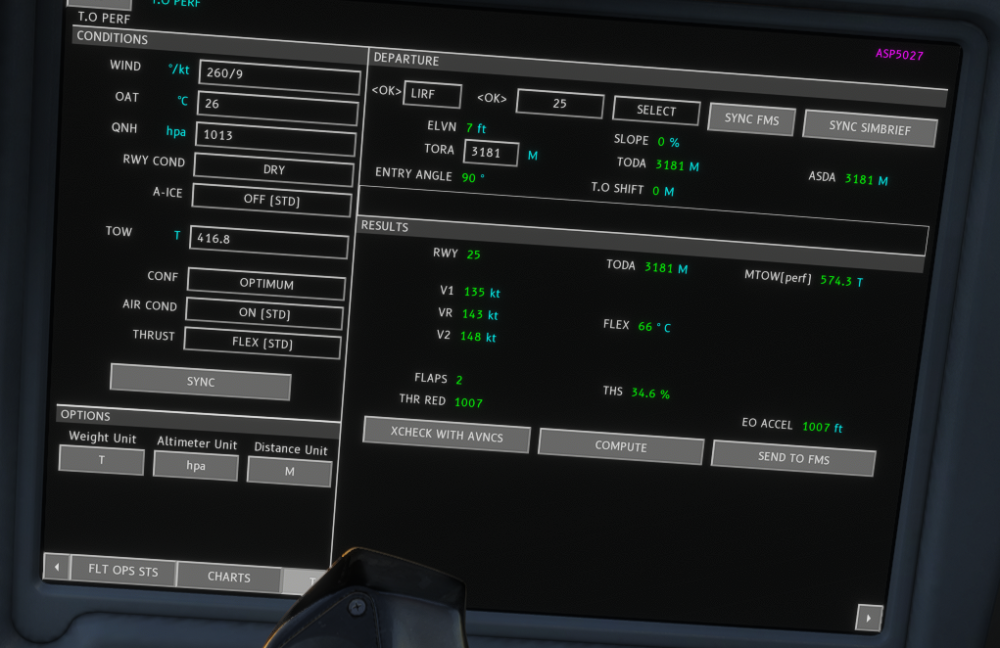
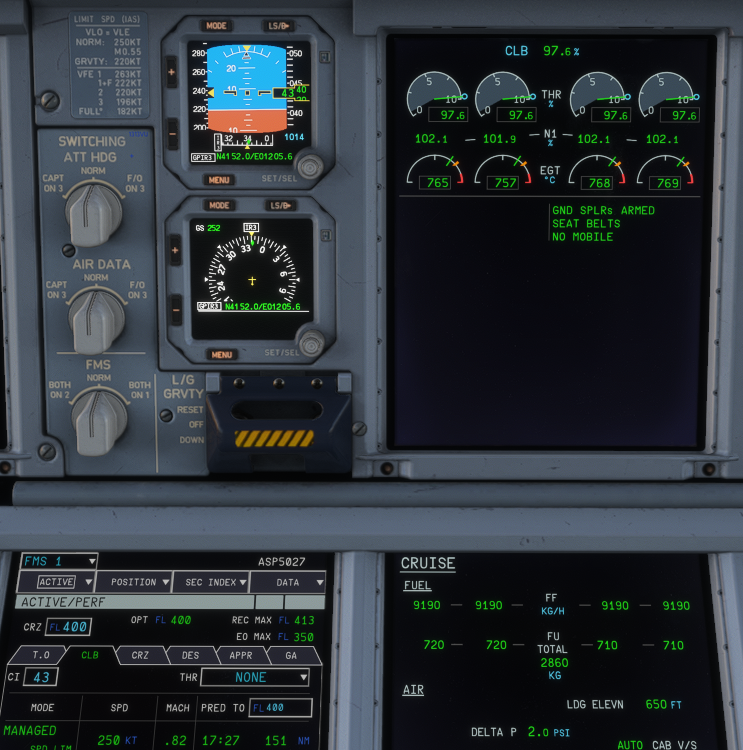
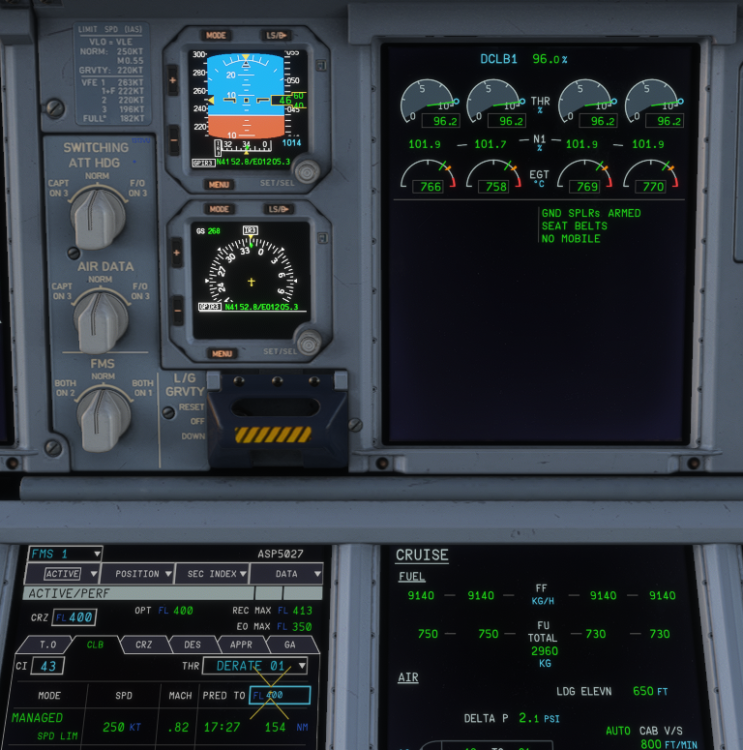
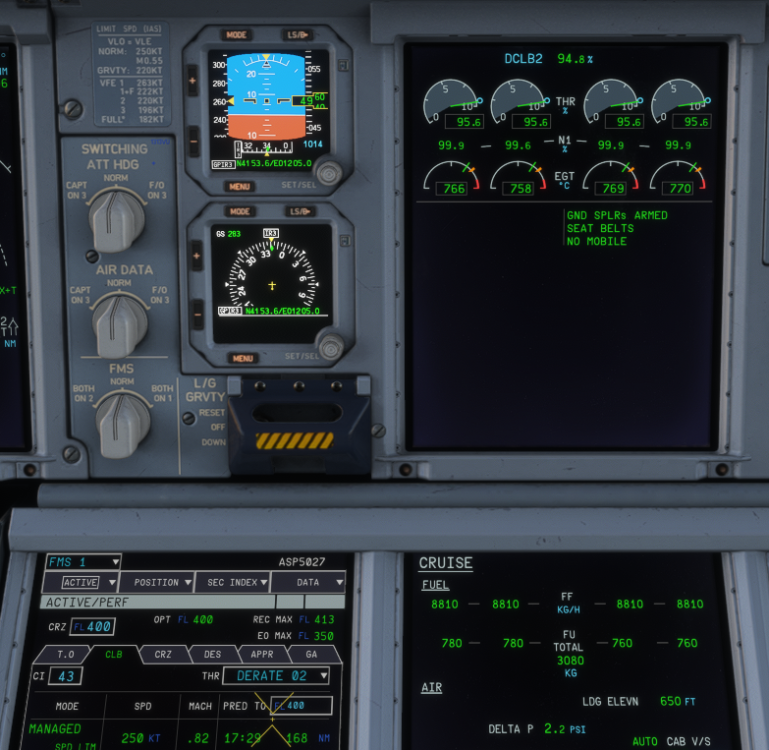
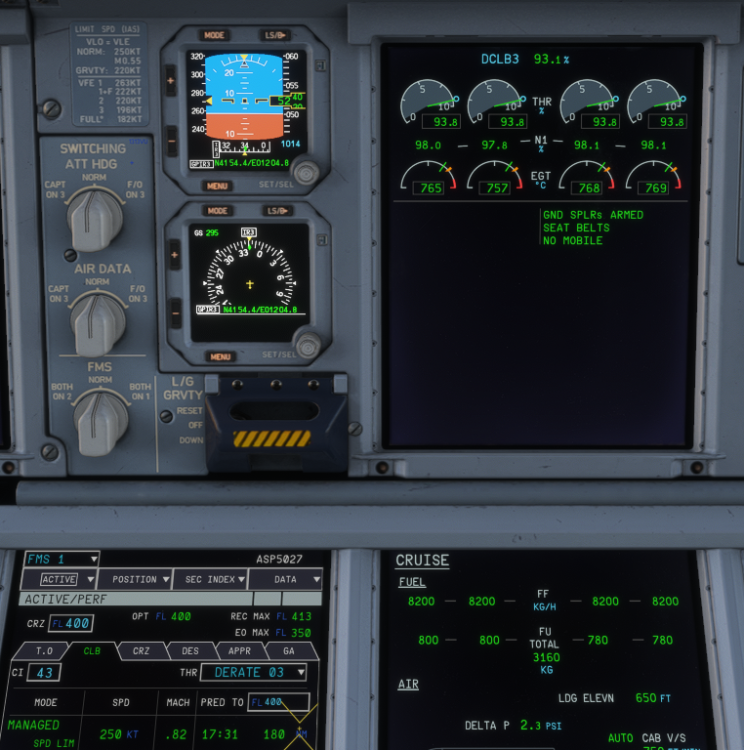
Greetings, Teams Still love this aircraft and this is my 6th sector for today. My 6th sector flying from FCO to SVO for casual flying using EA Version. With ZFW of 345.5T, Fuel 71.447Kgs and Takeoff from runway 25 of FCO. You can see the OIS Config for Takeoff: everything went well, but suddenly when transitioning from TO Power to CLB Power, I notice the Engine goes Spool UP instead of same power or lowering the thrust. You can see the config for CLB, Derate 1 Through 3 below, and it is almost FULL THRUST CLIMB POWER: DERATE-1 POWER: DERATE-2 POWER: DERATE-3 POWER: Is this normal on A380 or am I imagining things? Also what I know, DCLB mode washout around FL300, somehow it maintain DCLB until Cruising. Many Thanks for your attention. HaveASafeFlight!
-
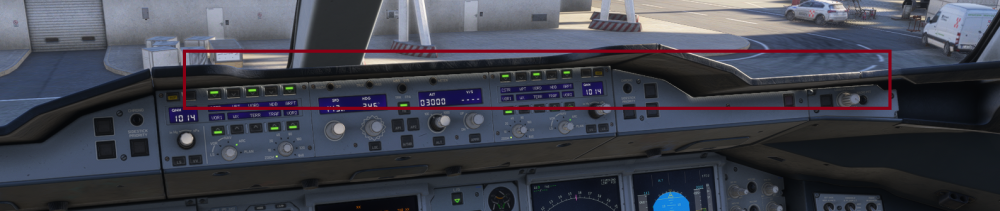
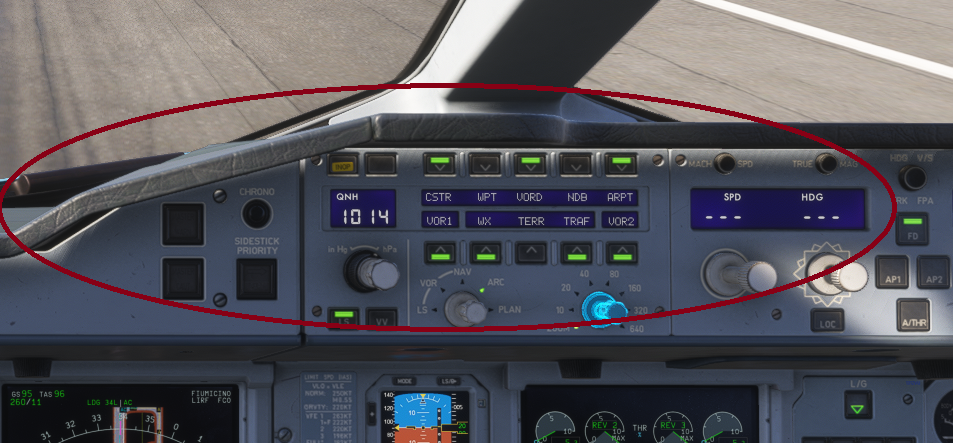
For me, I found this particular light leak between the panel and the glareshield. this is happening anytime whenever we are facing the sun around 12:00 to 14:30LT See the red box and red circle for the condition. SafeFlight!
-
At the first time, this is also happening to me. I closed MSFS, restart it again and it is automatically enabled. It is downloaded and vary between 5% to 29%, stuck and redownloading again. Tried to disconnect the wifi then it is ready to install. I hope this is help for everyone Safe Flight!
-
Where is that? and where I could find the Manuals? Safe Flight!
-
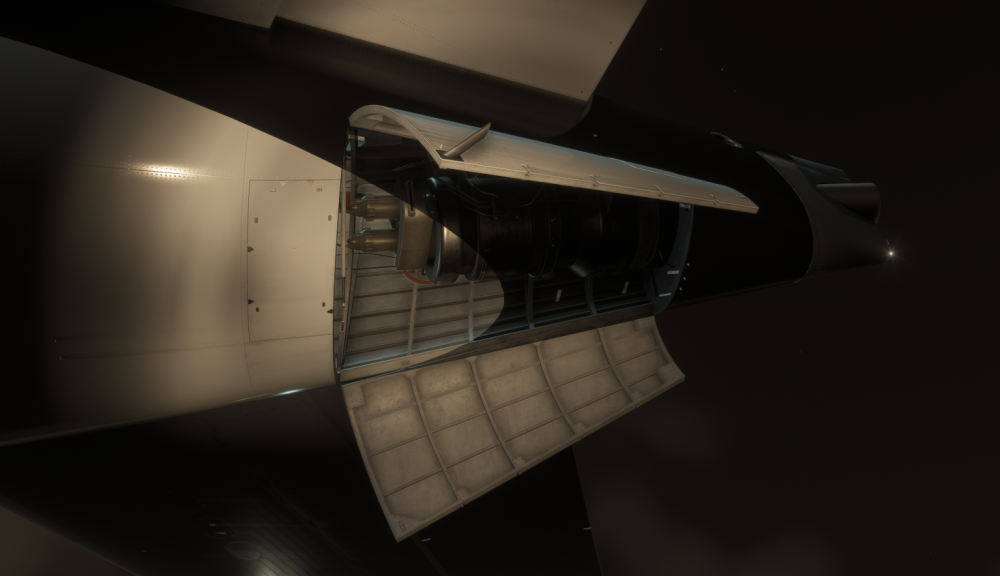
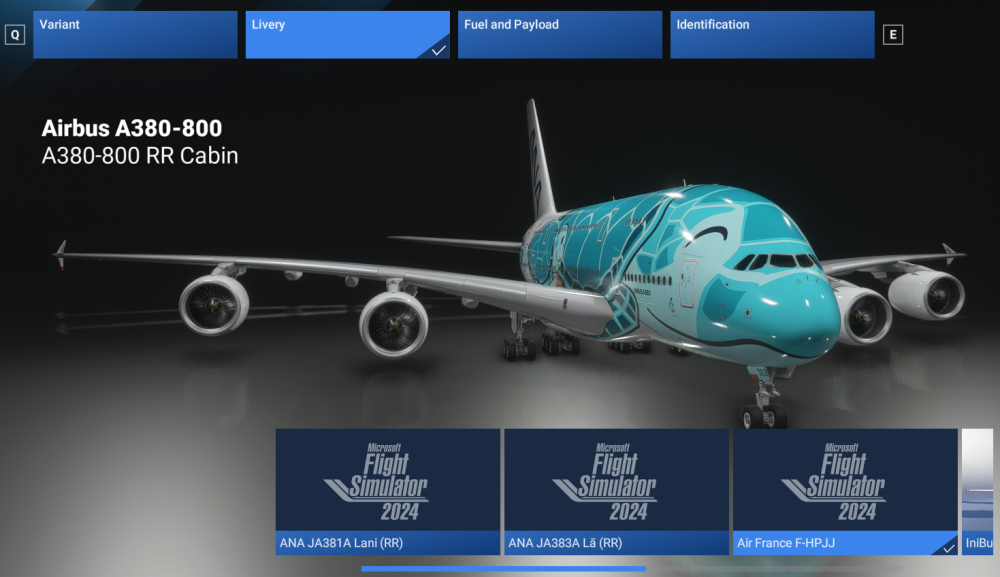
Greeting, Teams. Thank you for your hard work in A380. this is another sophisticated Airplane from Inibuilds. But I have few question about this, some systems but some of non-systems: 1. I notice this problem on APU Cowl Door, I think some painting jobs need to be done. See the picture below. 2. The steering is a bit "funny", I use VKB joystick and everytime I start turning, the NW start IMMEDIATLY turning back to center causing the A/C suddenly oversteer OR understeer, using rudder or not using the rudder to steer. 3. Is the Reverse Thrust not implement yet? I use Moza MTQ MTA but the reverse not deployed eventhough i have put binding or put on reverser axis. 4. Is the BTV is not implemented yet? I have tried but it is not working somehow 5. VNAV ability is "funny" when you try to modify the Altitude Constraint. Somehow, it is worst than A350. 6. Can you check the Pitch Trim Functionality? Everytime i insert the takeoff performance, it set to Takeoff-Required Pitch Trim but everytime I pushed T/O Config Test, the ECAM Show disagreement of Pitch Trim. 7. Try to download the Livery from IniManager, someone need to do some reworks on the livery *lol. see the picture below That is coming from me for now. Safe Flight!
-
I agree with you, mine lost it function and dark blank after 2 hours 😄 but at least my navigraph function of chart is back 😁


