





Max
-
Joined
-
Last visited
Posts posted by Max
-
-
Hi @SetLeit,
Honestly, I'm unsure how to guide you exactly here as we don't internally use Blender (We use 3ds Max) and supplied the Blender kit as is based on community request and I've had no complaints about the kit to date brought up to me directly. You can see we also don't mention the Blender file in our paint kit manual.
Maybe there's a way you can select which material/texture your 3D painted result outputs to? By your screenshot, it looks like it's outputting to all materials assigned to the fuselage object, when it should only output to the material on the relevant section you're painting your decal onto in the 3D viewport.
Alternatively, you can also try separating the mesh by material by selecting the fuselage part by the material selection and then detaching it into its own object as shown below.
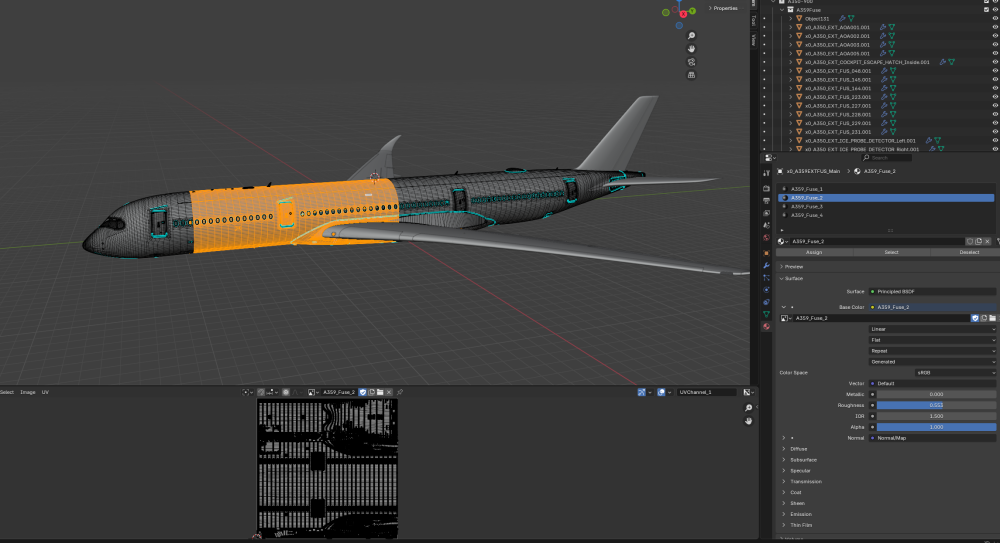
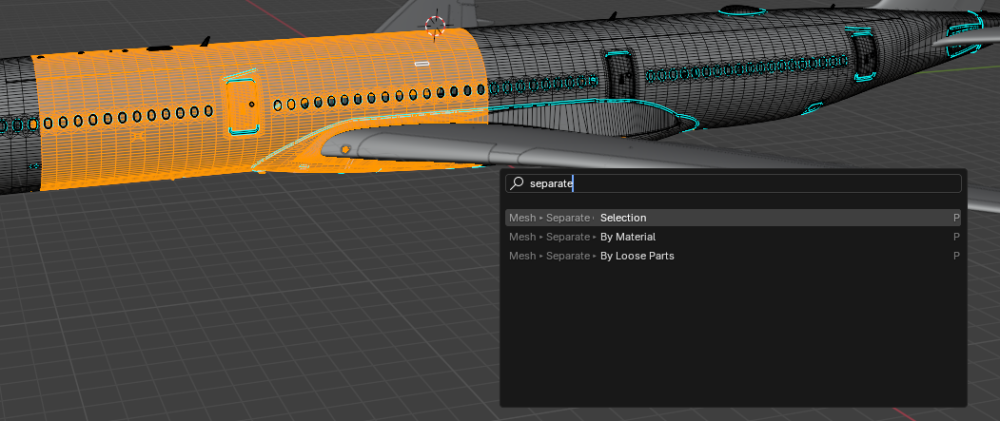
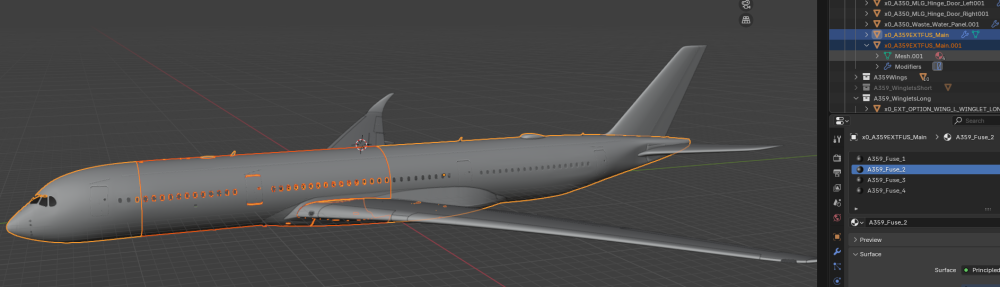
Regardless, I'm happy to guide you to the best of my limited Blender knowledge and help you troubleshoot this.
-
 1
1
-
-
Hi @Phog,
Yes, we use relaxed UVs on the L1011, we found this method to be more optimal for specific sections of this aircraft. It didn't make much of a difference for us, since our in-house liveries are painted using 3D decals which is the best standard for quality, but I understand the traditional Photoshop painting method would be quite tricky with such UV layouts.
There is an .fbx model included for you to project your graphical elements onto the relaxed UVs using the likes of Substance Painter. This is the best and quickest solution.
Cheers. -
Hello @Cheesysims,
The FS24 version uses different texture sets for this area as it features an improved door... the FS20 version had issues with its hinge and new found references led us to re-model this area as part of the FS24 premium upgrade.
These are probably the textures you're looking for... which do not exist in the 2020 version.
-
 1
1
-
-
We'll ensure this is all updated in the v1.0.3 paint kit release.
The updated kit will include base textures for the -- New wing/winglets
- Exterior textures (+ markings and door outlines where applicable)
- Cabin
Cheers.
-
3
-
Hello @Pionites,
Thank you for your post.
There is no motive to restrict users from viewing the sim package - nor do we control the final compression format on the textures, this is all automatically handled by the flight simulator engine upon compilation of our package. I understand that when making your own paints, you take control over this aspect.
Upon your request as a paying customer, there is no objection for us to share the additional PBR files here.
I've zipped up the PNG versions of the fuselage PBR before compression, so you can control the compression and achieve the best result.
Let me know if you have any further requests.
Cheers.-
1
-
-
-
1
-
-
@MediocreGorilla Hey - rest assured, that the issue is resolved on our end. But we are waiting for a larger update, which breaks liveries even more (along with other fixes included) to push this out since we need to update all of our liveries to be compatible with it.
Hopefully this is sooner than later.
Cheers!-
1
-
-
-
4 hours ago, bjhjeong01 said:
I see Is there a solution?
Hi,
The advice would be to paint onto the compiled .gltf model you've converted if you wish to paint such lines directly onto textures. But we will not be providing one as we intend for liveries to be created using 3D decals, and the converted .gltf is a hacky way of doing so and doesn't meet the quality standard of what we're willing to include in an official paint kit.
Cheers. -
-
-
-
-
@halfur, hello!
Is your cargo door fully closed? I can't replicate this behaviour.
The lever is tied to the first two keyframes of the open/close animation of the cargo door, so it would only show like this if the door isn't fully closed. -
-
-
@Bavionic,
I understand your frustration - but this is not quite true.
We have used the tools and methods provided by Asobo to exclude any trees from appearing on the airport, if the game engine is not respecting such, there isn't much we can further do until Asobo fix the bug.
Again, for both the ILS and Tree matters, we're doing all we can when we can to come to finding a solution since we don't disregard such issues as customers are still discussing the matter actively as being an issue.
I would hope (and yes, as you've mentioned we run on hope here too when there's thus far no possible input from us to resolve the matter) that the next update compiled on the latest patch of the simulator will resolve these matters.
Cheers.-
1
-
-
Could you guys try to remove everything else from your Community folder except Heathrow?
Otherwise I suggest you wait for the next update to see if we can resolve this issue since the configuration for the runway and ILS here can't be further changed or improved or else we are unable to make the approach correctly.
@xChris93 - so I assume this was no resolution for you?
Cheers.-
1
-
-
@Bavionic,
Sorry for the frustration caused, and I understand that it's quite a pain to deal with all these issues when all you want to do it fly.
Unfortunately, the trees issue still isn't resolved by Microsoft in the latest update.
As for the ILS issue, you'll have seen in previous threads that it's causes by either the aircraft the user is flying or the content.xml, that's why I echo that you should upgrade your FlyByWire A320 version to the latest stable non-development version.
We're here to help, let me know if you have further questions.
Cheers.-
1
-
-
-
-
-
Hello @Regis,
The next update will feature decreased system resource usage, mainly on VRAM.
Hopefully this will fix any freezing you encounter.
Cheers. -
I would surely go by @AndyM's suggestion since random third-party conflicts are to blame for issues like this.
I'll assure you no default textures are used on our custom objects though 😅
Do let us know the outcome if we need to troubleshoot further @LondonLCY.
Cheers.


Blender file in paint kit can't be opened by Blender
in Modelling & Texturing
@cg1580 Hi,
Check out this post where I answered to a similar issue recently, hopefully it resolves your concern. If not, just let me know and we can troubleshoot further.