





Eddie
Member
-
Joined
-
Last visited
Everything posted by Eddie
-
Hi, Currently the flood lights for main panel doesn't work, this is a known bug and will be fixed soon. As for the integral light for panel and pedestal, you can adjust that next to the flood light dial ("INTEG LT"). Picture below: Thank you

-
Hi there, This has to do with memory allocation for the Xbox (LOD) and how objects are rendered, unfortunately not much we can do from our end since that is a default MSFS pilot model. Thank you
-
Hi Maverick, Apologies for no replies up until now. The DHL livery issue may be due to Xbox ram allocation and how it is unable to properly render it due to its quality. Unfortunately this is out of our hands as that is a MS issue. I hope the Xbox improvements MS has made for MSFS2024 will also be backported to MSFS2020, that should make this kind of issue occur a lot less. As for the ATC issue, we understand that it is frustrating. I've attached our statement regarding said issue below. I assure you that this will be looked at as soon possible. Again, we apologize for the inconvenience. Thank you
-
Hi, Are you still experiencing this after the AAU3 update that was released on Oct 1st? Thank you
-
Hi there, Apologies for the very late reply. Are you experiencing this after the AAU3 update?
-
Hi, Unfortunately stand F6 is not configurable with GSX due it not being in the AFCAD. F5 is occupied with a static aircraft which leaves only stand F7. Stand F7 is not designed to fit the 777, however we'll look into accommodating that soon. As for the baggage loaders, this is unfortunately out of our control. Thank you
-
Hi, The team is aware and a fix will be pushed in a future patch. Thank you 😊
-
Hello, We read the feedback and any suggestions made and take it on-board, but may not always acknowledge that we've done so, but rest assured that you are heard. The team has their hands full with many projects but this does not mean we have "moved on" from the T-33. We see it in a stable position at the moment however that does not mean we've abandoned the product. I obviously cannot speak on any future updates until they are published. As for the "editing policy", I'm not sure I understand what you mean exactly. We have limited users from editing to deter any follow-up troll editing and such. We can however revisit this policy and look into changing it in the future, but no promises as that is a decision that involves how we moderate the forums. Thank you
-
Hello, Please refer to the following statement made by us in the past: Apologies for the inconvenience!
-
Hi there, Try binding a button to "AUTOPILOT OFF" rather than the toggle bind. That should eliminate the sound playing indefinitely. However if it still continues, I'm afraid going external view then back is the only work-around I can think of for now. We'll log it internally and see what we can do. Thank you
-
Hi, yes VNAV is present. At what point are you descending after given the "REACHED TOD" alert?
-
Hi there! Have you noted this behaviour in any other aircraft? Did this start recently? Those questions aside, please make sure you have updated to at least REV 2 cycle (I believe Rev3 is the latest) in the Navigraph hub, if you have that. Thank you
-
Hi there! Please try reinstalling the scenery as well as clearing your scenery indexes! To do that locate your folder by following the path below. (MS Store) \AppData\Local\Packages\Microsoft.FlightSimulator_8wekyb3d8bbwe\LocalCache\SceneryIndexes (Steam) \AppData\Roaming\Microsoft Flight Simulator\SceneryIndexes Then delete the contents inside but leave the folder intact. This should solve the issue. Thank you!
-
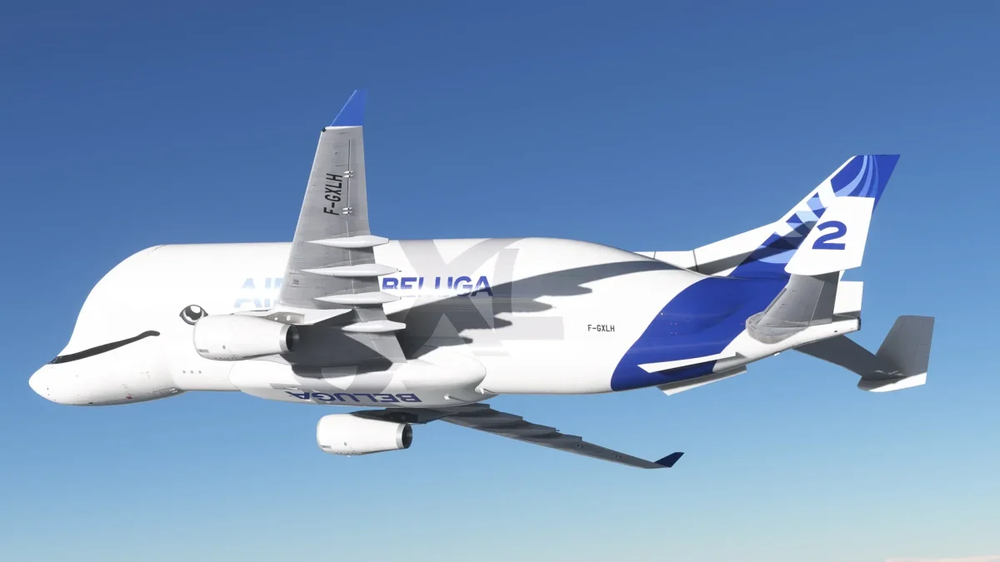
Hi, We have no plans on bringing the BelugaST over to MSFS. MSFS2024 will however feature a Beluga XL (A330-743L).
-
Hello! Those buttons are not used on normal engine startup, no. Only usage is for abnormal operations/failures in which it is needed for the pilot to directly control the N1% of the engine as opposed to EPR (Engine Pressure Ratio) as explained in the video. Hope that helps! Thank you 🙂
-
Lovely shot! How you liking the switch so far? 😊
-
Would you mind trying to reproduce the issue with an empty community folder (to rule out any potential conflicts)? You don't need to uninstall all your add-ons. Simply rename the existing community folder to _community temporarily. Create a new empty Community folder in its place and only put the A300 in it. Alternatively reinstall the A300 if you haven't already. If this doesn't end up resolving it, I'm afraid we're limited on what we can offer help-wise. I've tried a few times now to reproduce but just can't get the same result unfortunately. Apologies for the inconvenience! Thank you
-
Hi! I've let the team know. Does indeed look like an ND drawing issue. Thank you for the report! 🙂
-
Hello, What you're getting at does indeed make sense. I've let the team know. Thank you! 🙂
-
Hello, Unfortunately that is not possible, no.
-
Hi and apologies for the delayed reply! We are unfortunately unable to reproduce the issue on our end. I suggest waiting until AAU3 is released as that may resolve your issue! If not, you are welcome to come back here and let us know 🙂 Thank you
-
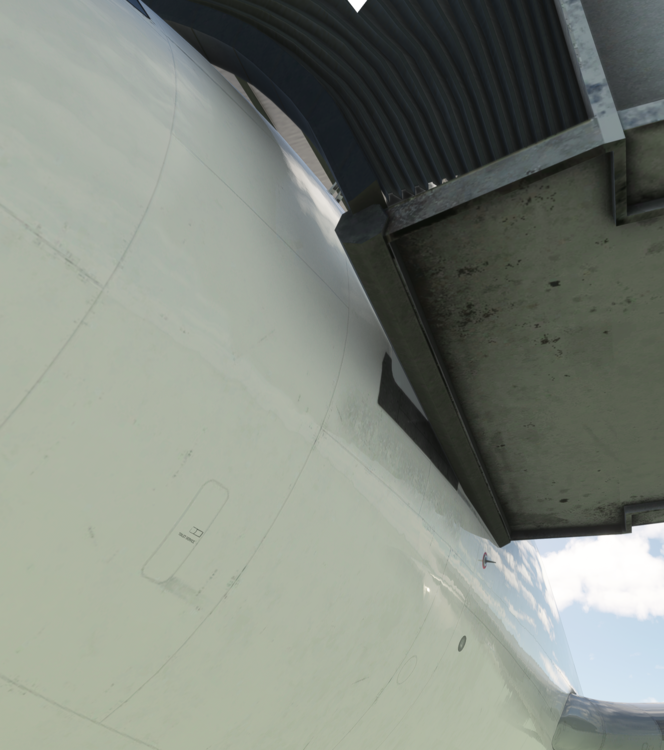
Hello, Apologies for the delayed reply. I have followed your steps to the tea (as well as disabling GSX) and still unable to reproduce, at least not to your level. Observing the A310 jetway-connection, there is indeed a gap similar to yours, however, it is not major at all and the overhead protection still connects seamlessly so I believe this is fine, as far as I can tell. As for the A320, it seems to connect perfectly and nowhere near the results your screenshots show. Albeit the version I'm using is the latest build of the 32Nv2. I don't see how that could be a factor, but it still could, so I would wait with that one and urge you to check again once it releases to the public; hopefully sometime this month (MS said a September release for AAU3 if I do not recall incorrectly). Anyway, apologies for the inconvenience and I do hope it will be resolved for you sooner rather than later. Thank you!

-
Hello again, I double checked today again and still unable to reproduce. Very odd that this behaviour is only recorded at one single airport. Either way, my suggestion is for you to clear your "work" folder. Delete the contents of it and try again. A300 Steam: %APPDATA%\Microsoft Flight Simulator\Packages\inibuilds-aircraft-a300-600 MS Store: %LOCALAPPDATA%\Packages\Microsoft.FlightSimulator_8wekyb3d8bbwe\LocalState\Packages\inibuilds-aircraft-a300-600 Let me know if this solves it! Thank you
-
Hello, Try reseting your calibration entirely. If you change the REVERSE ON AXIS option (to yes or no) it will force reset the calibration, so you can start the process again. Then use the below guidance on calibration
-
My pleasure. Good luck! 🙂


