





Eddie
Member
-
Joined
-
Last visited
Everything posted by Eddie
-
Hello I understand your frustration. Unfortunately, we haven't been able to reproduce, as mentioned. We are not having said issue and I can't find similar reports made recently; that makes it really hard to figure out exactly where it's going wrong. Things such as these to tend to resolve themselves, and I hope sooner than later. Again, apologies for the inconvenience. Will reach out here again if I have any updated information! Thank you
-
Very odd. I'll look into it further and get back to you soon.
-
Hi there, I've just tried loading in on most gates at EICK and chocks appear just fine. Are you using a specific scenery? Any other details are appreciated too! 🙂 (Gate number, etc)
-
Definitely not fun to keep doing, but unfortunately I personally have idea if there are any alternative solutions, at least for now. Hoping MS fixes this soon 🙂
-
Hello, Currently it's not steerable on the ground using rudder/steering inputs when stationary, but it isn't fully free-castering either as it's real-life counterpart, in that it will respond to rudder inputs when you're taxiing.
-
Interesting. Glad it's sorted for you regardless. Will look into this, thanks for the information! 😉
-
-
Hi! As always, your insight and suggestions are always appreciated. I can't comment on further decisions we'll be making regarding the aircraft but I will raise the suggestion with the team regardless. As always, no promises 😉 Thank you!
-
Beautiful work!
-
Hi! Thank you for the suggestion, will share with the team 🙂
-
I'll pass your suggestions on to the team. 🙂 Hi! We've had this feedback before and we have recently resized the pilot models but I do understand they are still not large enough. Unfortunately, any larger we start running into clipping issues with the cockpit itself; instead we opted for a slight increase, at least for now.
-
Hi again, I assume you have tried a complete reinstall of the aircraft since then? We've attempted to reproduce the issue and what @richboy2307 has suggested already are usually the primary suspects as to why these issues arise. Unfortunately I'm not sure we can be of more help since, like you mentioned, it seems simulator-wide. I understand that is not what you want to hear however things like these have the habit of fixing themselves. If you have any other information that could be helpful in cracking down the issue, that is more than welcome. Thank you!
-
Hello again, Very odd. Unfortunately we haven't been able to reproduce the issue whatsoever and I'm not entirely sure what could be the cause. I would recommend reinstalling the scenery entirely as well as clearing scenery indexes. To do that locate your folder by following the path below. (MS Store) \AppData\Local\Packages\Microsoft.FlightSimulator_8wekyb3d8bbwe\LocalCache\SceneryIndexes (Steam) \AppData\Roaming\Microsoft Flight Simulator\SceneryIndexes Then delete the contents inside but leave the folder intact. You can now reinstall the scenery and the indexes will rebuild on next load of FS. Make sure to also install our official GSX profile. Really hope this solves your issue! 🙂
-
Hi, Apologies for the late reply! I've let the team know, thank you for your report! 🙂
-
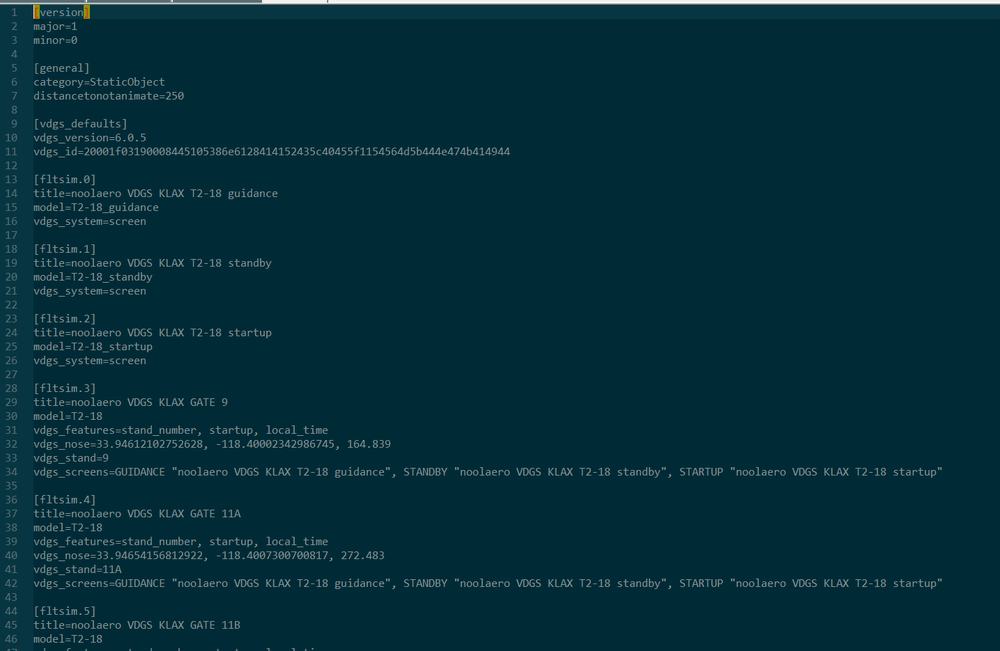
Hi there, Apologies for the late reply. The gates that have it will be controlled by the "sim.cfg" file which is located in inibuilds-airport-klax-losangeles\SimObjects\Landmarks\noolaero VDGS KLAX. The available Nool VDGS gates show up there. (See attached image) Thank you and hope this helps! 🙂 g(
-
Hello, The cabin is missing due it being a PC-exclusive enhancement-pack. This is done to optimise the aircraft for Xbox use. As for any other issues, suggestions or feedback you have regarding the aircraft, it must go through MSFS Forums. It is a Microsoft product that just happens to be made by us. They dictate what happens to the product and when/if it needs updates; which it will receive alongside the A320neov2 sometime this month (AAU3 update). Thank you!
-
Hi there, Can I ask one of you, or both, to provide a video/screenshot of the issue? We've tried to reproduce it and can't seem to get the same result you are referring to. Thank you!
-
Hello! Have you done the steps explained here? Thank you
-
Hello This is a known issue and will be addressed in a future update. Apologies for the inconvenience. Your patience is much appreciated! Thank you (thread moved to appropriate section)
-
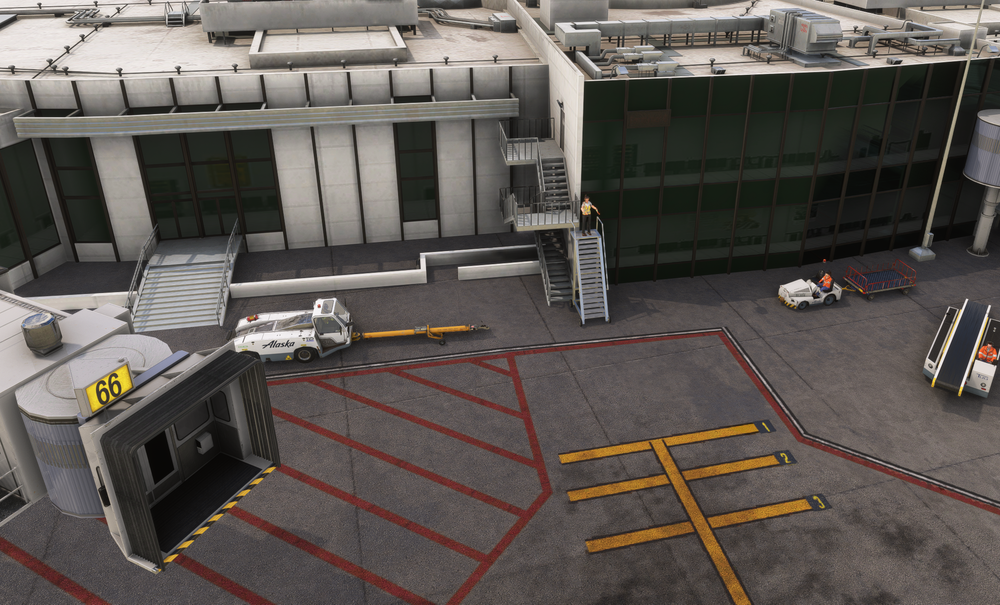
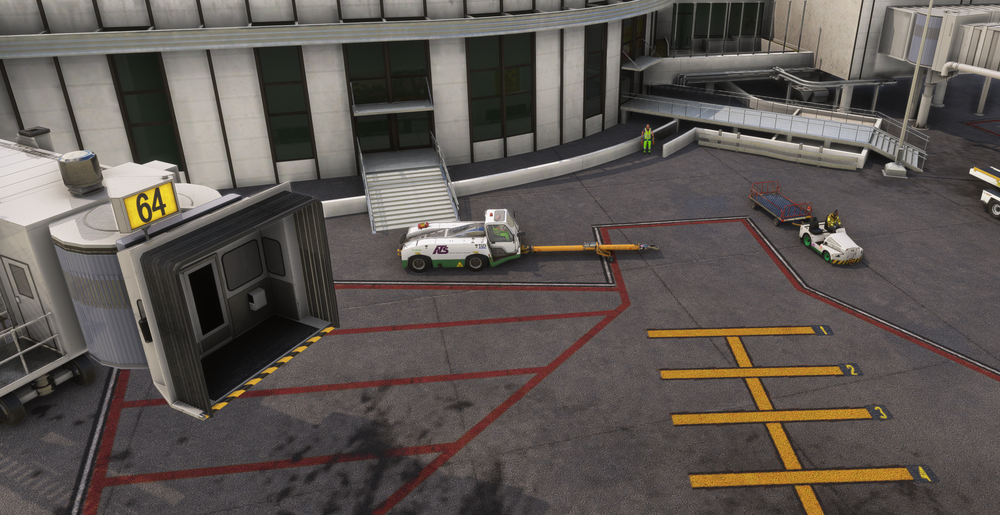
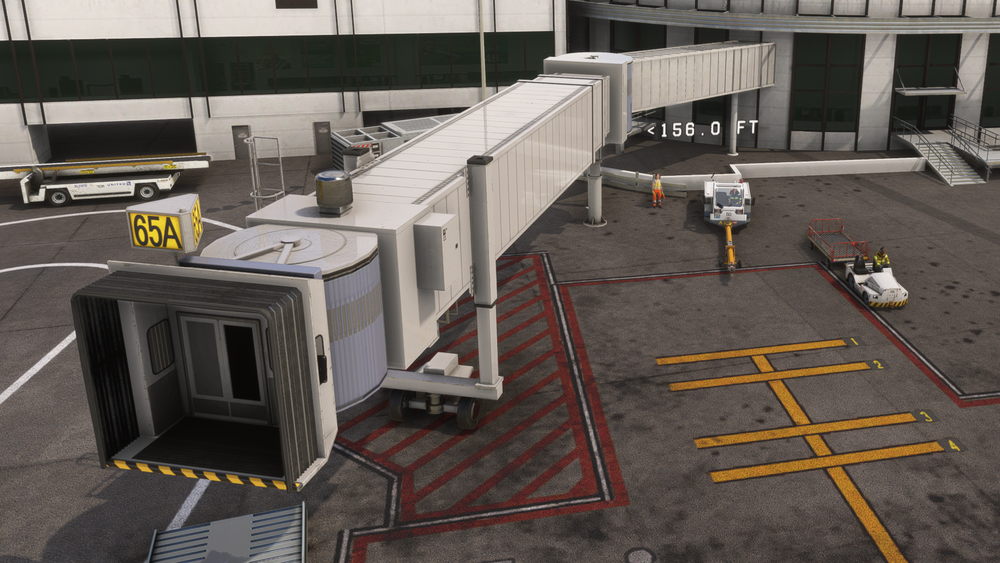
Hello, We've tried to reproduce this but it seems we are unable to. I've attached screenshots at different gates and the marshalers seem to be fine, for us at least. This is using the most up to date version (v1.3.0) with the official GSX profile installed through the iniManager. If you have the same conditions set as us (same airport ver, official GSX etc), please attach screenshots of what it looks like for you. Thank you!
-
The X is just an identifier to whatever livery you wish to delete. I don't know what liveries you want to remove/keep ;).
-
Hello, Like jankees said, that'll get rid of them showing up in the simulator indeed. aircraft.cfg is located at inibuilds-aircraft-t33/SimObjects/Airplanes/inibuilds-aircraft-t33 If you'd like to physically remove the default liveries too, you can delete the "texture.X" folders for each livery. Make sure you don't accidentally delete any base texture-folders (texture, texture.ext, texture.gse, texture.int). Thank you!
-
Hello! I'll pass your suggestion on to the team, but as per usual, cannot promise anything ;). Thank you!
-
Hello, Apologies for the delayed reply. You'll find more luck contacting XwindStudios directly as it is their product. You can find their Facebook here: https://www.facebook.com/people/XWind-Studios/100093480376430/?_rdr Alternatively, perhaps @XWind Studios can reply directly here 🙂 Thank you!
-
Lovely! Glad to hear 🙂 Enjoy!


