





Crabby
Member
-
Joined
-
Last visited
Everything posted by Crabby
-
I guess it is back to the FCOM to learn about this.
-
There was always going to be a "first" because of 1. the way that the sim-profiles work 2. the way that complicated aircraft work. The two, from day one, were always going to be on a crash course of messing things up. Couple this with the simulator deleting my profiles in one of the very first updates, spent 20 dollars and moved my control bindings outside the simulator. I now only have view commands on my in sim profiles and a reverse command. Everything else is safe and protected outside of the sim. But wait! There's more! I can use voice commands to activate events in the sim. I can access the more detailed events that planes like the A400 are capable of. For example, I say into my mic "Align IRS" and all three of the IRS knobs move to the right place. Alas, that is more trickery than needed I guess. The point is, the in-sim system for controllers is far to simple to allow the full use of a controller like the HC Bravo and Alpha. Sure, you can "use" is and assign something to every button on the controller, but can you actually use it. Couple that with the fact that Asobo just willy nilly filled up the controller profiles with what they thought you need and now you have to go back through each one and make sure things aren't cross controlled. Get Axis and Ohs or SpadNext and never deal with crap like this again, on any aircraft default/addon, past, present or future.
-
I don't use VOR navigation, with the radios, much because of LNAV. However, I believe that you manually tune the VORS using the NAV Radios between the FMC, not on the FMC itself. You would track them using the VOR gauge right under the airspeed gauge.
-
Not sure what you were trying to do here, but the large text is bleeding and can't be read without scrolling.
-
Are you using the HC Bravo? If so, go into the sim and check all of your bindings for the IAS position on the top left knob. Apparently MSFS has seen fit to make some "suggested" assignments that cause this behavior. I don't see it because I don't use the sim bindings, and this type of issue is one of the main reasons I use Axis and Ohs. If you don't use the HC Bravo, disregard, but check your bindings and throttle axis assignments. You may find they are double, triple or more assigned to other stuff.
-
Not sure what you mean. On the chart at D140K (a waypoint that is on the RUS 115 radial at 22.7 miles from RUS) you turn left to D116K then intercept at CF29R. It looks perfect to me. Are you using charts so you can visualize what is in the FMC? I use Navigraph, but there are probably other options for you too.
-
check this out.
-
Imagine being in the real aircraft. A lot of the aft overhead panel stuff on planes like this was done by a pilot standing. It is a reach.
-
You guys have control over this. The first thing I do with every aircraft is set MY views and then command them to the hat switch. Only you can make views that YOU are happy with.
-
LOL, you do you then. I will continue to enjoy my "nonsense". You enjoy your CTDs.
-
As of now, the aircraft uses the MSFS data. Every once in a while, you will see a micro update from Asobo, out of the blue. That is typically updating the sim's associated AIRAC. Right now, you are beholden to that process. Hopefully, ini sill update the bird to optionally use Navigraph.
-
Next time I fire up, I will try to remember to take screen shots of my settings. From memory, everything is at least on high, running native monitor/tv resolution, DX11 with DLSS turned on. I updated my nvidia dlss.dll, I am running the latest drivers (I think, need to check them again), when I update drivers, I use DDU and then NVClean install. My frames are locked at 30 (I believe it actually says 50% refresh rate in the sim, which would be 30). I don't chase frames. My criteria is smooth. I don't run a frame rate counter of any type. LOD is 100. I basically use the same KISS philosophy I do with anything else.
-
Honestly, I got nothing. I will try that departure and see what happens. In the direct RNAV sids I have tried everything just works.
-
Read the SID Initial Climb instructions for the runway. If it says something like "climb heading XXX (or as assigned by ATC) to YYYY feet, then course direct ZZZZZ), I will use heading mode until I get to the YYYY feet then hit direct to the waypoint. If the first waypoint is on the runway heading, I will take off with NAV. An example of this would be taking off on runway 8L/R at KMIA on the Flamingo 1 RNAV. I normally fly the needles by hand until 10K because I like to. If ATC is heavy (a lot of fairly quick handoffs anticipated, I engage the A/P after being handed off by tower).
-
Yep, I searched up both on the googles months ago.
-
I wouldn't know. I am not seeing that in any context. I guess I got lucky and have a good copy of the aircraft. I did when 47 dollars in the lottery that week too.
-
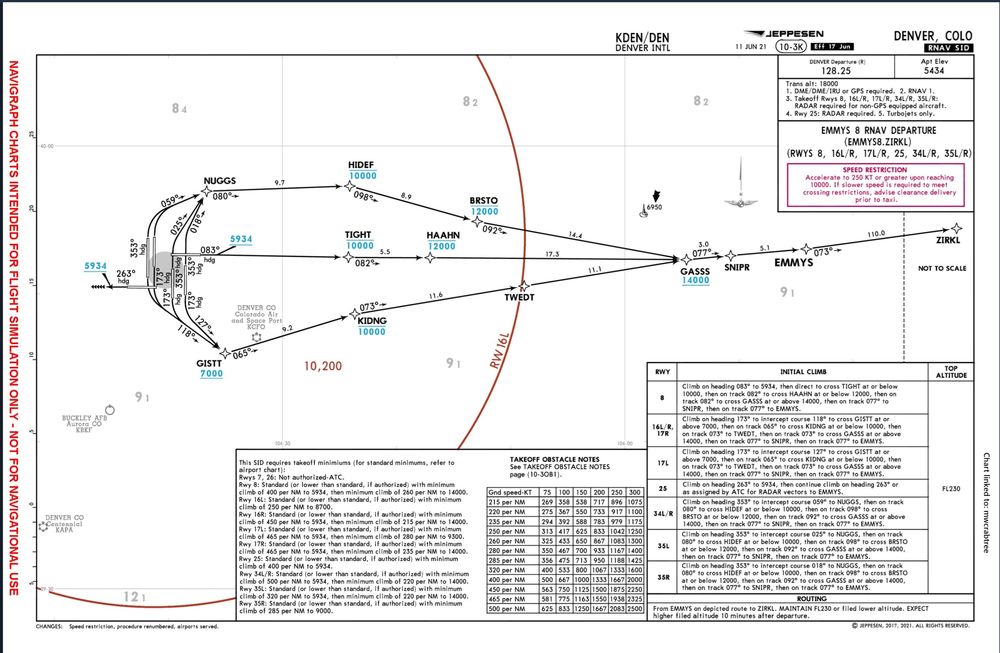
He said why in a nice way and maybe you didn't pick up on it. You are doing it wrong (procedures). Don't say you followed the checklist. A checklist does not help you fly a plane, procedures do. Checklists only verify proper execution of flows (procedures). Your autopilot is not broken. Your pilot is broken. For example, in the departure you referenced, taking off from 34L as in your simbrief. The chart says "Climb on HEADING 353 to INTERCEPT COURSE 059 to DUGGS". Where you in HDG mode when you took off? Did you fly the HDG then use the directo button to put you aircraft on course to DUGGS? Did you look at your FMC and try and erase the manual entries? Manual does NOT mean the autopilot is OFF it means other than LNAV mode, spinning knobs and stuff. Fix the pilot and the autopilot will work better. When I flew this SID, I took off in HDG and Profile mode, my FCU was set to a heading of 353 and my altitude was initially set to 10000. Worked perfectly.
-
Nothing to do with the possible issue but explains why I never see this behavior. You were probably on an RNAV with a vectored first segment. The manual waypoint and discontinuity are not a mistake. On those SIDs, if you use live ATC, you will get vectors and should take off in HDG mode. Once you are cleared "Direct To" hit the direct to button. If you are not using ATC, you can simulate that at any time. Basically, this will be the case any time you see a chart where the first waypoint is not drawn to the departure runway. Are you using charts?
-
This smells of the onerous icing model with MSFS. I turned it off a long time ago, setting it to visual only.
-
Ok, that makes sense and what I was leaning towards as the procedure.
-
Sorry, "everything else works perfectly is not a starting point to resolve a problem. It means as much to your problem as me saying "well mine A300 never crashes". Actually less. Because when I say mine never crashes, along with the majority of users, it means there is another issue at foot. I know you won't like that, sorry about that, but it is the truth. I also said that another addon in your community folder is likely to be the cause. In my case another addon was the cause of 99% of the time. Also, the fact that you said that you had a CTD twice in two days; does that mean not every time you use the A300?
-
My understanding is that the A-300's VNAV system does not adhere to restrictions during a profile climb if the FCU is set to a higher altitude than the constraint. So, if you are on a SID that has something like XXXXX at or at or below 15000, you would have to have 15000 set in the FCU. If you have your cruise, let's say 36000 set, all constraints below that altitude are ignored/deleted. If the restraint is at or above, then changing the FCU altitude would not come into play and you would just set it to either the next highest at or at or below or the cruise altitude, whichever is lower.
-
Yep, now my curiosity is even deeper. What number would you enter? I cannot seem to find an average TRP for the route. Would you enter it at every waypoint? I get why you reported it as a bug. However, my curiosity is peaked because it seems that I may learn something. Why you would want to close the door (thread) on that could be another discussion. They must put the TRP on the waypoints for a reason, now I would like to know that reason and why it does not seem to be information that is used. Off to Google.
-
-
On your picture you cannot see the "bug" on the ND (the PFD is the screen on top). Note it says 340 on the far right side. The heading bug is a | and on my aircraft it is spot on. If you were, in the scenario above, to press the heading knob (synch the heading), the | would swing over and split your triangle in half.


