




mark75
Member
-
Joined
-
Last visited
Everything posted by mark75
-
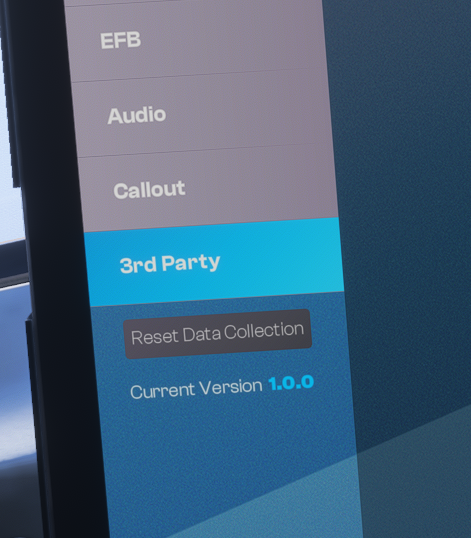
Hi, thanks for the amazing aircraft. I've noticed a small bug (or omission) though - with the 1.0.1 update the EFB still shows v1.0.0.
-
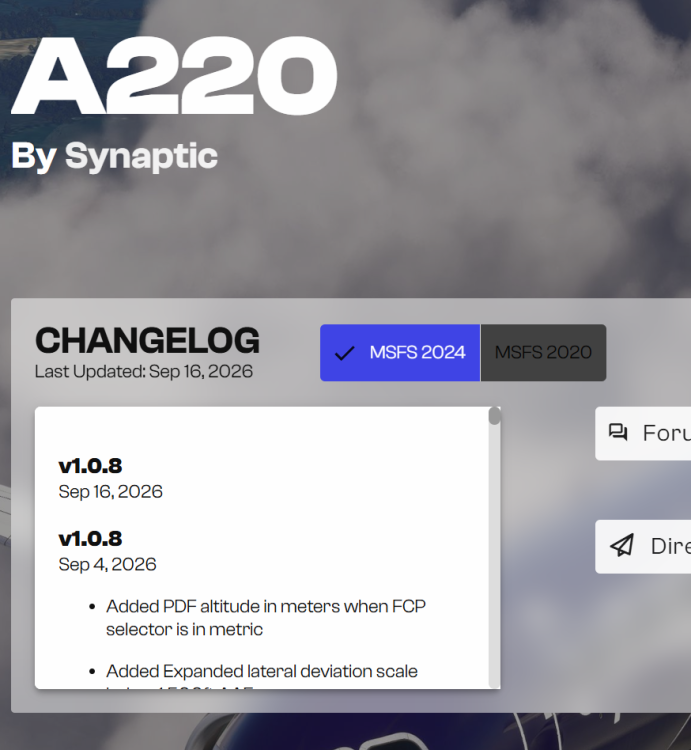
To be honest, it's getting ridiculous. For almost a week there has been a newer version of this airplane on Marketplace. It's really bugging me why IniBuilds don't upload that version on IniManager when it apparently works when streaming from Marketplace.
-
Marketplace version is 1.0.9 as far as I know.
-
So it seems that I updated from v1.0.8 to v1.0.8. Great 🙄
-
Hi, Can you please fix this?
-
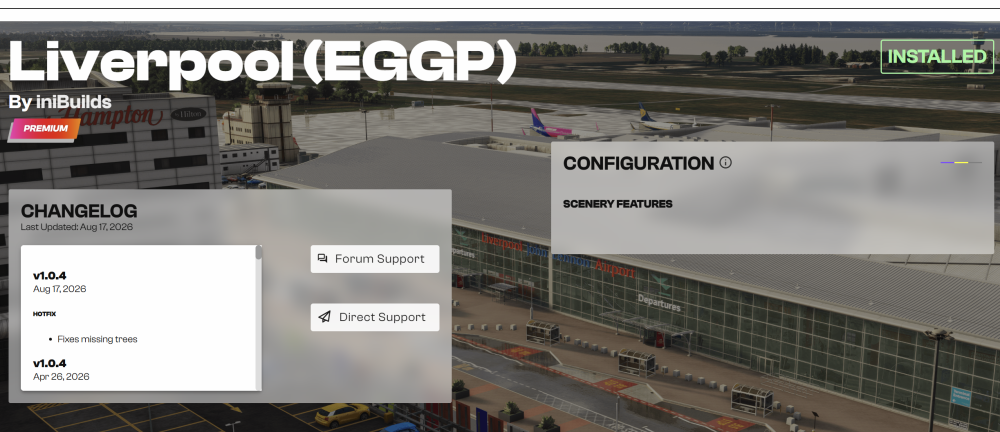
Yes, I have this file in the folder. I also tried to completely uninstall the manager, manually delete the manager's folder in the Roaming folder, installed the manager again and the same - no configurator for EGGP. Just a half of its window shown. The configurator is normally shown for all IniBuilds sceneries that support it but this one just isn't. I just give up for now. I wish IniManager was better designed. There are no update notifications except the green dots (which are unreliable when there is a separate MSFS2020/MSFS2024 version of one scenery) and it's just a pain to do anything in it with many sceneries purchased. Thank you for your help, anyway.
-
Of course I've tried that (I said that in the original post). But unfortunately with the same result.
-
Sorry Kyle, but I'm not so dumb, I've tried that many times. I own practically all IniBuilds sceneries, so I know how quirky the IniManager can be (really, it needs to be redone from the scratch). I have restarted the IniManager many times as well. Just for this particular scenery the configuration doesn't show up.
-
After applying the hotfix to EGGP released a couple of days ago I lost the possibility to configure the scenery. I've tried to reinstall but no success.
-
-
Hi, I've just come to report this issue. Thanks for the reply but my question is will this ever be fixed?
-
-
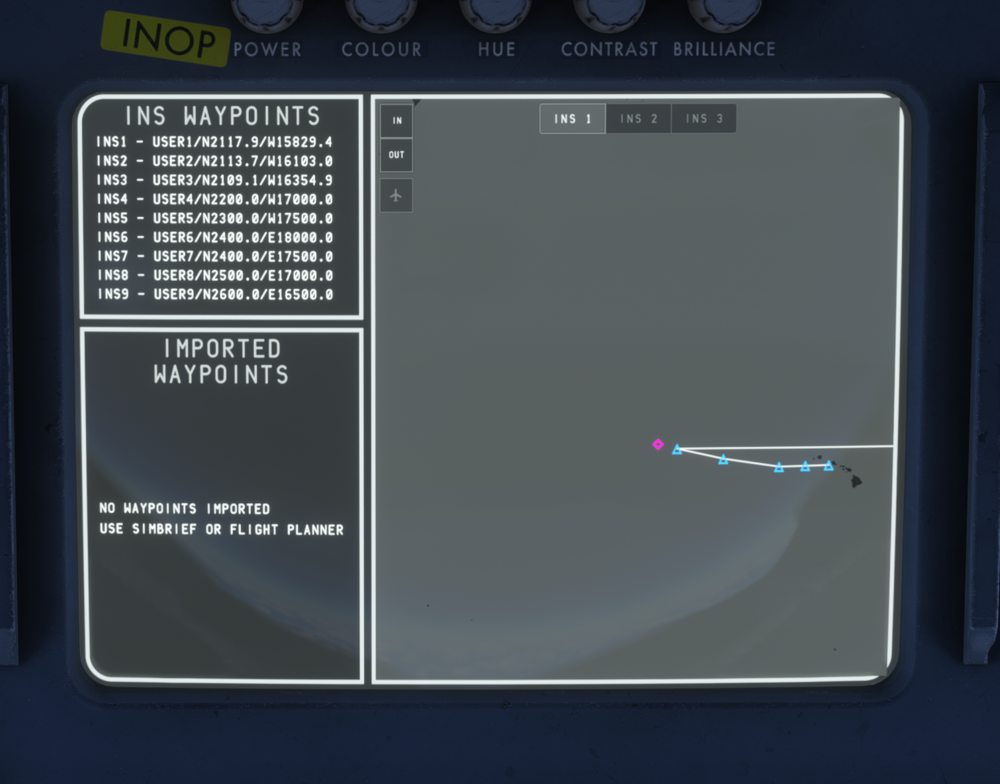
Hi, my first flight with v1.0.4, flying from Honolulu PHNL to Osaka RJBB. On this route there are two consecutive waypoints where one is on W latitude and second is on E longitude. The aircraft correctly continues to fly to the next waypoint (INS6 in my case) when reaching the last W longitude one (INS5) in INS lateral mode but the map can't deal with it. See the attached screenshot.
-
Maybe. But anyway, that SAT on Cruise page is taken from Flight init page. I entered a correct value, according to the PMS guide.
-
Hi, thank you for the reply. That was a real SAT, in New Delhi. Anyway, thanks for the explanation.
-
I already reported this here: It's been flagged as a known problem.
-
-
And I'm pretty sure it didn't allow me more than 999 in the past, lol. I had always waited till the BOD DIS was below that number before I entered any value. Well, let's hope this will get fixed, anyway.
-
This 3 digit limit for BOD DIS has been an issue since v1.0.0. It's not confined only to v1.0.3.
-
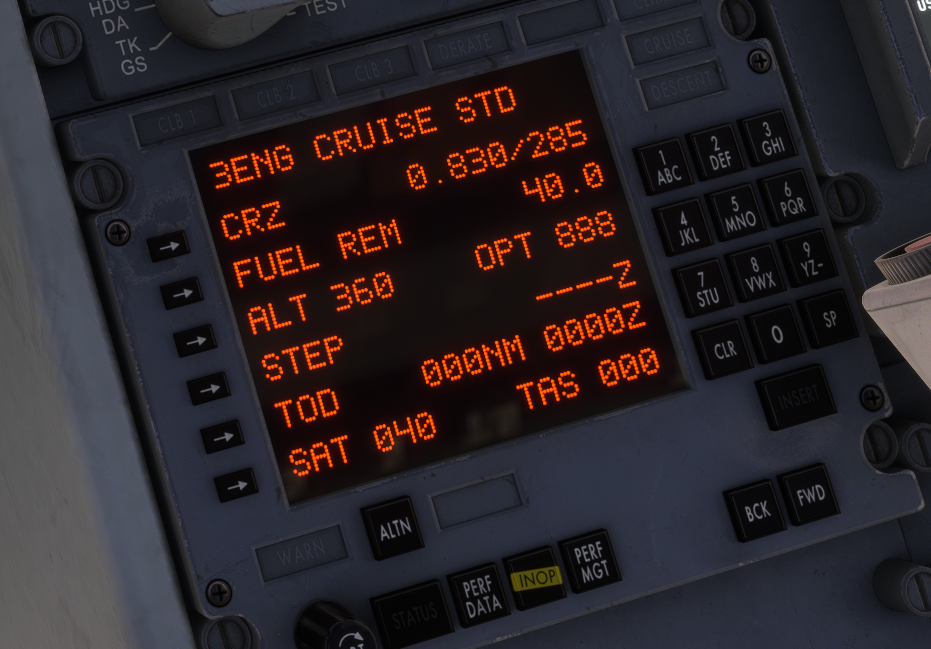
Hi, even after filling GW, Fuel and OAT in the flight init page of the PMS on the ground, I get OPT flight level as 888. This looks to me like a regression bug, not present in the previous versions.
-
-
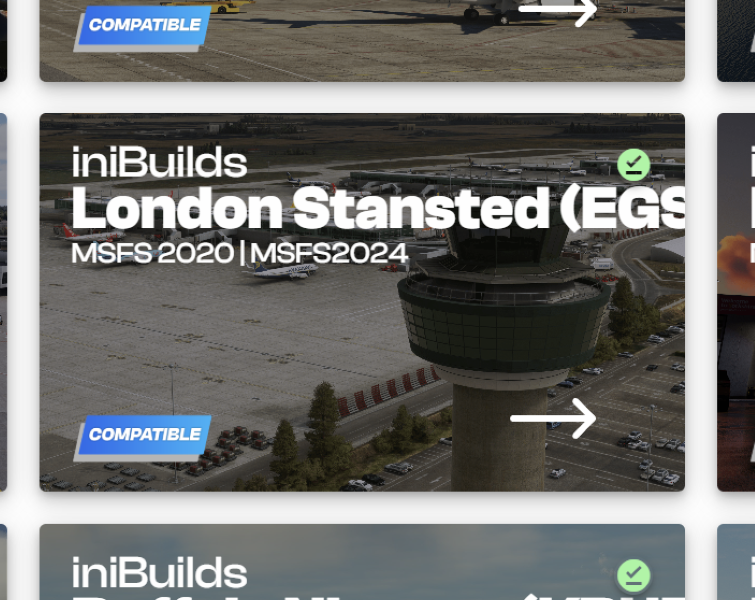
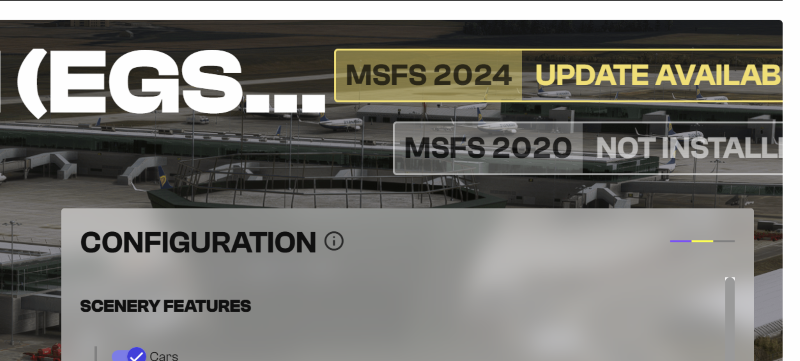
Dear Ini, Another couple of updates to the IniManager client and I must ask again when the updates notifications will be fixed for products that have two separated versions for MSFS2020 and MSFS2024... If it is installed only in one of those simulators the notification mark stays green even though there's an update. For example, if I didn't read your Discord channel updates and I only checked the main page of IniManager I would never know there's an update available for Stansted and I run the older version: The green mark says everything is fine, there's no update available, I'm running the latest version. However, double clicking on the product card takes me to the addon page which shows me there actually is an update! I own over 60 airport addons on your store and really I don't have time to regularly go through most of them and double click each product, check its page if there's an update, then click back and scroll back where I was and go to the next one. For this reason I prefer buying products on different stores if they're not exclusive. Can you finally fix this??
-
-
-
Hi, On October 30 I complained about wrongly set quick views, got a reply that it has been logged but I've just checked the latest A340 update and nothing was done about that. Please take an inspiration from your A350 (and other developers) how quick views should be set (quick views = default keyboard ctrl + left/right arrow or a joystick hat switch left/right). Simple 90 degrees head turn left and right from the captain seat is absolutely perfect. I don't need to look at the wingtips during taxi turns. Thank you.


