




WebMaximus
Member
-
Joined
-
Last visited
-
-
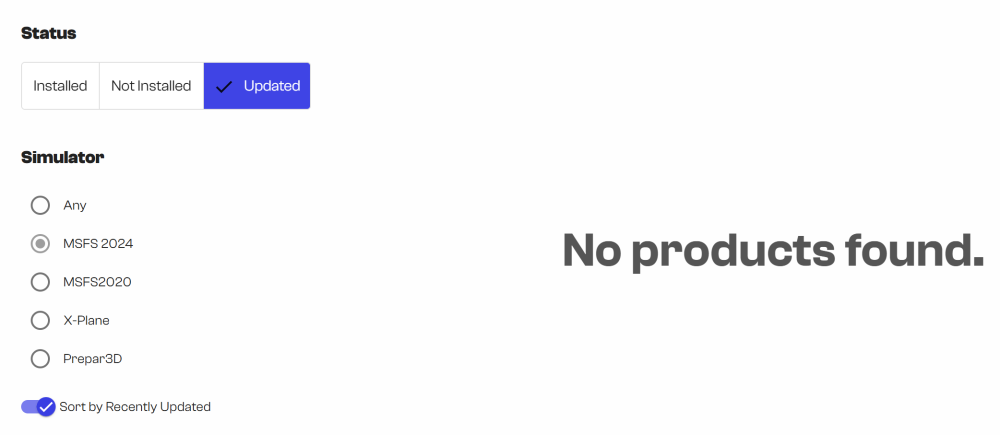
Not sure if I already mentioned it in one of the previous posts but I never understood what I'm supposed to see using the view/status seen below called 'Updated'. Since I never saw one of my products in that category, I suppose what you mean by 'Updated' is products which have been updated that I have installed but where I still haven't applied this latest update? Or if not, what am I supposed to see using this view?
-
-
-
-
That's great to hear you're aware of the issue but when can we expect a solution? As I think I mentioned in my initial post, it's been a long, long time now since I was told by one of your colleagues how a brand new version of iniManager was in the works which was said to address this issue.
-
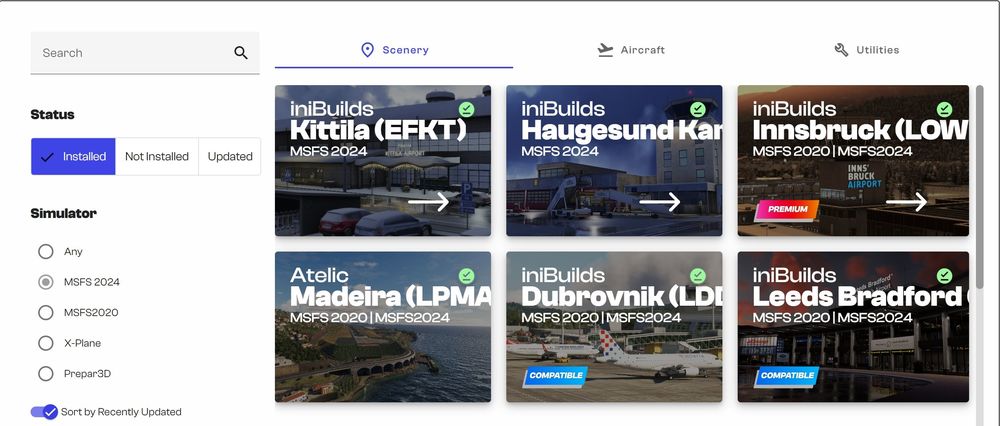
As the topic suggests, I'm looking for an easy way to know when there's an update for one of the products I bought from you. Using iniManager and looking at its interface and my installed products as seen below and checking the green checkmark, I thought that green checkmark was an indication the product is installed and fully up to date. However, not long ago when I was going through each of my installed products to double-check, I noticed there was an update for one of my products. Even when I had the green checkmark. Meaning, I wouldn't have known about the update if I wouldn't have clicked on the product. I'm using many similar products and all of them very easily allow me to see when there's an update, why is this so hard in iniManager and when can we expect an improvement in this area? I recall a long time ago when someone from you told me there's a brand new version of iniManager coming which will be much improved, both in this regard but also with lots of other improvements. That however as said was a very long time ago now. Looking forward to hear back from you.
-
I have a number of airports I bought and hence, they are of course showing up under 'My products' in iniManager. Since I recall how some of them (those from PE Sim) were quite cumbersome to install and I want to keep my system as clean and simple after having rebuilt my sim rig, I will not use these products anymore. Is there a way I can hide these products to not show up on the 'My products' page in iniManager?


