




Trevster
Member
-
Joined
-
Last visited
Everything posted by Trevster
-
-
Are you following this guidance?: L1011 X-Feed
-
Thank Kyle, had noticed that some were set to None but others had directions set so thought I'd query
-
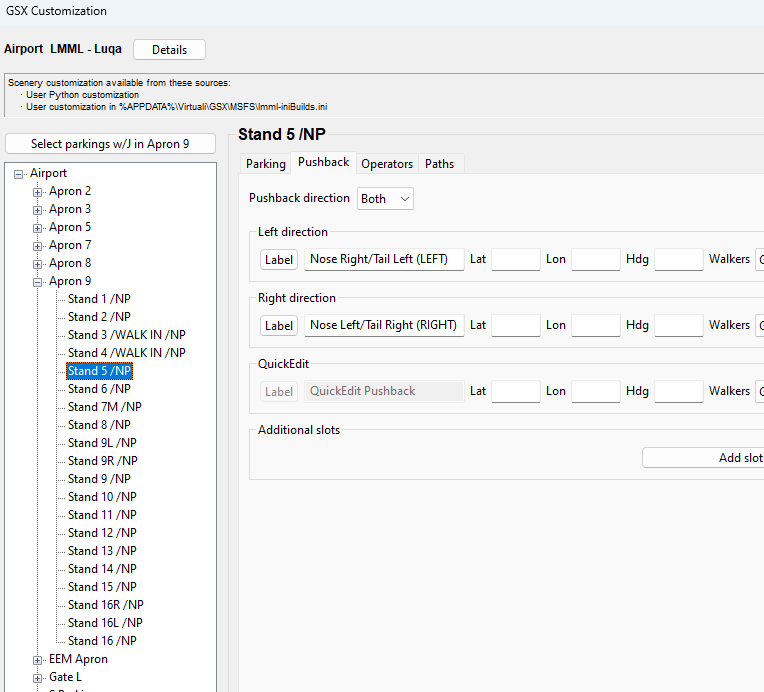
Firstly thanks for bringing Malta up to date - been a badly needed release! Taking a quick look at the GSX profile, some of the stands are set to have Pushback (although they're annotated NP): Pushback shouldn't be needed from any stands except the following: Apron 2 Stand 15C Stand 16C Apron 3 Stand 10B Stand 11B
-
Lack of paintkit as is the way with all default aircraft. Truly pitiful decision somewhere (likely MS/Asobo) that really doesn't help to sell the aircraft like it could
-
So work has stopped? It was previously "progressing":
-
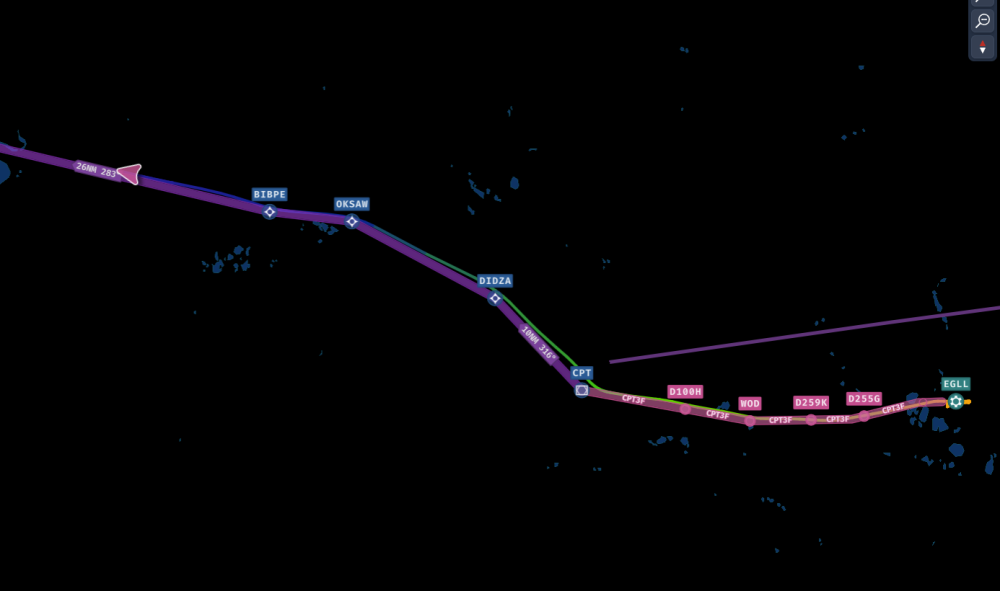
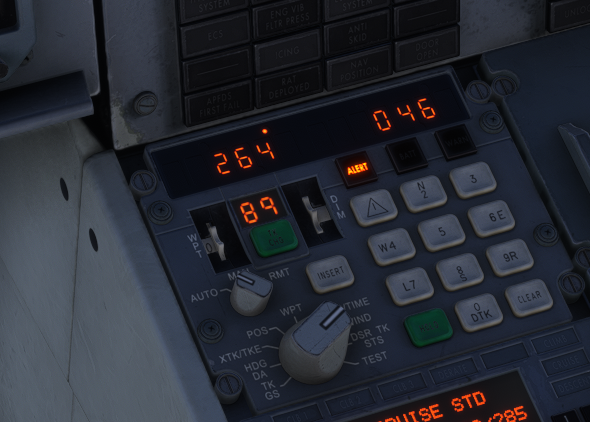
Same issue here: I've attached the Flightplan in the iniBuilds format as downloaded from SimBrief. If you need a different format, or the OFP to check winds against, please let me know. EGLLKJFK01.fpl
-
I've seen it requested elsewhere but the focus of replies has been relating to liveries being added... For those that want to paint their own (for themselves or a VA that won't be covered by an "official" paint), we're kionda stuck at the moment as the "paintkits" available on flightsim.to don't match the 2024 version of the aircraft. Can we please get a paintkit to allow people to bring more to the party with this aircraft, even if it's just PSDs with the wireframe (something for Blender would be appreciated however!).
-
Getting the 888 value with a SAT of 16c on the ground yesterday and today also.
-
I flew it into CYVR the other day and it picked up the LOC and ILS 26R with no issue in v1.0.1. I didn't wait until the glideslope indicator reached the centre however, I armed ILS as soon as the pointer was moving down the vertical guide.
-
Acknowledged it here:
-
Tuned? They need to exist! Tried an ILS last night and it plain refused to even recognise the LOC signal. I've not yet managed a successful capture of either element regardless of how I approach from the STAR. How could something as required as this pass testing?
-
With the decision to only make this Marketplace exclusive for an unknown period of time, for those that prefer to have their products outside of there - can you confirm it will be possible to transfer the product to the iniManager at a later date once available in that channel? Alternatively, are you able to give a ballpark delay timescale on it reaching the iniManager as I'm sure there are many who would prefer not to go down the MP route...
-
G-BEAK - it did carry the TriStar text without the number at one point: https://www.jetphotos.com/photo/10414171
-
Not only have they not bothered to let painters know what's changed, they've not even announced the update in the relevant channel here! Not everyone is a Discord member...
-
Had a fuel imbalance message so followed instructions to turn Crossfeed A & B on, and R TK MAIN & STBY to OFF. However fuel is STILL pumping from the right tank...: What am I missing here or is this a fuel system bug?

-
Ok, happened for me again now. SimBrief username: Trevster simbrief.xml file attached Link to plan on SimBrief - https://dispatch.simbrief.com/options/custom?airline=SAV&fltnum=9108&orig=EGHH&dest=EGPH&altn=EGCC&date=01 Apr 2024 - 17%3A20&basetype=A30F&ac_order=registration&type=26543_1711724245863&climb=250%2F300%2F78&cruisemode=CI&cruisesub=&descent=78%2F300%2F250&fuelfactor=1&callsign=®=G-SVCD&fin=CD&selcal=&planformat=aca£s=0&maps=1&taxiout=20&taxiin=8&flightrules=i&flighttype=s&altncount=1&navlog=1&etops=1&stepclimbs=0&tlr=0¬ams=1&firnot=1&stehour=3600&stemin=1800&origrwy=26&destrwy=06&fl=&pax=&cargo=AUTO&manualpayload=&manualzfw=&contpct=auto&resvrule=auto&taxifuel=0&minfob=0&minfob_units=wgt&minfod=0&minfod_units=wgt&melfuel=0&melfuel_units=wgt&atcfuel=0&atcfuel_units=wgt&wxxfuel=0&wxxfuel_units=wgt&addedfuel_label=extra&addedfuel=0&addedfuel_units=wgt&tankering=0&tankering_units=wgt&pid=26543&cpt=Trevor Hannant&dxname=&manualrmk=&route=NORTH SAM Q41 SILVA UM605 DTY SAPCO UN57 POL UN601 INPIP INPI1E&route_type=&targetfl=32000&targettas=459&disable_tracks=1&force_track=&avoid_airways=&include_fixes=&altnsadv_number=1&altnsadv_radius=431&altnsadv_cig=600&altnsadv_units_vis=m&altnsadv_vis=3000&altnsadv_units_rwy=ft&altnsadv_rwy=7000&altnsadv_exclude=&altnsadv_tsfgfz=1&altn_1_id=EGCC&altn_1_rwy=23R&altn_1_fl=&altn_1_route=GOSA1D GOSAM P600 FENIK L612 LAKEY LAKE1M&altn_2_id=&altn_2_rwy=auto&altn_2_fl=&altn_2_route=&altn_3_id=&altn_3_rwy=auto&altn_3_fl=&altn_3_route=&altn_4_id=&altn_4_rwy=auto&altn_4_fl=&altn_4_route=&toaltn_id=&eualtn_id=&etopsthreshold=60&etopsruleselector=&etops_exclude=&etopsentry=&etopsexit=&etopsaltn1=&etopsaltn2=&etopsaltn3=&etopsaltn4=&etopsaltn5=&etopsaltn6=&asp4_snapshot=disabled&debug_zerowind=0&static_id=&manual_acdata= simbrief.xml
-
And after leaving it a while last night and reloading the sim - it worked again without me removing any files from the work folder... 🤷♂️ I'll load up and try another flight with the same DEP/ARR and see if it does again.
-
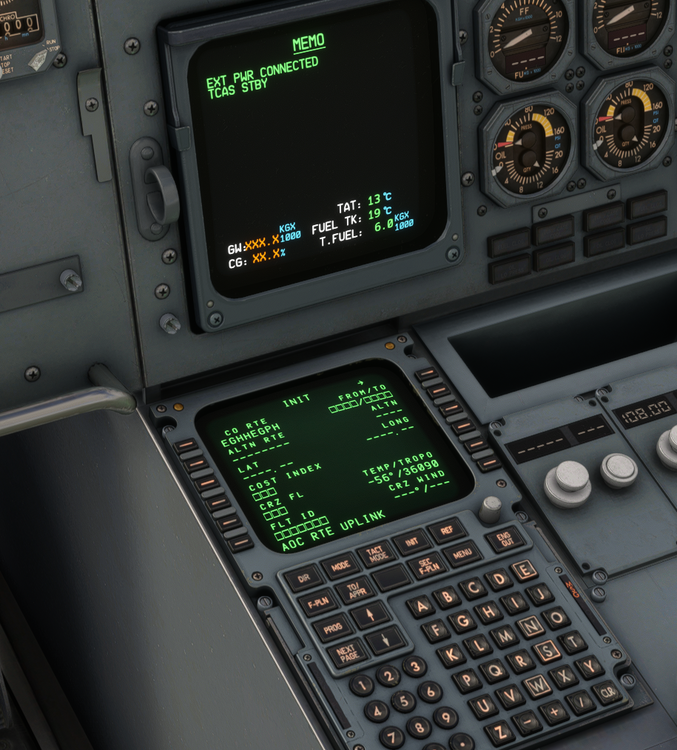
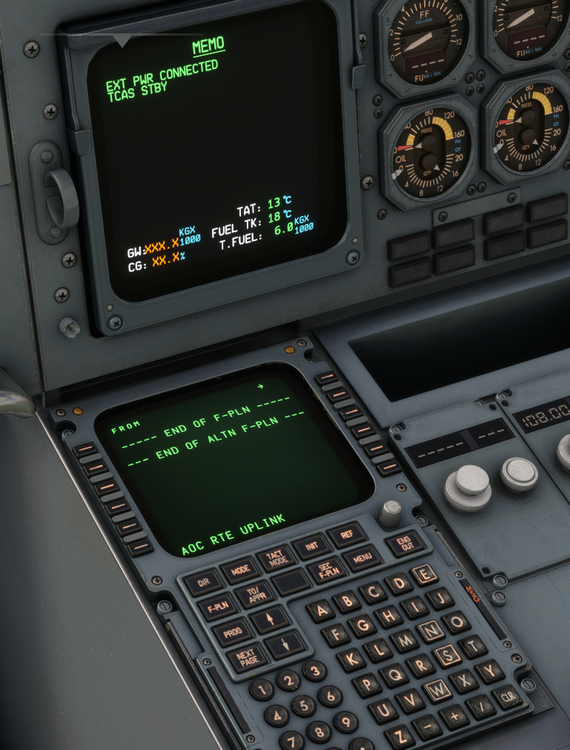
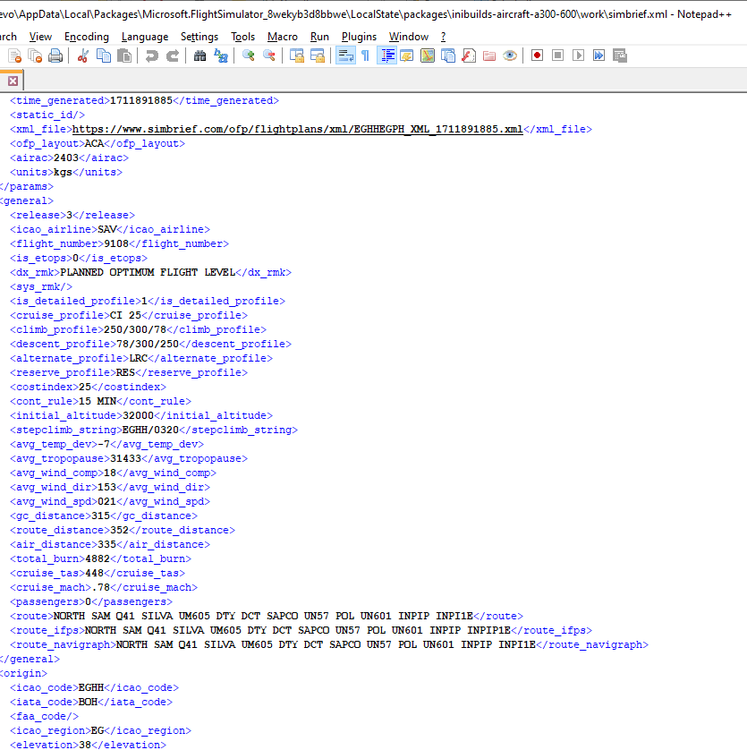
I don't believe this is a download issue from SimBrief, but rather the aircraft reading the XML file. Cleared the work folder, launched sim and requested the plan from SB - a new 'simbrief.xml' file was created but the route data was not imported into the aircraft: As you can see from the XML file, all the data is within the file - but it's just not being read in:
-
Restarted sim and it worked for me for a couple of flights, but have had another instance of this again. SimBrief username has no spaces...
-
Finally! Aberdeen Airport brought into the 2020s in a sim!! Thanks for the work on this however I have a couple of observations from the promo shots (dont have it yet, will have to await pay day...): 1. The colour of the NATS Control Tower is too bright. It needs to be greyed down a bit (see this image for a better colouring - https://www.alamy.com/g-wnse-sikorsky-s92-at-aberdeen-international-airport-with-nats-control-tower-image558396117.html) 2. Why have left hand drive/right side exit buses in a UK Airport? I'm sure there's models out there of UK "fit" buses that would be more accurate if you're not modelling these yourself Thanks for the work so far, looking forward to picking this up later in the month!
-
Any progress with this request?
-
A .blend or .fbx file would be ideal! Thanks Weston!
-
There's something wrong with MSFS and the TCA, yes. The switch constantly sends back a "Up" signal to the sim so it will keep flicking back up regardless of whether you click it into the neutral position. There's been many discussion on this in different forums, here's a sample form the MSFS forum: https://forums.flightsimulator.com/t/thrustmaster-tca-quadrant-settings-landing-gear-which-button/502138/12 ...and from the PMDG forum: https://forum.pmdg.com/forum/main-forum/pmdg-737-for-msfs/systems-propulsion/272867-unable-to-set-gear-to-off-position-with-thrustmaster-tca-yoke
-
Works fine for me using SPAD.next and having it disabled within the MSFS settings. Even have it setup to move back to the central position after 20 seconds and it stays.


