




Trevster
Member
-
Joined
-
Last visited
Everything posted by Trevster
-
Looking at the 'MISC1_A_ALBD.PNG.DDS' file in one of the ini Manager downloads. there's texturing on the registration text etc that would be difficult to replicate just by overwriting the file from there into a custom livery. Any chance of the PSD for this being made available either as an attachment here or added to the paintkit?
-
If you don't use one of the software tools to program these, then I'd seriously recommend looking into them as they provide greater flexibility than by default.
-
Best to bring that up on the MSFS forums/Ticket system as the A310 is bundled within the sim so the Encryption is forced upon it. Unless iniBuilds decide to sell a standalone version, their hands are tied. Alternatively, MS/Asobo need to update their requirements page...
-
I've got the Ignition button etc working with SPAD.next. Are you using this or default MSFS commands?
-
I have my Community folder on a separate drive: M:\Packages\Community So much easier...
-
This is SPAD.next - what are you using to program yours?
-
One of the first I downloaded and now flown a few times: Have you set your Community directory within the Ini Manager?
-
Add my vote in for a Cargo variant
-
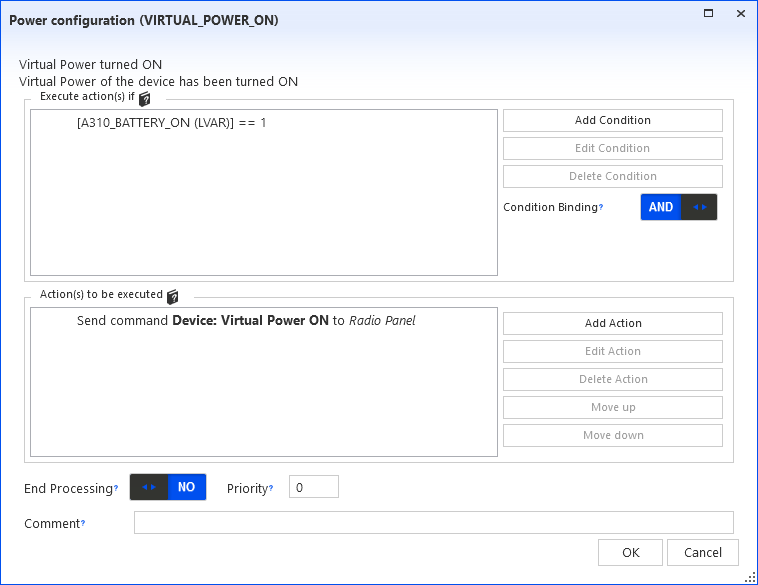
Have you tried this:
-
I know the question was answered to say there isn't one, but there was no indication of whether there are plans to release one in the coming days/weeks - will one be released as not everyone is comfortable with tools such as Blender and may prefer a PSD version
-
As the world's busiest heliport, Aberdeen Airport would be a great addition - however I fear not...

