




iniKyle
Staff
-
Joined
-
Last visited
Everything posted by iniKyle
-
Hi, please try the following: Make sure the simulator is completely closed. Locate your Community Folder. Rename your Community Folder to Community1. Relaunch the simulator. This should create a new Community folder. Once you reach the main menu, close the simulator. Move the A350 from Community1 into the newly created Community folder. Launch the simulator again. Let me know if that helps, thanks!
-
Hi, This is most likely caused by a 3rd party livery/cabin mode. The easiest way to check: Make sure the simulator is completely closed. Locate your Community Folder. Rename your Community Folder to Community1. Relaunch the simulator. This should create a new Community folder. Once you reach the main menu, close the simulator. Move the A350 from Community1 into the newly created Community folder. Launch the simulator again. Let me know if that helps, thanks!
-
-
-
Thanks for the update! What strikes me as odd, is that this works with other planes but not the A340. I'm going to speak with the devs today, hopeful I can find some type of resolution for you. Appreciate your patience during this troubleshooting.
-
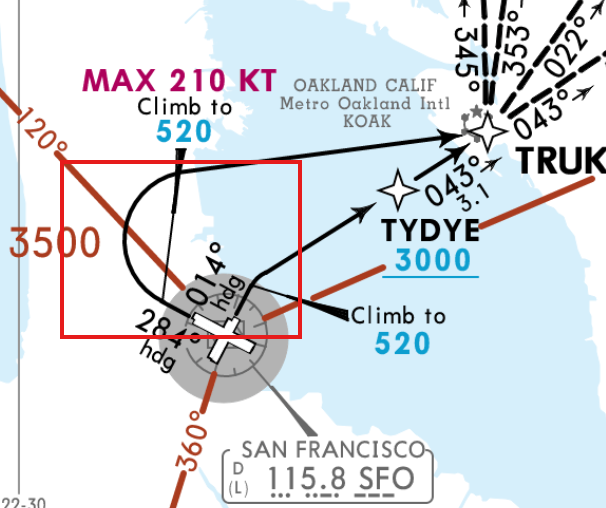
Hi, I believe you are referring to the attached screenshot? If yes, I will log this for the team to review. Thanks!
-
Hi, At which airport did this occur? Are you using default or Navigraph data. Thanks!
-
-
-
Thanks for your reports everyone. I will forward this thread to the team for review. Appreciate your patience 🙂
-
Hi, please try the following: Make sure the simulator is completely closed. Locate your Community Folder. Rename your Community Folder to Community1. Relaunch the simulator. This should create a new Community folder. Once you reach the main menu, close the simulator. Move the A350 from Community1 into the newly created Community folder. Launch the simulator again. Let me know if that helps, thanks!
-
Correct. From my understanding, it's doing exactly what it is supposed to do?
-
We're currently investigating this on our end. Thanks for your patience 🙂
-
-
Please try the following: Make sure the simulator is completely closed. Locate your Community Folder. Rename your Community Folder to Community1. Relaunch the simulator. This should create a new Community folder. Once you reach the main menu, close the simulator. Move the A350 from Community1 into the newly created Community folder. Launch the simulator again. Let me know if that helps, thanks!
-
-
Great way to test; Make sure the simulator is completely closed. Locate your Community Folder. Rename your Community Folder to Community1. Relaunch the simulator. This should create a new Community folder. Once you reach the main menu, close the simulator. Move the A350 from Community1 into the newly created Community folder. Launch the simulator again. Let me know if that helps, thanks!
-
Thanks for your report. I will test this on my end and forward to the team for review. Appreciate your patience 🙂
-
-
-
This might be an issue with Navigraph data in 2024. Will continue to test! Thanks again for your patience 🙂
-
-
Thanks for your report. I will forward this to the team for further clarification!
-
Thanks for your report everyone. I have logged this with the team to review. Appreciate your patience 🙂
-
Thanks for your report. I will log this for the team to review. Appreciate your patience 🙂

