




airvice
Member
-
Joined
-
Last visited
Everything posted by airvice
-
I wanted to create a custom waypoint along the rout based on another custom lat/ long waypoint. The anchor custom waypoint was shortened to 24S128W in the FMS flight plan. So using the "insert next waypoint "right click function, i tried to use this waypoint to create another waypoint 133 nm before it as follows 24S128W/-133 however the FMS rejected the waypoint saying not recognised. Is this a bug? I have been able to successfully create similar waypoints based on named RW waypoints just fine, so i can only assume that because the anchor waypoint is a custom waypoint it wont accept it. perhaps im doing something wrong?
-
unfortunately i dont have any game play recording software installed so cant provide a video. its easy to hear just go outside anywhere left right or forward of the aircraft in flight/cruise and you will hear the sound loop with its constantly changing pitch. I cant hear it from behind the aircraft.
-
very annoying repetitive sound looping every 2 or 3 seconds in exterior or drone view, I dont even think it is even any specific view related , its just the sound outside the aircraft in flight. definitely not RW accurate
-
pilots seats adjustment knobs click spots very hard to select in VR
-
thank you, appreciate it! while im here i should still remind you that there are still multiple other graphical flaws not yet fixed that i and others have taken time and effort to report too. yes its great that INI have this open channel to report issues and positively welcome the feedback but this needs to be accompanied with actual action and fixes too and in a timely manner otherwise its meaningless. Im not talking about suggestions and wish list items here, im talking about flaws and missing or broken items that should really have been correct at release. I appreciate that stuff will always get missed even at release but fixing these items as quickly as possible should be the company's biggest priority. thank you
-
Hi team, can we have an update on this issue, its been weeks since release and these issues above and the inner compressor blades and vanes are still rotating with the front engine fan. this is a big deal visually and really shouldn't still be occurring on a payware aircraft of this price over a month after release and on all 4 engines. If yoo are not sure what im referring to when i say the compressor fans ill be happy to start a new post with images and arrows. Stuff like this should be the teams priority to fix for the customers who have bought these products, rather than spending time on new projects and releases. the last two updates had a tiny number of graphics fixes in them all the while these significant flaws are still present, yet we have seen multiple other projects released including the FBO. Im a fan if INI but this is not good optics for existing customers. this area is a mess! what is that gap to the right? that shoulnt be there at all. these double rings on the smaller inner compressor shouldnt be there, should just be one. and this whole structure isnt centralised and is wobbling unevenly these vanes below behind the main fan shouldnt be rotating at all
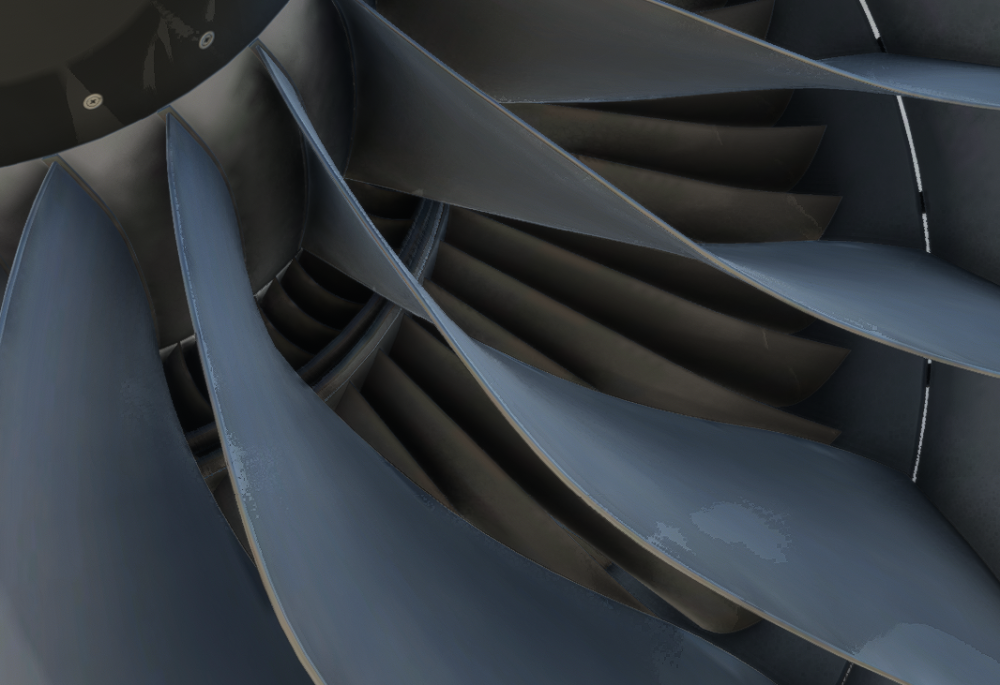
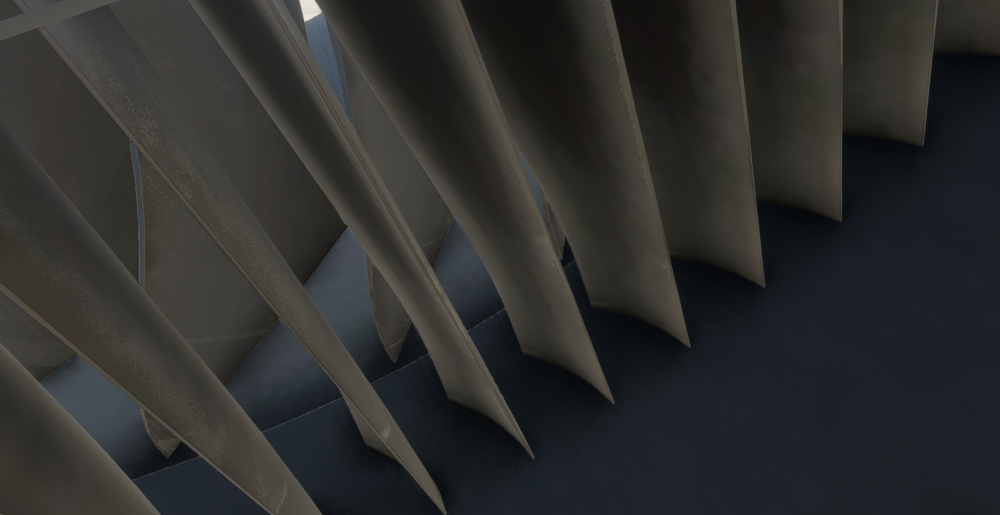
-
the ils/ls morse identifier sound volume is too low, really hard to hear in flight. Im not sure if this should have volume control options, i would imagine so in RW however when LS selected turning the volume knob makes no difference, its just one level.
-
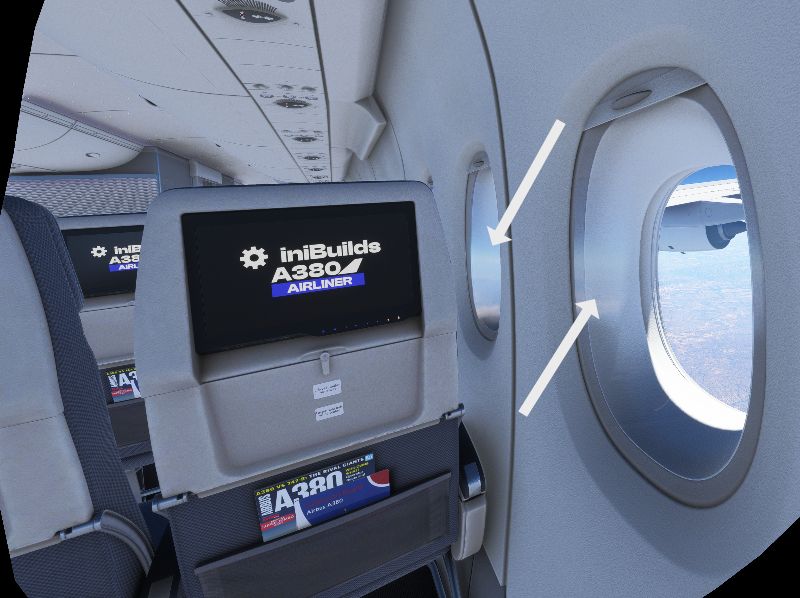
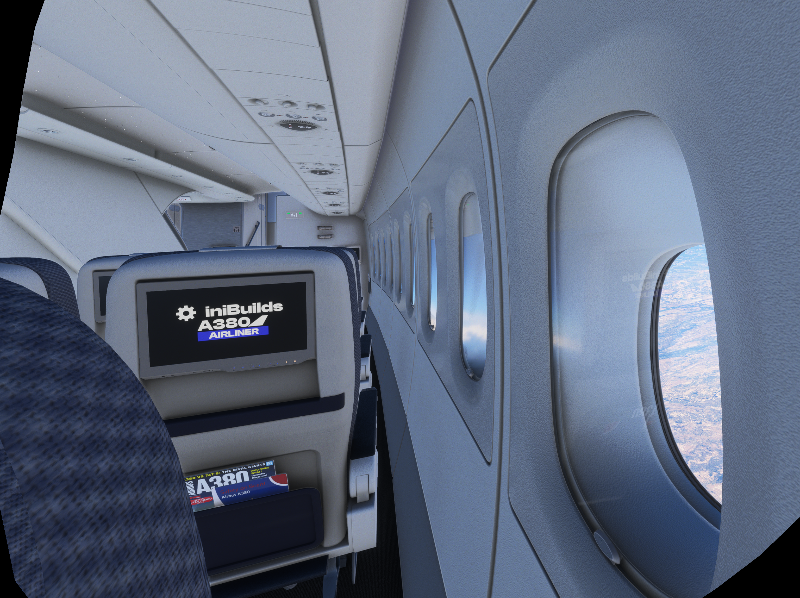
please see screen shot. Shouldn't be able to see sky or clouds reflected internally like this.
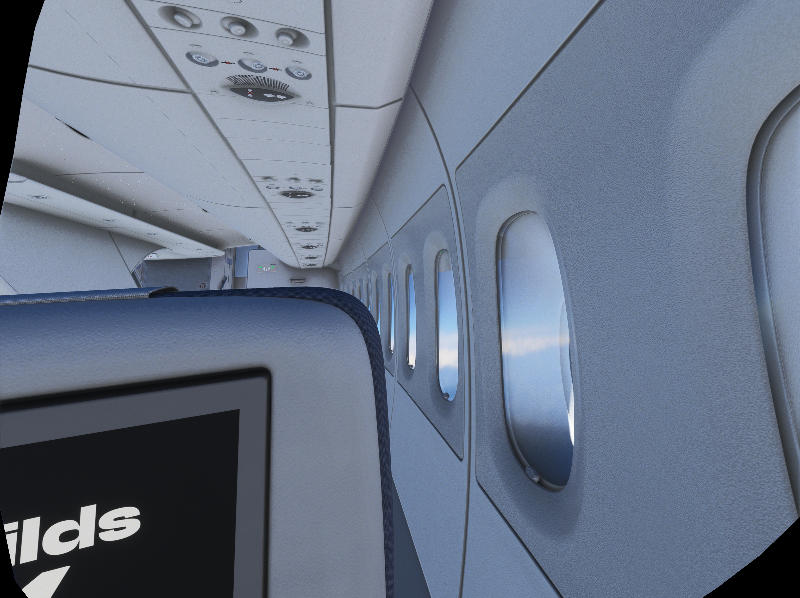
-
Please add cockpit window visual icing effects to the a350 v2. icing on other parts of the fuse wings and engines would be nice too.
-
Please add cockpit window visual icing effects to the a380. icing on other parts of the fuse wings and engines would be nice too.
-
yes i submitted a ticket too , i tried about 15 times and same result. im running in streaming mode atm but that wouldnt be my preference
-
yes already selected a default aircraft in free flight same result
-
Hi ini devs tried for the last 4 hours to download it but keep getting this failure. streaming is fine but wont let me download, ive selected another aircraft in free flight but still no luck. any suggestions?

-
Hi Ini team I tried every combination of potential icing weather scenarios and was unable to achieve any visible icing effects what so ever. i got one very brief engine icing warning on the ecam which soon disappeared even though i did not turn on the engine icing switches on the over head, despite still being in icing conditions. Is this a bug and can you confirm that icing effects are modelled in to both the systems and the graphics side, ice build up on windows and other areas etc?. Im not talking about the separate ice and snow feature that can be independently selected in the efb and does show ice on the wings and fuse if i use the slider. thank you
-
Yes i too often fall through the floor when clicking the floor, really depends on exactly where you are standing as to whether you fall through or not. id say 3 out of 5 attempts ends like this. Also just want to confirm that this walkaround is indeed only available on the ground as i originally predicted. I believe that is a deliberate sim limitation, but not sure if there is a way to overrise that as it would be nice to be able to walkaround when airbourne too
-
after quite a few attempts i managed to get some of these interactive clickables working in walkaround, not the water/light panel though, and even harder to get them to interact in VR, very hit and miss
-
Thank you, just to clarify when i say items not clickable, im referring to everything that is currently interactive in the cabin, external doors, door arming levers, toilet doors, taps, showers toilet flush, seats reclining, blinds etc , water and lights crew panel etc etc
-
got it thank you. Nice feature! Did i miss some instruction for this somewhere because i dont recall seeing these images above anywhere in the manual or FAQs? I noticed that there is no clickable interaction enabled, external doors, toilets etc, will this be added in the future? I should also mention that the outside click spot under door 1L is not clickable in VR because its to high to get close enough too , just like the apu hatch i reported a couple of weeks ago Also there are no footstep sounds, will these be added later? I appreciate these sounds are specific when walking inside an aircraft compared to outside so would need to be recorded , perhaps thats why they havent been added? There is also an issue inside if you walk up to door 2L you get stuck and cant walk away, exiting walkaround is the only way to free yourself. Also im assuming the walk around in cabin mode only accessible on the ground too? would be nice to be able to walk around in flight too
-
Ini Team update 1.0.4 lists this feature has been added i cant find a way to walk around the cabin please tell me how? walkaround mode still spawns on the ground thank you
-
Ive tried a few autolands now and i see the same behaviour each time, also saw same behaviour on a ini A380 youtube video too video too linked here at 2:40:40. The nose suddenly pitches up at the start of the flare instead of a smooth pitch up. Im not sure of thats realistic and true to the RW A380 or not but i wouldnt have thought so based on other autoland videos ive seen of many other airliners
-
this was all set up correctly at take off but now in cruise all greyed out and giving incorrect extra fuel figures. Ive seen these fuel entry fields go blank and grey out a few times now. I understand the taxi fuel blanking out because the aircraft has taken off but rte reserve amount shouldn't surely?
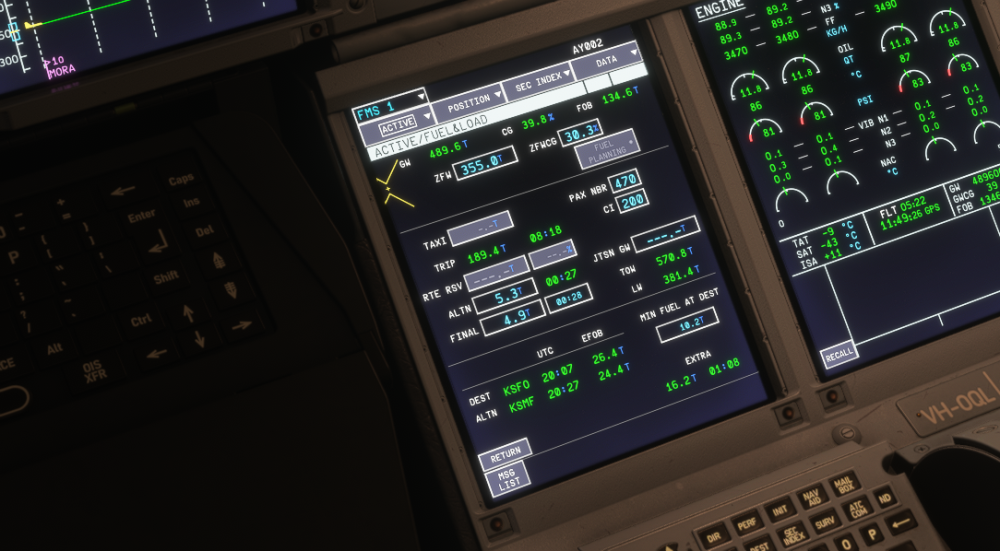
-
-
-
-


