airvice
Member
-
Joined
-
Last visited
Everything posted by airvice
-
Ok so i re loaded the sim and i was able to get vhf 2 to work. It appears that these 3 radios are meant to be sync'd and not independent unlike Boeings they are simply replicated copies. This now makes sense once the vhf 1 , 2,and 3 channels are actually broadcasting as they should, so looks like it was likely just a glitch fixed by a restart so issue now resolved thank you
-
Hi Kyle thanks for the guide, ive actually been using that guide already just in case i was missing something, but it doesnt make any mention of how to unsync the captains and first officers radios, nor does it mention that only vhf 1 works. ive tried everything to make vhf 2 receive but silence, and what ever frequencies i type in to the captains side , are mirrored on the FOs side thank you
-
in fs2024 can the Captains and FO's VHF comm radios be independently tuned , and does VHF 2 work. mine are synced together and only VHF 1 seems to work on either. Im wondering if im missing a trick here?
-
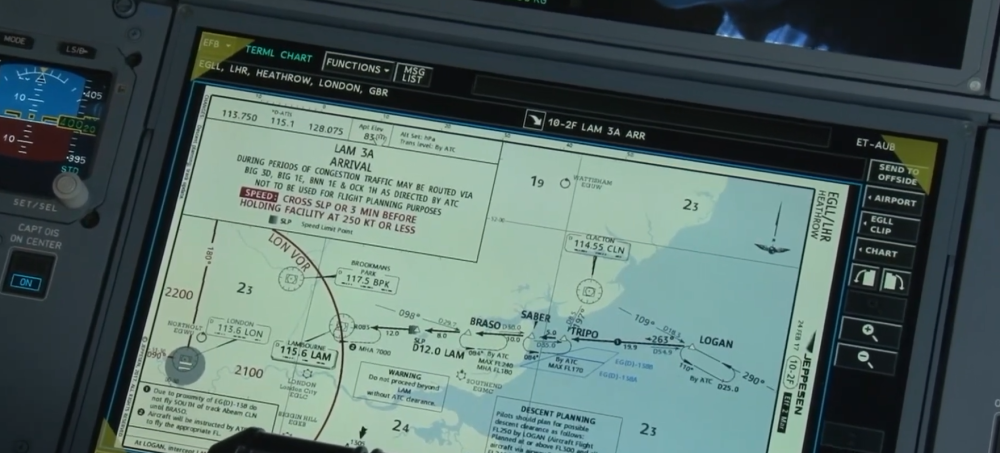
please add this feature to V2, i believe these triangles appear in the corners of the displays when the chart or map isnt centralised, i might be wrong thank you
-
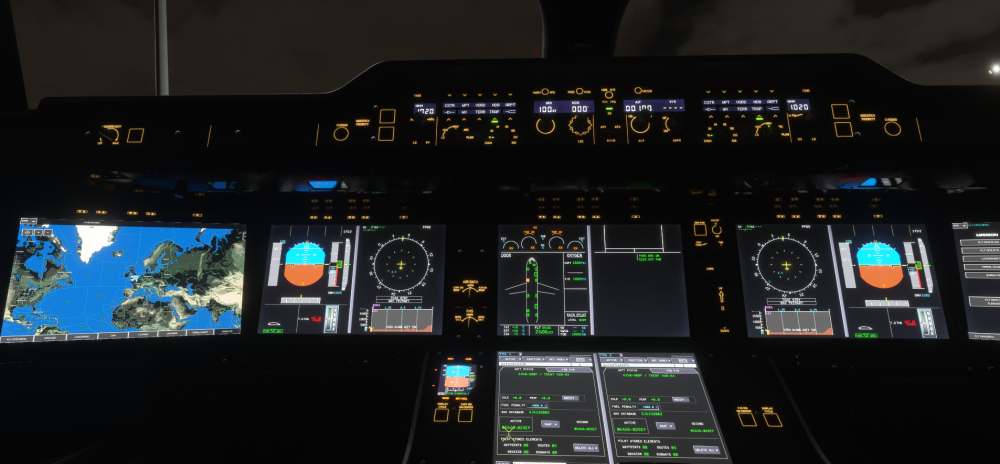
I would just like to add something to this topic, the currant V1 does have reflections on the underside see image below, however they are far to clear and mirror like and not bright enough, The real aircraft has a non reflective matt anti reflective coating here that diffuses the light meaning the whole underside reflects opaquely V1 RW thank you
-
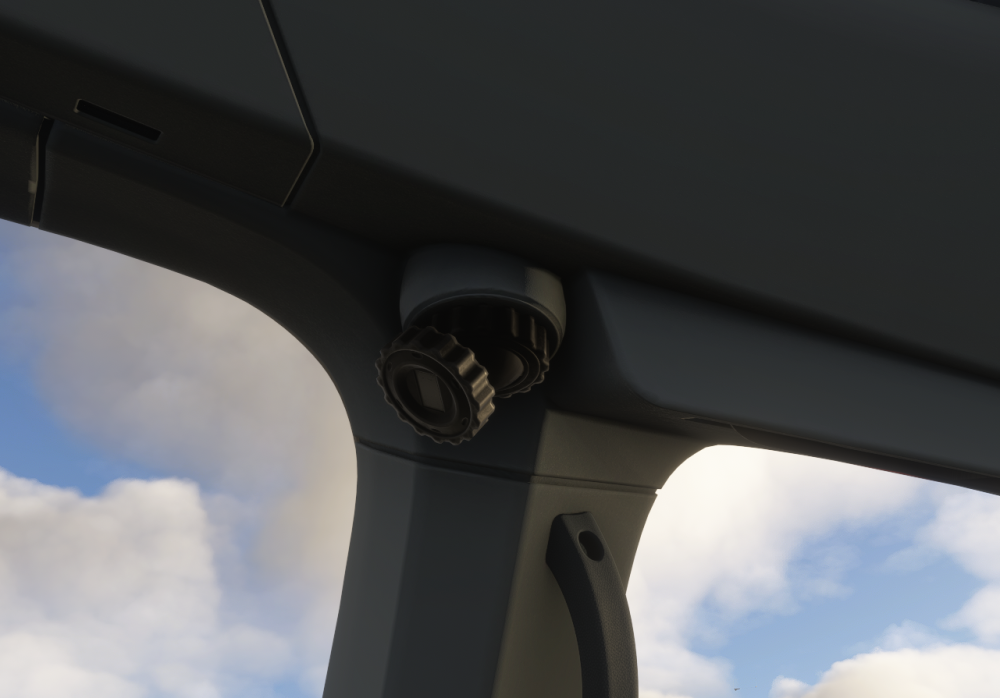
Please add this feature in V2 so the pilot can grab and rotate /point the light using the mouse. Also that the light bulb its self looks illuminated when on and actually casts a light rather than just a static area below being lit, definitely possible in 2024 as seen in some other addons. same for the A380 and any other future projects thank you
-
Hi Dev team Could windscreen bug splats and dirt be added as an optional dynamic feature that accumulates during a flight, perhaps linked to the weathering slider, or a separate slider maybe? thanks you
-
Hi Dev team this is a great feature added by some other dev co's (Check fenix 320). To be able to walk inside the aircraft in character mode and hear the footsteps. climb up aircraft stairs or even along the jetway on to the aircraft and walk around inside. Spawning at the rear of the cockpit rather than outside on the ground when selecting character mode thank you
-
yes it makes an initial noise but then sems to fade away immediatly
-
thank you
-
Hi dev team the a350 FO seat motor sound seems to be missing when moving the seat in any direction when you compare the sound made by the captains seat thank you
-
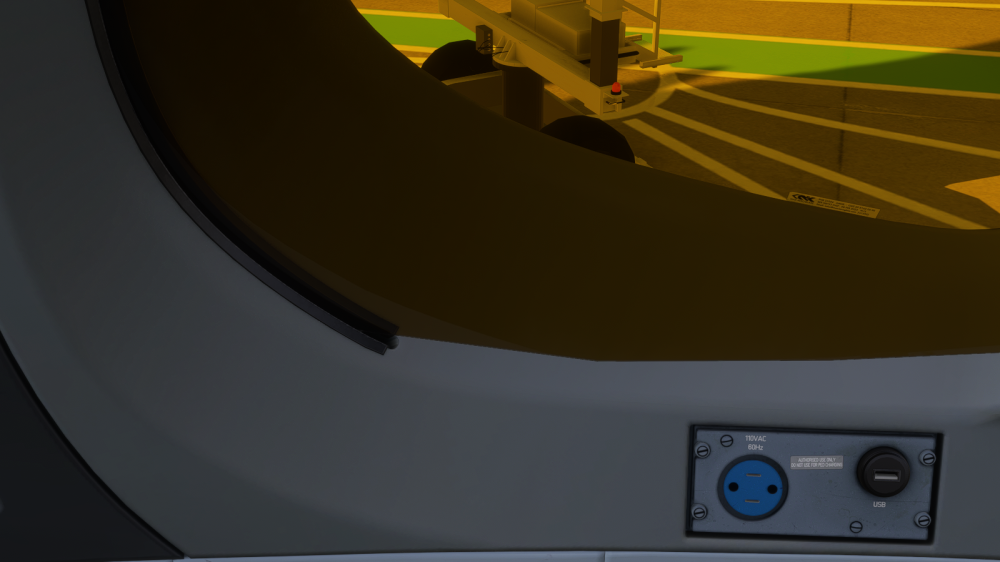
thank you . the captains side also has issues, you can see the shade is cutting in to the plastic trim here too thank you
-
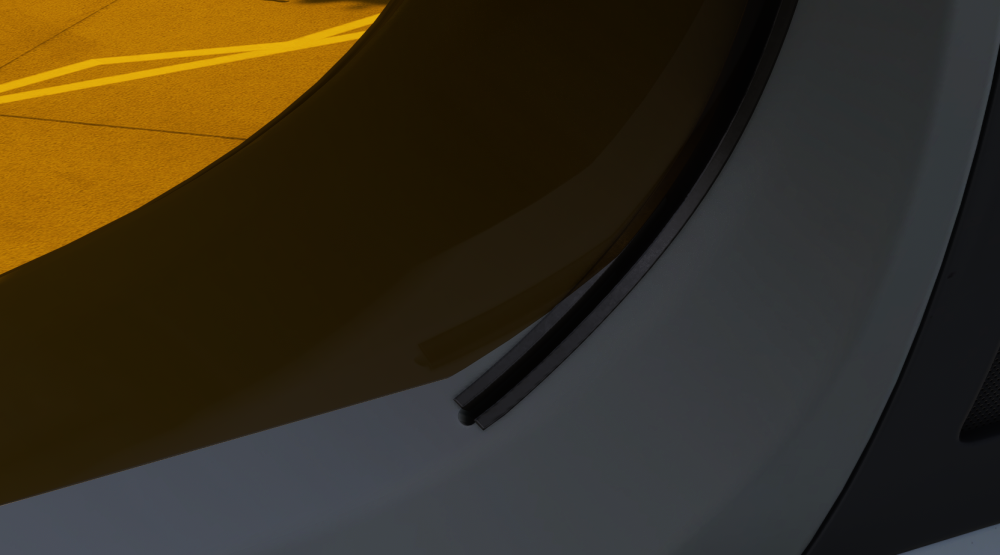
Hi Dev team Please fix this issue with the rear window shade on FO side for the V1 and upcoming V2 versions thank you
-
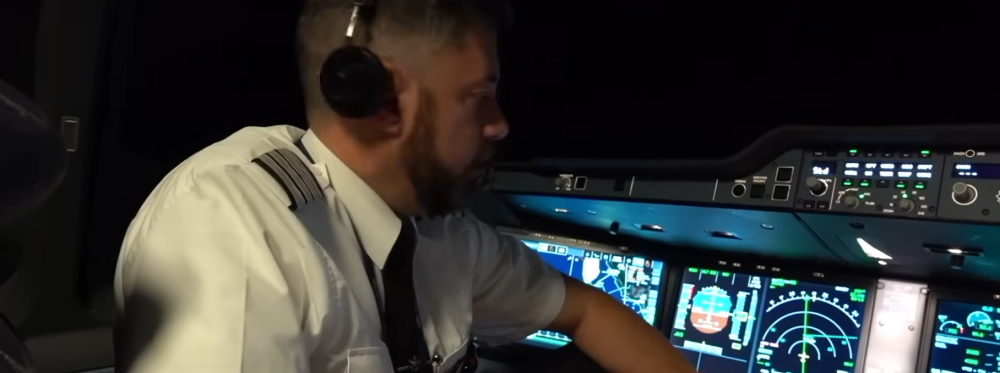
Hi dev team please ensure that this very obvious illumination of the underside of the glare shield structure, from the screens is implemented as per real life in the upcoming v2 version thank you