




rsmith6621a
Member
-
Joined
-
Last visited
Everything posted by rsmith6621a
-
-
First off, I am excited to hear about V2. Now on to my wish list. I would like to see improvements in the cockpit glass. The glass on the avionics quality does not come across as sharp, they look a tad grainy and amateurish. Over all an improvement in flight deck textures over all would be a great improvement. How about a switch on the EFB that we can choose to have the cabin curtains open or closed on start up, and get rid of those engine covers, they are not realistic. I think a look at Fenix quality would be a great place to start.
-
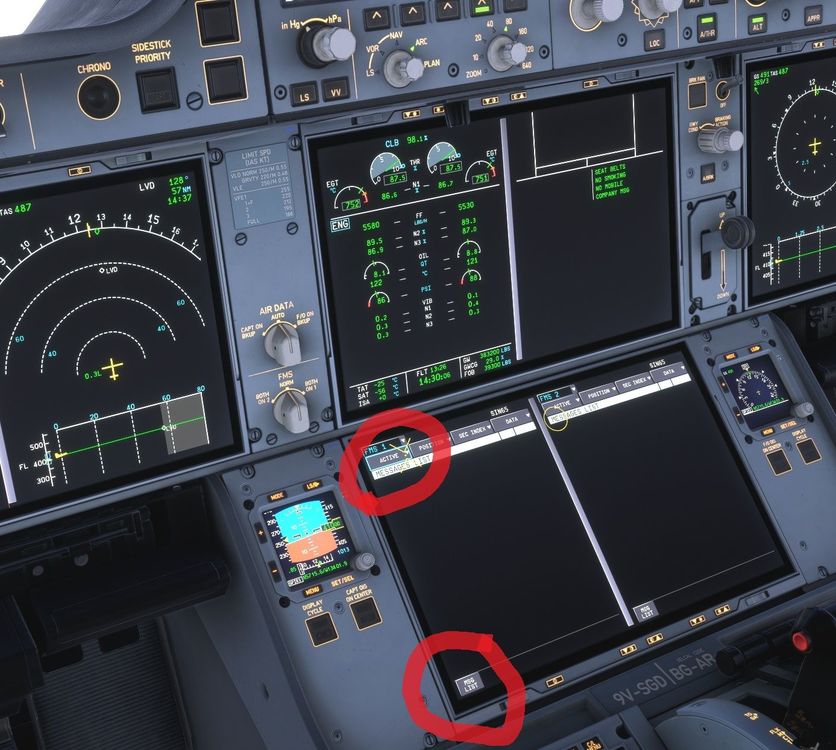
Hello. I was 85% into a 14.5 hour flight WSSS/KSEA when I noticed the 350 was flying in other direction even though the AP was still engaged. I went in to the MCDU to redirect the flighplan to another fix along the route. I could not get the drop down menu that hast the direct/add or delete etc to drop down. Then I went to clear a STEP CLIMB message and then the whole FP disappeared. I cannot recover the flight plan back to the MCDU. The aircraft currently is just flying in random direction. Any suggestion? The MCDU is just dead.
-
The Piracy argument is an inconsistent viewpoint. They are still selling the mostly recent released A-350 on the IniBuilds APP/Manager as well as thousands of other products. Again this is not making any sense.
-
Why do I have to buy the L-1011 on the MSFS2024 Marketplace and not the IniBuilds Manager APP. I don't like the Marketplace because it takes forever to get updates updated and I cant use Paypal to pay with it. The L-1011 would be on my system if I was able to buy through the IniBuilds APP. Please help me understand this logic! Signed Distressed in The Dakota
-
Hello IniJamir. In the past 5 years I have always pointed all of my installs to E:\Microsoft Flight Simulator 2024\Community. It seems since I have done a reset I need to point it at another location that being C:\Users\****\AppData\Local\Packages\Microsoft.Limitless_8wekyb3d8bbwe\LocalCache\Packages\Community. This seems to have fixed the issue.
-
Yesterday, something went buggy with my SIM. When I would attempt to load a flight it wouuld hang at the Start Flight menu and the circle in the corner would just spin and never load into the airport. After several try's to find a fix, I went ahead and did a repair and reset then I started to rebuild my sim back to its pre incident state. This morning, I uninstalled the A-350 and reinstalled it as it was not showing in the aircraft menu. After the re-install the A-350 is not showing up when I I am in the aircraft selection menu, but it is showing up as installed in my MSFS 2024 Community folder. What am I missing and what can I do to get it to show up. Thank you
-
So far for me this aircraft is a disappointment. I am unable to load the FP into the FMS by using the CPNY F-Plan Request. It is blacked out when I try and press it. I have imported the FP from Simbrief in the FLT OPSSTS page on the EFB and the same goes for the Loadsheet. What am I doing wrong?

-
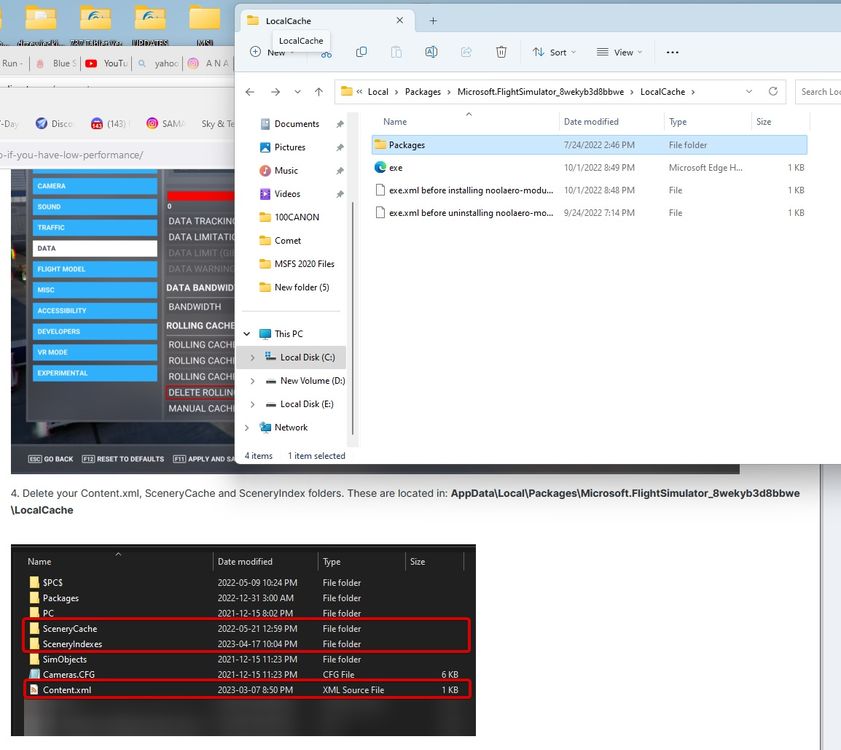
OK. I run the Steam Version. Here is what is in my Local Cache folder. Is there somewhere else I should be looking?
-
I gather the development team is working on reading complaints about optimization with KJFK. It is a spectacular scenery but when I land or take off anywhere near the terminal buildings my midrange machine goes into a moderate slideshow. I gather you are addressing this issue. I also have Feelthere KLGA installed along with Drzweki NYC Skyline. Thanks
-
I believe this is happening non the latest version of the INI Manager.
-
I am getting the following error while trying to adjust the coinfig for JFK. Any way to work around it?

-
I am getting texture shimmering on some terminal buildings when close up and at a distance. I am also getting these with light poles as well. Any way to fix this? Thanks Randy
-
Thanks. That seemed to work.
-
How do we update the airrac NAVDATA for the 310? I am getting a NAV ACCURACY UPGRADE error in the scratchpad? Thanks
-
Hello, How do you correct an OVERSPEED warning for VMO? No matter what if I try and slow the 310 down or lower the altitude it still sounds the WARNING INDICATOR. We really could use a printed follow along tutorial with this aircraft. Thank you


