




LukeFF
Member
-
Joined
-
Last visited
Everything posted by LukeFF
-
The ILS 04L localizer is entirely misaligned with the runway when trying to land with the A300. It's displaced far to the left of where it should be.
-
-
Seconded. This is a great piece of hardware that needs to be made functional with the 320.
-
I changed my frame generation to FSR3, and so far that has yielded much more stable performance.
-
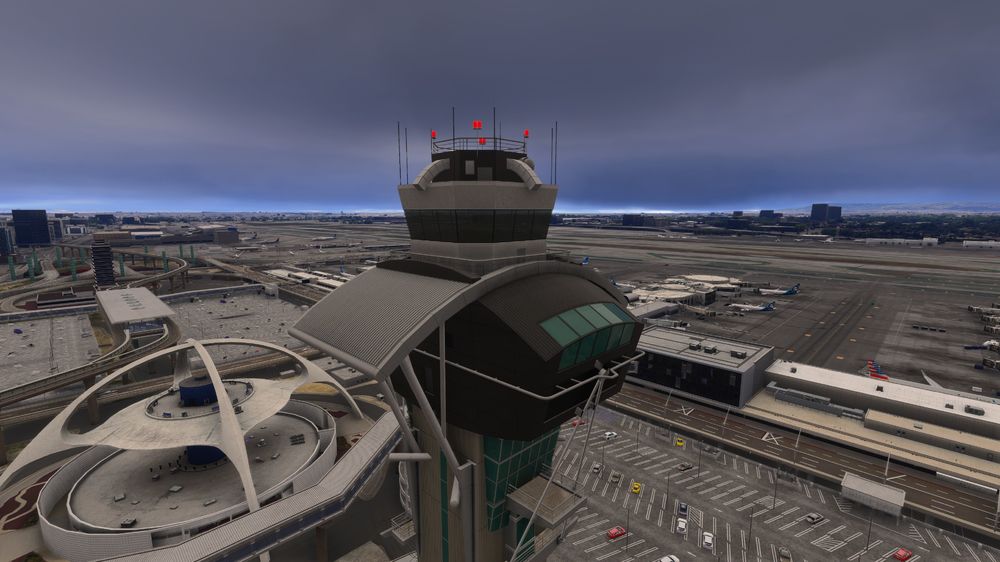
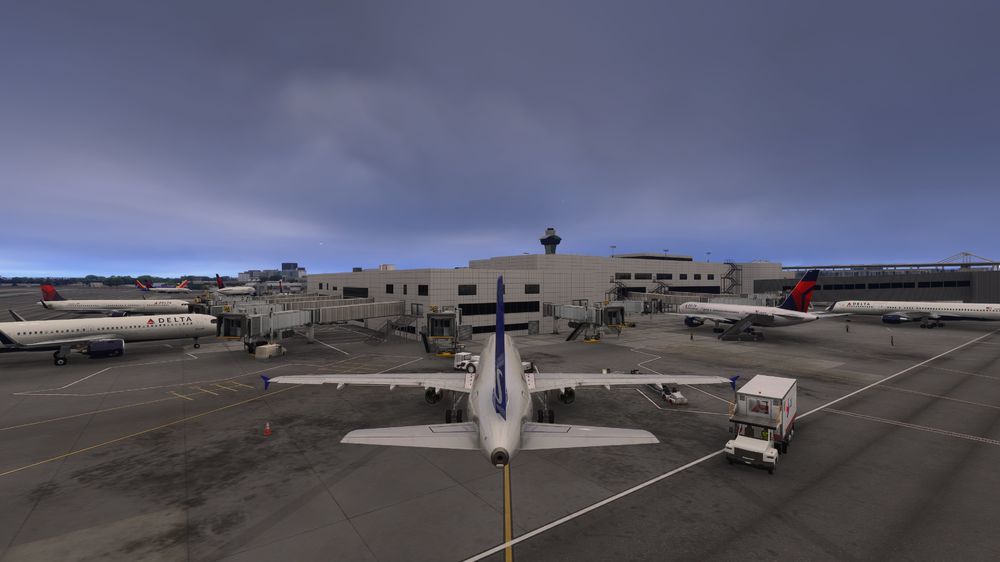
This is how close I have to get from Gate 34B to see all the details of the tower. Any further than that, and then the details start getting chopped off very quickly. Zoom back to behind my plane, and this is what it looks like: This is entirely unacceptable for an "Enhanced" airport:
-
. Never mind, issue likely found.
-
Not so with 2024. With all other planes, once you set up your controller profile, it will remember your choices, so you don't have to manually choose them every time. With the A300 it's not doing that and reverting to default on every startup.
-
Thanks Also, it looks like "Register" is misspelled as "Regisrer"
-
Okay, thanks
-
Okay, good. Yes,it's been working as expected, then.
-
The clearance frequency comes up as "Clearance Clearance" on the radio in BATC. Their developers said they cannot do anything about it and it must be fixed by the scenery developer.
-
Also, when I cleared everything out of the WASM folder, I noticed I had a "inibuilds-aircraft-a300" subfolder and a "inibuilds-aircraft-a300-600" subfolder, even though all my installation files are under the latter folder name. There are no WASM files in the "inibuilds-aircraft-a300" subfolder.
-
@haza2, cleared the WASM folder and it made no difference.
-
Never mind, I see now where it needs to be done. I will try this when I get home tonight.
-
Not yet. Where is the folder for that?
-
The bumping sounds - they are noticeably absent on takeoff and landing. While on the subject, the thrust reverser sounds also seem to be missing/much diminished.
-
As the picture shows, half of the landing elevation display can't be seen at night now.

-
Seems I forgot that an active flight plan needs to be filed in order for it work, is that right?
-
Compared to the latest version for 2020, there are almost no sounds coming from the nosewheel while taking off. In other words, the plane's landing gear is suspiciously quiet while taking off.
-
Still an issue after the latest update.
-
The placard for the backup compass says "SYEER" instead of "STEER".
-
When powering up the aircraft, Constraint mode is active on the PFD by default.
-
I have my Hoppie code entered as normal, but when I try to request weather via the IDC, it doesn't work. The message is sent, but I get no reply.
-
Perhaps this is an MSFS 24 issue, but today when I loaded the plane I noticed it did not load my saved profile for my controllers. After I exited the game and reloaded, I noticed the problem was back.
-
Thanks - at the least, the commands do work for me, just in reverse. 🙃


