




LukeFF
Member
-
Joined
-
Last visited
Everything posted by LukeFF
-
-
No worries. I tried that, but it didn't change anything.
-
Two main issues: - The copilot doesn't always auto-tune the radio to a new frequency when ordered to -Trying to log in to KUSA on the CPLDC page results in a "format error" message, so ACARS messages are not sent or received during the flight
-
Up until this last update, I had LVARs mapped in Axis and Ohs to control the windshield wipers. But, after this last update, they stopped working. I checked the code and nothing seems to have changed. Has something changed with these?
-
Nothing like that, sorry
-
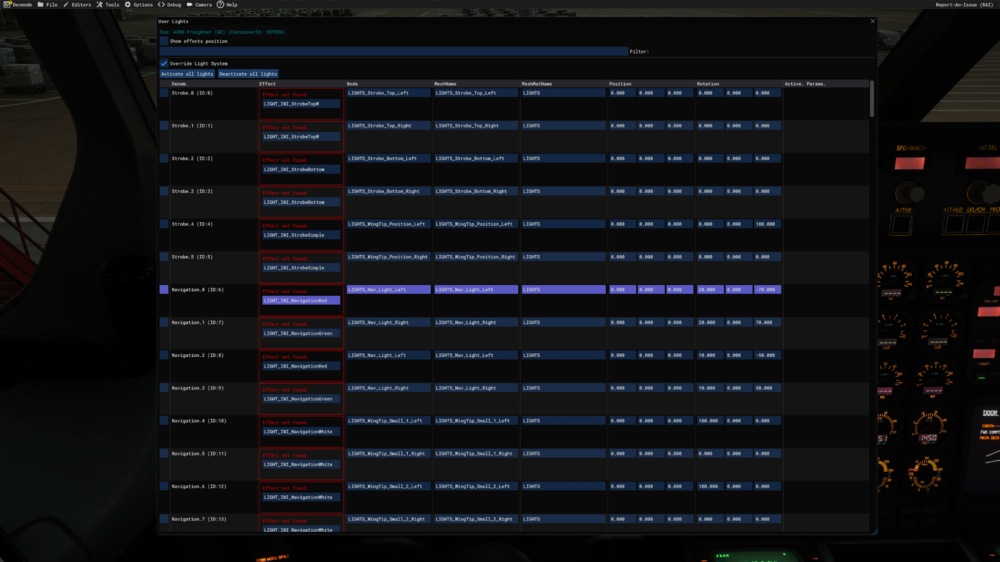
Despite this now-closed topic saying it cannot be reproduced, it is in fact still a bug: https://forum.inibuilds.com/topic/31619-land-button-not-illuminating/
-
Confirmed seeing this as well.
-
The ground handling on takeoff and landing during the rollout is still extremely exaggerated after today's update, making it feel like the plane is maneuvering on ice.
-
-
-
GE freighter: The overhead lights in the entry area are always on, despite the EFB showing they should be off.
-
This is still unfixed after today's update.
-
In the latest version, at the start of a new flight, I cannot climb up the default steps that spawn with the plane. The avatar is just stuck at the bottom of the stairs with nowhere to go. If you manuever the pilot around a bit he can get up one step, but that's as far as he'll go.
-
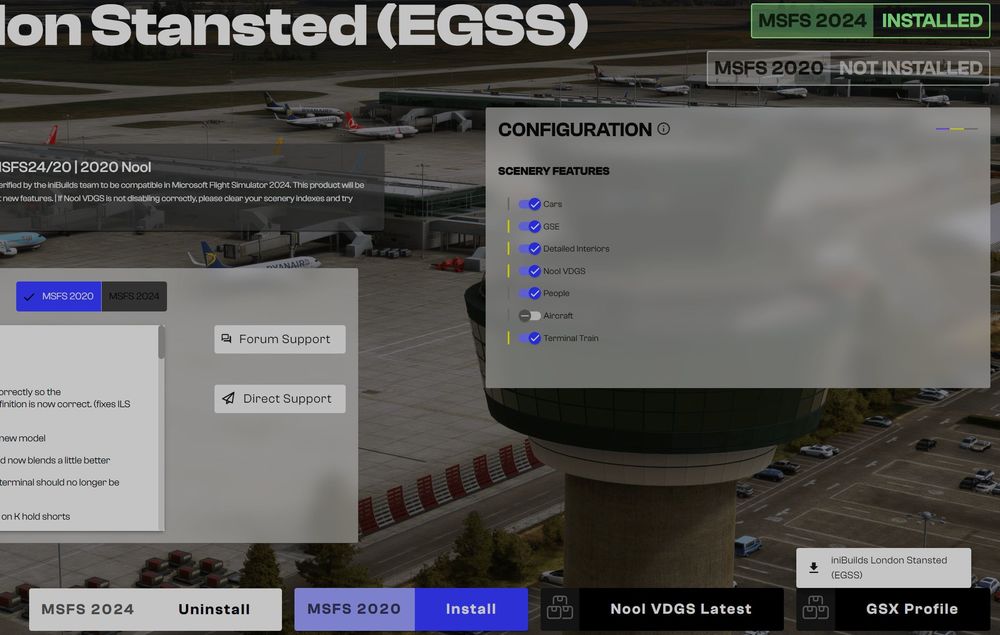
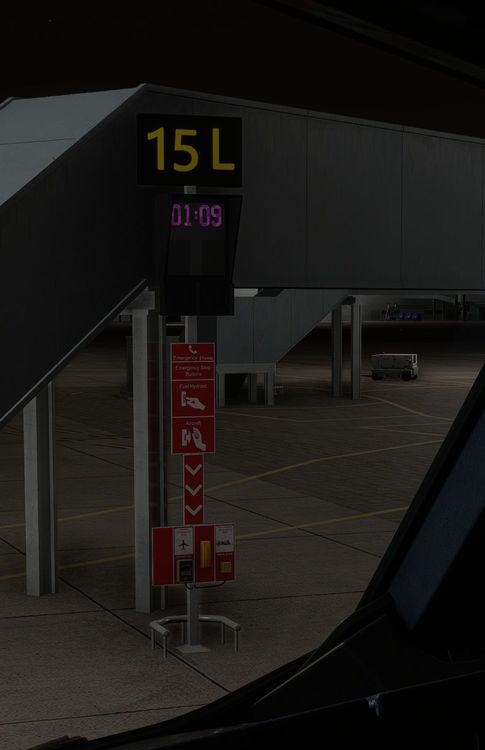
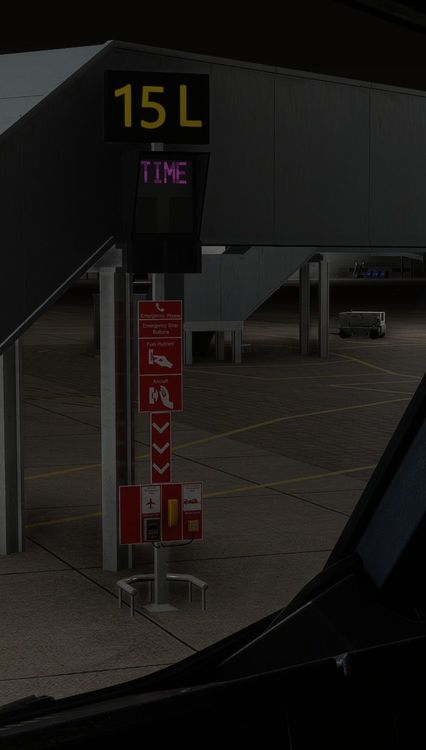
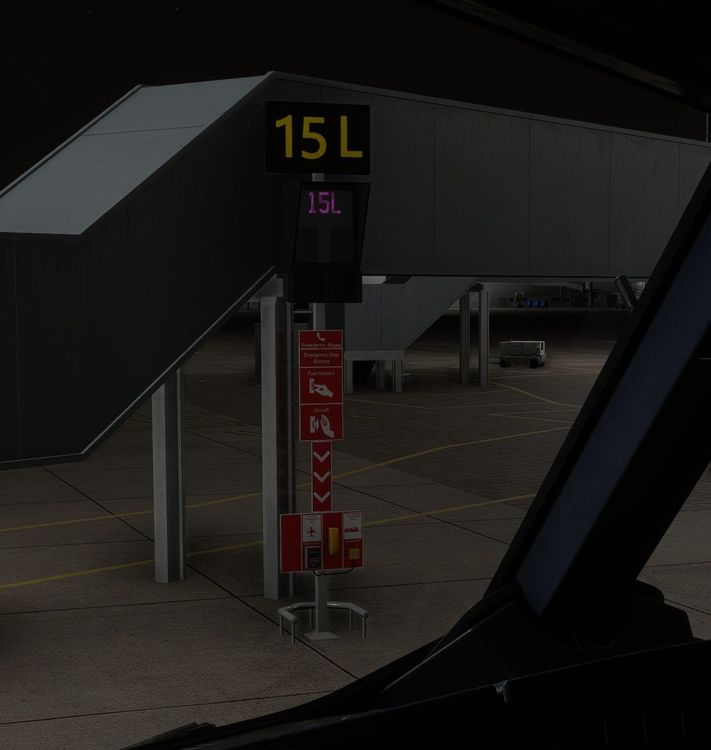
Okay, this is what I'm seeing. I uninstalled and reinstalled Nool, confirmed the Asobo EGSS is disabled, and confirmed my settings in the app. This is still what I'm seeing (it looks like untextured letters and numbers):
-
Still broken after today's update. I just get the current time in pink and magenta on the VDGS screen when choosing the Nool option in the app.
-
Not to go too off-topic, but you're really better off disabling the crash options, as they are implemented very poorly by Aosobo.
-
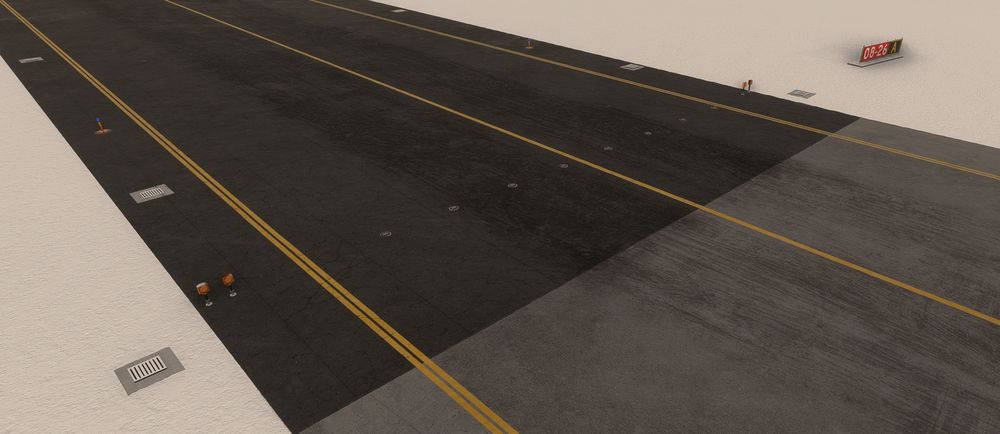
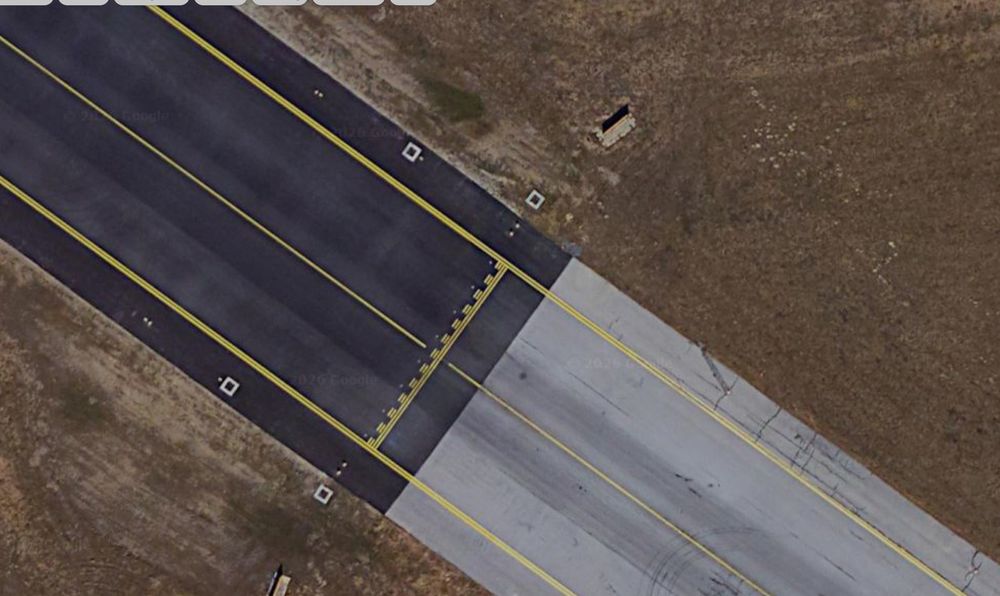
The Hold Short markings are missing the western end of the taxiway:
-
Can confirm the taxiway sign issue as well here - with both Luton and Dubrovnik.
-
I'll also add that we should be able to remove static aircraft. I have AIG and BATC for that, so it's just needless clutter for me.
-
One other user confirms the same: https://discord.com/channels/535246634448191499/1466882084818653368/1466901105182118100
-
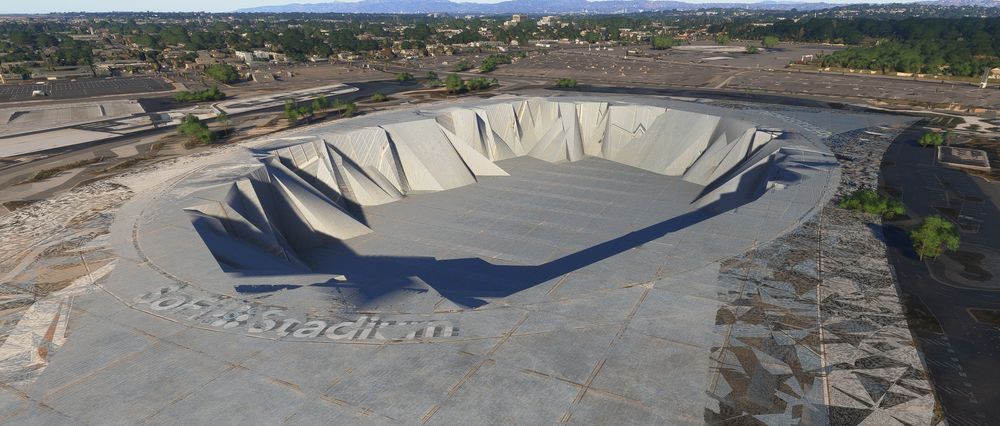
Unchecking all the POI options in the iniManager for 2024 results in this for SoFi:
-
SoFi Stadium and the surrounding area, as shown in CU13, conflict with this airport.
-
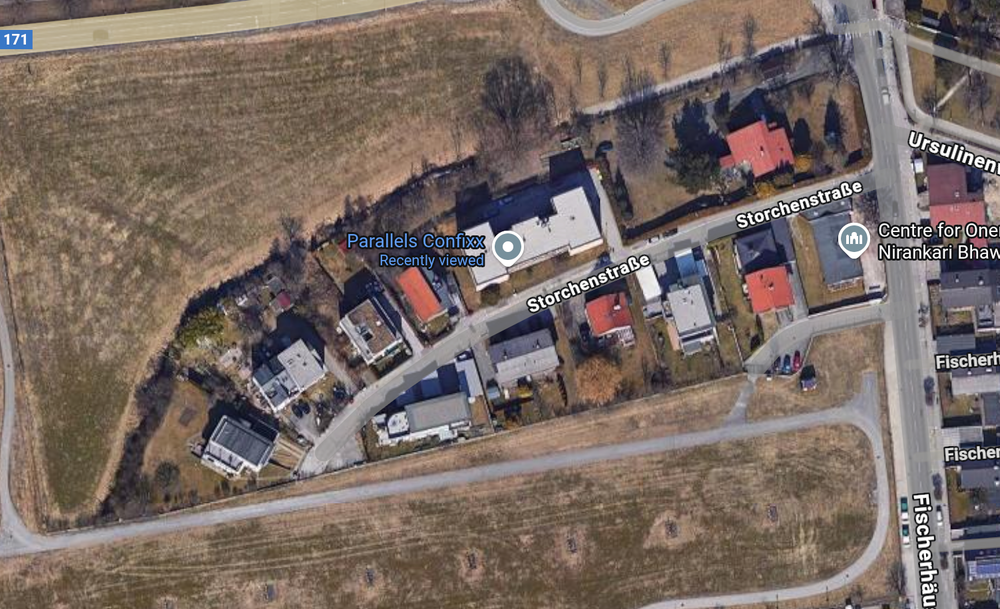
On the final approach to runway 26, Storchenstrasse has been modeled with a couple of hedgerows and sightseers, but not much else. In reality, there are numerous buildings there instead of the flat field in this version of the airport. What's more, it's all visible on Google Street View:
-
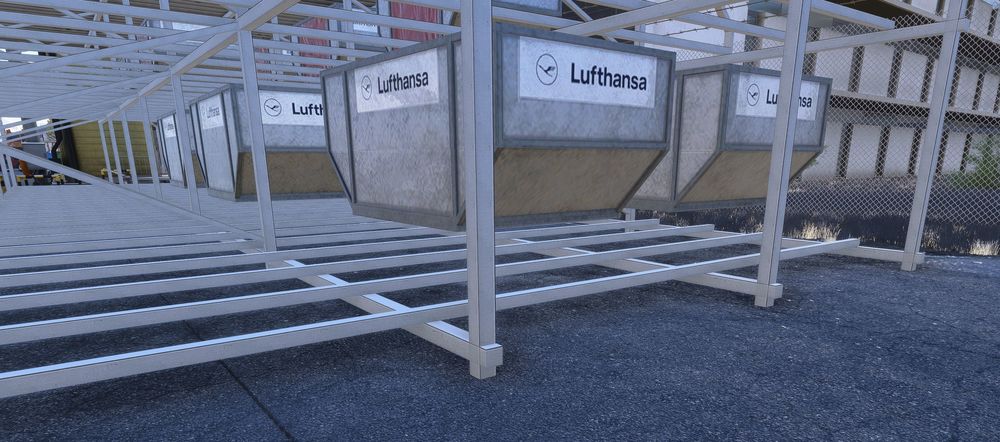
Some of the containers on the main apron are hovering:
-
This issue is still present, even though for some unknown reason the topic was locked last November: 🤔 It's not a GSX issue or an issue with the stock LOWI scenery. It has to be something else.


