




LukeFF
Member
-
Joined
-
Last visited
Everything posted by LukeFF
-
Yes, I have.
-
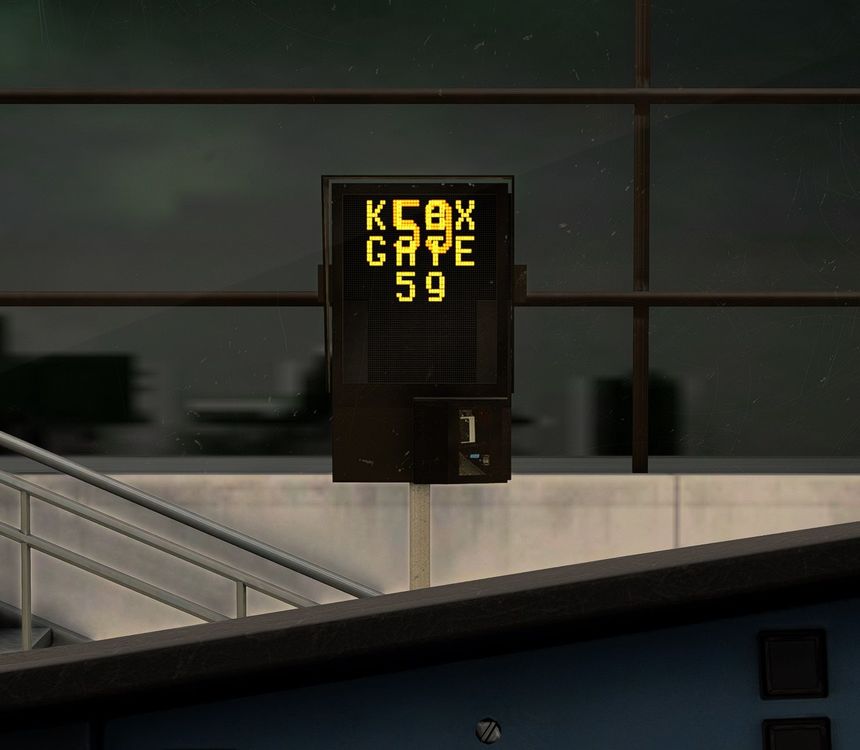
This is at Gate 59: there are overlapping sets of numbers
-
Nothing wrong with that - its flight computer doesn't respect departure restrictions in reality.
-
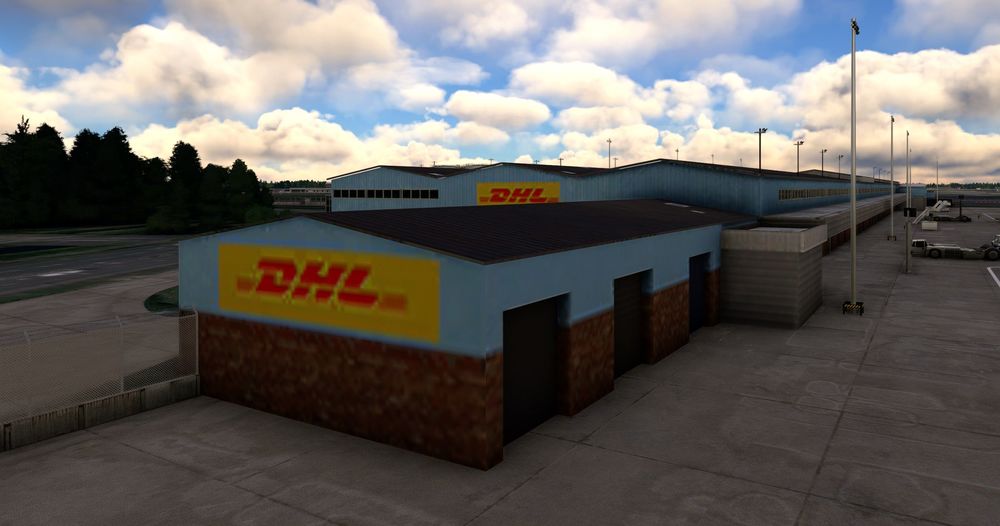
South parking, stand 614, some textures are very low-res even with HD textures enabled:
-
They work correctly on the Fenix A320.
-
From what I understand, the interior temperature display on the ECAM should only be shown when the selector knob on the overhead panel is set to "CRT." With any other setting it's supposed to show a dashed line.
-
This was implemented a few updates ago but now is gone:
-
As the title says - the wipers aren't clearing away rain right now.
-
Current weather conditions from the METAR for ESSA were showing 20 knots at 240, but the landing calculator was showing 8 knots at 160.
-
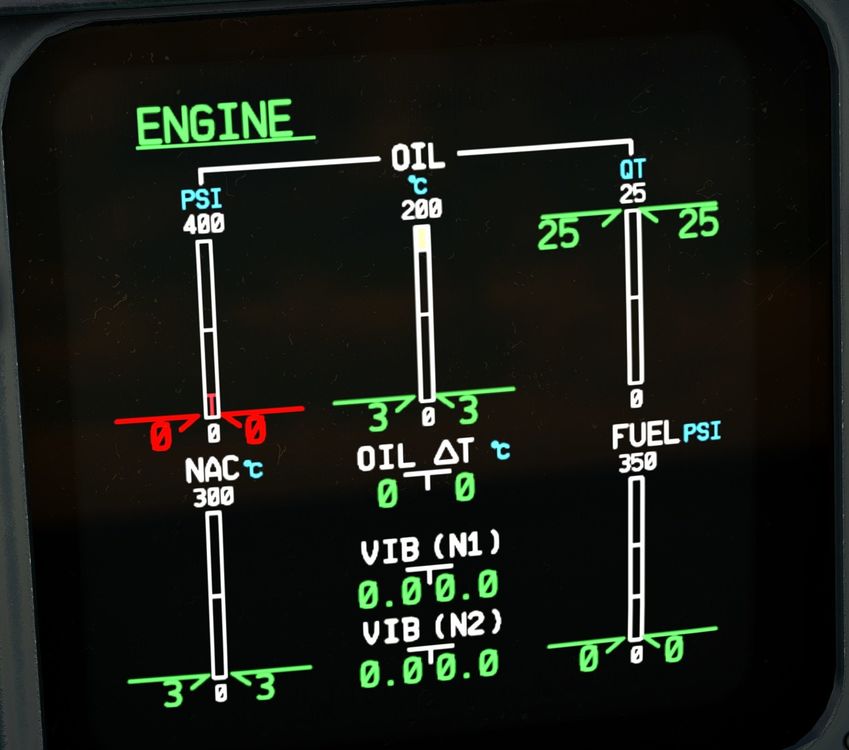
This was reported as fixed in the latest patch but it is still incorrectly showing with the engine off - the analog gauges show about 26 quarts while the ecam shows 23.
-
Hangar 1 is also missing.
-
So, the only one is from two years ago? Yikes
-
Still crashing when loading a flight on the second try. Tonight it was with KLAX, the ini scenery. I'm sorry, but this is still one unstable piece of software.
-
-
Uhhhh, what? You're not making any sense.
-
Argh, this forum software is maddening! 😄 Yes, all three GE liveries for FedEx are still missing their registration and SELCAL information in the cockpit.
-
Never mind, was looking under the wrong listing. 🙂 All is good.
-
Scratch that - I was looking under the wrong listing. 🙂 Can be closed, thanks.
-
This livery is listed under the PW option instead of the GE listing.
-
-
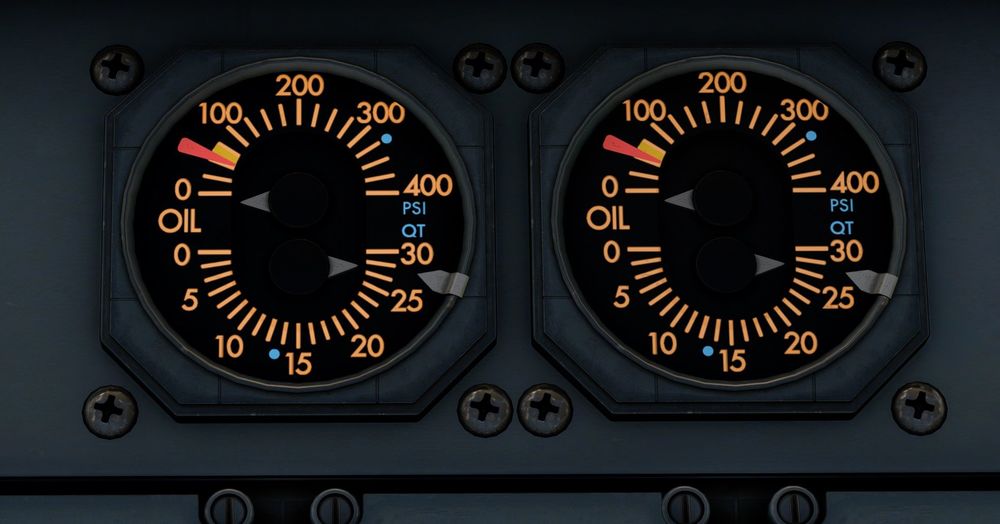
Before the engine start and after I refilled the oil, I noticed the oil level reported on the ECAM and the analog dials was different - 25 quarts on the ECAM and about 26.5 on the dials:
-
Yes, that would be nice.
-
I have never seen that be the case. There has been many a time - just in the last week - where I have a real-world ATIS report from Navigraph in their Charts app but none from VATSIM. EDIT: Tampa right now for example: two real-world ATIS reports but none from VATSIM:

-
Just to add to that, the A300 manual is a lot shorter than the A310 manual, and upon further review, it's because not all the flight procedures are in the A300 manual. Would be nice to see that rectified, since there is a lot of very helpful information in the A310 manual that directly applies to the A300 too.
-
If one has a Navigraph subscription I'd assume that would/could be a source as well.


