




mattY
Administrators
-
Joined
-
Last visited
Everything posted by mattY
-
v1.0.5 of iniBuilds Spartan 7W Executive for MSFS 2024 & 2020 has been released. This update brings a wide range of refinements, including fixes to the vertical speed indicator, adjustments to flight dynamics and trim responsiveness, improved climb performance, and greater stability through roll and flap tuning. This update can be downloaded via the iniManager. v1.0.5 Fixed: VSI snaps to -2000 ft/min when climb rate higher than 2000 ft/min Fixed: Flight model feedback and adjustments to the following -Empty weight roll MOI - decreased a bit for a faster overall roll NOTE: Roll Increases with speed still -Wing incidence - removed nose up motion to make it more stable -Pitch moment - lowered to allow more fine movements of the trim -Belly flaps - increased effectiveness now they do and should make slowdown easier in air -Elevator trim effectiveness - smoothen out trim to allow more finer movements instead of in between and either going up or down rather than flat Fixed - Climb speed and power Thrust scalar reduced to prevent overspeeding. Also allows for a more accurate climb/cruise profile
-
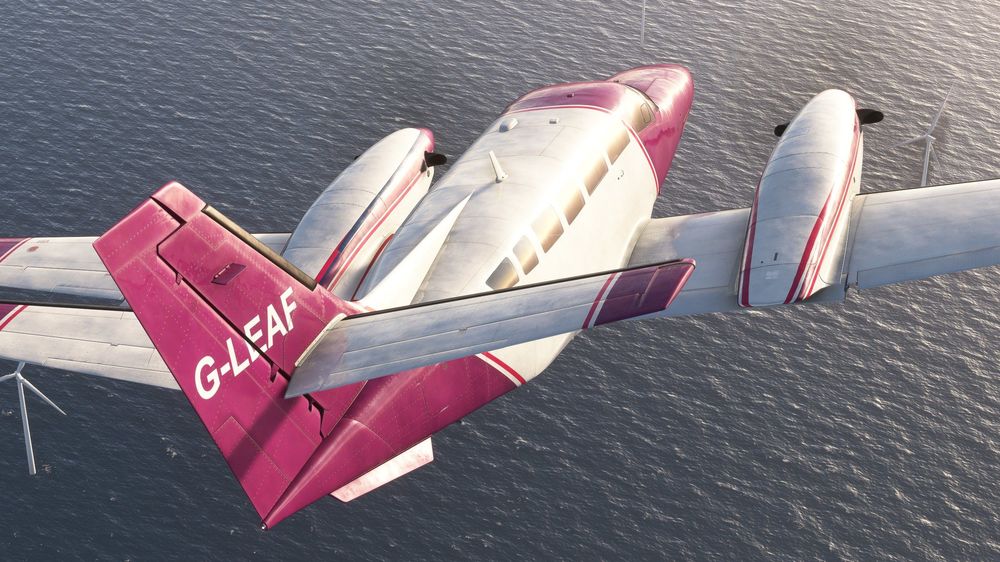
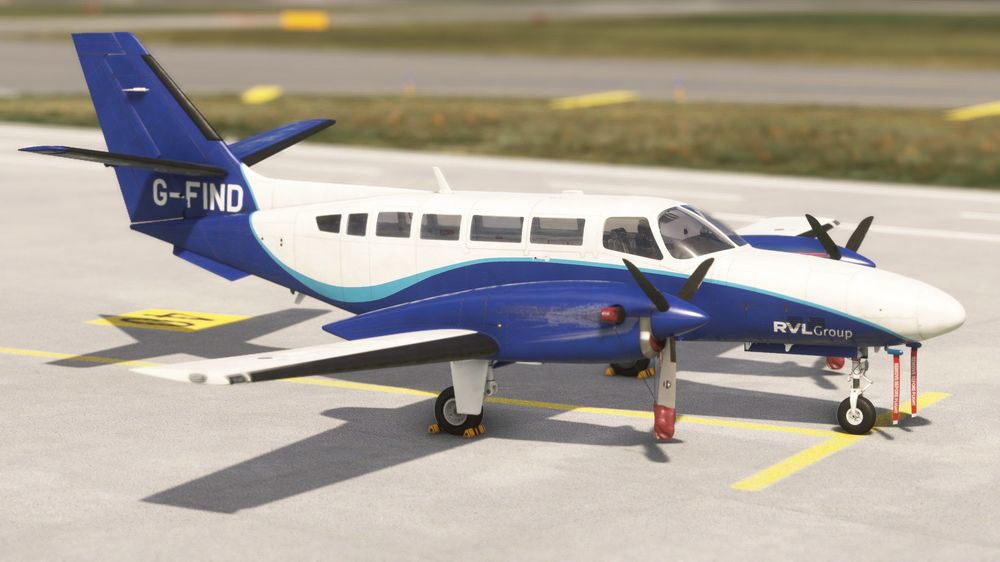
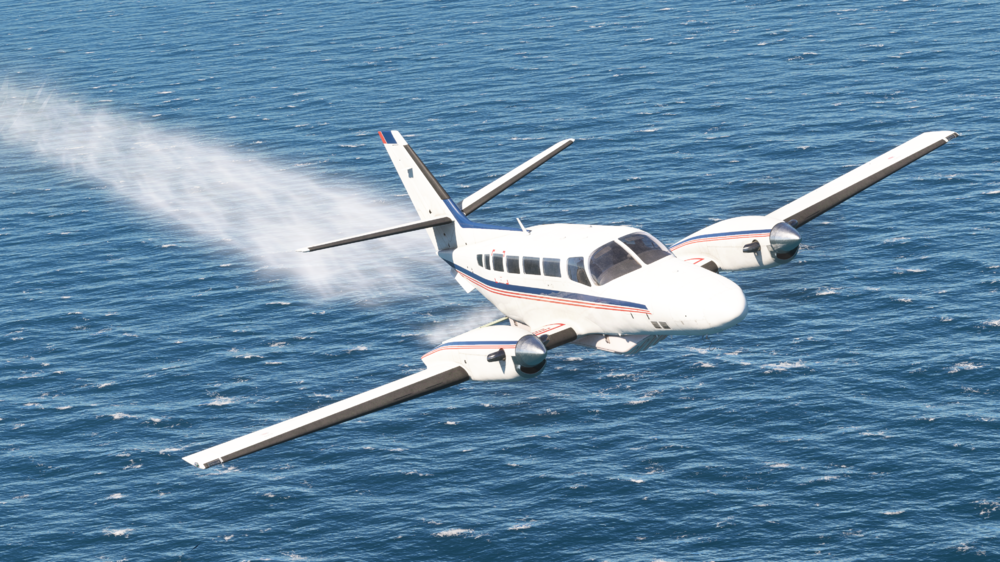
Hello! Today we're excited to announce that the iniBuilds F406 Caravan II is now available! A unique twin-turboprop utility aircraft that has quietly been in the works behind the scenes, now ready to make its debut in Microsoft Flight Simulator! Designed with versatility and performance in mind, the F406 is capable of a wide range of missions, from regional transport and light cargo to aerial surveillance and medevac operations. With its rugged build and multi-role capabilities, the F406 Caravan II is the perfect balance of utility and sophistication, a true workhorse brought to life in stunning detail. You can purchase this aircraft NOW from the iniBuilds Store,for just £19.99*Purchase Link: https://inibuilds.com/products/inibuilds-f406-ii-msfs * Price excludes VAT Aircraft Features: Exterior realism including a high-fidelity model based on 3D scans, custom fowler flaps, exhaust effects, propeller blur and more! Authentic sound suite for cockpit and external curated by Echo 19 Audio Productions, including authentic PT6A turbine and McCauley 3 blade propeller sounds. Fully integrated GTN 650 avionics - Compatible with Asobo, PMS & TDS - Hot swappable GTN models for flexible navigation Modern EFB with Navigraph charts and map support Multiple aircraft variants with tailored interiors, exteriors, and mission-specific systems: - Passenger Transport - Cargo/Utility - Surveillance - Maritime Patrol - Environmental Response Dynamic loading systems based on sim or EFB payload inputs Functional surveillance systems - Aerial surveillance station and computer (model only) - Animated, gyro-stabilised camera - Coastguard SLAR and AIS Radar dome (model only) - Interior surveillance ops station (model only) Custom autopilot system, designed for realistic single-pilot operations and advanced nav support Detailed lighting system, with individually adjustable cockpit lighting and rotatable light stalks Accurate electrical systems simulation with selected circuit breakers being operational With the expertise of Echo 19 Audio, we’ve captured the unique soundscape of the F406 in stunning detail – from the iconic twin-engine startup to the cockpit switch clicks and turbine hum at cruise. All audio was professionally recorded from the real aircraft to deliver an ultra-immersive audio experience. This isn't just a pretty model – the F406 flies like the real thing. Our team tuned the flight model using real-world manuals, performance charts, and direct feedback from RVL Aviation pilots. Whether you’re lifting off from a short strip, cruising long-range, or descending into remote terrain, the F406 performs true to spec. Equipped with both modern avionics and rugged mission systems, the F406 is built to serve in a wide range of scenarios. From low-level surveillance runs to cargo drops in hard-to-reach areas, this aircraft is ready to handle whatever you throw at it. In-case you missed them, be sure to check out the "Welcome To:" and Official trailer! Watch the Welcome to & Trailer, below! Welcome To: Trailer: Throughout the pre-release streaming period, streamers have been showcasing a version that was a couple behind the current release build. During this period, the team we working hard to fix a variety of bugs and beyond, so if you saw something that didn't quite look right, rest assured it's most likely now fixed! Below is the changelog of what's changed from the version that streamers were showing off, to the now live release build, it's pretty crazy what the team have achieved in just a few days! Flight Model Fixed reverse thrust effectiveness Fixed MTOW, TO config: stall warning sounds too early Added aircraft to be more 'bumpy' on the ground Fixed cold & dark pitch trim spawns full nose down Fixed MLG does not extend if >160kts Systems Fixed annunciator panel test audio warnings Fixed rudder trim wheel inverted rotation Replaced "Asobo GTN" with WT GNS 430 Added interaction points for storage locker doors Fixed master warning reset isn't clickable Fixed RHS pitot cover stuck Fixed autopilot vs knob smaller changes Fixed EFB brightness buttons tooltip reads "VERTICAL SPEED SELECTOR" Fixed one pitot cover stays on Fixed EFB broken when using brightness buttons Fixed right side CBs (inop) all in out (off) position Added clickspot and animation to sun visors Fixed gate spawn: chocks and pitot covers not set by default Fixed AP mode panel lacks annunciators Fixed NG hangs at 40% on startup Added EFB power button and brightness rocker interaction/function Fixed governor test holds RPM too low Fixed pilot emergency exit detaches if using EFB to open it Fixed can't cancel master warning with engines off on ground Art Fixed engine locker hinges Fixed pilot side window gaps in glass panel Fixed added lightbulb on texture in overhead lights Fixed storm window handle/clip doesn’t make sense Fixed "Ignition" spelled wrong (x2) Fixed "Crossfeed" spelled incorrectly Fixed clipped label Fixed "weight" misspelled Fixed spring clipping through Fixed text going into CB hole Fixed incorrect latch marks on forward right nose Added chocks parented to gear suspension Fixed storm window frame collision when opening Fixed storm window pane left behind when open Fixed OBS2 has no TO/FROM flag Fixed nose storage latch clip section see-through when open Fixed zero-thickness element visible outside Fixed spray pod missing fuselage bracket Fixed gaps in storm window Fixed fuel transfer indicator missing text Fixed comm radio knobs not turning Fixed clipping issue on the inside aileron hinges, both wings Fixed internal placards Fixed minor texture elements in spray panel Fixed autopilot art corrections Fixed bake marks on main pilot exit door Fixed pax door internal/external skin not parented and animation speed too slow Fixed brake lines disconnected Fixed RH gear bolt head detached Fixed yoke button split so only inner part depresses Fixed pilot emergency door animation parenting based on lock position Fixed duplicate text on belly Fixed minor RH lower aft vent Fixed static ports lack holes Fixed LOD-related hole in shadow around fill cap Fixed Eng 2 prop clips through prop covers Fixed cockpit collision mesh Fixed RS master caution decal size incorrect Fixed CDI screw textures stand out Fixed storm window texture issue Fixed rain and ice flickering in FS24 Fixed CDI aircraft symbol not centered Added occlude Fixed spray pod scratch under placard Fixed Coastguard antenna text inverted both sides Fixed prop blade face shouldn't have stripes on both sides Fixed Marine Scotland livery stripe floats if nose locker open Fixed: Autopilot, art corrections Fixed: Storm window pane left behind when open Fixed: Storm window, frame collision when opening Fixed: Internal placards Fixed: Minor, texture elements in spray panel Fixed: Spring clipping through Fixed: Yoke button needs to be split so just the inner button part depresses as an animation Fixed: Atlantic and Default livery need engine meshes parented to doors Sounds Fixed no switch sound for engine ignition switches Fixed removed/toned down fuel pump sound Fixed reduced volume of HSI knobs Fixed prop beta sounds too soft Fixed engine start switches have no sound Fixed engine start igniter sound stops too soon Fixed high-pitched buzzing sound internal/external Fixed major: warning sound consistently playing Again, we're extremely proud of this aircraft, and with such a close connection with one of the team previously flying and operating the F406 Caravan II, it was a pleasure to work on and bring to life in Microsoft Flight Simulator. We also want to give a huge, huge shoutout to RVL Aviation, who gave us an incredible opportunity to get up close and personal with one of the most operationally active F406 fleets in the world. Allowing us into their home over multiple site visits, the RVL team were incredibly accommodating letting us photograph, film, and document every inch of the aircrafts, inside and out. So for this, we want to extend our gratitude & thanks to the team and their mission, without them, this project would not have been possible. As a token of our appreciation, we have donated £1,000 to the charity of RVLs choice: Derbyshire, Leicestershire & Rutland Air Ambulance. Thanks, iniBuilds Team ❤️




-
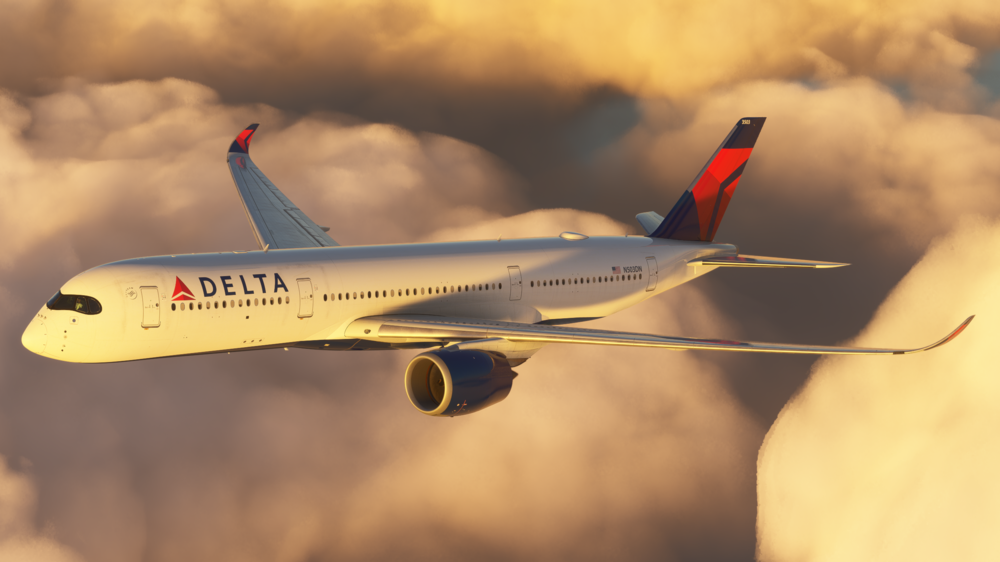
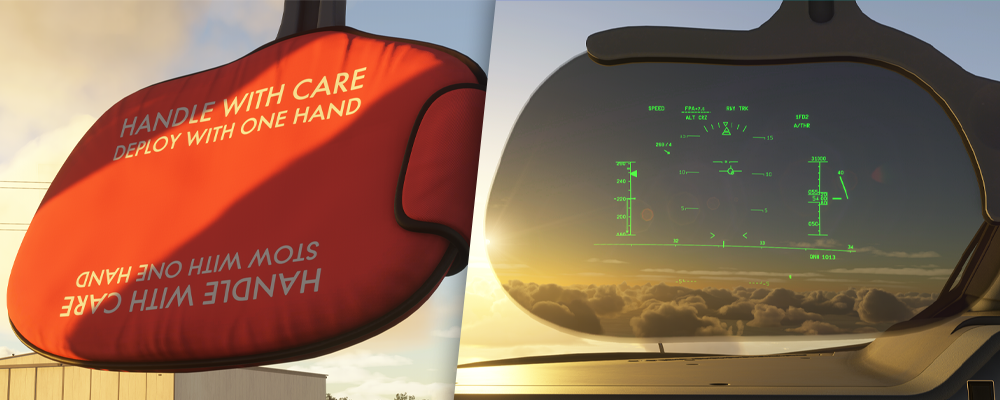
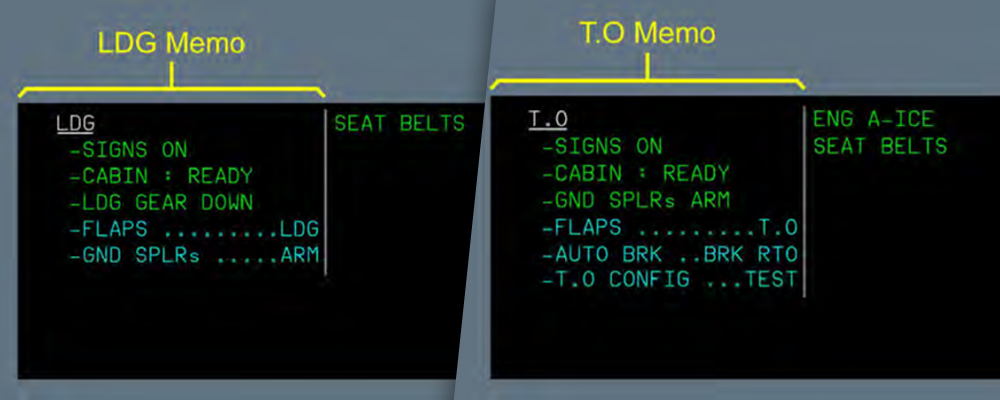
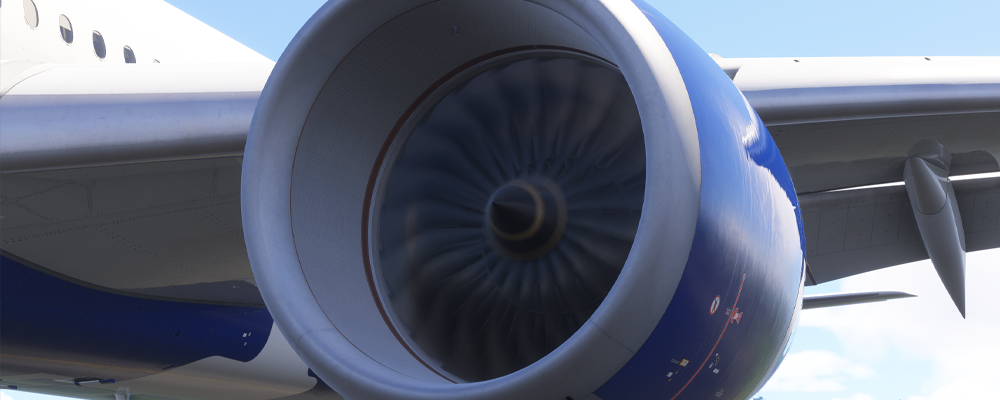
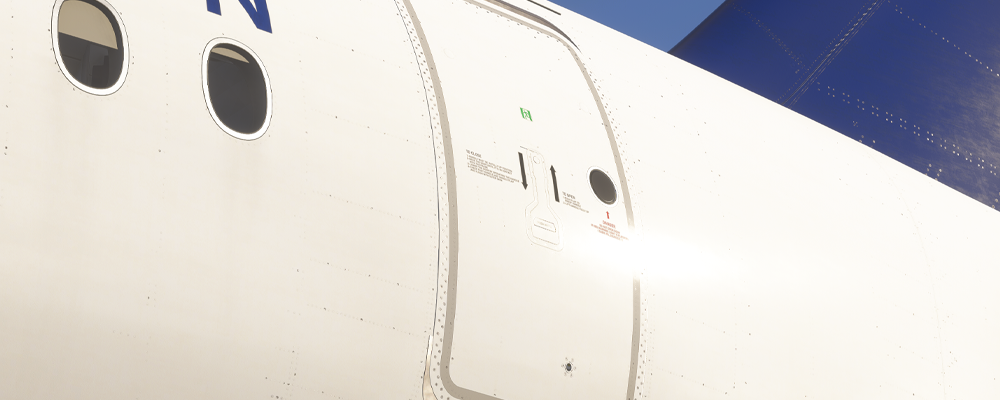
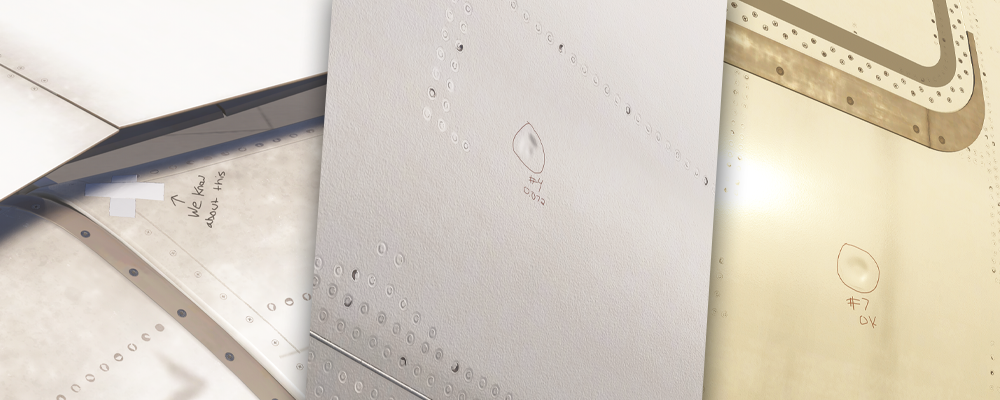
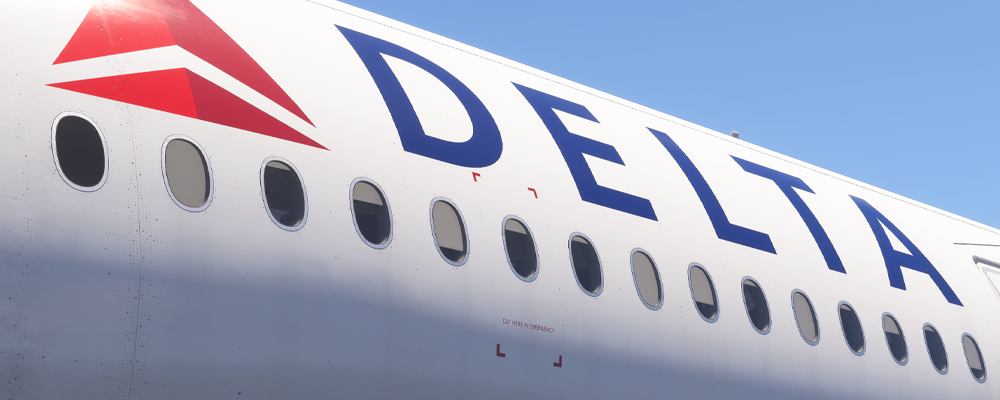
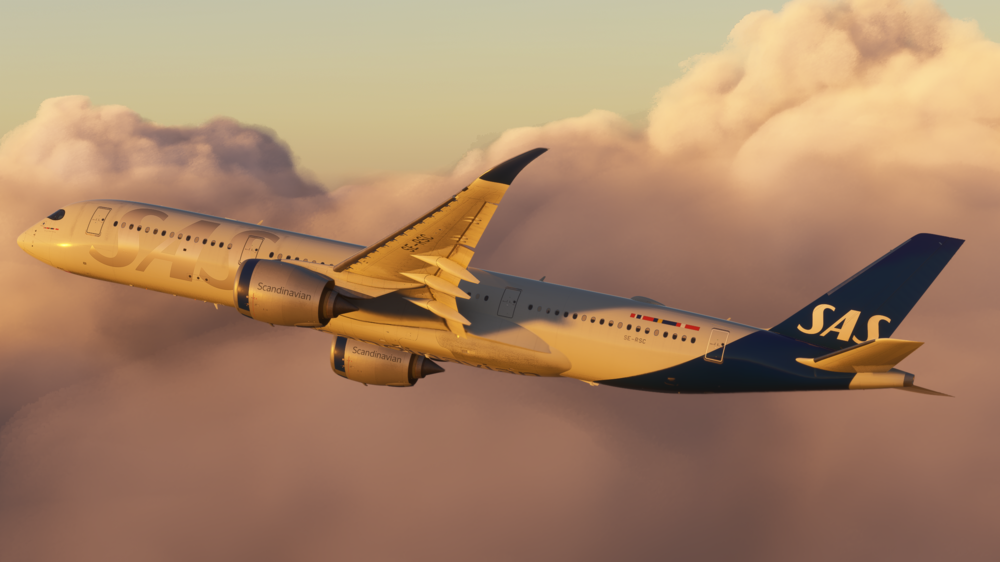
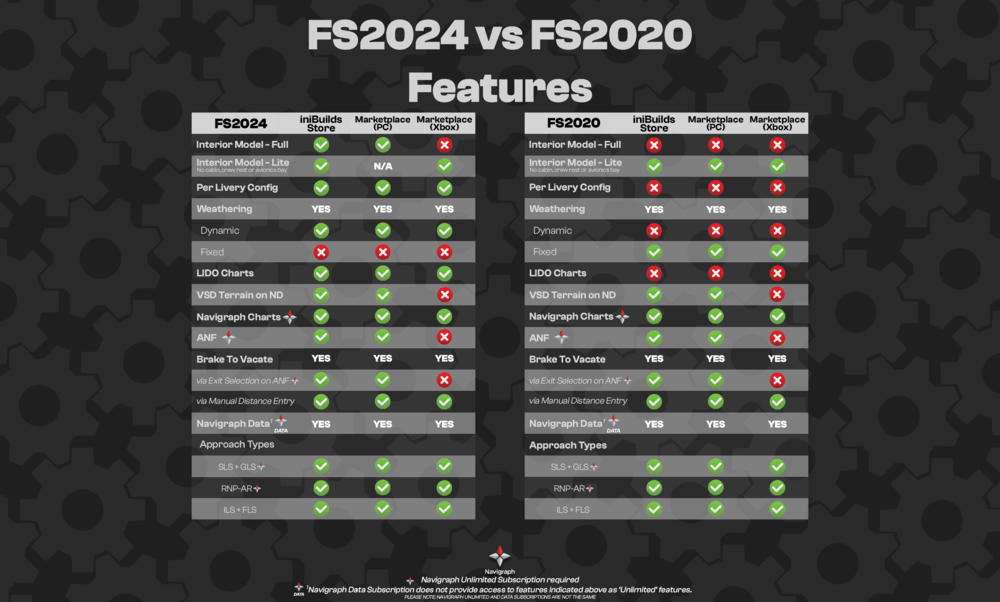
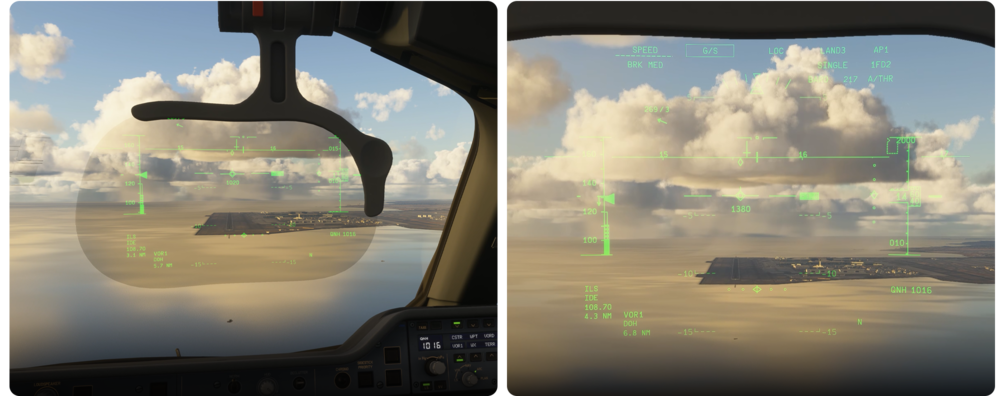
iniBuilds A350 Airliner V1.1.1 Update 🚀 Another week and another fantastic update to progress the iniBuilds A350 Airliner onwards and upwards! The v1.1.1 update is now available and brings a mix of brand-new features, bug fixes, and immersive visual improvements to take your flying experience to the next level. Let’s jump into what’s new, what’s fixed, and what’s been tweaked, plus give you a peek into the exciting improvements made to both the aircraft’s systems and visuals. If you haven't got a copy of the iniBuilds A350 Airliner yet, you can buy a copy through the link below for £59.99 (excl VAT). Buy Now: https://inibuilds.com/products/inibuilds-a350-airliner-msfs-2024 This update can be downloaded via the iniManager. New Feature - Collimated HUD – Heads-Up Display System After some tweaks and bug fixes, we’re proud to announce that the HUD is finally here! A fully functional, realistic Heads-Up Display system is now live with v1.1.1. This system delivers accurate projection and dynamics right in your eye line, helping improve situational awareness in any weather. Optional visibility via the OIS equipment page Smooth deploy/stow animations Accurate FMA display including AP, FD, A/THR & BTV Speed, altitude, and vertical speed symbology Declutter logic with phase-of-flight-based visibility Crosswind Mode: Centres the HUD during high crosswind situations to retain critical info visibility Bugs & Feedback Addressed We’ve received feedback from VR users about MFDs not being clickable. The issue appears to be related to how mouse interaction checks occur per screen, which sometimes fails in VR frame updates. Investigation is ongoing, we hear you and are working on a fix. Vertical Display (VD) Range Indicator A known issue with the range indication logic on the Vertical Display has been acknowledged. This is a system with high complexity both in real life and in the sim, and we’re planning a broader rewrite of the logic in a future update. Cursor Behaviour on MFD Some users noted that both cursors disappear when a text box is active, whereas IRL, the opposite side’s cursor typically remains. This is a design choice to avoid mouse input conflicts, given users only have one active input source in the sim. We’ll continue monitoring feedback on this. Hydraulic System Logic (Flaps Behaviour) The HYD system logic has been fully overhauled. Previously, outer flaps didn’t extend when hydraulics were lost, despite the SD page showing they should. We’ve reworked the logic and it should now operate as required. Inner and outer flap animations now follow real-world logic Asymmetry modelled, trigger the Inner Flaps Fault via the OIS Failures page to simulate ECAM will show INR FLAPS warning and flap position differences, just like the real aircraft Outer flaps will continue to move using the ADBG system even when hydraulics are lost ECAM Memo Formatting Feedback We've had a lot of community feedback on formatting and missing elements in the ECAM Memo section. While we’ve made efforts to incorporate additional user-sourced data since launch, some elements, like formatting, are intentionally based on a specific airline’s reference. This reflects a realistic MSN configuration and software version we had verified access to. Visual & Exterior Enhancements Engine Blur Refinements The engine blur animation has been updated with new templates and more transitional texture stages for a smoother, more believable startup and spool-up sequence. Your wing views just got a serious upgrade. Watch the Start-up with the updated blur below! Refined Metallic Textures Several tweaks have been made to metal material rendering to elevate realism, including more accurate engine inlet detailing, enhanced window frame textures & patched winglet texture regression. FS24-Exclusive Weathering Pass For MSFS2024 users, we’ve rolled out advanced weathering effects, this will add some brand-new texture flags to reduce pixelation on low settings, subtle but impactful additions like dents and taped areas on wings & more realistic wear and tear visible across the entire airframe! Window Blinds – Now Visible from Outside A small but highly requested touch, window blinds are now visible from the exterior model, enhancing immersion during your walkarounds, fly-bys and inflight shots camera views! Xbox Update – Microsoft Marketplace We’re pleased to confirm that the long-awaited iniBuilds A350 Airliner has now been fully tested and is scheduled to go live on Xbox next week for Microsoft Flight Simulator 2024! (if all goes well). This update includes the ULR (Ultra Long Range) variant, expanding your range and options on console. Please note the HUD feature is not included in this release, but it’s well underway and will be arriving soon in a future update. But all the exciting and cool features you see on the A350 will be there! However, please do see the below chart about what features are not Xbox compatible: For those on MSFS 2020, the build is still not in a releasable state, and we appreciate your patience while we work to resolve platform-specific issues. A selection of new livery packs will also be available to enhance your experience—and who knows, maybe there will be some special offers to celebrate? 😉 Thank you for your continued support and enthusiasm. We’re excited to bring these improvements to our Xbox community very soon. ____________________________________________________________ v1.1.1 Systems⚙️FIXED: GA phase stuck in engine-out condition in some cases FIXED: Derotation law now correctly disengages during go-around FIXED: Engine display no longer incorrectly shows TOGA during reverse FIXED: PACK/NAI/WAI indications corrected FIXED: Engine data on ECAM now disappears automatically when expected FIXED: "STALL" warning no longer triggered with no visual/caution indication FIXED: Incorrect AIR ENG2 BLEED FAULT no longer triggered when APU bleed turned on FIXED: CHECK MIN FUEL AT DEST message now behaves correctly with SEC DEST logic FIXED: SEC DEST button logic corrected FIXED: FMS no longer indicates FLS when FLS is deselected FIXED: Incorrect message shown regarding GA SOFT instead of THR MCT during engine-out go-around FIXED: Engine out after V1 now properly transitions through takeoff phase without triggering go-around FIXED: Clock, TAT, SAT, and ISA now show "XX" when IRS not aligned FIXED: Pilot stored waypoint clickspots no longer overlap FIXED: Not possible to add custom pilot waypoints on FIX INFO page — corrected FIXED: INSERT NEXT WAYPOINT from ND now correctly inserts waypoint without blanking the FPLN FIXED: V2 lower than Vls condition in edge case resolved FIXED: Heading preset on ground now functioning correctly FIXED: ND manually tuned M overlap corrected FIXED: NM unit now appears for ILS approaches on PFD FIXED: Improvements to authentication and Navigraph check code FIXED: WASM token request logic updated to only pass token when actively subscribed ADDED: OIS settings now show subscription status notice for Navigraph users ADDED: ETD IFE splash screen based on user feedback FIXED: Lav tank and water tank state now correctly retained after extended flight duration FIXED: Improvements to authentication and Navigraph check code FIXED: WASM token request logic updated to only pass token when actively subscribed ADDED: OIS settings now show subscription status notice for Navigraph users ADDED: ETD IFE splash screen based on user feedback FIXED: Lav tank and water tank state now correctly retained after extended flight duration FIXED: Leftover elements from pilot stored waypoint remained on display FIXED: Brake temps begin decreasing during landing roll after overweight landing FIXED: Added time delay for brake temperatures to display on SD FIXED: PACK 1 and 2 can be operated without bleed incorrectly FIXED: Aircraft import airway from Navigraph reversed in direction FIXED: Arrival runway merged incorrectly into missed approach procedure FIXED: "REFUEL PNL DOOR OPEN" ECAM message shown twice FIXED: ADS-C status missing “ARMED” indication FIXED: OPEN light does not illuminate during fuel jettison TUNED: Brake cooling logic for overweight landings CHECKED: Speed calculations between LBS and KG units for accuracy FIXED: Pilot stored navaids not handled properly via WASM FIXED: Idle reverse should display ~27% N1 FIXED: Message missing when unable to select BTV with BRK MED armed FIXED: Autopilot cannot be disengaged by sidestick due to AP disconnect protection FIXED: DME readout clipping on PFD FIXED: Numerous WASM crashes EFB/OIS🖥️FIXED: SD mailbox message pagination now updates correctly FIXED: APU FU now displays in correct unit when set to LBS FIXED: OIS unable to manually disarm slides — corrected FIXED: FO printouts now correctly display FIXED: HUD declutter button position corrected FIXED: HUD arm shape geometry corrected FIXED: HUD red breakaway indicator corrected and repositioned (CN config) FIXED: HUD position refinements based on user feedback FIXED: HUD size, scale, and placement adjusted from default POV ADDED: Option for fuel panel open/close if GSX bugged out ADDED: Ability to attach printout to CPT or FO side IMPROVED: GSX behavior now includes slide disarming to prevent automatic deployment ART🎨FIXED: Engine PERF mode visibility corrected when cowling open on right engine FIXED: Pilots no longer disappear at LOD0 from external view FIXED: Cargo door handle angle corrected FIXED: Reduced select texture sizes from 4K to 2K for performance optimization FIXED: A6-EXD livery issues resolved FIXED: Iberia livery — missing wing registration corrected FIXED: Cathay B-LXP — exit sign clipping into floor corrected FIXED: Qatar flag orientation corrected in FS2020 version FIXED: Emirates — winglet logo no longer extends into leading edge FIXED: D-AIXQ, D-AIXY and other livery .cfg file errors resolved FIXED: CX B-LXP — missing jettison GW in FMS and overhead switches FIXED: LH cabin pack – business class aisle floor covers overlapping FIXED: ULR Cabin (SQ) – Lights disappear from walls and ceiling while moving through cabin FIXED: ULR Cabin – Missing toilet door and flush clickspots (LOD issue) FIXED: Qsuite – reverse textures corrected FIXED: A350-1000 Default Cabin – PCUAs appear dark (potential code issue) FIXED: A350-1000 Default Cabin – Lights remain ON when they should be OFF FIXED: A350-900 Default Cabin – FWD galley emissives remain ON FIXED: Cathay livery – forward bulkhead low-res texture FIXED: Cabin rear right side LOD issues (final 3/4) FIXED: Zero-thickness cockpit element above 2nd jumpseat removed FIXED: Cabin ceiling lights remain ON after full cold and dark FIXED: Heavy snow visual clipping into fuselage on -1000 FIXED: LH cabin pack – business class aisle floor covers overlapping FIXED: ULR Cabin (SQ) – Lights disappear from walls and ceiling while moving through cabin FIXED: ULR Cabin – Missing toilet door and flush clickspots (LOD issue) FIXED: Qatar Q-Suite Cabin – reverse textures corrected FIXED: A350-1000 Default Cabin – PCUAs appear dark (potential code issue) FIXED: A350-1000 Default Cabin – Lights remain ON when they should be OFF FIXED: A350-900 Default Cabin – FWD galley emissives remain ON FIXED: Cathay livery – forward bulkhead low-res texture FIXED: Cabin rear right side LOD issues (final 3/4) FIXED: Zero-thickness cockpit element above 2nd jumpseat removed FIXED: Cabin ceiling lights remain ON after full cold and dark FIXED: Heavy snow visual clipping into fuselage on -1000 FIXED: FO side pedal disc button animation now syncs with handle IXED: Flap split animation SOUNDS🔊FIXED: Remix avionics power on sound; variety in spool sound behaviour FIXED: Packs sound mixing toned down to be less overpowering FIXED: CTR TK feed sound fixed FIXED: Engine initial start and lightoff aft volume bump FIXED: Engine external rumble on start bump FIXED: Engine whine level dropped during takeoff roll FIXED: Higher N1 ranges fade out less quickly
-
v1.0.5 of iniBuilds Luton (EGGW) for MSFS has been released. This update adds some missing gate signs and updates some ads to Jet2. This update can be downloaded via the iniManager. v1.0.5 - Added missing gate signs (78-79) - Updated Wizz ad to Jet2
-
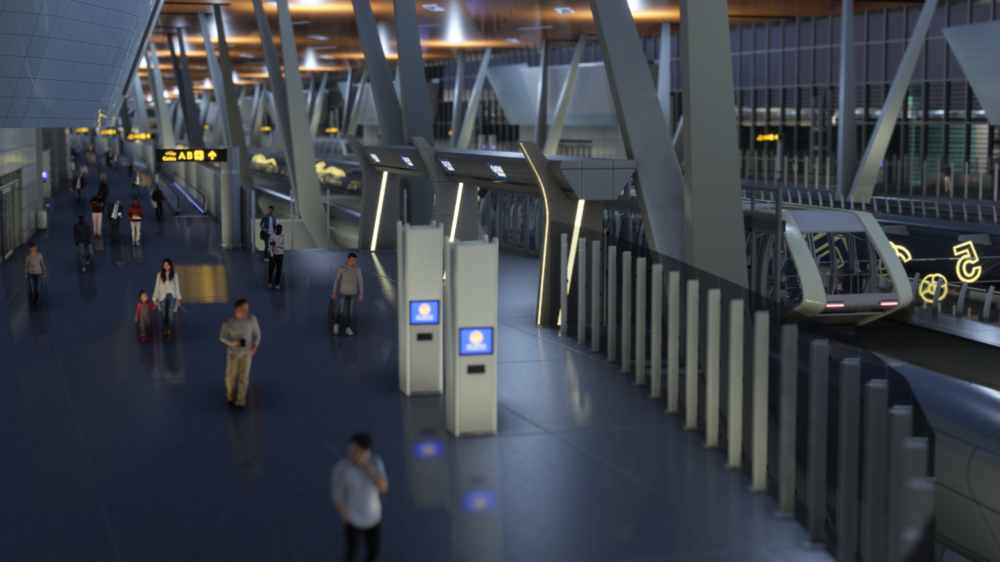
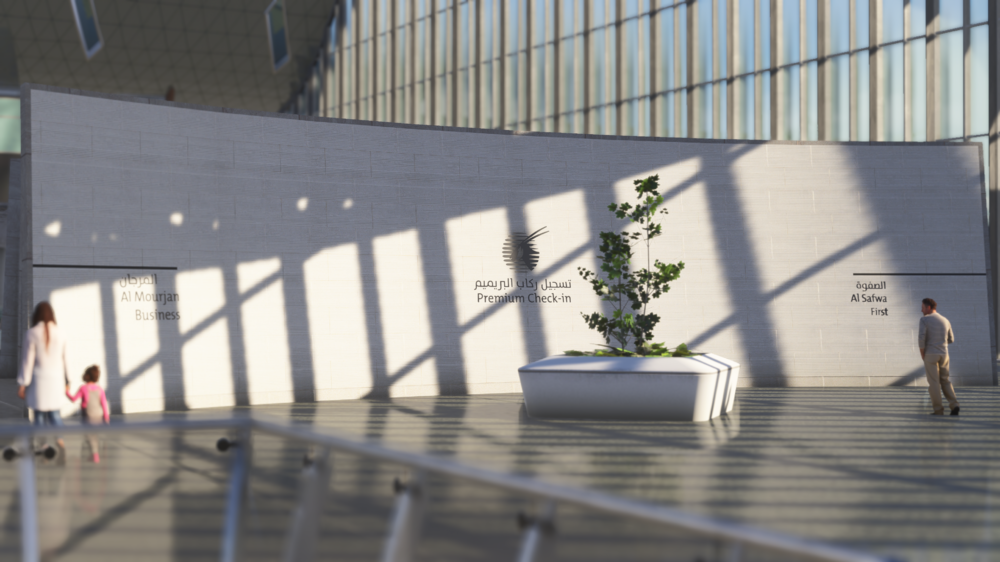
v1.0.2 of iniBuilds Doha Hamad (OTHH) for MSFS 2024 has been released. This update increases the jetway lengths across most gates, increases the number of gates with active jetways and adds 3D people models. This update can be downloaded via the iniManager. v1.0.2 - Increased jetway lengths across most gates - Increased the number of gates with active jetways - Added people models to check-in area
-
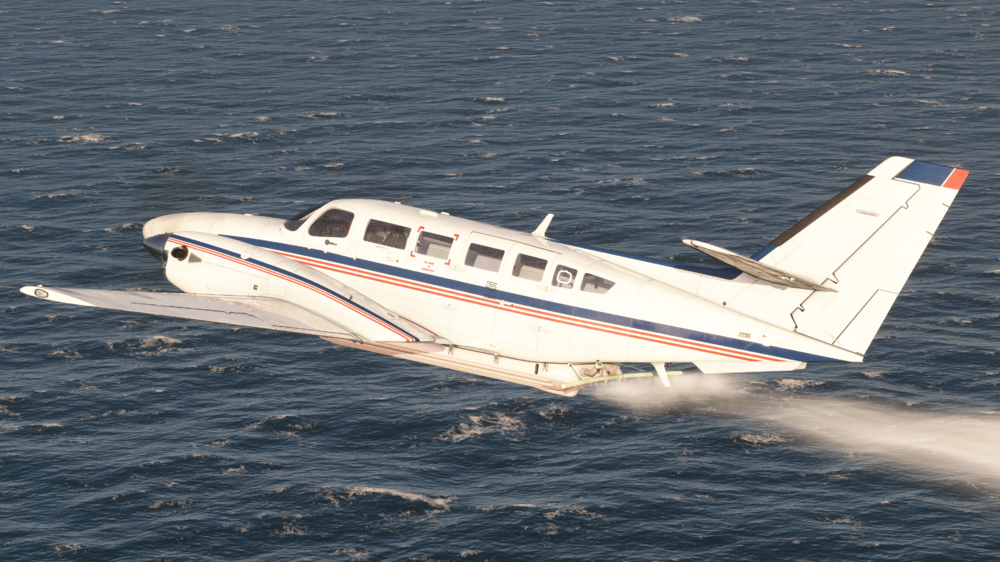
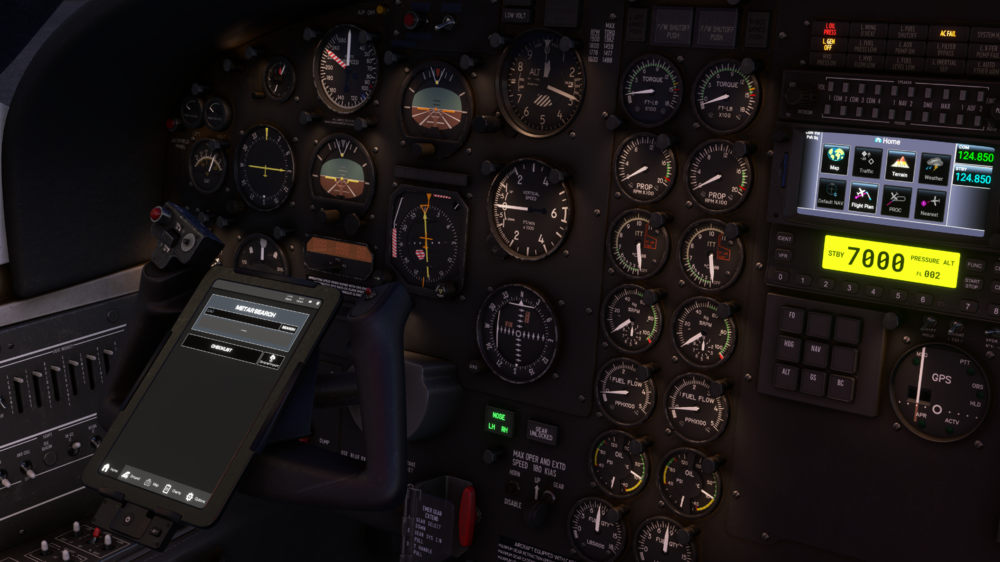
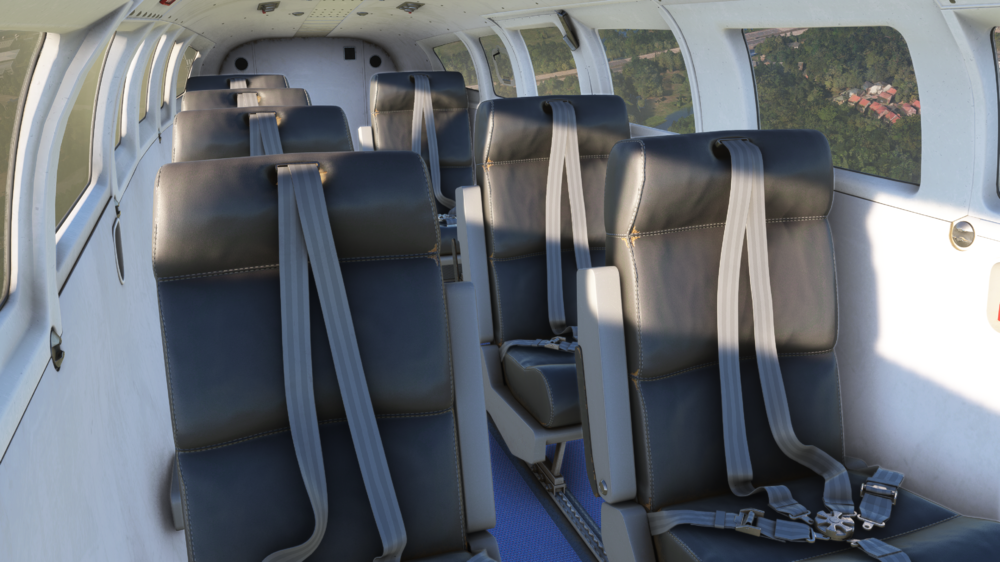
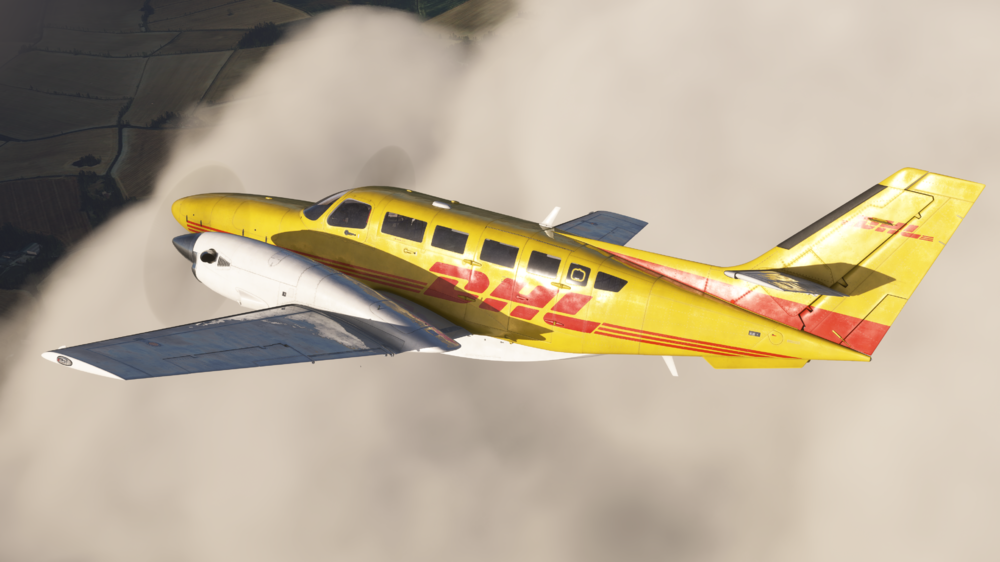
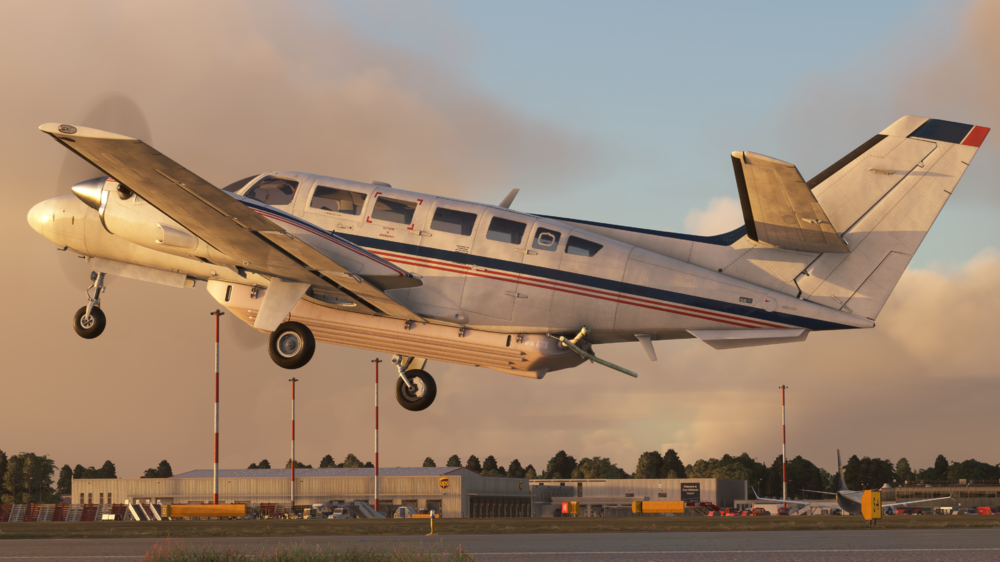
A few weeks ago, we announced our latest upcoming aircraft, the iniBuilds F406 Caravan II for Microsoft Flight Simulator! The team have been working hard to get this aircraft ready, working with pilots & engineers to ensure accuracy on this piece of kit. Aircraft Features: Exterior realism including a high-fidelity model based on 3D scans, custom fowler flaps, exhaust effects, propeller blur and more! Authentic sound suite for cockpit and external curated by Echo 19 Audio Productions, including authentic PT6A turbine and McCauley 3 blade propeller sounds. Fully integrated GTN 650 avionics - Compatible with Asobo, PMS & TDS - Hot swappable GTN models for flexible navigation Modern EFB with Navigraph charts and map support Multiple aircraft variants with tailored interiors, exteriors, and mission-specific systems: - Passenger Transport - Cargo/Utility - Surveillance - Maritime Patrol - Environmental Response Dynamic loading systems based on sim or EFB payload inputs Functional surveillance systems - Aerial surveillance station and computer (model only) - Animated, gyro-stabilised camera - Coastguard SLAR and AIS Radar dome (model only) - Interior surveillance ops station (model only) Custom autopilot system, designed for realistic single-pilot operations and advanced nav support Detailed lighting system, with individually adjustable cockpit lighting and rotatable light stalks Accurate electrical systems simulation with selected circuit breakers being operational You can purchase this amazing, versatile aircraft from the iniBuilds Store, soon for just £19.99*Purchase Link: Coming Soon* Price excludes VAT The F406 Caravan II is a unique twin turboprop aircraft, designed with versatility and performance in mind. It has built a strong reputation as a true multi-role platform, capable of handling aerial survey, medevac, light cargo, and regional passenger transport missions with ease and reliability. With the help of Echo 19 Audio, we were able to capture the unique twin turboprop sounds of the F406, from the iconic startup sequence to cruise engine hum and switch clicks in the cockpit. Every element has been recorded using professional-grade equipment from the real aircraft to ensure the most immersive experience possible in sim. Our team worked incredibly hard to match the flight dynamics of the F406 with data sourced from manuals, performance charts, and RVL pilot feedback. This is not just a visual replica, it flies like the real thing, whether you're performing short field takeoffs, cruising on a surveillance mission, or descending into an unlit regional strip. Both modern avionics and rugged mission-ready equipment are modelled to allow sim pilots to use this aircraft in a variety of roles. Whether you’re flying low-level surveys or delivering supplies to remote outposts, the F406 is ready for the job. Watch the Welcome to & Trailer, below! Welcome To: Trailer: This aircraft brings utility, precision, and authenticity, and we’re incredibly proud of the work that’s gone into it! Thank you again to all of the expertise and access that has been so kindly provided by RVL Aviation, it's not only been a pleasure to work with the team here, but gain these invaluable insights into their operation of the F406. Our collaboration with RVL Aviation gave us an incredible opportunity to get up close and personal with one of the most operationally active F406s in the world. Over multiple site visits, the RVL team allowed us to photograph, film, and document every inch of the aircraft, inside and out. So for this, we want to extend our gratitude & thanks to the team and their mission, without them, this project would not have been possible. As a token of our appreciation, we have donated £1,000 to the charity of RVLs choice: Derbyshire, Leicestershire & Rutland Air Ambulance. Thanks, iniBuilds Team ❤️
-
v1.0.1 of iniBuilds Doha City & Landmarks for MSFS 2024 has been released. This update fixes some aggressive LODs, floating people, models colliding & more. This update can be downloaded via the iniManager. v1.0.1 Landmarks: - Fixed Kempinski building aggressive LODs - Fixed Burj Al Mana sitting on top of another building - Removed Helipad at Rotana tower that was ground level Banana Island: - Removed Trees from Path - Fixed water going uphill - Fixed Flooded Walkways - Smoothed Beach Terraforming - Fixed Submerged Pier Walkway - Fixed Floating People
-
v1.0.1 of iniBuilds Doha Hamad (OTHH) for MSFS 2024 has been released. This update improves the terminal glass, fixes floating objects next to RWY 34L and also adds new control panel options that allow you to gain increased performance if turned off. This update can be downloaded via the iniManager. v1.0.1 - Improved Terminal glass - Fixed floating objects next to RWY 34L - Fixed approach lights rendering in late Added multiple options to CP: - Enhanced Building Details - Low detail terminal - Parking shades - Street lights - Vegetation - VFX
-
v1.0.2 of iniBuilds Providence (KPVD) for MSFS 2024 has been released. This update ensures compatibility with City Update 11 and adds some additional spawn points. This update can be downloaded via the iniManager. v1.0.2 - Compatibility with City Update 11 - Additional spawn points at General Aviation Parking
-
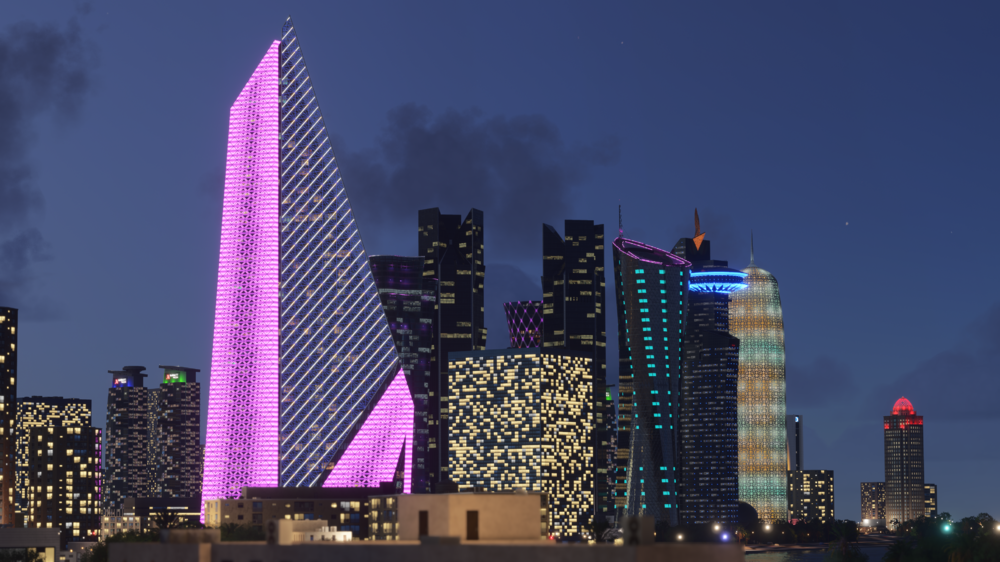
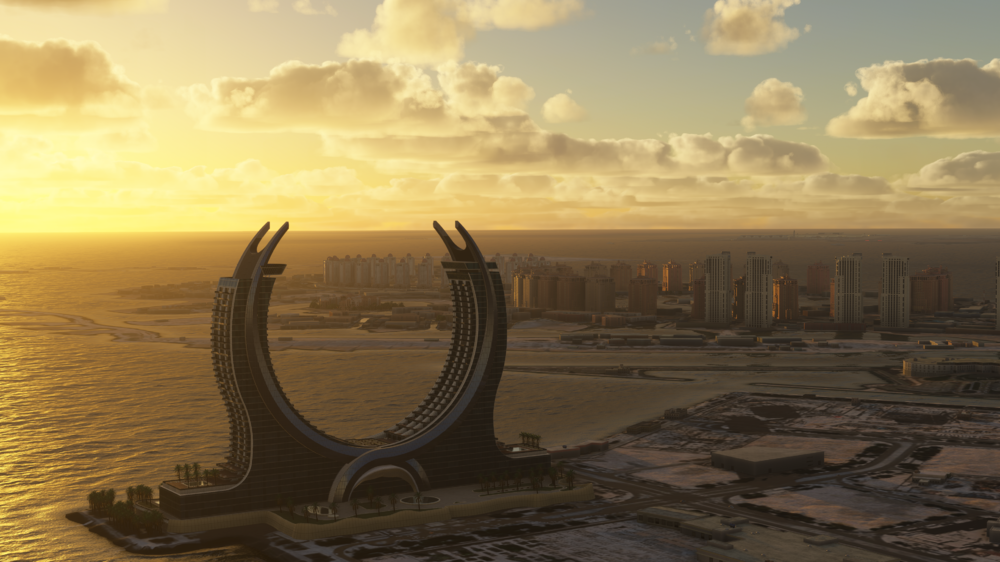
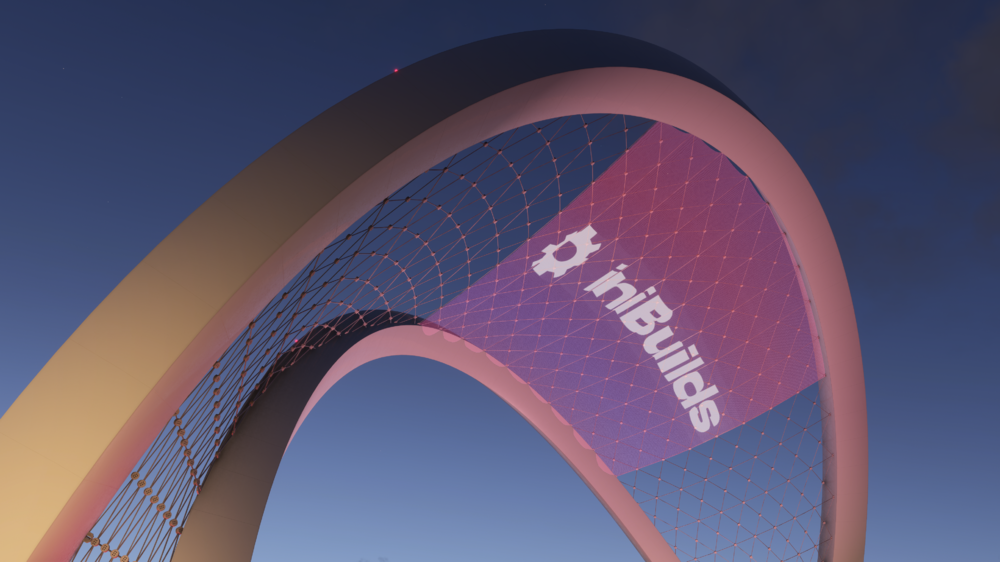
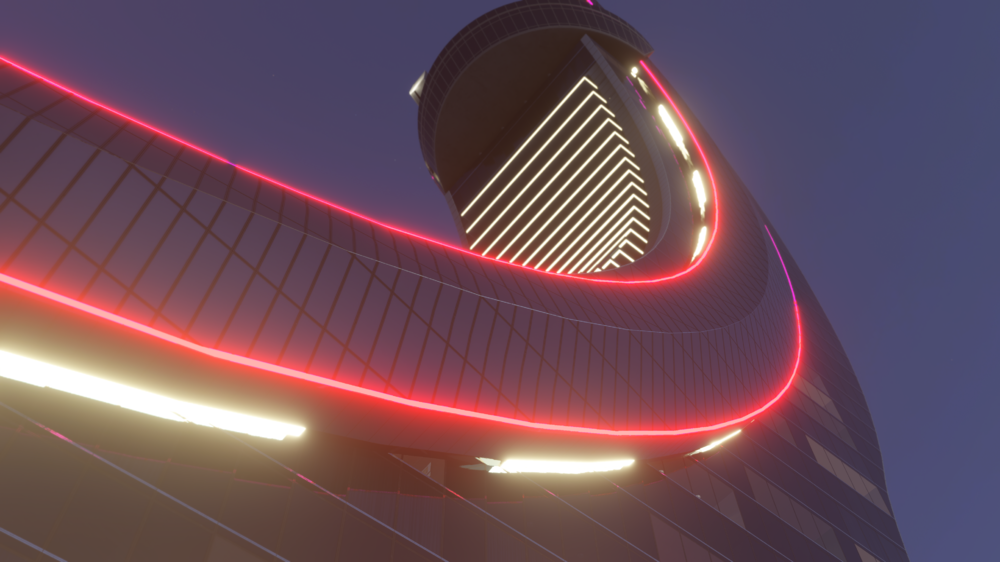
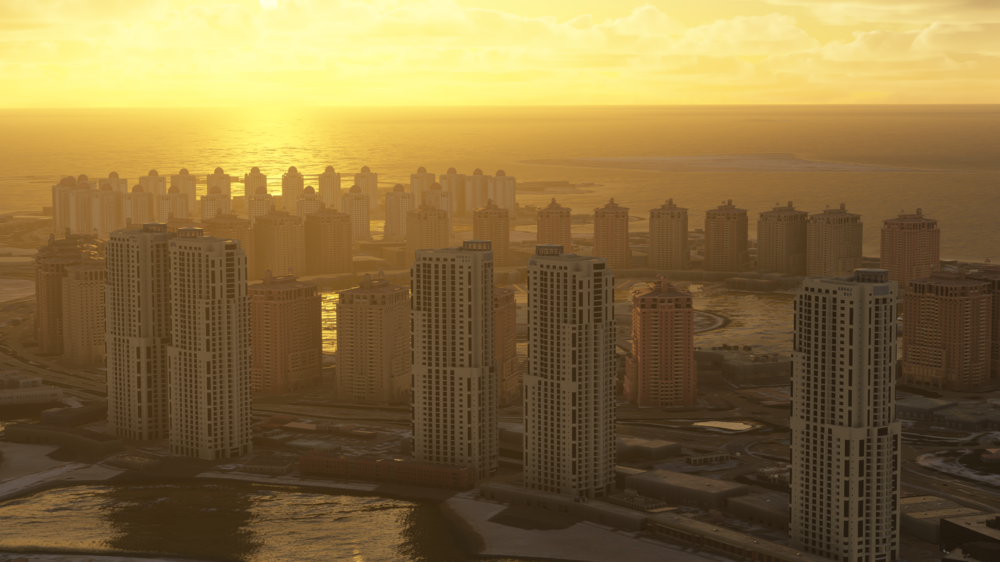
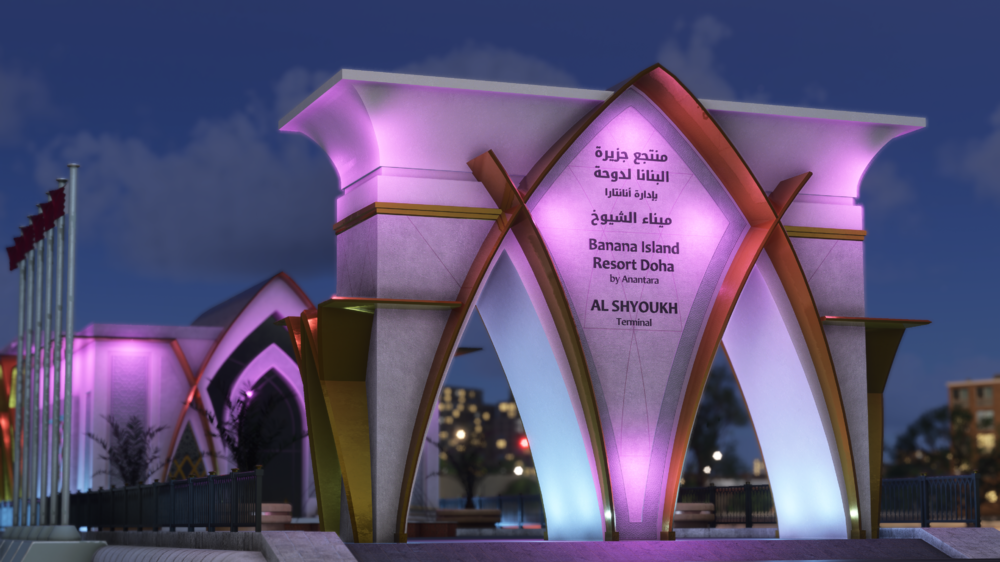
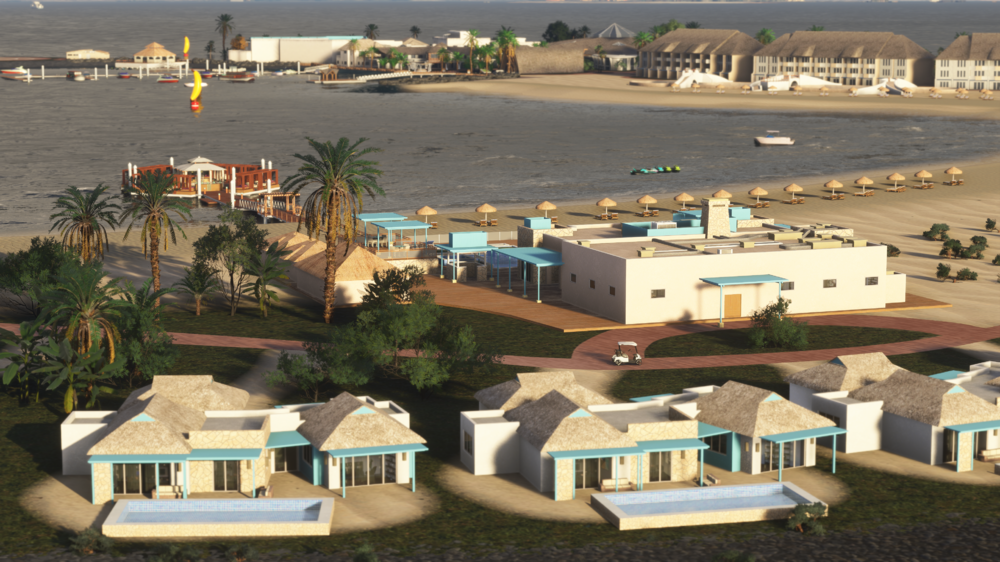
Transform your experience of Qatar with this vibrant city enhancement pack, carefully built to complement our Doha Hamad International Airport scenery. Featuring over 30 iconic landmarks including Banana Island, Tornado Tower, Katara Towers, and the Museum of Islamic Art, this package brings the skyline and coastline of Doha to life like never before in Microsoft Flight Simulator 2024! Available now for £9.99 (excl. VAT) or FREE for a limited time if you purchase with Doha Hamad International Simply add both products to your cart, and the discount will be taken automatically at checkout! Get it here → https://inibuilds.com/products/inibuilds-doha-city-landmarks-othb-msfs-2024 🏗️ Landmark Highlights: Banana Island – fully modeled resort island with beaches, villas, and marina! Katara Towers Doha Tower The Pearl (Two Islands) Tornado Tower Burj Al Mana Stadium 974 Sheraton Hotel Al Bidda Tower Al Asmakh Tower Doha Port (Two Models) The 7 Rixos Tower Palm Towers JW Marriott Trio Woqod Tower Vyra Suites Al Shyoukh Terminal Qtel Tower 5th June Arch Doha Bank Kempinski Museum of Islamic Art North Oil Company World Trade Center Al Jassimya Tower Abraj Bay Towers Pillars Monument 🌴 Includes Banana Island – an offshore resort, beautifully recreated! From overwater villas and palm-lined beaches to the central pier and marina, every element is handcrafted for stunning realism. Whether you're flying low and slow or taxiing a seaplane ashore, Banana Island is a must-visit landmark in your Doha flying experience. 20250613-1223-48.3003915.mp4 From the shimmering skyline of West Bay to the cultural landmarks along the Corniche, this scenery pack brings Doha to life, especially for those low-level approaches, or just soaking in the beauty of the Qatari capital from above! WATCH THE TRAILER! 📽️ iniBuilds Team ❤️


-
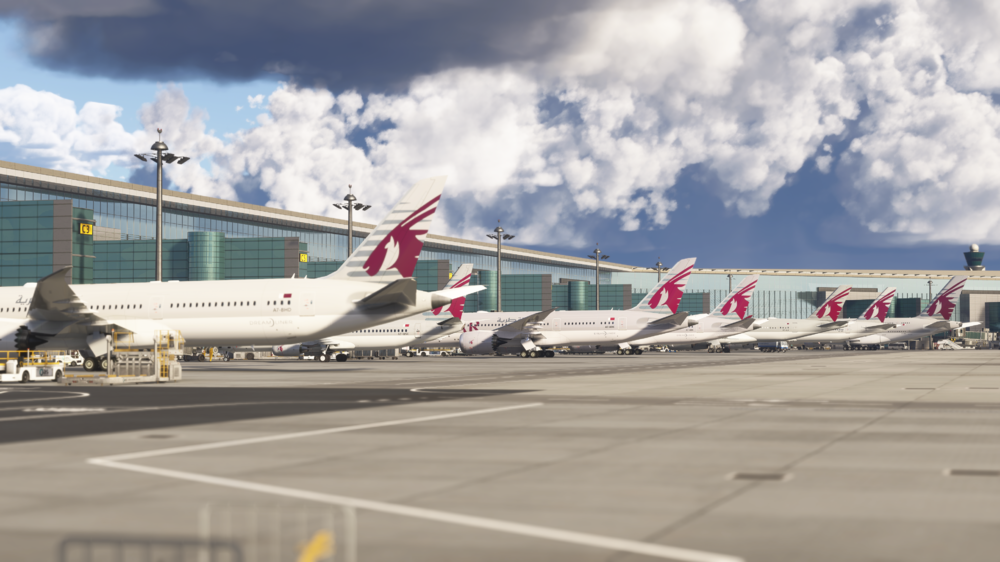
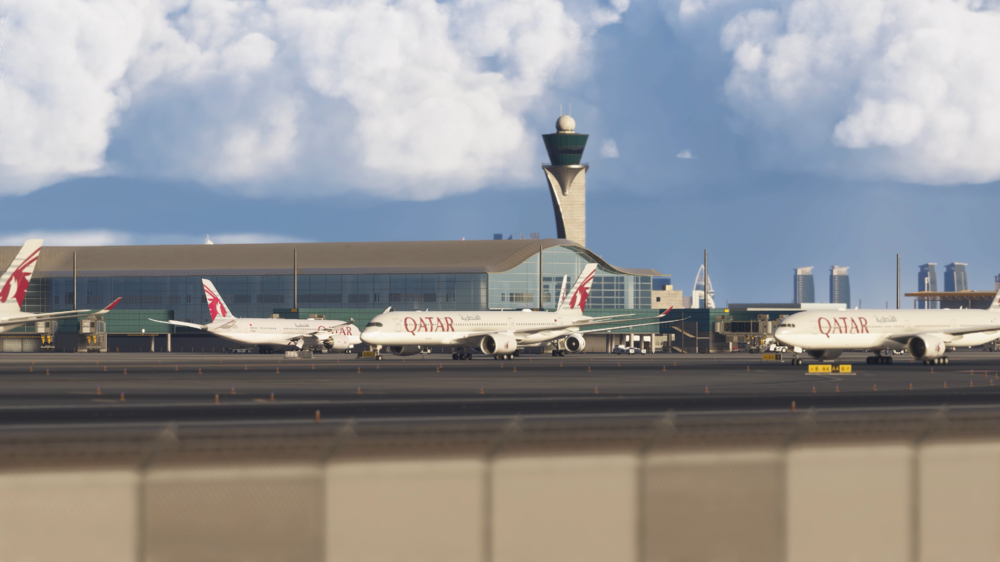
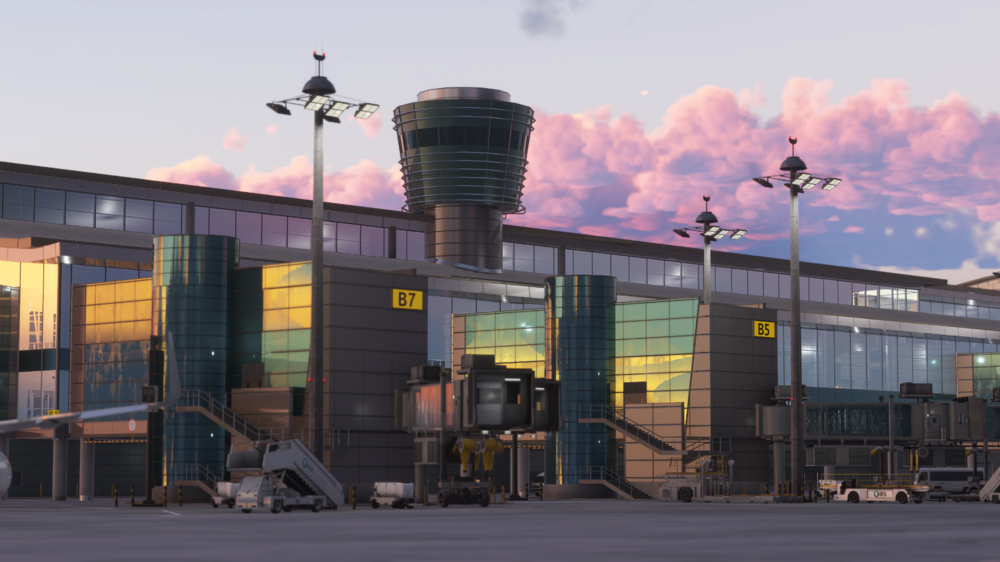
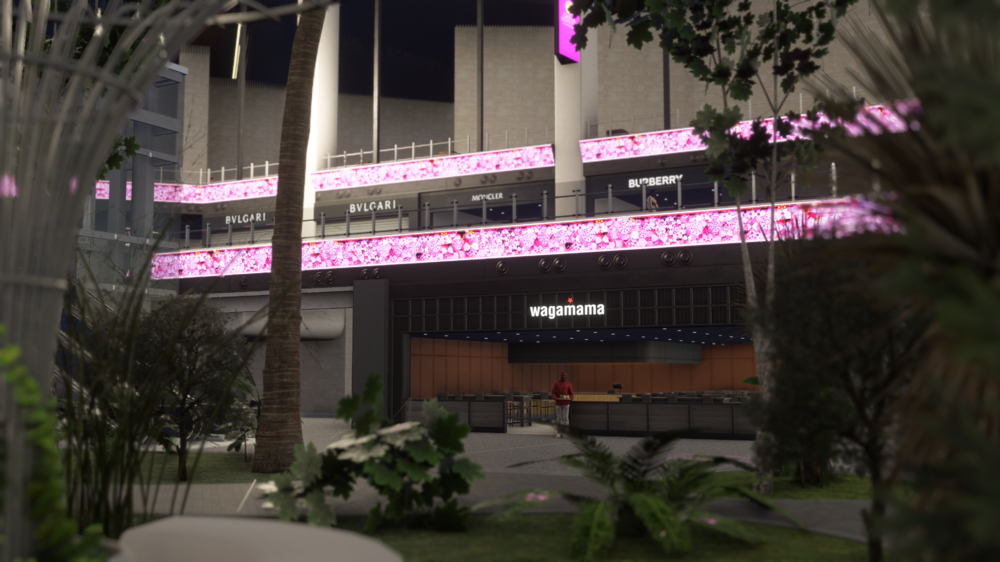
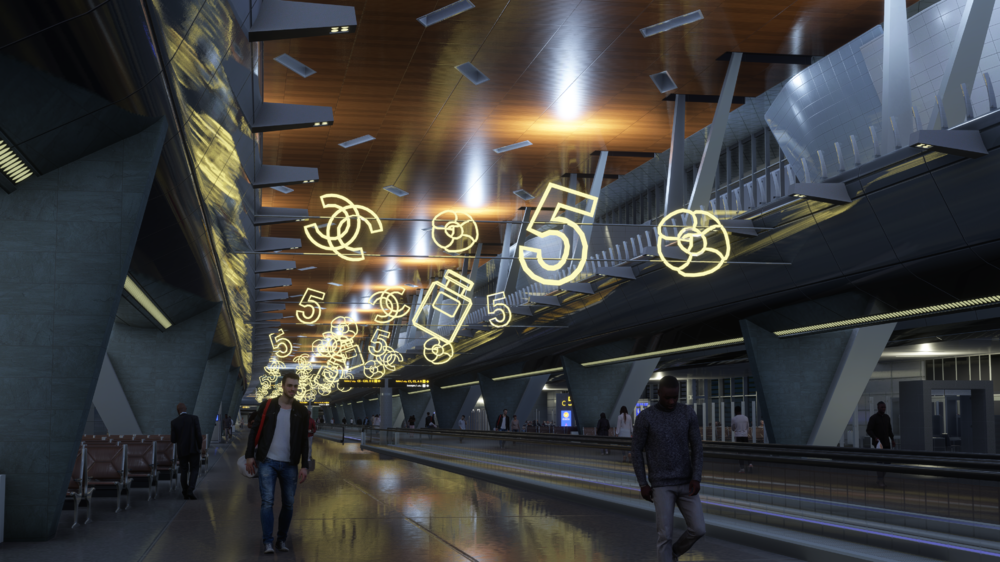
Welcome to Doha Hamad International (OTHH) – built from the ground up for Microsoft Flight Simulator 2024! 🌍✈️ Experience the gateway to Qatar with one of the Middle East’s most iconic and luxurious airports. As a major international hub connecting continents, Hamad International blends stunning architecture with world-class operations – all carefully recreated for MSFS 2024. Available now for £19.99 (excl. VAT) Get it here → https://inibuilds.com/products/inibuilds-doha-hamad-othh-msfs-2024 Now until the 4th July, get Doha City & Landmarks for FREE when you purchase a copy of Doha Hamad, simply add both products to your cart, and the discount will be taken automatically! Add the product here → https://inibuilds.com/products/inibuilds-doha-city-landmarks-othb-msfs-2024 ✈ Discover Doha Hamad Like Never Before From the stunning wave-shaped terminal to the expansive aprons bustling with global traffic, every detail of Hamad International Airport (OTHH) has been crafted for Microsoft Flight Simulator 2024. Explore the vast terminal interiors, roam the aircraft stands, and take in the atmosphere of one of the Middle East’s most luxurious and modern aviation hubs. Scenery Features: Hand-made ground textures with crisp, bespoke texture sets for runways, aprons, paths, and roads True-to-life airport landside recreation with custom ground decals, signposts, vegetation, parking barriers, and more Accurately modeled and positioned dynamic airport lighting for enhanced realism 180+ hand-crafted models featuring custom-made buildings, vehicles, and objects Hand crafted terminals with crisp textures providing a fresh, modern appearance HD jetways with intricate details enhancing the airport's realism Highly detailed models of all airport buildings, objects, and surroundings Full HD ground poly matching the 2025 airport layout Animated terminal train system traveling inside the terminal Up-to-date airport layout reflecting the current, real-world location Official GSX profile included in the scenery folder and iniManager download Level of Detail (LOD) optimization for every model ensuring the best performance possible Use of the latest MSFS2024 SDK features for optimal performance and smooth experience Bespoke taxi signage true to real-world specifications Full iniManager compatibility allowing easy configuration for optimal performance on your system Whether you’re flying a regional hop to Muscat, a flagship Qatar Airways A350 to New York, or an overnight cargo run across the globe, Hamad International offers an unmatched experience in MSFS 2024. With beautifully modeled terminals, active aprons, and the unique atmosphere of a modern Gulf mega-hub — this is Doha at its finest! WATCH THE TRAILER! 📽️ iniBuilds Team ❤️
-
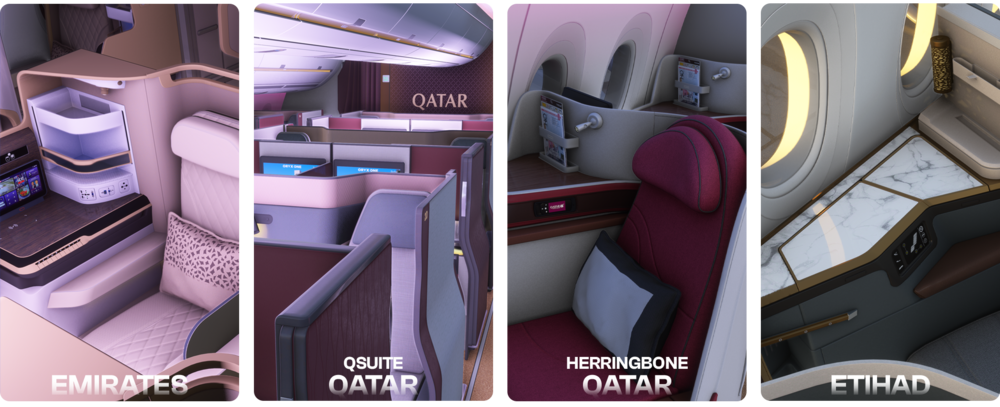
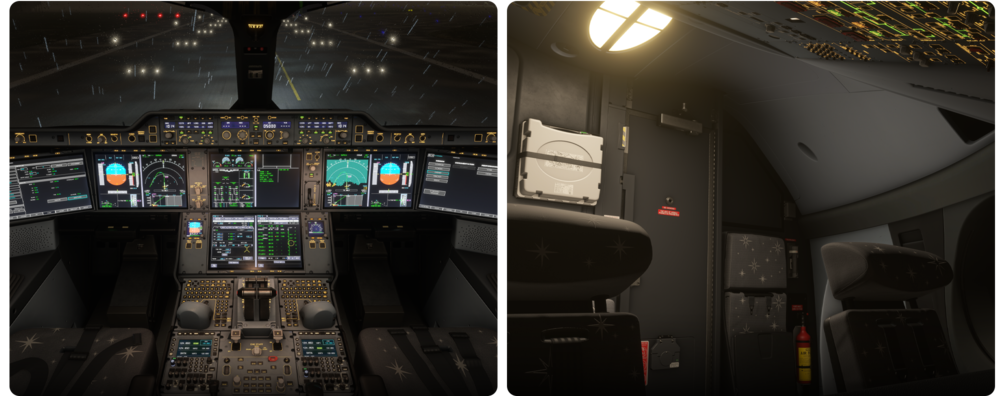
A350 Airliner Cabin Packs 💺 Alongside the latest v1.1.0 update for the iniBuilds A350 Airliner, we’re adding more depth not just to how the aircraft flies, but how it feels inside. Introducing our new Cabin Packs, a series of detailed airline cabin interiors designed to reflect real-world A350 operators from around the globe, enhancing your in-flight experience on those long hauls! From premium-heavy long-haul layouts to iconic business class setups, these cabins are crafted to enhance realism and bring your flights to life. They go beyond just looks, offering detailed recreations of how each airline configures and styles its A350 cabin in the real world. FREE This pack brings together a range of well-known European operators and layouts you'll likely recognise if you've flown on the A350 in real-life! Air France (A350-900) A refined cabin featuring Safran Optima seats in business class, arranged in a 1-2-1 layout. The rest of the cabin follows a pretty typical widebody layout with recliners in premium economy and standard 3-3-3 seating in the back. It’s a light, open cabin with a clean French feel. British Airways (A350-1000) This one features BA’s Club Suite in business, forward-facing seats with privacy doors, arranged in a 1-2-1 reverse herringbone layout. The premium economy section gives a bit more room to stretch out, while economy follows a standard 3-3-3 setup. Overall, it’s quite a dark and calm interior, with soft lighting and a familiar BA style. Virgin Atlantic (A350-1000) Virgin brings in their Upper Class cabin with herringbone seating. Premium and economy have a brighter look, with splashes of red and modern fabrics. It’s definitely one of the more characterful A350 cabins. Lufthansa (A350-900 and 1000) Lufthansa’s setup is on the simpler side, with 2-2-2 seating in business class on the -900 and newer layouts arriving in the -1000. Premium economy offers a solid middle ground, and economy keeps things clean and functional. FREE This pack is focused on premium Middle Eastern carriers, each with their own take on comfort, design and attention to detail. Emirates (A350-900) This is based on Emirates’ latest A350 layout. Business class uses staggered seating with warm tones and gold accents. Premium economy features plush recliners in a 2-4-2 layout, and economy stays true to their usual 3-3-3 setup. The design’s a mix of traditional touches and newer materials. Qatar Airways – QSuite (A350-900 and 1000) One of the more well-known business class products, QSuite is your own room in the sky, with its sliding doors, movable dividers, and the option to make shared spaces. The rear cabin uses the same economy seats as the herringbone layout. It’s a cool setup if you like variety within the same airline. Qatar Airways – Herringbone (A350-900) A traditional reverse-herringbone layout in business, with the usual Qatar palette of burgundy and grey. Economy sticks with the airline’s clean design and comfortable seating. It’s a simple but sharp layout used on many of their -900s! Etihad (A350-1000) Etihad’s A350 is pretty stylish throughout. Business class uses a staggered layout with some nice privacy and a modern colour scheme. The rest of the cabin follows the same aesthetic, geometric patterns, and a quiet, polished vibe from front to back. Easy Installation and Selection: To use them, simply select the cabin pack you want from the aircraft preset menu before loading into the sim. We've made a simple guide to walk you through how to get these enabled in-sim! Here's a few more pictures to showcase how awesome these packs really look in sim! British Airways (-1000) | Cabin Pack I Lufthansa (-900 & -1000) | Cabin Pack I Qatar QSuite(-900 & -1000) | Cabin Pack II Emirates (-900) | Cabin Pack II Whether you're simming a short hop or flying halfway across the world, the A350 Cabin Packs help bring another layer of realism to your flights. Pick the layout that suits your route or airline of choice, load in, and enjoy a more authentic cabin environment from pushback to shutdown. Watch the Trailer 🎥 iniBuilds Team ❤️
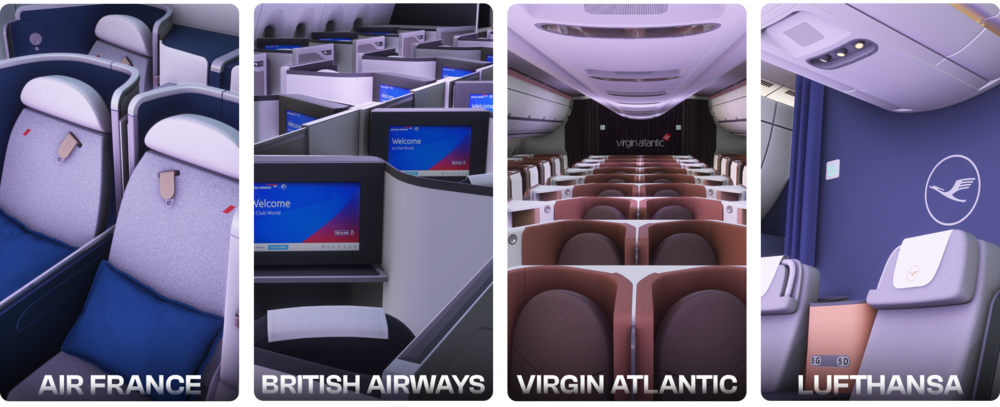

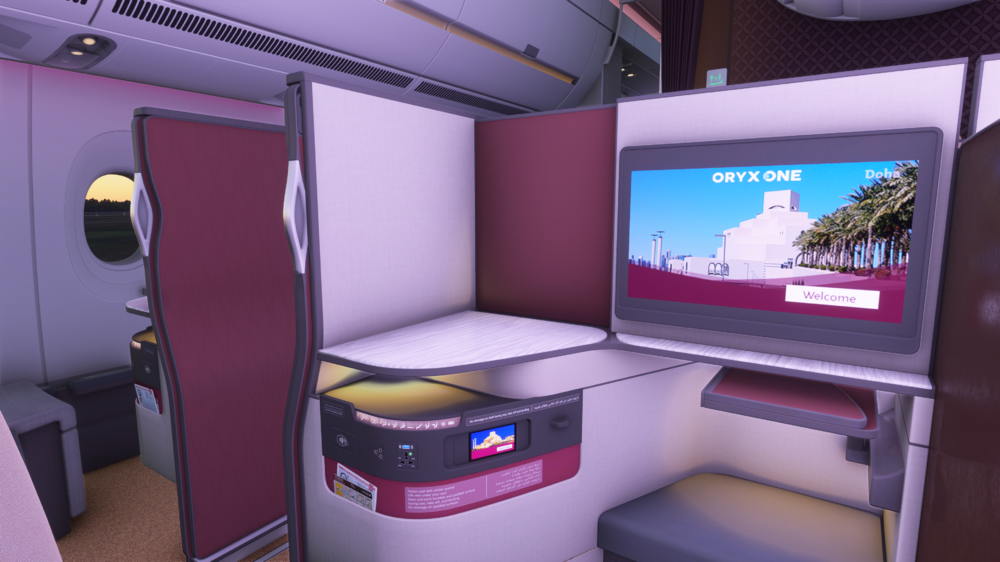
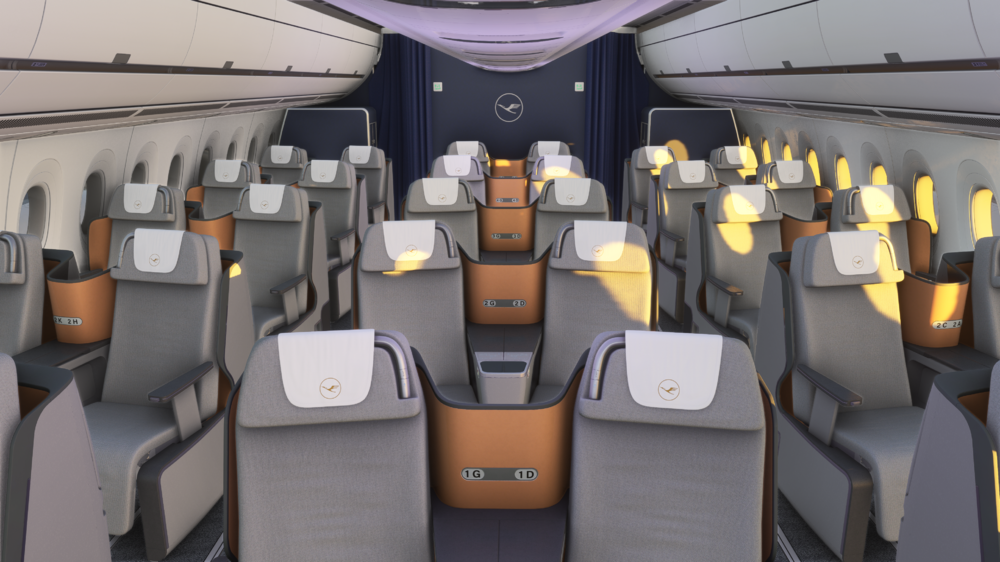



-
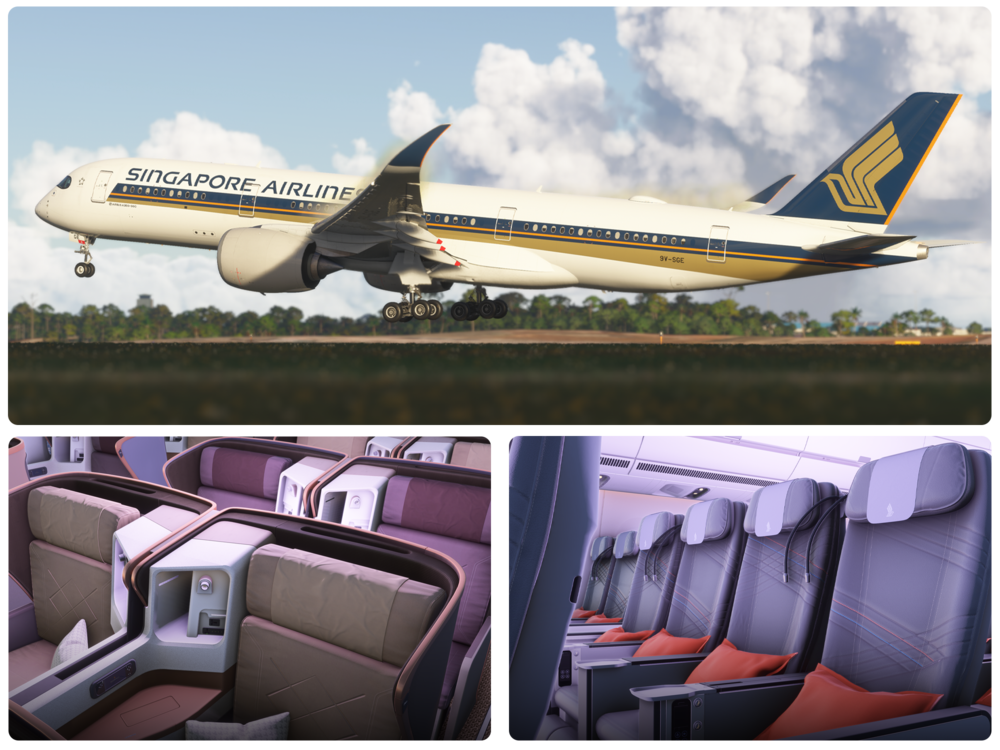
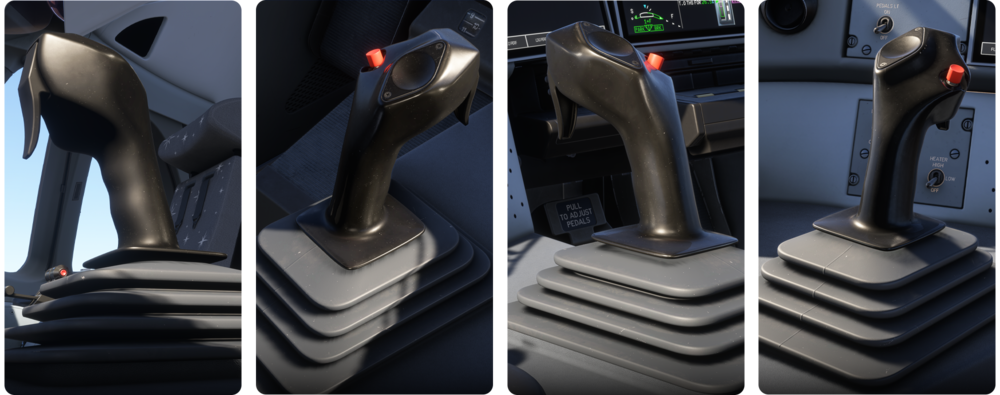
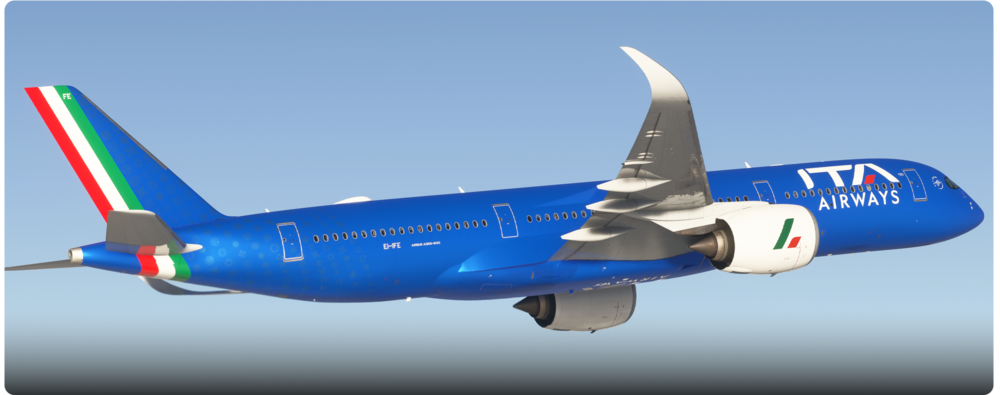
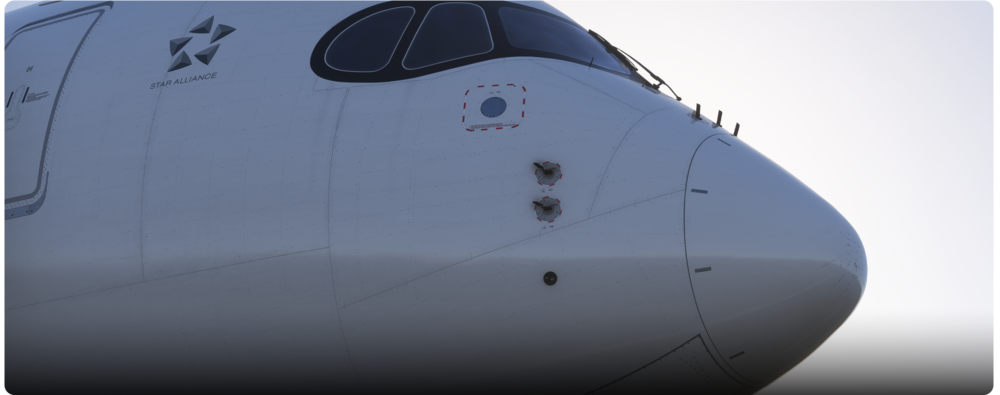
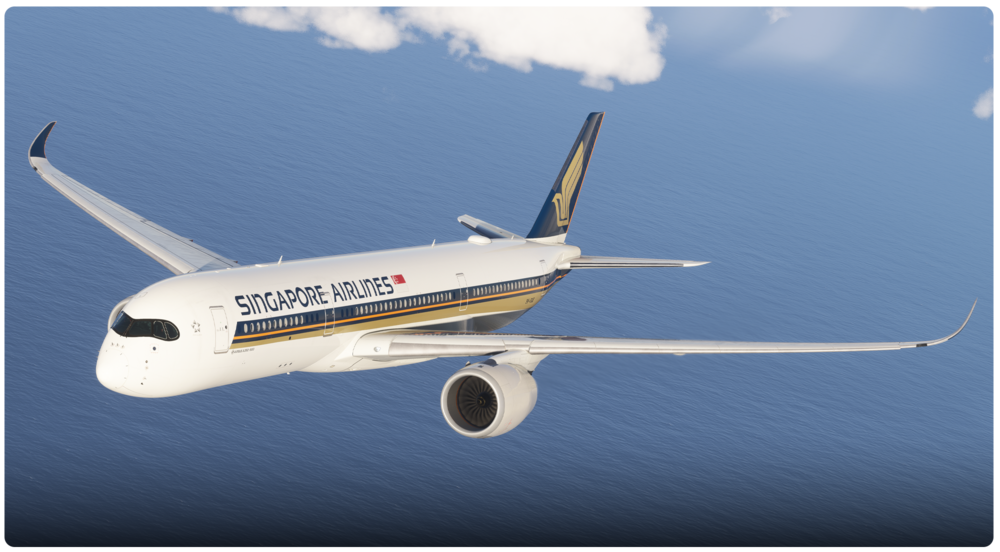
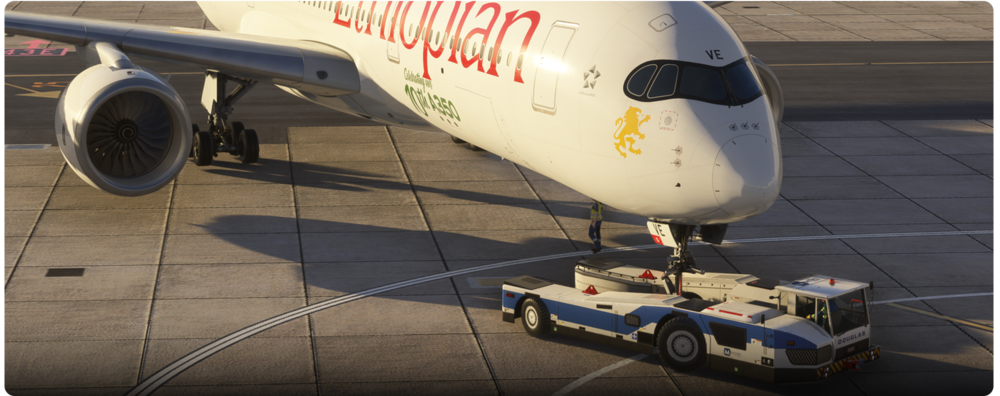
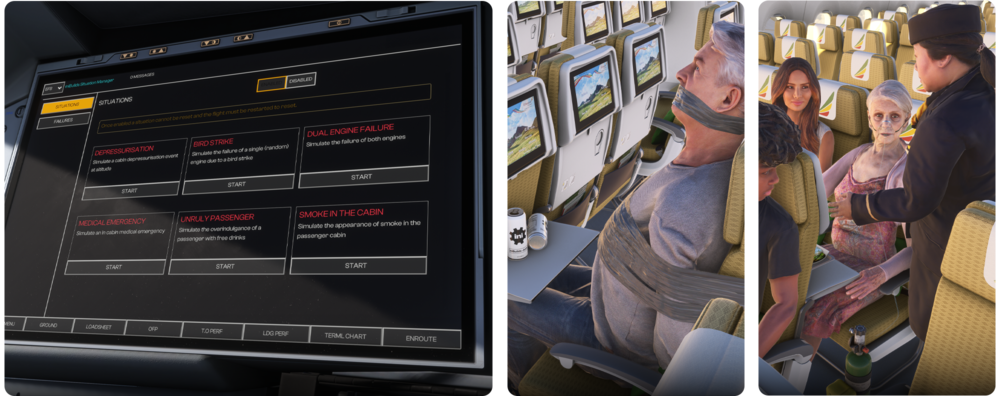
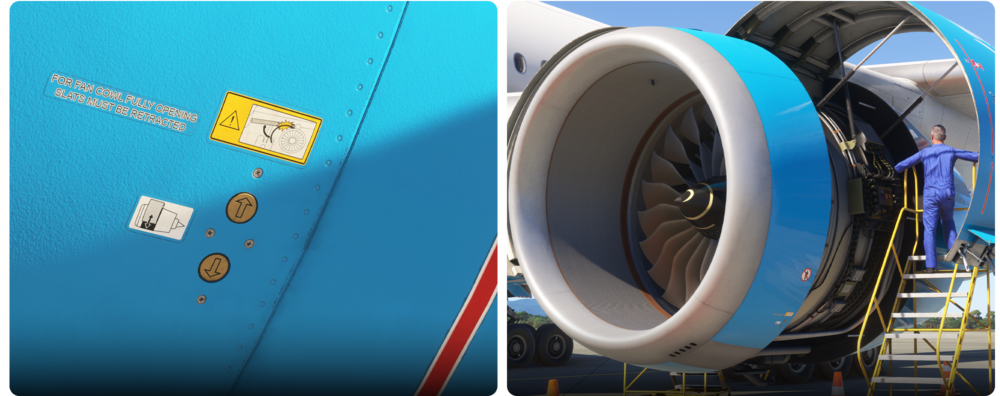
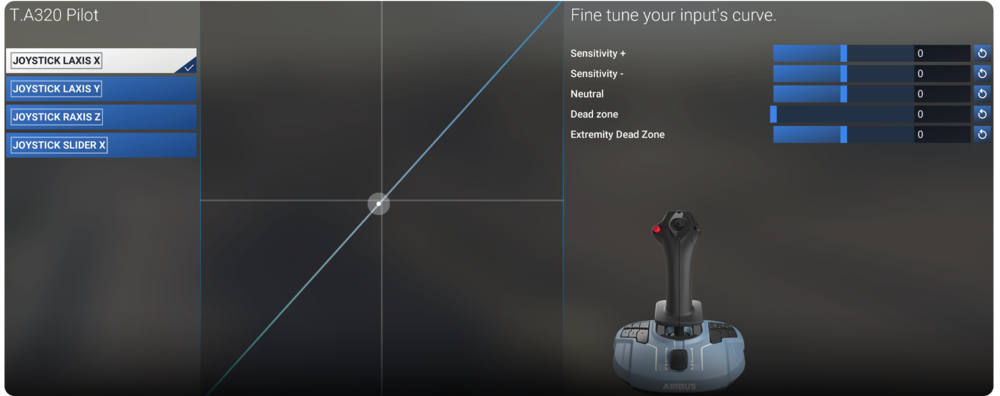
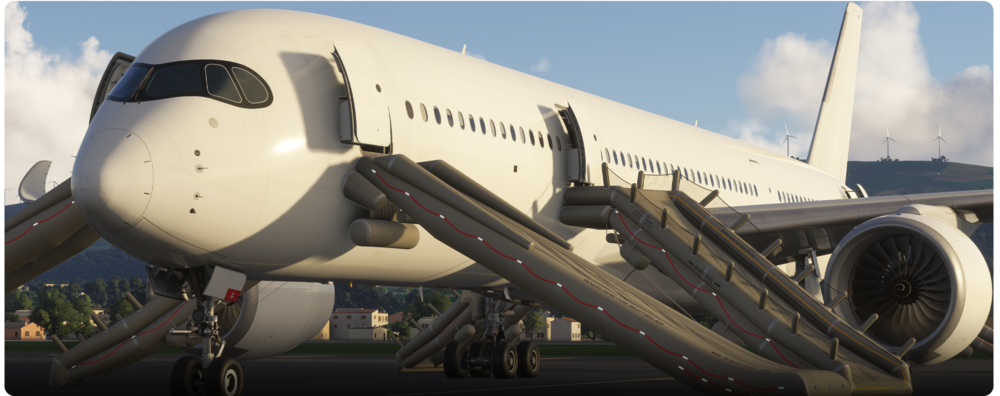
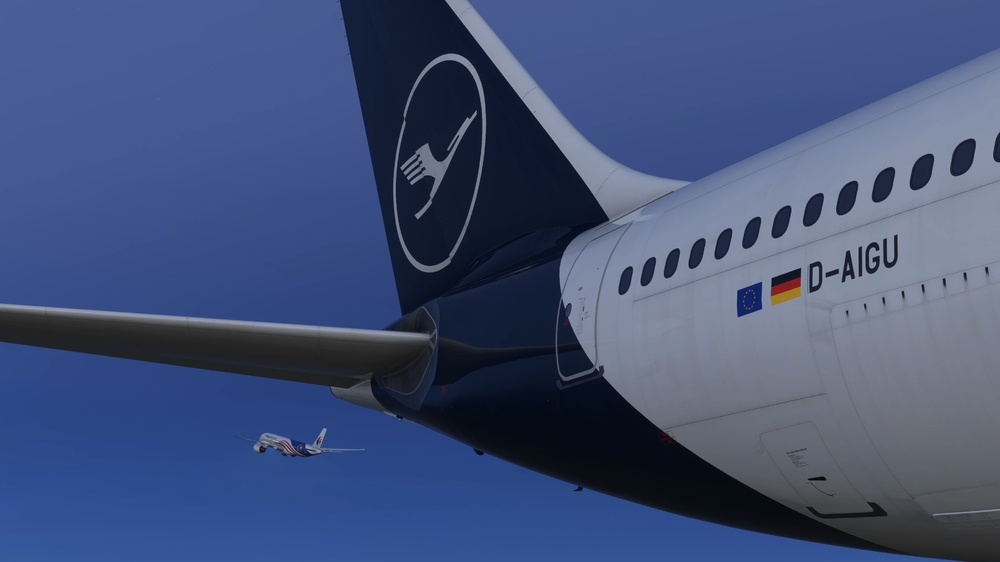
iniBuilds A350 Airliner V1.1.0 Update 🚀 This week’s update represents a major leap forward in both realism and performance for the iniBuilds A350 Airliner, delivering a host of enhancements across core systems, flight model fidelity, and immersive scenarios, including the highly anticipated ULR variant! There's been many changes and additions, from scenarios being added, nose cone model improvements and more. We'll cover all of these and more like always! If you haven't got a copy of the iniBuilds A350 Airliner yet, what are you doing?! You can buy a copy through the link below for £59.99 (excl VAT). Buy Now: https://inibuilds.com/products/inibuilds-a350-airliner-msfs-2024 This update can be downloaded via the iniManager. What we've been up to since launch! We've been pouring a ton of effort into refining the iniBuilds A350 Airliner for Microsoft Flight Simulator since release, focusing on making your flying experience as smooth and immersive as possible. We've pushed out a whole bunch of updates, and here's a look at the bigger picture of what we've achieved. Right from the start, our main goal was to stabilize the core systems and squash those pesky bugs. This meant tackling numerous WASM crashes and exceptions, significantly enhancing the aircraft's reliability across various functions like display, flight planning, and autopilot. We also dedicated time to refining the 3D art and soundscape, ensuring better visuals and more balanced, realistic audio, from gear deployment to engine nuances. As development progressed, we moved onto more advanced features and deeper system overhauls. A major highlight was the comprehensive overhaul of the ECAM systems, integrating more realistic failure scenarios and detailed failure states with direct input from engineers. We also introduced the ETP function and implemented crucial improvements to step climb logic for long-haul flights. The Flight Management System (FMS) saw continuous refinement, with a focus on data entry, messaging, and overall sequencing. Key new functionalities like CDA, ETT, and CMS were brought online, alongside a host of fixes that improved everything from ATC auto-tuning to autosave behavior. More recently, we've introduced some exciting new capabilities, including significant advancements in the fly-by-wire system, with an Auto De-Rotation feature to assist landings. We also rolled out an overhauled GPS jamming system that provides a more realistic experience based on live data, and for our MSFS2024 users, we added a planned route API. You'll also notice visual enhancements like a new condensation effect on cockpit windows. Ultimately, our ongoing commitment is to keep refining and improving the iniBuilds A350 Airliner, ensuring it delivers an unparalleled experience for all of you. Your feedback is always incredibly valuable as we continue this journey! What we won't be changing & why Flight Model We standby the majority of our flight model characteristics, all of which have been verified by full motion simulator sessions with real world trainers and examiners. We are however seeing variations in feedback - with some users reporting that it is too sluggish, whereas others say the response is to abrupt or twitchy. This invariably comes down to differences in the peripherals being used. Whilst we try to accommodate as many of these differences in the base flight model and as such, we recommend a 1:1 axis curve. There will be some deviation from this and users can adjust these curves to make the feel more appropriate to their expectation. FS24 also allows us as developers to override and set specific parameters for each device but we elected not to set these and allow users to customise the controls based on personal preference. 8x Time Compression We've seen a lot of requests for 8x time compression, and we totally understand the desire to speed up those longer flights. Believe us, we've taken steps towards implementing it. However, after extensive testing, we've hit a pretty significant roadblock. Our autopilot system, which is incredibly complex to ensure accurate and realistic flight behavior, becomes very unstable and unpredictable at 8x compression. It just doesn't work as we would ideally like it to. As such, trying to force it leads to a really frustrating, broken experience rather than a functional one. Our priority is maintaining the stability and integrity of the core aircraft systems, especially the autopilot, and at this time, we simply can't guarantee that with 8x time compression without compromising the quality you expect. So, what's in this update? This update, we've delivered some performance improvements and integrated the aircraft into the FS24 Career Mode as well as introduced new immersive scenarios. You'll also find new dedicated ULR additions, and functional emergency evacuation slides. We've overhauled the cabin system to support modular cabin packs for custom interiors and added interactive details like PDOS buttons on the engines. Plus, we've refined the nose cone and cockpit side sticks, tweaked cockpit camera positions, and added a storm light for enhanced realism. Let's go into the update in a bit more detail below! Performance Improvements We’ve implemented significant optimisations under the hood which improve overall efficiency and reduce CPU usage. This includes streamlined XML hierarchy, merged model nodes, and a refined WASM structure with consolidated internal variables. Lighting logic in the systems configuration has also been reworked for improved performance. These improvements ensure smoother performance without compromising system depth. Combus WASM crashes One particular wasm crash that appeared in recent updates was related to the use of the combus, which is used to pass information between different code types and systems within the aircraft, eg OIS to FMS. The combus method has been removed, and all data is now read directly from source files for greater stability and should prevent this WASM crash. Career Mode Integration Our full FS24 career mode is now live, introducing airline passenger operations with integrated passenger boarding. Available exclusively via the MS Marketplace. Immersive Scenarios added (Via EFB) Several new event-driven scenarios have been added, triggering corresponding ECAM messages, sound effects, and cabin interactions: Medical emergency/food poisoning – Your cabin crew are dealing with an allergic reaction. Communicate with the crew and decide if a diversion is necessary based on cabin crew assessment. Medical emergency/general – Your cabin crew are dealing with a poorly elderly passenger undergoing a medical episode. Communicate with the crew and decide if a diversion is necessary based on cabin crew assessment. Unruly Passenger – Your cabin crew and passengers have detained an unruly passenger by taping him to his seat. Lavatory smoke – The smoke alarm has been triggered in the cabin and the crew are dealing with a potential fire in the cabin or just a passenger trying to hide a vape. The scenario will trigger a related but random ecam to deal with also. HUD System - Coming Soon! A fully modelled 3D HUD is coming soon! This will have dynamic projection, adjustable declutter settings, and collimated view effect. Accurate brightness levels and a new seating position ensure optimal usability. It also includes a unique feature, allowing the HUD symbology to shift relative to aircraft direction in challenging crosswind conditions, making crosswind landings even more manageable! Keep an eye out for this awesome addition, coming very soon! ULR Additions With the ULR update now with us, we want to quickly note a few dedicated changes and additions for this. This includes the fuel logic, which has been updated so that fuel systems now have the capacity and allow for ultra-long-range operations. The ULR also features a specific cabin layout, with unique models based on the real-world Singapore ULR layout featuring a full business class and premium economy cabin layout. Emergency Evacuation Slides First introduced in our A300-600 Airliner, the highly requested emergency evacuation slides are now featured in the iniBuilds A350 Airliner. These slides are fully functional and tied directly to the aircraft’s arming logic, providing a realistic and immersive representation of emergency procedures. When the doors are armed, triggering an evacuation will deploy the slides, just as in real-world operations - adding both visual flair and simulation depth. Compatibility for Cabin Packs - Check them out here! The cabin system has been completely overhauled to support our new modular cabin packs. This allows users to swap in various airline 3D seat configurations that reflect real-world layouts, from Virgin Atlantic, British Airways, Qatar Q suites and so many more! These optional cabin packs are FREE to download and bring further customization and realism to your flight simulation experience, letting users tailor the interior to match specific airline branding or layout preferences. Cabin Packs 1 PDOS (Power Door Opening System) Buttons A new level of detail has been added to the aircraft’s exterior interactions: the engine cowlings can now be opened in walkaround mode using dedicated PDOS buttons located on the sides of each engine. This realistic functionality enhances pre-flight inspection routines and allows you to mimic engineering crew procedures, making external checks more engaging and involved. Nose Cone Model Improvements Visual accuracy of the nose cone has been improved based on real-world references. The previous shading on the tip was slightly too pronounced. It has now been reduced by approximately 50%, delivering a cleaner, more realistic appearance. The subtle flattening itself remains, as it reflects the true aerodynamic shaping seen on the actual aircraft. Cockpit Side Stick Model Improvements We’ve completely reworked the 3D models of the cockpit side sticks for greater visual precision. The updated geometry now more accurately represents the proportions, grip textures, and positioning found in the real cockpit, contributing to an even more faithful flying experience for users who value cockpit authenticity. Cockpit Camera Position Tweaks For those of you who value exact eye-level realism, we’ve fine-tuned the default pilot camera positions to better align with the eye reference indicator. This ensures that key HUD elements, flight displays, and visual references are positioned correctly in the user’s field of view, allowing for a more authentic perspective from the left seat. Cockpit Storm Light A long-standing community request, the storm light functionality is now available in the iniBuilds A350 Airliner. This powerful lighting feature allows you to flood the cockpit with bright white light at the touch of a button, ideal for scenarios where maximum visibility is needed, whether you're preparing the aircraft at night or troubleshooting during adverse conditions. ULR SimBrief Profile With the latest changes and the addition of the ULR, it's time for a new profile to add to your accounts! Whilst you will have the ability to use this profile via the onboard flight planning system - you can add the profile to your SimBrief account should you want to use the standard website for flight planning. You can add the A350 Airliner ULR SimBrief profile by clicking here. Low Resolution Texture Packs If you're looking for even more performance, we've updated our 'Low Resolution Texture Packs' for the A350 Airliner! These provide a partial performance increase for relatively little visual reduction. To install these, simply head over to the iniManager & ensure you have the latest version of the A350 Airliner downloaded. At the bottom right of the screen, you will then see the grey button for "Options", click this and click on the desired package to install, then that's it! WATCH THE V1.1.0 ULR UPDATE IN ACTION What's Next for the iniBuilds A350 Airliner As we've shipped numerous updates and addressed many core items since release, the iniBuilds A350 Airliner is now reaching a more mature state. This means while we absolutely remain committed to future updates, the frequency of these updates will naturally begin to reduce. We're shifting our focus from rapid hotfixes to more substantial, impactful additions and refinements. Of course, our work on the iniBuilds A350 Airliner isn't stopping! We'll continue to look into various improvements and new features, and the list below gives you a glimpse of some of the items on our radar that we'll be addressing in upcoming, more spaced-out releases. Your feedback remains invaluable, and we're excited to keep pushing the boundaries of this incredible aircraft with you. SEC 'What If' Function Vertical display of ETP waypoints and time marker FLS: Anchor point calculation and indication TCAS: Add auto AP/FD function Gear Failure: Correct visual state (down) with Flight Model (FM) and post-landing effects when gear is failed. Go Around: 'TO INHIBIT' memo not displaying during go around. Anti-Ice: Wing Anti-Ice showing inoperative on STS page with ADR fault but still functional when selected. And more! ____________________________________________________________ v1.1.0 Systems⚙️ FIXED: Incorrect STBY pump off when feeding only from the wing tanks FIXED: VD - missing magenta area FIXED: VD - vertical alignment with empty FMS FIXED: Aborting an ENG start leads to the EGT rising to +400°C FIXED: VD is missing RADIO HEIGHT FIXED: OEI - Auto rudder trim keeps going in/out, oscillating aircraft FIXED: Incorrect order of memos on ECAM FIXED: RTA page feedback FIXED: Optimum step field logic FIXED: ALT or OP CLB flashing consistently on ground FIXED: No TAWS messages on PFD FIXED: HAAB arrival descent calculation FIXED: MAGVAR issue for AFS/PFD/ND FIXED: Sec Index logic incorrect FIXED: Navdata Swap not clearing SEC plans FIXED: "T/D REACHED" displayed in amber instead of white on MFD FIXED: Destination data FMS message logic FIXED: ATC Comm menu not populating when calling D-ATIS FIXED: SEC F-PLN prompting airport on second NEW DEST attempt FIXED: Speed constraint behavior limitations FIXED: Position time page tweaks FIXED: POSITION/NAVAIDs sync FIXED: Dual armed modes in FMA not rendering in smaller font FIXED: Cruise page CAB ALT and CAB V/S remain in auto despite manual change FIXED: TO Waypoint Range/Bearing shown on ND before IRS alignment FIXED: Incorrect landing elevation on Cruise SD page FIXED: LS distance overlap with NM FIXED: FO ND missing ADS-B Traffic ID FIXED: NAV LS lower course pointer lacked double lines FIXED: ETA clock appearing on RTA page FIXED: ND ROSE mode drawing issues FIXED: RMP functionality issues FIXED: ANF onwards flight not resetting FIXED: ANF airport database flicker FIXED: PLAN ZOOM not defaulting to DEST airport FIXED: ND airport direction missing runway code FIXED: PLAN ZOOM missing DEST airport FIXED: LDA incorrectly showing runway length in ANF FIXED: PLAN ZOOM display logic broken during climb FIXED: NAV/ARC mode missing DEST name next to arrow FIXED: SET PLAN MODE not displaying when clicking ICAOs FIXED: BTV disarming on same runway exit change FIXED: BTV logic inconsistencies FIXED: SET PLAN MODE text/behavior in ANF FIXED: Missing SET PLAN MODE message in ARC/ROSE mode FIXED: No prompt when selecting BTV while AUTO BRAKE MED active FIXED: Turnaround tick color in BTV incorrect FIXED: ANF heading mismatch FIXED: Floating NAV ZOOM box in ANF FIXED: A350-1000 cabin not loading properly FIXED: WASM EFIS crash on BTV exit selection FIXED: BLEED SD line incorrect with ENG fail, PACK off FIXED: ECAM APU BLEED fault drawing error FIXED: ECAM SLAT/FLAP fault missing AUTOLAND INOP indicator FIXED: APU BLEED fault light not removed in transit state FIXED: Missing VLS indication FIXED: Restarting engine in flight reset FOB/FU, falsely triggered fuel leak FIXED: No ECAM or warning for idle ATHR disconnect FIXED: No highlight on WD for failed/fire engine FIXED: Added REMOTE C/B CTL ON memo to EWD FIXED: ELEC GEN2A+2B fault lines overlapping in ELEC AC FIXED: LDG inhibit disappearing too early FIXED: AUTO SD failure post system fault FIXED: ECAM flashes when WING or ENG ANTI is selected FIXED: WHEEL ECP button not removing braking matrix FIXED: Braking action knob didn’t light wheel SD ECP button FIXED: RWY braking matrix logic FIXED: Minor EWD color formatting FIXED: ECAM warning missing on flap cruise baulk FIXED: TAWS system issues in SURV FIXED: ADIRS OFF not properly disabling WXR/TAWS/XPDR FIXED: Engine relight ECAM logic FIXED: ELEC faults reporting LDG PERF instead of LGD DIST FIXED: TCAS STBY with MODE C and RMP ON FIXED: Missing wheel numbers on WHEEL SD page (-900) FIXED: ECAM logic for relight with incorrect XBLEED AUTO state FIXED: RELIGHT IN FLT should show ECAM ENG page FIXED: A/THR OFF not indicated on voluntary disconnect FIXED: WASM EFIS exception on SEC3 modification FIXED: Multiple WASM MFD exceptions FIXED: Step alt logic revisions FIXED: SUGT optimum step field FIXED: Incorrect high speed protection FIXED: VNAV logic for RJAA RUTAS T STAR not honoring 220kt/FL110 restriction FIXED: Sim default navdata logic – arrival runway incorrectly part of missed approach FIXED: Secondary nav database failing to update with downloaded navdata FIXED: Importing company route into SEC FPLN incorrectly overrides active FLT NBR FIXED: Flight number parity no longer incorrectly changes ADS-B system FIXED: PRIMs and SECs not failing properly when powered elec bus is off FIXED: RNAV approach behavior falsely triggering ILS cues FIXED: Checklist contracting ECAM issue FIXED: ECAM showing incorrect SURV WXR fault when ADIRS off FIXED: ECAM showing incorrect SURV TCAS fault when ADIRS off FIXED: ECAM SURV TAWS feedback when ADIRS is OFF FIXED: SURV CONTROLS page default settings button not syncing ADS-B options FIXED: Unable to modify time in POSITION/TIME FIXED: Automatic arming AED feedback FIXED: Engine thrust does not follow cursor when set to idle reverse FIXED: FCU switch from MACH to SPD mode below FL250 FIXED: LDA should show in ANF, not runway length FIXED: Fuel prediction discrepancy FIXED: Cannot reset GPS Jamming status after aircraft power cycle FIXED: Cross-bleed logic improved to maintain pressure in both systems FIXED: APU fuel usage (FU) shown in KG despite LBS being selected FIXED: Outflow valve animations corrected per ECAM FIXED: GPWS callouts no longer overlap or cut off FIXED: Traffic info page overflow resolved FIXED: FIX rings showing invalid FL/Distance now fixed FIXED: ECAM SD light always lit bug resolved FIXED: Cabin and cargo temp tooltips now display °C/°F not % FIXED: Sidestick logic adjusted based on preferred seat option FIXED: Sidestick decoupling implemented FIXED: Cargo doors open handle angle corrected FIXED: Snow FX artifacts resolved FIXED: Fuel jettison active state now shows ON and OPEN correctly FIXED: Fuel jettison visual effect added FIXED: MLG tires sink corrected on landing FIXED: Landing gear ground sink behavior improved FIXED: ULR fuel loading logic updated FIXED: APU panel state tracking added for Career mode FIXED: Spoiler behavior in flight improved FIXED: Spoilers extend too far during roll (both AP and manual) FIXED: Spoiler 7 extends too far on flap full configuration FIXED: Time marker synchronization and feedback FIXED: ANF set plan mode text/behavior corrected FIXED: EFIS Mode/Range Selector lights tied to ANN LT TEST Switch FIXED: Activating EFIS backup now turns switch lights off FIXED: Uncommanded nose up pitch on landing FIXED: RNAV approach incorrectly shows LS as ILS FIXED: Loop in flight plan after existing offset FIXED: RMP issues FIXED: Sidestick not angled correctly FIXED: Sidestick behavior now aligns with preferred seat option FIXED: ISIS BARO UNIT knob plays double click with single rotation FIXED: Overhead and pedestal light brightness mismatch FIXED: 3-way switch logic inverted for taxi light control FIXED: Crash damage prevents spawn; spawn logic corrected FIXED: Engine shutdown mid-flight causing spinner and blades to disappear FIXED: Engine fan animation corrected for startup/shutdown FIXED: PERF mode visibility corrected for both engine cowlings FIXED: LGAV ILS Z 03R KEA transition - corrected bad drawing FIXED: SALA4B Departure (RWY 08 LLBG) now draws correctly FIXED: Surveillance systems now switch automatically based on flight number digit FIXED: NAV - Inserting next waypoint from ND no longer causes blank FPLN FIXED: No refueling ECAM warning displayed during refuel sequence FIXED: Slides can no longer remain deployed past 3 knots; reset messaging logic added FIXED: GSX now disarms slides automatically prior to auto-deboarding FIXED: Smoke in Cabin situation audio cue logic now resets properly when toggled UPDATED: FS24 career mode support for pax logic and compatibility FIXED: APU BLEED now only opens below FL250 FIXED: RAT now deploys automatically when GEN 1–4 are off FIXED: EMER DES heading offset no longer exceeds valid range near HDG 360 FIXED: No refueling ECAM now shows as expected during refueling FIXED: Overlapping text on RNP approach resolved FIXED: T.O Perf page in OIS importing correct values and performing accurate calculations FIXED: Incorrect TORA displayed on OIS FIXED: FLT OPS CLEAR/TURNAROUND delay resolved UPDATED: Weights revised on OIS and SB Profiles (ULR and -900 variants) EFB/OIS🖥️ FIXED: Printer - T.O Data page typo ("RUWNAY" → "RUNWAY") FIXED: OIS charts not wiping pinned terminals after FLT OPS CLEAR/TURNAROUND FIXED: Dynamic seating logic for passengers FIXED: Added printer options page to OIS FIXED: OIS stairs not displaying FIXED: RESET ZOOM button added to OIS charts FIXED: Reworded active pause warning in OIS FIXED: OIS loadsheet not updating with GSX progressive boarding/refueling FIXED: GSX ZFW mismatch caused fuel weight disagreement FIXED: FLT OPS CLEAR/TURNAROUND does not reset loadsheet or payload diagram FIXED: GSX ZFWCG discrepancy vs ACARS loadsheet FIXED: OIS ACARS loadsheet max pax value mismatch FIXED: GSX deboarding not unloading payload stations FIXED: ACARS loadsheet ZFCG incorrect/out of band vs GWCG FIXED: FO OIS GROUND tab flashing induced by GSX FIXED: AOC Zulu time field display issue FIXED: When CAPT OIS ON CENTER is ON, F/O OIS ON CENTER should not show INOP FIXED: ULR variant OIS label still showed v1.0.11f FIXED: Improved GSX integration logic FIXED: FX performance mode toggle added FIXED: Remote parking issue: GSX left L2 door open FIXED: OIS brightness now matches other DUs FIXED: OIS "View Offside" behavior clarified FIXED: FLT OPS CLEAR/TURNAROUND now wipes pinned charts FIXED: Option added to disable auto de-rotate in OIS ADDED: Condensation FX control added to OIS FIXED: Option added to manually open/close fuel panel if GSX bugged FIXED: Click spot added to remove printout from clipboard FIXED: Ability added to attach printout to CPT/FO side FIXED: Takeoff performance page importing incorrect values and calculations FIXED: OIS Situations page ENABLED/DISABLED toggle now visually matches other menu elements FIXED: Printouts no longer appear blank when clipped to side UPDATED: Weights revised on OIS and SB Profiles for ULR and -900 variants ADDED: Realistic "Cabin Ready" option to settings FIXED: CAPS LOCK not functioning on OIS keyboard (XBOX) FIXED: AOC not loading properly without HOPPIE code (XBOX) FIXED: No-cabin configuration option added to ULR ART🎨 FIXED: Missing compass dots FIXED: ACVS door not functioning FIXED: Avionics bay door accessible on no-cabin variants FIXED: RAT animation does not display upon deployment FIXED: Cargo bay lights illuminating cockpit FIXED: Missing co-pilot model FIXED: LED TYPE configuration missing runway turnoff light FIXED: VV button letter spacing FIXED: FO EFIS green light not updating FIXED: FO POV alignment corrected FIXED: Avionics bay decal orientation corrected FIXED: Windshield scratch layer reduced FIXED: Touchdown effects reinstated FIXED: Nose cone mesh precision improved FIXED: NW light box rendering issue resolved FIXED: NW amber lights remain lit in C&D fixed FIXED: Rotating elements incorrectly attached to static parts corrected FIXED: Emergency Escape Slides texture/model added FIXED: 3-way switch visuals corrected to reflect sim click direction FIXED: Door slide animations restored FIXED: Xbox: cart and catering truck connection points fixed FIXED: Heavy snow clipping into fuselage resolved FIXED: 2020 ground vehicles restored FIXED: Wing light switch not animating (Legacy/Lock) FIXED: Snow FX floating without satcom toggle FIXED: Engine cowling strut clipping FIXED: Edelweiss -900 wing registration and winglets decals missing FIXED: Door decals flickering on EDW livery FIXED: Storm light function works on Dome LT control FIXED: AOA and Wiper lights glow issue resolved FIXED: Snow floating without satcom toggled removed FIXED: Performance drop from condensation reduced FIXED: Strobe light flash timing adjusted FIXED: Lufthansa livery now includes taxi cams FIXED: Cathay B-LXP floor exit sign visibility FIXED: D-AIXQ nose registration corrected FIXED: Qatar -1000 logo flicker removed FIXED: Swiss livery visual updates FIXED: A6-EXD main gear door decal parenting issue FIXED: N502DN main door layer parenting issue FIXED: Cabin packs and ULR cabin no longer conflict with iniManager liveries FIXED: -1000 variant LOD1/2 interior models now present FIXED: Livery issues with D-AIXY nose probes and Iberia missing wing registration FIXED: Cathay B-LRL winglet geometry corrected FIXED: 2020 Qatar Livery flags updated FIXED: Engine cowling decal issues UPDATED: Cabin textures removed or resized for optimization SOUNDS🔊FIXED: Added “2000” RA callout option FIXED: PA knob did not allow announcements in cockpit FIXED: Reverse thrust sound lacked volume modulation FIXED: Slat sound inaudible in cockpit FIXED: Inconsistent wing sound volumes FIXED: BARO UNIT knob in ISIS plays double click on single rotation FIXED: Missing cockpit sounds FIXED: Added gear door open sounds FIXED: ECP ALL pb playing double click sound FIXED: Rolling noise disappearing at taxi speeds FIXED: Cabin ambience mix and loop improvements FIXED: Various sound inconsistencies FIXED: Parking brake sound audible outside FIXED: A359 slat sound inaudible in cockpit FIXED: Cleaned up slats sound loop FIXED: Cabin ambient improvements - fixed up some sample loops and general mixing improvements FIXED: ISIS knobs missing std click FIXED: Several RMP missing buttons FIXED: RMP numpad buttons events doubling (four quick clicks) FIXED: Reverse thrust sound - reverse is now volume modulated based on how much thrust is used rather than being static FIXED: PB sound incorrectly triggered after IR alignment FIXED: Random button press sounds mid-flight FIXED: SURV screen MFD buttons playing physical key press sounds FIXED: INS alignment triggers extraneous cockpit button sound FIXED: Switch click sound during first ENG start when NW STEER DISC goes amber FIXED: Click sound when WXR radar turns off post-landing FIXED: Cabin announcement trigger now randomized to avoid immediate start FIXED: OIS on/off buttons had no audible difference FIXED: ISIS standard pressure knob sound volume reduced FIXED: Pushbutton sound playing during IR alignment FIXED: SURV MFD click sounds playing incorrectly on button interactions Thank you so much for taking the time to read through this one, we appreciate all of the love and support you have been showing for this product since the release, it truly means the world to us. Before we leave you for the weekend - Hello D-AIGU! 😍 iniBuilds Team ❤️

-
v1.0.1 of iniBuilds Providence (KPVD) for MSFS 2024 has been released. This update removes taxiway E and associated markings, adds cars and buses to landside and fixes some 3D people that were floating. This update can be downloaded via the iniManager. v1.0.1 - Removed taxiway E and associated markings/signs etc - Added cars and buses to landside drop off/pickup areas - Adjusted people height in the terminal - Added height displacement exclusion - Fixed fence gaps
-
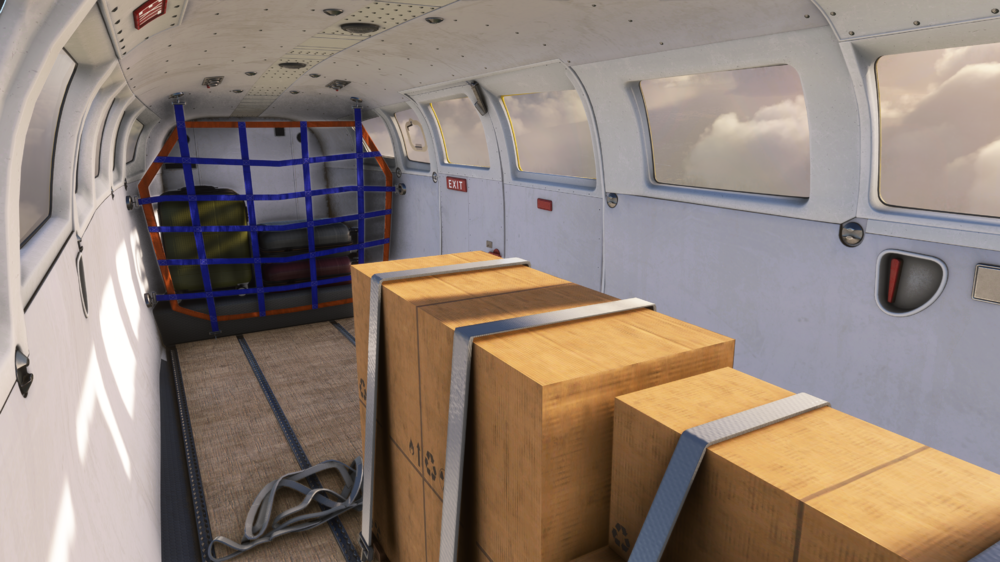
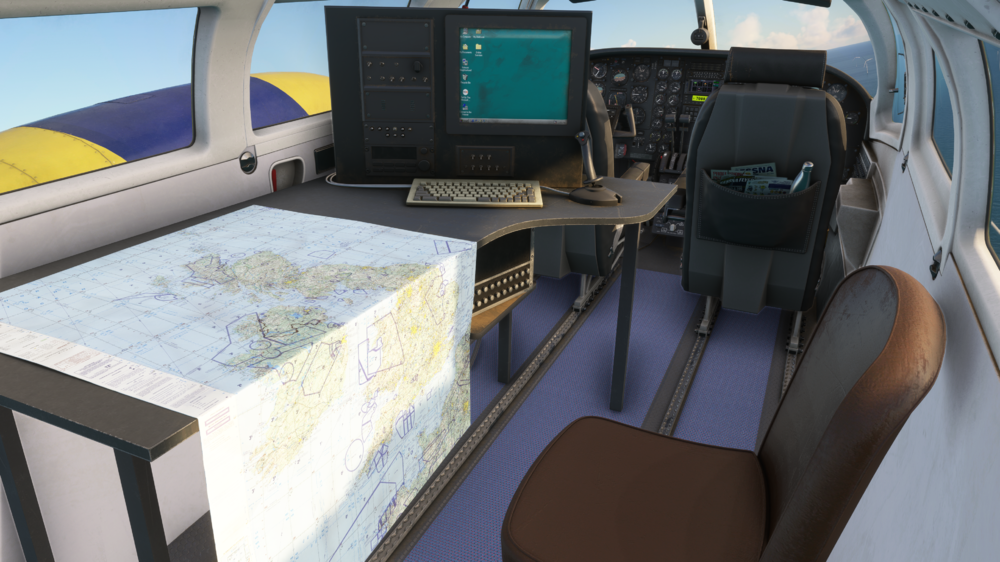
Hello! Today we're excited to bring you the next aircraft in the iniBuilds lineup, the iniBuilds F406 Caravan II! An aircraft that showcases rugged versatility and a purposeful design, the F406 Caravan II has served in roles ranging from surveillance and maritime patrol to regional passenger transport. With two Pratt & Whitney PT6A-112 turboprop engines, a utility driven cabin, and STOL capability, this aircraft blends that versatility with reliability, earning its place as a trusted workhorse across the globe. This aircraft holds a special place for one of our team members in particular, he's been able to organise some fantastic access to real world examples of this aircraft to both 3D scan as well as collect an abundance of references to help with the development process. Introducing a name that many of you may be familiar with, Mike Standen, our Head of Production who has been heavily involved in projects such as the A350 Airliner, the Spartan, A300-600R Airliner and more! Here's what Mike has to say about the F406 Caravan II project: “My name is Mike Standen, I am Head of Production here at iniBuilds. Before joining the company, I was a full-time commercial pilot. One of the aircraft I flew early in my career was the F406 Caravan II for a company called RVL Group, based at East Midlands airport in the UK. It wasn’t an average airline, they operate lots of government and private sector surveillance contracts as well as carrying out ad hoc cargo and passenger operations across the UK and Europe. I was excited to bring the variety and unique challenges of flying coastguard, aerial photography, and spray operations, amongst other tasks, to MSFS.” – Mike Standen, Head of Production Low level coastguard sortie near Dover, Kent Aerial Spray exercise near Skegness, Lincolnshire Oil rig survey. North Sea As part of our research and development on the aircraft, we made a couple of visits down to the RVL Group hangar at East Midlands Airport. They have some fantastic facilities that help look after 11 aircraft of varying type, including the Beechcraft B200 King Air, the Beechcraft 260 King Air and of course the F406. Our initial visit was to 3D scan the entire aircraft to ensure appropriate proportions, modelling and visual accuracy, after a successful trip, it was time to take those references to the developers and artists to begin work on the aircraft. 3D Scanning the F406 at RVL Group We came back to visit again after work had been underway to interview the Chief Pilot, Harry Shaw, an experienced & knowledgeable pilot on the type that provided some great insight into the airframe and what it is truly capable of! We asked him a whole bunch of questions, so we hope you can get some invaluable insights into the aircraft from this and learn something new. Using the information gathered from our trip to RVL Group, we have added some really cool features to this platform, allowing you to truly experience the versatility the aircraft has to offer. Whether you're on a coastal patrol or conducting a maritime search operation, the animated gyro-stabilised surveillance camera is a great feature of the surveillance variant. Mounted on a gimbal system, this high-tech piece of kit actively pitches and rolls to maintain a steady downward angle, essential for accurate imaging on the move! The F406 is also more than capable of hauling some decent loads of cargo! With the dynamic cargo loading system, you can see your aircraft fill up with boxes and more for the journey you're about to depart on, make sure it's all tied down! For those of you flying coastguard operations, we've modelled some super useful bits of equipment. The Side-Looking Airborne Radar (SLAR) is mounted along the fuselage, which sends radar pulses outwards from the flight path, allowing for detection of boats, oil spills and more. The AIS is a black radar bulb on the underside of the airframe that acts as ADS-B for ships. In real life, the F406 is most often flown single-pilot, our custom autopilot system has been fine-tuned to replicate this operational style. So whether you're cruising high-level between survey sites or flying passenger shuttles, the autopilot will ease your workloads whilst being able to stay true to the aircraft's authentic avionics and other systems. Here's the full aircraft features below! Aircraft Features: ✈️ Multiple aircraft variants with tailored interiors, exteriors, and mission-specific systems Passenger Cargo Camera (Surveillance) Coastguard/Radar Spray (Environmental Response) 🖥️ Fully integrated GTN 650 avionics Compatible with Asobo, PMS, and TDS Hot-swappable GTN models for flexible navigation 📱 Modern EFB with Navigraph charts and map support QR/web login, payload control, dynamic loading, and door/window interactivity ⚖️ Dynamic loading systems Passengers and cargo adjust in real time based on sim or EFB payload inputs 🎶 Immersive sound suite by Echo 19 Audio Authentic PT6A turbine and McCauley 3-blade propeller sounds Engine start-up ticks, feathering, rpm fluctuations Environmental audio: airflow, electrics, interactions and movement sounds 🎥 Functional surveillance systems Animated, gyro-stabilised camera Aerial survey station (model only) Coastguard SLAR and AIS radar dome (model only) Interior surveillance ops station (model only) 🛫 Custom autopilot system Designed for realistic single-pilot operations with advanced nav support 💡 Detailed lighting system Individually adjustable cockpit lighting with rotatable light stalks 🔌 Accurate electrical system simulation Selected circuit breakers operational 🌟 Exterior realism High-fidelity model based on 3D scans Custom fowler flaps, exhaust effects, propeller blur and accessories Openable panels, caps, and external servicing elements Real-world inspired dynamic lighting and detailed liveries Watch the Interview! You’ll be able to catch the iniBuilds F406 Caravan II in action very soon, as it takes to the skies with some of your favourite streamers and content creators. With the release now on the horizon, we’re beyond excited to bring this incredibly unique and versatile aircraft to your hangars. Stay tuned for more over on our socials, we can’t wait for you to get your hands on it and experience everything the F406 has to offer! iniBuilds Team ❤️

-
v1.0.4 of iniBuilds Luton (EGGW) for MSFS has been released. This update addresses small bugs and missing details, including stop bar lighting, blurry gate signs at stands 20–23, missing stand numbers, incorrect autogen buildings, and misaligned runway markings. This update can be downloaded via the iniManager. v1.0.4 - Missing "Red Stop Bar lighting" at runway holding points - Stands 20-23 Blurry Gate Number Signs - Missing Stand Number Signs 1-4, 90-93 (NB: There are no signs at 77-79 in real life) - E2 Missing "MAX WINGSPAN" sign - Autogen buildings should be hay bales - Centerline marking misaligned vs runway lights
-
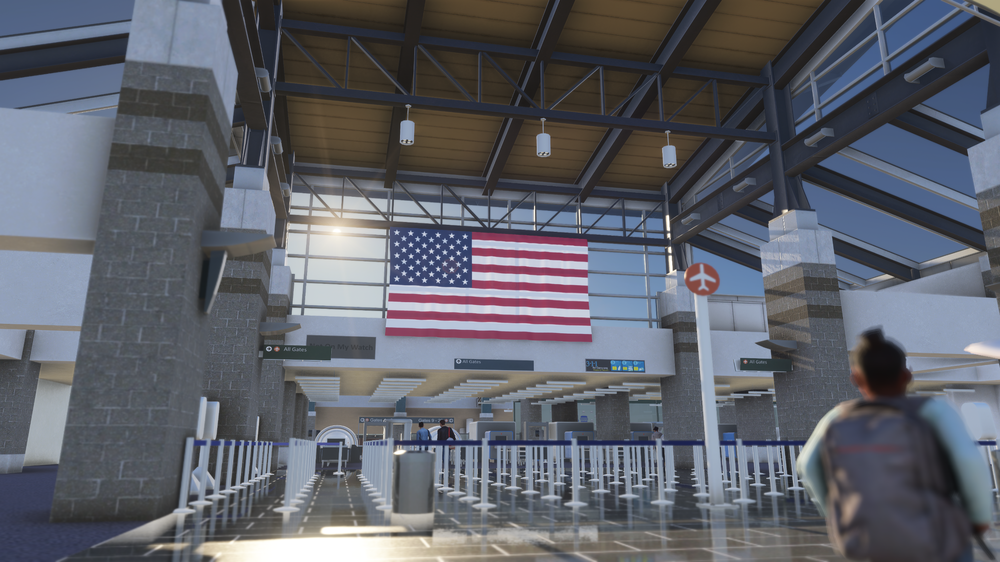
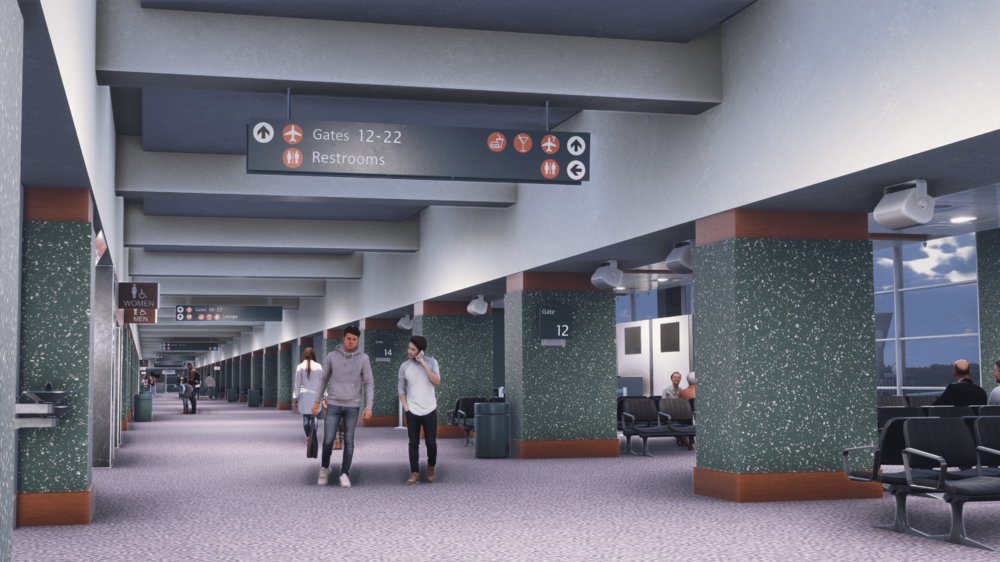
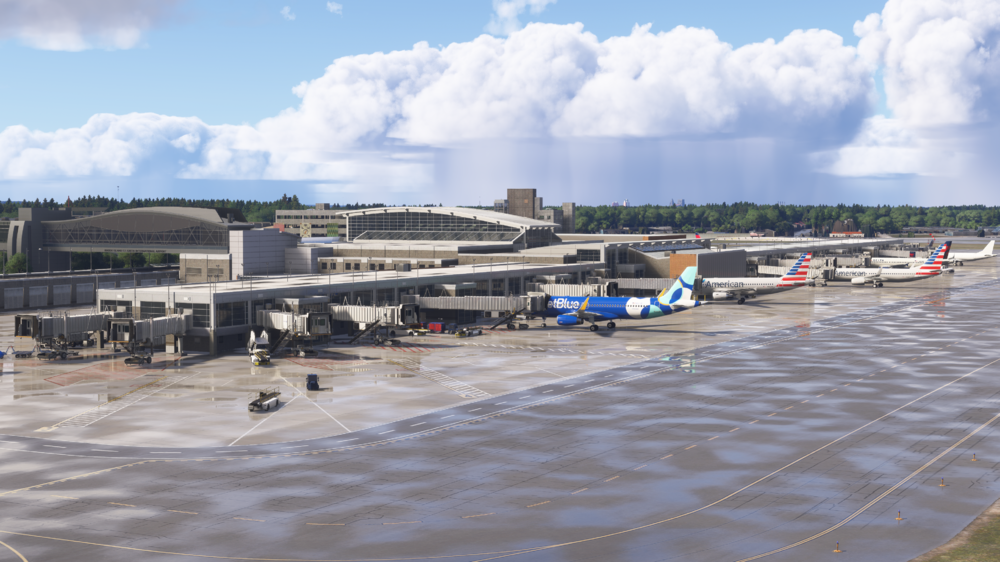
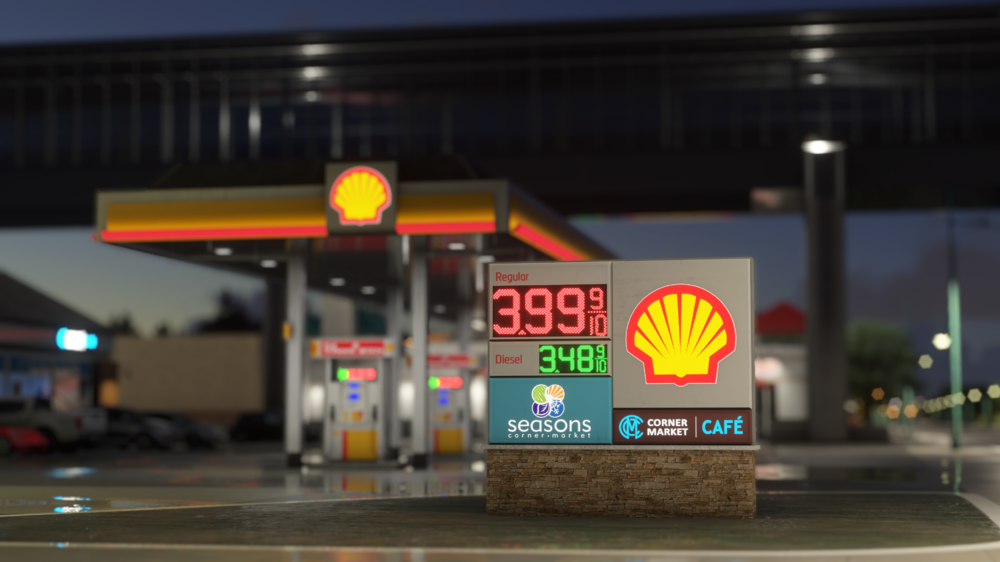
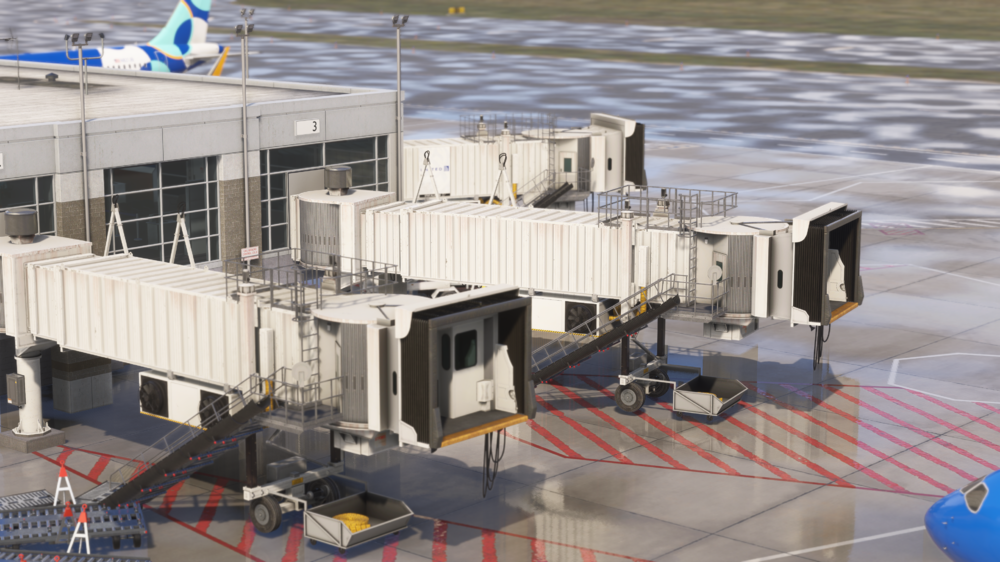
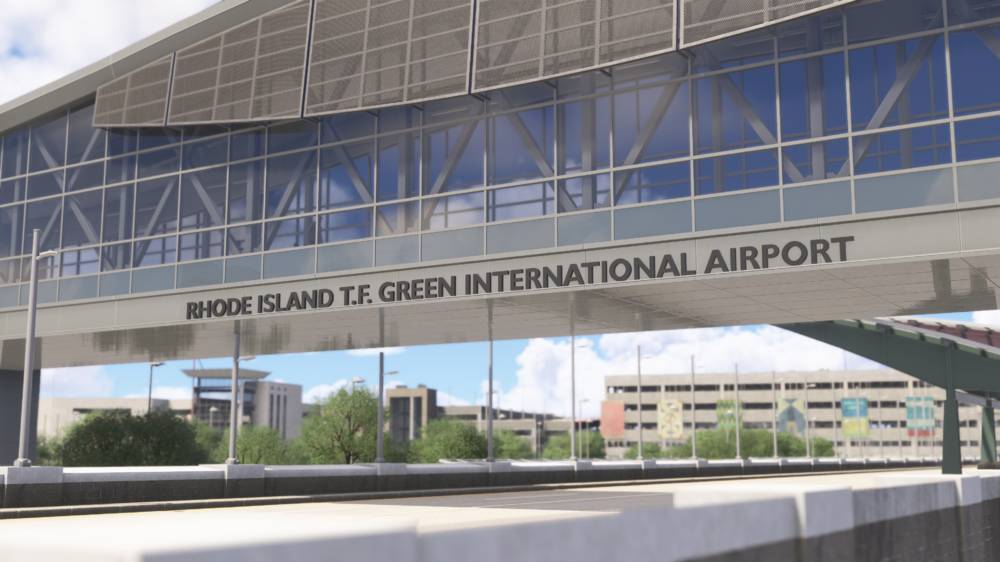
Welcome to Providence (KPVD) – handcrafted for Microsoft Flight Simulator 2024! Discover the charm of New England with T. F. Green International Airport, Rhode Island’s gateway to the continent, built from the ground up for MSFS 2024! Strategically located just south of Boston, KPVD is a bustling regional hub serving both domestic and seasonal international flights, and this year, it's also home to FlightSimExpo 2025! Whether you want to simulate your arrival for FSExpo or set out across the Northeast corridor, Providence delivers a uniquely American flying experience, packed with detail, realism and uniqueness. Launch Offer for FSExpo, Two weeks ONLY! Available now for £9.99 (excl. VAT) | (£12.99 (excl. VAT) thereafter) Get it here → https://inibuilds.com/products/inibuilds-providence-kpvd-msfs-2024 ✈ Experience Providence Like Never Before From the beautifully detailed terminal building to the bustling aprons served by major U.S. carriers, every inch of T. F. Green International Airport has been crafted with care and precision. Explore the terminal interior, taxi past the iconic control tower, and immerse yourself in the vibrant atmosphere of Rhode Island’s aviation hub, all tailored exclusively for MSFS 2024. Scenery Features: Hand-made ground textures with crisp, bespoke texture sets for runways, aprons, paths, and roads True-to-life airport landside recreation with custom ground decals, signposts, vegetation, parking barriers, and more Accurately modeled and positioned dynamic airport lighting for enhanced realism First ever FSExpo Exhibition floor recreated in sim! (KPVDX) 180+ hand-crafted models featuring custom-made buildings, vehicles, and objects Hand crafted terminals with crisp textures providing a fresh, modern appearance HD jetways with intricate details enhancing the airport's realism Highly detailed models of all airport buildings, objects, and surroundings Full HD ground poly matching the 2025 airport layout Up-to-date airport layout reflecting the current, real-world location Official GSX profile included in the scenery folder and iniManager download Level of Detail (LOD) optimization for every model ensuring the best performance possible Use of the latest MSFS2024 SDK features for optimal performance and smooth experience Bespoke taxi signage true to real-world specifications Full iniManager compatibility allowing easy configuration for optimal performance on your system 🛩️ Step Inside FSExpo 2025 – Only at KPVD As a special feature for this release, we’ve brought the excitement of FlightSimExpo 2025 directly into the sim! For the first time, explore a fully walkable rendition of this year’s biggest flight simulation event - FSExpo, being held at the Rhode Island Convention Center! Walk through the custom-built exhibition hall, complete with signage and layout of the upcoming real-world show floor! This one-of-a-kind feature was made possible through close collaboration with our amazing partners at Flight Simulation Association, the Rhode Island Convention Center, and Go Providence, who’ve supported us in making Providence and FSExpo come alive inside of Microsoft Flight Simulator like never before. Watch the walkthrough of the event below! PVDConventionCenter1080p.mp4 Whether you’re flying a short hop to New York, a transcontinental service to Denver, or arriving just in time for FSExpo 2025, Providence offers an immersive flying experience. With the detailed terminal areas, busy apron clutter, and a realistic runway environment, KPVD is the perfect destination for simmers looking to explore the heart of New England aviation, or make a virtual stop at this year’s biggest sim event! WATCH THE TRAILER! 📽️ If you're heading to FSExpo, we look forward to seeing you there! If not, but sure to check our socials throughout for coverage of the event from our side! Thanks again for all the love and support, we hope you enjoy Providence! iniBuilds Team ❤️
-
A350 Airliner V1.0.12 Hotfix🚀 Version 1.0.12 is a hotfix focused on addressing key issues from the previous update. Fixes include bug fixes for flags and crosses on the ANF, flickering airports on the ND, TCAS altitude miscalls, over-eager de-rotation, and a 2024-only fix for VSD cutoff and missed approach runway logic. This update can be downloaded via the iniManager. ____________________________________________________________ v1.0.12 FIXED: ANF - Flags and crosses not showing, FIXED: ND - Airports flashing on map when greater than 40nm range, FIXED: TCAS Wrong Altitude reported for traffic (depends on atmospheric conditions), FIXED: De-rotate aggressive, FIXED: Arrival Runway is now part of MISSED APPR + VSD ending too early [2024 only, 2020 in production]
-
Back in January, George - the lead 3D artist at iniBuilds and Matt - from the internal team, set off on a research trip. We tried to keep things subtle on Instagram, but as always, many of you were way too quick with it. Before we’d even finished our visit, the guesses started coming in, and quite a few of you had it straight away. So it’s time to confirm what some of you figured out almost instantly - the airport we visited was Rhode Island T.F. Green International Airport (KPVD). Firstly, a huge thank you goes out to the incredible staff at the airport for helping to coordinate our visit, and to the FSExpo team for putting us in touch. With FSExpo just around the corner, it made perfect sense to work on a project that ties in so well with the event, and with so many of you flying into Providence this year, this one felt like the perfect fit! These site visits are extremely important to our workflow. They give us access to an abundance of resources, from close reference shots to unique behind the scenes areas that bring each airport to life in sim. George, a 6 year veteran in the industry, who has recently overseen the likes of London Heathrow Premium and Doha Hamad Premium found the whole experience of a site visit extremely beneficial. To have the ability to see the entirety of the airport up close - it really provided an overall feel for the airport and provided us with a rare opportunity to capture high-resolution photos and videos of the terminal, jetways, hangars, runways, GSE and all other elements that complete any airport. When collecting reference, we captured subjects from multiple angles, in different lighting conditions to cover all bases. Despite being the largest airport in Rhode Island, T.F. Green is impressively easy to navigate and offers a solid range of domestic destinations. It’s a great hub for simming, especially if you’re looking for some short-to-medium hauls across the US. We were met in the terminal by one of the airport operations staff who got us signed in for the tour. From the start, the ops team were brilliant, giving us a full walkthrough of the terminal layout, some fascinating history, and even insight into future development plans. We began in the check-in area, a compact, but efficient area, where over 4 million passengers were processed in 2024 alone. After gathering our shots there, we moved through security and into the terminal to start gathering more images of key areas like gate zones, advertising displays, stores and more! It’s always interesting to see the common design styles between US airports, but each one has its own unique character. At Providence, that’s immediately obvious in the art spread throughout the terminal. One standout piece is ‘Interval’ by Barbara Cooper, an 82 foot long, hand painted glass tile mosaic that adds some colour to the terminal. We’ve made sure to bring details like this into the scenery, because it’s those little things that really enhance the immersion. After documenting the terminal, we headed airside to continue the visit from the apron. ‘OPS 4’ was waiting for us, and we spent the next couple of hours exploring virtually every corner of the airfield. During the morning departures rush, the ramp was buzzing with activity. At one point it felt more like Heathrow than Providence, with aircraft pushing back all around us. We had to pause frequently to allow aircraft to push back, however whilst doing this it allowed us to get some great photos of the gate areas, ground service equipment and more! Throughout this airside drive around, we took pretty much every taxiway, saw most of the hangars, the fire station, the FedEx centre, the air traffic control tower and more! If it was accessible, we captured photos of it! With these references at hand, our incredibly talented team of 3D artists were able to recreate each subject with precision in both modelling and texturing. Aspects such as; the exact height of doors/windows, the amount of dirt, the amount of clutter, the colours, depth and roughness of each material, and the intensity of lighting. All factors which were all faithfully reproduced with the help of these references. Ensuring the scenery closely reflects the real-world airport, enhancing immersion. From the knowledge and experience of the airport operations team, we were able to include unique features of the airport which could have been missed. Some of these features include the graveyard to the south of R5, the painted lines testing strip to the west of R5, and the stripped down A220 that Breeze uses for spare parts. In these examples below, you can see how the reference images help the artists understand the smaller details that are required to correctly reflect the real-world counterpart. Such as; the departure screens and posters, the missing ‘I’ in the AVIS logo, the warning labels on fuel tankers, the glowing border of the TSA machines, the patterns of the floor and ceiling in the Sky Bridge, and the various amounts of art installations. There are dozens of examples in which the references had a direct impact on the output of the models, without the help of the team at KPVD, we would never have been able to achieve this level of accuracy! So for that, we want to give another big thank you to the team at Rhode Island T.F. Green International Airport for being so accommodating and making this visit possible. Also, a huge shoutout to the team of FSExpo for the support in organising the trip. These visits are a critical part of what we do, and it’s always a privilege to meet the people behind the scenes who keep these airports running every day. Here's some more screenshots to showcase how impressive the work from the team has been after utilising this trip and gaining such invaluable reference images! We also want to extend a thank you to the teams over at Go Providence, Rhode Island Convention Center and the Rhode Island Airport Corporation for helping various arrangements from the site visit, being the hosting venue of this years FSExpo and allowing us to house the event in their city this year! WATCH THE TRAILER We’re really excited to bring this one to life in sim, and we hope you enjoy flying in and out of Providence just as much as we enjoyed visiting it. iniBuilds Team ❤️
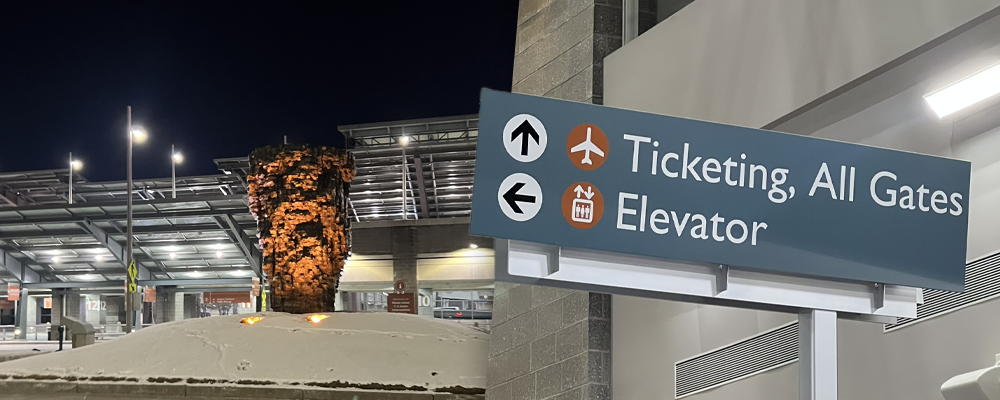


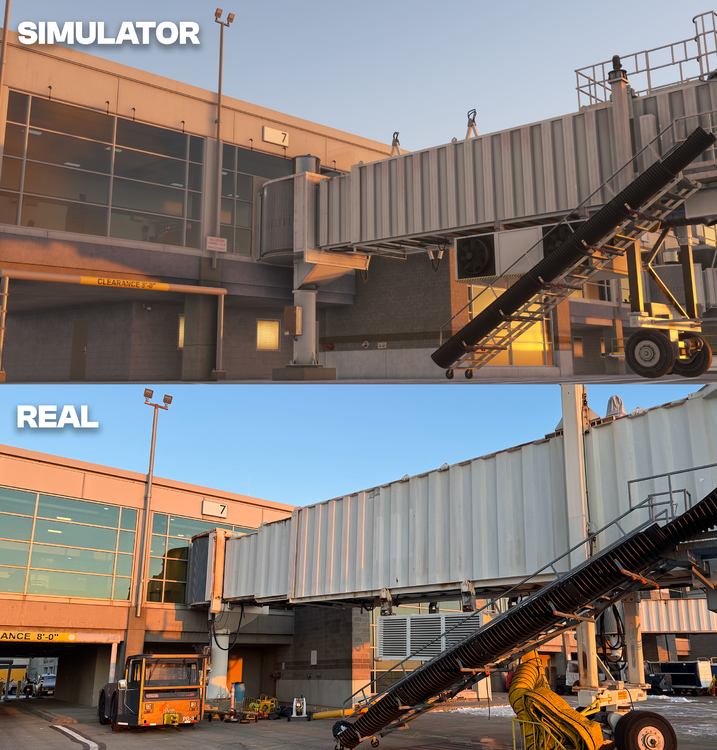
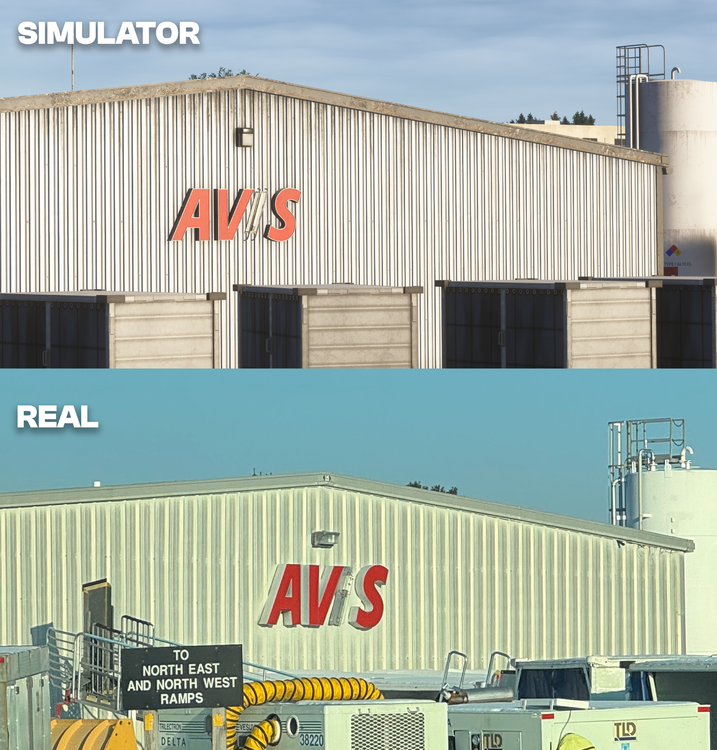
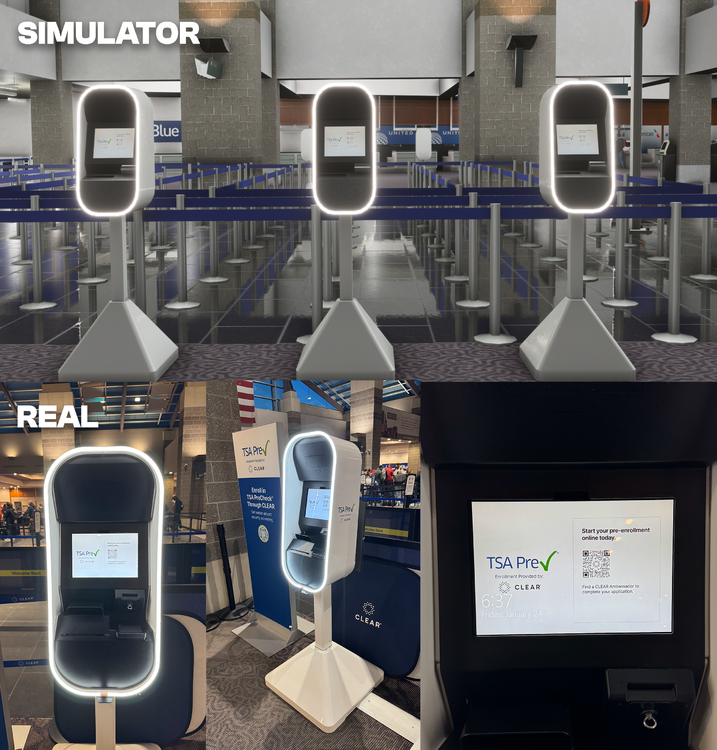
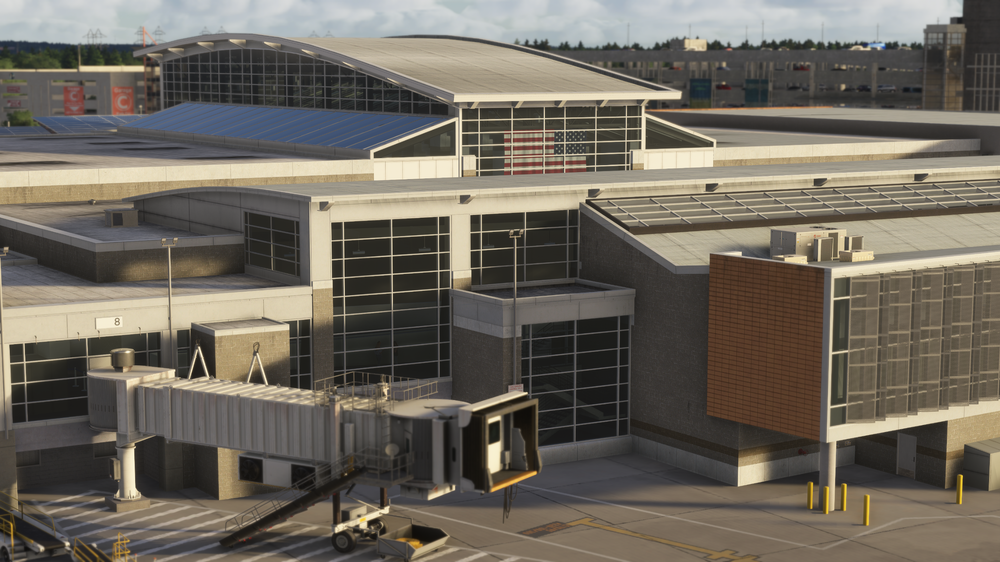
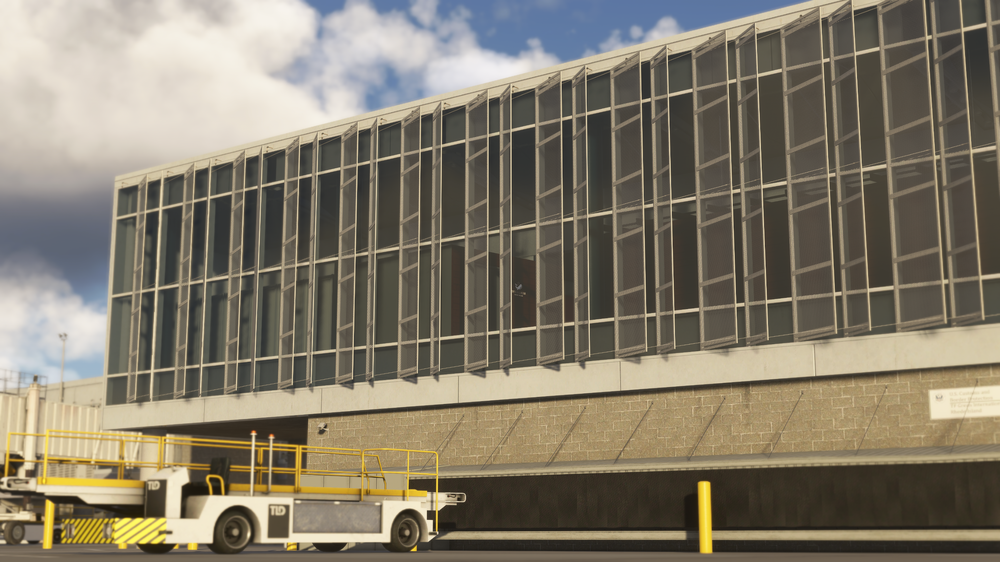
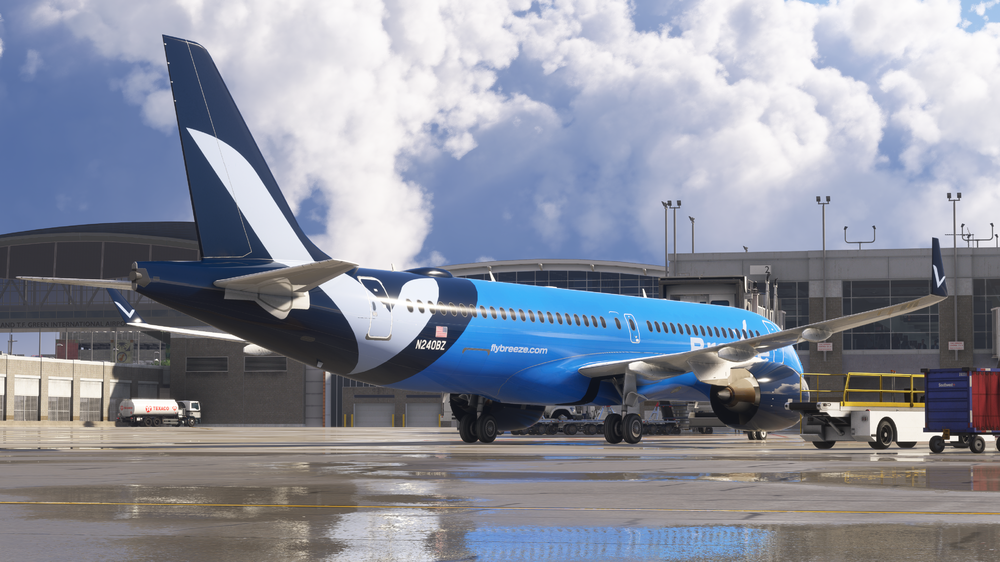
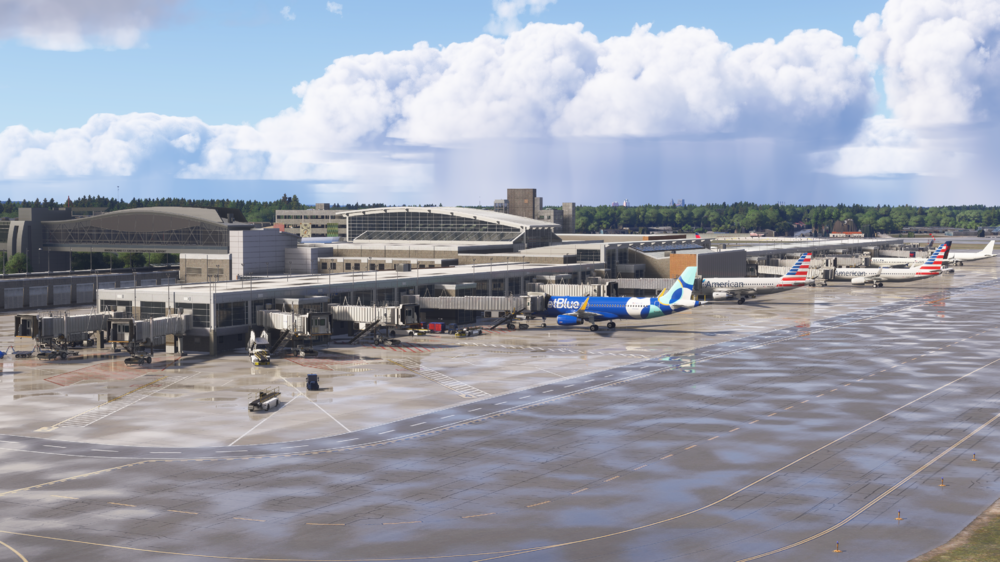
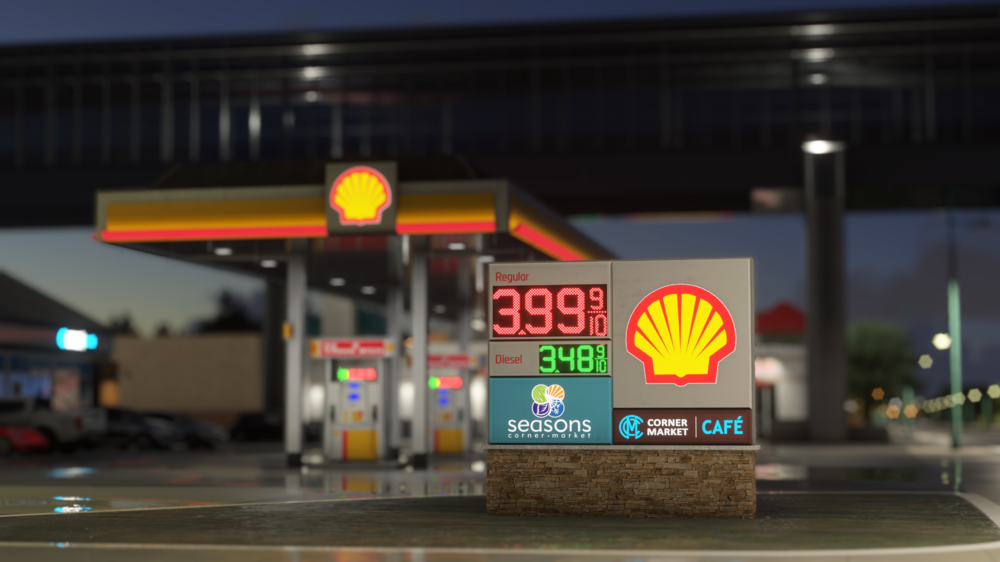
-
v1.3.1 of iniBuilds Los Angeles (KLAX) for MSFS2020 has been released. This update fixes a couple of issues such as the taxiway signs disappearing in certain instances as well as some signs adjusting near 07L. This update can be downloaded via the iniManager. v1.3.1 - Fixed issue with disappearing taxi signs at LOD0, - Adjust some signs near 7L
-
v1.0.4 of iniBuilds London Heathrow (EGLL) for MSFS 2024 has been released. This update addresses issues with some roof normals being inverted, T3 not loading in on occasions when flying in from other locations and more. This update can be downloaded via the iniManager. v1.0.4 - T3 - Pillar missing from building base near 323 - Roof Normals Inverted - [SU2] T3 disappears when flying in from another location
-
A350 Airliner V1.0.11 Update 🚀 This week’s update marks a significant step forward in realism, functionality, and overall immersion. We've carried out extensive overhauls and refinements across core systems whilst adding new features, bringing the simulation experience even closer than ever. We will cover these below but before we do, just to let folks know that we are close to wrapping up our Xbox testing and expect the Xbox version of the iniBuilds A350 to launch soon! This update can be downloaded via the iniManager. New Fly-by-wire features This week’s build adds the Auto De-Rotation system. The Auto De-Rotation system on the iniBuilds A350 is part of its advanced fly-by-wire logic designed to assist pilots during the landing phase—specifically after the main landing gear has touched down. This is an important system as it prevents hard nosewheel touchdowns by avoiding abrupt or excessive pitch changes by the pilot and improves landing consistency across different conditions and pilot techniques So how does it work in the simulator? The de-rotation law uses elevator input to lower the aircraft’s pitch at a controlled rate, helping to prevent a hard touchdown of the nose wheel. As soon as the main landing gear touches down, the fly-by-wire system takes over pitch management and commands a predefined pitch rate of 2 to 3 degrees per second. This ensures a smooth and consistent nose gear landing. Importantly, the pilot still retains authority and can override the law with manual input if needed. Enhanced GPS Jamming On the launch of the iniBuilds A350 we had a rudimentary system in place for GPS Jamming, which has now been overhauled. When an aircraft enters a region with GPS jamming, the satellite signals become degraded, blocked, or completely unavailable. This can impact: Navigation accuracy degradation – you must check your EPU on the POS report page to ensure you ability to conduct an RNAV approach. ADS-B reporting – you may experience TCAS anomalies. Position data for FMS (Flight Management System) – you may experience GNSS failures Modern aircraft like the 350 depend heavily on GPS for efficient and precise routing. While they have inertial reference systems (IRS) and backup navigation sources (like DME/DME or VOR), the loss of GPS can still limit functionality, trigger alerts, or force a switch to alternate navigation modes. On launch this was random and not geo-specific – where GPS jamming actually occurs in the world. Now this system is much more immersive and we have integrated live data for a much more realistic experience whereby you will experience GPS jamming based on where there is jamming in the real world. The regions are calculated using a system called H3 geo to convert latitude and longitude into hex cells on a map that correlate to aircraft reporting of GPS data in those areas over a 24hr period and dynamically updated so the jammed areas are always changing based on real world data. The system looks up data based on aircraft latitude and longitude every 5 minutes. The API responds with good, partial and bad aircraft reports. If all good, no jamming is active. If partial, a percentage of bad and good reports is used as a "chance" to be jammed for the checked period. In this instance you may experience jamming coming and going through areas where it’s reported. If all bad, the area is being fully jammed, and you will encounter GPS interference and related system failures. Cockpit Printer The printer is used for creating hard copy T.O data, F-PLN, METAR, Mailbox etc… This data is available in the OIS and FMS already but can be printed to cross check and reference. We use a combination of 3D model animations, and show/hide attachments to simulate the print process and placing the paper on the chart clip in the cockpit. The received data is sent to a template based on the item being printed and printed to the texture. The paper size is also dynamic depending on the data printed. For example, printing a METAR will not use as much paper as printing the F-PLN. In 2024, under certain lighting conditions, when at the gate, you may experience a temporary unexpected effect where the printed info is obscured. This is due to a core shader property that overrides the printed layer. This is known and should be resolved in a coming sim update. Planned Route API (MSFS2024 Only) It is now possible to send and receive the MSFS2024 integrated flight plan from the sim FMS and vice versa. The flight planning tool built into the core sim utilises official Lido navigation databases and real world submitted flight plans to provide accurate routes. This feature can now be used to populate your iniBuilds 350 FMS. The feature will also be used for feature updates that will introduce the MSFS2024 career mode. Condensation Effect A new effect to simulate condensation has been added. The aircraft is generating the effect on the cockpit windows using the difference between outside air temperature and simulated cabin temperature and builds or dissipates over time. It also takes into account the windshield heat status of the glass element to remove the condensation just like the real aircraft. You will see this in action, when you are sat cold and dark, in a low OAT region and will see the condensation build before engine start. Due to limitations in the FS2020 engine, this effect is exclusive to FS2024 New ECAMs As with each update, we have also added in a wide range of ECAM’s, the following ECAMs have been updated or added: [ABN] L/G LDG WITH ABNORM MAIN L/G, [ABN] L/G LDG WITH ABNORM NOSE L/G, L/G GEAR NOT LOCKED DOWN, L/G GEAR NOT LOCKED UP, L/G CTL 1+2 FAULT, L/G DOORS NOT CLOSED Due to a bug in FS24 the following are disabled via EFB trigger (we are working with Asobo on this bug and once resolved these will be in action): "NORMAL L MLDG FAULT" "ALTERNATE L MLDG FAULT" "NORMAL R MLDG FAULT" "ALTERNATE R MLDG FAULT" "NORMAL NOSE GEAR FAULT" "ALTERNATE NOSE GEAR FAULT" ____________________________________________________________ v1.0.11 Systems⚙️ FIXED: MFD approach: selecting via NONE displays [----] FIXED: Latched VDEV behaves like normal DES mode if the speed is reduced FIXED: FPLN erased during go around FIXED: After a 2nd go around the approach is no longer in the FPLN bug FIXED: Changing arrival runway but not inserting it still changes the drop down approach options FIXED: Duplicate UTC message in F-Plan FIXED: Activating ALTN doesn't clear original DEST data FIXED: MCDU-FLAN modification in SEC FIXED: EDDM 08L/R VNAV issue FIXED: OMDB, RIDAP 2F SID - min speed at DB570 is 180, but the max at DB585 is 220. Should managed speed therefore shoot for 220? FIXED: Issue when deleting HOLD as part of procedure FIXED: EFIS ND Mode Change Message not displaying FIXED: Floating arrow FIXED: MFD PERF: QNH inHG entry format error FIXED: GO Around logic issues FIXED: VLS conf full and conf3 are the same FIXED: AFS Control Panel functionality incorrect FIXED: Takeoff trim out of limits when light FIXED: Issue with glowing brakes FIXED: Pressing FIRE pb should turn the FADEC off FIXED: Engine oil capacity FIXED: OIL quantity indication oscillates during cruise FIXED: Engine failure after V1 feedback FIXED: XPDR behaviour from STBY to Auto FIXED: RMP 3 logic FIXED: Text overlap on fuel page FIXED: RNAV SLS incorrect NAVAIDS tuning FIXED: SURV: can click through the confirmation box FIXED: FADEC not powering off 15min after ENG shutdown FIXED: MAGVAR issue for display on AFS, PFD, ND FIXED: Brake cooling mid-air FIXED: Spoiler behaviour reverses FIXED: VNAV VSD de-synced from sequenced waypoint after inserting hold FIXED: RWY (armed) shows when flap lever is set to 0 FIXED: Sim Pause triggering on user AP disconnection with protection on FIXED: ENG ECAM FIXED: FMS goes blank when selecting FMS1 FIXED: Spoilers don't extend when overspeed FIXED: No zero on barometric altitude when below 100 feet MSL FIXED: Engine thrust doesn't follow cursor when set to idle reverse FIXED: No TAWS messages on ND FIXED: A. LOCK doesn't work FIXED: WIND UPLINK issues FIXED: Cost Index vs cruise speed too low at normal cruise levels FIXED: Battery draining during pause FIXED: TCAS amber with NAV PRIMARY LOST FIXED: ETP FMC calculations FIXED: D-ATIS arrival request shows departure ATIS FIXED: CMS formatting on ND FIXED: SEC Index page logic FIXED: PRED TO function not working as expected for typed FL FIXED: PRED CLB ECON not showing as reference FIXED: PERF CRZ FL391 input reverts to --- FIXED: SPD to MACH reversion shows incorrect SPD window value FIXED: Level-Off Arrow symbol rendering bugs FIXED: Constraint logic not functioning as intended FIXED: AP disconnection due to low FPS FIXED: Mode reversion to heading mode in high winds FIXED: EFIS CP baro reference issue FIXED: C/L sensed items not staying green after takeoff FIXED: Suggested optimum step field FIXED: Nose drops automatically on touchdown FIXED: Auto sideslip control issues and side slip indicator behavior FIXED: FO OIS brightness buttons affecting contrast bar FIXED: No level off arrow in CRZ phase FIXED: WPs missing from CMS/Step Alts FIXED: Roll feedback in FBW system FIXED: TMPY inputs not resetting after FMC reset FIXED: FMS ALTN F-PLN scroll/view mismatch with ND FIXED: Wind data at cruise FIXED: ND drawing of cross track error FIXED: CP logic at power up FIXED: VSD not showing level-off altitude FIXED: PFD LS distance info display FIXED: GLS approach loading issue FIXED: SURV page misbehavior when IR unaligned FIXED: Aircraft takes off stick-free at low FLEX/TOGA FIXED: VAPP jumping erratically in strong winds FIXED: Cannot deselect FLS on LDA approaches FIXED: Step altitude logic revisions implemented FIXED: Level-Off Arrow Symbol rendering issues in multiple scenarios FIXED: WIND DES page and ALTERNATE entries in FMS not functioning correctly FIXED: SELECTED FOR NAV tab not calculating RADIO NAV MODE and RADIO POSITION FIXED: With engine out, automatic CLB phase no longer engages incorrectly FIXED: Transponder functionality reversed FIXED: Window wipers function with no power (cold and dark, BATs off) FIXED: Pressing FIRE pb did not shut down FADEC FIXED: ND did not indicate next waypoint correctly FIXED: Issue with VHHH LIMES waypoint not rendering properly FIXED: ALTN flight plan shows dashed line not matching ND route FIXED: WIND DATA synchronization in FMS not working FIXED: AFS CP logic failure with empty FMS FIXED: MFD crash when switching to SEC-FPLN (WASM issue) FIXED: ANF/EFIS crash scenario addressed UPDATED: Elevator trim blending logic proposal for smoother rotation handling when transitioning from ground to air OIS FIXED: ROP warnings not working FIXED: Activating ALTN doesn't clear original DEST data FIXED: BRK MED disarming during go around FIXED: CMS issue FIXED: Navaid auto tuning feedback FIXED: PRED TO function not working in any phase FIXED: No FMA change box in engine out when selecting THR MCT FIXED: MAP waypoints in PLAN should be blue not green FIXED: MAP constraints shouldn't have prediction circles FIXED: BRK MED not working FIXED: Missed approach showing 0nm to waypoints FIXED: ND display of departure airport FIXED: BTV not working FIXED: T.O. THS out of range on spawn FIXED: ND LS-Mode with FLS FIXED: ND NAV mode, level-off arrow behind aircraft in selected HDG+VS FIXED: Brake cooling mid-air FIXED: Engine failure after V1 feedback FIXED: LDG inhibit disappears too early FIXED: Auto callout RETARD issue FIXED: GSX passenger load count > max capacity FIXED: GSX unable to disconnect GPU FIXED: Updating return information for TOPerf to FMGS FIXED: Fuel jettison shows ON and OPEN instead of ON and fault FIXED: ENG 1/2 MASTER ECAM logic with BLUE fault FIXED: Gear failed on left side not showing red down lock FIXED: SPD LIM TMPY input disappearing when edited FIXED: Engine out: ATHR off FMA keeps flashing LVR MCT FIXED: ISIS option and menu behavior FIXED: MFD F-PLN selection should scroll to the top FIXED: ECAM WXR & TCAS faults shown when IRS is off FIXED: SPD Brakes visually appear but have no flight model effect FIXED: SURV panel spelling issue FIXED: Display type & status not synced on spawn FIXED: Track line missing when on HDG FIXED: VD bracket on ND should disappear when in HDG/TRK FIXED: Spawning mid-flight triggers AUTO EMER DES as cabin alt of 15k FIXED: Autoland at EDDL FIXED: Waypoints missing from CMS/Step Alts FIXED: Managed speed quick fluctuations FIXED: SUGT optimum step field FIXED: Engine failure after V1, stuck in TO phase FIXED: BRK MED: box around it on FMA when active present again FIXED: Incorrect order of memos on ECAM FIXED: PRIM1+2+3 fault, FD listed as INOP but still works FIXED: "M" in PFD LS "NM" is hidden behind target bearing FIXED: REFUEL IN PROGRESS memo stuck FIXED: NW STEER DISC memo stuck EFB/OIS🖥️ FIXED: GSX loading in the wrong order FIXED: OIS Loadsheet page fields not updating correctly during/after GSX progressive boarding/refuelling FIXED: OIS charts issue and readability FIXED: No option to set departure time on the OIS FLT PLN Simbrief page FIXED: OIS OFP page large fps drop when mouse within OIS borders FIXED: OIS Screen brightness bar missing (CPT/FO) FIXED: SYNC FMS not working FIXED: Cabin Language livery config takes priority over OIS setting – warning added FIXED: Add load configuration button (Doors/Cargo) FIXED: Toggling fuel panel on MX page opens L1 door FIXED: Typo: Dual Engine Failure Situation FIXED: Avionics Bay and Cargo Bay lights turning on simultaneously via EFB FIXED: Oil overflow indication on maintenance page FIXED: OIS OFP text size not persisting FIXED: Enroute map route drawing error on trans-pacific flights FIXED: Fuel weight calculation issue FIXED: GSX remote stand boarding not opening L2 FIXED: GSX boarding does not continue automatically if fuel is uplifted FIXED: Region-based GPS jamming impact areas added FIXED: New ZFWCG calculations integrated FIXED: Cannot print mailbox messages via MSG RECORD page FIXED: Printer D-ATIS / MAILBOX page feedback FIXED: Printer FPLN INIT page feedback FIXED: Some ECAMs should be restricted to 2020/2024 only FIXED: OIS ENR SUGT – do not draw MAP (missed approach) FIXED: EHAM to EGBB chart crash in LIDO repository FIXED: Printer -T.O DATA- Page Feedback UPDATED: EFB API enhancements ADDED: Preferred PF seat selection to options page, ADDED: Geo referencing for LIDO charts ART🎨 FIXED: Condensation animation only shows on left wing FIXED: JA03XJ - Sustainability Goals decal should be removed FIXED: ETH 1000 liveries missing tail flash FIXED: Edelweiss -900 missing wing reg and decals FIXED: OH-LWK export failure FIXED: Lufthansa winglets alignment FIXED: JAL aircraft not rendering in sim FIXED: Fuel ventilation overpressure disc FIXED: DLH D-AIVA tailplane white texture instead of blue ADDED: Hot brakes emissive SOUNDS🔊 FIXED: No sound on belly door release FIXED: Missing gear door opening sounds on ground FIXED: No touchdown sounds FIXED: EXT APU sound too loud FIXED: Parking brake handle has no sound FIXED: Park brake sound plays once then not again FIXED: Brake fans missing spool up/down sound FIXED: Add varied flap motor noises FIXED: External sound added to landing gear doors FIXED: External hydraulic sounds no longer overly filtered FIXED: Adjusted hydraulic sound distancing from cockpit perspective FIXED: Missing system noise in walkaround view FIXED: Reduced dip in engine volume after startup FIXED: Added variety to flap sounds FIXED: TCAS sound events not playing FIXED: Brake fan spooling sound missing FIXED: Exterior avionics volume increased FIXED: FS20 exterior sound distancing muted at certain angles FIXED: FS20 sunshades audio mix increased FIXED: APU levels adjusted near the nose area FIXED: Dropped intensity of maximum low-frequency gain FIXED: Delay on gear thump sound after rotation FIXED: FS20 touchdown sound inconsistency FIXED: Retard callout louder than other GPWS FIXED: Hydraulic pump stopping sound plays after ENG shutdown FIXED: Post engine start sounds too quiet FIXED: D-ATIS Auto Update not functional FIXED: HYD pump sound when recharging accumulator should not be audible from cockpit FIXED: Taxi roll sound too loud and sounds odd FIXED: No belly door release sound FIXED: Wing to center tank xfer pb has double click sound FIXED: ELEC pushbuttons play double click when toggled ON > OFF FIXED: PARK BRAKE sound plays once then stops ADDED: Printer sounds added Thanks for all of your support and patience whilst we worked on this update, we hope that you enjoy the new features! iniBuilds Team ❤️
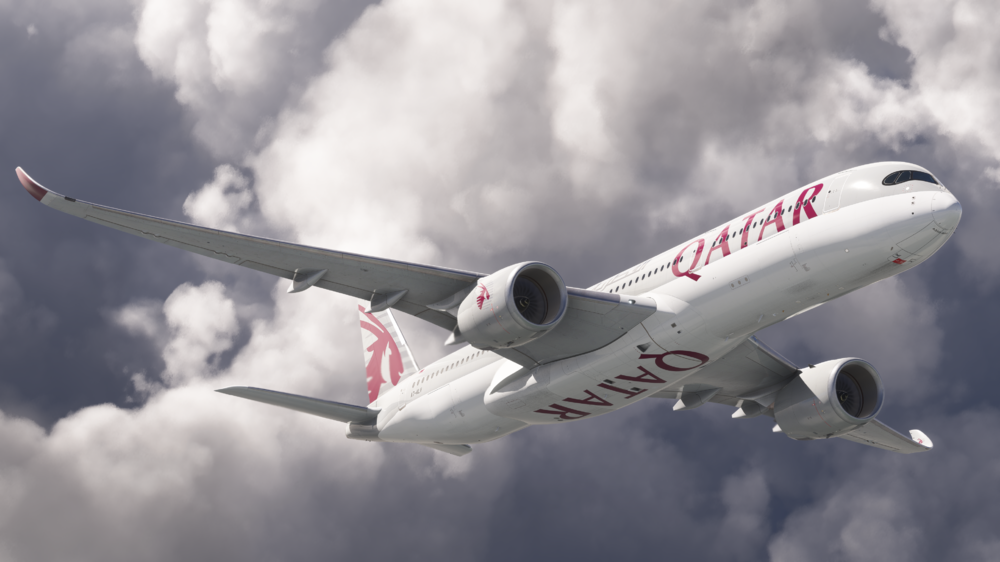
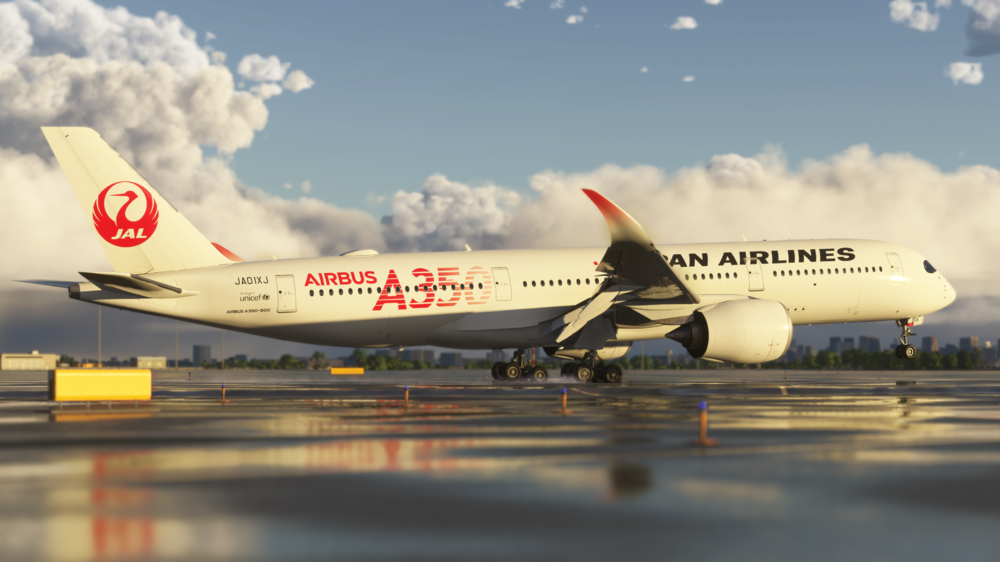
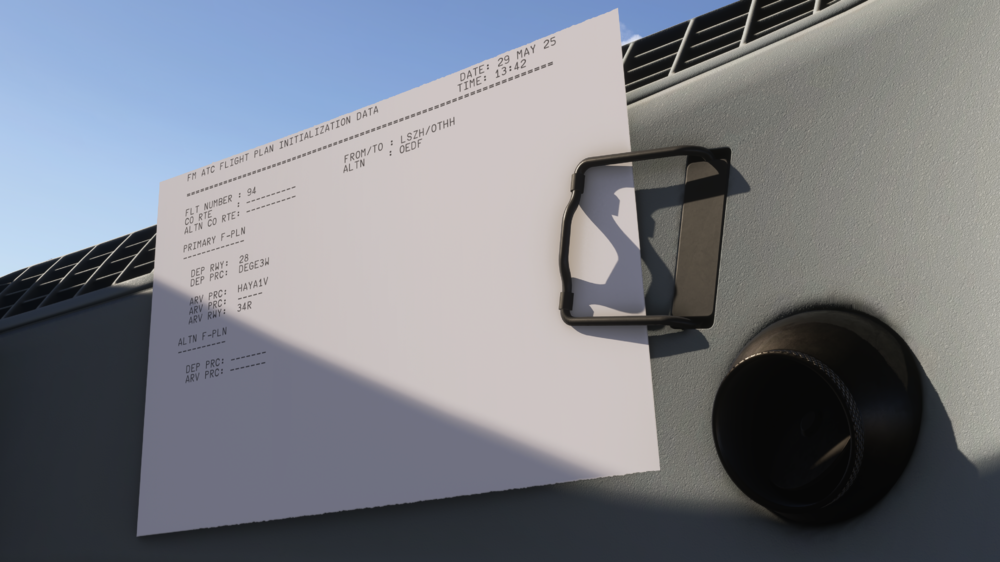
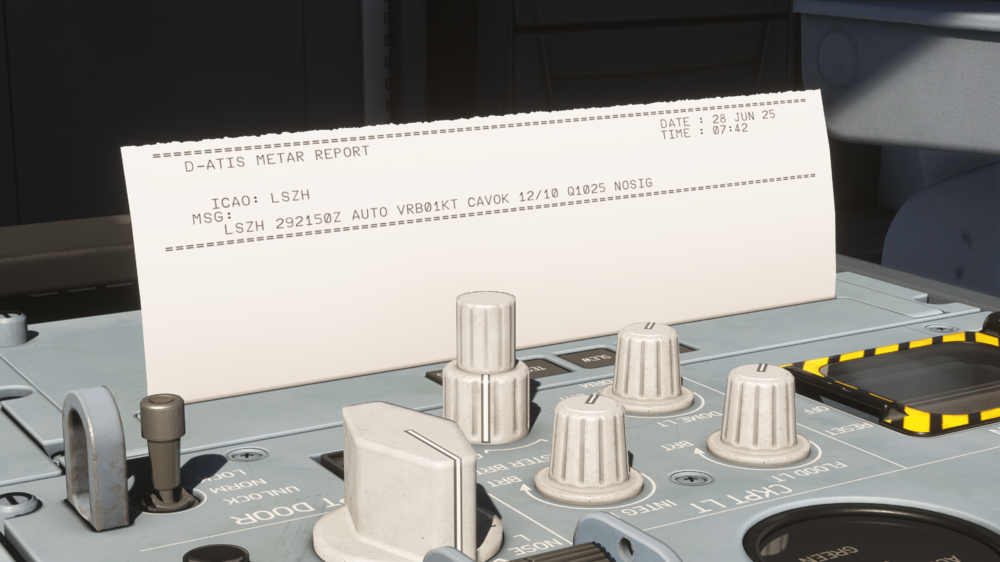
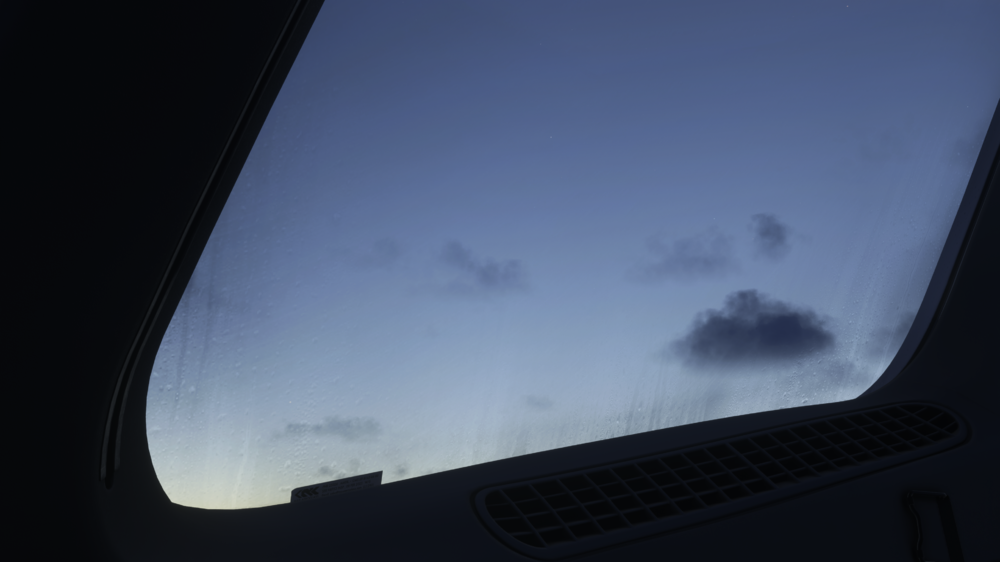
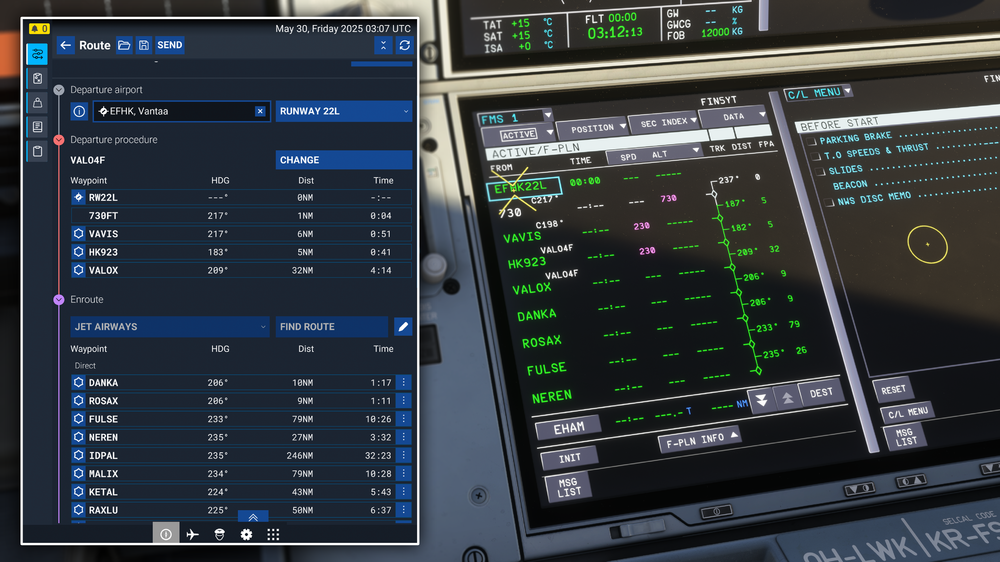
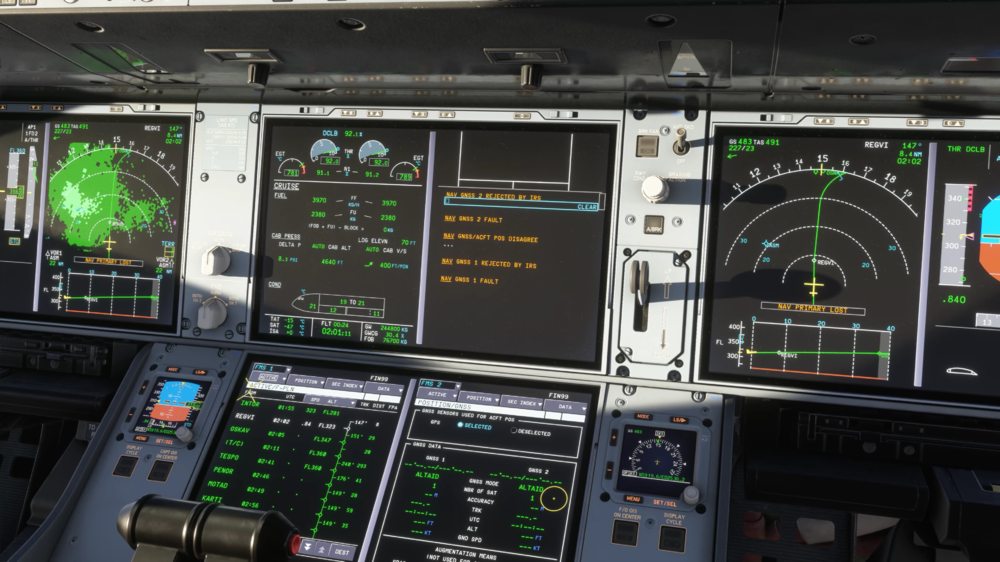
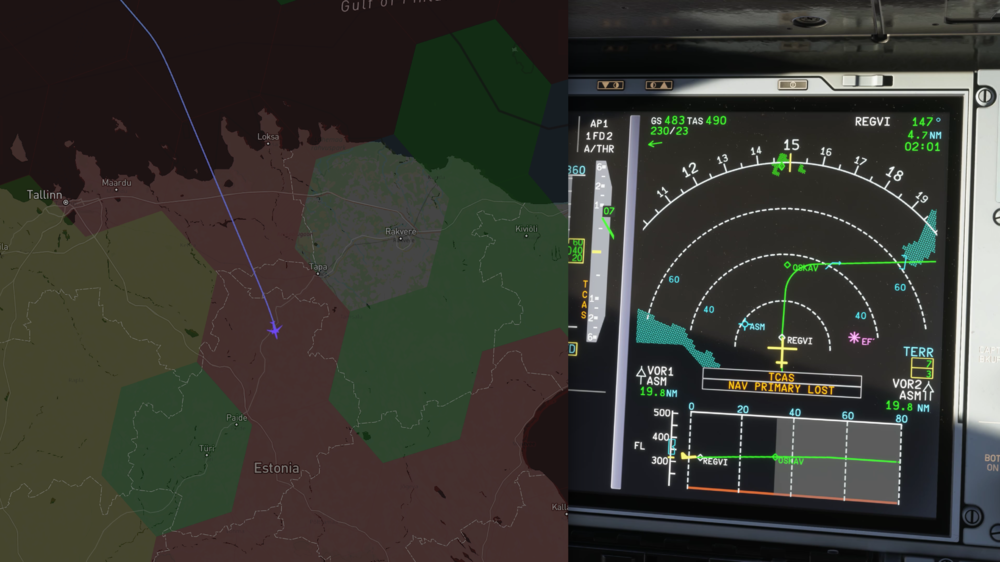
-
v1.0.3 of iniBuilds Southampton (EGHI) Compatible for MSFS 2020 & 2024 has been released. This update now reflects the updated 2025 layout and adds missing crosswalks, fixes issues with line and parking arrow visibility, and adjusts GSE placement for better GSX compatibility. This update can be downloaded via the iniManager. v1.0.3 - Moved/replaced gates 1 to 5 (now 2 to 5), - New and updated custom markings, - Adjustments to apron surface types to reflect recent resurfacing/repairs., - Repositioned GSE to suit new gate positions, - Expanded 02 turnout area to match updated ortho (during development this estimated)
-
v1.0.1 of iniBuilds Milwaukee (KMKE) Compatible for MSFS 2020 & 2024 has been released. This update resolves surface friction issues, fixes visual bugs like sunken vehicles and an upside-down tower display, removes oversized default powerlines, and adjusts taxiway links to improve AI pathing. This update can be downloaded via the iniManager. v1.0.1 - Friction issue [FS24] - should be resolved for both sims (base surface type was set as gravel) - Partially sunken vehicles near the F4 memorial - Upside-down display in the control tower - Removed default oversized powerlines - RW01 - Taxiway M/E2 are no longer linked to avoid AI path confusion
-
v1.0.4 of iniBuilds Spartan 7W Executive for MSFS 2024 & 2020 has been released. This update includes a wide range of fixes such as animation and texture corrections, cockpit interaction improvements, lighting adjustments, and resolves multiple flight model and electrical system issues, while also refining sounds and adding new lighting controls. This update can be downloaded via the iniManager. v1.0.4 Fixed – Elevator trim tab not animated Fixed – RH wing flap rivets detach when extended Updated – Cockpit POV pitch adjusted downward Fixed – AH roll indication incorrect Fixed – Floating rivets left behind after gear retraction Updated – Improved startup sound transition for warm/cold engine conditions Fixed – Floating interactive indicators Fixed – Issue when battery is bound to hardware Fixed – VS indicator flips at 2000 fpm Updated – FS20 back-seat characters no longer super-glossy Fixed – External camera views Fixed – Animation issue with classic variant cockpit ADI Fixed – Modern cockpit fuel selector not syncing Fixed – Passengers always visible in modern sub variant Fixed – Classic cockpit landing light down lamps not bright Fixed – Passengers not seated correctly Fixed – Flickering glass Fixed – Texture issue in low levels of light Fixed – Low-resolution carpet textures Fixed – Gradient blending issues Fixed – Various flight model issues Fixed – C&D spawn has master switch ON by default Fixed – Generator off: Ammeter shows 0 ISO discharge Fixed – Cylinder temperature exceeding max shortly after start Fixed – GPS state cannot be toggled; reverts to VLOC Fixed – Electrical system does not initialize from C&D spawns Fixed – Modern Exec fuel gauges not in sync and showing incorrect values Updated – Landing light logic now allows independent control and retraction Added – Panel and cabin light rocker switch interaction to modern cockpit


