mattY
Administrators
-
Joined
-
Last visited
Everything posted by mattY
-
v1.0.3 of iniBuilds Liverpool (EGGP) Premium for MSFS 2024 has been released. This is a small update to attach model to light preset. This update can be downloaded via the iniManager. v1.0.3 - Attached model to light preset
-
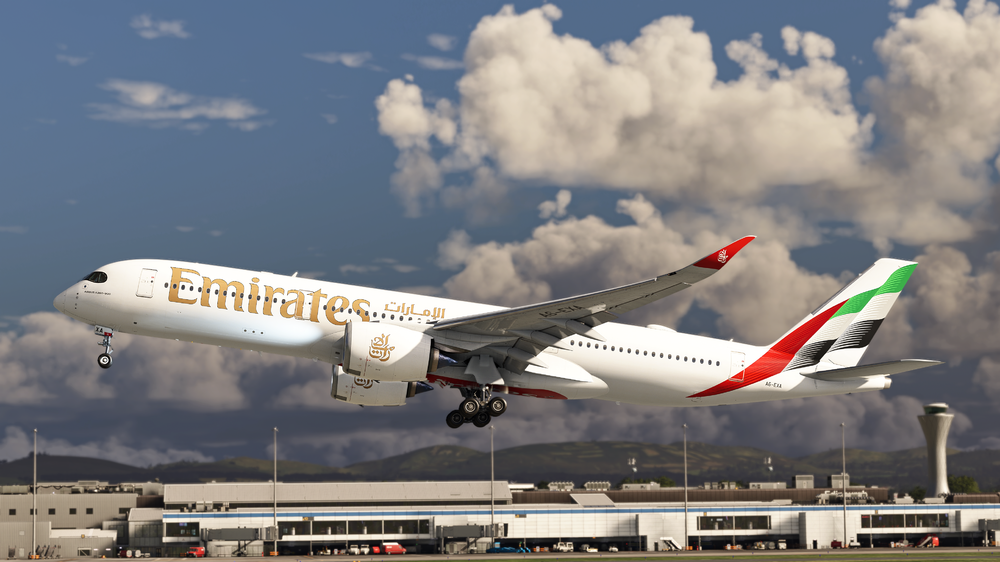
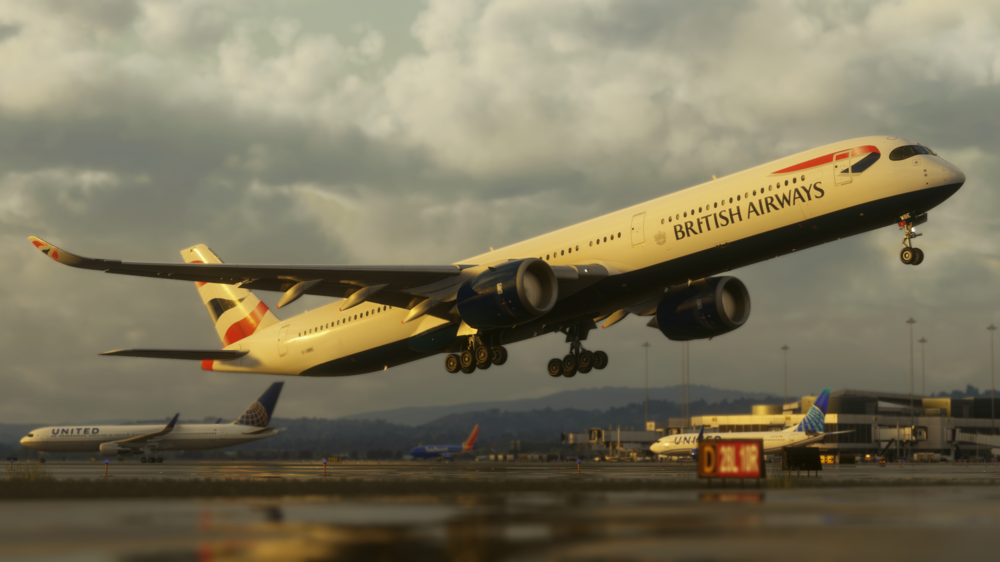
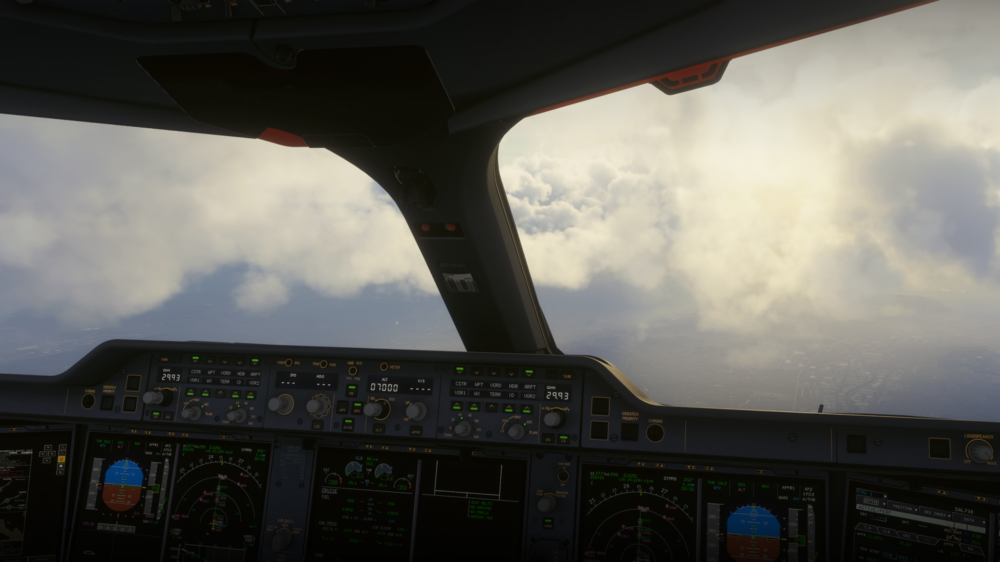
iniBuilds A350 Airliner V1.2.5 Update 🚀 The A350 Airliner v1.2.5 update focuses on further refining system accuracy and improving overall stability, with a continued emphasis on WASM performance and consistency. Following extensive testing, the team have implemented a range of under-the-hood optimisations to memory handling, data efficiency, and system robustness within the MSFS WASM environment, resulting in smoother operation and more reliable behaviour, particularly during complex and high-load scenarios. Alongside these core improvements, this update delivers a comprehensive set of fixes across key aircraft systems, addressing areas such as FMGS logic, flight guidance behaviour, navigation predictions, and MCDU functionality. Additional updates span across the EFB, sounds, and aircraft model, resolving issues with enroute mapping, missing alerts, and various animation and visual discrepancies, helping ensure a more polished and consistent experience throughout all phases of flight. We’re excited to say that after considerable work and a strong focus on improving overall WASM stability, the team have implemented a range of under-the-hood optimisations throughout the latest testing phase. Many of our testers have already reported noticeable improvements in performance and consistency, particularly in more demanding scenarios. These changes target memory handling, data efficiency, and system robustness within the MSFS WASM environment, helping deliver a much more stable experience overall. Here's what we've done: Optimised WASM performance and memory handling by reducing unnecessary data copying in key systems, lowering transient memory usage and improving overall efficiency within the MSFS WASM environment. Refined data access patterns to reduce unnecessary temporary copies, helping lower stack pressure and improve runtime consistency, particularly during high-load scenarios Added additional safety checks across critical memory pathways to guard against invalid states and edge cases As mentioned above, these changes significantly improve overall stability and reduce the likelihood of WASM-related crashes, so be sure to download the latest updates, especially ahead of a busy Cross The Pond, coming this weekend! This update can be downloaded via the iniManager. V1.2.5 SYSTEMS ⚙️ FIXED Position time manual behaviour FIXED Direct to behaviour FIXED Fix page issue FIXED Issue with Top of climb prediction FIXED TO page not locking in fields when TO phase active FIXED Fuel & load page FIXED The aircraft GW & GWCG should be calculated/shown on the ED/PERMANENT DATA FIXED ALT CSTR on ND FIXED Issues with making waypoint-bearing FIXED Deleting pilot waypoints selection exceeds the remaining number if waypoints FIXED T/C marker missing in OP CLB FIXED Altitude selection & flight phase logic during cruise FIXED Green dot speed mismatch FIXED "NOISE END" box appears on top of the previous "SPD CSTR" FIXED FD Behaviour - Vertical Guidance Timing & Wind Shift Sensitivity ART 🎨 FIXED some bolts & other small parts are missing from the landing gear, & some are not attached to anything FIXED APPR button not animated FIXED EVA command guard does not open FIXED Ext Model - Sun shades are mounted on exterior window instead of the interior ones FIXED Rudder trim animation inverted EFB📱 FIXED Enroute map token loss in flight FIXED Enroute map 403 error due to bad API call SOUNDS🔊 FIXED Missing "retard" callout FIXED No windshear alert iniBuilds Team ❤️
-
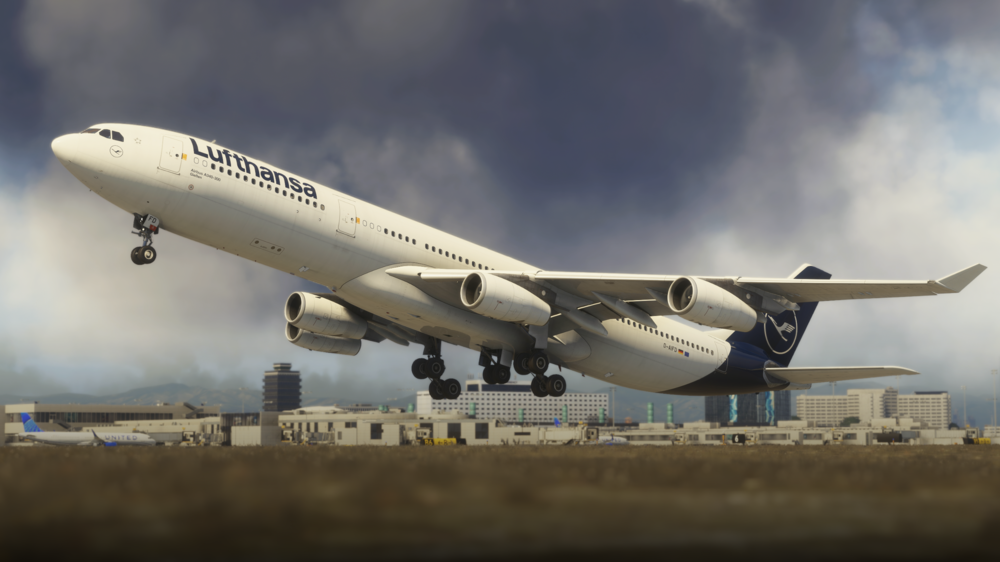
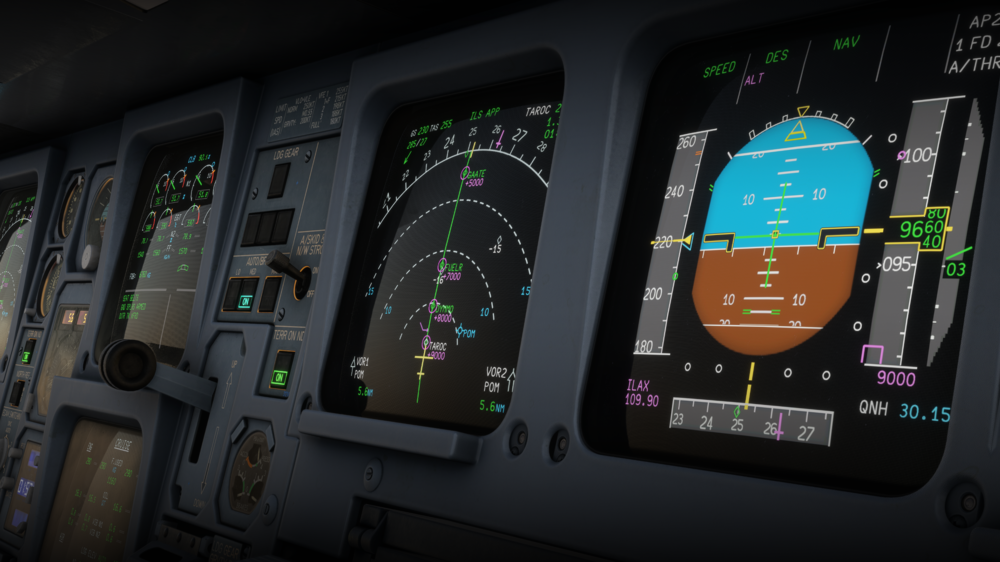
iniBuilds A340 Airliner V1.0.11 Update 🚀 The A340 Airliner v1.0.11 update brings a strong focus on overall stability and performance within the MSFS WASM environment, alongside a range of targeted fixes across core aircraft systems. Following extensive internal work and testing, this update introduces under-the-hood improvements to memory handling, data efficiency, and system robustness, resulting in noticeably improved consistency, particularly during high-load and demanding scenarios. In addition to these foundational enhancements, this update addresses several system-level issues affecting day-to-day operations, including corrections to flight deck indications, trim and hydraulic logic, navigation behaviour, and MCDU interactions. Together, these changes help deliver a more stable, predictable, and refined experience across all phases of flight, with a reduced likelihood of WASM-related instability. We’re excited to say that after considerable work and a strong focus on improving overall WASM stability, the team have implemented a range of under-the-hood optimisations throughout the latest testing phase. Many of our testers have already reported noticeable improvements in performance and consistency, particularly in more demanding scenarios. These changes target memory handling, data efficiency, and system robustness within the MSFS WASM environment, helping deliver a much more stable experience overall. Here's what we've done: Optimised WASM performance and memory handling by reducing unnecessary data copying in key systems, lowering transient memory usage and improving overall efficiency within the MSFS WASM environment. Refined data access patterns to reduce unnecessary temporary copies, helping lower stack pressure and improve runtime consistency, particularly during high-load scenarios Added additional safety checks across critical memory pathways to guard against invalid states and edge cases As mentioned above, these changes significantly improve overall stability and reduce the likelihood of WASM-related crashes, so be sure to download the latest updates, especially ahead of a busy Cross The Pond, coming this weekend! This update can be downloaded via the iniManager. V1.0.11SYSTEMS ⚙️ FIXED Deviation indication when no course tuned in VOR FIXED Trim can be moved without hydraulic pressure FIXED Issues with clearing scratchpad FIXED Fix page formatting issues FIXED Manually tuned navaids not resetting after landing FIXED THS should be +4 deviation on cold and dark load iniBuilds Team ❤️
-
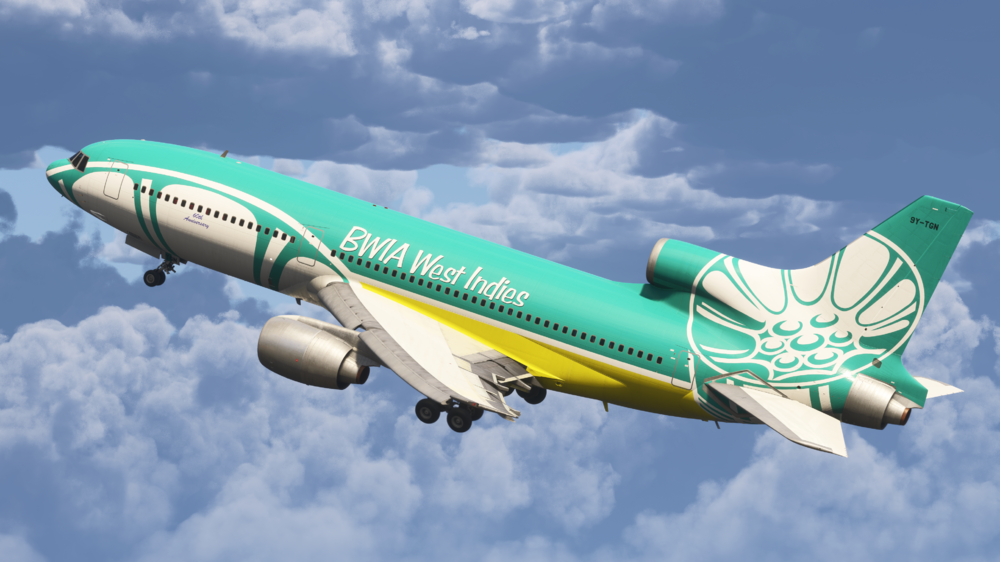
iniBuilds TriStar Airliner V1.0.3 Update 🚀 Following last week’s V1.0.2 release, we’ve continued refining the TriStar Airliner with another focused update based off of community feedback. Version 1.0.3 brings a wide range of fixes across core systems, improving overall stability and day-to-day usability. This update includes key fixes to autopilot/AFCS behaviour, INS navigation logic, fuel and electrical systems, engine operation, and various cockpit interactions and bindings. Flight handling has also been improved with smoother pitch trim, refined autothrottle behaviour, and more accurate climb performance. Additional fixes have been applied across visuals, PFB usability, and sounds, with corrected callouts and improved audio consistency for a more immersive experience. As always, we appreciate the continued feedback, more improvements are already on the way. Enjoy the TriStar Airliner! ✈️ This update can be downloaded via the In-Game Marketplace. V1.0.3 SYSTEMS ⚙️ FIXED KW/KVAR indication shows zero for all generators FIXED APU fuel feed: starts & runs normally with the ENG2 tank valve closed FIXED 2L/2R tank gauge needle & drum disagree FIXED UNLOCK/REVERSE indications incorrect logic FIXED Generator values during cruise FIXED INS battery light illuminates with units OFF FIXED AP Disengage/AT TOGA/AT DISENGAGE Joystick bindings not working FIXED Fixed smoke detection panel & logic. FIXED CVR test doesn't work FIXED Engaging AP resets AFCS modes FIXED OVHD Panel Lights are linked to Floodlight Breaker FIXED AC Does not follow ILS GS when Captured FIXED Pitch Trim Oscillations FIXED ADF needle pointer works with ADF in OFF position FIXED HDG bug when on INS HSI mode FIXED Fuel temp cools down too quickly FIXED INS Nav is having difficulty dealing with a W->E Longitude transition if WP is all zeros FIXED INS MSU OFF shows BAT light on FIXED HYD: EDP off should light up LO PR lights FIXED Cabin Pressure Changes Randomly with no Change in Cabin Altitude FIXED ALT SYNC - should still allow baro to set via FO side FIXED Non-Functioning Circuit Breakers FIXED PMS gives too high climb EPR? FIXED INS CDU incorrect display for TK GS & HDG DA FIXED ENG1 & ENG3 wont start unless all packs are off FIXED Unable to control VHF COM1/2 independently FIXED Engine not starting despite sufficient pressure FIXED HSI INS time readout bug when counting down time FIXED ALT/GS conflict FIXED Cannot shut down engine 2 when APU running FIXED TCAS test pattern in VSI stuck FIXED INS wind display, value position inverted FIXED Fuel & Weight totalizer not matching actual load + jumping values FIXED F/E Clock Displays Local time & not UTC FIXED INS should be fully aligned on Runway spawn FIXED C&D: antiskid ON>OFF FIXED PMS mach control during climb inaccurate/slow to react FIXED Winwing throttle quadrant causinmg loss of IDLE calibration during the flight FIXED ATHR is too aggressive ART 🎨 FIXED Runway Spawn - all cockpit lights are off FIXED Fuel temp needle not animated between positions & just jumps FIXED Pedestal map minus sign missing from zoom buttons PFB📜 FIXED Cabin door open/close buttons text above is displaced to the left FIXED Autocomplete - Parking Checklist - APU shutdown due to FE turning off ENG 2 TANK VALVE SOUNDS🔊 FIXED CVR sounds FIXED "Cabin Is Ready" plays inconsistently FIXED C-chord should play 500ft before reaching level, currently 400ft FIXED TO Config warning audible in cabin FIXED Add sounds to RA
-
v1.0.2 of iniBuilds Liverpool (EGGP) Premium for MSFS 2024 has been released. This update enhances the overall airport atmosphere with the addition of static GA aircraft, more passengers in the check-in area, and expanded interior detailing throughout the terminal, including the passport control area and illuminated glass walkways. A number of fixes have been made to improve accuracy and consistency, such as correcting building colours, signage, and baggage belt numbering. Missing and misplaced objects like fencing, lighting, and gate signage have also been fixed. This update can be downloaded via the iniManager. v1.0.2 - ADDED some static GA aircraft - ADDED people at check in area - ADDED more interior detail to terminal - ADDED lighting to terminal glass walkways - ADDED Passport and Control Area detailing - FIXED Baggage belt number ordering reversed - FIXED Wrong shade - building color near gate 4 - FIXED Wrong shade - Liverpool Aviation Services hangar - FIXED Tap+Brew instead of Estuary - FIXED Missing fence at Stand 2/3/4 - FIXED Stand 52/53 gate sign positioning to align with centerlines - FIXED Random fences next to RW27 - FIXED Missing lighting alongside Skyport terminal
-
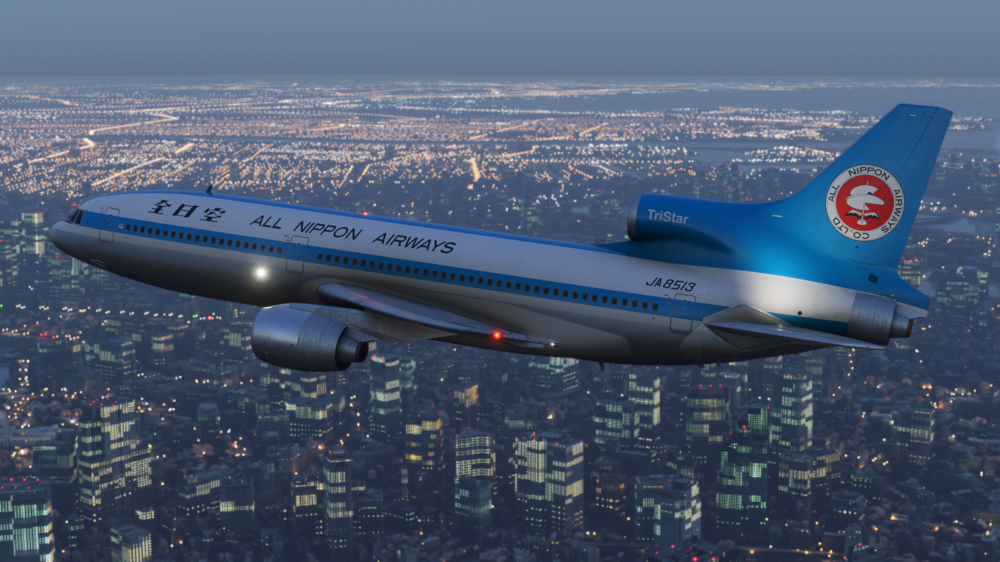
iniBuilds TriStar Airliner V1.0.2 Update 🚀 With continued feedback from the community, we’ve pushed ahead with another round of refinements to further improve the TriStar Airliner! Version v1.0.2 is now live via the In-Game Marketplace, delivering an extensive set of fixes and additions across systems, art, sounds, and the PFB. This update brings significant improvements to autopilot and flight director behaviour, VNAV/PMS logic, ILS functionality, and overall AFCS stability, alongside numerous corrections to engine, fuel, pneumatic, and cabin systems. On the visual side, you’ll also find optimisations for VRAM usage, improved animations, lighting corrections, and additional immersion touches such as engine startup smoke. The PFB continues to evolve with new functionality including OFP re-download, brightness automation, and expanded auto flight engineer logic, while sound fixes address missing alerts and audio consistency. As always, we really appreciate all the feedback so far, this update tackles a huge number of reported issues, and we’ll keep the improvements coming. Be sure to check out the latest version below and enjoy your flights with the TriStar Airliner! ✈️ This update can be downloaded via the In-Game Marketplace. V1.0.2SYSTEMS ⚙️ ADDED Weather Radar brightness control ADDED Flight recorder trip date FIXED Weather Radar ranges do not operate independently on CPT/FO Side FIXED High-pressure flow indicators illuminating without an active pneumatic supply FIXED Oil PRESS IND Test — pressure pointers fail to move to the 9 o’clock position FIXED Anti-skid test (normal and alternate) fails to display the correct test pattern FIXED FE GW and Total Fuel gauge unit values unit inverted (KG/LB) in some cases FIXED APU stop switch INOP when APU started via Panel State or F/E Autocomplete FIXED Pack flow and hot air indicators illuminate despite APU bleed being off FIXED S/O panel lights test logic — fire detection loop and wheel well fire tests illuminate incorrectly FIXED Engine Turbine Cooling Air Test Logic — A and B test switches incorrectly illuminate when pressed individually FIXED Cabin pressure control fault light does not illuminate during light test FIXED Fuel used reset function is inoperative FIXED RMI incorrectly points to ILS stations FIXED Wing anti-ice check valve operates without pneumatic air supply FIXED ALT ARM sometimes fails to engage FIXED PMS not transitioning to cruise phase; thrust remains at climb power FIXED PMS fuel entry limit capped at 159,900 lbs FIXED PMS exceeds VMO in POD version FIXED AP overshoots altitude in TM/VNAV mode FIXED AP TURB mode operates incorrectly FIXED AP descends more than 400 ft during turns in ALT mode FIXED AP does not compensate for crosswind in VOR and LOC modes FIXED AP does not engage via keybind or update AP variable FIXED AP ALT CAP levels off too high and then overcompensates FIXED AP VNAV behavior inconsistencies FIXED FD Guidance reliability in multiple scenarios FIXED AT inability to maintain speed FIXED ALT CAP instability FIXED AP climb modes may enter unintended descent during high-altitude turns and recover too slowly FIXED Fuel quantity test does not increase Total Fuel or Gross Weight indication FIXED Fuel Low Pressure lights do not illuminate when tank pumps are unlatched FIXED Wing anti-ice manual test does not display the expected OPEN indication when pneumatic pressure is available FIXED Engine Vibration Filter annunciator light does not illuminate during test FIXED Autospoiler disengage does not trigger DLC fail lights FIXED AFCS Vertical Modes incorrectly disengage when used with TM FIXED ILS missing LOC ARM flag FIXED Rudder can be moved without hydraulic power FIXED TOGA command activates command bars with flight directors disabled FIXED Cabin temperature displays in °F but operates in °C FIXED ENG 1 and 3 high-pressure bleed switches move automatically from ON to OFF FIXED Pack airflow (CFM) inconsistencies FIXED Incorrect ATS DISC flag when using TM FIXED ILS GS and LOC ARM modes do not reliably disengage HDG/ALT modes on capture FIXED Missing ICAO code in aircraft configuration FIXED ALT ALERT light continues flashing after ALT CAP FIXED Avionics air indication should read OVBD/OVBD when on the ground FIXED Engine 1 rolls back when increasing throttle in specific conditions FIXED Captain and FO ASI overspeed needles mismatch FIXED INS1 does not correctly follow position offset FIXED INS drift rate too low FIXED Aircraft powered off on aerial spawns FIXED Missing tooltip for ENG TURB COOLING AIR test B FIXED Auto brake ARMED light does not illuminate during takeoff FIXED Stab auto trim warning light illuminates with AP off FIXED Flight Deck Clocks should display UTC instead of local time ART 🎨 ADDED Engine smoke FX during startup ADDED Cockpit - Registration placard assets (Paintkit Update) FIXED High VRAM usage on 8GB GPUs FIXED Thrust reverser door animation tied incorrectly to throttle position FIXED CPT / FO DME readout mismatch FIXED Engine 2 Components not attached to cowling animation FIXED Shifted INS map forward for better visibility in VR FIXED OVHD windshield Heat panel Korry lights fail to illuminate FIXED Object flickering affecting both PIC and SIC side windows FIXED ADI fast/slow indicator animation inverted FIXED EFDARS Flight Numbers animation FIXED FO weather radar range and intensity knobs do not match markings FIXED Inconsistent strobe patterns and aircraft lighting FIXED Typo “RELAMPING” on RAM AIR TURBINE switch FIXED Faint red glow visible near parking brake lights when C&D FIXED Increased ADI Pitch Ref marker brightness for sky portion FIXED Runway turnoff lights not operational FIXED Audio panel transmit switches do not illuminate when pressed FIXED Transponder ALT switch does not move between positions FIXED Position lights illuminate aft of aircraft incorrectly FIXED TWA N11006C - decals not attached to cargo doors (Livery Update) FIXED TWA N11006C fuselage grey texture artifacts (Livery Update) FIXED Pan Am - texture clipping on right main gear door (Livery Update) PFB📜 ADDED OFP re-download functionality ADDED Keyboard Input Lock option ADDED 7-sec timeout to PFB text field entry focus ADDED Automatic PFB and TOLD Card brightness adjustment based on time of day ADDED Auto F/E APU start enables bleed air following APU startup ADDED Auto F/E APU shuts down APU during after-start flow ADDED Ability to manually modify cargo hold weight values in PFB FIXED FPS drops on PFB loadsheet, takeoff performance, and landing performance pages FIXED PFB stuck in keyboard interaction mode if camera moved away FIXED Charts do not update destination following OFP update FIXED PFB pushback INOP FIXED Auto F/E After start sets flaps per TOLD card FIXED Lower minimum brightness threshold of PFB Brightness slider for night operation SOUNDS🔊 FIXED Audio loss when switching camera views FIXED Missing Cabin Altitude Warning horn FIXED Missing Fire Warning Test aural alerts iniBuilds Team ❤️
-
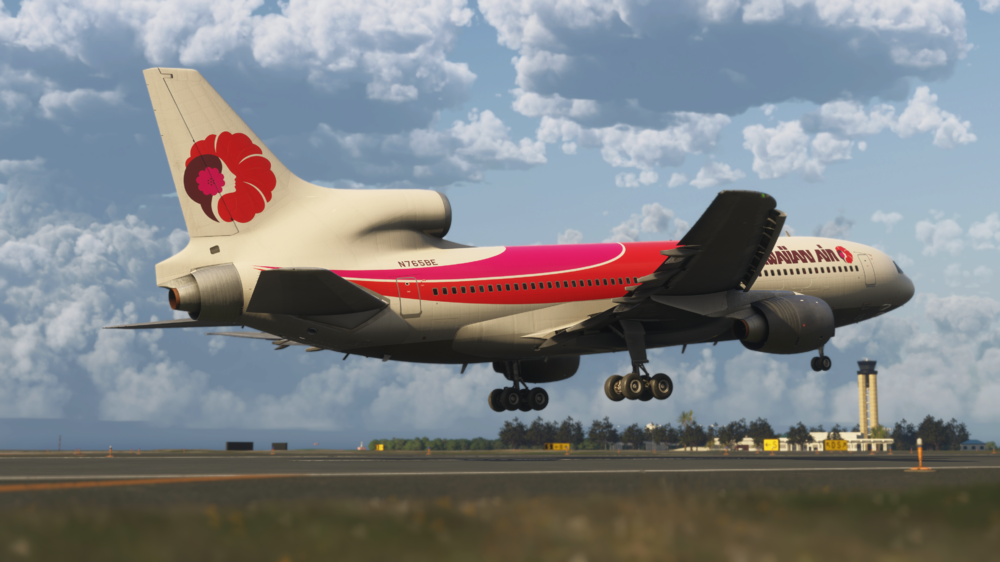
iniBuilds TriStar Airliner V1.0.1 Update 🚀 This is the first update for the TriStar Airliner! Following the incredible response since release, we want to say a huge thank you for all the support and feedback so far. Version 1.0.1 focuses on refinement, stability, and improving the overall experience across the aircraft. The update brings a wide range of fixes to core systems, including improvements to autopilot and flight director behaviour, VNAV/PMS performance, ILS logic, and engine/pressurisation systems. Numerous cockpit interactions and annunciations have been corrected, alongside better handling of spoilers, autobrake, and environmental systems for more consistent operation. On the visual side, this update refines cockpit and exterior details with fixes to animations, lighting, weathering, and multiple livery corrections, as well as the addition of interactive elements like operable lavatory doors. The PFB has also been improved with better brightness control, more accurate takeoff data handling, and added functionality, while the sound environment sees further polish with corrected callouts and improved behaviour. As always, we’ll continue to monitor feedback closely, so please keep it coming! This update can be downloaded via the In-Game Marketplace. V1.0.1SYSTEMS ⚙️FIXED INS MSU not detented to/from NAV position FIXED Light test switch doesn't fully illuminate all annunciators (especially on Main Instrument Panel) FIXED Cabin climb indicator makes occasional leaps up & down when sitting still on the ground FIXED Gear lever desyncs when using peripherals FIXED TM not respecting PMS constraints at calculated value FIXED Speed vertical modes need to command pitch much more readily FIXED ILS mode remains on with AP/FD off FIXED FD ILS LOC guidance unsatisfactory FIXED Very cold cabin temperature FIXED PMS VNAV control is not fast or accurate enough leading to consistent speed under/overshoots FIXED Cabin lights remain on with no elec. power FIXED Engine 1 & 3 anti ice ON not illuminating HEAT FIXED Pressurization PSI needle animation issue FIXED TOGA flag still missing from AFCS mode annunciator FIXED Incorrect ATS DISC flag when using TM FIXED Spoiler lever retracts automatically after landing FIXED Ground spoilers not extending fully on reverse selection FIXED Cabin heat not increasing past indicated limit FIXED Autobrake simulation FIXED Fire detection loop test knobs & Fire bell sound. FIXED Nacelle/pylon ovht detection test knobs & emissive. FIXED Engine turbine cooling air panel test emissive. FIXED Wheel well fire test panel FIXED Humidity control panel button animation. FIXED Forward cargo compartment logic for guarded switches with labels. FIXED N2 test buttons & logic FIXED Engine oil, temp & press test buttons & logic FIXED #3 Engine TGT & all Celsius Gauges INOP FIXED Rudder Axis binding issue for gamepad controller FIXED FMA test doesn't work on F/O side FIXED Fire Bell cutout requires subsequent press to silence alarm FIXED Walkaround - ACU disconnects immediately after clicking on air vent FIXED Auto throttle not disconnecting when weight on wheels has above nil value FIXED SPOILER ON/OFF control commands not working ADDED Circuit breaker animation and wired to basic electrical system functions. ADDED Tooltips to all CB. ART 🎨FIXED Wipers are floating above windshield FIXED Standby altimeter animation error FIXED ADF freq has no integral light FIXED Transponder digits are brighter than comm radios FIXED Excessive weathering effect FIXED Jetbridge attempts to connect to lounge even in non-lounge variants FIXED Door profile incomplete? See reference FIXED Wipers do not wipe away moisture on windshield FIXED Covert sunshades to draggable element FIXED Mechanic collision with ENG1 doors FIXED Wipers in any LOD other than 0 are in the old parked position FIXED Hole in rear of fuselage near APU exhaust FIXED Cockpit window tint too dark FIXED Cargo doors weathering displaced, floating above model FIXED Aircraft Weathering not parented to door animations FIXED Weathering elements on tail floating above fuselage FIXED z-fighting on wings with weathering enabled FIXED Cathay VR-HHX - Door decals in cabin FIXED Novair - Logo mirrored and font accuracy FIXED All Liveries - Cockpit Placard Shows G-STAR / AB-CD Instead of Actual Reg/Selcal ADDED Operable lavatory doors PFB📜FIXED Tie Takeoff card brightness to selected EFB as decided by priority switch FIXED Auto-Complete on start doesn't match flaps from calculated value FIXED Reduced overall brightness at night ADDED Can now switch between T/O & Land cards with top of card press SOUNDS🔊FIXED v1 & rotate calls when play when decelerating to bugged speed iniBuilds Team ❤️
-
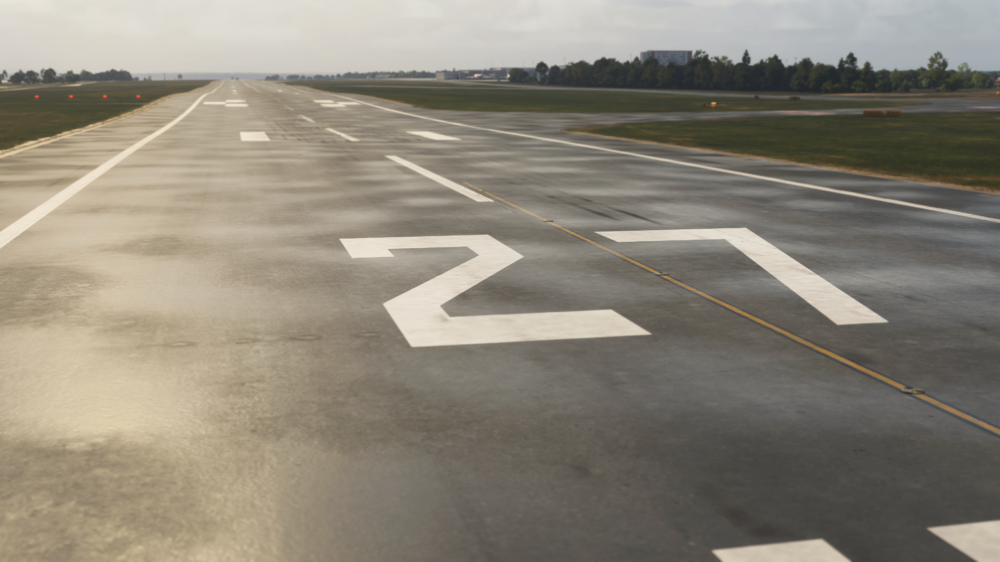
v1.0.1 of iniBuilds Liverpool (EGGP) Premium for MSFS 2024 has been released. This update brings a number of small improvements across the airport, including corrected stand details, updated runway markings, and added approach lighting. Various missing objects like fencing, vehicles, and stand numbering have also been addressed. We’ve also fixed issues with walkaround mode, GSX passenger access, floating vehicles, and missing textures, alongside adding a bit more detail to the terminal interior for a more complete feel. This update can be downloaded via the iniManager. v1.0.1 - Corrected size for Stand posts on Stand 54/55/56 - Added missing approach light models - Updated runway touchdown zone markings to match 2026 references - Resolved terraforming issue inside of Skyport hangar - Added missing fence next to Ravenair - Added cars at control tower - Resolved walkaround mode issues (invisible barriers and dropping through floors) - Resolved floating fuel trucks - Opened gates to allow GSX passenger walk points - Added details to terminal interior (restaurants and shops) - Fixed missing textures on GSE - Added missing stand number to Stand 12
-
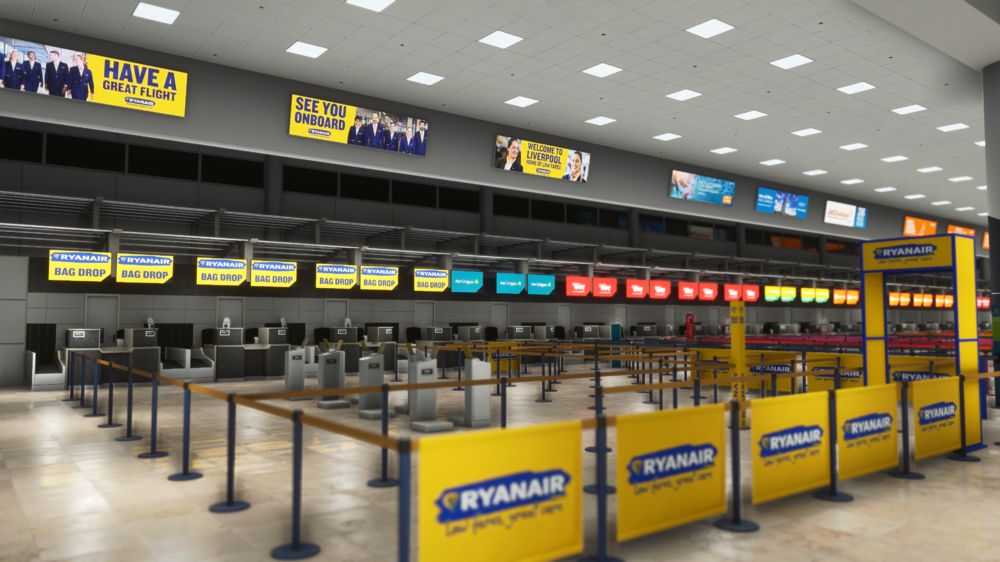
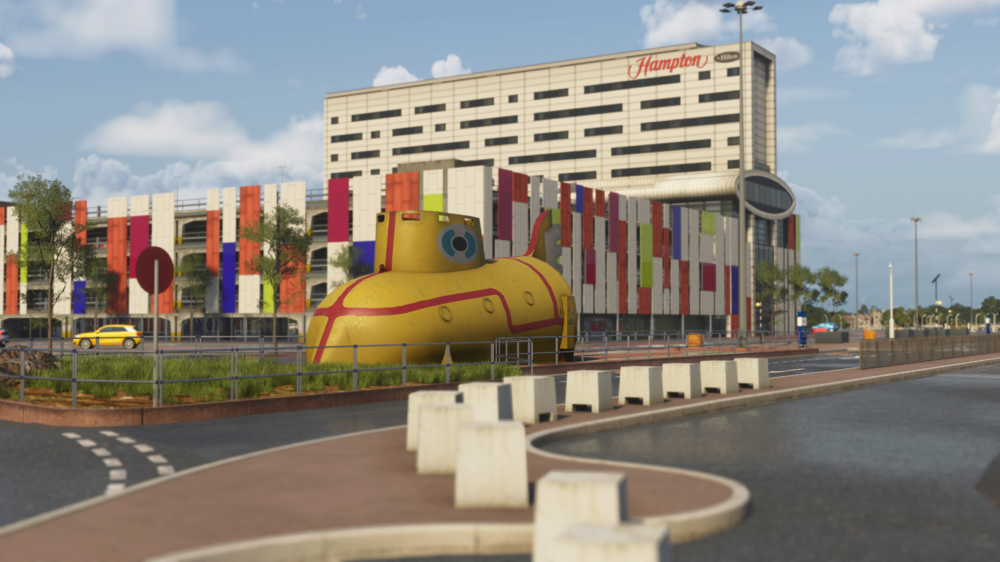
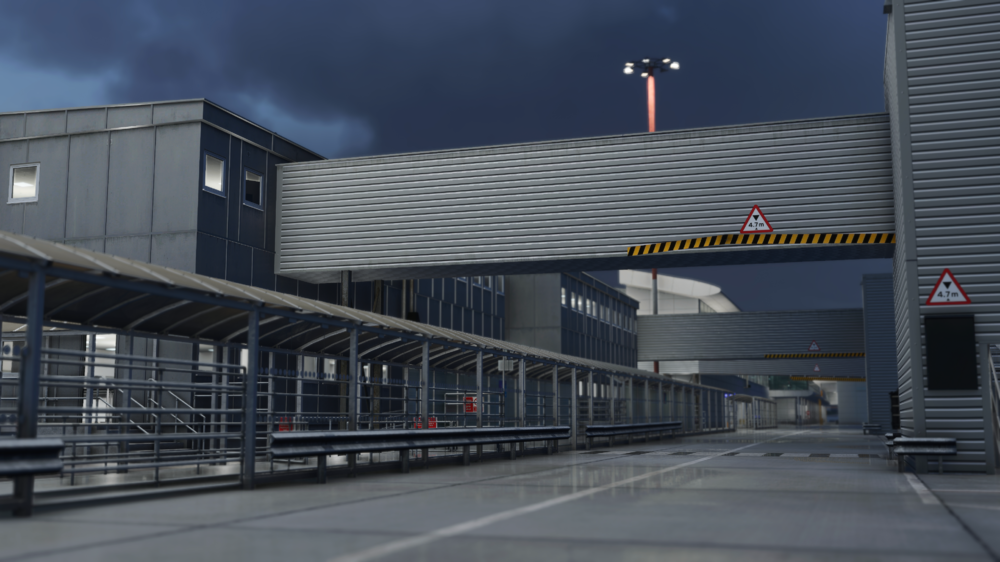
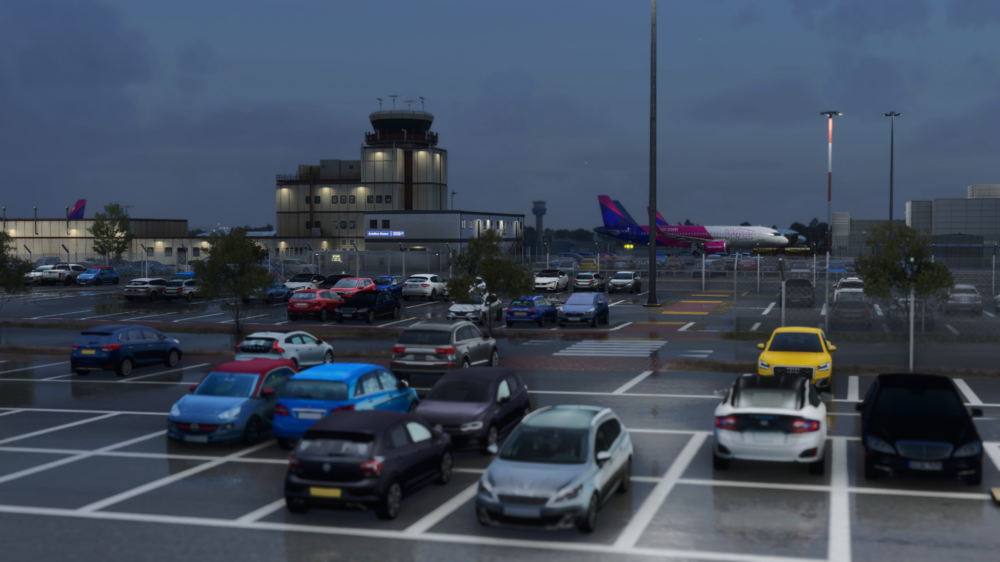
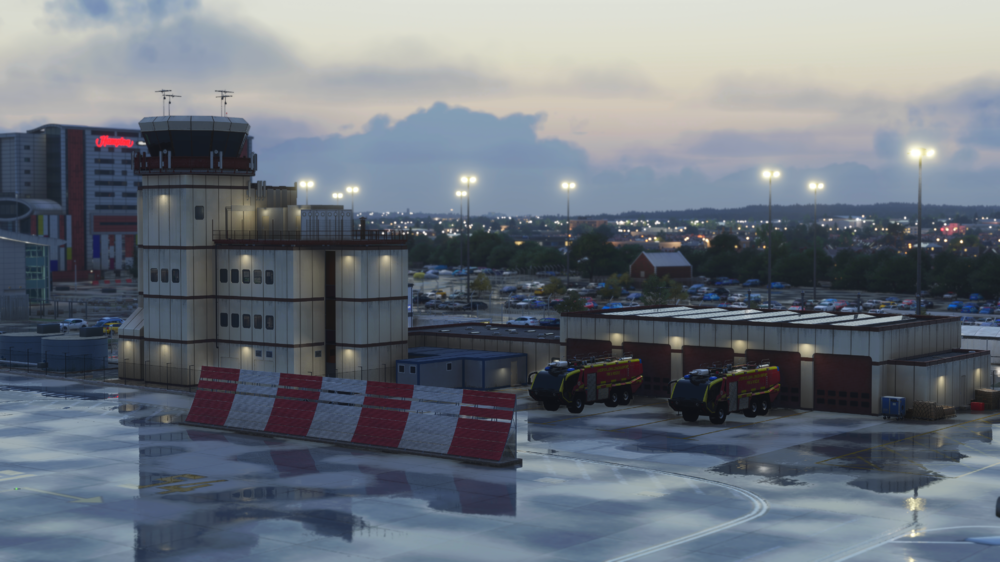
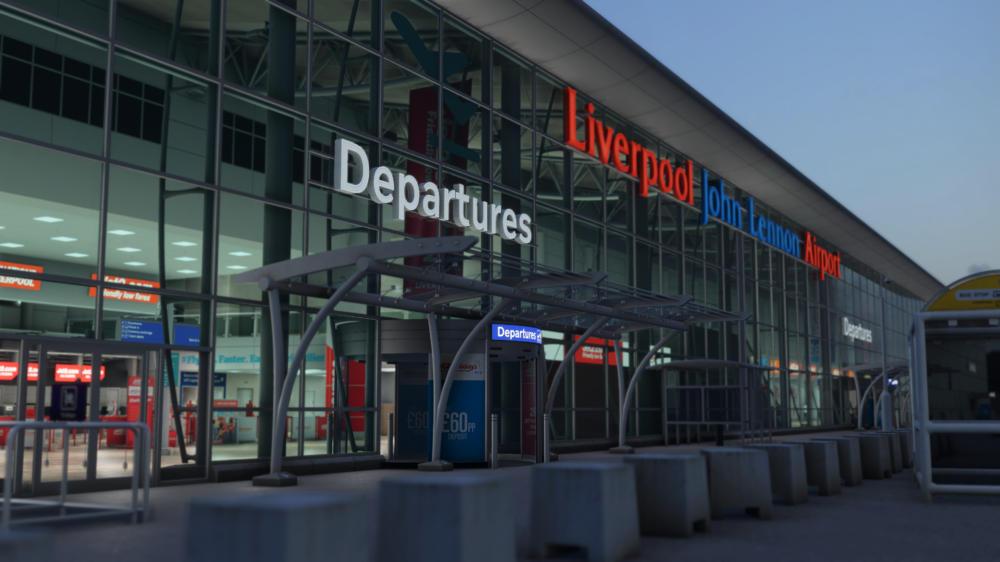
🌆 Welcome to Liverpool John Lennon Airport (EGGP) ✈️ Step into one of the UK’s most vibrant and historic cities, where rich cultural heritage meets modern aviation. Liverpool John Lennon Airport (EGGP) has been brought to life in stunning detail for Microsoft Flight Simulator 2024, capturing the unique charm and character of this iconic northern hub. Available now for just £11.99 (excl. VAT) Buy Now: https://inibuilds.com/products/inibuilds-liverpool-eggp-msfs-2024 Discover Liverpool John Lennon Airport! Located just southeast of Liverpool city centre, EGGP serves as a key gateway to North West England, connecting the region to destinations across the UK and Europe. Known for its efficient layout and steady mix of low-cost, charter, and private aviation traffic, Liverpool offers a dynamic and engaging flying experience. From busy apron operations to the nearby River Mersey and surrounding urban landscape, this rendition captures the atmosphere of EGGP with precision. Watch the airport come alive with immersive details, including animated airside buses transporting passengers across the apron and sailboats moving along the nearby waterfront, adding life beyond the runway. Carriers & Routes Liverpool sees a diverse range of operations throughout the year: easyJet & Ryanair – Extensive European low-cost network Jet2 & TUI Airways – Popular leisure and charter destinations Aer Lingus Regional – Key connections to Ireland General Aviation & Business Traffic – Regular movements across the region Whether you're operating a short hop across the UK, heading into Europe on a packed holiday flight, or managing turnaround ops on a busy apron, EGGP delivers a lively and authentic UK airport experience. Scenery Features Custom ground textures across the entire airport Realistic runway and taxiway layout based on latest charts Highly detailed terminal and airside buildings with interior detail and parallax effects Animated airside buses bringing the apron to life Animated sailboats along the nearby waterfront for added immersion Detailed landside area with custom assets and surroundings Fully custom night lighting across the airport GSX profile included Custom taxiway signage High-quality, performance-optimized textures Realistic UK-specific airside clutter and ground equipment Surrounding buildings and environment modeled in detail Optimized models with Level of Detail (LOD) for smooth performance Hidden Easter Eggs – keep an eye out! 👀 📽️ Watch the Trailer From busy apron activity to scenic approaches over the River Mersey, Liverpool Airport (EGGP) offers a uniquely British flying experience. Expect lively operations, detailed surroundings, and a handcrafted atmosphere that truly brings this regional airport to life. iniBuilds Team ❤️
-
v1.1.1 of iniBuilds Manchester (EGCC) for MSFS 2024 has been released. This update fixes some minor terrain issues, some erroneous taxi edge lighting and stop bar lighting and more. This update can be downloaded via the iniManager. v1.1.1 - Fixed terrain issues along the airport south side - Taxi edge light showing on one centreline - Terrain fixes around commercial area - Misplaced stop bar lighting - Fixed bump on K/J transition - Changed custom stop lighting so that it no longer shows during the loading map
-
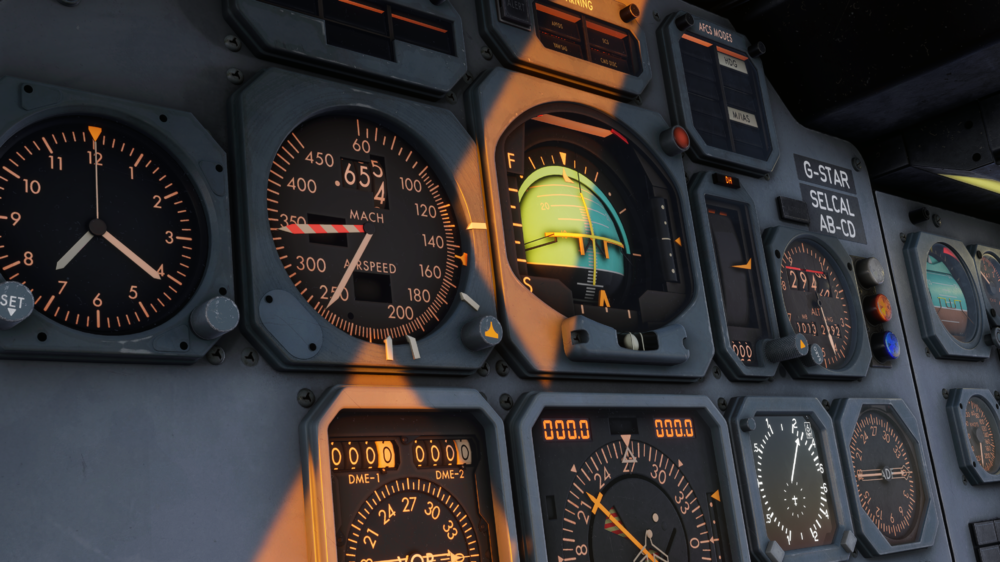
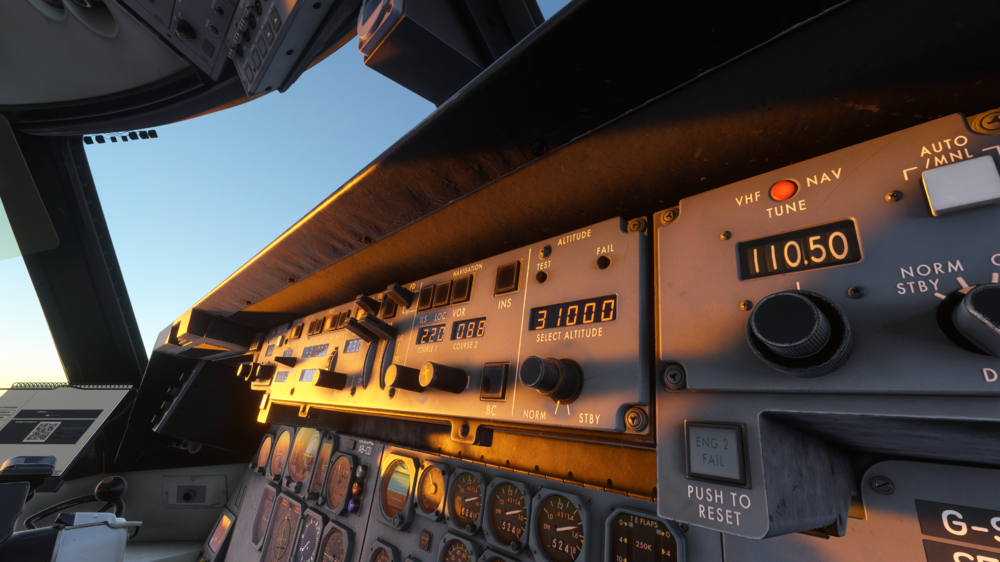
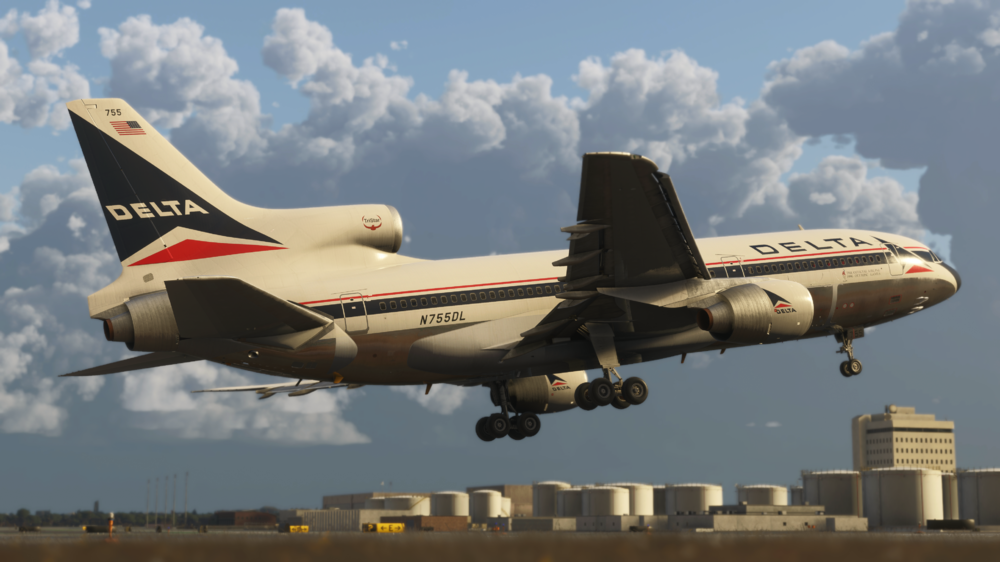
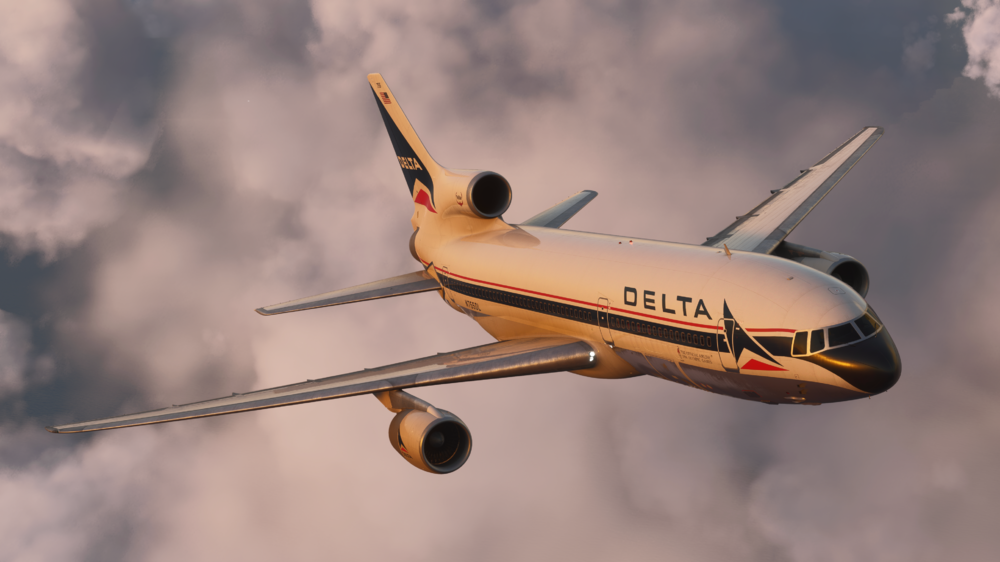
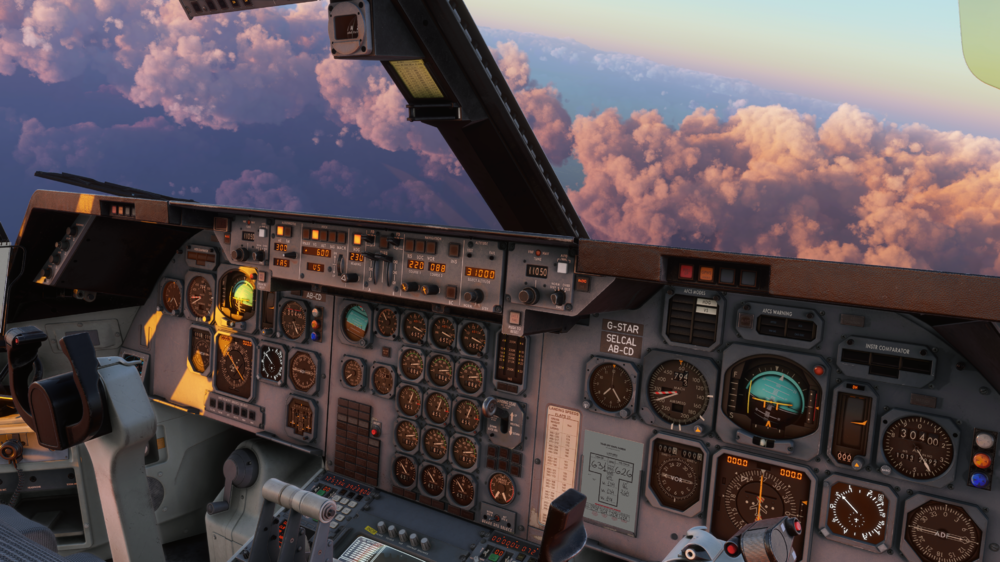
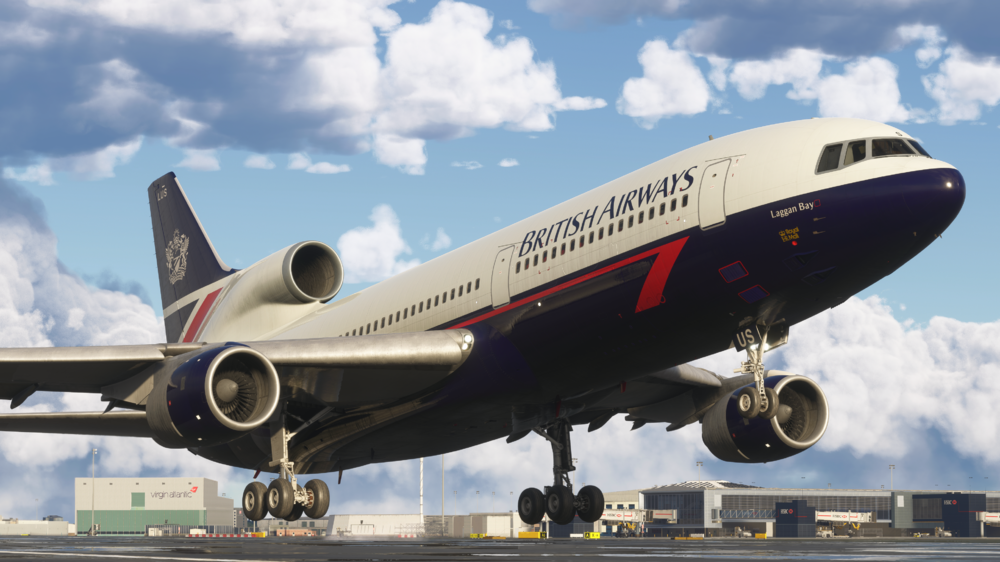
✈️ Welcome to the iniBuilds TriStar Airliner⭐ Step into the cockpit of one of aviation’s most iconic widebody aircraft, faithfully recreated for Microsoft Flight Simulator 2024. The TriStar represents a unique era of aviation, combining advanced automation for its time with classic analogue charm, and now, it’s ready for you to experience like never before! Available Now via the In-Game Marketplace for $49.99! (excl marketplace location based VAT) Over 40+ liveries are available to download via the iniManager: https://inibuilds.com/pages/inimanager-v2 From its unmistakable tri-jet design to its highly unique flight systems, the TriStar delivers a flying experience unlike anything else in Microsoft Flight Simulator 2024. Whether you're managing the aircraft’s intricate systems, flying precision approaches, or cruising long-haul historic routes, every moment captures the essence of this legendary airliner. With a deep focus on authenticity, the TriStar challenges you to think differently, blending traditional navigation techniques with innovative systems that were ahead of their time. This is not just another aircraft, it’s a completely different way of flying! Aircraft Features Systems Detailed RB211 engine simulation with authentic EPR logic, spool behaviour, and realistic thrust response Detailed AFCS simulation with CAT IIIB auto land capability. Accurate Direct Lift Control (DLC) system for precise glidepath control without excessive pitch input Complete hydraulic, pneumatic, and electrical systems with realistic redundancy and load management Fully interactive Flight Engineer station with real-world procedures and system monitoring Optional Virtual Flight Engineer with flow-based automation, callouts, and dynamic interaction Flexible navigation philosophy (RADNAV, INS, GPS, INS+GPS) selectable via PFB Realistic fuel system and transfer logic implemented using the modern fuel system with fully modelled valves and pump behaviour. Advanced environmental and pressurisation systems with zoned temperature control and reversion modes Integrated moving map & INS waypoint management, including SimBrief route import capability Fully simulated triple INS system, supporting authentic waypoint entry, alignment, and inertial navigation workflows Realistic INS behaviour and drift modelling, with aircraft position based on alignment accuracy and in-flight updates Integrated Performance Management System (PMS) providing advanced VNAV capability when using INS-based navigation modes Seamless INS + PMS integration, enabling a hybrid workflow that blends classic inertial navigation with modern vertical guidance Visuals Realistic lighting environment with cockpit, cabin, and exterior systems tuned for all conditions Highly detailed TriStar cockpit recreation, including Captain, FO, and full Engineer station Realistic wear-and-tear texturing with aged materials, scratches, and operational grime Fully modelled passenger cabin with period-correct layout, materials, and lighting tone Optional lower lounge configuration with spiral staircase and detailed lower deck environment Detailed cargo bay and structural modelling Accurate PBR material system with dynamic lighting response across all surfaces Fully animated control surfaces and landing gear with real-world sequencing and behaviour Dynamic wing flex, engine vibration, and environmental effects for added realism Included POD variant with visual modifications and unique operational characteristics Sounds Professionally recorded real-world L-1011 audio captured at the TriStar Experience by Echo19 Audio Productions Authentic RB211 engine sound profile, from spool-up to cruise and reverse thrust Detailed cockpit ambience, including switches, avionics hum, and airflow Immersive cabin environment audio, reflecting phase of flight and aircraft state Dynamic environmental sound transitions between interior and exterior perspectives High-quality system and mechanical audio feedback across all interactions Integrated Virtual Flight Engineer, First Office and Flight Attendant voice callouts for realistic crew coordination Reactive audio layering based on power, speed, and environment for a living sound suite Art & Effects Physically accurate lighting system using real-world intensity and colour references Fully dynamic cockpit lighting suite, including panel, flood, pedestal, and Flight Engineer station lighting Realistic exterior lighting behaviour across weather, fog, and night conditions Dynamic heat blur and engine exhaust effects tied to power output Subtle airframe vibration and motion effects enhancing aircraft weight and presence Authentic incandescent-style cabin lighting for period-correct atmosphere Advanced ambient occlusion and shadowing for depth and realism in all lighting conditions Smooth light transitions between day, dusk, and night operations Enhanced reflection and material response across cockpit and exterior surfaces Cohesive visual atmosphere capturing the “golden era” of widebody aviation PFB Unique period-inspired “Paper Flight Bag” replacing modern EFBs with an analogue feel Built-in Flight Engineer Autocomplete system for full or partial aircraft setup Integrated SimBrief import for route, fuel, and payload synchronisation Interactive loadsheet and CG management with real-time visual feedback Customisable fuel and payload loading with dynamic aircraft response Intuitive performance calculator with simple step-by-step takeoff & landing setup Styled OFP (Operational Flight Plan) with realistic dispatch-style layout Integrated chart system supporting LIDO & Navigraph with pinning and search Aircraft ground services and state control panel (doors, GPU, air start, pushback) Central hub for navigation mode selection and aircraft configuration preferences From short regional hops to long-haul transatlantic crossings, the TriStar operated across the globe with airlines like Delta, British Airways, Eastern, and many more. Recreate these historic routes or forge your own across a wide range of destinations, from busy international hubs to scenic regional airports. Fly classic routes from hubs such as London Heathrow, Dubai, Manchester, and Honolulu, or explore lesser-known operations that defined the TriStar’s legacy. Pair it with historic flight data tools like FlightSim Dispatch to bring even more realism into your operations. As always, thank you for your continued support ❤️ We can’t wait for you to dive in and experience this iconic aircraft for yourself! If you’re just getting started, we highly recommend taking some time to explore the FAQs, read through the manual, and watch the “Welcome To” video, these will give you everything you need to get up and running and make the most of your first flights. Watch the Trailer 🎥 Watch the Welcome To 🎥 Happy Flying! The iniBuilds Team ❤️
-
What is AoA mode? AoA mode is an AT mode designed to maintain a minimum safe angle of attack and varies depending on its activation condition. AoA mode is engaged automatically under any of the following conditions: TO GA Fully configured for landing Flaps deployed to 33 degrees Landing gear down In flight if speed drops below the minimum speed If AoA is uncommanded (in flight below safe speed) - the speed target by the AT system will be 1.3 x current stall speed (Vs). This is to ensure the aircraft is able to maintain a safe angle of attack, somewhat similar in concept to the Airbus A.FLOOR. If it engages in flight and you use the AT mode to maintain this speed - when you are in a more stable flying condition you must toggle off AT to disable the AoA protection. If AoA is commanded by TO or GA modes the target speed becomes 1.25Vs and will become inactive when an AP is selected on, or a vertical AFCS mode is selected. If AoA is commanded by landing configuration, the speed target is a bit more involved. Rather than being a function of Vs, it becomes a function of Vthreshold (Vth) - the speed at which you should cross the runway threshold. Landing AoA speed is: Vth + %CG additive (nominal 6 kts, moving towards 10 kts for forward %CG and 3 kts for aft %CG) + wind compensation. Note that dependant on your weight (for example, loaded for a TATL flight and having to make a return) this speed may well exceed the common 160 kts to 4 DME instructed by ATC. If heavy, its recommended to advise "unable", rather than disable AT and try and hold slower than safe speeds. Note: the AoA mode WILL NOT respect the speed set in the speed window.
-
v1.1.0 of iniBuilds Manchester (EGCC) for MSFS 2024 has been released. This update addresses taxiway layouts to match the Feb 26 charts, including E extension connectivity, L path refinements, updated signage, and adjusted stop markings from E8–E3. Improved ground operations with working hold short light bars, refined terrain heights, added red barrier lighting on closed taxiways, and an updated GSX profile. This update can be downloaded via the iniManager. v1.1.0 - Taxiway layout changes match Feb 26 chart - E extension is now connected per Feb 26 chart. - Added/adjusted all stop markings from E8 to E3 - Changes to L path - Taxi signs updated - Hold short light bars should now turn off as you approach. - Major height/terraforming changes. Should now only be slight difference between runway and apron heights. - Added red lights to barriers across closed taxiways. - Updated GSX profile
-
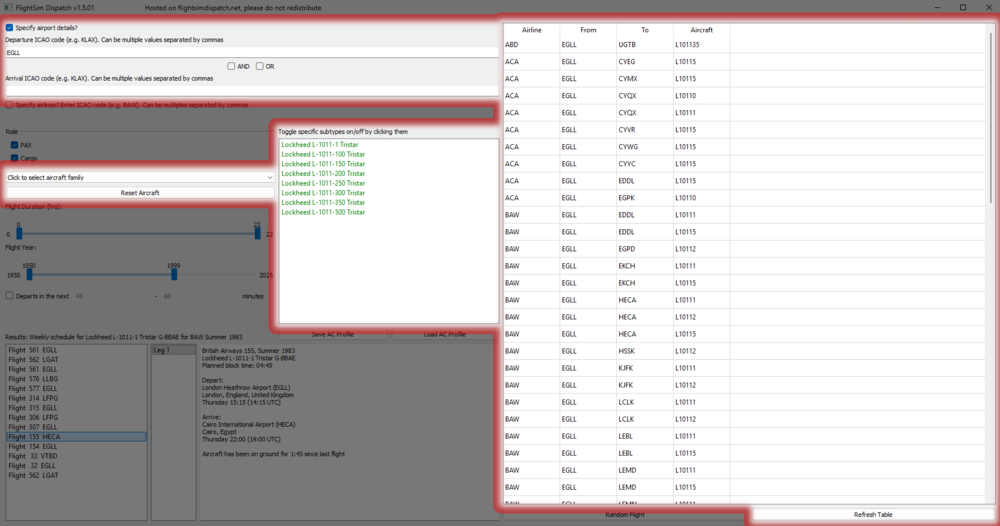
Flightsim Dispatch is a fantastic route planning tool that gives you access to millions of real-world flights, including historical airline operations from the 1970s through to today. For the TriStar Airliner, this is especially valuable, as much of the aircraft’s character comes from flying authentic routes used by airlines like British Airways, TWA, Delta, and Eastern. Getting started is simple. Download the tool from flightsimdispatch.net, extract the files, and launch the application. Once open, begin by entering a departure airport ICAO (for example, EGLL for London Heathrow). From there, you can refine your search to better match TriStar operations by applying filters such as aircraft type (L1011/TriStar), airline, flight duration, and most importantly, a year range. For the most authentic experience, set the year between the 1970s and 1990s, which reflects the peak operational period of the TriStar. Once those filters are in place, click Refresh Table to generate the results. Flightsim Dispatch will then display a list of real-world flights matching your criteria, including the departure and arrival airports, airline, aircraft type, and route length. Scroll through the list and choose a flight that suits the kind of session you want, whether that is a shorter regional sector or a longer intercontinental route.
-
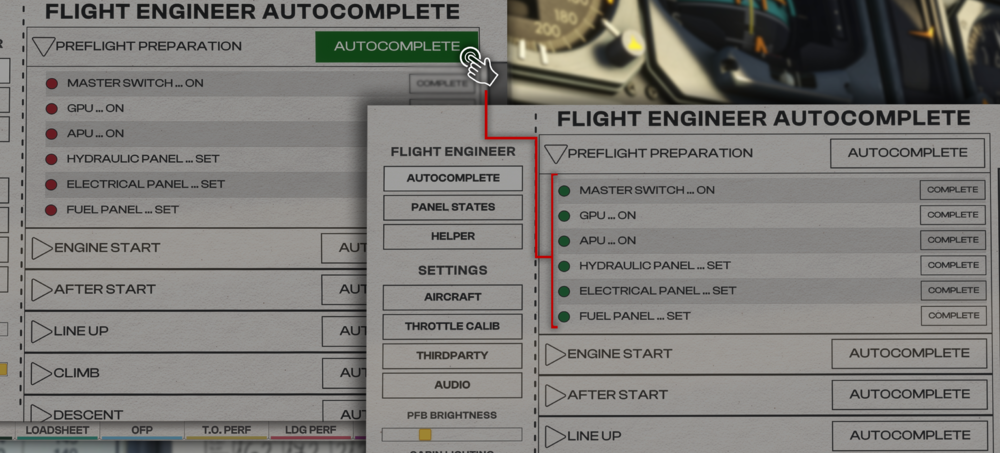
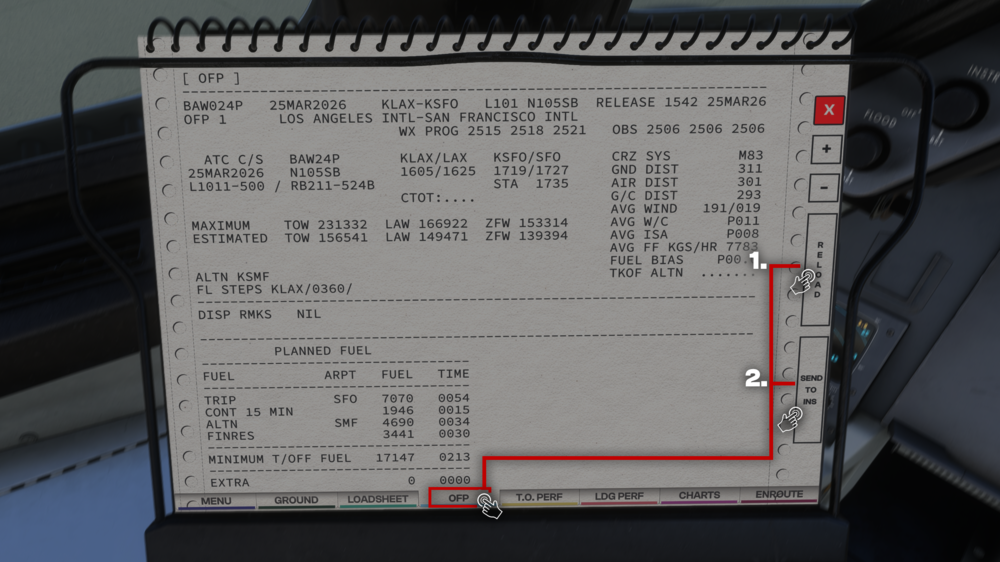
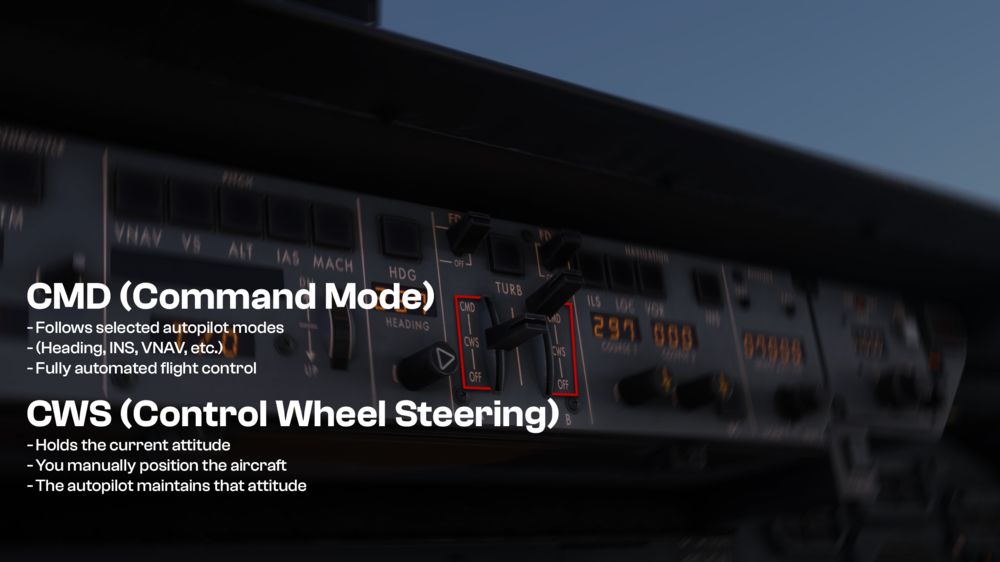
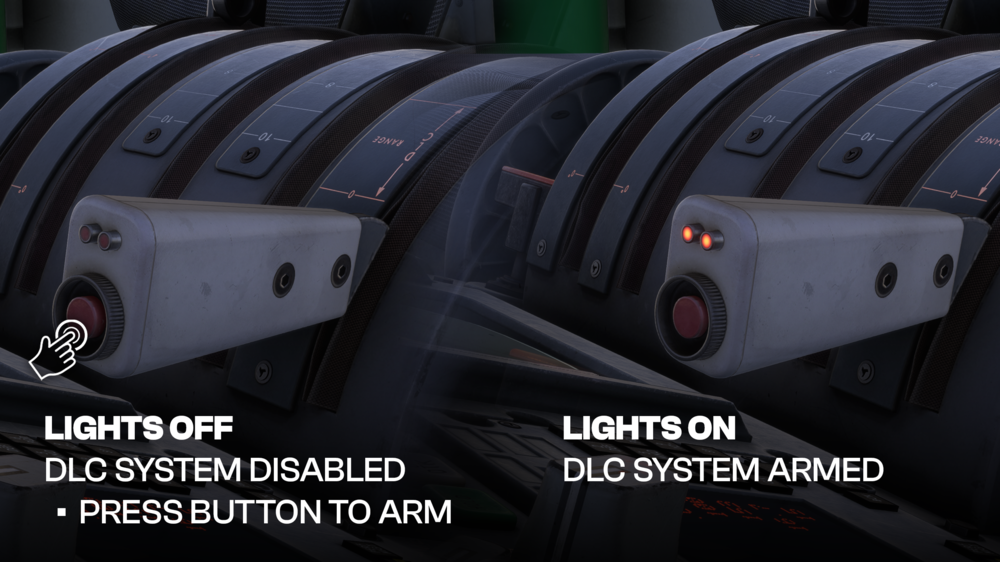
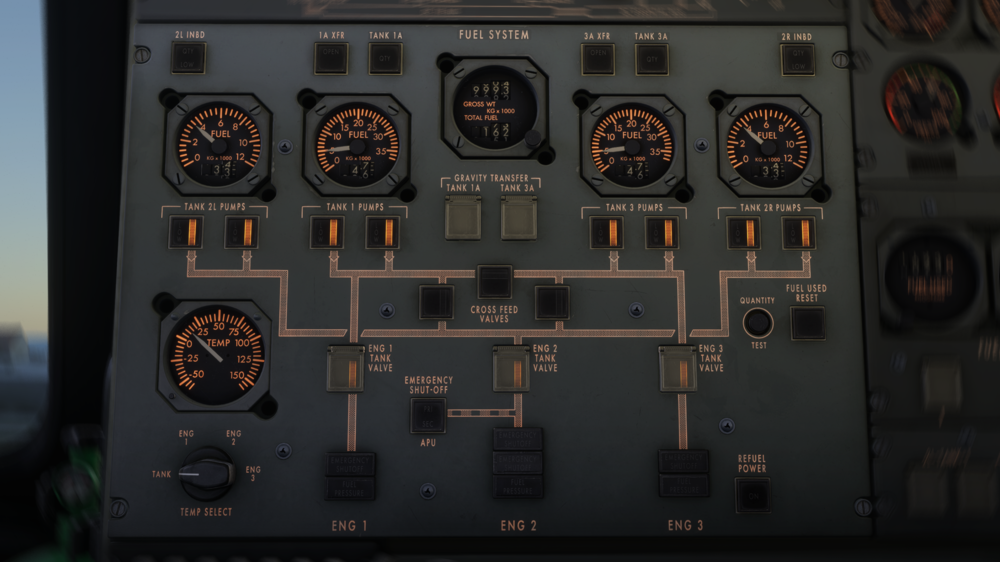
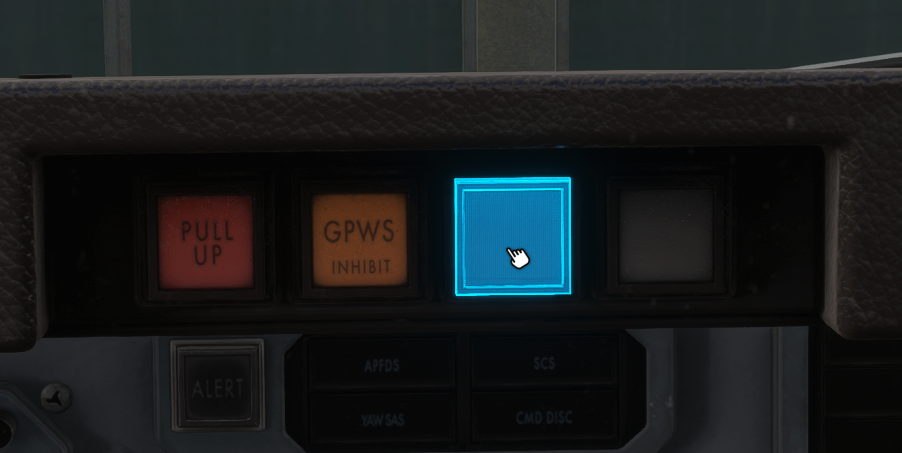
👉Getting Started Q. How do I load the aircraft quickly? A. The fastest way to get the aircraft ready is by using the Flight Engineer Autocomplete feature within the PFB (Paper Flight Bag). You can use this feature for all essential phases of flight to ensure the correct setup. This allows you to: Instantly configure the aircraft from cold & dark Automatically set up electrical, pneumatic, fuel, and engine systems Skip complex manual flows if you prefer a quicker start You can also: Run full autocomplete Or selectively enable specific systems for a semi-manual setup Q. What checklist mode should I use? A. The aircraft provides two checklist modes: Standard Mode Simplified procedures Skips deeper system tests Best for casual flying or quicker setups Expert Mode Full procedural depth Includes realistic system checks Designed for maximum realism Recommendation: Start with Standard, then transition to Expert as you become more comfortable. Q. How do I import a SimBrief flight plan? A. To import your SimBrief route: Open the PFB → OFP page Enter or sync your SimBrief profile Press SEND TO INS This will: Automatically load your route into the INS Use the batch loading system (9 waypoints at a time) Eliminate the need for manual waypoint entry Important: The INS must be properly aligned before navigation will function correctly. Q. Can I hide the PFB to move it out of the way? A. Yes - There is a show\hide for each respective PFB on the caution reset panels directly in front of your seat position. Q. Why is INS alignment taking so long? A. The alignment time depends on your selected realism setting: Instant → Immediate alignment Fast → ~5 minutes Realistic (Slow) → ~17 minutes If alignment seems stuck: Ensure aircraft is completely stationary Verify valid position entry Confirm AC + DC power availability Q: Why can I hear a warning bell when I advance throttles on takeoff? A: This is the Takeoff Configuration Warning, a safety system designed to alert you if the aircraft is not correctly configured for takeoff. The warning will trigger when two or more thrust levers are advanced beyond approximately 50%, indicating the start of a takeoff roll, while required configuration parameters are not met. The most common causes are: Stabilizer trim not set within the takeoff range (white band on the trim indicator) Flap setting outside the valid takeoff range (must be between 10° and 24°) If either of these conditions is not satisfied, the aircraft will continuously sound the warning to prevent an unsafe departure. To resolve the warning: Check and set the trim so it falls within the marked takeoff band Ensure flaps are correctly set within the approved range Reconfirm configuration before advancing thrust again This behaviour closely replicates the real-world TriStar, where proper takeoff configuration is critical. The system acts as a final safeguard, ensuring the aircraft is correctly set up before committing to the takeoff roll. ✈️Autopilot & Flight Q. What is the difference between CWS and CMD modes? A. CWS (Control Wheel Steering) Holds the current attitude You manually position the aircraft The autopilot maintains that attitude CMD (Command Mode) Follows selected autopilot modes (Heading, INS, VNAV, etc.) Fully automated flight control In short: CWS = “hold what I set” CMD = “follow the system” Q. Why is my aircraft not following modes properly? A. You are most likely in CWS mode instead of CMD. In CWS: The aircraft ignores navigation modes It only holds current pitch/roll Fix: Switch to CMD mode Re-engage your desired mode (INS / HDG / etc.) Q. Why did my autothrottle disconnect? A. Common causes include: Turbulence mode enabled Certain pitch modes overriding thrust logic Manual throttle input Mode transitions within AFCS Always verify: ATS is ON THR MGT mode active (when using PMS) 🛬Landing & Approach Q. How does Autoland work? A. The TriStar supports CAT IIIB Autoland, allowing: Fully automated approach Automatic flare Automatic rollout This enables landings in: Very low visibility Near zero decision height conditions Ensure that the proper ILS setup and associated systems have been configured as required. Q. Why are my spoilers not deploying? A. Check the following: Flaps set above 30° DLC / AGS armed No manual override active If any of these are missing, automatic deployment will not occur. Q. What is DLC? A. Direct Lift Control (DLC) allows the aircraft to: Control descent using spoilers instead of pitch Maintain a more stable glidepath Improve landing precision It is primarily used during approach and landing. ⛽Fuel, Electrical & Other Systems Q. Do I need to manage fuel manually? A. Yes - the TriStar fuel system requires active management. Typical flow: Takeoff: Tank-to-engine Cruise: Balance tanks Approach: Return to tank-to-engine Proper management ensures: Stability Correct CG Engine feed reliability Q. Why are center tanks not feeding engines? A. Center tanks do not feed engines directly. They must first be transferred into main tanks. Only then can fuel be supplied to engines. Q. Why is wing anti-ice not working on the ground? A. This is intentional and realistic. Wing anti-ice is disabled on the ground to prevent: Overheating Structural damage Q. What do DUCT OVHT warnings mean? A. This indicates overheating in the pneumatic system. Common causes: Incorrect bleed configuration Excessive air pressure Improper system setup To rectify any potential issue, review bleed air and pack configuration, referring to the checklists if necessary.
-
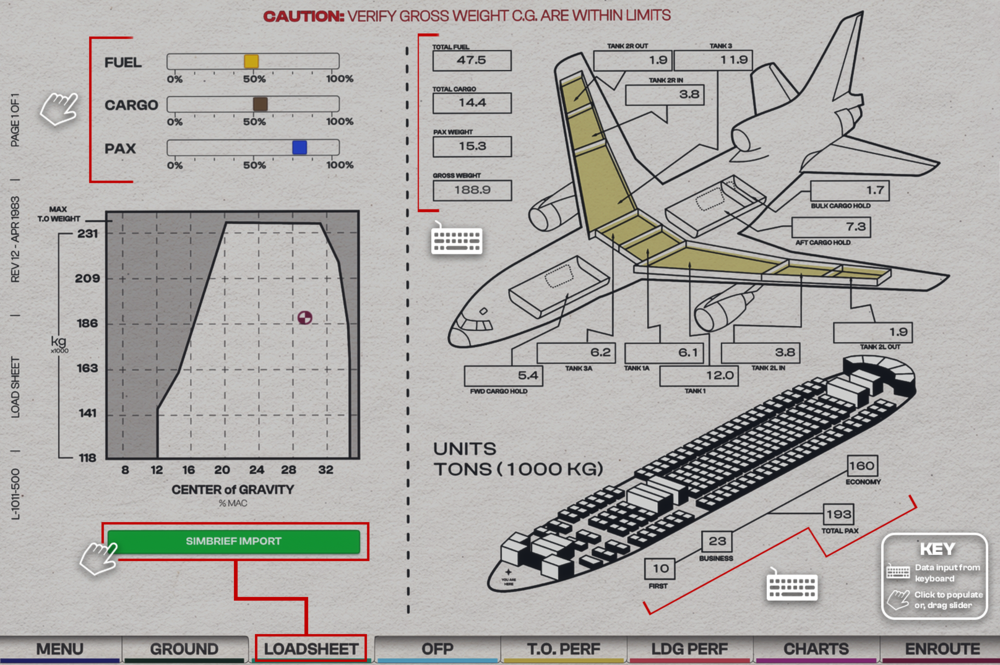
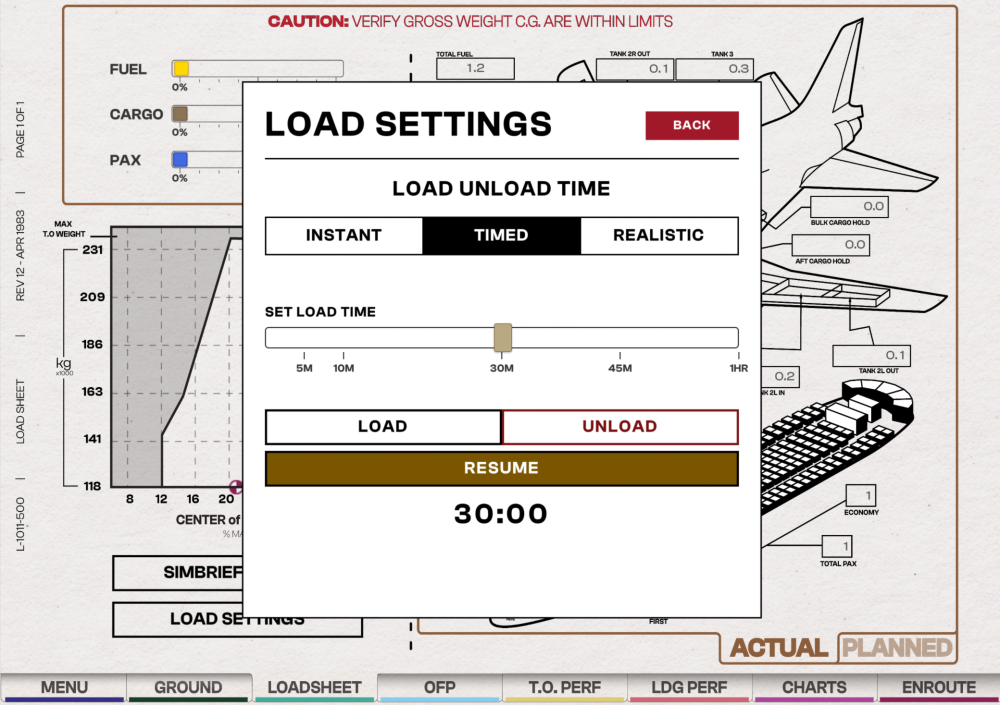
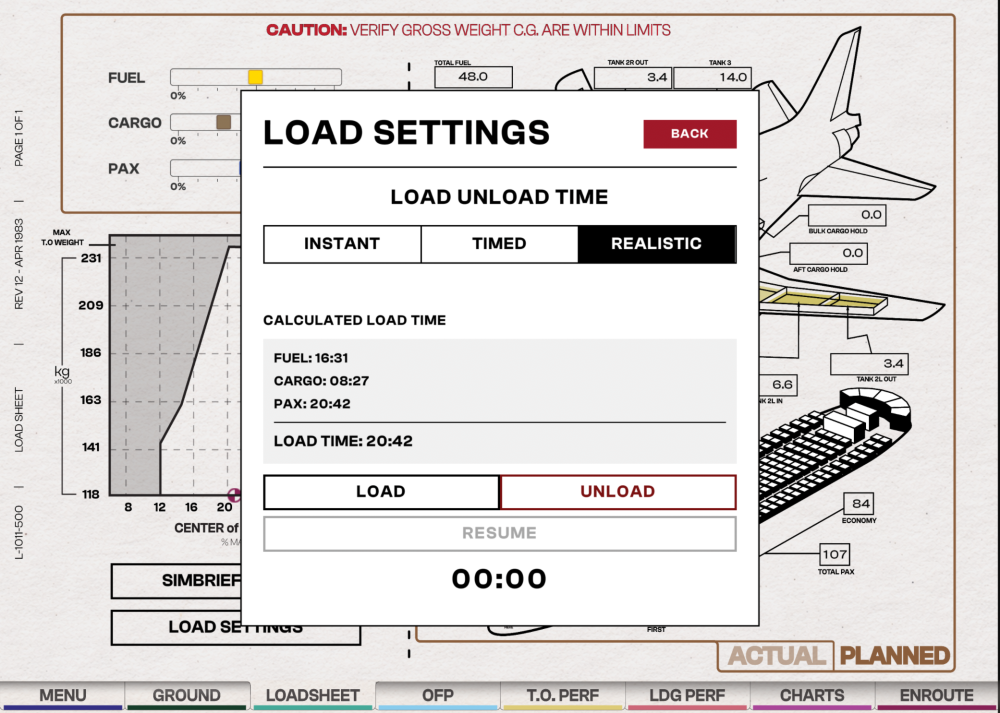
Before you fly, you must set your Payload (PAX and CARGO) and Fuel Load (FUEL) via the Paper Flight Bag (PFB) - Loadsheet Page. You can set these weights manually or import them through Simbrief for Instant, Timed or Realistic loading onto the aircraft. Choose a Loading ModeYou must first choose your desired loading mode - Instant, Timed or Realistic - before you make any changes to weights on this page. Click on LOAD SETTINGS at the bottom left corner Select the INSTANT, TIMED or REALISTIC tab Press BACK at the top right corner to save your desired loading mode. Note - v1.0.6+ Instant LoadingActivate Instant Mode Click on LOAD SETTINGS and select the INSTANT tab to use the instant loading/unloading feature. Set Desired Fuel and Payload SimBrief Import: Will automatically populate all values as provided by your OFP provided your Simbrief ID is set in the Menu. Manual Entry: Either use the FUEL / CARGO / PAX sliders by clicking and dragging these to the desired position, or manually input values in each box on the right hand side of the page. Once you have confirmed the value, click "Load" on the on-screen keyboard which will save your value. All saved values will be applied instantly to the aircraft as they are changed. (Click to enlarge image) Timed LoadingActivate Timed Mode Click on LOAD SETTINGS and select the TIMED tab to use custom timed loading/unloading feature. Drag the slider to choose your desired load time (in minutes). Then press BACK and switch to the PLANNED weights tab on the bottom right corner. Set Desired Fuel and Payload via Planned Page SimBrief Import: Will automatically populate all values as provided by your OFP provided your Simbrief ID is set in the Menu. Manual Entry: Either use the FUEL / CARGO / PAX sliders by clicking and dragging these to the desired position, or manually input values in each box on the right hand side of the page. Once you have confirmed the value, click "Load" on the on-screen keyboard which will save your value. Begin Loading or Unloading Press the LOAD or UNLOAD buttons to begin their respective functions. The timer will start to count down and a Loading... message will appear on the loadsheet page to indicate that the timer is still running. You can STOP or RESUME the timer using the buttons at the bottom. (Click to enlarge image) Realistic LoadingActivate Realistic Mode Click on LOAD SETTINGS and select the REALISTIC tab to use the realistic loading/unloading feature. Then press BACK and switch to the PLANNED weights tab on the bottom right corner. Set Desired Fuel and Payload via Planned Page SimBrief Import: Will automatically populate all values as provided by your OFP provided your Simbrief ID is set in the Menu. Manual Entry: Either use the FUEL / CARGO / PAX sliders by clicking and dragging these to the desired position, or manually input values in each box on the right hand side of the page. Once you have confirmed the value, click "Load" on the on-screen keyboard which will save your value. Begin Loading or Unloading Press the LOAD or UNLOAD buttons to begin their respective functions. The 'Load Time' timer will start to count down and a Loading... message will appear on the loadsheet page to indicate that the timer is still running. You can STOP or RESUME the timer using the buttons at the bottom. (Click to enlarge image)
-
TriStar SimBrief Profiles Regular Variant Click the image to add the airframe to your SimBrief! POD Variant Click the image to add the airframe to your SimBrief!
-
Attached below is the Aircraft Manual for the iniBuilds TriStar Airliner for your reference. Current Version: 1.0 iniBuilds_TriStarAirlinerManual.pdf
-
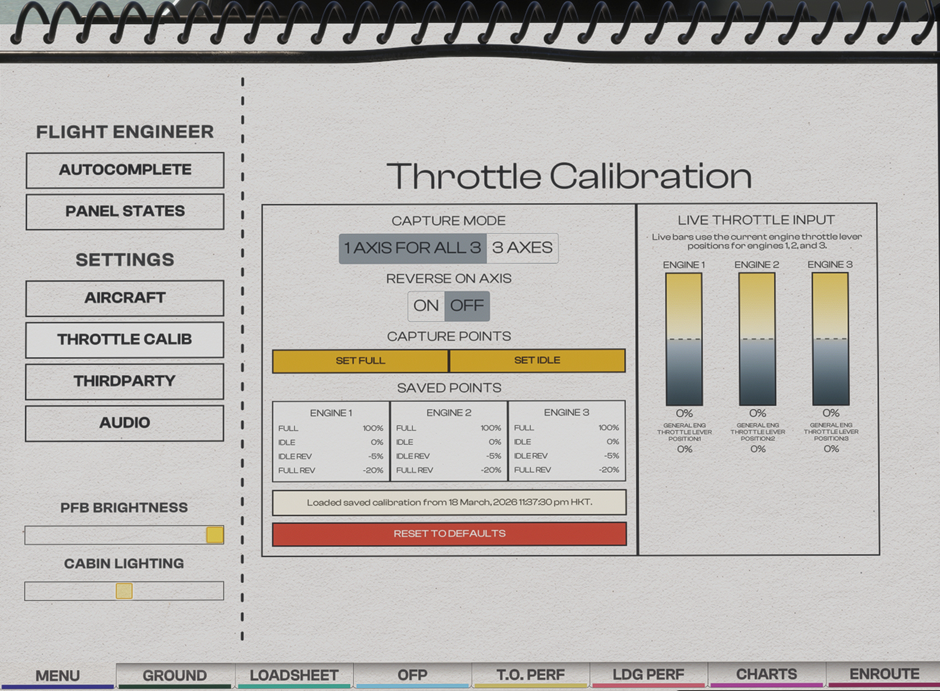
Throttle Calibration Page (PFB) Choose the number of axes that matches your controller setup, then calibrate accordingly Throttle Calibration Process Typically the throttle calibration is done in the following order Ensure that Throttle Axis or Throttle Axis 1 to 3 are assigned in the MSFS Control settings. Set desired REVERSERS ON AXIS option Set desired CAPTURE MODE option Move your hardware throttle axis to the capture point you want to define (e.g. REVERSE/IDLE/FULL) Click the SET [POSITION] button on the PFB to define the current position to the position chosen Repeat Steps 4 to 5 for each desired capture point. Note: If you have issues with the throttle axis, please note that the throttle axis should not be configured using the option labeled "(0 to 100%)" in Settings > Controls.
-
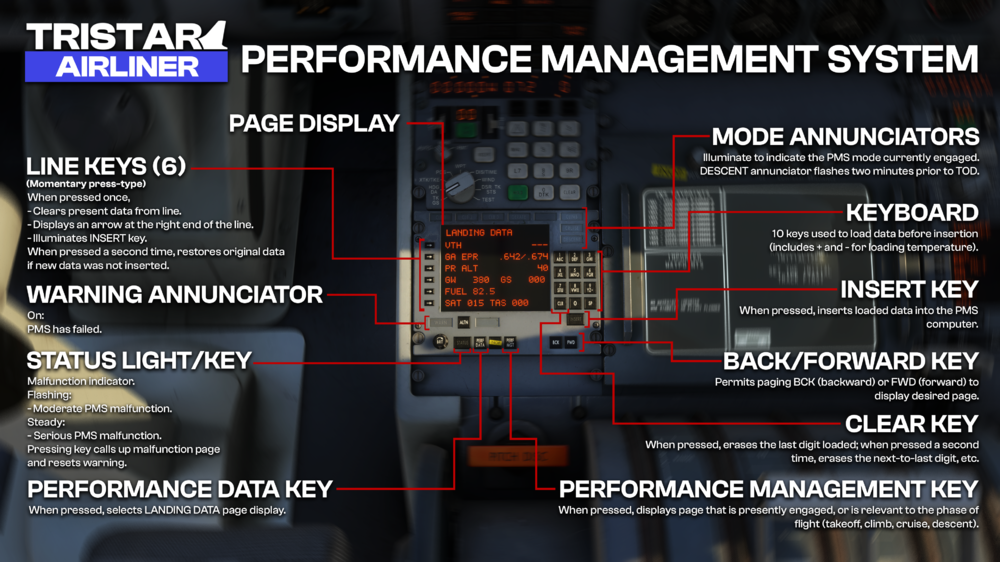
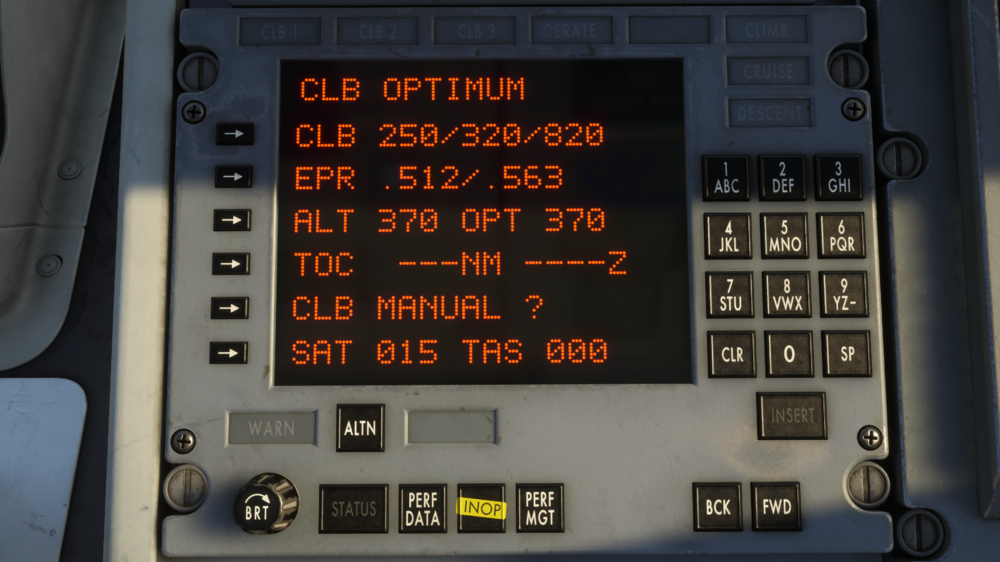
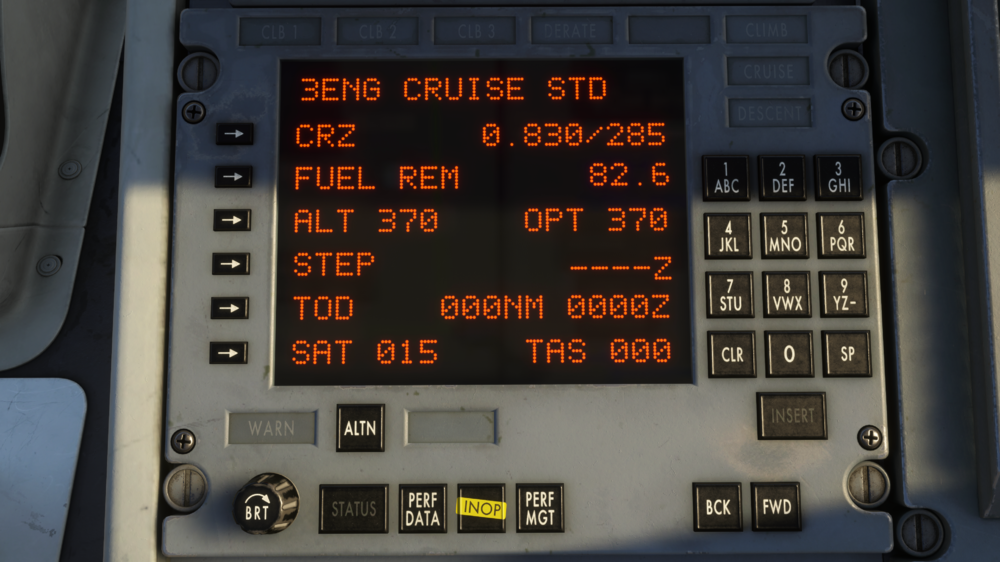
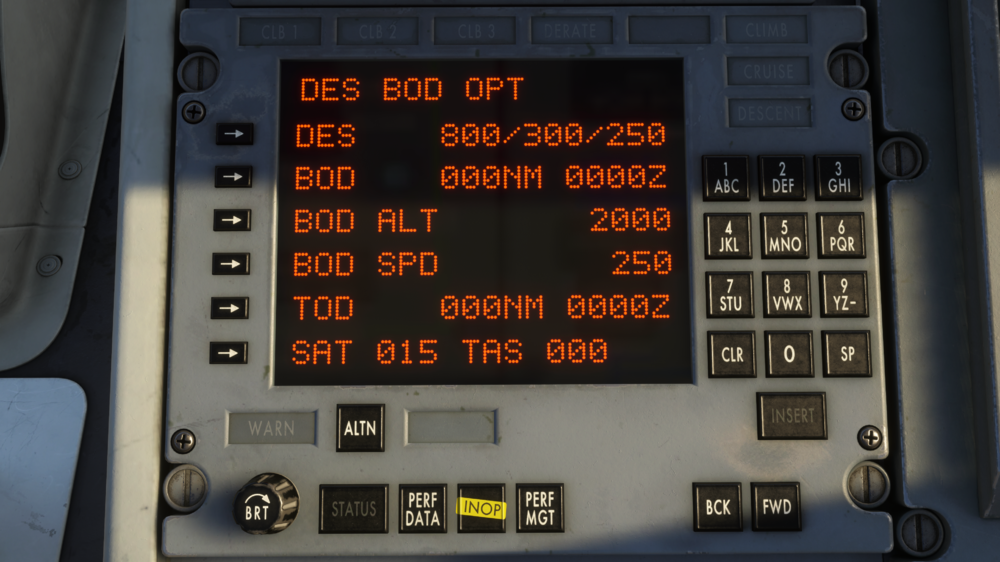
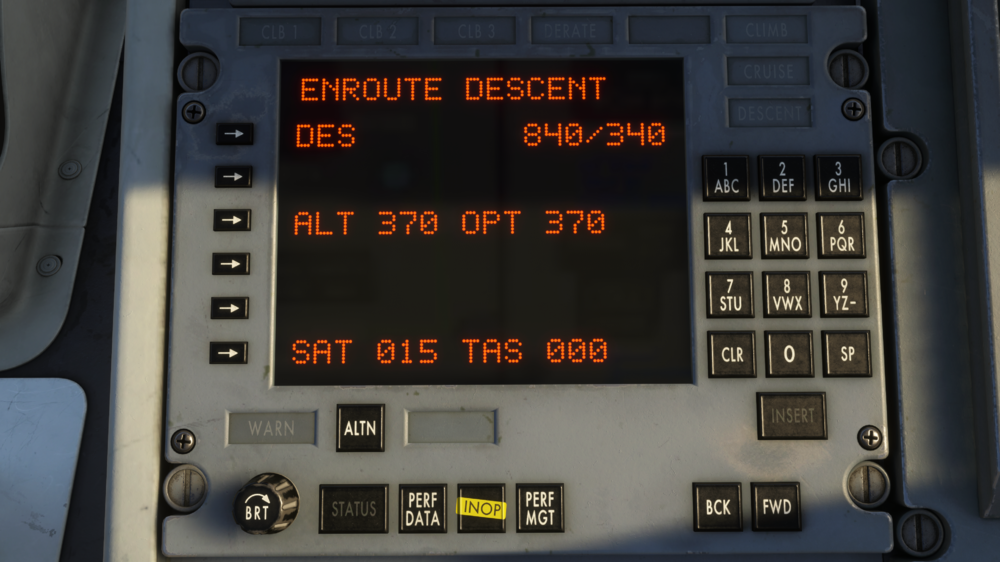
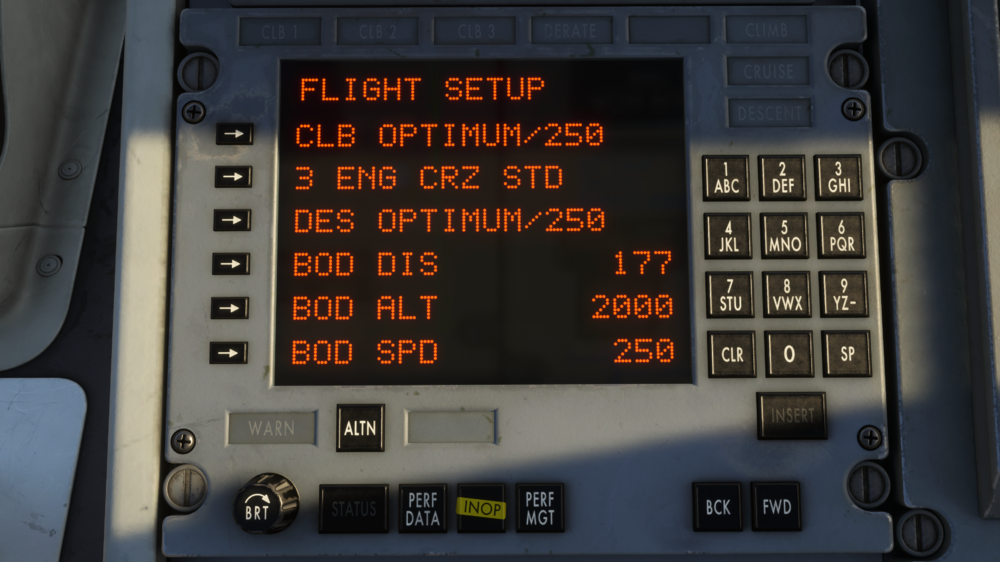
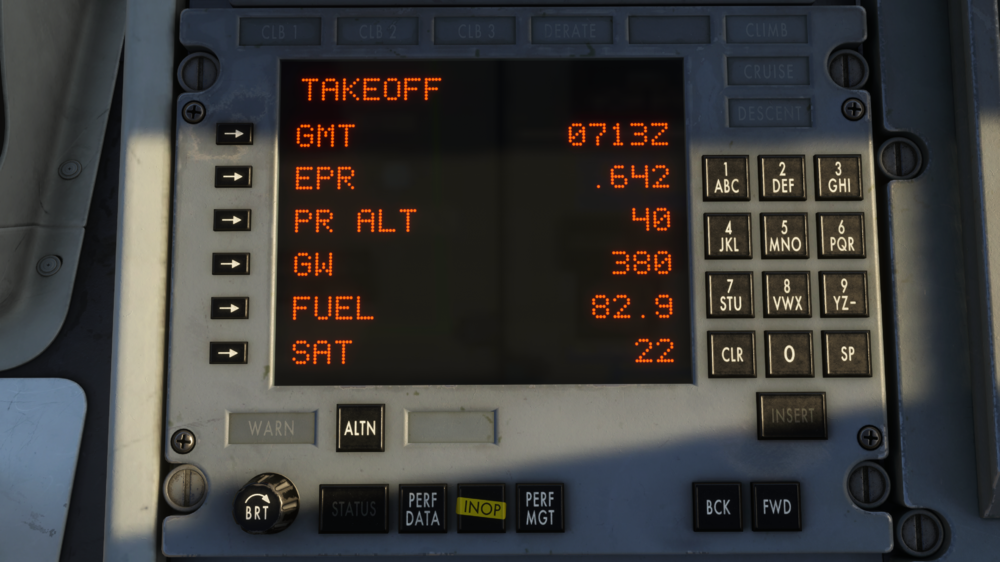
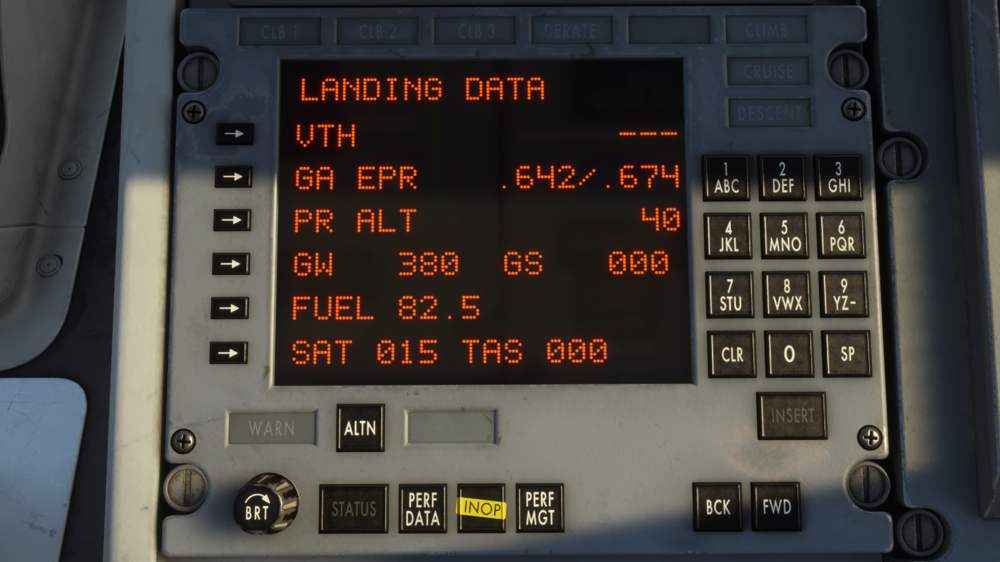
The TriStar’s Performance Management System (PMS) provides real-time calculations for thrust settings, fuel predictions, and vertical flight profiles across all phases of flight. Unlike modern FMCs, the PMS operates through a structured page system, requiring manual data entry and validation to generate accurate performance outputs. (Click to enlarge image) Data Entry – General Procedure Navigate to desired page Press softkey on left corresponding to line to be modified Verify field clears and INSERT button illuminates Enter value using right keypad (observe correct format, decimals, signs) Verify entered value Press INSERT (light extinguishes) Use CLR to cancel / start over if needed Note: Entering an empty value usually exits entry mode without saving. Step 1 – TAKEOFF Page First page displayed after pressing PERF MGT. Enter / verify (values often persist from previous flight – always check): GMT – Zulu time (HHMM) at initialization - Should be modified for estimated takeoff time EPR – Computed from pressure altitude (after all parameters are inserted) PR ALT – sensed by ADCs (not entered) GW – Gross weight in thousands of lb (round up to nearest 1,000 lb) FUEL – Fuel weight in thousands of lb (decimal shown automatically) SAT – Static Air Temperature (°C); enter sign first if negative Once all values are entered with valid values the PMS will calculated the optimum takeoff EPR value and will display it in the EPR line Note: SAT valid range for EPR calc is –20 °C to +54 °C. Out-of-range values are clamped. Fuel value is limited to three digits, so you can enter decimals if the value is below 100. E.G. 85.700 would be 85.7. Otherwise, you must round up the value. For example, 155.200 pounds would be rounded up to 1560. Step 2 – FLIGHT SETUP Page Navigate using AFT / FWD keys Initial performance modes (most economical and only current availables modes): CLIMB: OPTIMUM / 250 kt CRUISE: 3 ENG CRZ STD DESCENT: OPTIMUM / 250 kt Enter BOD (Bottom of Descent) data: BOD DIS – distance to descent point (NM) BOD ALT – altitude at BOD (ft) BOD SPD – speed at BOD (kt) Recommendation: Update BOD values enroute after INS is aligned for better accuracy. Step 3 – TAXI & TAKEOFF (Update GW) Return to TAKEOFF page Update GW (subtract taxi fuel burn) Leave page open during takeoff and initial climb for monitoring Step 4 – CLIMB Page Automatically displayed after takeoff or by selecting first line on FLIGHT SETUP. Displayed values include: CLB – IAS targets (below 10,000 ft / intermediate / high-alt Mach×100) EPR – min & max ALT – selected cruise altitude (FL) – must be entered OPT – computed optimum cruise altitude TOC – distance & time to Top of Climb CLB MANUAL ? - Erase speed portion on CLB line and allows to change it, then the PMS will adjust climb rate to match that airspeed using the OPT EPR value. SAT - Static air temperature in C degrees TAS - True air speed in knots Step 5 – CRUISE Page Displayed values include: CRZ - Mach and IAS target - opens CRUISE sub-page FUEL REM - Remaining fuel in thousands of pounds ALT - Selected cruise altitude OPT - Optimum cruise altitude STEP - TBD - opens STEP DATA sub-page TOD - DIstance in NM and Time zulu to the top of descent - opens TOD sub-page SAT - Static air temperature in C degrees TAS - True air speed in knots Engagement procedure (especially after VNAV/TM interruption): Set AFCS pitch mode to ALT HOLD Press PERF MGT → select CRUISE page Press TM button (light on) + set ATS to ON Verify AFCS mode changes to THR MGT Adjust EPR manually if necessary Confirm Mach target is maintained Typical values (STD cruise): 0.830 M / 285 KIAS CRUISE sub-page (press CRZ line): 3 ENG CRZ STD → 0.830 / 285 3 ENG CRZ LRC → long-range cruise (see tables – pending) 3 ENG MANUAL → allows direct Mach/IAS entry STEP DATA sub-page: WIND - Current wind velocity and direction CLB - Distance in NM and Time zulu at the beginning of the step-climb to STEP ALT STEP ALT - Step climb altitude in 4000ft increments FUEL SAVE - Total fuel save or lost by climbing to the STEP ALT compared to present altitude NEW ALT SAT - Assumed SAT at STEP ALT using non-standard ISA values SAT - Static air temperatures in C degrees TAS - True air speed in knots TOD sub page: In the CRUISE page, press TOD line and the DES BOD page will be displayed with the following information: DES - Mach, airspeed above 10000ft and airspeed below 10000ft BOD - Distance in NM and Time zulu to BOD BOD ALT - Desired altitude in ft at BOD BOD SPD - Desired speed (IAS) in knots at BOD TOD - Distance in NM and Time zulu to reach TOD SAT - Static air temperature in C degrees TAS - True air speed in knots STEP 6 - DESCENT To start a descend, the operator should follow the next procedure: Select the desired altitude on the glareshield panel On the PMS go to the CRUISE page and update the ALT value to this new altitude and press insert Press VNAV mode and check ATS and TM are engaged too If the descent is started at any moment of the flight up to 10 minutes before TOD, the following page will be displayed: DES - Descent profile with Mach and flight level ALT - Selected altitude and optimum cruise altitude SAT - Static air temperature TAS - True air speed Once the aircraft reaches the desired altitude, it will resume the cruise mode and CRUISE page will be displayed If the descent is started within 10 minutes before TOD, the page will be slightly adjusted to show "DES OPT (DIST)NM": Page title - Distance in NM (could be positive or negative including the (-) sign) where the aircraft will reach BOD altitude relative to the its waypoint position (could be before or after the actual BOD) DES - Descent profile with Mach, airspeed above 10000ft and airspeed below 10000ft BOD - Distance in NM and Time zulu to BOD BOD ALT - Desired BOD altitude BOD SPD - Desired BOD speed SAT - Static air temperature in C degrees TAS - True air speed in knots STEP 7 - Landing After descent phase and once BOD altitude is reached, the LANDING DATA page is displayed: VTH - Indicated airspeed at threshold GA EPR - Go-Around calculated EPR PR ALT - Current pressure altitude GW - Computed gross weight GS - Ground speed FUEL - Computed remaining fuel SAT - Static air temperature in C degrees TAS - True air speed in knots Operation Notes: BOD DIS is the distance between the aircraft position at the moment the data is entered and the point where the user intends to complete the descent. It is strongly recommended that this point be the last waypoint of the flight plan entered in the INS, in order to obtain the along-route distance between the current aircraft position and the BOD. BOD ALT is entered in feet, not in Flight Levels (FL). The value must be entered directly; for example, an altitude of 3,000 feet must be entered as 3000. The BOD line on the DES BOD OPT page displays the distance and estimated time of arrival at the BOD, calculated based on groundspeed and the distance traveled as a function of groundspeed. It is important to note that if BOD DIS is entered incorrectly, the BOD estimates will not be coherent, since all horizontal and vertical VNAV profile calculations are based on this distance. During OPT (standard) descent, an airspeed setpoint of 250 knots must be used. Each time a BOD value is entered or modified (DIS, ALT, or SPD), the system resets the distance-traveled estimation. This is done to recalculate BOD DIS and ensure that all estimates remain accurate. On the CLB OPTIMUM, 3ENG CRUISE STD, and ENROUTE DESCENT pages, the ALT value can be read and updated. This value is expressed in Flight Levels (FL) and is used by the system to calculate the difference between the current altitude and the BOD altitude. The system dynamically calculates the required descent distance, descent time, and required vertical speed, using a dynamic method similar to the 1:4 rule. Considering the previous point, if the distance required for the descent maneuver exceeds the BOD distance, the system will not be able to correctly compute the descent profiles. To verify this condition, it is recommended to check and compare BOD and TOD, ensuring that a TOD distance exists and that the distance to BOD is greater. The difference between these two values represents the distance allocated for the descent (this applies only if the TOD distance is greater than zero). (Click to enlarge image) Important Notes for Descent: To initiate a correctly computed descent profile, you must keep the cruise ALT value unchanged (the value entered on the CLB or CRZ page). The PMS calculates the required descent altitude difference (and therefore the TOD/BOD distances and required VS) based exclusively on the difference between cruise ALT and BOD ALT. If you manually change the ALT value to match the BOD ALT (or set both to the same altitude), the system will detect zero altitude difference. As a result: Descent distance becomes 0 The required descent VS becomes invalid The TOD and BOD predictions will be incorrect or show as zero Recommendation: Leave the cruise ALT exactly as it was set during climb/cruise planning. Only enter or modify the BOD ALT when you want to start the descent profile. The cruise ALT must remain the original reference altitude for the calculation to work correctly.
-
To expand operational flexibility and support modern navigation techniques alongside the inertial navigation system (INS), the autopilot (AFCS) now includes a GPS mode. This mode integrates a conventional GPS unit while preserving the familiar AFCS philosophy of button cycling to engage/disengage flight modes (similar to pitch modes). GPS mode is activated using the VOR button on the AFCS panel. The system automatically selects the navigation source based on the current state of the GPS CDI indicator. (Click to enlarge image) To engage GPS mode Verify GPS CDI source Ensure the GPS unit displays "GPS" in the CDI area (not "VLOC" or another source). If necessary, press the CDI button on the GPS unit repeatedly until "GPS" appears. Engage AFCS mode Press the VOR button on the AFCS panel. Confirm the VOR button light illuminates (indicating mode armed/engaged). Confirm guidance Verify that the captain's HSI and Flight Director (FD) display the desired GPS-derived course, deviation, and steering commands. Important notes GPS mode is available if the NAVIGATION OPTIONS on the EFB are set to GPS only or INS+GPS VOR Mode is not dynamic Once engaged, the AFCS locks onto the navigation source present at the moment the VOR button is pressed. If you later change the GPS CDI source (e.g., from "GPS" to "VLOC"), the autopilot will not automatically switch. To update the mode: Press the VOR button again to disengage the current mode. Re-press the VOR button to re-engage using the new source. This maintains the consistent AFCS philosophy of cycling buttons to change or refresh modes (as seen in pitch hold, vertical speed, etc.). Flight plan import You may import flight plans from the simulator's Flight Planner directly into the GPS unit. In the EFB (Electronic Flight Bag), select your route and press SEND TO AVIONICS. Display limitations All GPS-derived data (course, crosstrack deviation, TO/FROM indication, etc.) appear exclusively on the captain's HSI. The first officer's instruments are not driven by GPS mode in this configuration. This hybrid capability allows seamless use of satellite-based navigation while retaining full INS backup and the original AFCS operational feel. Always cross-check the active navigation source on the GPS unit before engaging or changing modes. Monitor the HSI closely during transitions. For more information on other Navigation methods, please refer to How to - INS Setup, Operation & Procedures & How to - Simbrief Integration

-
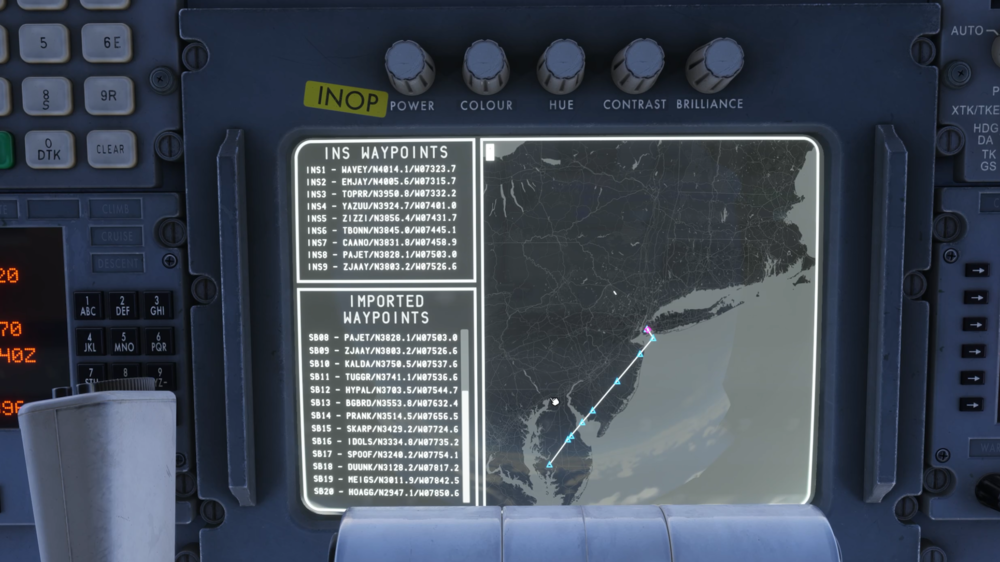
The TriStar features an integrated SimBrief Navigation Tool, designed to streamline route management while preserving the authentic behaviour of the aircraft’s Inertial Navigation System (INS). Unlike modern flight management systems, the TriStar’s INS is limited to 9 waypoints at a time. To bridge this limitation while maintaining realism, the Navigation Tool introduces a batch loading system, allowing full SimBrief flight plans to be used seamlessly without altering the original INS logic. (Click to enlarge image) This system enables pilots to import complete routes directly from SimBrief, with the Navigation Tool intelligently managing waypoint loading in the background. From the cockpit perspective, the experience remains true to the real aircraft, while significantly reducing workload for longer routes. Automatic Batch Loading ProcedureWhen the user presses SEND TO INS from the PFB , the system performs the following steps: All incoming waypoints are collected and stored in a local variable (the complete imported route list). The first 9 waypoints are automatically loaded into the INS (positions INS 1 through INS 9). During flight, the system continuously monitors aircraft progress: When the aircraft passes or sequences waypoint 9 (or the next waypoint is manually selected), The INS automatically cycles back from waypoint 9 to waypoint 1. At that exact moment, the next batch of 9 waypoints (10–18, then 19–27, etc.) is loaded into the INS. This process repeats transparently until all imported waypoints have been used. Note: You must follow the INS alignment process properly in order to use the imported waypoints From the pilot’s perspective: The INS always displays only 9 waypoints — exactly as in the real aircraft. Waypoint identifiers/names match exactly those imported (e.g., SKBO, BOG01, SB15, etc.). No manual waypoint insertion is required during normal cruise in automatic mode. Batch transitions are automatic and no action is needed by the pilot. The map only displays the route using the active INS waypoints, so seeing an “incomplete” route line is expected. The line will continue to update as additional batches of waypoints are processed. Note: Pilots retain full ability to manually modify, insert, or delete waypoints at any time using the standard INS procedures (numeric keypad, position selector, etc.). However doing so will disable the automatic batching. To resume batching you need to re-enable it on the INS Display Map. Waypoint Naming and DisplayThe INS always shows only 9 positions (INS1 to INS9). The waypoint names/identifiers displayed in the INS are identical to those imported from SimBrief (e.g., BOG, MDE, CLO, SKRG, etc.). Latitude and longitude are presented in the standard INS format (N/S ddmm.m – E/W dddmm.m). Summary of Key BenefitsMaintains full realism of the original INS panel (maximum 9 visible waypoints). Supports very long flight plans without constant manual intervention. Provides automatic, fluid transitions between batches during cruise. Fully compatible with standard manual INS modifications at any time. For more information on other Navigation methods, please refer to How to - GPS Navigation (INS + GPS) & How to - INS Setup, Operation & Procedures

-
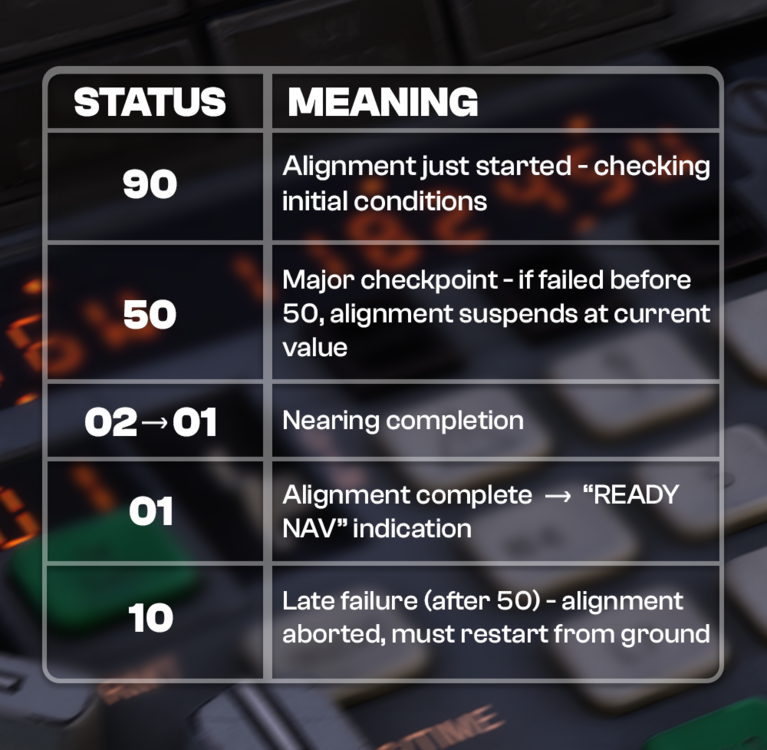
The system initializes with three independent INS units. During power-up, the sensors stabilize and the system establishes initial attitude in ATT mode. Once the attitude is valid and aligned, navigation initialization and alignment with the aircraft’s actual position must be performed. This full alignment process takes approximately 17 minutes. Important: Alignment must be performed with the aircraft on the ground and engines off. Any movement during alignment introduces position offset errors. The artificial horizon can use either the vacuum system or the INS attitude reference. It is strongly recommended to keep the INS attitude source active as a backup. INS InitializationVerify that the DC Standard Bus or AC Standard Bus is powered. Check relevant circuit breakers are in. Set INS Mode Selector to STBY. Note: While the displays are powered by DC STBY BUS (battery or DC ESS BUS), the inertial platform itself requires AC ESS BUS power (normally fed from AC BUS 3 or via AC ESS BUS SELECTOR). Set Display Selector to POS. Verify display matches the expected format (example shows “72” or “73” – in our case “72”). (Click to enlarge image) At this point the INS units are powered and initialized avionics-wise, but navigation is not yet active. Display TestShould be performed in STBY, ALIGN (preferably avoid during alignment), or NAV modes. Set Display Selector to TEST. All characters, digits (including HSI), and warning indications must illuminate fully. (Click to enlarge image) Navigation Initialization & AlignmentAlignment starts when Mode Selector is moved to ALIGN (after entering present position). The alignment timer counts down from ~17 minutes (DSR TK / STS page display shows accumulator from 90 → 01 on the right side). Present Position Entry ProcedureThe Present Position Entry is the known coordinate where the aircraft is currently located. It must be derived from a valid and accurate source to ensure reliable data for system initialization. During the initialization process (typically on the ground), this is usually the gate or airport coordinates obtained from the airport chart, parking stand diagram, or airport reference point in the navigation database. In mid-flight (or when reinitializing due to loss of position), it can be a calculated intersection of two VOR-DME radials, visual references, or any other reliable navaid or method where the aircraft's position is already known with high confidence. Key Guidelines: Always use the most accurate position available (e.g., GPS if available, followed by reference airport/gate, last known position, or manual entry from charts). Verify the entered position against multiple sources (e.g., airport chart, or navaid cross-check) to avoid errors that could affect IRS alignment or navigation accuracy. An incorrect or unreasonable present position entry may cause serious navigation drifts and errors that could lead to dangerous loss of situational awareness. Procedure: Mode Selector → STBY Display Selector → POS Enter latitude: Press N or S Verify “N” / “S” appears on left display and INSERT button illuminates Enter degrees/minutes/decimal using numeric keypad (DDMM.S - e.g. N32477 which is N32°47.7’) Press INSERT Enter longitude (same procedure): Use E or W Longitude has one extra digit (max 180°) (DDDMM.S - e.g. W072234 which is W072°23.4’) INSERT light should remain on after both lat & lon are entered To correct: press CLEAR and re-enter. Move Mode Selector to ALIGN to start alignment process. Notes on coordinates: IMPORTANT: The initial position is the point where the system ties the four-dimensional navigation frame to the NED (north-east-down) frame and is where the aircraft will be placed on it - any mistake during this process (like unaccurate or mistaken data) could lead to dangerous navigation estimations Format: degrees, minutes, decimal minutes (no negative signs – use N/S, E/W) Latitude limited to 90°, longitude to 180° - if input goes beyond this limit the system will normalize it and calculate unexpected results. A valid coordinate must have both a latitude or longitude component different than 00”00.0 or 000”00.0 respectively. Waypoint EntrySet AUTO/MAN/RMT switch to AUTO or MAN Display Selector → WPT WPT Selector → desired waypoint number (1–9) Enter lat/lon same way as present position. INSERT light extinguishes after each coordinate is accepted (unlike POS mode). Waypoints must be entered sequentially (1→2→3…); gaps (e.g. 1 & 3 but not 2) will cause navigation discontinuities. Alignment Monitoring & Status CodesSet Display Selector to DSR TK/STS to monitor alignment progress. Alignment status starts at 90 and counts down to 01. (Click to enlarge image) Alignment Requirements (must all be true): Aircraft on ground Aircraft completely static (no movement) AC power available (AC ESS BUS or AC STBY BUS) DC power available (DC STBY BUS) Valid present position entered (not 0° 0.0') Critical notes: Once aligned (01) and switched to NAV, do NOT move mode selector out of NAV unless on ground and static → otherwise alignment is lost permanently until next ground static alignment. Loss of AC/DC power or movement during alignment will also force full restart on ground. (Click to enlarge image) Initial Desired Track (Leg 0–X)Must be set after at least one waypoint is entered and alignment reaches 01, otherwise it wont let enter any TK. Ensure no active data entry is in progress. Press TK CHG button (both TK CHG and INSERT lights illuminate). Enter 0 + waypoint number (e.g. 0-1 to fly direct to WP1 from present position). Verify display shows 0–X. Press INSERT → lights extinguish if valid. Invalid entries (0-0, non-existent WP) cause 0-0 and lights remain on. NOTE: You can only set the Initial Desired Track once for navigation initialization or to restart navigation once you reach latest waypoint on previous flight plan. Waypoint / Leg Change (TK CHG)After navigation is active, change active leg anytime: Press TK CHG Check both TK CHG and INSERT lights are illuminate Enter FROM–TO (e.g. 3-5 or 0-7 for direct-to WP7) Press INSERT if valid, otherwise press CLEAR and repeat the process Check both lights extinguish Behavior: 0–X → Direct-to waypoint X from present position A–B → Intercept A→B leg at ~30° angle If significantly off-track and far from leg, system may fly direct to B until intercept conditions are met Small overshoot possible at high speeds (>300 kt) ATT REF ModeProvides pitch & roll reference independent of full navigation. Gyro valid after: Mode = ALIGN, NAV or ATT REF >5 min powered from cold start, or >3 min if recently powered ATT REF mode disables navigation (status → 90); recovery only possible on ground, static. If mode selector moved to OFF in flight → attitude reference corrupted until next ground static realignment. RMT (Remote) TK CHG CalculationsWhile in RMT, TK CHG can be used to query distances without affecting active navigation. A–B → great-circle distance between two waypoints 0–X → along-route distance from present position to waypoint X (passing all intermediate WPs) X–0 → direct distance from present position to waypoint X Note: Below 100 kt groundspeed, system assumes 512 kt for time calculations. Cross-Track (XTK) / Offset ModeAccessed via XTK/TKE selector position. Creating an offset parallel to active leg: Valid leg must be active Set selector to XTK/TKE Press 1 (left field clears, INSERT illuminates) Press L7 or R9 → L / R appears Enter offset distance in NM (one decimal) e.g. R 34 → 3.4 NM right Press INSERT Display shows: Left: current cross-track distance to original leg Right: track angle error (max ~30° during capture) Offset cancels when: Enter zero / blank offset (e.g. press 1 → INSERT) Waypoint transition occurs New leg selected via TK CHG Any waypoint coordinate changed WAYPOINT SEQUENCING (Click to enlarge image) ALERT light illuminates when time to your next waypoint is below 2 minutes and flashes when you are 30 seconds to reach it, then it extinguishes. WARN light illuminates for 30 seconds after the system automatically switches from last waypoint to the first one as per normal waypoint cycling whether is 9-1 or X-1. You could notice that in some cases you won't be able to see the flashing ALERT light depending on the track change angle, for closed angles the track change threshold starts a bit earlier than 30 seconds. Note that INS ETA are in decimals of seconds, so 30 seconds would be 0.5 minutes. The system automatically advances to the next valid waypoint (1 to 9) when the transition threshold is reached. If the next waypoint does not exist or is invalid: If ≥ 3 valid waypoints are present in the current batch → automatically cycles to waypoint 1 (leg: last → 1). If 1 or 2 valid waypoints only → continues straight ahead indefinitely on the current track (no cycle). When reaching waypoint 9 and a next batch is available (when using waypoints import): Current waypoint 9 is saved. Next batch is loaded. Saved (old) waypoint 9 is restored → leg changes to 9 → 1 (overlap transition). After passing the new waypoint 1 and advancing (e.g. to waypoint 2), the new batch’s original waypoint 9 is restored. For more information on other Navigation methods, please refer to How to - GPS Navigation (INS + GPS) & How to - Simbrief Integration

-
v1.0.3 of iniBuilds Dallas Fort Worth (KDFW) for MSFS 2024 has been released. This is a small update to address an issue with a runway dirt surface issue. This update can be downloaded via the iniManager. v1.0.3 - Fix runway dirt surface issue
-
iniBuilds A350 Airliner V1.2.4 Update 🚀 v1.2.4 for the iniBuilds A350 Airliner is now available. This update resolves several key flight logic and navigation issues, including incorrect descent mode behaviour, overlapping step climbs on the position report page, and inaccurate fuel burn predictions. Fixes have also been made to premature auto-rotation, incorrect DME/VOR display, and unrealistic ADS-B vertical speed readings, alongside refined roll sensitivity for improved handling. An EFB update also introduces an in-flight maintenance override, allowing users to repair items during flight. This update can be downloaded via the iniManager. ____________________________________________________________V1.2.4 SYSTEMS ⚙️ FIXED Aircraft had inadvertently entered descent mode and it was impossible to re-enter climb mode FIXED Having multiple planned step climbs causes them all to overlap on the position report page FIXED Fuel burn predictions in MCDU are inaccurate FIXED Aircraft auto rotating prior to v1 FIXED DMEs display as VORs FIXED ADS-B readout shows unrealistically high vertical speeds FIXED Adjusted roll axis sensitivity based on user feedback. EFB📱 ADDED Override for maintenance items to be repaired in-flight