




mattY
Administrators
-
Joined
-
Last visited
-
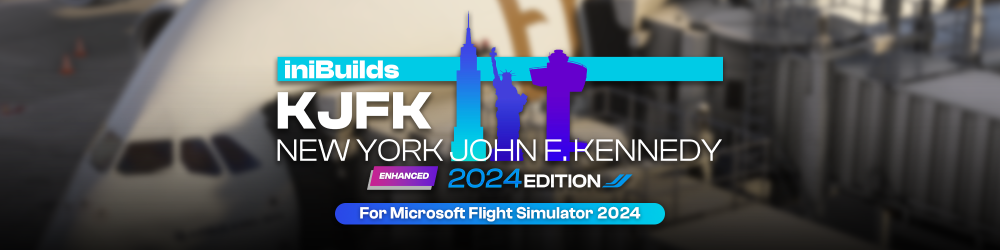
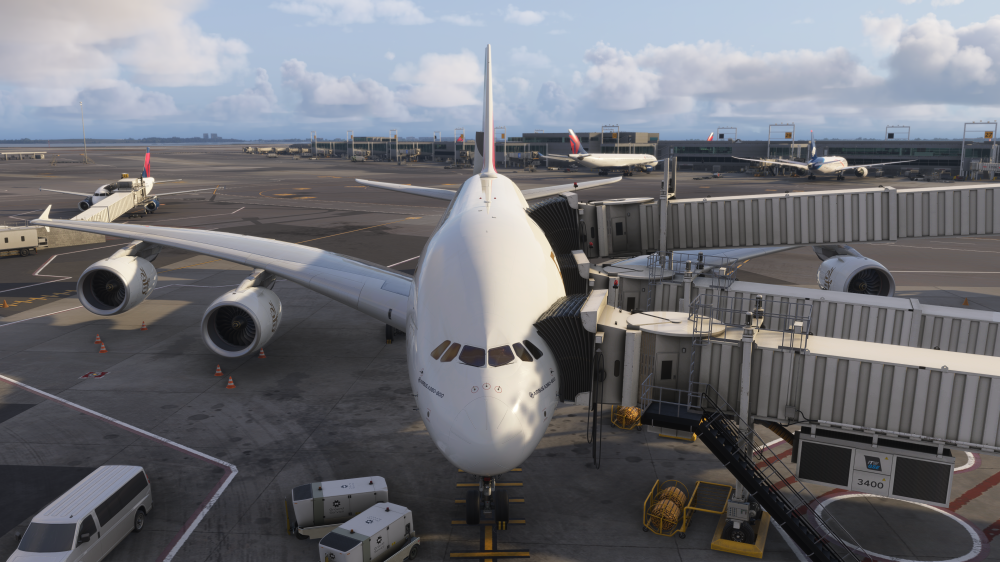
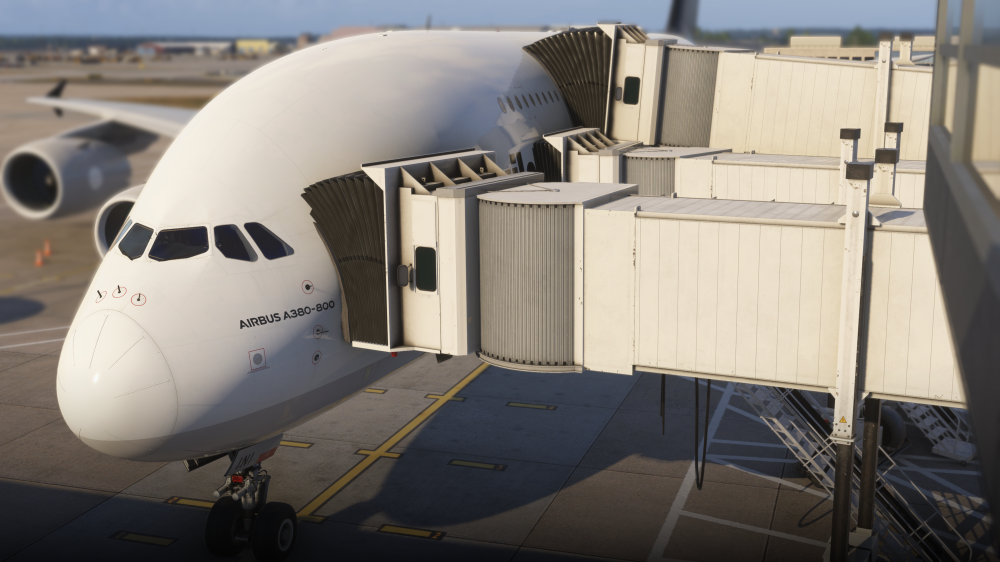
v1.1.0 of iniBuilds New York JFK (KJFK) Enhanced for MSFS 2024 has been released. This update introduces support for our new Multi-Jetway System at supported gates, allowing compatible aircraft to connect to multiple passenger boarding bridges simultaneously. It also includes minor terrain corrections, parking alignment fixes, smoother taxiway intersections and a fix for missing flower materials on a taxiway bridge model. Alongside the V1.1.0 update—we're pleased to announce a 20% discount, available now until next Friday! (25th Sep - 2nd Oct) If you haven't had the opportunity to check out New York yet, now's your chance! https://inibuilds.com/products/inibuilds-new-york-john-f-kennedy-kjfk-msfs-2024 Multi-Jetway Support Now AvailableWe’re pleased to introduce our new Multi-Jetway System, now available at New York JFK! This update brings the latest iniBuilds Multi-Jetway technology to supported gates across the airport, allowing multiple passenger boarding bridges to connect to compatible aircraft simultaneously for an even more immersive turnaround experience. Supported GatesMulti-Jetway support is available at the following gates: Terminal Gates Terminal 1 E3, E4, E5, E6, E7, E8A/B and E9A/B Terminal 4 A29/A/B, A31, A2/A/B, A6/A/B and A7/A/B Bringing the A380 to JFK? The following gates are used for A380 operations: Terminal 1: E5, E7 and E8, used by Korean Air, Lufthansa and Air France. Terminal 4: A6 and A7, used by Singapore Airlines, Etihad, Emirates and Asiana. Watch it in Action!This update can be downloaded via the iniManager. v1.1.0Added Multi-Jetway support at supported gates Fixed minor terrain issues Fixed minor parking alignment issues Smoothed taxiway intersections Fixed missing flower material on a taxiway bridge model
-
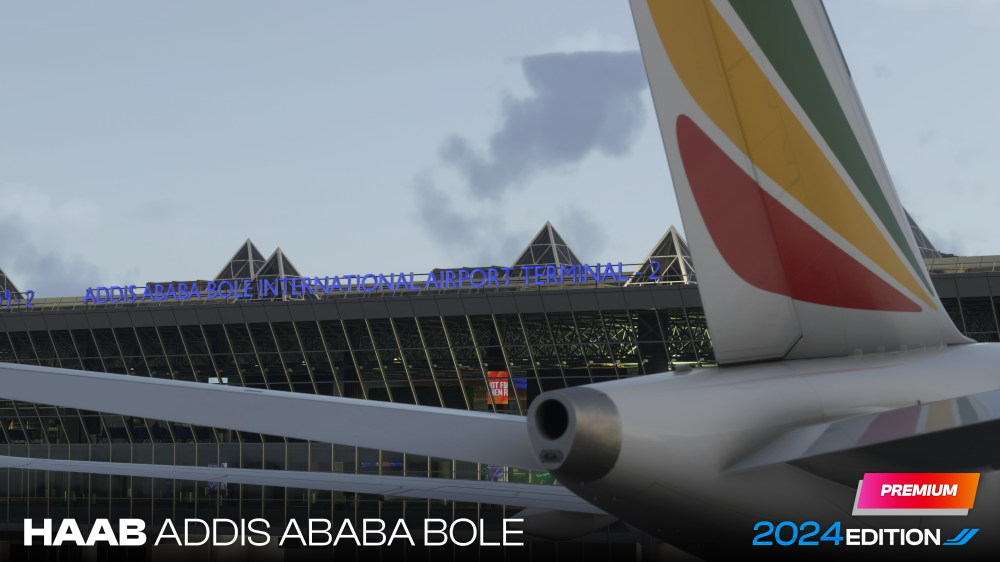
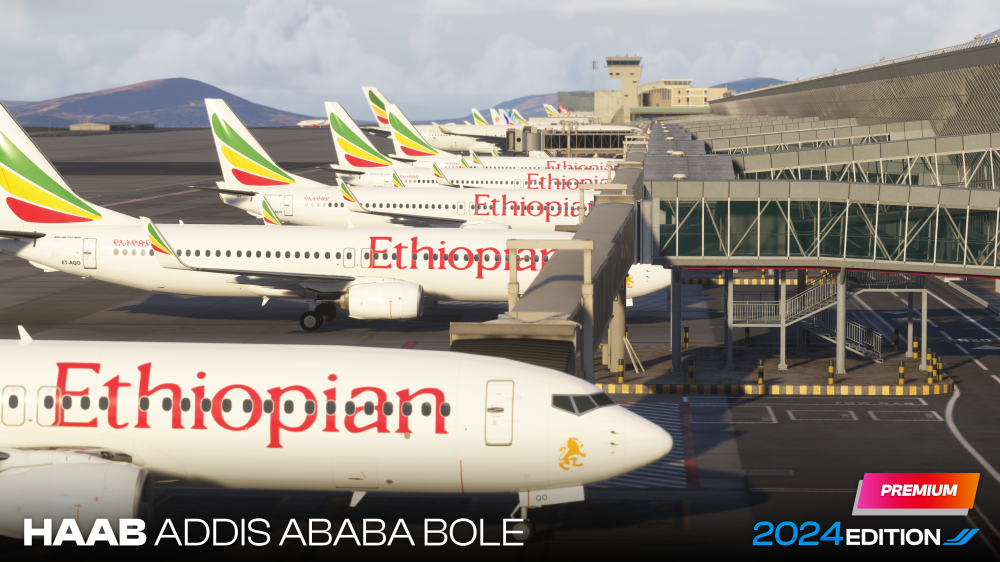
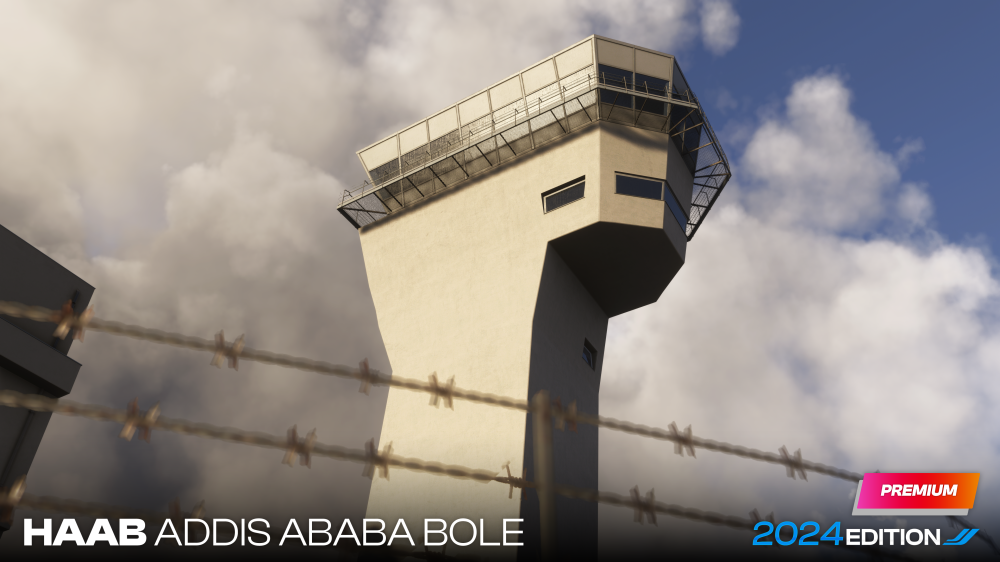
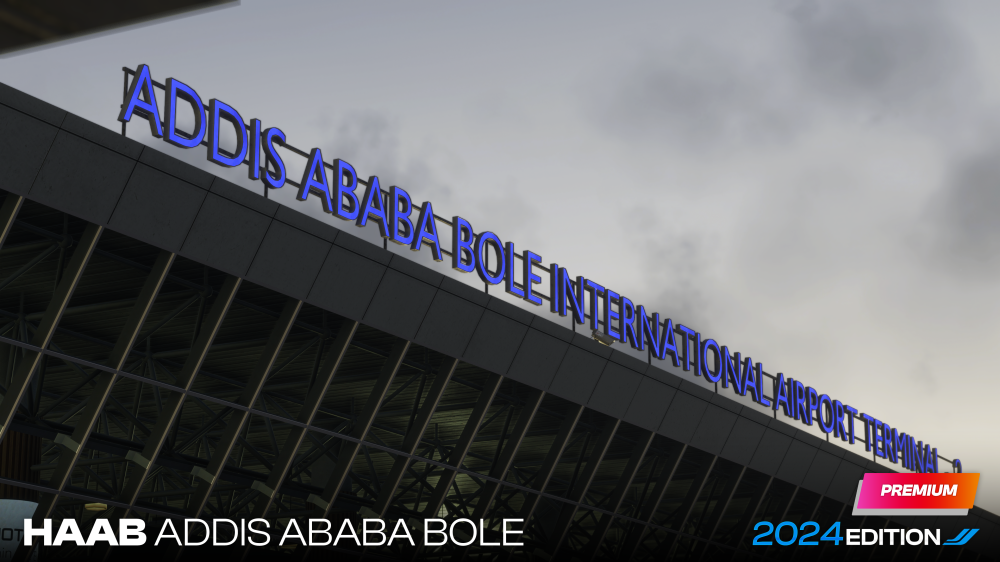
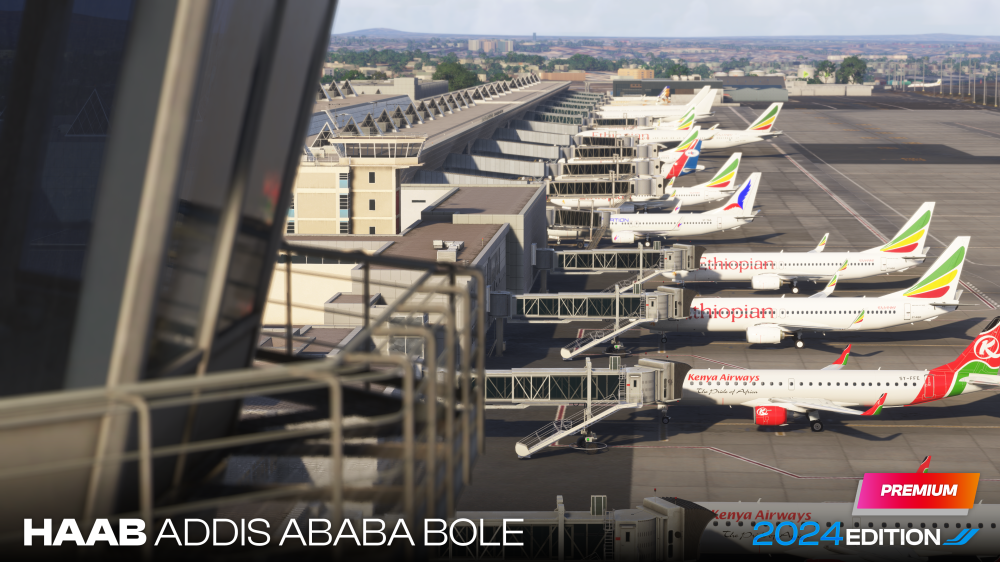
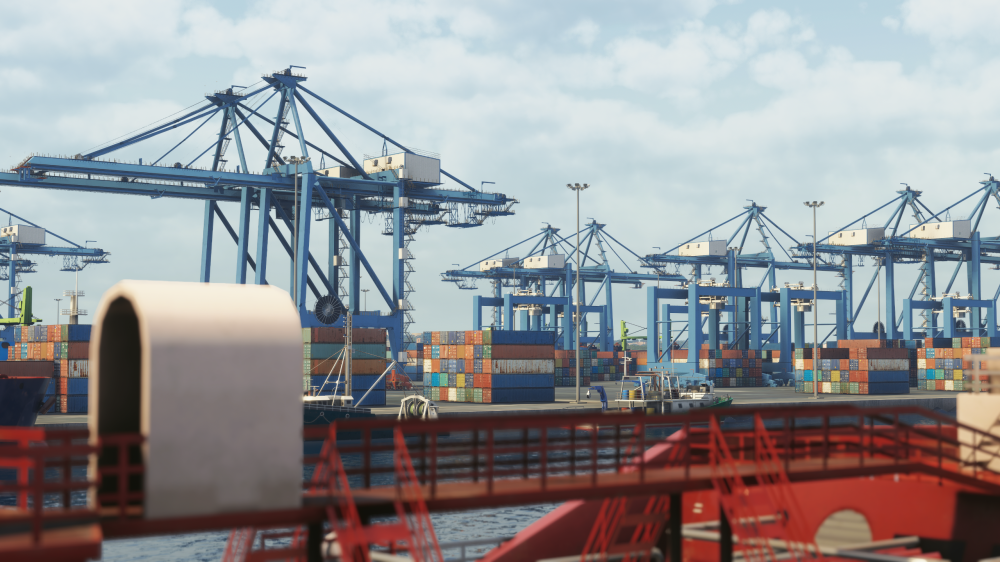
Welcome to Addis Ababa Bole International Airport (HAAB) for Microsoft Flight Simulator 2024! ✈️Today, we're delighted to officially unveil the next scenery project joining our collection, releasing soon, iniBuilds Addis Ababa Bole International Airport (HAAB) for Microsoft Flight Simulator 2024! Located in Ethiopia's capital and sitting at an elevation of more than 7,600 feet, Addis Ababa Bole International is one of Africa's most important aviation hubs and the home of Ethiopian Airlines. Connecting destinations across Africa with Europe, Asia, the Middle East and the Americas, Addis offers an incredible variety of regional and long-haul operations from one of the continent's busiest gateways. From its high-altitude operations and expansive terminal facilities to the surrounding landscape of Addis Ababa, Bole International offers a distinctive environment unlike many other major hubs. Capturing that character and recreating the airport in detail has been at the centre of development from the very beginning. Bringing Addis Ababa to LifeRecreating Addis Ababa has meant focusing not only on the airport's main terminals, but on the wider environment and infrastructure that gives Bole International its distinctive identity. Throughout development, careful attention has been given to the proportions and appearance of the terminal complex, apron environments, ground markings, signage, airport equipment and the numerous surrounding buildings and facilities that make up the wider airport. The result is a recreation designed to capture the scale and atmosphere of one of Africa's most important aviation gateways, whether you're preparing for a short regional sector or the beginning of a long-haul journey across the globe. Development ProgressDevelopment is now progressing through its final stages, with work taking place across every area of the airport. From detailed terminal exteriors and interiors to bespoke ground textures, signage, lighting, airport clutter and the surrounding environment, the team has been working to bring the different areas of Bole International together into a cohesive recreation. As always, performance remains an important focus throughout development, with assets and Level of Detail implementation carefully considered to provide a detailed airport environment while maintaining smooth performance. Scenery Features Hand-crafted ground textures with bespoke runway, taxiway and apron materials Highly detailed terminal interiors and exterior modelling True-to-life landside recreation with custom vegetation, decals and infrastructure Accurately modelled dynamic airport lighting Custom taxiway signage built to real-world specification Bespoke airport clutter, service vehicles and ground equipment Up-to-date airport layout reflecting the current real-world configuration Official GSX profile included Optimised LODs throughout the scenery for balanced performance Built using the latest Microsoft Flight Simulator 2024 SDK features Full iniManager compatibility Routes & OperationsAs the home of Ethiopian Airlines, Addis Ababa sits at the centre of one of the most extensive networks in Africa, connecting the Ethiopian capital with destinations across the continent and far beyond. From short regional services throughout East Africa to long-haul flights across Europe, Asia, the Middle East and the Americas, there's no shortage of routes to explore. Ethiopian Airlines operates an incredibly varied fleet through Addis Ababa, making HAAB the perfect home for everything from regional and narrowbody operations through to some of the world's largest widebody aircraft. For iniBuilds A350 pilots, it's also an opportunity to explore Ethiopian's A350 network, pairing the aircraft with its home hub and recreating flights across the airline's international routes. Alongside Ethiopian's extensive network, a range of international carriers connect Addis Ababa with major hubs across Africa and beyond, providing even more opportunities to recreate real-world operations. Whether you're heading across the continent, tackling the challenges of high-altitude operations or setting off on a long-haul sector in your A350, Addis Ababa offers something very different for your next flight. A Closer LookBelow you'll find a selection of in-development previews showcasing various areas of Addis Ababa Bole International Airport. From the terminal buildings and apron environments through to the wider airfield and surrounding infrastructure, these screenshots provide a closer look at the level of detail being brought to the project. While we're not quite at release yet, we're incredibly pleased with how Addis Ababa is coming together and can't wait for you to explore one of Africa's most important aviation hubs for yourself. As always, thank you for your continued support. Stay tuned for more previews and further details as we get closer to release! iniBuilds Team ❤️
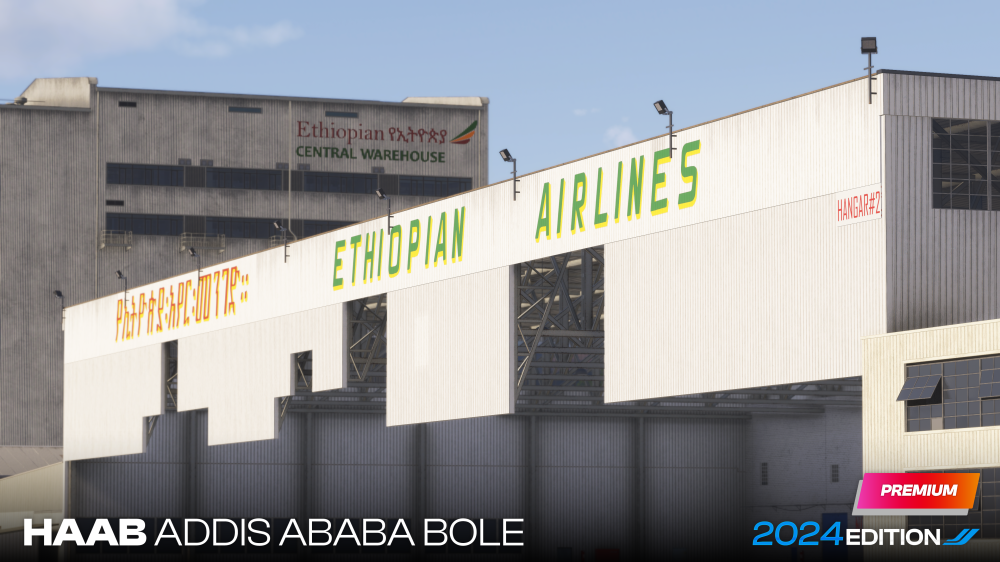
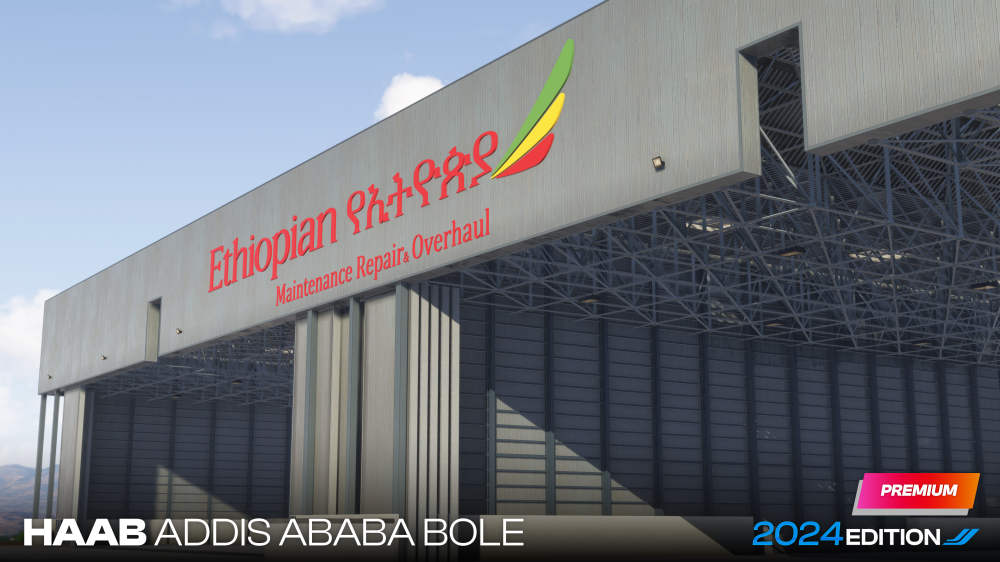
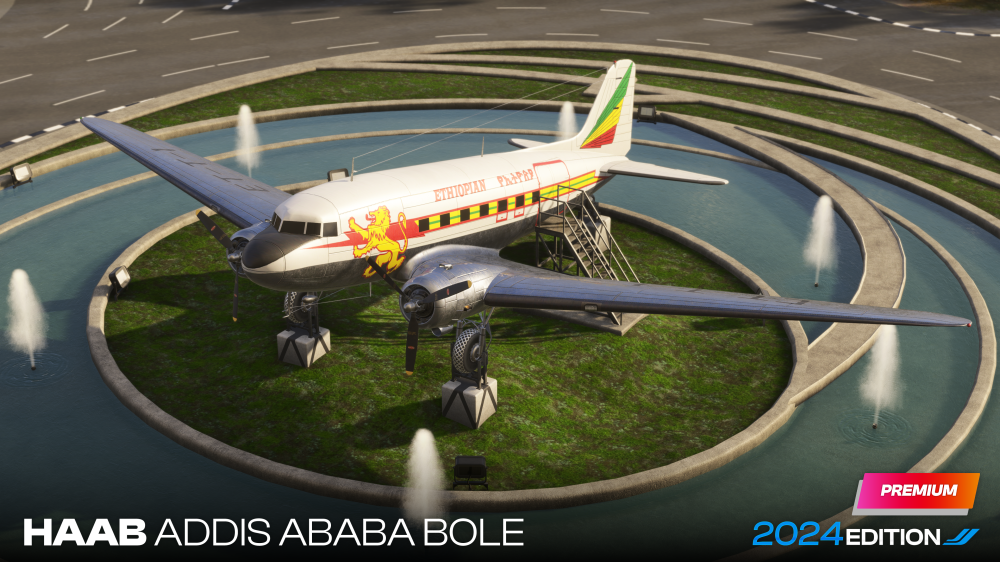
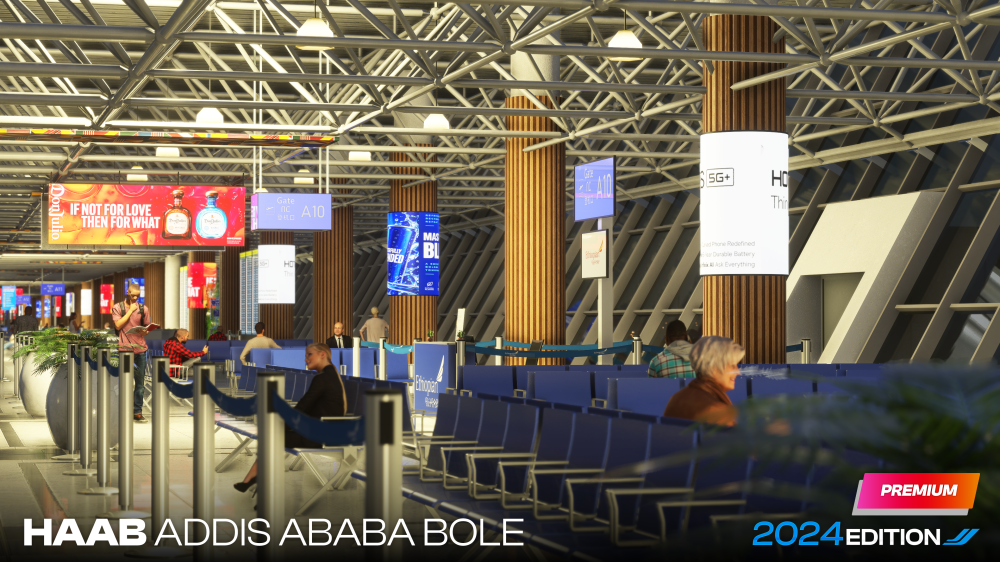
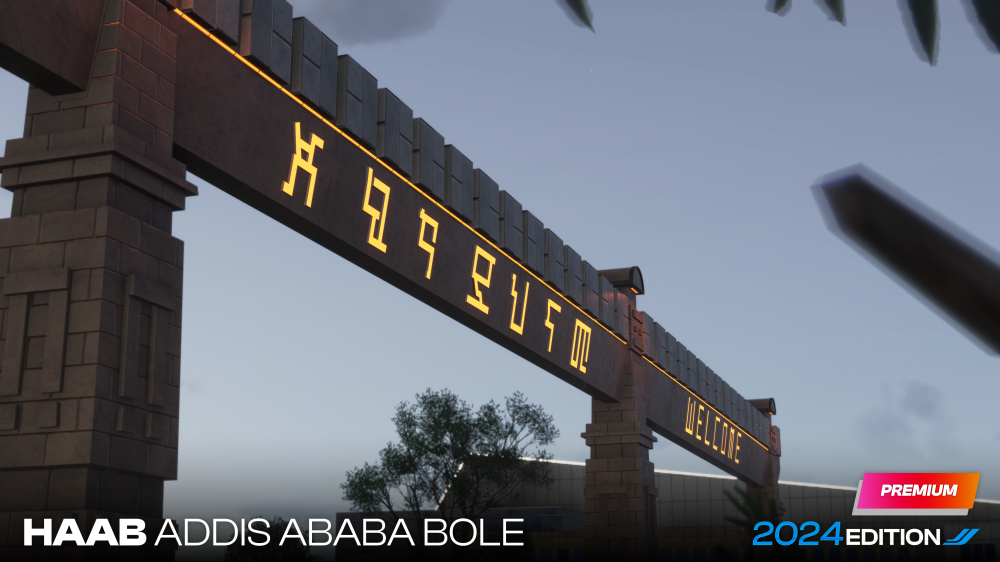
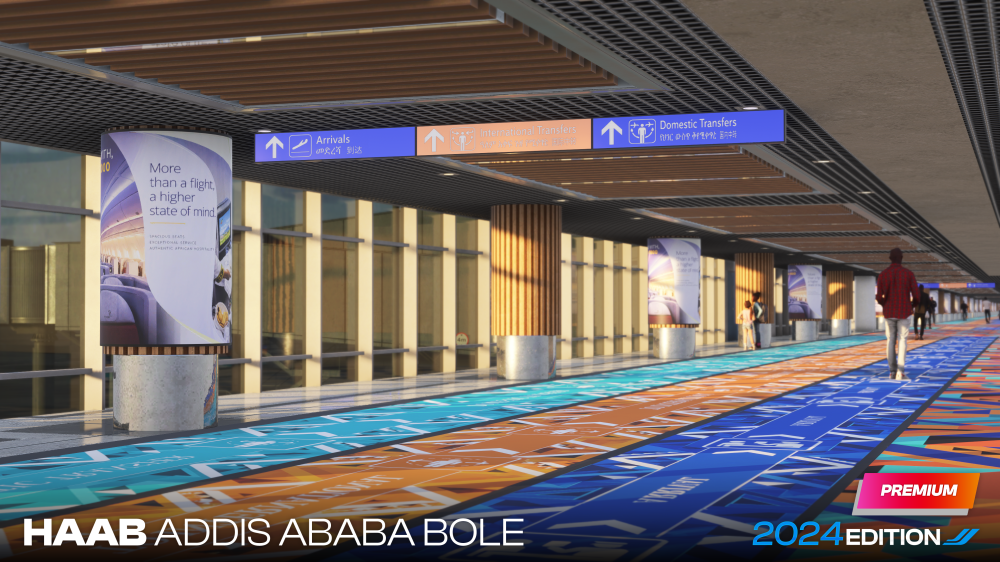
-
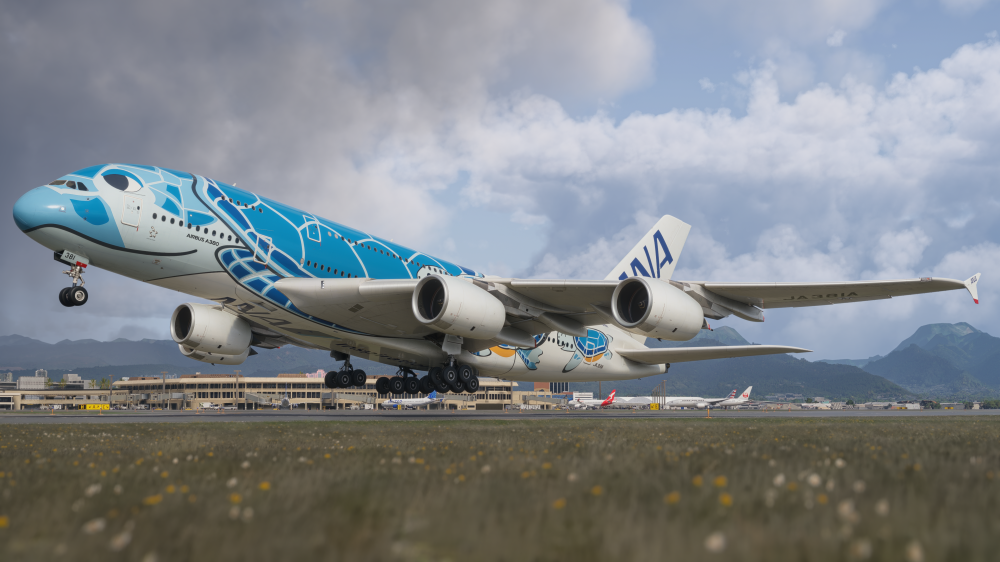
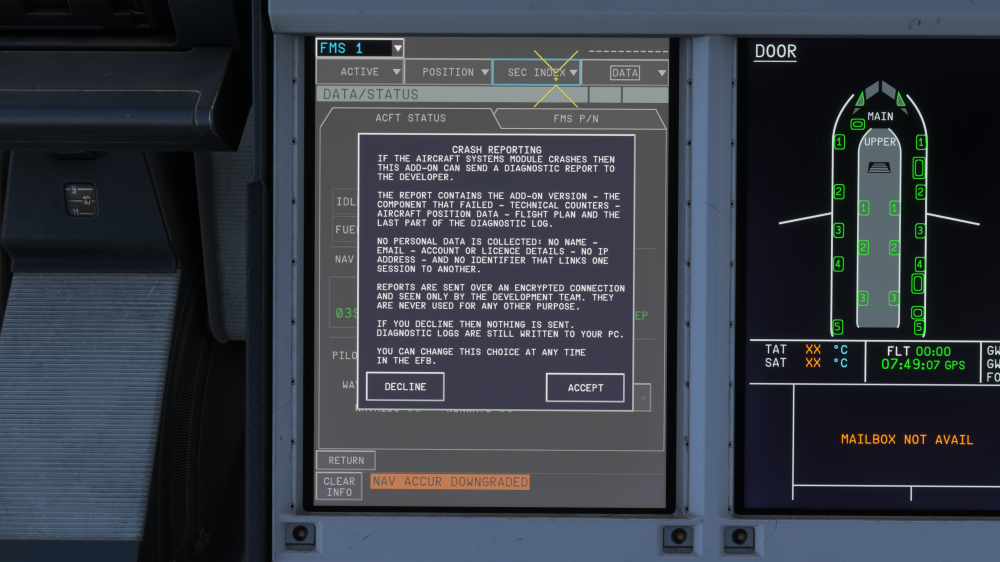
iniBuilds A380 Airliner V1.0.1 Update 🚀Following the release of the iniBuilds A380, the team has been working hard behind the scenes reviewing your feedback, investigating reports and continuing to refine the aircraft across all areas of the experience. Today, we’re pleased to release our first update for the iniBuilds A380, bringing a substantial collection of fixes and improvements across systems, avionics, art, EFB/OIT functionality and audio. Improved Diagnostics & Optional Crash Reporting Alongside the fixes in this update, we’re introducing additional diagnostic capabilities designed to help our development team identify and resolve aircraft systems issues more quickly. On your first load following the update, you’ll be given the option to enable WASM crash reporting. If enabled, should an aircraft systems module crash occur, the A380 can automatically send a diagnostic report to our development team containing information such as the add-on version, failed component, relevant technical counters, aircraft position, flight plan and the latest portion of the diagnostic log. No personal data or identifiers linking individual sessions are collected. Reports are transmitted over an encrypted connection and are accessible only to the development team for the purpose of investigating crashes. If you choose not to participate, nothing will be sent to us, although diagnostic logs will continue to be stored locally on your PC. Your preference can be changed at any time through the EFB. This additional telemetry should significantly improve our ability to diagnose difficult-to-reproduce issues and, importantly, reduce the amount of information we need users to manually collect when reporting them. A huge thank you to everyone who has flown the A380, submitted reports and shared feedback with us since release. This is only the beginning of our post-release work on the aircraft, and we’ll continue monitoring feedback and delivering further fixes, refinements and improvements as we move forward. The full changelog for this update can be found below. This update can be downloaded via the In-Game Marketplace. ⚠️ Please ensure your liveries are also updated to versions compatible with A380 v1.0.1, these are available to download via the iniManager. V1.0.1SYSTEMS ⚙️FIXED the 100 ft radio-altimeter callout incorrectly triggering after initiating a go-around. FIXED STEP DES functionality. FIXED secondary flight plan sequencing. FIXED inverted Increase/Decrease logic on the refuelling panel quantity selector. FIXED missing units for the final reserve fuel time. FIXED FLS deselected for LOC approach, missing normal scales FIXED PFD airport filtering FIXED FMS: FINAL TIME entry inop or incorrect FIXED Refuel panel: Desired value overshot / Does not shut down APU / SHUTOFF TEST bugs FIXED BTV/autobrake should not drop when doing a go around FIXED BTV incorrectly showing runway condition codes FIXED DECEL is still happening too late FIXED VNAV broken after go around FIXED Refined TO perf issue FIXED Clicking cockpit windows in flight doesn't visually open them, but system wise they do open FIXED Engines revving up and down when trying to maintain selected speed on the approach FIXED ECAM pressure warning issue FIXED OTHH, TOSN2R ILS 34R guidance incorrect FIXED VSD PLAN mode display incorrect FIXED EA engines do a sudden spool up when AVAIL FIXED AVAIL should be top layer above the ATHR arcs FIXED DTO broken, wipes part of the plan and not working FIXED NAV guidance not engaging FIXED Destination EFOB fluctuating every few moments FIXED OFP text visibility FIXED LEFT BRAKE and RIGHT BRAKE bindings not always working FIXED Thrust reverser doesn't slow plane down but accelerates instead FIXED When IRS are in align the ADRs are still active so TAT+SAT should show even when IRS are not fully in ALIGN FIXED EMER cancel doesn't remove status items when used with an active failure if then the failure disappears FIXED Securing Checklist - CREW OXY sensing logic inverted FIXED Removed clipping procedure lines in ABN ENG RELIGHT IN FLIGHT procedure FIXED Emer cancel should disable all active abnormal procedures NOTE: Some users who might have had stutters during take-off and landing may find this no longer occurs with this update. If it still occurs, please let us know. ART🎨FIXED exterior sections of the right-side main-deck doors moving incorrectly relative to their interior animations. FIXED cockpit lighting briefly appearing fully illuminated when transitioning from an exterior view back into the cockpit. FIXED unwanted geometry visible from above near door ML5. FIXED Panel Text on Belly not parented to FIXED mesh FIXED THS missing tab placard FIXED Missing Placards on Right Inner Canoe FIXED Smoothing Issue Below NG Light FIXED Screws need to be Transparent on Nose Cam Light FIXED Slats animation improvement, after wing mesh updating there is extra gap on slats and wing, they also clipping with Pylons when fully deployed FIXED Emirates A6-EOE new special paint FIXED Emirates Arsenal FIXED Lufthansa old and new FIXED GPU units too low/into the ground FIXED Bird strike rendered damaged not match indications FIXED Engine fire failed engine 4 but engine 1 showing fire effects FIXED LOD: inside of window cabin "frame" disappears FIXED Ailerons snap up instantly on landing - no gradual movement into position and back FIXED QTR A7-APJ Missing window frames, incorrect color window plugs, sim name missing engine type FIXED Lufthansa shouldn't have underwing reg FIXED Qatar livery doesn't have its engine type displayed on the menu FIXED Wrong aircraft registration on wing of Arsenal Champions livery FIXED Virtual copilot avatar is not seated correctly FIXED Wings fully flexed downwards after landing ADDED Add water service panel as operable panel ADDED the two missing GPU outlet cables, bringing the total to four. EFB/OIT📱FIXED the TO PERF cross-check result so AVNCS/OIS DISCREPANCY correctly displays NONE when no discrepancy is present. FIXED GSX Profile - Deicing vehicles not reaching above wing level FIXED Final loadsheet sends before fueling complete FIXED Birdstrike and engine fire should not be activatable at the same time FIXED Birdstrike dynamic values wont refresh after disabled/enabled FIXED Flight plan generated from EFB gives always wrong Fuel Factor/Bias P06.0 FIXED Input field wont be captured by physical keyboard when virtual keyboard is off SOUNDS🔊FIXED Cockpit pack sound missing or too low FIXED No AP disconnect MW and CRC aural when lost due to failure FIXED "100" callout after initiating go around FIXED EMER canc still sounds aurals if a cancelled failure activates FIXED No warning/CRC when AP disconnect by stick intervention FIXED Throttle Calibration - Hide reverse detents on ENG 1 and ENG 4 axis ADDED Restart advisory message when changes to calibration made
-
v2.0.1 of iniBuilds Dubai V2 (OMDB) Premium for MSFS 2024 has been released. This update addresses a few areas such as; missing textures, floating objects and terrain issues across the airport. This update can be downloaded via the iniManager. v2.0.1Fixed missing Textures on egineering centre Added walk meshes Fixed train tracks disconnected and floating Fixed 30L Misplaced lead-in arrows Fixed floating Camera - Gate F20 Fixed some terrain issues by the Emirates departures/arrival car area Fixed floating car in departure areas Adjusted mid-runway entry points should now have a much gentler slope.
-
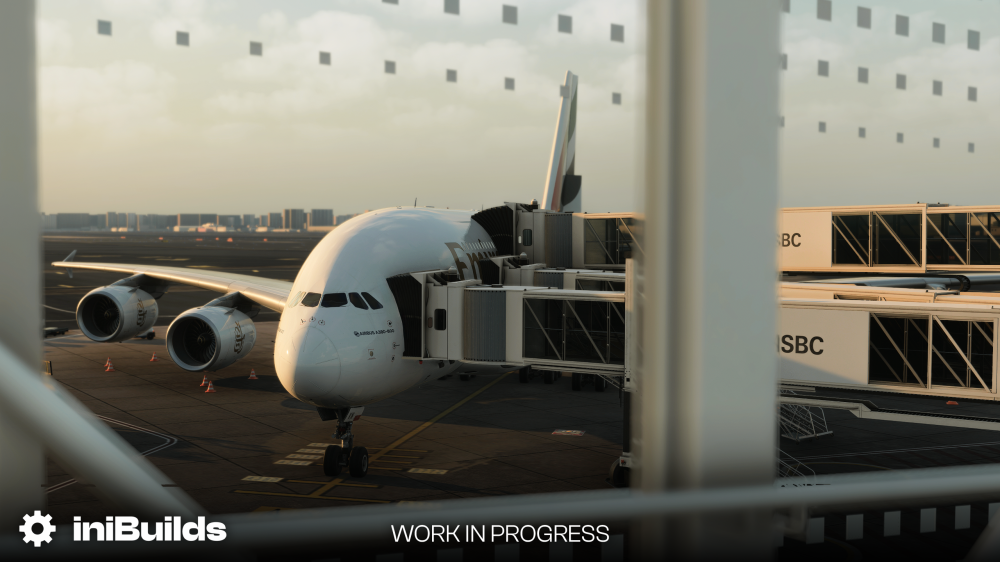
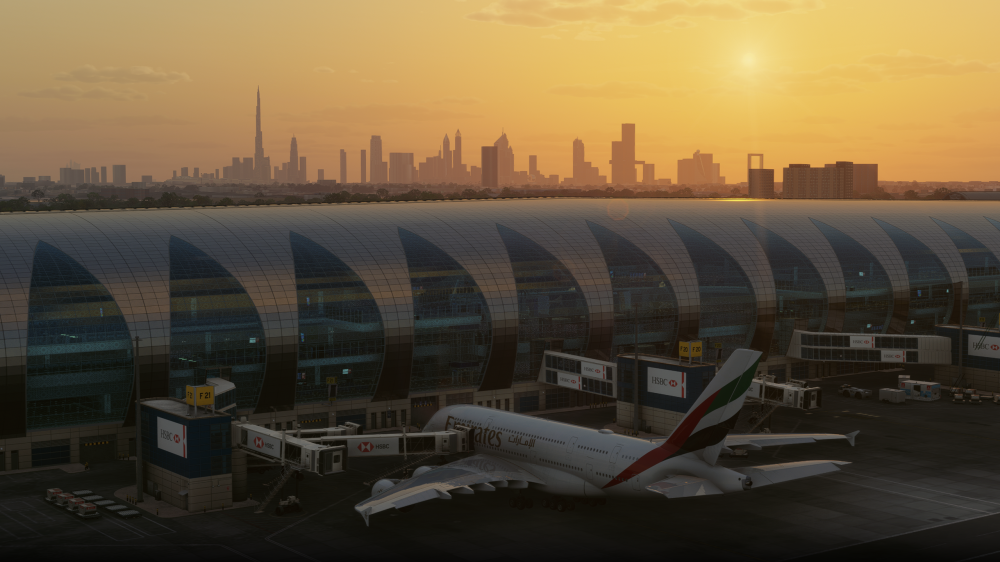
Welcome to Dubai International Airport (OMDB) V2! ✈️One of the world’s most recognisable and busiest international hubs has received a comprehensive new redevelopment for Microsoft Flight Simulator 2024. Today, we’re excited to introduce iniBuilds Dubai International Airport (OMDB) V2 Premium, featuring extensively refreshed terminals and interiors, upgraded airside and landside environments, custom terrain, Multi-Jetway functionality and much more. Whether you are operating a regional flydubai service, arriving from across the globe or departing Dubai in the iconic A380, OMDB V2 brings a new level of detail and immersion to this essential long-haul destination. Buy Now (20% OFF - Limited Time!) or, update for FREE for existing owners: https://inibuilds.com/products/inibuilds-dubai-omdb-msfs-2024 Home to Emirates, flydubai and an enormous range of international operators, Dubai is a destination synonymous with long-haul operations, widebody traffic and global connectivity. With Version 2, the airport has been extensively rebuilt to reflect the latest iniBuilds scenery standard, bringing major visual, technical and operational improvements throughout both the airside and landside environments. This is far more than a compatibility update. The original Dubai scenery was created several years ago for Microsoft Flight Simulator 2020, and both the simulator and our approach to airport development have evolved significantly since then. OMDB V2 revisits the airport from the ground up, with substantially improved terminals, detailed interiors, updated infrastructure, custom terrain and a host of refinements designed specifically for the MSFS 2024 platform. The passenger experience has been brought right up to date, with fully refreshed terminals built to the latest iniBuilds standard. Terminal interiors across Concourses A, B and C have received a significant overhaul, while Terminal D has also seen extensive improvements. From the busy gate areas and departure spaces to the distinctive architecture that defines Dubai International, every area has been treated with a new level of detail. Beyond the terminals, OMDB V2 includes a major refresh across the airport’s airside and landside environments. New and updated ground polygons, apron detailing, road networks, surrounding buildings and airport infrastructure help create a more complete and accurate representation of Dubai International. The scenery also includes updated Emirates car parks and headquarters, the mosque near Terminal 3 parking, expanded metro infrastructure, underpasses, elevated roads and numerous auxiliary buildings around the airport complex. To further improve day-to-day operations, OMDB V2 includes the iniBuilds Multi-Jetway system, allowing compatible aircraft to connect naturally across the airport’s many stands. Custom, fully functional ILS systems have also been included, alongside custom terrain designed to better represent the airport and its surrounding environment. Whether you are flying a short regional service, operating a busy flydubai rotation or taking the A380 across the world from its home hub, Dubai International V2 provides a much more immersive and up-to-date experience for one of aviation’s most iconic airports. Key Features Redeveloped from the ground up for Microsoft Flight Simulator 2024, featuring extensive updates to modeling, textures, interiors, lighting, and the wider airport environment Completely overhauled Concourses A, B, and C with updated exterior modeling and brand-new, highly detailed interiors throughout Refined and improved D Gates area, featuring enhancements to the existing terminal and passenger spaces Upgraded terminal geometry and materials, bringing true-to-life depth to building façades, roof structures, glass surfaces, and gate environments Enhanced ATC tower featuring improved modeling, updated artwork, and intricate surface detailing Hand-made, high-definition airside and landside ground polygons with crisp, bespoke texture sets built to the latest MSFS standards Custom terrain implementation for a highly accurate representation of the airport's topography Full integration of the custom iniBuilds Multi-Jetway System for authentic widebody turnaround operations Fully functional, custom-built ILS approaches Overhauled airfield detailing, custom ground clutter, and meticulously updated surrounding service areas Accurately modeled and positioned dynamic airport lighting completely overhauled across both interior and exterior spaces Expanded true-to-life landside recreation, including an extended metro line, updated Emirates car parks, and headquarters Highly detailed surrounding road network updates, featuring custom underpasses and elevated roads Brand-new custom modeling of the mosque located within the Terminal 3 parking area, alongside new and improved auxiliary airport buildings scattered throughout the scenery Routes & Carriers 🌎Dubai International is one of the world’s most important long-haul hubs, connecting Europe, Asia, Africa, the Americas and Australasia through a constantly busy network of global operations. As the home base of Emirates and a major hub for flydubai, OMDB sees an incredible mix of aircraft and airlines throughout the day. Whether you are flying a short regional hop across the Gulf, operating a narrowbody service into the Middle East, or taking a long-haul widebody route to London, New York, Sydney, Johannesburg or beyond, Dubai offers almost limitless route possibilities. From flydubai’s busy 737 operations and regional cargo movements to Emirates A380, A350 and 777 services, alongside dozens of international carriers from around the world, Dubai International is an ideal destination for every kind of pilot. Watch the Dubai V2 Trailer 🎥Thank you, as always, for your continued support and enthusiasm throughout the development of Dubai International Airport V2. We’re incredibly proud of what the team has created and cannot wait for you to experience this extensively refreshed rendition of one of the world’s most iconic aviation hubs. Whether you’re flying a short regional service across the Gulf, operating a busy flydubai rotation, or taking an Emirates widebody across the world, Dubai International V2 offers endless possibilities. We look forward to seeing where your next flight takes you! iniBuilds Team ❤️


-
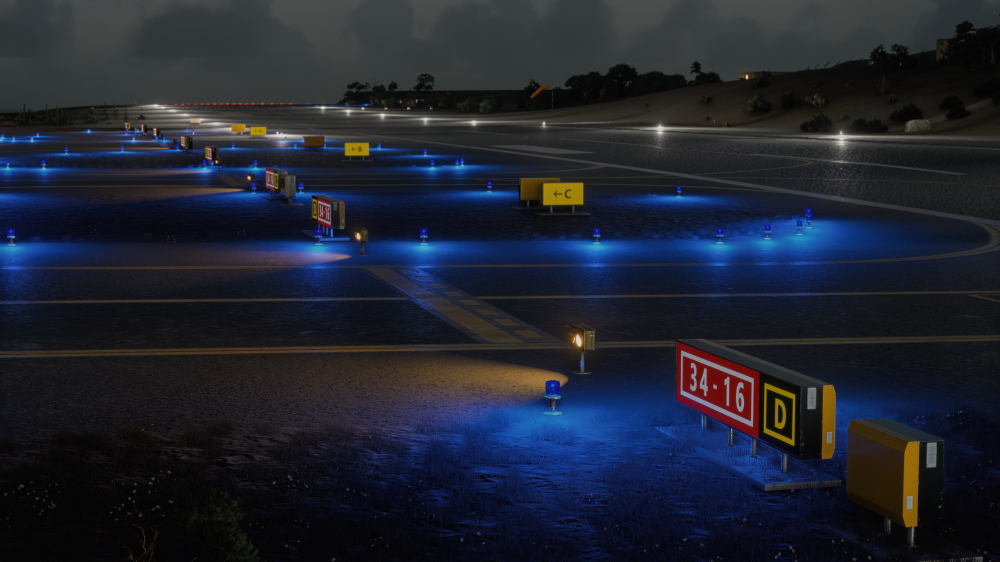
v1.0.1 of iniBuilds El Hierro (GCHI) MSFS 2024 has been released. This update fixes various runway & taxiway light intensities. It also adjusts the emissive textures. This update can be downloaded via the iniManager. v1.0.1Runway lights intensity decreased Taxiway edge lights intensity decreased Lights emissive texture changes
-
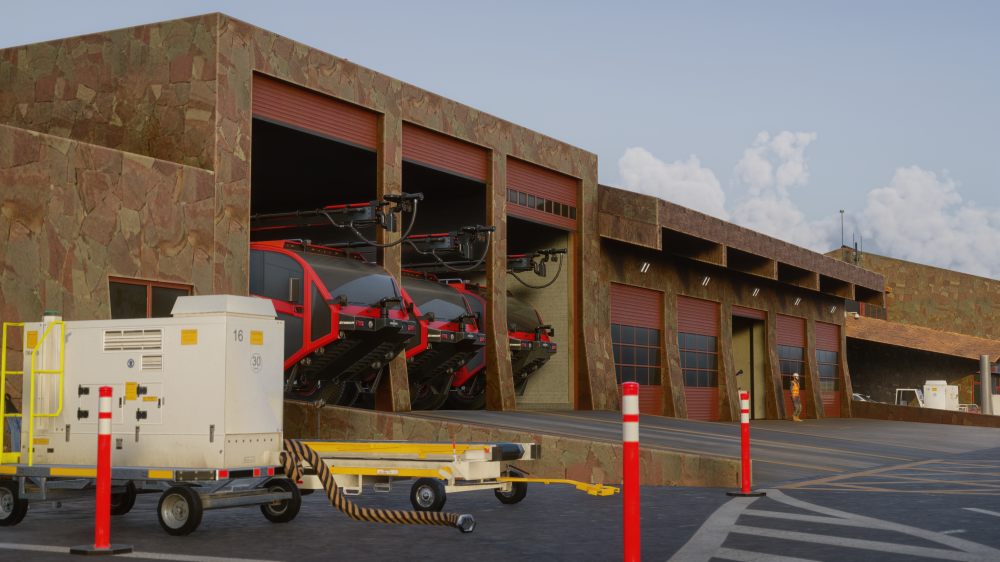
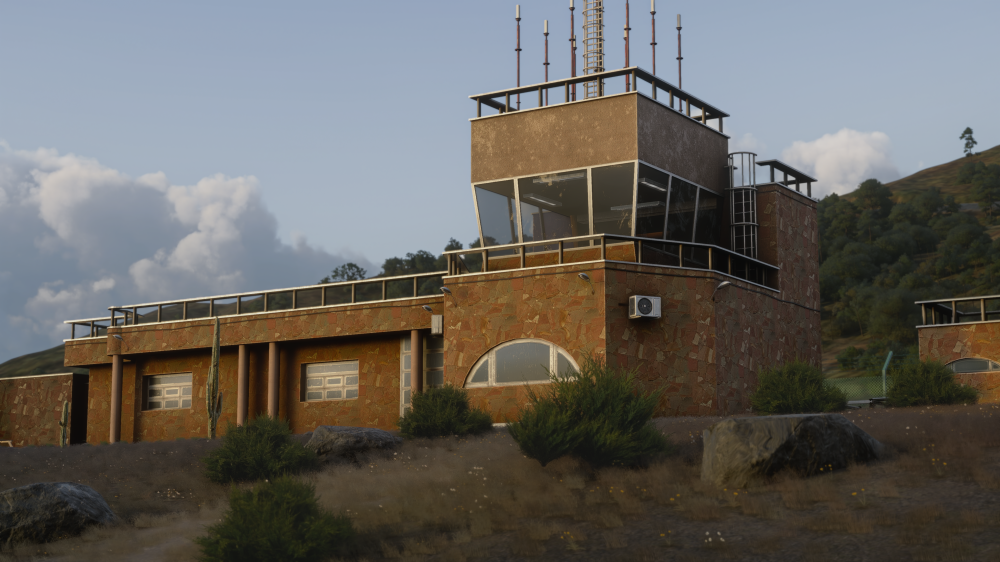
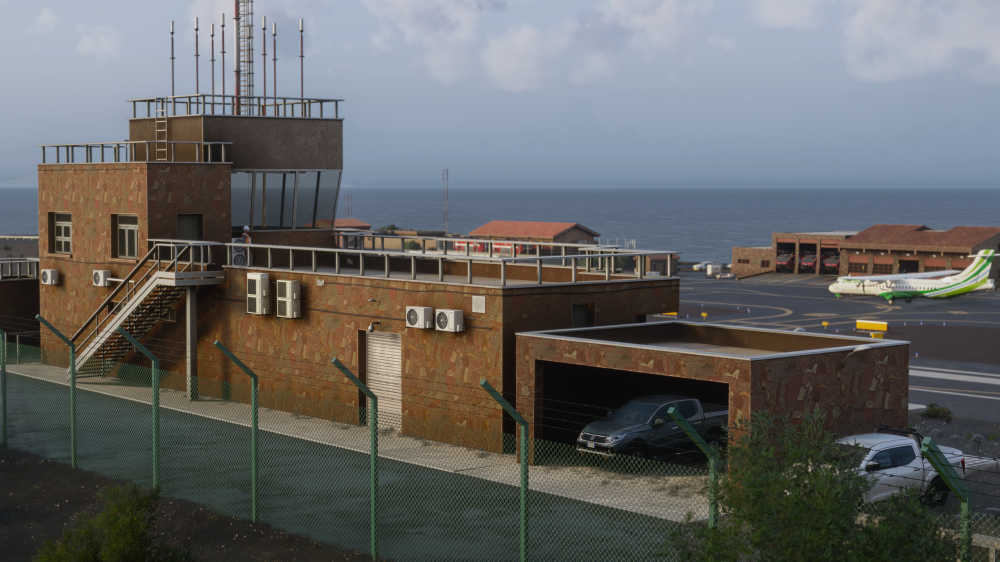
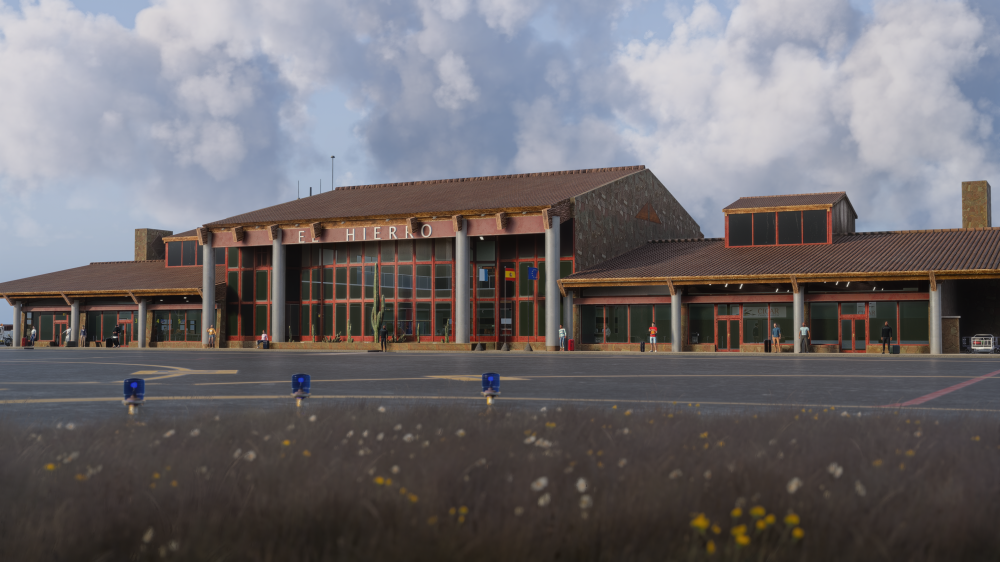
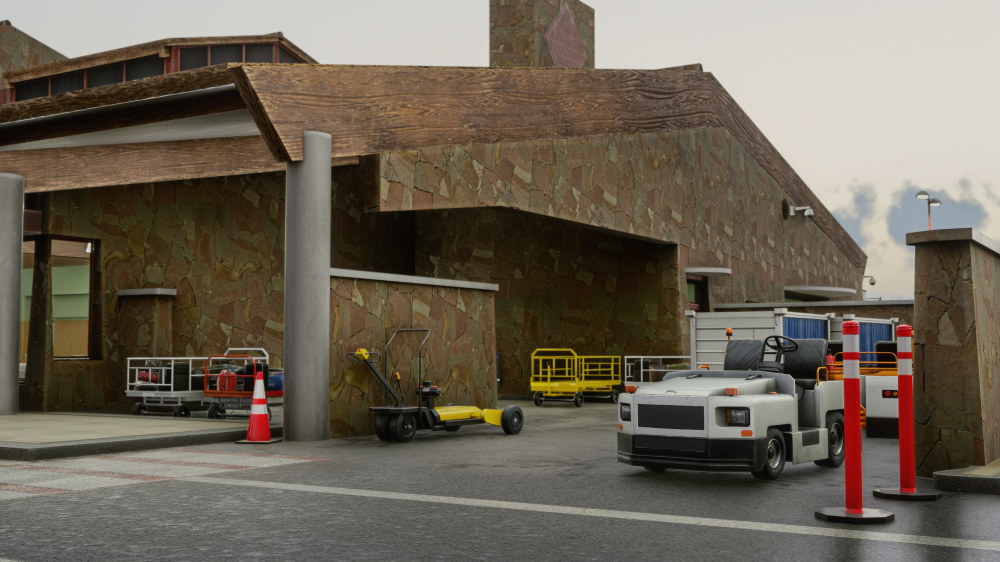
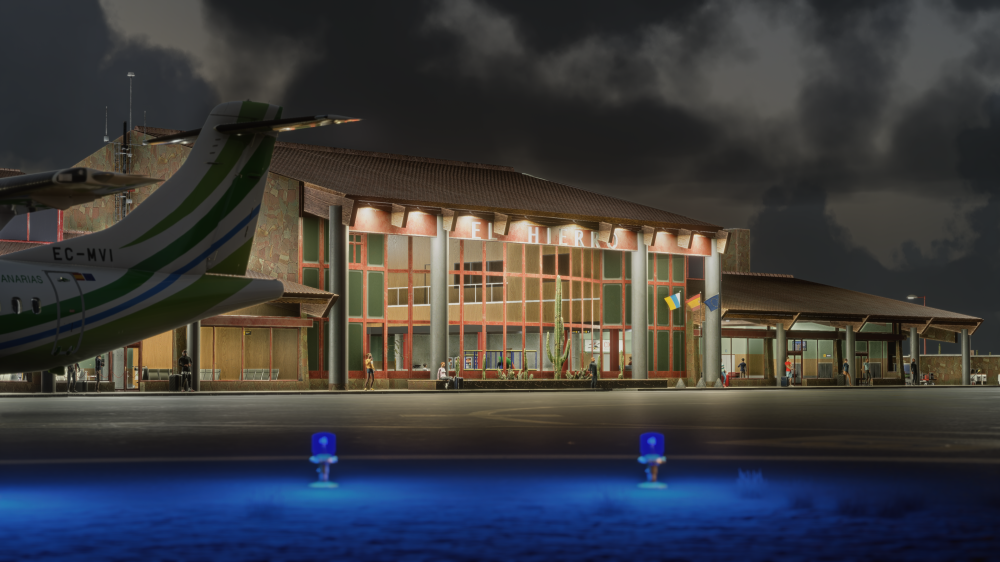
Welcome to El Hierro Airport (GCHI)! ✈️Today, we’re delighted to officially release iniBuilds El Hierro Airport (GCHI) for Microsoft Flight Simulator 2024! Located on the rugged northeastern coast of El Hierro, GCHI serves as the principal air gateway to the smallest and westernmost of the Canary Islands. Surrounded by the Atlantic Ocean, dramatic volcanic terrain and steep coastal cliffs, the airport offers a truly distinctive island setting. Its exposed location, changing winds and scenic approaches make El Hierro a memorable destination for every virtual pilot. Available now for £9.99 (excl. VAT): https://inibuilds.com/products/inibuilds-el-hierro-gchi-msfs-2024 From the compact terminal and apron layout to the surrounding volcanic landscape and rugged shoreline, this handcrafted scenery captures the remote character and natural beauty of one of the Canary Islands’ most unique airports. Every aspect of GCHI has been carefully recreated, including its terminal buildings, taxiways, apron, landside infrastructure and surrounding coastal environment. The combination of detailed airport modelling and dramatic island scenery delivers an immersive experience whether you’re arriving on a regional service or exploring the archipelago in a smaller aircraft. We’ve placed a strong emphasis on the details that define El Hierro, with bespoke ground materials, custom taxiway signage, carefully positioned airport lighting and a detailed recreation of the surrounding buildings and landside areas. Scenery Features Handcrafted ground textures with bespoke materials for the runway, apron, paths and surrounding roads Detailed terminal buildings featuring high-quality exterior and interior modelling Authentic recreation of the airport’s compact apron and operational areas Detailed landside environment featuring custom roads, infrastructure and scenery objects Accurately modelled and positioned dynamic airport lighting throughout the airfield Custom taxiway signs created to match their real-world counterparts High-quality, optimised textures for balanced visual detail and performance Custom models recreating the surrounding buildings and coastal environment Crisp terminal textures capturing the airport’s distinctive modern appearance Built using the latest Microsoft Flight Simulator 2024 SDK features Full iniManager compatibility Routes & Operations ✈️ Despite its remote location and compact size, El Hierro Airport provides a selection of regional and general aviation operations. Regular inter-island services connect El Hierro with Tenerife and Gran Canaria, offering short yet scenic flights across the Canary Islands. GCHI’s exposed coastal position, surrounding volcanic terrain and frequently changing Atlantic conditions can make both arrivals and departures particularly engaging. Whether you’re operating a regional turboprop service, navigating challenging winds or exploring the Canary Islands in a small GA aircraft, El Hierro offers a rewarding flying experience at the edge of the archipelago. 📽️ Watch the TrailerWe can’t wait to see your screenshots, videos and flights into one of the Canary Islands’ most scenic and distinctive airports. See you on final approach into El Hierro! iniBuilds Team ❤️
-
v1.0.2 of iniBuilds Chicago O'Hare (KORD) Premium for MSFS 2024 has been released. This update introduces a new configuration option for the animated airport train alongside the latest GSX Profile, while resolving Multi-Jetway detection and jetway duplication issues at Gate M17. Further refinements include corrected heliport lighting, adjustments to people models, texture configurations, interior props and jetway LODs, alongside a range of optimisation work across the airport. Performance ImprovementsThis update also includes a wider optimisation pass designed to improve performance and reduce the airport’s overall rendering and memory overhead. Terminal node counts have been reduced, texture memory usage has been reviewed and optimised, and LOD configurations across interior assets and jetways have been refined. Together, these changes should provide improved performance and more efficient resource usage, particularly around the more detailed terminal areas. This update can be downloaded via the iniManager. v1.0.2Added Configuration option for the animated train Added GSX Profile v1.4 Fixed Gate M17 jetway duplication Fixed Gate M17 Multijetway detection Fixed Heliport light colors (corrected to orange) Disabled cast shadow on people models Adjusted bitmap configurations on multiple textures Adjusted Interior props LODs Adjusted Jetway LODs Reduced Node counts of terminals Reviewed Terminals texture memory overheads
-
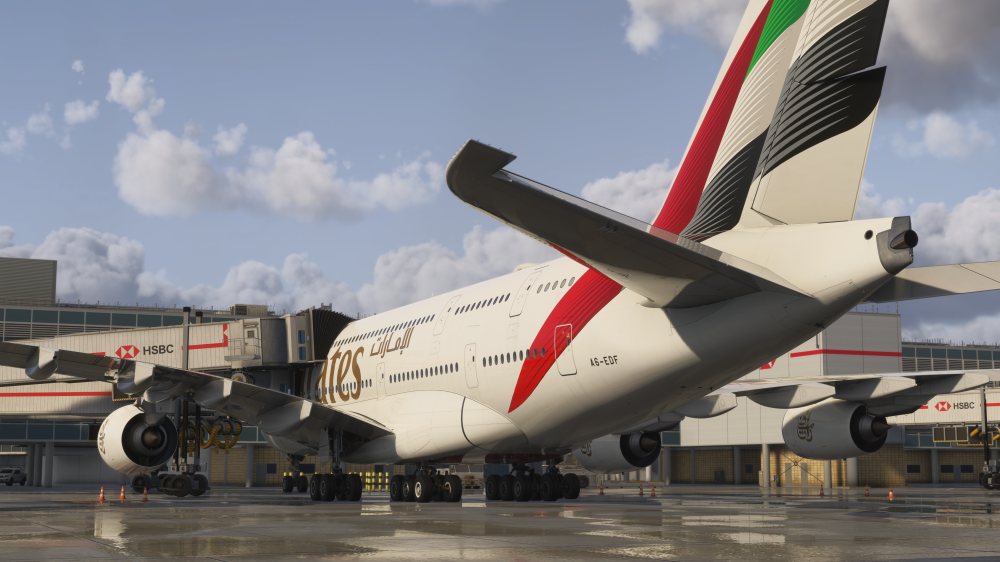
v1.1.0 of London Heathrow (EGLL) Premium for MSFS 2024 has been released. This update introduces support for our new Multi-Jetway System across dual and triple jetway stands at all terminals, allowing compatible aircraft to connect to multiple passenger boarding bridges simultaneously. It also includes an updated GSX Profile v1.5, alongside fixes for offset localisers following the latest magnetic variation changes, a floating underpass near Gate 539, occasional missing textures on static vehicles, and incorrect runway lengths displayed in the default EFB. Multi-Jetway Support Now AvailableWe’re pleased to introduce our new Multi-Jetway System, now available at London Heathrow! This update brings the latest iniBuilds Multi-Jetway technology to dual and triple jetway stands across all terminals, allowing multiple passenger boarding bridges to connect to compatible aircraft simultaneously for an even more immersive turnaround experience. 📽️Watch it in Action!v1.1.0Added Multi-jetway support to Triple and Dual-Jetway stands at all terminals Added GSX Profile v1.5 Fixed Offset Localizers - Magvar Updated (SU6) Fixed Floating Underpass near Gate 539 (SU6) Fixed Static Cars missing textures occasionally Fixed Reported Runway Lengths in default EFB
-
v1.0.1 of iniBuilds Malta (LMML) Premium for MSFS 2024 has been released. This is a small update to address some typos and ortho bleed-through across the airport. This update can be downloaded via the iniManager. v1.0.1Fixed typo on car park sign Fixed ortho bleed-through on main apron Corrected refinery exclusion
-
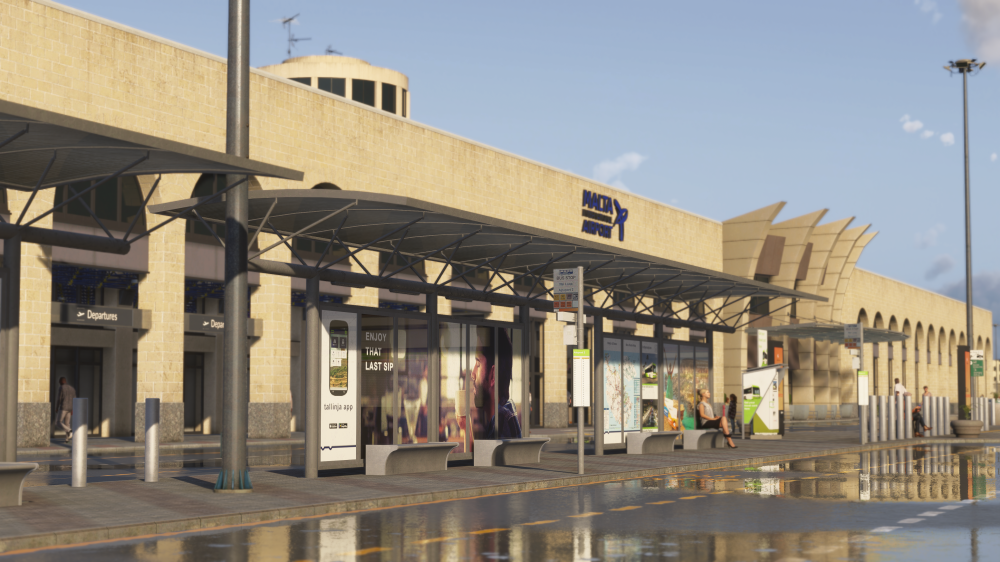
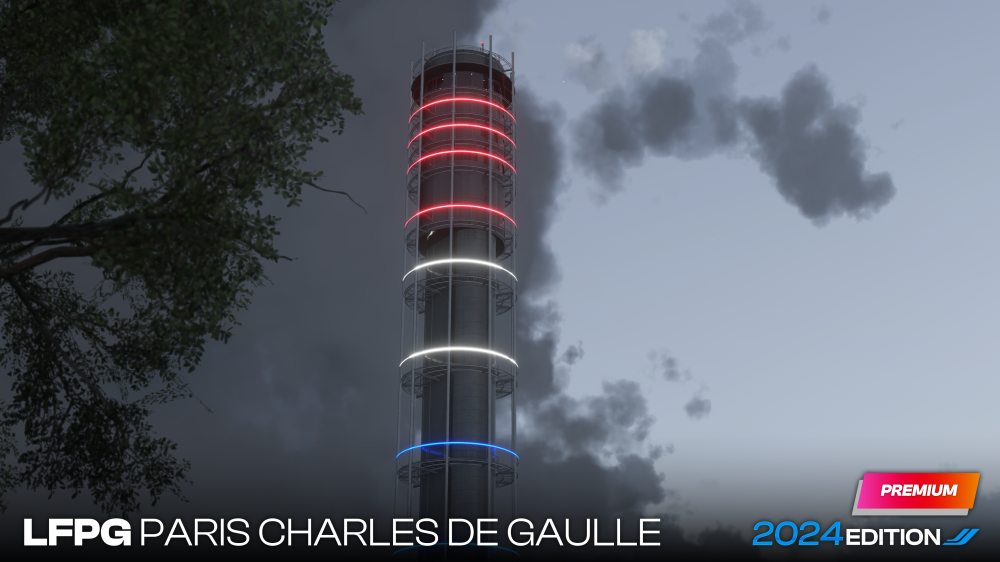
Hello! Since our last scenery development update in June, it has been another couple of months for the scenery team here at iniBuilds! Most notably, we’ve released our largest scenery project to date, Chicago O’Hare, followed most recently by Malta. Behind the scenes, work has continued on a major redevelopment of one of the most popular airports in our scenery collection, alongside updates bringing our latest Multi-Jetway technology to existing airports as well. Dubai V2 represents a substantial step forward from the original scenery, drawing on everything we have learned from developing airports specifically for Microsoft Flight Simulator 2024. From completely revisited terminal environments and improved airside detail to significant optimisation work and the introduction of our Multi-Jetway System, almost every part of the airport has received attention. Looking further ahead, we are also ready to formally announce our next major European airport. It is a project that has already involved extensive research and one where we are keen to work closely with those who know the airport best. Today, we will be looking back at the release of Malta International Airport, taking a much closer look at the work underway on Dubai International Airport V2 and finishing with the formal announcement of our next scenery project. So, let’s get started! iniBuilds Malta (LMML) for Microsoft Flight Simulator 2024!Today we released our latest scenery, and this is what we'll start the development update with, Malta for Microsoft Flight Simulator 2024! Situated between Europe and North Africa, Malta International Airport serves as the island nation’s only commercial airport and provides a varied mix of European, regional, long-haul, cargo and military operations. Malta has always been a popular destination within the flight simulation community. Its Mediterranean setting, distinctive limestone architecture and combination of modern airport infrastructure with the island’s historic surroundings make it an especially interesting airport to recreate. From the beginning of development, our goal was to capture not only the airport itself, but also the atmosphere and character of arriving in Malta. This meant paying close attention to the materials, colours and architecture found throughout the terminal and airfield, alongside the airport’s surrounding environment. The scenery has been developed specifically for Microsoft Flight Simulator 2024 using our latest modelling, texturing and optimisation workflows. The airport features an accurately recreated terminal environment, detailed airside infrastructure, bespoke ground textures, custom signage, airport clutter and a range of details designed to make each arrival and departure feel authentic. Malta International Airport is now live! You can purchase the scenery today through the iniBuilds Store for £14.99 excl. VAT. Buy Now: https://inibuilds.com/products/inibuilds-malta-lmml-msfs-2024 Watch the Trailer 📽️iniBuilds Dubai International Airport (OMDB) V2 for Microsoft Flight Simulator 2024!With Malta now released, attention turns to one of the larger scenery projects currently being worked on by the team. In our previous scenery development update, we revealed that Dubai International Airport V2 was in development. Today, we want to go much further and show just how extensively the airport is being revisited. Dubai International has remained one of the most popular airports in the iniBuilds scenery collection since its original release. As one of the busiest international airports in the world and the home of some of aviation’s most recognisable long-haul operations, it is a destination that continues to play an important role in MSFS. However, the original scenery was created several years ago for Microsoft Flight Simulator 2020. Since then, both the simulator and our approach to scenery development have changed considerably. Rather than applying a simple visual refresh or compatibility update, the team has been using V2 as an opportunity to revisit the airport throughout. Existing assets have been reviewed, rebuilt or replaced, new areas have been introduced and the entire airport is being prepared specifically around the capabilities of Microsoft Flight Simulator 2024. One of the first stages of the project involved reviewing the original scenery and identifying where the greatest improvements could be made. The original Dubai represented the development techniques and simulator capabilities available at the time. Since then, our work on airports such as Chicago O’Hare, London City, Manchester and Malta has allowed us to introduce new modelling methods, more efficient asset workflows and a much deeper understanding of building complex airports for Microsoft Flight Simulator 2024. V2 allows us to apply those lessons throughout Dubai. This includes improvements to modelling, texturing, terminal geometry, interior spaces, airfield detail, lighting and the wider airport environment. Areas which previously relied on older assets or simplified geometry have been revisited, whilst parts of the airport that received limited attention in the original version are now being developed in considerably greater detail. Terminal Modelling and Exterior DetailThe terminal complex is one of the most recognisable parts of Dubai International and has been a major focus throughout the V2 redevelopment. The A, B and C Gates have been completely overhauled, with updated modelling and newly created interiors throughout. The D Gates have also received a range of improvements, although the existing interior did not require the same level of redevelopment. Elsewhere, the ATC tower has been enhanced with improved modelling, updated artwork and additional surface detail. Updated geometry and materials allow the terminal buildings to more closely reflect their real-world appearance, bringing greater depth to the building faces, roof structures, glass surfaces, gate environments and surrounding service areas. These improvements are particularly noticeable around the stands, where aircraft operate close to the terminal buildings and even the smallest details contribute to the overall experience. Expanded Interior EnvironmentsTerminal interiors are another area where the difference between the original scenery and V2 will be immediately noticeable. Areas that previously featured limited or simplified interiors are being revisited with more complete passenger spaces, improved materials, updated lighting and additional detail visible from both the apron and inside the terminal. The aim is not simply to fill the buildings with additional objects. Each interior must contribute to the atmosphere of the airport whilst remaining carefully balanced against performance. Airfield and Ground EnvironmentAway from the terminal buildings, the wider airfield has also received significant attention. Ground textures, markings, taxiway environments, service roads and apron areas have been reviewed and updated to better represent the current airport. Additional clutter, vehicles and ground equipment help give the airfield a greater sense of activity, particularly across the expansive apron areas surrounding the terminal complex. The surrounding airport environment has also been expanded with an extended Metro line, an animated shuttle train serving the D Gates and an animated fountain near the Dubai Airport Freezone. Airport lighting has undergone a complete overhaul, alongside numerous improvements and bug fixes based on feedback from the community. Several new structures have also been introduced throughout the wider airport environment, including multiple underpasses and elevated roads, new Emirates car parks and headquarters parking, additional auxiliary buildings, and a new mosque within the Terminal 3 parking area. Dozens of performance optimisations have been implemented throughout the scenery, including reduced node and vertex counts, fewer draw calls, improved bounding-box sizes, greater use of simulator props across the terminals and further LOD improvements. Almost everything raised within the feedback document has now been addressed, with the exception of static private jets, which can conflict with community traffic configurations. A considerable amount of work has also taken place to improve performance across the airport. This includes the use of vert limits, LOD optimisations and the use of SimProp Containers. Large sections of the airport have been rebuilt and optimised to reduce unnecessary node counts, vertices, draw calls and bounding boxes. The scenery also makes much greater use of our latest Level of Detail workflows, allowing complex assets to be displayed efficiently depending on their distance from the aircraft. For a project of Dubai’s scale, this work is especially important. The airport combines extensive terminal buildings, large numbers of stands, detailed interiors and a dense surrounding environment, all of which must remain manageable throughout arrival, departure and ground operations. The result will be an airport that is not only more detailed than the original, but also built from the outset around the capabilities and requirements of Microsoft Flight Simulator 2024. Multi-Jetway OperationsDubai International is one of the most recognisable homes of the A380, making it the perfect airport for our Multi-Jetway System! At selected compatible stands, multiple passenger boarding bridges will be able to connect to a single aircraft simultaneously, creating a much more authentic turnaround experience for large widebody operations. The system will operate in the same was as other airports that have already received this feature, such as Hong Kong, Gatwick and Chicago. Compatible aircraft will therefore be able to use multiple jetways in much the same way as the default passenger boarding bridges, helping the feature feel like a natural extension of the existing simulator experience. Although especially fitting for A380 operations, the system will also add further authenticity when operating other compatible widebody aircraft through the airport. A Free Update for Existing Enhanced OwnersDubai International Airport V2 will be provided as a FREE update to customers who own iniBuilds Dubai Enhanced, which will be rebranded as iniBuilds Dubai Premium upon release. The existing discounted upgrade path from the MSFS 2020 version to the MSFS 2024 version will be discontinued when V2 launches. Customers who do not already own Dubai Enhanced will therefore need to purchase Dubai V2 Premium at full price. Our Next Destination: ParisWhilst the Dubai team continues working towards the release of V2, another major project has been progressing behind the scenes. Today, we are pleased to formally announce that iniBuilds Paris Charles de Gaulle Airport (LFPG) for Microsoft Flight Simulator 2024! As one of Europe’s largest and most important international airports, Paris Charles de Gaulle offers an enormous variety of operations. From short-haul European services and long-haul passenger flights to extensive cargo operations, the airport serves as a major global hub and presents one of the most varied flying environments in the region. Charles de Gaulle is also an airport defined by its architecture and complexity. Its extensive terminal system, satellite buildings, taxiway network, cargo facilities, hotels, roadways and rail infrastructure combine to create an airport environment unlike almost anywhere else in Europe. Recreating an airport of this scale requires an equally extensive approach to research. The team has already completed a significant amount of research covering the airport’s layout, terminal architecture, airside infrastructure and wider environment. This material is already helping the team recreate the individual character of each terminal area, from the airport’s most recognisable architecture through to the smaller operational details found across the airfield. Can You Help Us?As we have done with projects such as Manchester, we want to work closely with those who know Paris Charles de Gaulle best. We would particularly like to hear from people who currently work at the airport, have worked there previously or regularly operate through it. This could include flight crew, ground handling teams, airport operations staff, engineers and others with first-hand experience of the airport. Your knowledge can help us better understand the smaller details that are difficult to capture through conventional reference material alone, from how particular areas are used to the distinctive features that give each terminal its own identity. If you would like to contribute to the project, please contact the team directly by email. Contact us: management@inibuilds.com We are looking forward to working with members of the community and industry as this project develops, and we cannot wait to share the first proper previews of Paris Charles de Gaulle in the future. Final RemarksFrom the release of Malta International Airport to the extensive redevelopment of Dubai International and the beginning of a new journey in Paris, there is a huge amount happening across the scenery team. Dubai V2 represents an opportunity to bring one of our most popular airports up to the standard of our latest Microsoft Flight Simulator 2024 developments, whilst Paris Charles de Gaulle marks another ambitious project that we hope to build alongside those who know the airport best. Thank you, as always, for your continued support, feedback and enthusiasm. We hope you have enjoyed this closer look at what we have been working on, and we look forward to sharing much more from both Dubai and Paris over the coming months. iniBuilds Team ❤️
-
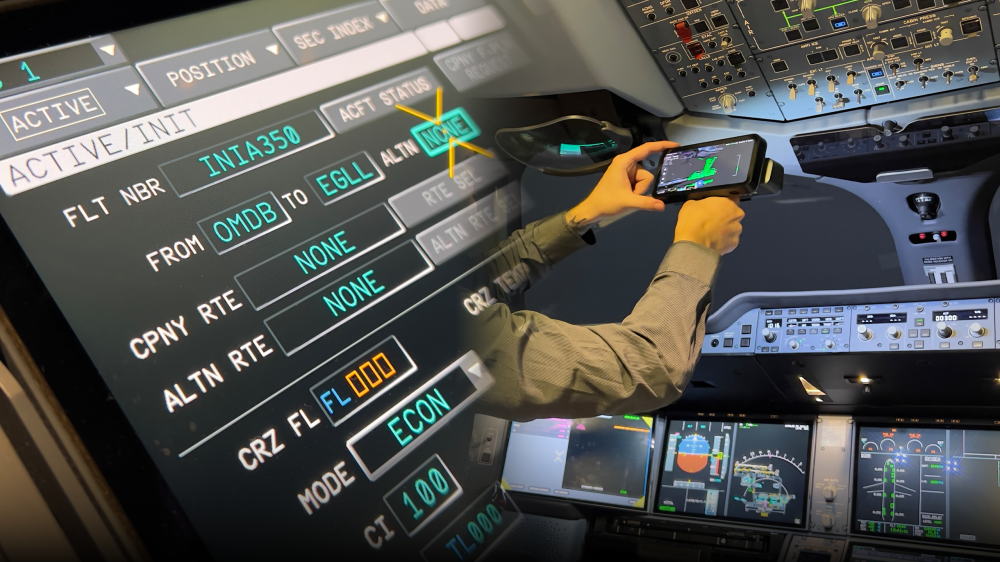
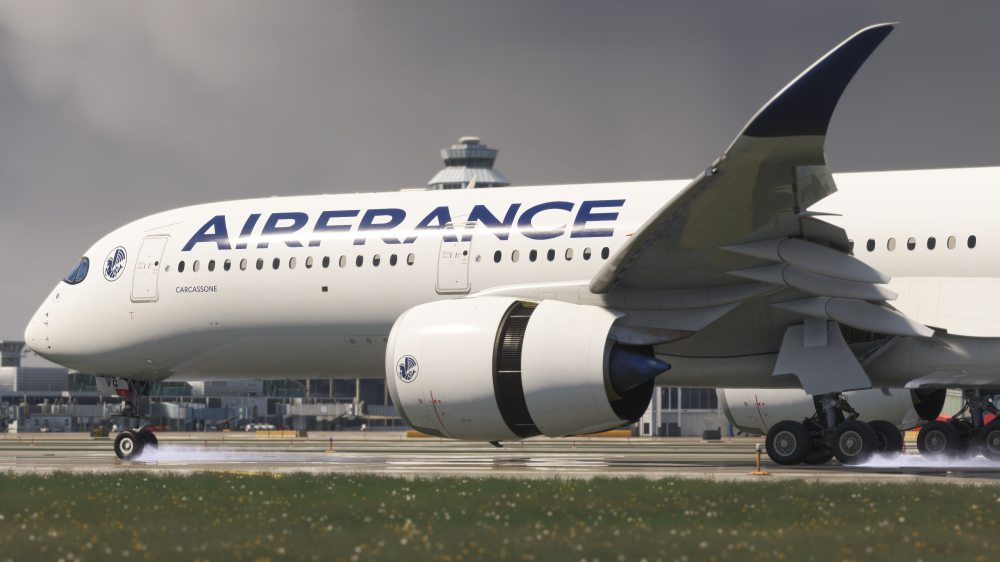
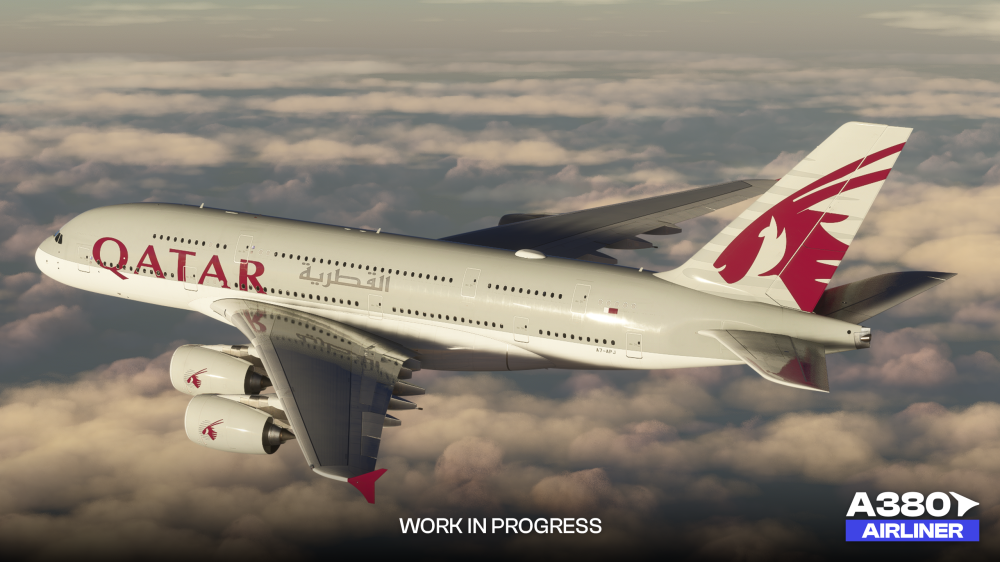
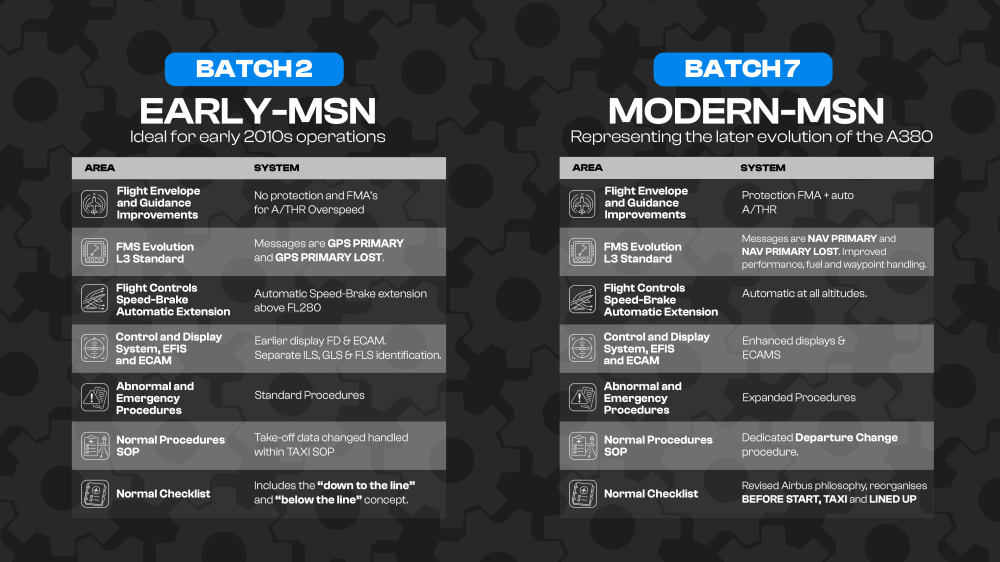
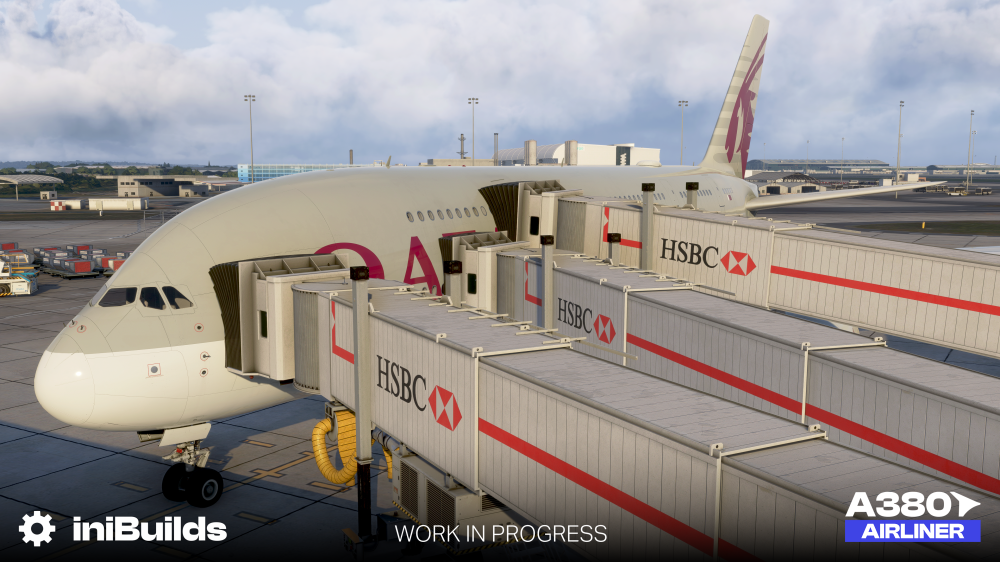
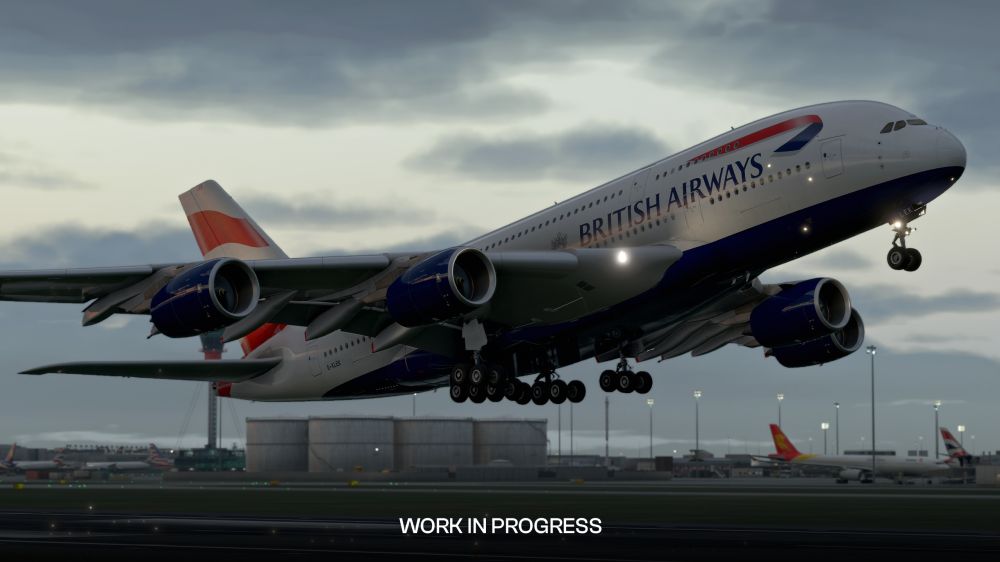
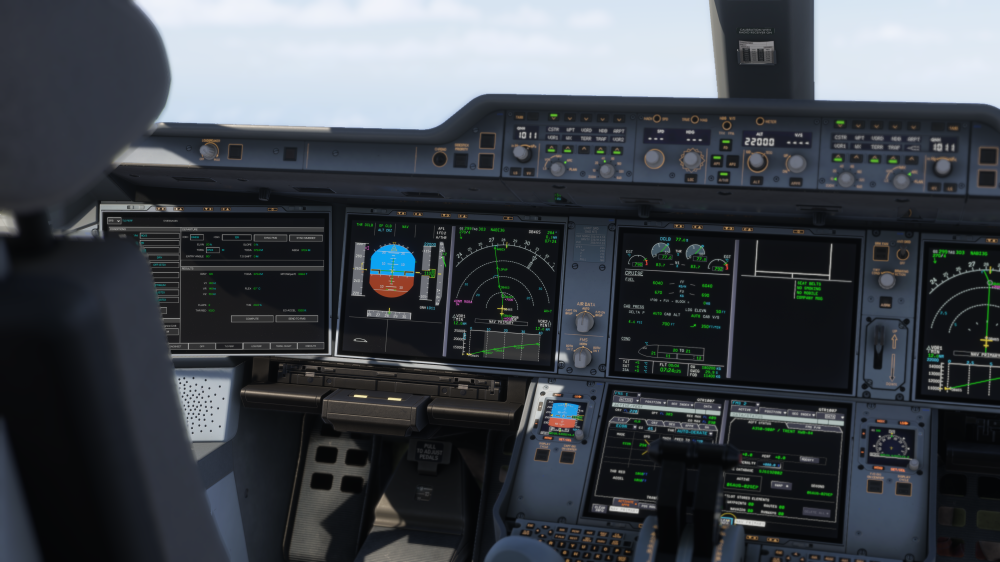
Hello! Welcome back to another iniBuilds Aircraft Development Update! This time, we’ll be taking a closer look at some of the systems, features and technical advancements being introduced with the A380 Airliner, alongside the latest progress on the current A350 Airliner and the upcoming A350 Airliner V2. A380 AirlinerSince our last A380 Airliner development update, work has continued across every area of the aircraft. Alongside introducing a number of completely new features, the team has also spent considerable time revisiting and improving many of the underlying systems already familiar from our previous aircraft. A large amount of this work has taken place behind the scenes, with significant areas of code refactored to improve performance, stability and maintainability while retaining the depth of simulation we are aiming for with the A380. Not every improvement is something you will immediately see in a screenshot, but the work under the hood has been substantial and provides a much stronger foundation for the aircraft as a whole. Let’s get into it! Ground Operations, Persistence and Turnaround 🛬The scale of the A380 extends well beyond the flight deck, and recreating the aircraft properly has meant looking closely at many of the systems and processes involved in operating it on the ground. We have introduced a new aircraft persistence system, allowing important aircraft states such as fuel quantities, switch positions and system conditions to be retained between simulator sessions. Rather than every flight beginning with a completely reset aircraft, you can return to the A380 in the condition in which you previously left it. That persistence extends beyond the cockpit too. The aircraft’s potable water and waste systems are fully simulated, with water consumption, waste accumulation and ground servicing all modelled throughout operation. Combined with persistence, neglecting these systems over multiple sectors can have consequences. Leave the water servicing for long enough and you may eventually find yourself with inoperative lavatories and first class showers! Turnarounds are further brought to life through full compatibility with the iniBuilds Multi-Jetway Technology. At supported airports, multiple passenger boarding bridges can connect to the aircraft simultaneously, allowing the A380’s two-deck configuration to be represented far more authentically during boarding and deboarding. Although this system is not exclusive to the A380, the aircraft was the main reason for its development. What initially began as a solution to the unique requirements of the A380 has since evolved into a wider system that can be used across compatible iniBuilds aircraft and airports. You can learn more about the Multi-Jetway Technology on its introduction post: https://forum.inibuilds.com/topic/37165-an-introduction-to-inibuilds-multi-jetways-technology/ EFB, OIS and Ground-Service Integration 📊The Electronic Flight Bag and Onboard Information System have continued to evolve alongside the rest of the aircraft, bringing together a number of new tools for flight planning, performance and aircraft operation. Take-off planning has also been expanded significantly within the EFB. The integrated take-off performance calculator calculates V-speeds, FLEX temperature and stop margin based on aircraft weight, configuration, runway conditions and weather. This functionality now includes support for intersection departures, allowing pilots to select the intended runway intersection and automatically account for the reduced take-off distance within the performance calculation. An initial implementation of the NSS Avionics domain has also been introduced within the OIS, allowing users to switch between NSS Avionics and Flight Operations functions. AOC communications have been moved into the dedicated NSS inbox, while expanded crew-identification fields allow pilot information and operating status to be entered. Chart handling has been improved across both the EFB and OIS. Search results now include pagination controls, while multi-page Lido charts are supported so that every available page can be viewed and navigated correctly. Numeric entry has received a smaller quality-of-life improvement too, with keyboards on both systems adopting a more familiar numpad-style layout. A new EFB Notification Centre, accessible through the bell icon, provides a central location for reviewing and tracking aircraft and EFB-related notifications. Finally, GSX integration has been updated to V2, providing deeper communication between the aircraft and GSX. This includes revised integration logic, dedicated GSX notifications and a new state panel for monitoring active ground-service operations. Flight Deck, Displays and Controls 🎛️Across the flight deck, development has focused on improving both fidelity and flexibility, from how the aircraft’s displays are managed to the systems supporting the crew throughout operation. Independent Display Unit management allows pop-up displays and swappable cockpit screens to operate separately, more closely reflecting the flexibility of the real aircraft while providing greater freedom for users with multi-monitor or home-cockpit configurations. The A380 Airliner also features a fully integrated Runway Awareness and Advisory System (RAAS), providing realistic runway-related callouts during ground operations. These assist the crew with awareness of runway entries, approaches, exits and potential incursions, particularly when operating at larger or more complex airports. Brake to Vacate (BTV) functionality has also been implemented, providing predicted runway exit performance and automatic turnaround-time calculations. This helps the crew assess the most suitable runway exit during arrival planning and brings another of the A380’s distinctive flight-deck systems into the simulation. Improved PRIM logic, realistic response delays and further tuning of aircraft stability allow the fly-by-wire system to behave more naturally throughout the flight envelope. The Vertical Situation Display (VSD) presents terrain, flight path, altitude constraints and descent planning within a vertical profile of the route. Further improvements to its calculations and logic allow the display to provide more representative output and situational awareness during complex arrivals and descents. Weather radar functionality is also making use of recent simulator API improvements. Adjustable tilt and azimuth controls allow the radar to scan the atmosphere ahead more realistically, helping to identify precipitation and make informed routing decisions around weather. Fuel temperature is also simulated across the aircraft’s tanks. Temperature changes dynamically according to altitude, ambient conditions and flight duration. Should fuel temperatures move outside the expected operating range, the appropriate ECAM indications can be triggered, requiring the crew to assess and manage the situation accordingly. Flight Model & Aircraft Dynamics 💨Recreating the A380’s behaviour has required several areas of the flight model to be approached differently from our previous aircraft. One of the most obvious examples is the landing gear. the A380’s complete landing-gear configuration is represented within the flight model, including functional body-gear steering. The rear body-gear assemblies physically steer in response to pilot inputs, giving the aircraft surprisingly manageable ground handling despite its enormous size. This has been combined with Microsoft Flight Simulator 2024’s new suspension modelling, allowing the individual landing-gear assemblies to react more naturally while taxiing, turning and travelling across uneven surfaces. The aircraft’s complex arrangement of multiple bogies has also required additional work around ground contact and compression. By using additional contact points within the MSFS 2024 flight model, the individual gear assemblies can react progressively as they make contact with the runway. This becomes particularly noticeable during touchdown, where the aircraft can settle naturally across the different bogies rather than behaving as though the entire landing gear were a single rigid contact point. Whether the aircraft touches down firmly, gently or with some roll angle, each assembly responds independently as the weight transfers onto the landing gear. Dedicated A380-specific fly-by-wire rotation laws have also been developed. These simulate the transition between the ground, rotation and airborne phases during take-off, while accounting for the A380’s enormous operating-weight range. Sidestick input is translated into an appropriate pitch response so that the aircraft remains consistent and predictable whether operating relatively light or close to maximum take-off weight. The wings themselves are driven by a custom dynamic wing-flex system, responding to aerodynamic forces, aircraft weight, turbulence and manoeuvring loads. Rather than relying on a simple predefined animation, the wing movement continuously responds to the conditions acting upon the aircraft. Failures and Scenarios⚠️Failures remain an important part of the A380 simulation, and a comprehensive failure-management system has been reorganised around the aircraft’s ATA chapter structure. This makes failures easier to locate and configure while bringing their organisation closer to the way systems and procedures are structured within real-world aircraft documentation. A number of individual scenarios have also been added or received substantial development. Engine fuel leaks can develop under a variety of operating conditions, requiring the crew to identify the problem, follow the appropriate procedures and manage the aircraft through the relevant ECAM-driven workflow. Cabin pressurisation leaks can develop gradually rather than presenting themselves immediately. A small leak may initially be difficult to notice unless the aircraft’s indications are being monitored closely, before eventually requiring intervention, descent or diversion. Individual Display Unit failures allow the loss of primary flight information to be simulated independently. Displays can then be reconfigured using the available alternate procedures, creating a more involved abnormal situation for the crew to manage. Events can now be triggered immediately or occur randomly in your flight, with similar trigger controls available across other scenarios. Allowing the event to occur while still on the ground introduces an entirely different failure-management situation, where the crew may have to make decisions during one of the highest-workload phases of the flight. Choose Your Era 📅The A380 Airliner has continued to evolve throughout its production life, with later MSN aircraft introducing changes across flight guidance, displays, FMS functionality, system logic and operating procedures. As a result, an aircraft delivered during the production's early years can offer a noticeably different flight-deck experience from one operating today. We wanted to represent this evolution rather than treating every A380 as though it were built to one universal standard. Whether you are recreating an early Air France operation from Paris in 2010 or flying a modern-day Emirates service in 2026, the aircraft should reflect the systems and procedures appropriate to that era. Through the EFB, you can switch between two aircraft configurations: Early-MSN, based on the Batch 2 standard, and Modern-MSN, based on Batch 7. Each configuration changes more than a handful of labels, introducing the appropriate FMS capabilities, flight-guidance logic, display behaviour, protections, procedures and checklist philosophy. The comparison below highlights some of the key differences between these two configurations and how the flight deck has evolved over time. Engine Differences 💪Of course, one of the most recognisable differences between A380 operators is sitting underneath the wings. The A380 was offered with two completely different engine families: the Rolls-Royce Trent 900 and Engine Alliance GP7200. These are fundamentally different powerplants. The Trent 900 uses Rolls-Royce’s three-shaft architecture, while the GP7200 uses a two-spool design derived from technologies developed for the GE90 and PW4000 engine families. Because of this, we did not want the engine selection to simply amount to swapping one external model for another. Both engine options are represented as distinct variants, with their own external geometry, sound profile, start and shutdown behaviour, spool dynamics, thrust response and relevant cockpit indications and system behaviour. The result is that selecting the Trent 900 or GP7200 changes more than the appearance of the aircraft. Each option has its own characteristics from engine start through to shutdown, better reflecting the operator and aircraft configuration being flown. Exterior Visuals UpdateAlongside the extensive systems and flight-model work taking place on the A380 Airliner, the art team has continued refining the exterior to ensure the visual experience receives the same level of attention. From further model improvements and interactive exterior features to custom visual effects, there has been plenty of work taking place across the aircraft since we last showcased it. Exterior Model Refinements & FeaturesSince the showcase of what you've seen in our A380 Airliner trailer, the team has continued to revisit several major areas of the exterior model, with significant reworking carried out across the board to bring it to a higher level of detail and accuracy. The A380 is a long-term project since a handful of years to date, and as our internal standards, tools and understanding of the aircraft have improved (and continue to), we have continued QA'ing and revisiting earlier work. The wings in particular have received extensive attention. Alongside improvements to their geometry and detailing, they are fully animated and integrated with the dynamic wing-flex system mentioned earlier in this update. Control surfaces, spoilers and other moving components remain visually connected to the changing shape of the wing as it responds to aerodynamic forces, aircraft weight, turbulence and manoeuvring loads. Both the Trent 900 and GP7200 models have also been revisited, with further refinements to their geometry and detailing to better capture the characteristics of each powerplant. This includes fully modelled engine interiors, while the belly and lower fuselage have received a similar refinement pass. As you have come to expect from our recent aircraft, the exterior also includes a wide range of smaller interactive details for the MSFS 2024 Walkaround Mode. Air-conditioning hatches along the belly can be opened, alongside the ground power connection hatch, rear APU access hatch and other servicing panels around the aircraft. As mentioned earlier, areas such as the potable water and waste servicing points are not purely visual either, and are connected directly to their respective simulated systems and serviceable via GSX as standard. Immersion EffectsAs previously showcased with aircraft such as the TriStar and A350 Airliner, Immersion FX play an important role in making the aircraft feel connected to the environment around it. With the A380, these effects have been expanded to help convey the sheer scale and power of the aircraft throughout different phases of operation. In wet conditions, the aircraft features tyre and wheel water spray, alongside engine water spray and reverse effects. Engine vortices can also form under the appropriate atmospheric conditions, while custom heat blur effects have been developed for both the engines and APU. In flight, the A380 features custom contrail effects alongside dedicated fuel jettison effects when fuel dumping is required. Abnormal events are represented visually too, with engine flame and smoke effects during applicable bird strikes and engine failures, while a tail strike will produce sparks and visual damage to the hull as the aircraft makes contact with the runway. These effects add another layer of visual feedback to the underlying simulation, whether the aircraft is taxiing through standing water, climbing through humid air, jettisoning fuel or dealing with an abnormal event. A350 Airliner: What’s Next?Development on the A350 is continuing on two fronts. The first is A350 Systems and Performance Update 1, which will be released as v1.2.7 for the current aircraft. This update focuses on addressing commonly reported stability, flight-planning, systems and handling issues, while also bringing across applicable improvements developed for the A380 Airliner. Alongside this work, we’re excited to confirm that work on A350 Airliner V2 is underway. This is a much wider core upgrade covering the aircraft’s geometry, exterior and interior artwork, Head-Up Display, EFB, OIS, systems, failures, ECAM functionality and so much more! A350 Airliner V2 is being developed exclusively for Microsoft Flight Simulator 2024 and will be available as a FREE update for all existing A350 Airliner customers. With the release of V2, Microsoft Flight Simulator 2024 will become the sole development platform for the A350 Airliner. At that point, active development and updates for the Microsoft Flight Simulator 2020 version will conclude, with the existing 2020 version remaining available to customers in its current form. This decision allows us to move the A350 forward without being constrained by the technical and architectural limitations of the previous simulator generation. Continuing to develop across both platforms increasingly requires compromises that ultimately hold back what we can deliver. By focusing entirely on Microsoft Flight Simulator 2024, we can make full use of the newer technology, push the depth and capabilities of the A350 further, and ultimately deliver a significantly better product and experience for our customers. V2 represents the next generation of the iniBuilds A350 Airliner, and concentrating our development efforts on MSFS 2024 gives us the freedom to make that next generation everything we want it to be. A350 Systems and Performance Update 1Alongside our work on A350 Airliner V2, we have also been working on an update for the current A350 Airliner. This update is focused on addressing a number of areas highlighted through community feedback and our own continued testing, with particular attention being given to stability, flight planning, navigation and aircraft handling. Stability & Reliability Improved aircraft and display stability across a number of loading and flight-planning scenarios. Improved robustness when entering runway, STAR and transition data into the flight plan. Improved reliability of SimBrief flight-plan imports across a number of edge-case scenarios. Improved auto-save behaviour when the simulator is paused. Flight Planning & Navigation Improved alternate flight-plan creation and waypoint sequencing. Improved along-track waypoint placement and flight-plan insertion. Improved speed and altitude constraint handling following DIR TO operations. Various improvements to VNAV behaviour and flight-plan management. Systems, Performance & Indications Improved RMP navaid audio behaviour for LS, ADF and VOR identifiers. Refinements to cabin vertical-speed behaviour during cruise. Improvements to auto-derated climb-thrust behaviour. Corrected ILS course presentation behaviour following landing. Flight Controls & Handling Further refinements to roll and pitch-axis response. Improvements to fly-by-wire bank-angle protection and bank-hold behaviour. These changes form part of our continued work to refine the current A350 experience while development of the significantly larger A350 Airliner V2 update progresses in parallel. A350 Airliner V2V2 is not simply a collection of fixes or a visual refresh. It is a wider core upgrade to the aircraft, with major work taking place across the cockpit geometry, interior and exterior artwork, aircraft variants, HUD, EFB, OIS, systems, failures, ECAM functionality and more. The update is being developed specifically for Microsoft Flight Simulator 2024, allowing the team to take greater advantage of the platform as we work towards a more accurate, refined and complete recreation of the A350, it will also be completely FREE for current users. Cockpit Geometry and InteriorThe A350 cockpit is undergoing a substantial geometry overhaul using newly collected data. This provides the art team with significantly stronger reference material for revisiting the proportions, positioning and shapes of key flight-deck elements. The new data is being used throughout the cockpit environment, allowing individual panels, controls and surrounding structures to be represented with greater accuracy. The wider interior artwork is also being revisited as part of this process, ensuring the improvements extend beyond individual components and create a more cohesive flight-deck environment. Exterior Geometry and Aircraft VariantsWork is also taking place across the exterior model, with particular attention being given to the differences between the A350-900 and A350-1000. The wing geometry of each variant is being revisited so that the two aircraft more accurately reflect their individual proportions and characteristics. This moves away from the more general representation currently shared between them and allows each variant to present a more distinctive and accurate profile. Head-Up DisplayThe Head-Up Display is receiving a major update, with its logic, symbology and behaviour being revisited throughout the different phases of flight. This work is focused on improving the accuracy of the guidance presented to the crew and ensuring that HUD indications respond appropriately as flight modes, aircraft configuration and operating conditions change. EFB and Onboard Information SystemBoth the EFB and Onboard Information System are being revisited as part of the wider V2 upgrade. The work will improve their functionality and integration with the rest of the aircraft, creating a stronger connection between the information available to the crew and the wider simulated systems. We will have more to share about the individual EFB and OIS improvements as V2 development progresses. Systems, Failures and ECAMA new failure system is being developed alongside significant updates to the underlying systems logic. This will allow failures and abnormal situations to be represented in a more detailed and structured way, while providing a stronger foundation for additional scenarios and functionality in the future. The ECAM displays and associated logic are being revisited at the same time, improving how system states, alerts and abnormal situations are communicated to the crew. Together, these changes will create a much closer relationship between the simulated aircraft systems, the failures affecting them and the information presented on the flight deck. The areas shown here represent only part of the work underway for A350 Airliner V2. We will be taking a much deeper look at the updated cockpit, exterior, systems and onboard functionality as development continues. There is still plenty more to show A350 Airliner V2, and we’ll be sharing more as development continues. Thank you, as always, for your continued support, feedback and patience. We cannot wait for you to get your hands on the A380 Airliner. We’ll be announcing more very soon! iniBuilds Team ❤️

-
v1.0.4 (hotfix) of iniBuilds Liverpool (EGGP) Premium for MSFS 2024 has been released. This is a small hotfix to address the missing trees around the airport perimeter. v1.0.4- Fixed missing trees
-
v1.1.0 of iniBuilds London Gatwick (EGKK) for MSFS 2024 has been released. This update introduces the new Multi-Jetway System at Gates 558/559, adds Taxiway Link E and updated IHPs with accompanying signage, and improves taxiway pathing and offset-threshold behaviour for ATC and AI traffic. This update can be downloaded via the iniManager. v1.1.0Added multi jetway system [Gate 558/9] Added taxiway LINK E and signage Added new/changed IHPs (MARLO, JACKA, N2, P2, Q2, R2) and signage Taxiway paths have been decluttered to help with ATC/AI pathing Taxiway/runway entries on offset thresholds should now show correct behaviour
-
v1.1.1 of iniBuilds Luton (EGGW) Compatible for MSFS 2020 & 2024 has been released. This update brings more airport layout changes, including the expanded ERB with Parking Stands 101–103, adjusted hold points and stand numbering, new DART bridge lighting, the removal of duplicated scenery elements, and fixes for pink texture issues. This update can be downloaded via the iniManager. v1.1.1Expanded ERB with Parking 101-103 Adjusted hold points and numbering New DART bridge lighting Removed some duplicated elements Fixed pink textures


