mattY
Administrators
-
Joined
-
Last visited
Everything posted by mattY
-
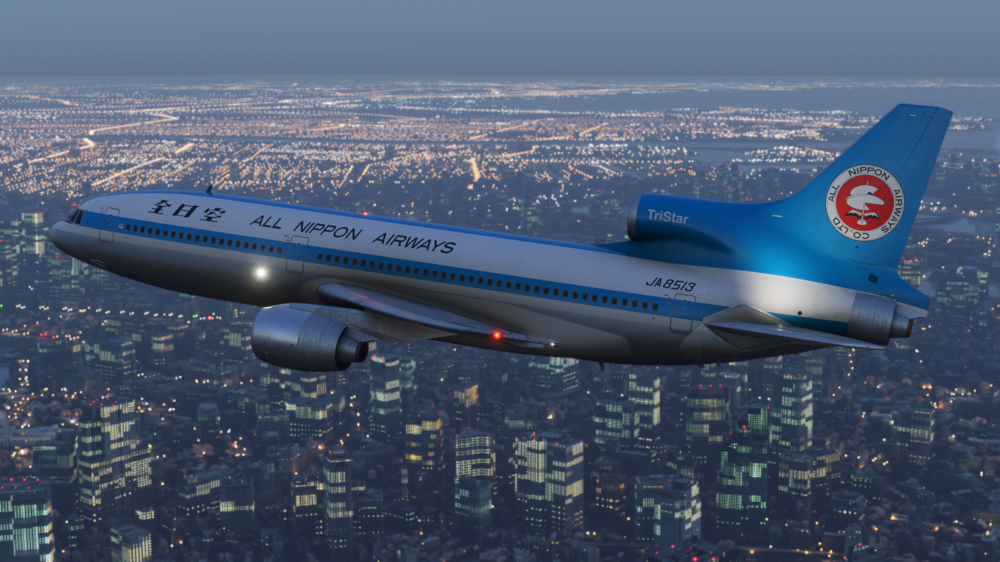
iniBuilds TriStar Airliner V1.0.2 Update 🚀 With continued feedback from the community, we’ve pushed ahead with another round of refinements to further improve the TriStar Airliner! Version v1.0.2 is now live via the In-Game Marketplace, delivering an extensive set of fixes and additions across systems, art, sounds, and the PFB. This update brings significant improvements to autopilot and flight director behaviour, VNAV/PMS logic, ILS functionality, and overall AFCS stability, alongside numerous corrections to engine, fuel, pneumatic, and cabin systems. On the visual side, you’ll also find optimisations for VRAM usage, improved animations, lighting corrections, and additional immersion touches such as engine startup smoke. The PFB continues to evolve with new functionality including OFP re-download, brightness automation, and expanded auto flight engineer logic, while sound fixes address missing alerts and audio consistency. As always, we really appreciate all the feedback so far, this update tackles a huge number of reported issues, and we’ll keep the improvements coming. Be sure to check out the latest version below and enjoy your flights with the TriStar Airliner! ✈️ This update can be downloaded via the In-Game Marketplace. V1.0.2SYSTEMS ⚙️ ADDED Weather Radar brightness control ADDED Flight recorder trip date FIXED Weather Radar ranges do not operate independently on CPT/FO Side FIXED High-pressure flow indicators illuminating without an active pneumatic supply FIXED Oil PRESS IND Test — pressure pointers fail to move to the 9 o’clock position FIXED Anti-skid test (normal and alternate) fails to display the correct test pattern FIXED FE GW and Total Fuel gauge unit values unit inverted (KG/LB) in some cases FIXED APU stop switch INOP when APU started via Panel State or F/E Autocomplete FIXED Pack flow and hot air indicators illuminate despite APU bleed being off FIXED S/O panel lights test logic — fire detection loop and wheel well fire tests illuminate incorrectly FIXED Engine Turbine Cooling Air Test Logic — A and B test switches incorrectly illuminate when pressed individually FIXED Cabin pressure control fault light does not illuminate during light test FIXED Fuel used reset function is inoperative FIXED RMI incorrectly points to ILS stations FIXED Wing anti-ice check valve operates without pneumatic air supply FIXED ALT ARM sometimes fails to engage FIXED PMS not transitioning to cruise phase; thrust remains at climb power FIXED PMS fuel entry limit capped at 159,900 lbs FIXED PMS exceeds VMO in POD version FIXED AP overshoots altitude in TM/VNAV mode FIXED AP TURB mode operates incorrectly FIXED AP descends more than 400 ft during turns in ALT mode FIXED AP does not compensate for crosswind in VOR and LOC modes FIXED AP does not engage via keybind or update AP variable FIXED AP ALT CAP levels off too high and then overcompensates FIXED AP VNAV behavior inconsistencies FIXED FD Guidance reliability in multiple scenarios FIXED AT inability to maintain speed FIXED ALT CAP instability FIXED AP climb modes may enter unintended descent during high-altitude turns and recover too slowly FIXED Fuel quantity test does not increase Total Fuel or Gross Weight indication FIXED Fuel Low Pressure lights do not illuminate when tank pumps are unlatched FIXED Wing anti-ice manual test does not display the expected OPEN indication when pneumatic pressure is available FIXED Engine Vibration Filter annunciator light does not illuminate during test FIXED Autospoiler disengage does not trigger DLC fail lights FIXED AFCS Vertical Modes incorrectly disengage when used with TM FIXED ILS missing LOC ARM flag FIXED Rudder can be moved without hydraulic power FIXED TOGA command activates command bars with flight directors disabled FIXED Cabin temperature displays in °F but operates in °C FIXED ENG 1 and 3 high-pressure bleed switches move automatically from ON to OFF FIXED Pack airflow (CFM) inconsistencies FIXED Incorrect ATS DISC flag when using TM FIXED ILS GS and LOC ARM modes do not reliably disengage HDG/ALT modes on capture FIXED Missing ICAO code in aircraft configuration FIXED ALT ALERT light continues flashing after ALT CAP FIXED Avionics air indication should read OVBD/OVBD when on the ground FIXED Engine 1 rolls back when increasing throttle in specific conditions FIXED Captain and FO ASI overspeed needles mismatch FIXED INS1 does not correctly follow position offset FIXED INS drift rate too low FIXED Aircraft powered off on aerial spawns FIXED Missing tooltip for ENG TURB COOLING AIR test B FIXED Auto brake ARMED light does not illuminate during takeoff FIXED Stab auto trim warning light illuminates with AP off FIXED Flight Deck Clocks should display UTC instead of local time ART 🎨 ADDED Engine smoke FX during startup ADDED Cockpit - Registration placard assets (Paintkit Update) FIXED High VRAM usage on 8GB GPUs FIXED Thrust reverser door animation tied incorrectly to throttle position FIXED CPT / FO DME readout mismatch FIXED Engine 2 Components not attached to cowling animation FIXED Shifted INS map forward for better visibility in VR FIXED OVHD windshield Heat panel Korry lights fail to illuminate FIXED Object flickering affecting both PIC and SIC side windows FIXED ADI fast/slow indicator animation inverted FIXED EFDARS Flight Numbers animation FIXED FO weather radar range and intensity knobs do not match markings FIXED Inconsistent strobe patterns and aircraft lighting FIXED Typo “RELAMPING” on RAM AIR TURBINE switch FIXED Faint red glow visible near parking brake lights when C&D FIXED Increased ADI Pitch Ref marker brightness for sky portion FIXED Runway turnoff lights not operational FIXED Audio panel transmit switches do not illuminate when pressed FIXED Transponder ALT switch does not move between positions FIXED Position lights illuminate aft of aircraft incorrectly FIXED TWA N11006C - decals not attached to cargo doors (Livery Update) FIXED TWA N11006C fuselage grey texture artifacts (Livery Update) FIXED Pan Am - texture clipping on right main gear door (Livery Update) PFB📜 ADDED OFP re-download functionality ADDED Keyboard Input Lock option ADDED 7-sec timeout to PFB text field entry focus ADDED Automatic PFB and TOLD Card brightness adjustment based on time of day ADDED Auto F/E APU start enables bleed air following APU startup ADDED Auto F/E APU shuts down APU during after-start flow ADDED Ability to manually modify cargo hold weight values in PFB FIXED FPS drops on PFB loadsheet, takeoff performance, and landing performance pages FIXED PFB stuck in keyboard interaction mode if camera moved away FIXED Charts do not update destination following OFP update FIXED PFB pushback INOP FIXED Auto F/E After start sets flaps per TOLD card FIXED Lower minimum brightness threshold of PFB Brightness slider for night operation SOUNDS🔊 FIXED Audio loss when switching camera views FIXED Missing Cabin Altitude Warning horn FIXED Missing Fire Warning Test aural alerts iniBuilds Team ❤️
-
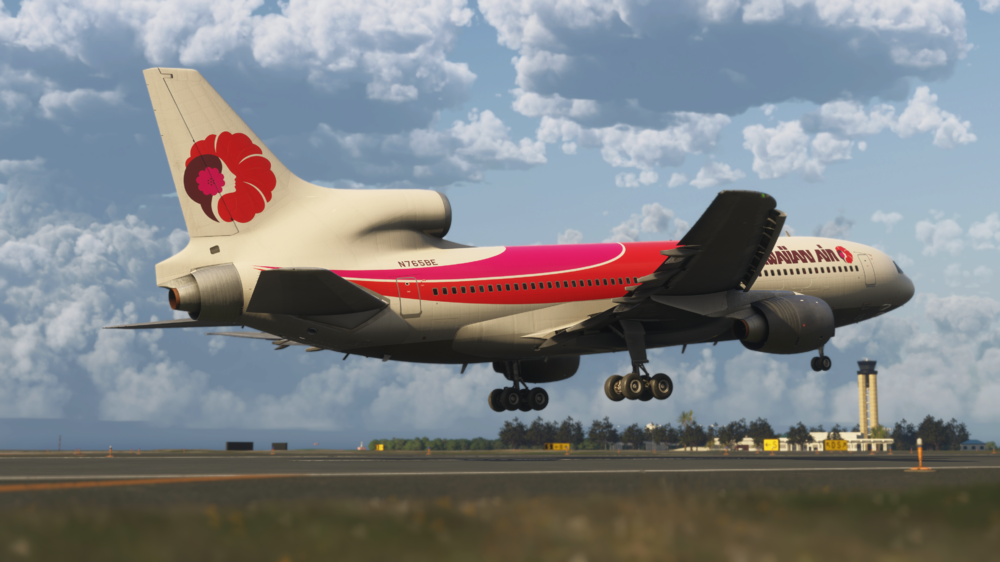
iniBuilds TriStar Airliner V1.0.1 Update 🚀 This is the first update for the TriStar Airliner! Following the incredible response since release, we want to say a huge thank you for all the support and feedback so far. Version 1.0.1 focuses on refinement, stability, and improving the overall experience across the aircraft. The update brings a wide range of fixes to core systems, including improvements to autopilot and flight director behaviour, VNAV/PMS performance, ILS logic, and engine/pressurisation systems. Numerous cockpit interactions and annunciations have been corrected, alongside better handling of spoilers, autobrake, and environmental systems for more consistent operation. On the visual side, this update refines cockpit and exterior details with fixes to animations, lighting, weathering, and multiple livery corrections, as well as the addition of interactive elements like operable lavatory doors. The PFB has also been improved with better brightness control, more accurate takeoff data handling, and added functionality, while the sound environment sees further polish with corrected callouts and improved behaviour. As always, we’ll continue to monitor feedback closely, so please keep it coming! This update can be downloaded via the In-Game Marketplace. V1.0.1SYSTEMS ⚙️FIXED INS MSU not detented to/from NAV position FIXED Light test switch doesn't fully illuminate all annunciators (especially on Main Instrument Panel) FIXED Cabin climb indicator makes occasional leaps up & down when sitting still on the ground FIXED Gear lever desyncs when using peripherals FIXED TM not respecting PMS constraints at calculated value FIXED Speed vertical modes need to command pitch much more readily FIXED ILS mode remains on with AP/FD off FIXED FD ILS LOC guidance unsatisfactory FIXED Very cold cabin temperature FIXED PMS VNAV control is not fast or accurate enough leading to consistent speed under/overshoots FIXED Cabin lights remain on with no elec. power FIXED Engine 1 & 3 anti ice ON not illuminating HEAT FIXED Pressurization PSI needle animation issue FIXED TOGA flag still missing from AFCS mode annunciator FIXED Incorrect ATS DISC flag when using TM FIXED Spoiler lever retracts automatically after landing FIXED Ground spoilers not extending fully on reverse selection FIXED Cabin heat not increasing past indicated limit FIXED Autobrake simulation FIXED Fire detection loop test knobs & Fire bell sound. FIXED Nacelle/pylon ovht detection test knobs & emissive. FIXED Engine turbine cooling air panel test emissive. FIXED Wheel well fire test panel FIXED Humidity control panel button animation. FIXED Forward cargo compartment logic for guarded switches with labels. FIXED N2 test buttons & logic FIXED Engine oil, temp & press test buttons & logic FIXED #3 Engine TGT & all Celsius Gauges INOP FIXED Rudder Axis binding issue for gamepad controller FIXED FMA test doesn't work on F/O side FIXED Fire Bell cutout requires subsequent press to silence alarm FIXED Walkaround - ACU disconnects immediately after clicking on air vent FIXED Auto throttle not disconnecting when weight on wheels has above nil value FIXED SPOILER ON/OFF control commands not working ADDED Circuit breaker animation and wired to basic electrical system functions. ADDED Tooltips to all CB. ART 🎨FIXED Wipers are floating above windshield FIXED Standby altimeter animation error FIXED ADF freq has no integral light FIXED Transponder digits are brighter than comm radios FIXED Excessive weathering effect FIXED Jetbridge attempts to connect to lounge even in non-lounge variants FIXED Door profile incomplete? See reference FIXED Wipers do not wipe away moisture on windshield FIXED Covert sunshades to draggable element FIXED Mechanic collision with ENG1 doors FIXED Wipers in any LOD other than 0 are in the old parked position FIXED Hole in rear of fuselage near APU exhaust FIXED Cockpit window tint too dark FIXED Cargo doors weathering displaced, floating above model FIXED Aircraft Weathering not parented to door animations FIXED Weathering elements on tail floating above fuselage FIXED z-fighting on wings with weathering enabled FIXED Cathay VR-HHX - Door decals in cabin FIXED Novair - Logo mirrored and font accuracy FIXED All Liveries - Cockpit Placard Shows G-STAR / AB-CD Instead of Actual Reg/Selcal ADDED Operable lavatory doors PFB📜FIXED Tie Takeoff card brightness to selected EFB as decided by priority switch FIXED Auto-Complete on start doesn't match flaps from calculated value FIXED Reduced overall brightness at night ADDED Can now switch between T/O & Land cards with top of card press SOUNDS🔊FIXED v1 & rotate calls when play when decelerating to bugged speed iniBuilds Team ❤️
-
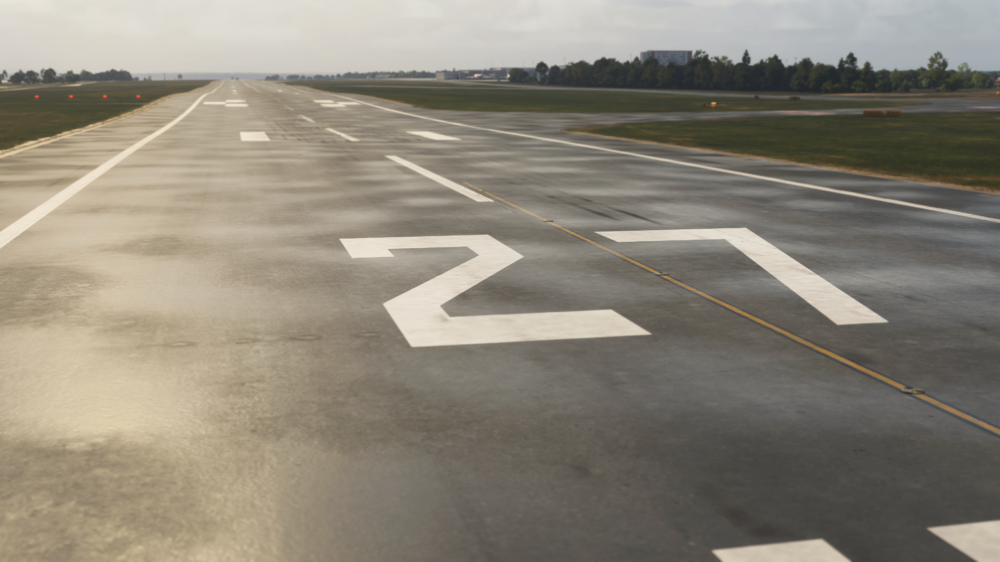
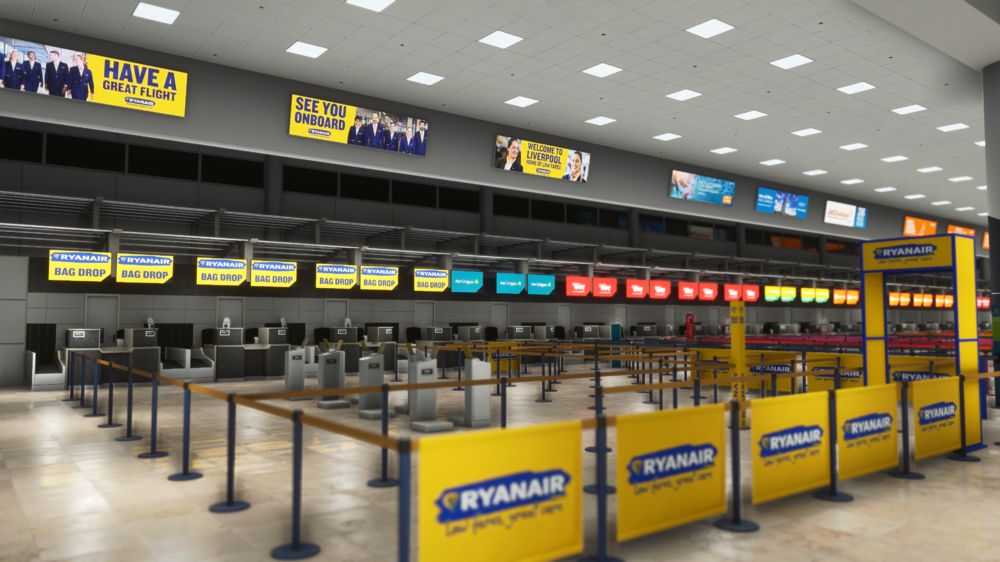
v1.0.1 of iniBuilds Liverpool (EGGP) Premium for MSFS 2024 has been released. This update brings a number of small improvements across the airport, including corrected stand details, updated runway markings, and added approach lighting. Various missing objects like fencing, vehicles, and stand numbering have also been addressed. We’ve also fixed issues with walkaround mode, GSX passenger access, floating vehicles, and missing textures, alongside adding a bit more detail to the terminal interior for a more complete feel. This update can be downloaded via the iniManager. v1.0.1 - Corrected size for Stand posts on Stand 54/55/56 - Added missing approach light models - Updated runway touchdown zone markings to match 2026 references - Resolved terraforming issue inside of Skyport hangar - Added missing fence next to Ravenair - Added cars at control tower - Resolved walkaround mode issues (invisible barriers and dropping through floors) - Resolved floating fuel trucks - Opened gates to allow GSX passenger walk points - Added details to terminal interior (restaurants and shops) - Fixed missing textures on GSE - Added missing stand number to Stand 12
-
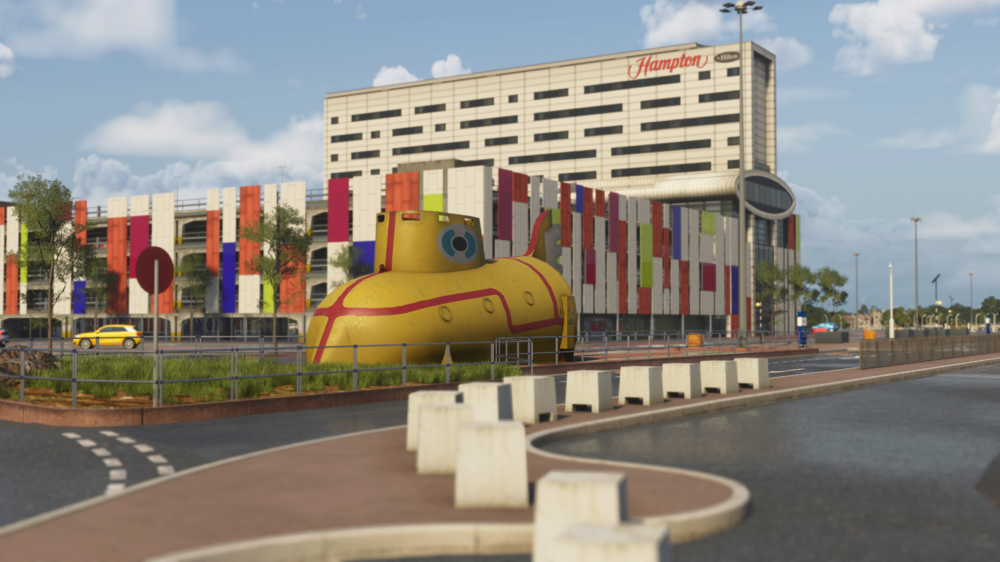
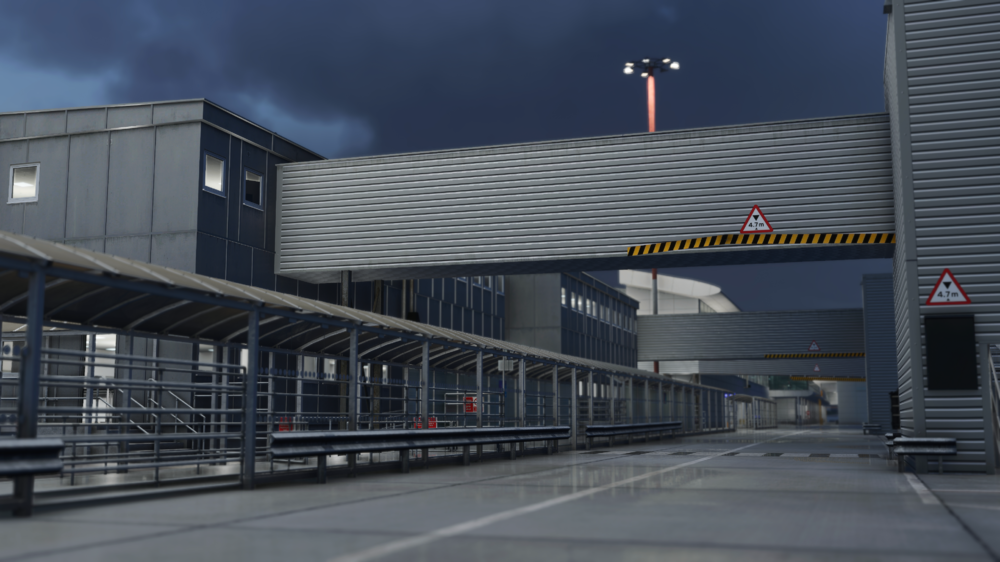
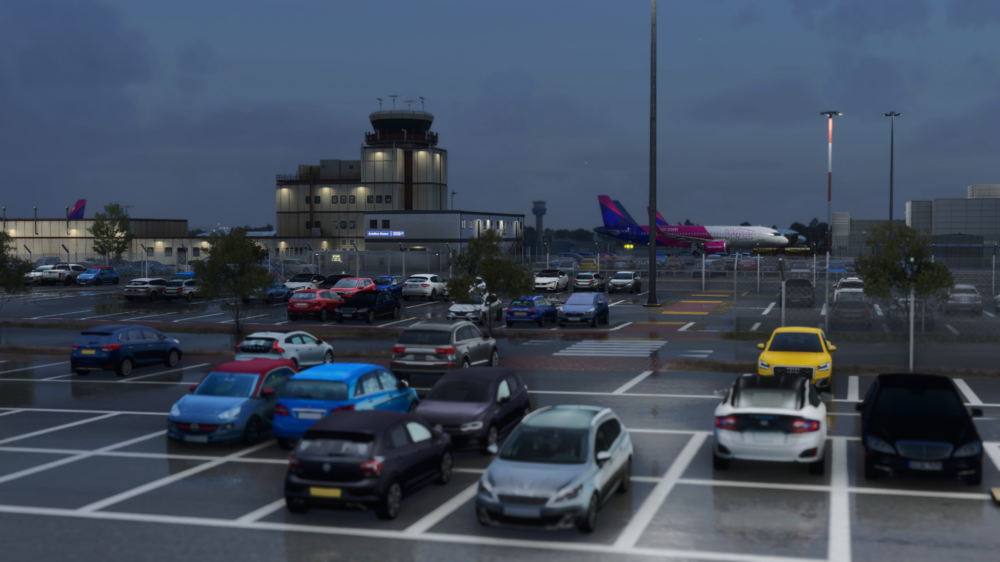
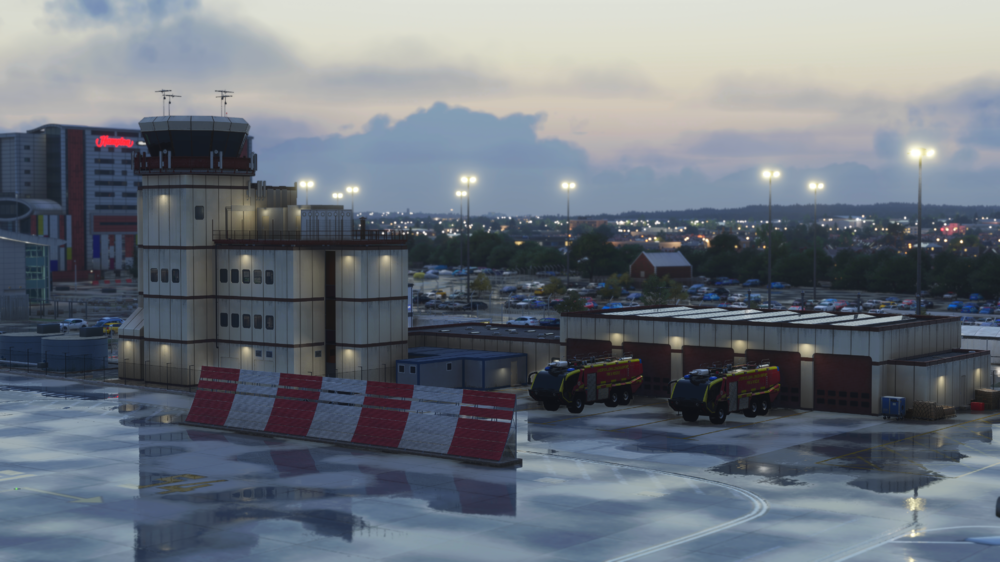
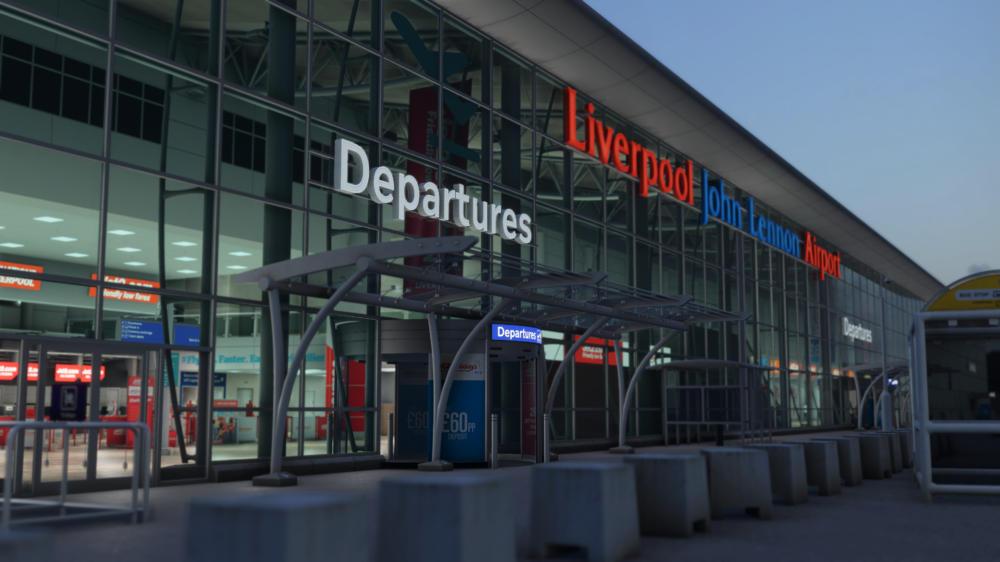
🌆 Welcome to Liverpool John Lennon Airport (EGGP) ✈️ Step into one of the UK’s most vibrant and historic cities, where rich cultural heritage meets modern aviation. Liverpool John Lennon Airport (EGGP) has been brought to life in stunning detail for Microsoft Flight Simulator 2024, capturing the unique charm and character of this iconic northern hub. Available now for just £11.99 (excl. VAT) Buy Now: https://inibuilds.com/products/inibuilds-liverpool-eggp-msfs-2024 Discover Liverpool John Lennon Airport! Located just southeast of Liverpool city centre, EGGP serves as a key gateway to North West England, connecting the region to destinations across the UK and Europe. Known for its efficient layout and steady mix of low-cost, charter, and private aviation traffic, Liverpool offers a dynamic and engaging flying experience. From busy apron operations to the nearby River Mersey and surrounding urban landscape, this rendition captures the atmosphere of EGGP with precision. Watch the airport come alive with immersive details, including animated airside buses transporting passengers across the apron and sailboats moving along the nearby waterfront, adding life beyond the runway. Carriers & Routes Liverpool sees a diverse range of operations throughout the year: easyJet & Ryanair – Extensive European low-cost network Jet2 & TUI Airways – Popular leisure and charter destinations Aer Lingus Regional – Key connections to Ireland General Aviation & Business Traffic – Regular movements across the region Whether you're operating a short hop across the UK, heading into Europe on a packed holiday flight, or managing turnaround ops on a busy apron, EGGP delivers a lively and authentic UK airport experience. Scenery Features Custom ground textures across the entire airport Realistic runway and taxiway layout based on latest charts Highly detailed terminal and airside buildings with interior detail and parallax effects Animated airside buses bringing the apron to life Animated sailboats along the nearby waterfront for added immersion Detailed landside area with custom assets and surroundings Fully custom night lighting across the airport GSX profile included Custom taxiway signage High-quality, performance-optimized textures Realistic UK-specific airside clutter and ground equipment Surrounding buildings and environment modeled in detail Optimized models with Level of Detail (LOD) for smooth performance Hidden Easter Eggs – keep an eye out! 👀 📽️ Watch the Trailer From busy apron activity to scenic approaches over the River Mersey, Liverpool Airport (EGGP) offers a uniquely British flying experience. Expect lively operations, detailed surroundings, and a handcrafted atmosphere that truly brings this regional airport to life. iniBuilds Team ❤️
-
v1.1.1 of iniBuilds Manchester (EGCC) for MSFS 2024 has been released. This update fixes some minor terrain issues, some erroneous taxi edge lighting and stop bar lighting and more. This update can be downloaded via the iniManager. v1.1.1 - Fixed terrain issues along the airport south side - Taxi edge light showing on one centreline - Terrain fixes around commercial area - Misplaced stop bar lighting - Fixed bump on K/J transition - Changed custom stop lighting so that it no longer shows during the loading map
-
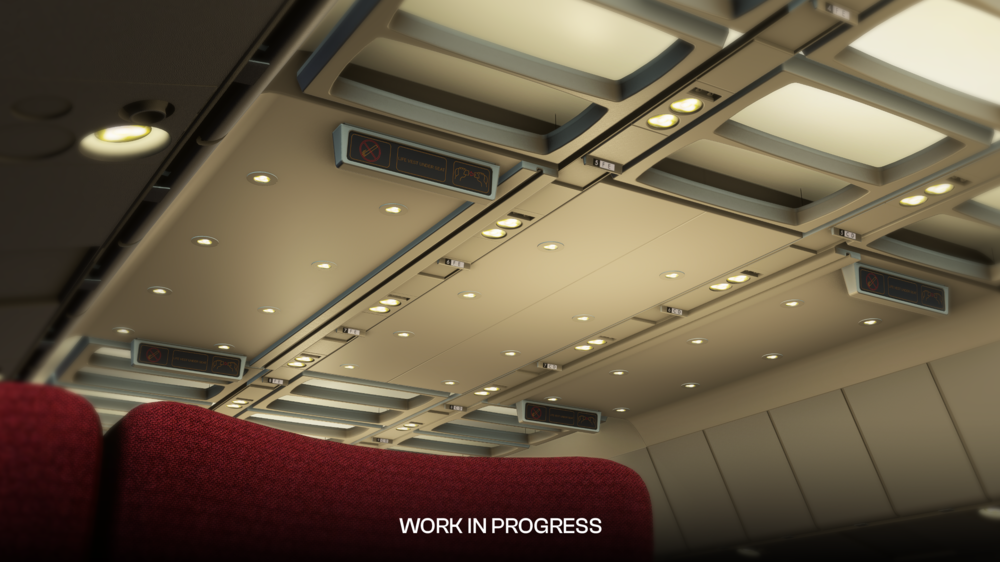
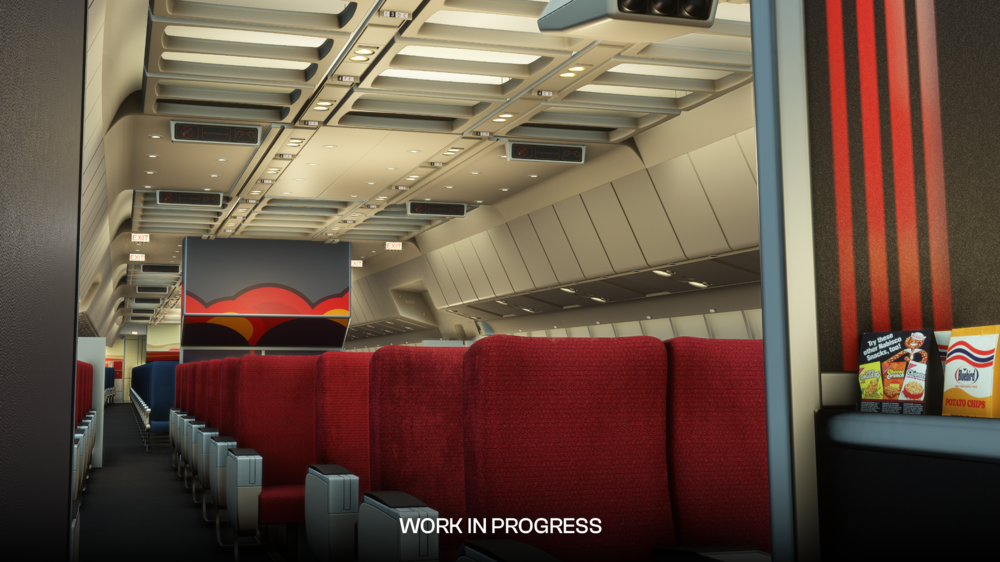
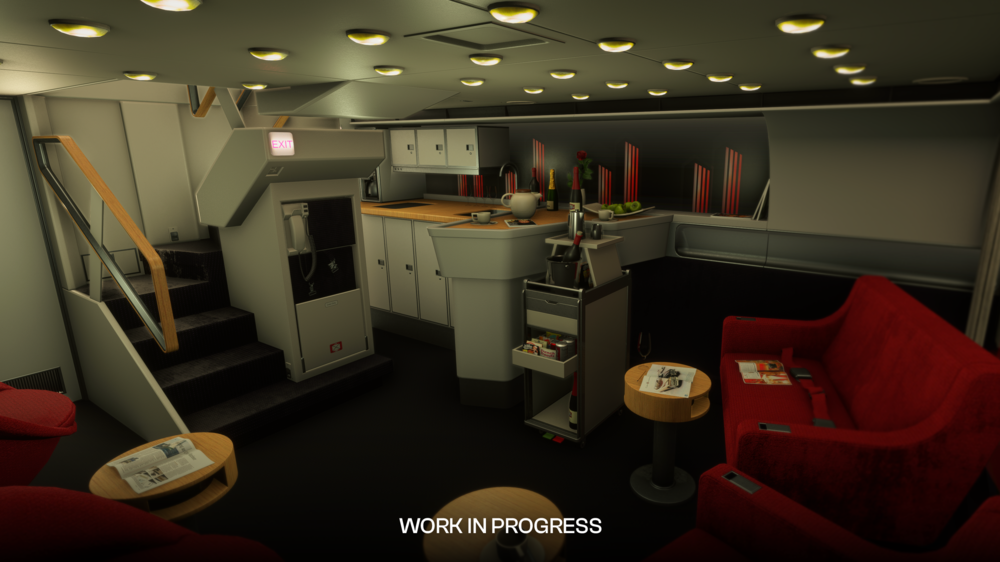
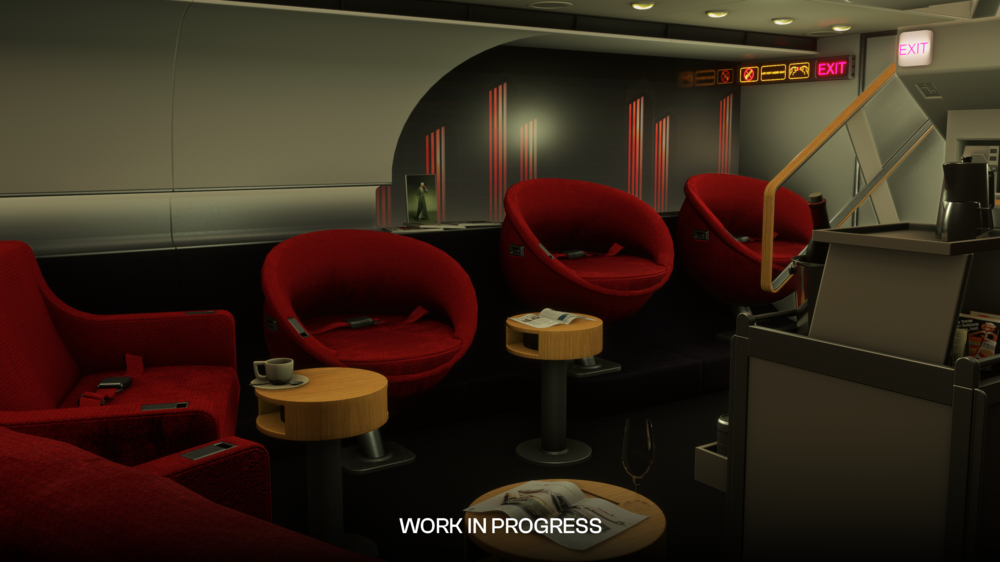
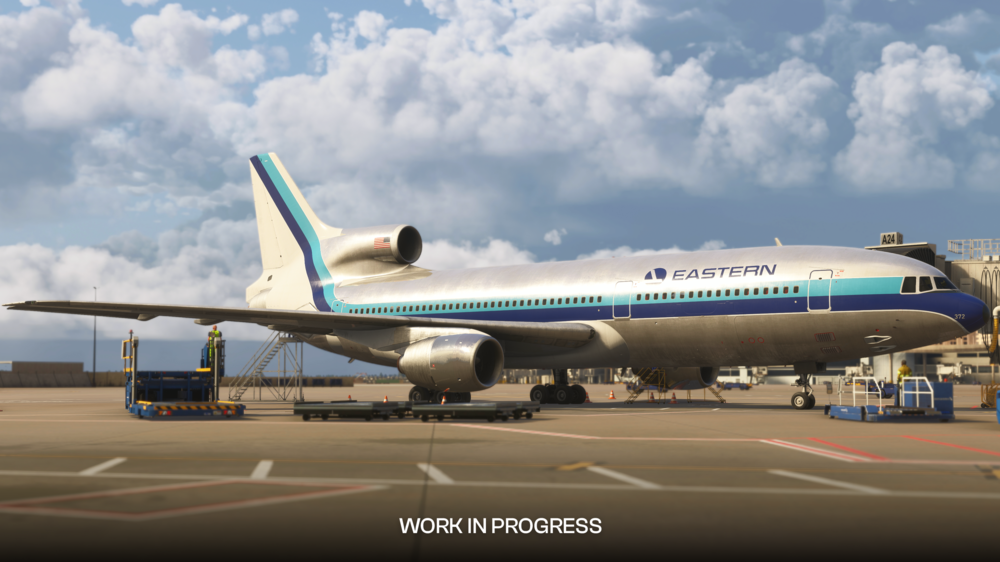
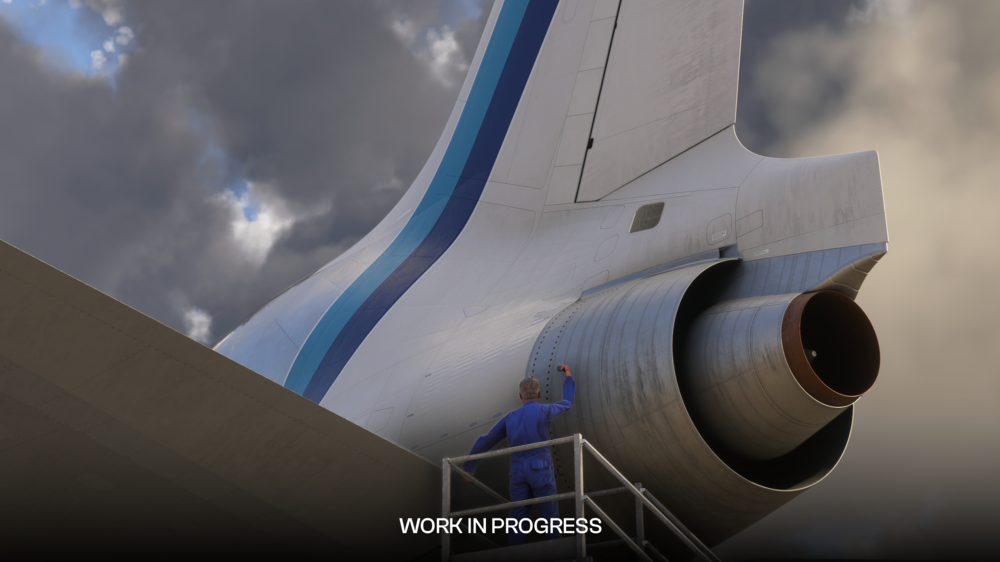
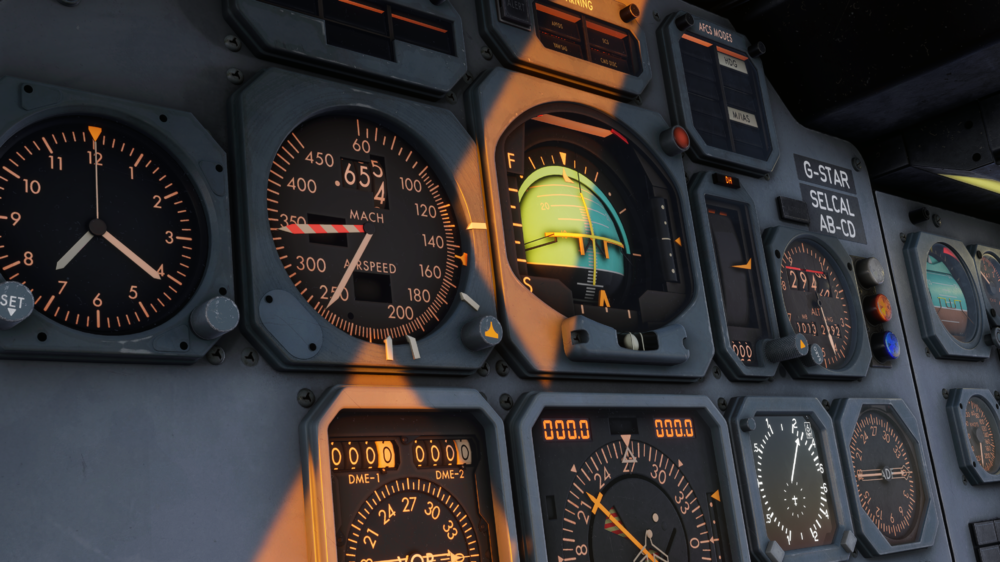
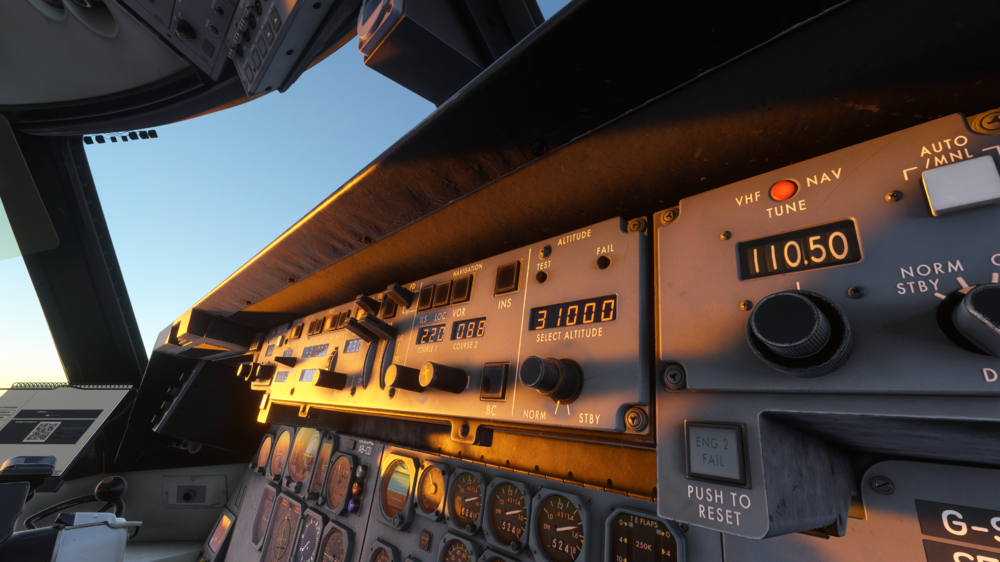
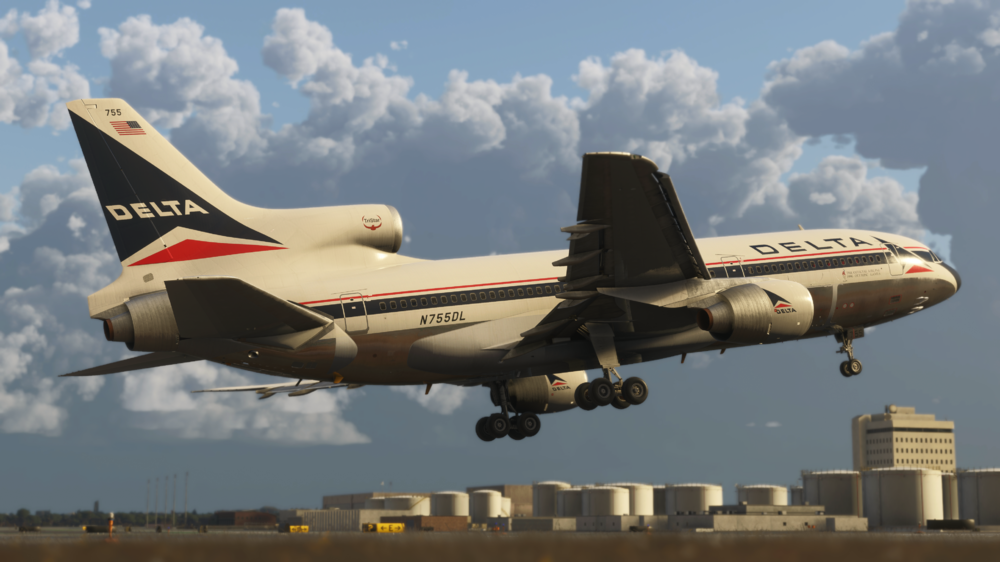
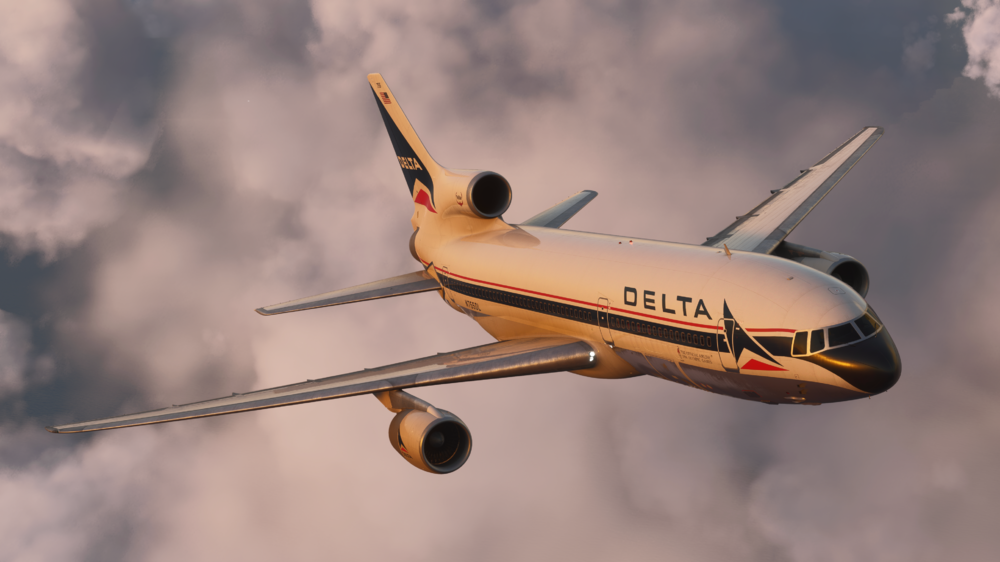
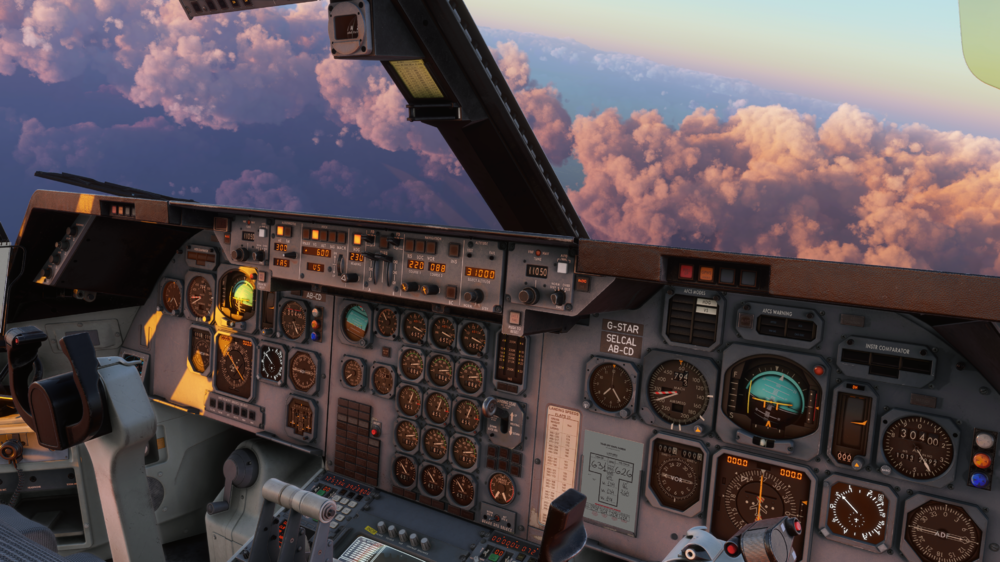
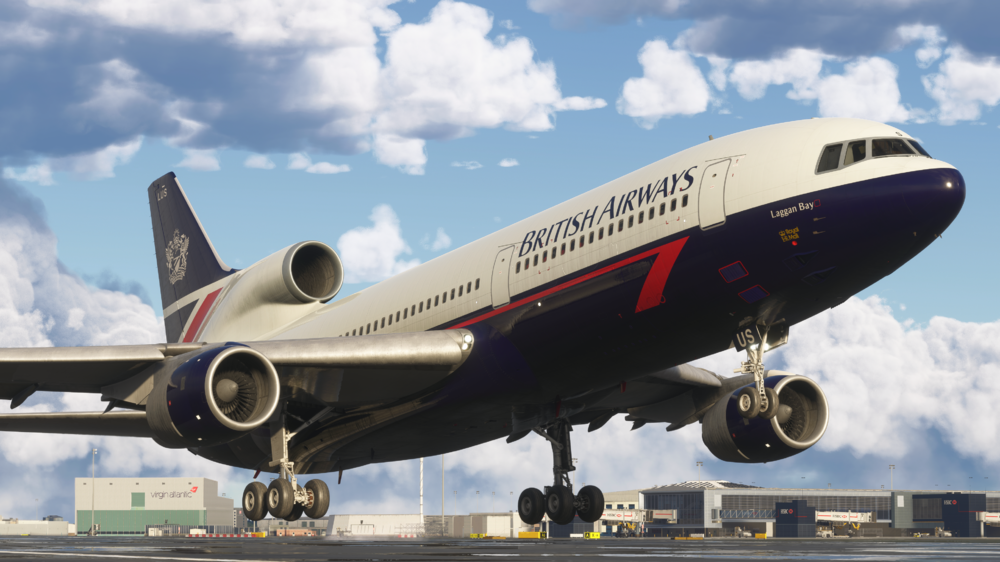
✈️ Welcome to the iniBuilds TriStar Airliner⭐ Step into the cockpit of one of aviation’s most iconic widebody aircraft, faithfully recreated for Microsoft Flight Simulator 2024. The TriStar represents a unique era of aviation, combining advanced automation for its time with classic analogue charm, and now, it’s ready for you to experience like never before! Available Now via the In-Game Marketplace for $49.99! (excl marketplace location based VAT) Over 40+ liveries are available to download via the iniManager: https://inibuilds.com/pages/inimanager-v2 From its unmistakable tri-jet design to its highly unique flight systems, the TriStar delivers a flying experience unlike anything else in Microsoft Flight Simulator 2024. Whether you're managing the aircraft’s intricate systems, flying precision approaches, or cruising long-haul historic routes, every moment captures the essence of this legendary airliner. With a deep focus on authenticity, the TriStar challenges you to think differently, blending traditional navigation techniques with innovative systems that were ahead of their time. This is not just another aircraft, it’s a completely different way of flying! Aircraft Features Systems Detailed RB211 engine simulation with authentic EPR logic, spool behaviour, and realistic thrust response Detailed AFCS simulation with CAT IIIB auto land capability. Accurate Direct Lift Control (DLC) system for precise glidepath control without excessive pitch input Complete hydraulic, pneumatic, and electrical systems with realistic redundancy and load management Fully interactive Flight Engineer station with real-world procedures and system monitoring Optional Virtual Flight Engineer with flow-based automation, callouts, and dynamic interaction Flexible navigation philosophy (RADNAV, INS, GPS, INS+GPS) selectable via PFB Realistic fuel system and transfer logic implemented using the modern fuel system with fully modelled valves and pump behaviour. Advanced environmental and pressurisation systems with zoned temperature control and reversion modes Integrated moving map & INS waypoint management, including SimBrief route import capability Fully simulated triple INS system, supporting authentic waypoint entry, alignment, and inertial navigation workflows Realistic INS behaviour and drift modelling, with aircraft position based on alignment accuracy and in-flight updates Integrated Performance Management System (PMS) providing advanced VNAV capability when using INS-based navigation modes Seamless INS + PMS integration, enabling a hybrid workflow that blends classic inertial navigation with modern vertical guidance Visuals Realistic lighting environment with cockpit, cabin, and exterior systems tuned for all conditions Highly detailed TriStar cockpit recreation, including Captain, FO, and full Engineer station Realistic wear-and-tear texturing with aged materials, scratches, and operational grime Fully modelled passenger cabin with period-correct layout, materials, and lighting tone Optional lower lounge configuration with spiral staircase and detailed lower deck environment Detailed cargo bay and structural modelling Accurate PBR material system with dynamic lighting response across all surfaces Fully animated control surfaces and landing gear with real-world sequencing and behaviour Dynamic wing flex, engine vibration, and environmental effects for added realism Included POD variant with visual modifications and unique operational characteristics Sounds Professionally recorded real-world L-1011 audio captured at the TriStar Experience by Echo19 Audio Productions Authentic RB211 engine sound profile, from spool-up to cruise and reverse thrust Detailed cockpit ambience, including switches, avionics hum, and airflow Immersive cabin environment audio, reflecting phase of flight and aircraft state Dynamic environmental sound transitions between interior and exterior perspectives High-quality system and mechanical audio feedback across all interactions Integrated Virtual Flight Engineer, First Office and Flight Attendant voice callouts for realistic crew coordination Reactive audio layering based on power, speed, and environment for a living sound suite Art & Effects Physically accurate lighting system using real-world intensity and colour references Fully dynamic cockpit lighting suite, including panel, flood, pedestal, and Flight Engineer station lighting Realistic exterior lighting behaviour across weather, fog, and night conditions Dynamic heat blur and engine exhaust effects tied to power output Subtle airframe vibration and motion effects enhancing aircraft weight and presence Authentic incandescent-style cabin lighting for period-correct atmosphere Advanced ambient occlusion and shadowing for depth and realism in all lighting conditions Smooth light transitions between day, dusk, and night operations Enhanced reflection and material response across cockpit and exterior surfaces Cohesive visual atmosphere capturing the “golden era” of widebody aviation PFB Unique period-inspired “Paper Flight Bag” replacing modern EFBs with an analogue feel Built-in Flight Engineer Autocomplete system for full or partial aircraft setup Integrated SimBrief import for route, fuel, and payload synchronisation Interactive loadsheet and CG management with real-time visual feedback Customisable fuel and payload loading with dynamic aircraft response Intuitive performance calculator with simple step-by-step takeoff & landing setup Styled OFP (Operational Flight Plan) with realistic dispatch-style layout Integrated chart system supporting LIDO & Navigraph with pinning and search Aircraft ground services and state control panel (doors, GPU, air start, pushback) Central hub for navigation mode selection and aircraft configuration preferences From short regional hops to long-haul transatlantic crossings, the TriStar operated across the globe with airlines like Delta, British Airways, Eastern, and many more. Recreate these historic routes or forge your own across a wide range of destinations, from busy international hubs to scenic regional airports. Fly classic routes from hubs such as London Heathrow, Dubai, Manchester, and Honolulu, or explore lesser-known operations that defined the TriStar’s legacy. Pair it with historic flight data tools like FlightSim Dispatch to bring even more realism into your operations. As always, thank you for your continued support ❤️ We can’t wait for you to dive in and experience this iconic aircraft for yourself! If you’re just getting started, we highly recommend taking some time to explore the FAQs, read through the manual, and watch the “Welcome To” video, these will give you everything you need to get up and running and make the most of your first flights. Watch the Trailer 🎥 Watch the Welcome To 🎥 Happy Flying! The iniBuilds Team ❤️
-
What is AoA mode? AoA mode is an AT mode designed to maintain a minimum safe angle of attack and varies depending on its activation condition. AoA mode is engaged automatically under any of the following conditions: TO GA Fully configured for landing Flaps deployed to 33 degrees Landing gear down In flight if speed drops below the minimum speed If AoA is uncommanded (in flight below safe speed) - the speed target by the AT system will be 1.3 x current stall speed (Vs). This is to ensure the aircraft is able to maintain a safe angle of attack, somewhat similar in concept to the Airbus A.FLOOR. If it engages in flight and you use the AT mode to maintain this speed - when you are in a more stable flying condition you must toggle off AT to disable the AoA protection. If AoA is commanded by TO or GA modes the target speed becomes 1.25Vs and will become inactive when an AP is selected on, or a vertical AFCS mode is selected. If AoA is commanded by landing configuration, the speed target is a bit more involved. Rather than being a function of Vs, it becomes a function of Vthreshold (Vth) - the speed at which you should cross the runway threshold. Landing AoA speed is: Vth + %CG additive (nominal 6 kts, moving towards 10 kts for forward %CG and 3 kts for aft %CG) + wind compensation. Note that dependant on your weight (for example, loaded for a TATL flight and having to make a return) this speed may well exceed the common 160 kts to 4 DME instructed by ATC. If heavy, its recommended to advise "unable", rather than disable AT and try and hold slower than safe speeds. Note: the AoA mode WILL NOT respect the speed set in the speed window.
-
v1.1.0 of iniBuilds Manchester (EGCC) for MSFS 2024 has been released. This update addresses taxiway layouts to match the Feb 26 charts, including E extension connectivity, L path refinements, updated signage, and adjusted stop markings from E8–E3. Improved ground operations with working hold short light bars, refined terrain heights, added red barrier lighting on closed taxiways, and an updated GSX profile. This update can be downloaded via the iniManager. v1.1.0 - Taxiway layout changes match Feb 26 chart - E extension is now connected per Feb 26 chart. - Added/adjusted all stop markings from E8 to E3 - Changes to L path - Taxi signs updated - Hold short light bars should now turn off as you approach. - Major height/terraforming changes. Should now only be slight difference between runway and apron heights. - Added red lights to barriers across closed taxiways. - Updated GSX profile
-
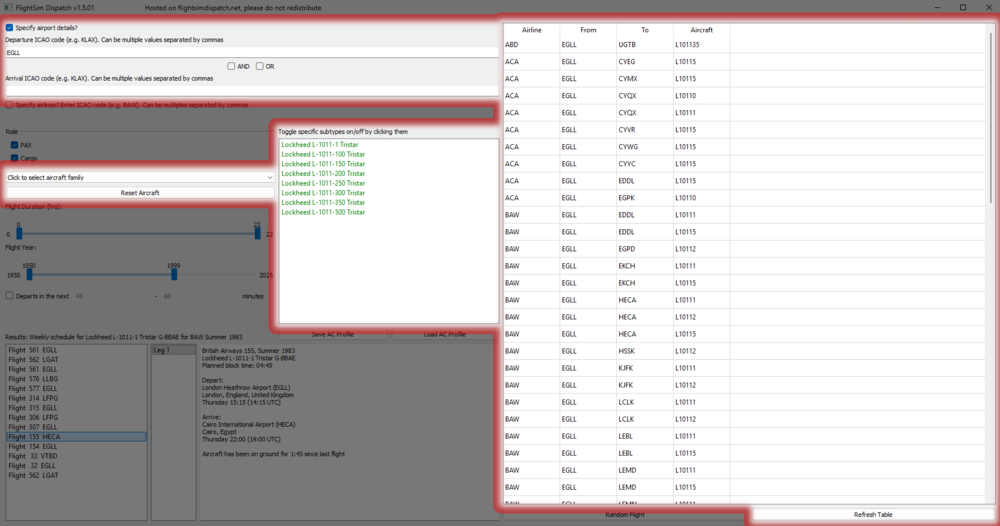
Flightsim Dispatch is a fantastic route planning tool that gives you access to millions of real-world flights, including historical airline operations from the 1970s through to today. For the TriStar Airliner, this is especially valuable, as much of the aircraft’s character comes from flying authentic routes used by airlines like British Airways, TWA, Delta, and Eastern. Getting started is simple. Download the tool from flightsimdispatch.net, extract the files, and launch the application. Once open, begin by entering a departure airport ICAO (for example, EGLL for London Heathrow). From there, you can refine your search to better match TriStar operations by applying filters such as aircraft type (L1011/TriStar), airline, flight duration, and most importantly, a year range. For the most authentic experience, set the year between the 1970s and 1990s, which reflects the peak operational period of the TriStar. Once those filters are in place, click Refresh Table to generate the results. Flightsim Dispatch will then display a list of real-world flights matching your criteria, including the departure and arrival airports, airline, aircraft type, and route length. Scroll through the list and choose a flight that suits the kind of session you want, whether that is a shorter regional sector or a longer intercontinental route.
-
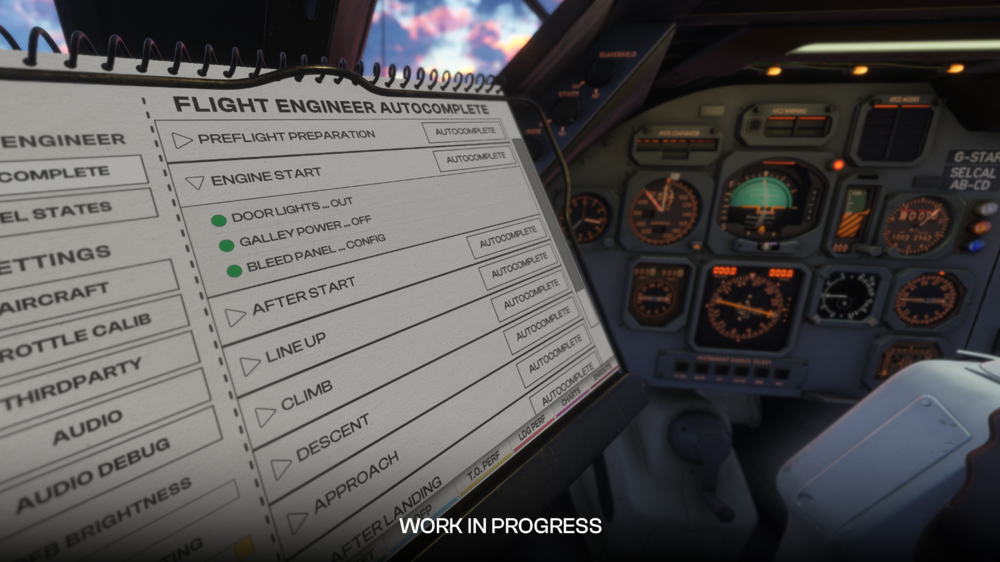
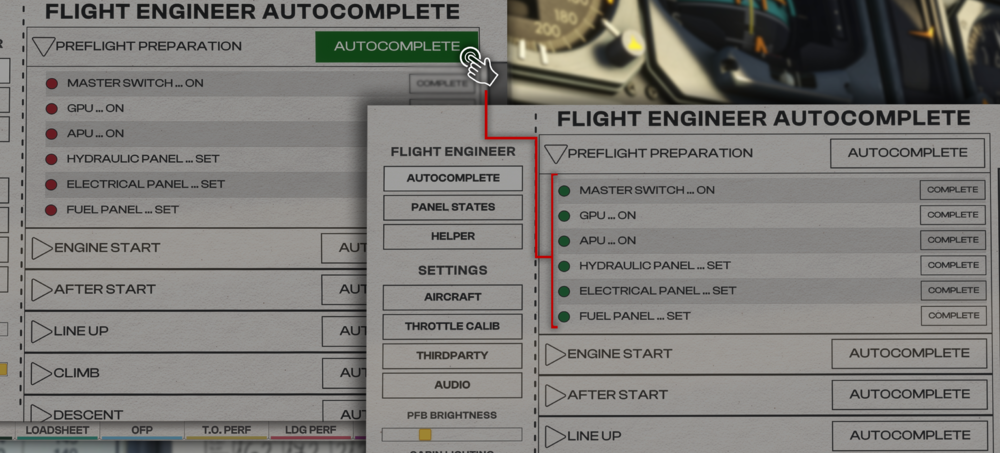
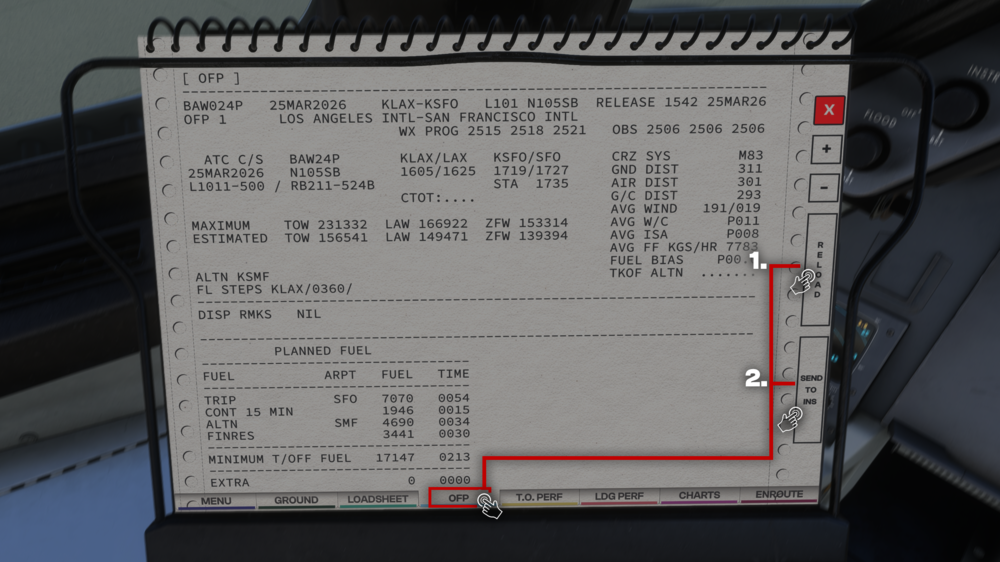
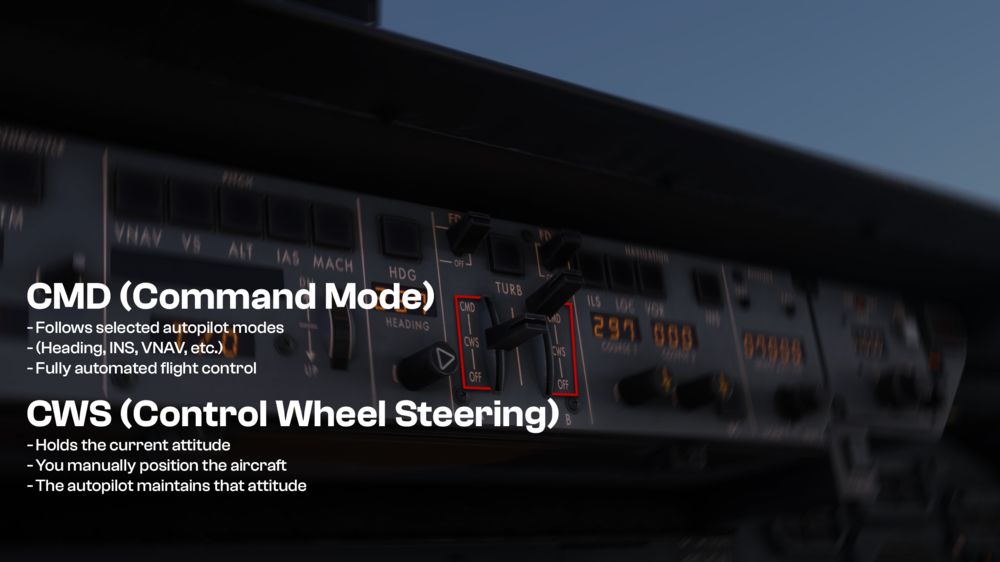
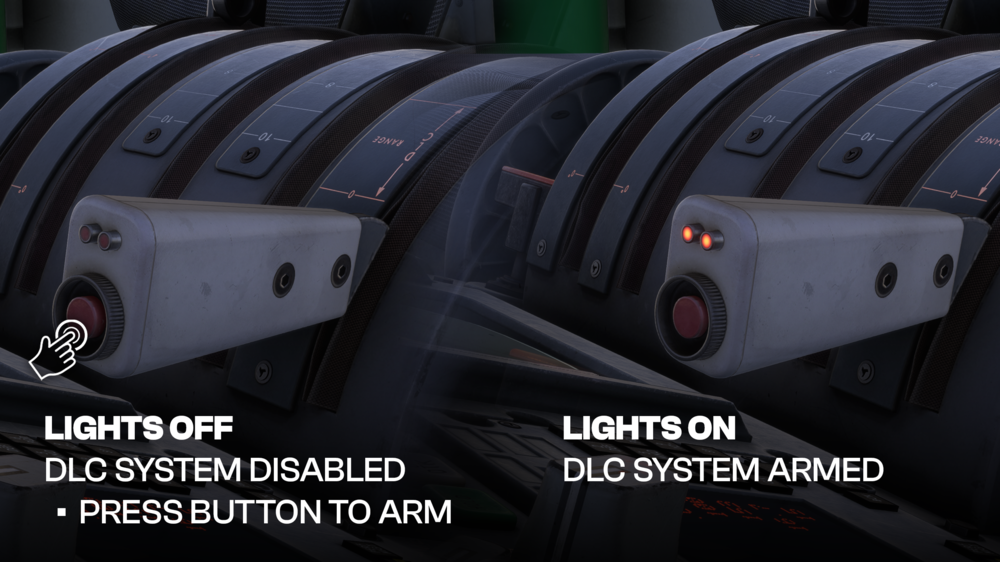
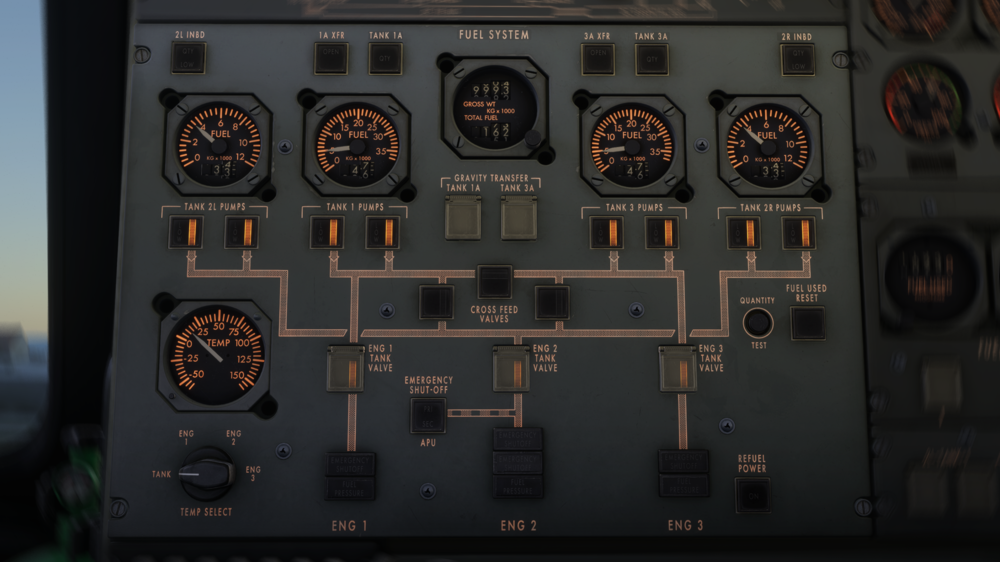
👉Getting Started Q. How do I load the aircraft quickly? A. The fastest way to get the aircraft ready is by using the Flight Engineer Autocomplete feature within the PFB (Paper Flight Bag). You can use this feature for all essential phases of flight to ensure the correct setup. This allows you to: Instantly configure the aircraft from cold & dark Automatically set up electrical, pneumatic, fuel, and engine systems Skip complex manual flows if you prefer a quicker start You can also: Run full autocomplete Or selectively enable specific systems for a semi-manual setup Q. What checklist mode should I use? A. The aircraft provides two checklist modes: Standard Mode Simplified procedures Skips deeper system tests Best for casual flying or quicker setups Expert Mode Full procedural depth Includes realistic system checks Designed for maximum realism Recommendation: Start with Standard, then transition to Expert as you become more comfortable. Q. How do I import a SimBrief flight plan? A. To import your SimBrief route: Open the PFB → OFP page Enter or sync your SimBrief profile Press SEND TO INS This will: Automatically load your route into the INS Use the batch loading system (9 waypoints at a time) Eliminate the need for manual waypoint entry Important: The INS must be properly aligned before navigation will function correctly. Q. Can I hide the PFB to move it out of the way? A. Yes - There is a show\hide for each respective PFB on the caution reset panels directly in front of your seat position. Q. Why is INS alignment taking so long? A. The alignment time depends on your selected realism setting: Instant → Immediate alignment Fast → ~5 minutes Realistic (Slow) → ~17 minutes If alignment seems stuck: Ensure aircraft is completely stationary Verify valid position entry Confirm AC + DC power availability Q: Why can I hear a warning bell when I advance throttles on takeoff? A: This is the Takeoff Configuration Warning, a safety system designed to alert you if the aircraft is not correctly configured for takeoff. The warning will trigger when two or more thrust levers are advanced beyond approximately 50%, indicating the start of a takeoff roll, while required configuration parameters are not met. The most common causes are: Stabilizer trim not set within the takeoff range (white band on the trim indicator) Flap setting outside the valid takeoff range (must be between 10° and 24°) If either of these conditions is not satisfied, the aircraft will continuously sound the warning to prevent an unsafe departure. To resolve the warning: Check and set the trim so it falls within the marked takeoff band Ensure flaps are correctly set within the approved range Reconfirm configuration before advancing thrust again This behaviour closely replicates the real-world TriStar, where proper takeoff configuration is critical. The system acts as a final safeguard, ensuring the aircraft is correctly set up before committing to the takeoff roll. ✈️Autopilot & Flight Q. What is the difference between CWS and CMD modes? A. CWS (Control Wheel Steering) Holds the current attitude You manually position the aircraft The autopilot maintains that attitude CMD (Command Mode) Follows selected autopilot modes (Heading, INS, VNAV, etc.) Fully automated flight control In short: CWS = “hold what I set” CMD = “follow the system” Q. Why is my aircraft not following modes properly? A. You are most likely in CWS mode instead of CMD. In CWS: The aircraft ignores navigation modes It only holds current pitch/roll Fix: Switch to CMD mode Re-engage your desired mode (INS / HDG / etc.) Q. Why did my autothrottle disconnect? A. Common causes include: Turbulence mode enabled Certain pitch modes overriding thrust logic Manual throttle input Mode transitions within AFCS Always verify: ATS is ON THR MGT mode active (when using PMS) 🛬Landing & Approach Q. How does Autoland work? A. The TriStar supports CAT IIIB Autoland, allowing: Fully automated approach Automatic flare Automatic rollout This enables landings in: Very low visibility Near zero decision height conditions Ensure that the proper ILS setup and associated systems have been configured as required. Q. Why are my spoilers not deploying? A. Check the following: Flaps set above 30° DLC / AGS armed No manual override active If any of these are missing, automatic deployment will not occur. Q. What is DLC? A. Direct Lift Control (DLC) allows the aircraft to: Control descent using spoilers instead of pitch Maintain a more stable glidepath Improve landing precision It is primarily used during approach and landing. ⛽Fuel, Electrical & Other Systems Q. Do I need to manage fuel manually? A. Yes - the TriStar fuel system requires active management. Typical flow: Takeoff: Tank-to-engine Cruise: Balance tanks Approach: Return to tank-to-engine Proper management ensures: Stability Correct CG Engine feed reliability Q. Why are center tanks not feeding engines? A. Center tanks do not feed engines directly. They must first be transferred into main tanks. Only then can fuel be supplied to engines. Q. Why is wing anti-ice not working on the ground? A. This is intentional and realistic. Wing anti-ice is disabled on the ground to prevent: Overheating Structural damage Q. What do DUCT OVHT warnings mean? A. This indicates overheating in the pneumatic system. Common causes: Incorrect bleed configuration Excessive air pressure Improper system setup To rectify any potential issue, review bleed air and pack configuration, referring to the checklists if necessary.
-
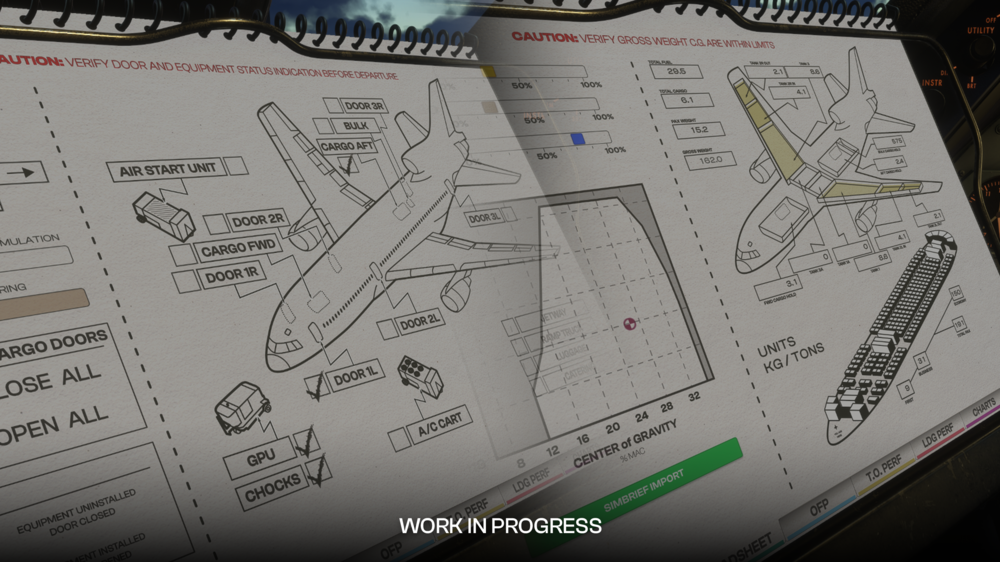
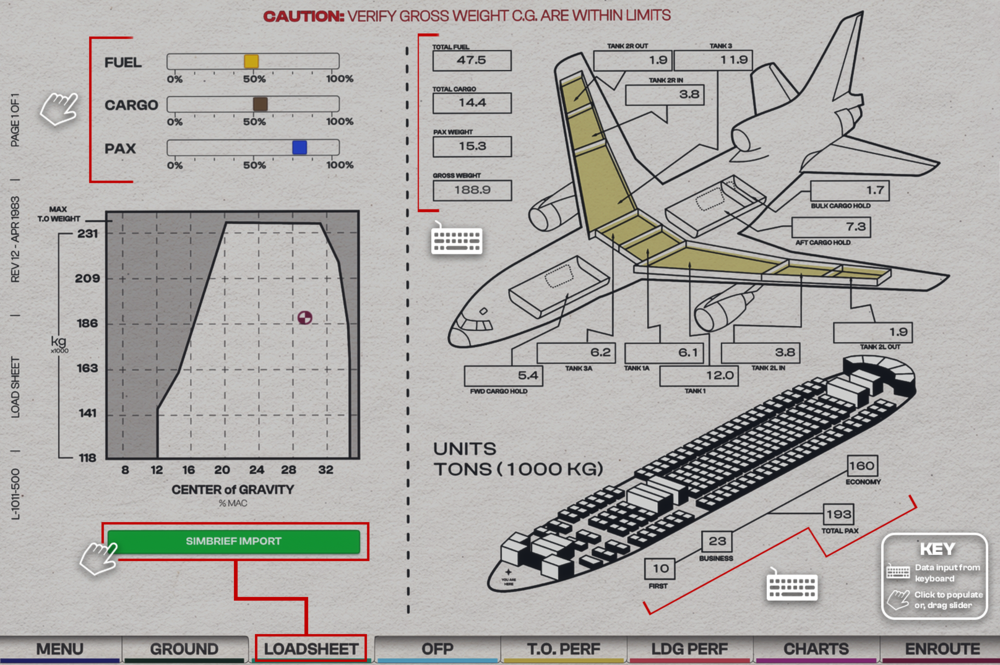
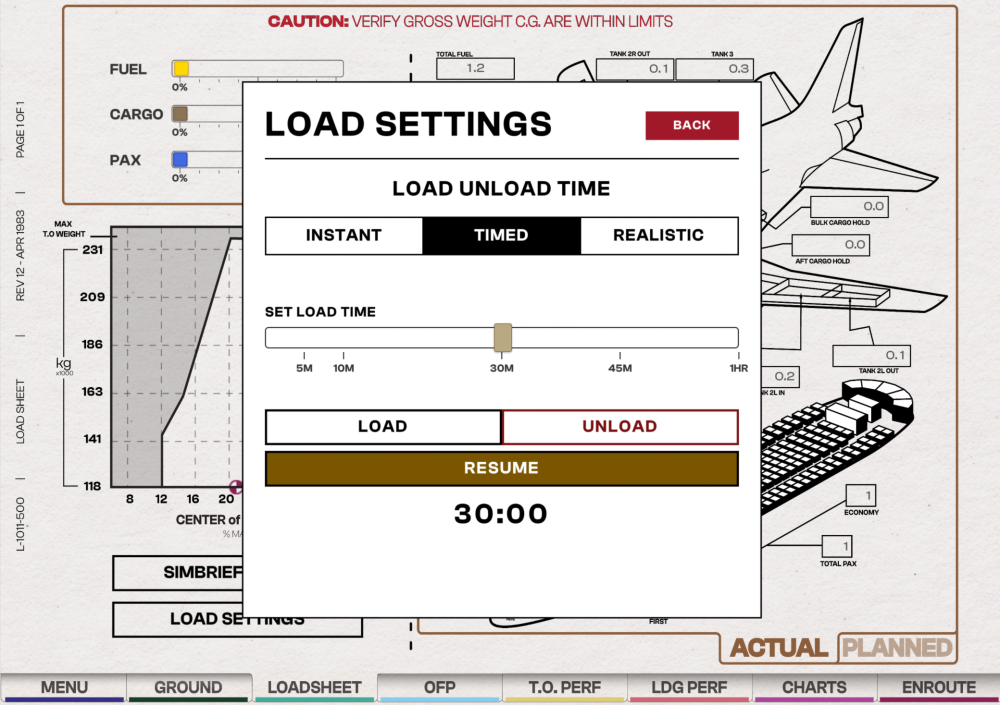
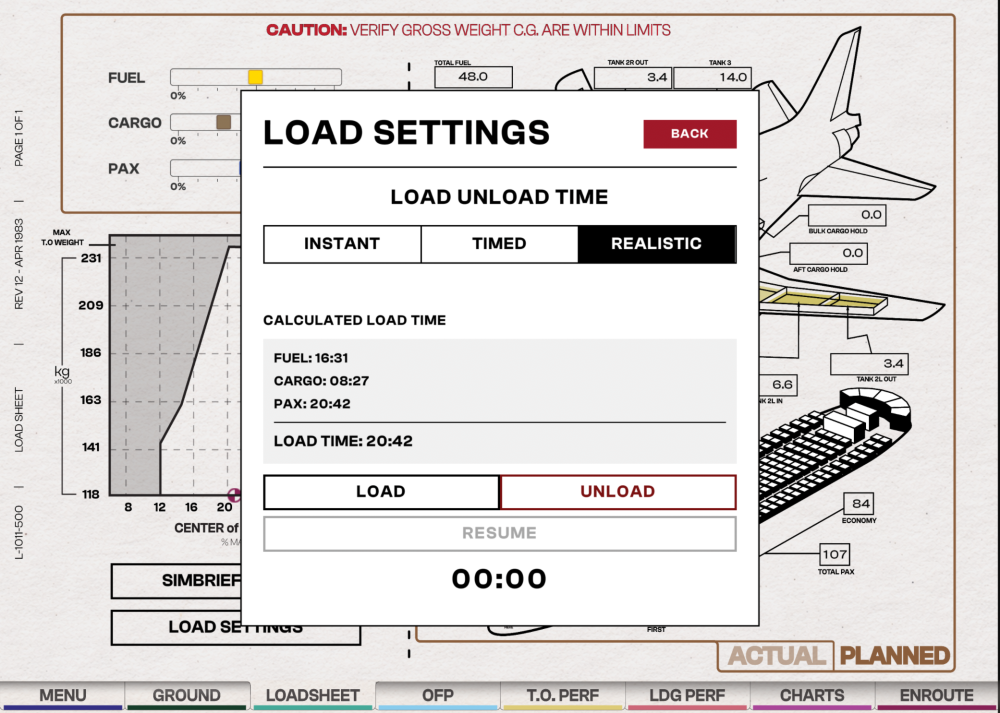
Before you fly, you must set your Payload (PAX and CARGO) and Fuel Load (FUEL) via the Paper Flight Bag (PFB) - Loadsheet Page. You can set these weights manually or import them through Simbrief for Instant, Timed or Realistic loading onto the aircraft. Choose a Loading ModeYou must first choose your desired loading mode - Instant, Timed or Realistic - before you make any changes to weights on this page. Click on LOAD SETTINGS at the bottom left corner Select the INSTANT, TIMED or REALISTIC tab Press BACK at the top right corner to save your desired loading mode. Note - v1.0.6+ Instant LoadingActivate Instant Mode Click on LOAD SETTINGS and select the INSTANT tab to use the instant loading/unloading feature. Set Desired Fuel and Payload SimBrief Import: Will automatically populate all values as provided by your OFP provided your Simbrief ID is set in the Menu. Manual Entry: Either use the FUEL / CARGO / PAX sliders by clicking and dragging these to the desired position, or manually input values in each box on the right hand side of the page. Once you have confirmed the value, click "Load" on the on-screen keyboard which will save your value. All saved values will be applied instantly to the aircraft as they are changed. (Click to enlarge image) Timed LoadingActivate Timed Mode Click on LOAD SETTINGS and select the TIMED tab to use custom timed loading/unloading feature. Drag the slider to choose your desired load time (in minutes). Then press BACK and switch to the PLANNED weights tab on the bottom right corner. Set Desired Fuel and Payload via Planned Page SimBrief Import: Will automatically populate all values as provided by your OFP provided your Simbrief ID is set in the Menu. Manual Entry: Either use the FUEL / CARGO / PAX sliders by clicking and dragging these to the desired position, or manually input values in each box on the right hand side of the page. Once you have confirmed the value, click "Load" on the on-screen keyboard which will save your value. Begin Loading or Unloading Press the LOAD or UNLOAD buttons to begin their respective functions. The timer will start to count down and a Loading... message will appear on the loadsheet page to indicate that the timer is still running. You can STOP or RESUME the timer using the buttons at the bottom. (Click to enlarge image) Realistic LoadingActivate Realistic Mode Click on LOAD SETTINGS and select the REALISTIC tab to use the realistic loading/unloading feature. Then press BACK and switch to the PLANNED weights tab on the bottom right corner. Set Desired Fuel and Payload via Planned Page SimBrief Import: Will automatically populate all values as provided by your OFP provided your Simbrief ID is set in the Menu. Manual Entry: Either use the FUEL / CARGO / PAX sliders by clicking and dragging these to the desired position, or manually input values in each box on the right hand side of the page. Once you have confirmed the value, click "Load" on the on-screen keyboard which will save your value. Begin Loading or Unloading Press the LOAD or UNLOAD buttons to begin their respective functions. The 'Load Time' timer will start to count down and a Loading... message will appear on the loadsheet page to indicate that the timer is still running. You can STOP or RESUME the timer using the buttons at the bottom. (Click to enlarge image)
-
TriStar SimBrief Profiles Regular Variant Click the image to add the airframe to your SimBrief! POD Variant Click the image to add the airframe to your SimBrief!
-
Attached below is the Aircraft Manual for the iniBuilds TriStar Airliner for your reference. Current Version: 1.0 iniBuilds_TriStarAirlinerManual.pdf
-
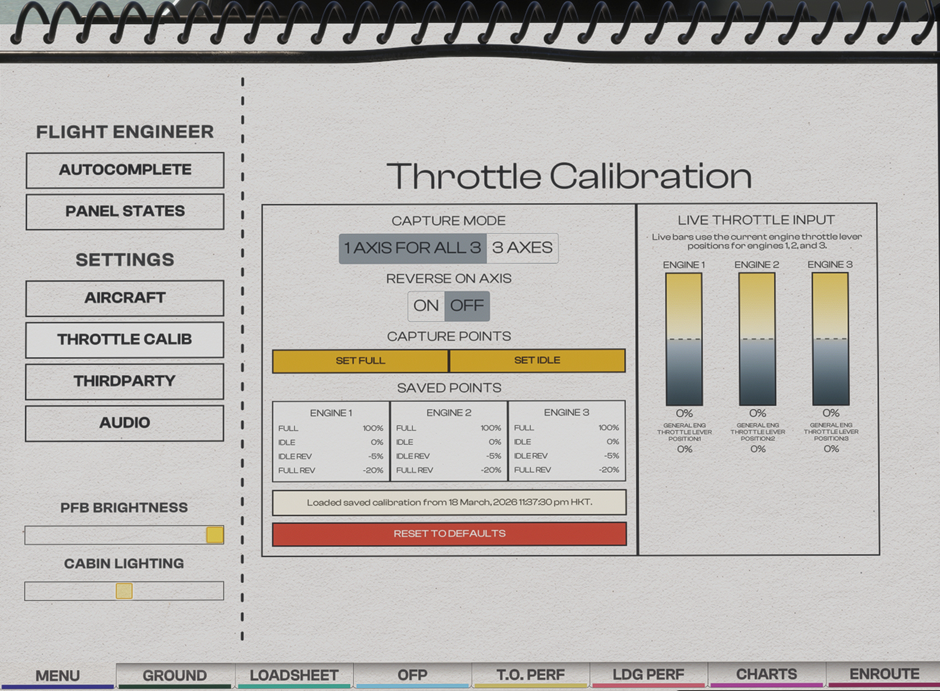
Throttle Calibration Page (PFB) Choose the number of axes that matches your controller setup, then calibrate accordingly Throttle Calibration Process Typically the throttle calibration is done in the following order Ensure that Throttle Axis or Throttle Axis 1 to 3 are assigned in the MSFS Control settings. Set desired REVERSERS ON AXIS option Set desired CAPTURE MODE option Move your hardware throttle axis to the capture point you want to define (e.g. REVERSE/IDLE/FULL) Click the SET [POSITION] button on the PFB to define the current position to the position chosen Repeat Steps 4 to 5 for each desired capture point. Note: If you have issues with the throttle axis, please note that the throttle axis should not be configured using the option labeled "(0 to 100%)" in Settings > Controls.
-
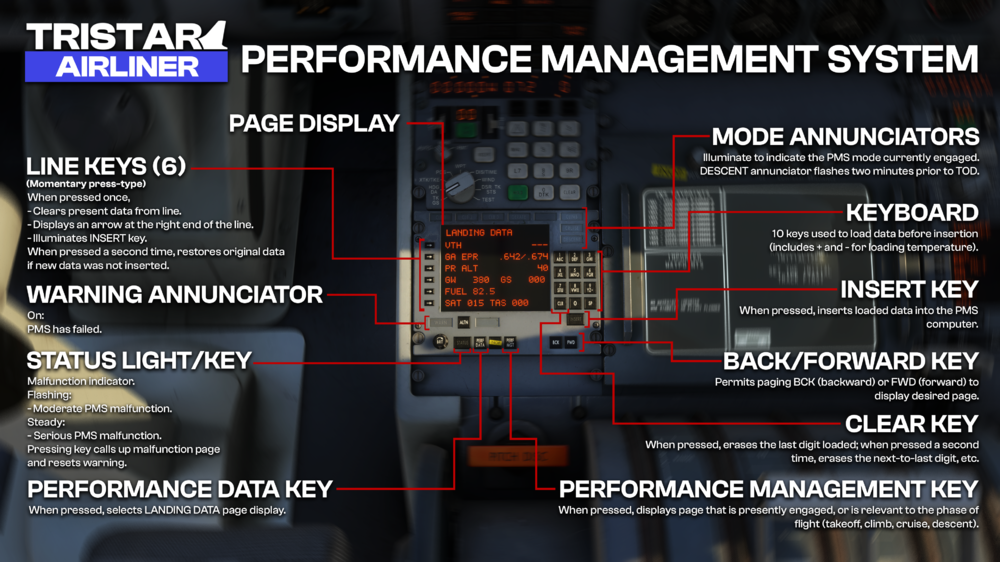
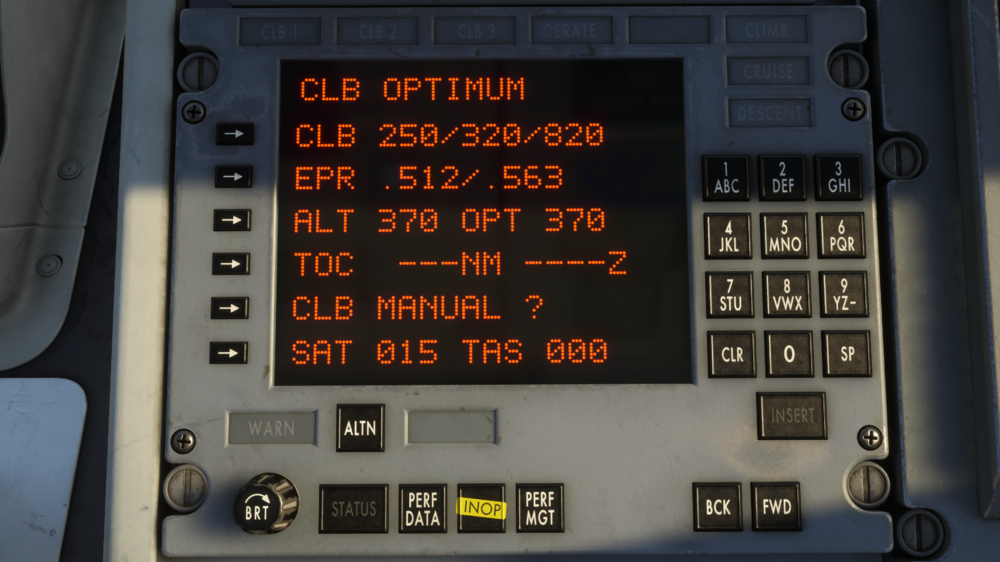
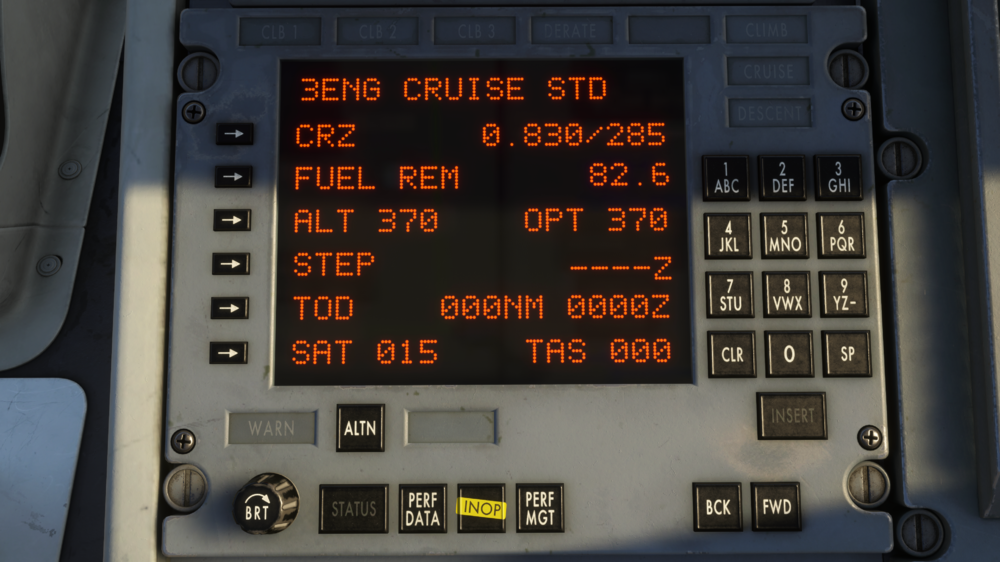
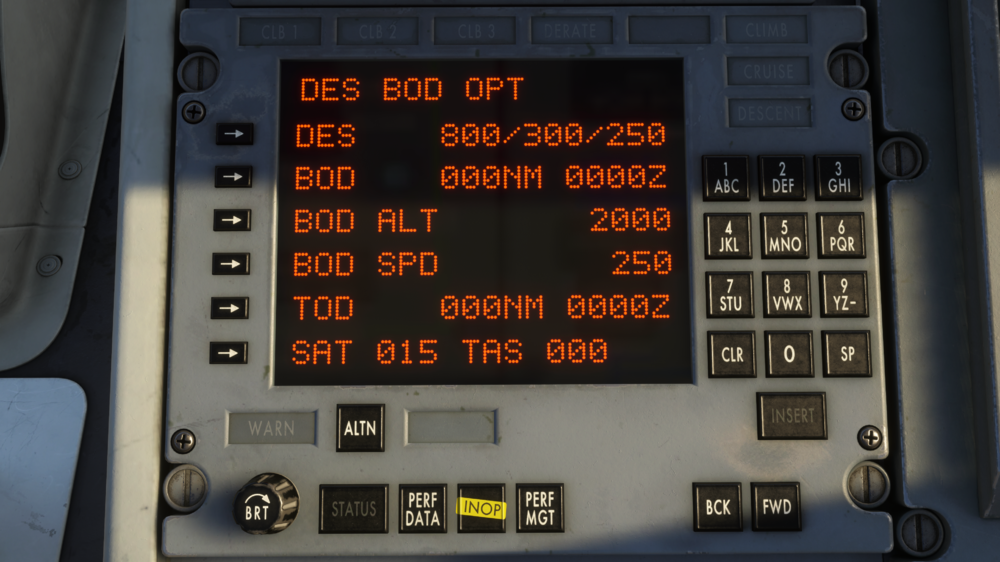
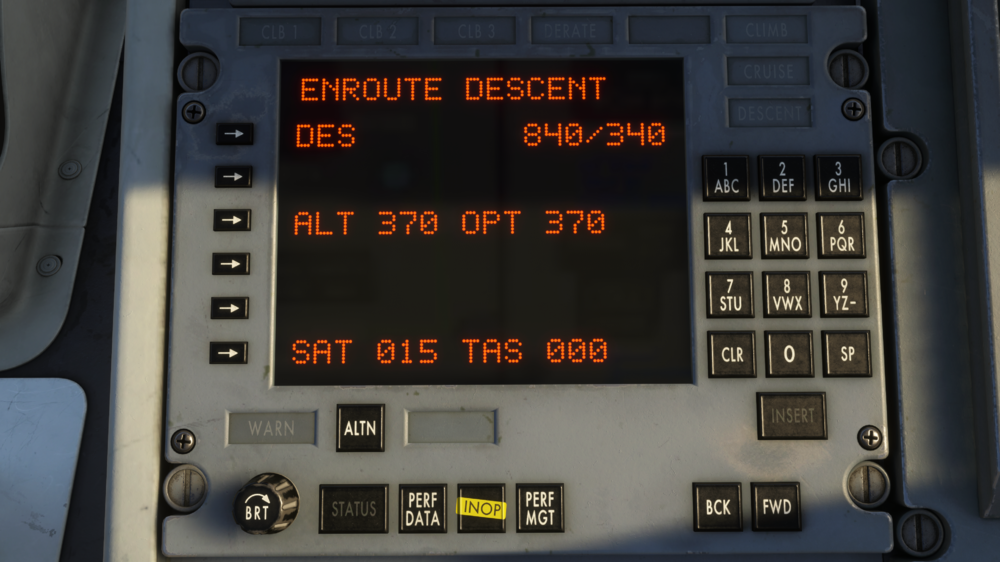
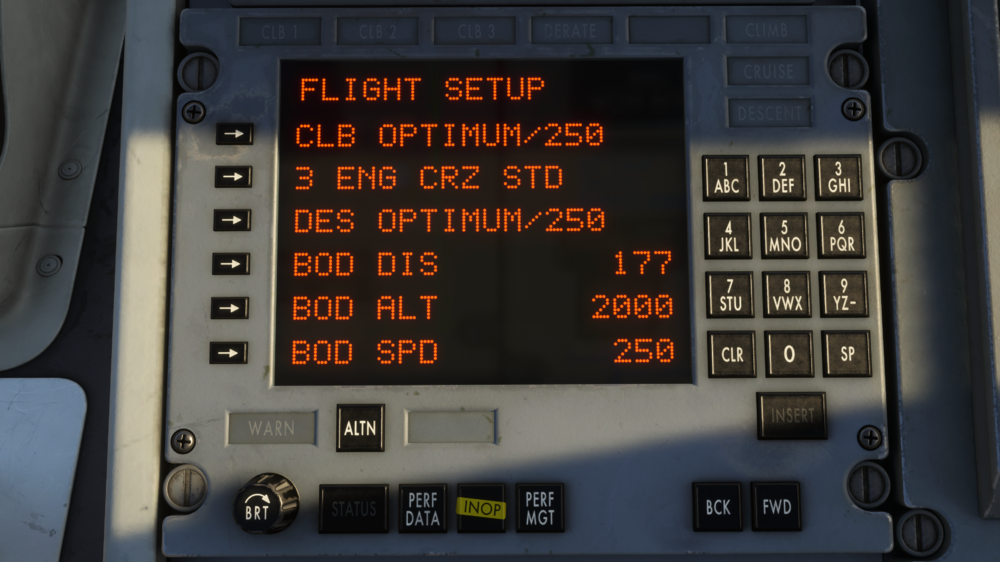
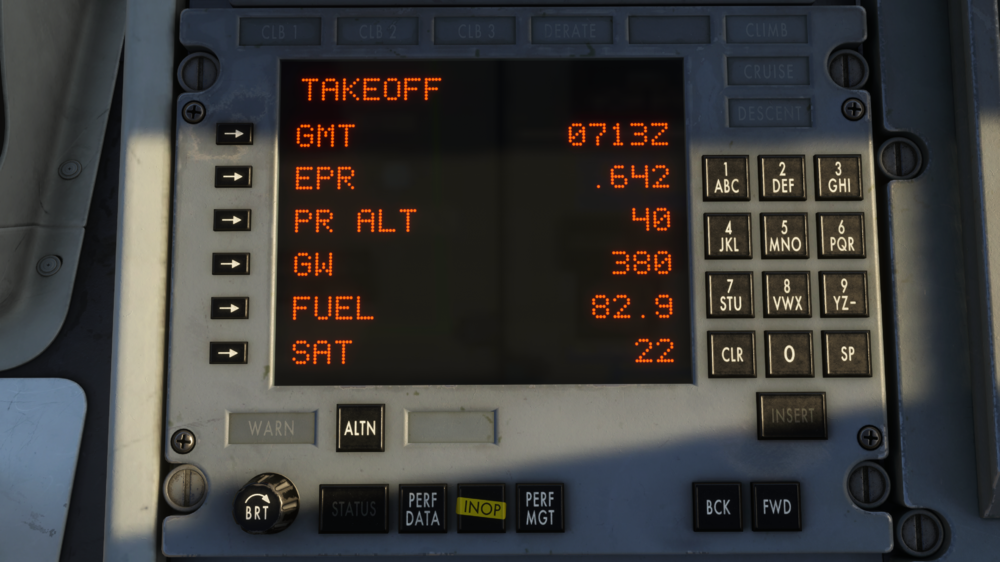
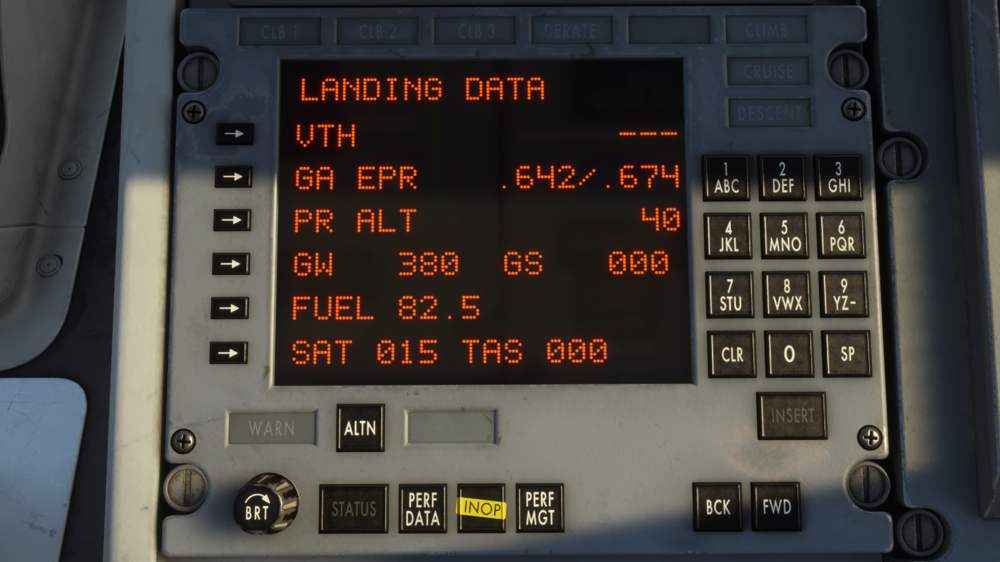
The TriStar’s Performance Management System (PMS) provides real-time calculations for thrust settings, fuel predictions, and vertical flight profiles across all phases of flight. Unlike modern FMCs, the PMS operates through a structured page system, requiring manual data entry and validation to generate accurate performance outputs. (Click to enlarge image) Data Entry – General Procedure Navigate to desired page Press softkey on left corresponding to line to be modified Verify field clears and INSERT button illuminates Enter value using right keypad (observe correct format, decimals, signs) Verify entered value Press INSERT (light extinguishes) Use CLR to cancel / start over if needed Note: Entering an empty value usually exits entry mode without saving. Step 1 – TAKEOFF Page First page displayed after pressing PERF MGT. Enter / verify (values often persist from previous flight – always check): GMT – Zulu time (HHMM) at initialization - Should be modified for estimated takeoff time EPR – Computed from pressure altitude (after all parameters are inserted) PR ALT – sensed by ADCs (not entered) GW – Gross weight in thousands of lb (round up to nearest 1,000 lb) FUEL – Fuel weight in thousands of lb (decimal shown automatically) SAT – Static Air Temperature (°C); enter sign first if negative Once all values are entered with valid values the PMS will calculated the optimum takeoff EPR value and will display it in the EPR line Note: SAT valid range for EPR calc is –20 °C to +54 °C. Out-of-range values are clamped. Fuel value is limited to three digits, so you can enter decimals if the value is below 100. E.G. 85.700 would be 85.7. Otherwise, you must round up the value. For example, 155.200 pounds would be rounded up to 1560. Step 2 – FLIGHT SETUP Page Navigate using AFT / FWD keys Initial performance modes (most economical and only current availables modes): CLIMB: OPTIMUM / 250 kt CRUISE: 3 ENG CRZ STD DESCENT: OPTIMUM / 250 kt Enter BOD (Bottom of Descent) data: BOD DIS – distance to descent point (NM) BOD ALT – altitude at BOD (ft) BOD SPD – speed at BOD (kt) Recommendation: Update BOD values enroute after INS is aligned for better accuracy. Step 3 – TAXI & TAKEOFF (Update GW) Return to TAKEOFF page Update GW (subtract taxi fuel burn) Leave page open during takeoff and initial climb for monitoring Step 4 – CLIMB Page Automatically displayed after takeoff or by selecting first line on FLIGHT SETUP. Displayed values include: CLB – IAS targets (below 10,000 ft / intermediate / high-alt Mach×100) EPR – min & max ALT – selected cruise altitude (FL) – must be entered OPT – computed optimum cruise altitude TOC – distance & time to Top of Climb CLB MANUAL ? - Erase speed portion on CLB line and allows to change it, then the PMS will adjust climb rate to match that airspeed using the OPT EPR value. SAT - Static air temperature in C degrees TAS - True air speed in knots Step 5 – CRUISE Page Displayed values include: CRZ - Mach and IAS target - opens CRUISE sub-page FUEL REM - Remaining fuel in thousands of pounds ALT - Selected cruise altitude OPT - Optimum cruise altitude STEP - TBD - opens STEP DATA sub-page TOD - DIstance in NM and Time zulu to the top of descent - opens TOD sub-page SAT - Static air temperature in C degrees TAS - True air speed in knots Engagement procedure (especially after VNAV/TM interruption): Set AFCS pitch mode to ALT HOLD Press PERF MGT → select CRUISE page Press TM button (light on) + set ATS to ON Verify AFCS mode changes to THR MGT Adjust EPR manually if necessary Confirm Mach target is maintained Typical values (STD cruise): 0.830 M / 285 KIAS CRUISE sub-page (press CRZ line): 3 ENG CRZ STD → 0.830 / 285 3 ENG CRZ LRC → long-range cruise (see tables – pending) 3 ENG MANUAL → allows direct Mach/IAS entry STEP DATA sub-page: WIND - Current wind velocity and direction CLB - Distance in NM and Time zulu at the beginning of the step-climb to STEP ALT STEP ALT - Step climb altitude in 4000ft increments FUEL SAVE - Total fuel save or lost by climbing to the STEP ALT compared to present altitude NEW ALT SAT - Assumed SAT at STEP ALT using non-standard ISA values SAT - Static air temperatures in C degrees TAS - True air speed in knots TOD sub page: In the CRUISE page, press TOD line and the DES BOD page will be displayed with the following information: DES - Mach, airspeed above 10000ft and airspeed below 10000ft BOD - Distance in NM and Time zulu to BOD BOD ALT - Desired altitude in ft at BOD BOD SPD - Desired speed (IAS) in knots at BOD TOD - Distance in NM and Time zulu to reach TOD SAT - Static air temperature in C degrees TAS - True air speed in knots STEP 6 - DESCENT To start a descend, the operator should follow the next procedure: Select the desired altitude on the glareshield panel On the PMS go to the CRUISE page and update the ALT value to this new altitude and press insert Press VNAV mode and check ATS and TM are engaged too If the descent is started at any moment of the flight up to 10 minutes before TOD, the following page will be displayed: DES - Descent profile with Mach and flight level ALT - Selected altitude and optimum cruise altitude SAT - Static air temperature TAS - True air speed Once the aircraft reaches the desired altitude, it will resume the cruise mode and CRUISE page will be displayed If the descent is started within 10 minutes before TOD, the page will be slightly adjusted to show "DES OPT (DIST)NM": Page title - Distance in NM (could be positive or negative including the (-) sign) where the aircraft will reach BOD altitude relative to the its waypoint position (could be before or after the actual BOD) DES - Descent profile with Mach, airspeed above 10000ft and airspeed below 10000ft BOD - Distance in NM and Time zulu to BOD BOD ALT - Desired BOD altitude BOD SPD - Desired BOD speed SAT - Static air temperature in C degrees TAS - True air speed in knots STEP 7 - Landing After descent phase and once BOD altitude is reached, the LANDING DATA page is displayed: VTH - Indicated airspeed at threshold GA EPR - Go-Around calculated EPR PR ALT - Current pressure altitude GW - Computed gross weight GS - Ground speed FUEL - Computed remaining fuel SAT - Static air temperature in C degrees TAS - True air speed in knots Operation Notes: BOD DIS is the distance between the aircraft position at the moment the data is entered and the point where the user intends to complete the descent. It is strongly recommended that this point be the last waypoint of the flight plan entered in the INS, in order to obtain the along-route distance between the current aircraft position and the BOD. BOD ALT is entered in feet, not in Flight Levels (FL). The value must be entered directly; for example, an altitude of 3,000 feet must be entered as 3000. The BOD line on the DES BOD OPT page displays the distance and estimated time of arrival at the BOD, calculated based on groundspeed and the distance traveled as a function of groundspeed. It is important to note that if BOD DIS is entered incorrectly, the BOD estimates will not be coherent, since all horizontal and vertical VNAV profile calculations are based on this distance. During OPT (standard) descent, an airspeed setpoint of 250 knots must be used. Each time a BOD value is entered or modified (DIS, ALT, or SPD), the system resets the distance-traveled estimation. This is done to recalculate BOD DIS and ensure that all estimates remain accurate. On the CLB OPTIMUM, 3ENG CRUISE STD, and ENROUTE DESCENT pages, the ALT value can be read and updated. This value is expressed in Flight Levels (FL) and is used by the system to calculate the difference between the current altitude and the BOD altitude. The system dynamically calculates the required descent distance, descent time, and required vertical speed, using a dynamic method similar to the 1:4 rule. Considering the previous point, if the distance required for the descent maneuver exceeds the BOD distance, the system will not be able to correctly compute the descent profiles. To verify this condition, it is recommended to check and compare BOD and TOD, ensuring that a TOD distance exists and that the distance to BOD is greater. The difference between these two values represents the distance allocated for the descent (this applies only if the TOD distance is greater than zero). (Click to enlarge image) Important Notes for Descent: To initiate a correctly computed descent profile, you must keep the cruise ALT value unchanged (the value entered on the CLB or CRZ page). The PMS calculates the required descent altitude difference (and therefore the TOD/BOD distances and required VS) based exclusively on the difference between cruise ALT and BOD ALT. If you manually change the ALT value to match the BOD ALT (or set both to the same altitude), the system will detect zero altitude difference. As a result: Descent distance becomes 0 The required descent VS becomes invalid The TOD and BOD predictions will be incorrect or show as zero Recommendation: Leave the cruise ALT exactly as it was set during climb/cruise planning. Only enter or modify the BOD ALT when you want to start the descent profile. The cruise ALT must remain the original reference altitude for the calculation to work correctly.
-
To expand operational flexibility and support modern navigation techniques alongside the inertial navigation system (INS), the autopilot (AFCS) now includes a GPS mode. This mode integrates a conventional GPS unit while preserving the familiar AFCS philosophy of button cycling to engage/disengage flight modes (similar to pitch modes). GPS mode is activated using the VOR button on the AFCS panel. The system automatically selects the navigation source based on the current state of the GPS CDI indicator. (Click to enlarge image) To engage GPS mode Verify GPS CDI source Ensure the GPS unit displays "GPS" in the CDI area (not "VLOC" or another source). If necessary, press the CDI button on the GPS unit repeatedly until "GPS" appears. Engage AFCS mode Press the VOR button on the AFCS panel. Confirm the VOR button light illuminates (indicating mode armed/engaged). Confirm guidance Verify that the captain's HSI and Flight Director (FD) display the desired GPS-derived course, deviation, and steering commands. Important notes GPS mode is available if the NAVIGATION OPTIONS on the EFB are set to GPS only or INS+GPS VOR Mode is not dynamic Once engaged, the AFCS locks onto the navigation source present at the moment the VOR button is pressed. If you later change the GPS CDI source (e.g., from "GPS" to "VLOC"), the autopilot will not automatically switch. To update the mode: Press the VOR button again to disengage the current mode. Re-press the VOR button to re-engage using the new source. This maintains the consistent AFCS philosophy of cycling buttons to change or refresh modes (as seen in pitch hold, vertical speed, etc.). Flight plan import You may import flight plans from the simulator's Flight Planner directly into the GPS unit. In the EFB (Electronic Flight Bag), select your route and press SEND TO AVIONICS. Display limitations All GPS-derived data (course, crosstrack deviation, TO/FROM indication, etc.) appear exclusively on the captain's HSI. The first officer's instruments are not driven by GPS mode in this configuration. This hybrid capability allows seamless use of satellite-based navigation while retaining full INS backup and the original AFCS operational feel. Always cross-check the active navigation source on the GPS unit before engaging or changing modes. Monitor the HSI closely during transitions. For more information on other Navigation methods, please refer to How to - INS Setup, Operation & Procedures & How to - Simbrief Integration
-
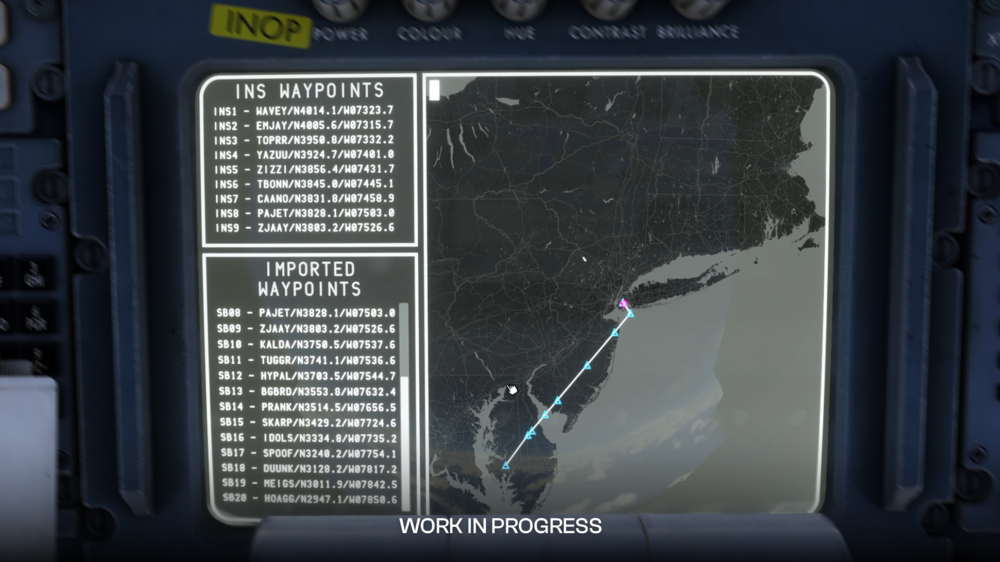
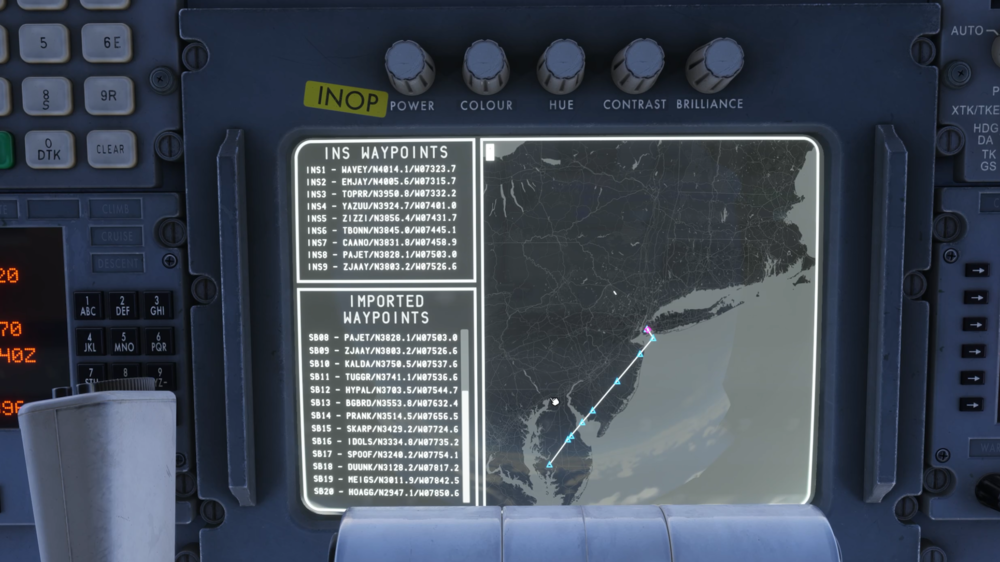
The TriStar features an integrated SimBrief Navigation Tool, designed to streamline route management while preserving the authentic behaviour of the aircraft’s Inertial Navigation System (INS). Unlike modern flight management systems, the TriStar’s INS is limited to 9 waypoints at a time. To bridge this limitation while maintaining realism, the Navigation Tool introduces a batch loading system, allowing full SimBrief flight plans to be used seamlessly without altering the original INS logic. (Click to enlarge image) This system enables pilots to import complete routes directly from SimBrief, with the Navigation Tool intelligently managing waypoint loading in the background. From the cockpit perspective, the experience remains true to the real aircraft, while significantly reducing workload for longer routes. Automatic Batch Loading ProcedureWhen the user presses SEND TO INS from the PFB , the system performs the following steps: All incoming waypoints are collected and stored in a local variable (the complete imported route list). The first 9 waypoints are automatically loaded into the INS (positions INS 1 through INS 9). During flight, the system continuously monitors aircraft progress: When the aircraft passes or sequences waypoint 9 (or the next waypoint is manually selected), The INS automatically cycles back from waypoint 9 to waypoint 1. At that exact moment, the next batch of 9 waypoints (10–18, then 19–27, etc.) is loaded into the INS. This process repeats transparently until all imported waypoints have been used. Note: You must follow the INS alignment process properly in order to use the imported waypoints From the pilot’s perspective: The INS always displays only 9 waypoints — exactly as in the real aircraft. Waypoint identifiers/names match exactly those imported (e.g., SKBO, BOG01, SB15, etc.). No manual waypoint insertion is required during normal cruise in automatic mode. Batch transitions are automatic and no action is needed by the pilot. The map only displays the route using the active INS waypoints, so seeing an “incomplete” route line is expected. The line will continue to update as additional batches of waypoints are processed. Note: Pilots retain full ability to manually modify, insert, or delete waypoints at any time using the standard INS procedures (numeric keypad, position selector, etc.). However doing so will disable the automatic batching. To resume batching you need to re-enable it on the INS Display Map. Waypoint Naming and DisplayThe INS always shows only 9 positions (INS1 to INS9). The waypoint names/identifiers displayed in the INS are identical to those imported from SimBrief (e.g., BOG, MDE, CLO, SKRG, etc.). Latitude and longitude are presented in the standard INS format (N/S ddmm.m – E/W dddmm.m). Summary of Key BenefitsMaintains full realism of the original INS panel (maximum 9 visible waypoints). Supports very long flight plans without constant manual intervention. Provides automatic, fluid transitions between batches during cruise. Fully compatible with standard manual INS modifications at any time. For more information on other Navigation methods, please refer to How to - GPS Navigation (INS + GPS) & How to - INS Setup, Operation & Procedures

-
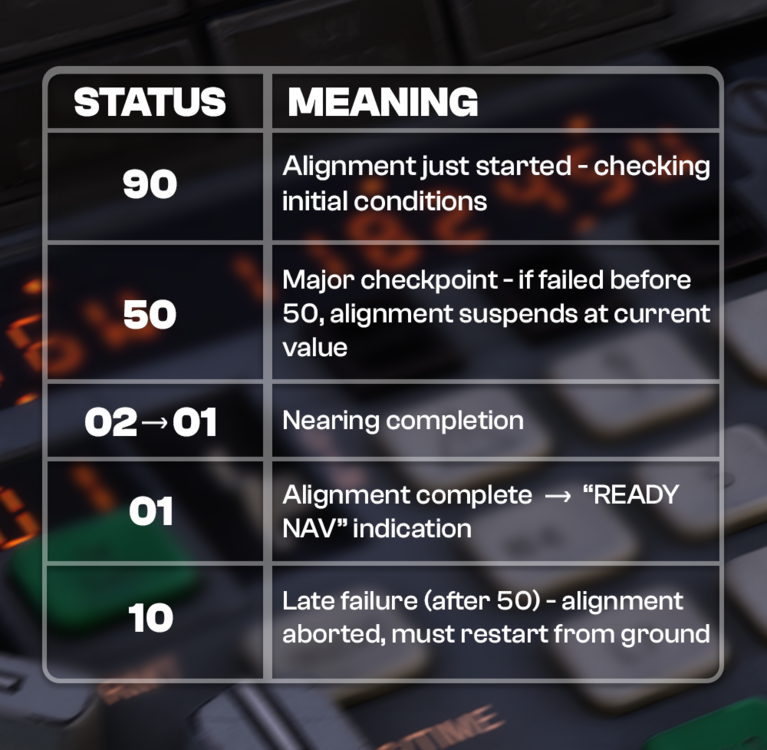
The system initializes with three independent INS units. During power-up, the sensors stabilize and the system establishes initial attitude in ATT mode. Once the attitude is valid and aligned, navigation initialization and alignment with the aircraft’s actual position must be performed. This full alignment process takes approximately 17 minutes. Important: Alignment must be performed with the aircraft on the ground and engines off. Any movement during alignment introduces position offset errors. The artificial horizon can use either the vacuum system or the INS attitude reference. It is strongly recommended to keep the INS attitude source active as a backup. INS InitializationVerify that the DC Standard Bus or AC Standard Bus is powered. Check relevant circuit breakers are in. Set INS Mode Selector to STBY. Note: While the displays are powered by DC STBY BUS (battery or DC ESS BUS), the inertial platform itself requires AC ESS BUS power (normally fed from AC BUS 3 or via AC ESS BUS SELECTOR). Set Display Selector to POS. Verify display matches the expected format (example shows “72” or “73” – in our case “72”). (Click to enlarge image) At this point the INS units are powered and initialized avionics-wise, but navigation is not yet active. Display TestShould be performed in STBY, ALIGN (preferably avoid during alignment), or NAV modes. Set Display Selector to TEST. All characters, digits (including HSI), and warning indications must illuminate fully. (Click to enlarge image) Navigation Initialization & AlignmentAlignment starts when Mode Selector is moved to ALIGN (after entering present position). The alignment timer counts down from ~17 minutes (DSR TK / STS page display shows accumulator from 90 → 01 on the right side). Present Position Entry ProcedureThe Present Position Entry is the known coordinate where the aircraft is currently located. It must be derived from a valid and accurate source to ensure reliable data for system initialization. During the initialization process (typically on the ground), this is usually the gate or airport coordinates obtained from the airport chart, parking stand diagram, or airport reference point in the navigation database. In mid-flight (or when reinitializing due to loss of position), it can be a calculated intersection of two VOR-DME radials, visual references, or any other reliable navaid or method where the aircraft's position is already known with high confidence. Key Guidelines: Always use the most accurate position available (e.g., GPS if available, followed by reference airport/gate, last known position, or manual entry from charts). Verify the entered position against multiple sources (e.g., airport chart, or navaid cross-check) to avoid errors that could affect IRS alignment or navigation accuracy. An incorrect or unreasonable present position entry may cause serious navigation drifts and errors that could lead to dangerous loss of situational awareness. Procedure: Mode Selector → STBY Display Selector → POS Enter latitude: Press N or S Verify “N” / “S” appears on left display and INSERT button illuminates Enter degrees/minutes/decimal using numeric keypad (DDMM.S - e.g. N32477 which is N32°47.7’) Press INSERT Enter longitude (same procedure): Use E or W Longitude has one extra digit (max 180°) (DDDMM.S - e.g. W072234 which is W072°23.4’) INSERT light should remain on after both lat & lon are entered To correct: press CLEAR and re-enter. Move Mode Selector to ALIGN to start alignment process. Notes on coordinates: IMPORTANT: The initial position is the point where the system ties the four-dimensional navigation frame to the NED (north-east-down) frame and is where the aircraft will be placed on it - any mistake during this process (like unaccurate or mistaken data) could lead to dangerous navigation estimations Format: degrees, minutes, decimal minutes (no negative signs – use N/S, E/W) Latitude limited to 90°, longitude to 180° - if input goes beyond this limit the system will normalize it and calculate unexpected results. A valid coordinate must have both a latitude or longitude component different than 00”00.0 or 000”00.0 respectively. Waypoint EntrySet AUTO/MAN/RMT switch to AUTO or MAN Display Selector → WPT WPT Selector → desired waypoint number (1–9) Enter lat/lon same way as present position. INSERT light extinguishes after each coordinate is accepted (unlike POS mode). Waypoints must be entered sequentially (1→2→3…); gaps (e.g. 1 & 3 but not 2) will cause navigation discontinuities. Alignment Monitoring & Status CodesSet Display Selector to DSR TK/STS to monitor alignment progress. Alignment status starts at 90 and counts down to 01. (Click to enlarge image) Alignment Requirements (must all be true): Aircraft on ground Aircraft completely static (no movement) AC power available (AC ESS BUS or AC STBY BUS) DC power available (DC STBY BUS) Valid present position entered (not 0° 0.0') Critical notes: Once aligned (01) and switched to NAV, do NOT move mode selector out of NAV unless on ground and static → otherwise alignment is lost permanently until next ground static alignment. Loss of AC/DC power or movement during alignment will also force full restart on ground. (Click to enlarge image) Initial Desired Track (Leg 0–X)Must be set after at least one waypoint is entered and alignment reaches 01, otherwise it wont let enter any TK. Ensure no active data entry is in progress. Press TK CHG button (both TK CHG and INSERT lights illuminate). Enter 0 + waypoint number (e.g. 0-1 to fly direct to WP1 from present position). Verify display shows 0–X. Press INSERT → lights extinguish if valid. Invalid entries (0-0, non-existent WP) cause 0-0 and lights remain on. NOTE: You can only set the Initial Desired Track once for navigation initialization or to restart navigation once you reach latest waypoint on previous flight plan. Waypoint / Leg Change (TK CHG)After navigation is active, change active leg anytime: Press TK CHG Check both TK CHG and INSERT lights are illuminate Enter FROM–TO (e.g. 3-5 or 0-7 for direct-to WP7) Press INSERT if valid, otherwise press CLEAR and repeat the process Check both lights extinguish Behavior: 0–X → Direct-to waypoint X from present position A–B → Intercept A→B leg at ~30° angle If significantly off-track and far from leg, system may fly direct to B until intercept conditions are met Small overshoot possible at high speeds (>300 kt) ATT REF ModeProvides pitch & roll reference independent of full navigation. Gyro valid after: Mode = ALIGN, NAV or ATT REF >5 min powered from cold start, or >3 min if recently powered ATT REF mode disables navigation (status → 90); recovery only possible on ground, static. If mode selector moved to OFF in flight → attitude reference corrupted until next ground static realignment. RMT (Remote) TK CHG CalculationsWhile in RMT, TK CHG can be used to query distances without affecting active navigation. A–B → great-circle distance between two waypoints 0–X → along-route distance from present position to waypoint X (passing all intermediate WPs) X–0 → direct distance from present position to waypoint X Note: Below 100 kt groundspeed, system assumes 512 kt for time calculations. Cross-Track (XTK) / Offset ModeAccessed via XTK/TKE selector position. Creating an offset parallel to active leg: Valid leg must be active Set selector to XTK/TKE Press 1 (left field clears, INSERT illuminates) Press L7 or R9 → L / R appears Enter offset distance in NM (one decimal) e.g. R 34 → 3.4 NM right Press INSERT Display shows: Left: current cross-track distance to original leg Right: track angle error (max ~30° during capture) Offset cancels when: Enter zero / blank offset (e.g. press 1 → INSERT) Waypoint transition occurs New leg selected via TK CHG Any waypoint coordinate changed WAYPOINT SEQUENCING (Click to enlarge image) ALERT light illuminates when time to your next waypoint is below 2 minutes and flashes when you are 30 seconds to reach it, then it extinguishes. WARN light illuminates for 30 seconds after the system automatically switches from last waypoint to the first one as per normal waypoint cycling whether is 9-1 or X-1. You could notice that in some cases you won't be able to see the flashing ALERT light depending on the track change angle, for closed angles the track change threshold starts a bit earlier than 30 seconds. Note that INS ETA are in decimals of seconds, so 30 seconds would be 0.5 minutes. The system automatically advances to the next valid waypoint (1 to 9) when the transition threshold is reached. If the next waypoint does not exist or is invalid: If ≥ 3 valid waypoints are present in the current batch → automatically cycles to waypoint 1 (leg: last → 1). If 1 or 2 valid waypoints only → continues straight ahead indefinitely on the current track (no cycle). When reaching waypoint 9 and a next batch is available (when using waypoints import): Current waypoint 9 is saved. Next batch is loaded. Saved (old) waypoint 9 is restored → leg changes to 9 → 1 (overlap transition). After passing the new waypoint 1 and advancing (e.g. to waypoint 2), the new batch’s original waypoint 9 is restored. For more information on other Navigation methods, please refer to How to - GPS Navigation (INS + GPS) & How to - Simbrief Integration

-
v1.0.3 of iniBuilds Dallas Fort Worth (KDFW) for MSFS 2024 has been released. This is a small update to address an issue with a runway dirt surface issue. This update can be downloaded via the iniManager. v1.0.3 - Fix runway dirt surface issue
-
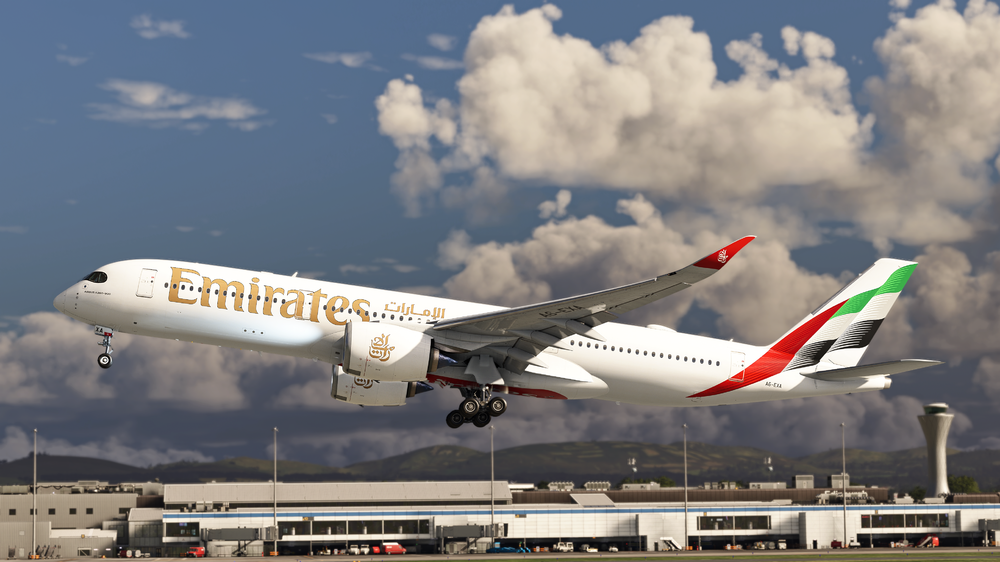
iniBuilds A350 Airliner V1.2.4 Update 🚀 v1.2.4 for the iniBuilds A350 Airliner is now available. This update resolves several key flight logic and navigation issues, including incorrect descent mode behaviour, overlapping step climbs on the position report page, and inaccurate fuel burn predictions. Fixes have also been made to premature auto-rotation, incorrect DME/VOR display, and unrealistic ADS-B vertical speed readings, alongside refined roll sensitivity for improved handling. An EFB update also introduces an in-flight maintenance override, allowing users to repair items during flight. This update can be downloaded via the iniManager. ____________________________________________________________V1.2.4 SYSTEMS ⚙️ FIXED Aircraft had inadvertently entered descent mode and it was impossible to re-enter climb mode FIXED Having multiple planned step climbs causes them all to overlap on the position report page FIXED Fuel burn predictions in MCDU are inaccurate FIXED Aircraft auto rotating prior to v1 FIXED DMEs display as VORs FIXED ADS-B readout shows unrealistically high vertical speeds FIXED Adjusted roll axis sensitivity based on user feedback. EFB📱 ADDED Override for maintenance items to be repaired in-flight
-
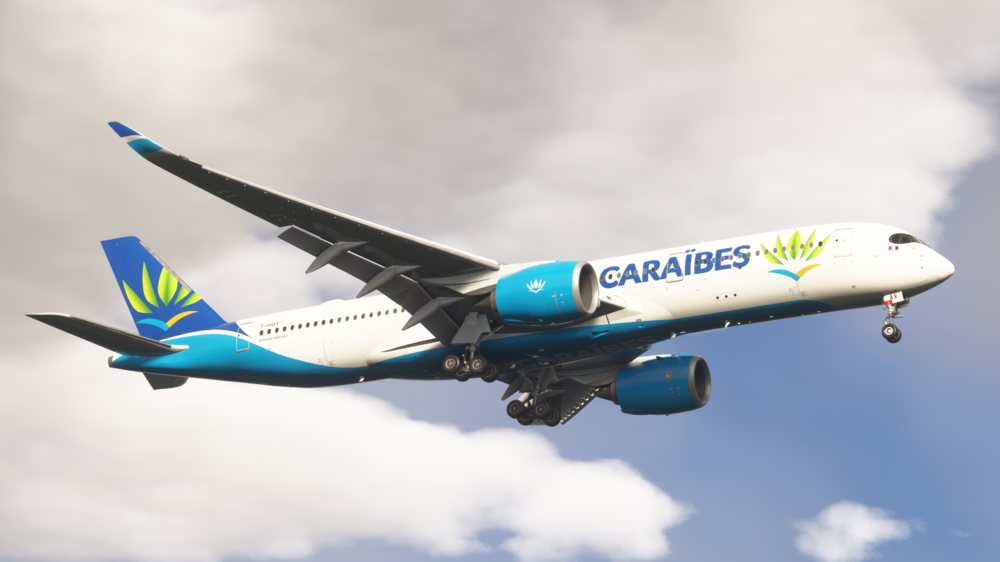
iniBuilds A350 Airliner V1.2.3 Update 🚀 v1.2.3 for the iniBuilds A350 Airliner is now available. This update focuses on a broad range of systems stability, navigation logic, and usability refinements across the aircraft. Numerous fixes have been implemented within the FMGS, flight planning, TCAS behaviour, performance calculations, and display formatting, alongside improvements to flight director behaviour, thrust logic, and waypoint management. Additional refinements have also been made to the ECAM, HUD behaviour, and various pages across the flight deck displays, improving accuracy and consistency during normal operations. The update is rounded out with art and sound improvements, including refined RA callouts, improved exterior audio balance, cockpit and cabin sound tuning, and adjustments to cabin lighting and visual behaviour. This update can be downloaded via the iniManager. ____________________________________________________________V1.2.3 SYSTEMS ⚙️ FIXED WASM crash after selecting STAR FIXED TCAS triggering from aircraft which are non factors FIXED Pitch jerkiness when passing through 10° with constant stick input FIXED Manually entered CRS shows in small font in the A350 FIXED TCAS returns all defined as "HEAVY" FIXED D-ATIS not timing out FIXED Inaccurate colours on SEC/PERF/APPR page FIXED OPT FL should be shown every 500ft FIXED Waypoint revision logic on Active, Temporary, and Wind pages FIXED Position/Report page formatting issues FIXED Flightplan STEP ALTs page logic/format FIXED Time marker should be in chronological order FIXED Font & sizing issues on PERF approach page FIXED Key input not masked anymore in simconnect FIXED Loadsheet formatting FIXED Flight Director sensitivity FIXED PDC response not being received from HOPPIE connections FIXED Dest ETA/ Wpt ETO not updating correctly (same time for multiple waypoints) FIXED Cost Index logic FIXED Letter "D" missing from ANF font FIXED HUD not displaying all the information all the time / Switch start state FIXED VD - missing magenta area FIXED Waypoint selection menu not showing for duplicates FIXED Inserting CMS by writing the waypoint name on ACTIVE/F-PLN/VERT REV/CMS page not working as expected. FIXED Moving thrust levers from CL to MCT detent & back to CL detent during CLB FMS now cancels derated thrust. FIXED Spoiler panel jitters rapidly while deployed in flight FIXED Misspelling waypoint in DATABASE WPTS page causes the page to go blank FIXED Constraints & altitudes below the TL be shown in feet instead of FLs FIXED ECAM AIR PACK 1(2) OFF fault error when performing packs off takeoff FIXED Inconsistencies in the display of planned speed on the CRZ/FPLN pages FIXED Trim not resetting correct direction after landing FIXED RA logic on touchdown FIXED PLACE DISTANCE WAYPOINT not working with negative distances FIXED "NONE" appearing in the middle of the procedure list instead of at the top FIXED SURV Controls - Switching the ADS-B RPTG should not switch the ADS-B TRAFFIC FIXED Inserting "1" as a CRZ FL on the ACTIVE/PERF/CRZ page should insert the current altitude as an CRZ altitude FIXED VD planned path incorrect given altitude restrictions. FIXED Sec airways inserting double airways when no intersection found FIXED RWY CONDITION / BRAKING not appearing on SD FIXED Step descent logic FIXED Return button behaviour on Step alt page FIXED ECAM COMPANY MSG memo for TELEX messages not clearing (internal only) FIXED Range Switching behaviour from ROSE/PLAN to ARC modes & vice versa FIXED Multiple amber arc indicating hottest wheel brake ART 🎨 FIXED Cabin windows flickering FIXED Cabin lighting turns off instead of dimming on "medium" & "dim" settings FIXED No difference between low & medium dim in cabin modes SOUND 🔊 FIXED RA callouts refined across all tracks/volume and attenuation balanced per community feedback FIXED Tie APU external sound to "external engines" volume slider FIXED Quiet exterior sounds in 2020 FIXED Refined gear extension sounds in cockpit and cabin when landing FIXED "Autobrake Off" callout not sounding after touchdown iniBuilds Team ❤️
-
v1.0.1 of iniBuilds Hong Kong (VHHH) Premium for MSFS 2024 has been released. This update improves visual accuracy across the airport, including Cantonese text corrections, updated warning system messaging, and refinements to signage, gate totems, and jetway markings. It also adds missing ground markings, A380 stop lines, additional passengers in check-in areas, and resolves various structural and taxi sign issues around Terminal 1. This update can be downloaded via the iniManager. v1.0.1 - Multiple Cantonese character corrections - Updated text for Airport Lightning Warning System - Added more people around check-in areas - Add A380 stop lines to N5, S23, D212 and D216 - Glidepath antenna area should have concrete pathed areas and associated assess driveway - N143 - 145 - Duplicated stopmarker markings - Underground entrance near gate S3 missing walls - Checkin area - tsui wah ad reversed x2 - Corrected font spacing on gate totems - T1 - displaced parking do not carry Lat/Long information. - Missing First/Business and Economy labels during day time - Jetway extensions "fingers" missing number sign of next gate + warning signs for height clearances - Exterior marshaller stairs near VDGS corrected position - Taxisign corrections
-
v1.0.2 of iniBuilds Los Angeles (KLAX) Enhanced for MSFS 2024 has been released. This update resolves terraforming and ground flickering issues around SoFi Stadium when the California City Update is installed. This update can be downloaded via the iniManager. v1.0.2 - Fixed terraforming and ground flickering issues at SoFi Stadium with Cali City Update installed.
-
v1.0.2 of iniBuilds Dallas Fort Worth (KDFW) for MSFS 2024 has been released. This update introduces new taxiway paths around 17R/C and includes minor fixes to taxiway path designators. It also adjusts the taxiway bridge colour to better match the ground textures and adds improved dirt and grime across the airport for greater realism. This update can be downloaded via the iniManager. v1.0.2 - Added taxiway paths around 17R/C - Some minor fixes to taxiway path designators - Adjusted taxiway bridge colour to better match GP - Added & improved substantial dirt and grime across the airport
-
Hello! Since we last did a development update in December, the team have been full steam ahead! With the TriStar Airliner release now well and truly approaching, we wanted to share a new development update covering what we’ve been working on behind the scenes. Earlier this week we released our “Welcome to the TriStar” video, giving you a first proper look at the aircraft inside Microsoft Flight Simulator 2024. The response to that video has been fantastic, and today we want to expand on some of the areas shown there with a closer look at systems, sounds, and artwork, along with a few additional previews. But first, a quick recap of some of our recent aircraft updates for our other projects, including the A300, A340 & A350 Airliners! Recent Aircraft Updates Over the past few weeks we’ve pushed several updates across our current airliner lineup, including the A300-600R, A340 Airliner and A350 Airliner. These updates focused on improving overall performance, system stability, and day-to-day usability across the aircraft. The A300-600R Airliner received a major performance optimisation pass, particularly benefiting the freighter variant and cockpit environments, while the A350 Airliner update addressed a wide range of systems refinements including FMGS behaviour, navigation logic, and display consistency. The A340 Airliner update similarly focused on operational accuracy, with improvements to flight guidance, FMGS functionality, and navigation handling, alongside various visual and audio refinements. As always, these updates are driven heavily by community feedback and reports, and we’re grateful for the continued support as we move into the next phase of refinements across the fleet. You can find each of the latest update changelogs below: As always, thank you for the continued feedback and reports, they play a huge role in helping us identify issues quickly and improve the aircraft experience for everyone. Now, onto the Tristar! TriStar Airliner With the TriStar release rapidly approaching, many of you will have already seen the Welcome to the TriStar video we released earlier this week. Development is now fully focused on bringing the aircraft to you in sim, and we hope the video helped answer some of your initial questions and provided a closer look at what to expect. If you haven't had the chance the watch the Welcome to the TriStar video yet, you can do so here: In this development update, we’ll be expanding on several of the areas shown in the video and share a few additional details and previews, so be sure to read on! Systems 🎛️ One of the defining aspects of the TriStar is its three-crew cockpit, and recreating that environment has been a major focus for the team. As such, the TriStar is getting a Virtual Flight Engineer that brings one of the aircraft’s most iconic crew roles to life. Instead of treating the engineer’s panel as a static background system, users can actively trigger flight engineer “flows” for different phases of operation and receive real-time feedback as each task is carried out. That feedback is more than just text, from authentic switch sounds to spoken callouts from the engineer, the system is designed to make it feel like a real crew member is working beside you. Once a flow is complete, the engineer reports back, giving the aircraft a much more interactive, crew-driven experience that fits the character of a classic widebody like the TriStar. This allows simmers who may not be familiar with managing the full panel to still enjoy operating the aircraft while the automated engineer handles routine tasks. As we said, these voice interactions replicate typical crew coordination during different phases of flight and help bring the cockpit environment to life, so we can't wait for you to use them! We haven’t forgotten about the cabin crew either. The TriStar will feature automated cabin crew feedback that reacts dynamically to the current phase of flight. From departure preparation to bumpy air and arrival procedures, the cabin crew will provide an interactive experience that reflects what’s happening in the flight. This helps reinforce the feeling of a fully operating airliner, with the cabin and cockpit working together as the flight progresses. Another area we wanted to expand on from the video is navigation. The TriStar includes several navigation configurations depending on how you want to fly the aircraft. As we've mentioned previously, there is a navigation mode selector within the PFB, allowing you to define how the aircraft is operated. These options include: RADNAV INS GPS INS + GPS. Each option will provide you with a different experience, from a more modern approach to airliner navigation, all the way to the original navigation methods used on this aircraft. To keep system logic aligned with each operating philosophy, systems such as the PMS (and therefore advanced VNAV capability) is available only when an INS-based option is selected. Alternatively, you can select pure RADNAV or GPS-only, which disables the PMS. This method allows you to tailor the experience of the TriStar to your own preference. Alongside these systems, we’ve also implemented a moving map display that integrates with the aircraft’s navigation data and imported waypoints. The map will draw up to nine of the current INS waypoints, and show the aircraft's assumed position based off of the INS position, so if you initialise the aircraft wrong, it could think you're in a completely different location! As you fly along, you'll be able to batch import waypoints from SimBrief if you so choose, these will show up in a list for you to view at any time, which all helps you to keep your situational and route awareness. The Paper Flight Bag (PFB) is a period-appropriate take on the modern EFB concept. It is a central hub to many of the relevant control parameters, performance calculations and also provides access to aircraft utilities, all whilst maintaining the analogue spirit of the TriStar cockpit. From the "Auto Complete" functions acting as a flight engineer would, to performance calculations, the PFB provides you with a great deal of customisation and preference. If you are not used to flying aircraft with a complete engineers panel, this can becoming a daunting task. We've give you the ability to utilise the PFB to "Auto Complete" tasks for certain phases of flight, from preflight prep, to descent and approach, all the way to securing the aircraft after your long haul. Once you press autocomplete on an item, you'll hear switches flipping over and this will ensure all the relevant items to that phase have been set and complete. The PFB also includes a nicely detailed diagram of the aircraft, showing the ground state of the aircraft including passenger and cargo door status', external ground units such as the Air Start and GPU and some basic pushback controls. Beyond this, the loadsheet page further expands on this diagram, showing fuel and cargo load levels in each section, you're able to either directly import from SimBrief - which will populate all sections appropriately, or you can create a custom load scenario yourself. You'll see each fuel tank and cargo compartment fill up or down as you drag sliders and this will in turn affect the CG of the aircraft which you can see on the left of the loadsheet page. Beyond those pages, we've also included a matrix style OFP page, which is styled to look like a paper printout, which you'd expect to receive from dispatch. This will show your imported SimBrief flight plan, and also allow you to import your route to the INS. For performance, we wanted to stay true to the period and have the performance cards stylized to look like they were handwritten. They also contain a great deal of useful information, as well as being incredibly intuitive and easy to operate. Take off performance can be completed in 3 easy steps; Press Sync -> Calculate -> Set Bugs & EPR. That's it! You're ready to go, it's much the same for landing calculations, ensure the landing weight & elevation matches what you expect, set the runway condition and whether your antiskid is on or off, click Calculate, and then set. Each time you calculate a take off or landing performance card, you'll see the relevant speeds to use, and for take off you'll see the Take Off and Initial Climb EPRs you can expect to use for that specific departure. As usual, we've included an easy to navigate chart pad, with options for both LIDO and Navigraph charts to use to your liking. The standard functionality of being able to pin relevant charts is present as well as day/night modes and airport search features. Sounds 🔊 Obviously sounds are just as critical to the aircraft as any system or visual element. Without a believable audio environment, even the most detailed aircraft can feel flat. For the TriStar, we wanted to ensure the soundsuite truly captured the character of this classic widebody. To achieve this, we partnered with Echo19, where Tyler was able to gain access to a real L-1011 at the TriStar Experience in Kansas City, Missouri. During this visit he recorded a wide range of high-quality audio directly from the aircraft, capturing everything from engine behaviour to cockpit and environmental sounds. Being able to record audio from an aircraft in this environment allowed us to gather authentic material that would otherwise be extremely difficult to obtain. These recordings formed the foundation of the TriStar’s sound suite, from which Tyler refined and created a truly stunning audio set. From the distinctive tone of the RB211 engines, to the subtle ambience of cockpit systems and cabin airflow, Tyler captured a huge range of audio that helps recreate the real atmosphere of the aircraft. You can check out a brief behind the scenes of his trip in the video below! Interior & Exterior Art 🎨 The TriStar is one of the most recognisable widebody aircraft ever built, and recreating it visually has been a major focus for the art team. From the exterior surfaces down to the smallest interior details, the goal has been to capture not just how the aircraft looks, but the 'golden-era' of aviation and the atmosphere it represents. Cabin Interior One of the areas we’ve spent a significant amount of time on is the passenger cabin. The TriStar’s interior has a very distinct character compared to modern widebodies, and we wanted to ensure that feeling is preserved throughout the aircraft. The entire cabin has been carefully modelled with accurate seating layouts, interior panelling, galleys and the iconic vaulted ceiling due to the lack of baggage compartments. Texturing plays a huge role here, with materials crafted to reflect the softer, fabric-heavy interiors typical of aircraft from this era, rather than the sharper plastics and composites found in modern cabins. Lighting also plays a big part in achieving that authentic atmosphere. Instead of the bright, cool LED lighting found in today’s aircraft, the TriStar uses period appropriate incandescent-style lighting, giving the cabin a warmer tone that feels closer to what was used during that time period. These lighting characteristics influence the entire interior environment, helping recreate the distinctive ambience passengers would have experienced when flying on the TriStar during its operational years. Lower Lounge & Cargo Bay Another unique aspect of the TriStar we’ve recreated is the lower lounge configuration, one of the aircraft’s most iconic features. Although the '-500' variant did not typically operate with the lounge installed, we’ve included an optional configuration allowing you to explore this awesome feature. The lounge area sits within the lower fuselage, connected to the main cabin via a spiral staircase, and includes seating areas and a bar-style layout that reflects how some airlines configured the aircraft during the golden age of widebody travel. The cargo bay surrounding the lounge structure has also been modelled in detail. You’ll be able to explore the structural framing, cargo floor panels, and the lower deck environment surrounding the lounge area. The level of modelling here is something we’re really excited to showcase, as it’s an area rarely recreated in flight simulation with this level of depth. Texturing & Materials Across the entire aircraft, the team has applied a highly detailed PBR material workflow, allowing surfaces to respond naturally to lighting conditions within the simulator. Metal panels, painted surfaces, interior plastics, fabrics and structural components all feature carefully tuned roughness, reflectivity and wear characteristics. These subtle variations help break up surfaces and give the aircraft a more realistic appearance, especially under dynamic lighting conditions during sunrise, sunset or night operations. POD Variant Alongside the standard passenger configuration, the TriStar Airliner will also include a distinctive POD variant, offering a unique and slightly more challenging flying experience. This variant features both a visual modification, as well as changes to the aircraft’s flight model, meaning it behaves and should be operated slightly differently from the standard TriStar. The additional external pod alters the aircraft’s aerodynamics and weight distribution, and the flight model has been adjusted to accurately reflect these differences. As a result, the POD variant introduces several operational changes and performance limitations compared to the standard TriStar. The aircraft’s maximum operating altitude is limited to FL340, with a reduced VMo of 270 KIAS, and reduced thrust takeoffs are not permitted. Operational procedures are also different. For example, ATS use during final approach and autoland operations is prohibited. The POD configuration also introduces revised fuel distribution requirements, including the requirement that tank 1 must be a certain degree heavier than tank 3. These differences mean the POD variant requires slightly different planning and procedures compared to the standard aircraft. For those of you looking to experience something a little different, it provides a really fun & alternative way to operate the TriStar and highlights yet another chapter in the aircraft’s diverse operational history. Liveries 🖌️ At launch, the TriStar Airliner will feature a wide selection of liveries from operators throughout the aircraft’s long service history. These will include airlines such as British Airways, Saudia, TWA, Delta, Pan Am, United, LTU, Cathay Pacific, Royal Jordanian, Air Transat, Novair and many more. Each livery has been carefully created with high resolution textures and accurate airline markings, giving you the opportunity to recreate routes and operations from many different eras of the TriStar Airliner's service history, even on release day! Release Information 🗓️ Now, what you've all been waiting for - we’re excited to confirm that the TriStar Airliner is scheduled to release later this month (March). After many months of development, testing and refinement, the aircraft is now entering its final stages as the team focuses on polishing the last details ahead of launch. For those attending FSWeekend, you’ll have the opportunity to try the aircraft at the event. We’ll have the TriStar available to experience in person, giving you a chance to see how the aircraft performs, how it handles and hear from the developers themselves ahead of its official release. Over the coming weeks, we will also begin sharing the aircraft with media partners and content creators, allowing them to spend time with the TriStar Airliner and showcase their first impressions, previews and flights with the aircraft. Alongside this, our official trailer will be dropping next week, offering a closer look at the aircraft in action and highlighting many of the features and details the team has been working on. Be sure to keep an eye on our channels so you don’t miss it! At launch, the TriStar Airliner will be available exclusively through the Microsoft Flight Simulator in-game Marketplace. - iniManager version will be released at a later date. We hope you all enjoy flying the TriStar Airliner once it arrives. As always, our team will be on hand to support you with the aircraft following release, and we’ll be actively monitoring feedback and bug reports from the community. Whilst we are striving for a solid release, you can expect timely updates and refinements as we continue to improve the experience and address any issues that do come about from a wider user base. Given the wide range of variants and configurations that existed throughout the TriStar’s service life, we strongly recommend taking some time to read through the included documentation. It provides helpful guidance on the different systems, variants, and operational differences, ensuring you can get the most out of the aircraft from your very first flight. Synaptic A220 The iniBuilds and Synaptic teams have been working very hard over the past few months, as such - the Synaptic A220 is steadily progressing towards release-candidate readiness. We’re just about ready to enter the final stages of testing at the end of the month. We’d like to take a moment to share some of the highlights in our development progress. As always, all screenshots showcased are representative of a work-in-progress aircraft. Since FSExpo 2025, we have made some serious developmental strides and rewritten many core systems. The Synaptic A220 now includes a completely reworked fly-by-wire system, a custom engine model, lateral and vertical flight guidance, autopilot, autoland, and fully featured electrical, bleed air, hydraulics, and radio systems. The flight management system has also been completely rewritten from the ground up to enable tighter coupling with other systems, better performance, and hopefully a reduced risk for fatal errors and crashes. This has enabled us to model intricate behaviors with other systems, such as automatic nav-to-nav transfer on approach, the transition from DMC (data concentration unit module cabinet) to PFCC (primary flight control computer) guidance during autoland, and accurate engine model predictions for climb planning. We’ve been continuously following our core principle of emergent behavior, and with it, we’ve monitored the actual logic used in the A220’s crew alerting system to create our own systems code that triggers CAS and INFO messages with accurate input conditions, activation logic, and even timing delays matching the real aircraft’s 100ms precision. The system consists of 3,350 different inputs routed through the data concentration unit module cabinets from various other systems on the aircraft, and we’re currently working on filling in the missing inputs. The screenshot below gives a glance into what that process looks like, with several messages still being triggered unnecessarily due to missing data that we need to provide. The past couple of years have been a unique blend of exciting breakthroughs and of countless sleepless nights spent following rabbit holes and chasing wild geese. Our codebase has now grown to over several hundred thousand lines of Rust and TypeScript code, representing 985 modeled components, 1026 electrical connections, 427 data buses such as ARINC 429, AFDX, analog, and discrete. We’re working steadily to ensure a capable aircraft on release day, and hope you share in our excitement as we approach the big day! The Next Project As the TriStar project wraps up, we're excited to begin switching our focus to the next big project, the iniBuilds A380 Airliner! This is a project that has been quietly progressing behind the scenes for some time. From the beginning, our goal has been to approach the A380 with the same philosophy that guided the development of the A340/A350 and most recently the TriStar, applying the lessons learned across systems architecture, performance optimisation and overall product structure to ensure the aircraft meets the highest standards possible. Work has been ongoing across multiple departments for some time. Systems development and sound workstreams are well and truly underway, laying the foundation for the aircraft’s core functionality and overall flight experience. However, we want to talk about something that is essential to every major aircraft project we take on: data collection and real-world reference gathering. To build an aircraft of this scale and complexity, accurate reference material is one of the top priorities to obtain. Over the past months we’ve been conducting extensive research and gathering large amounts of documentation, measurements and operational data to ensure that the aircraft we recreate reflects the real-world counterpart as closely as possible. For the A380 project, one of our primary goals has been to ensure that the aircraft’s external geometry is as faithful to the real aircraft as possible for the sim. To achieve this, the modelling process began with extensive real-world reference collection, including thousands of high-resolution photographs. These references allow us to verify proportions, surface curvature, panel layouts and structural features directly against the real aircraft rather than relying solely on drawings or publicly available documentation. Our team enjoyed being in and around the A380 at a recent airshow! The same level of attention has also been applied to the flight deck. Using a large collection of cockpit reference photography alongside measurement data and scan references, the cockpit geometry has been carefully recreated to accurately represent the layout, proportions and ergonomics of the real A380 flight deck. We have also conducted several real-world reference collection trips, including visits to full-motion simulators and real aircraft, allowing our team to capture additional photographs, measurements and operational details directly from the source. This hands-on research helps ensure the cockpit environment reflects the real aircraft as closely as possible. Throughout development we are also working with real-world A380 pilots who are reviewing the aircraft and providing feedback during the process. Their input helps validate areas such as cockpit layout, operational workflows and subtle design details that are often difficult to capture from documentation alone. Combining this real-world feedback with our extensive photographic and scan-based references allows us to refine the aircraft to a level that closely represents the real A380 experience within the simulator. As development progresses we’ll be sharing more insights into the aircraft, including deeper dives into systems, sounds and artwork, but for now we wanted to close this section with a very early sneak preview of the iniBuilds A380 Airliner! We are much further ahead in development than the above pictures (as you can see from our teaser below 😉 ) but wanted to take a step back to walk you through the behind the scenes of some of the development. Final Remarks Thank you for taking the time to read through this extensive development update. We're glad to be able able to share more insight into what the team has been working on behind the scenes periodically. The team is now full speed ahead on bringing the TriStar Airliner to release. We’re incredibly excited to finally get this aircraft into your hands and see the routes & operations the community will recreate with it. To celebrate the upcoming release and FSWeekend, we’ll also be running special discounts this weekend across a selection of our aircraft. If you’ve been looking to expand your hangar, this will be a great opportunity to pick something up! Long Haul Legends Deal: https://inibuilds.com/collections/long-haul-legends - Valid until 22nd March 11pm UK As always, thank you for the continued support from everyone in the community. We can’t wait to share more with you very soon. ✈️ iniBuilds team ❤️