





IniSteve
Staff
-
Joined
-
Last visited
Everything posted by IniSteve
-
-
Hi @Bert Groner Try to resize the EFB to landscape mode and see if the issue persists. It may be due to scaling.
-
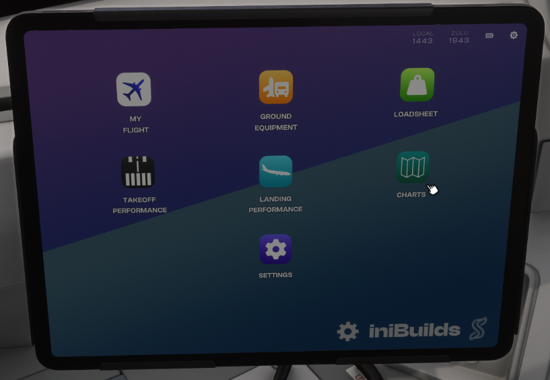
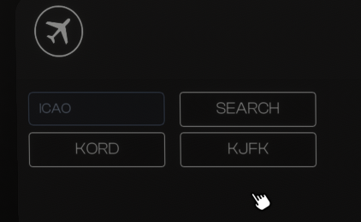
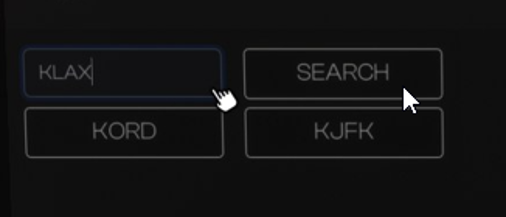
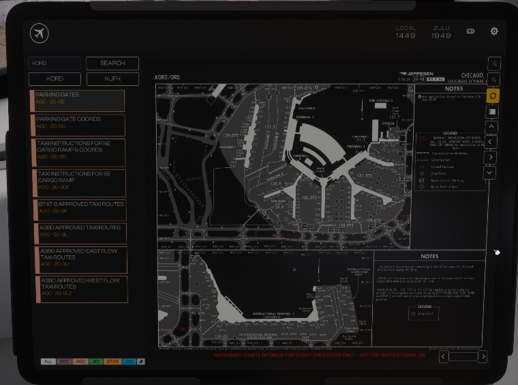
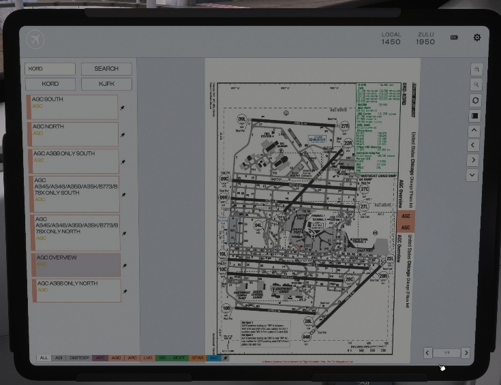
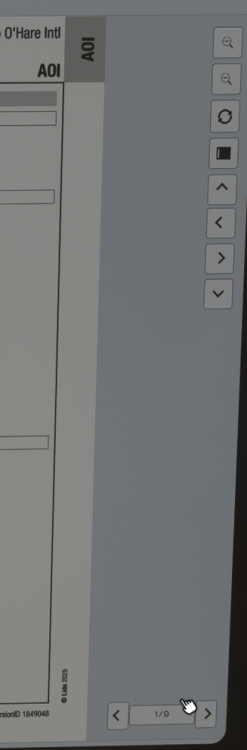
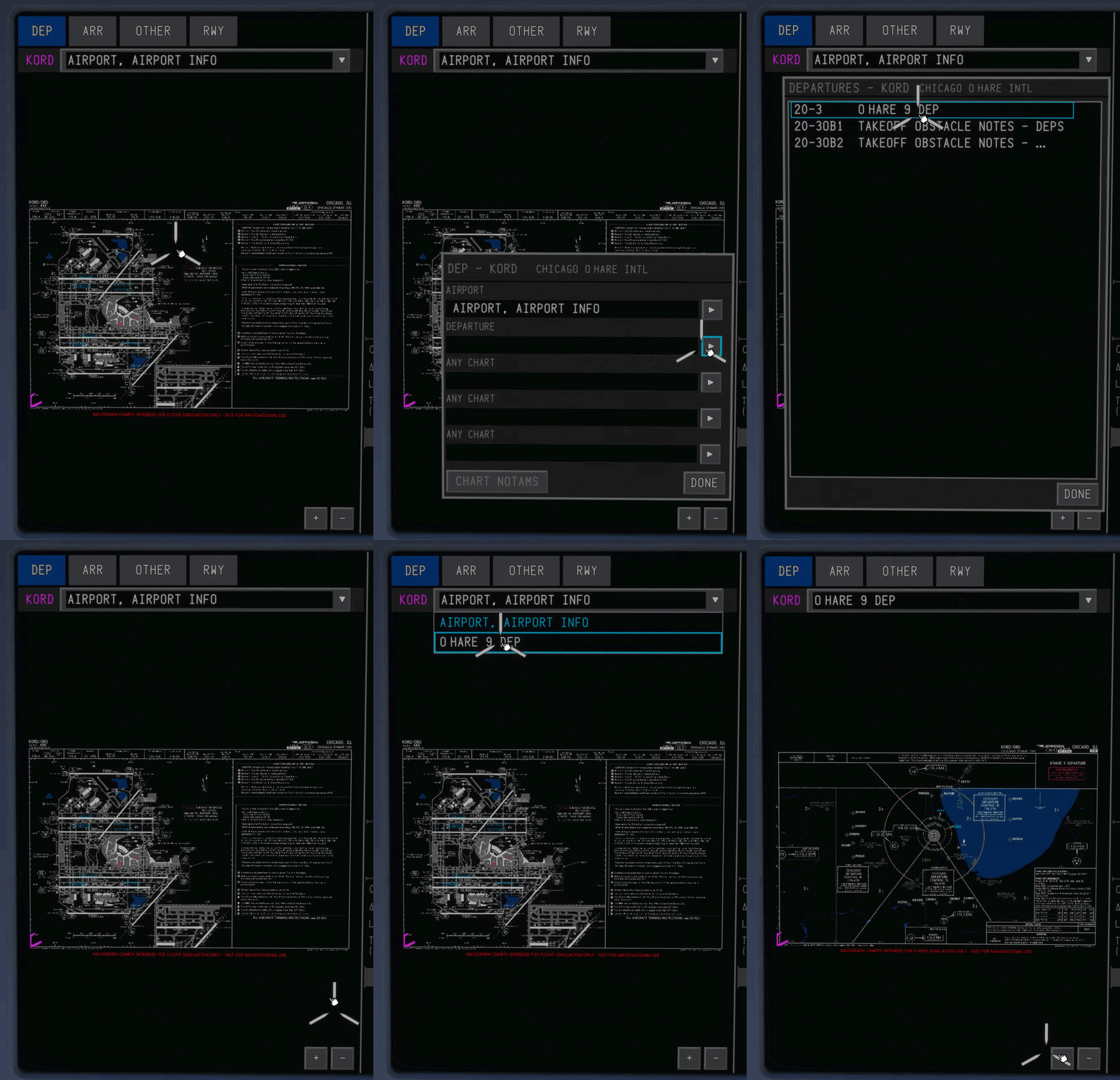
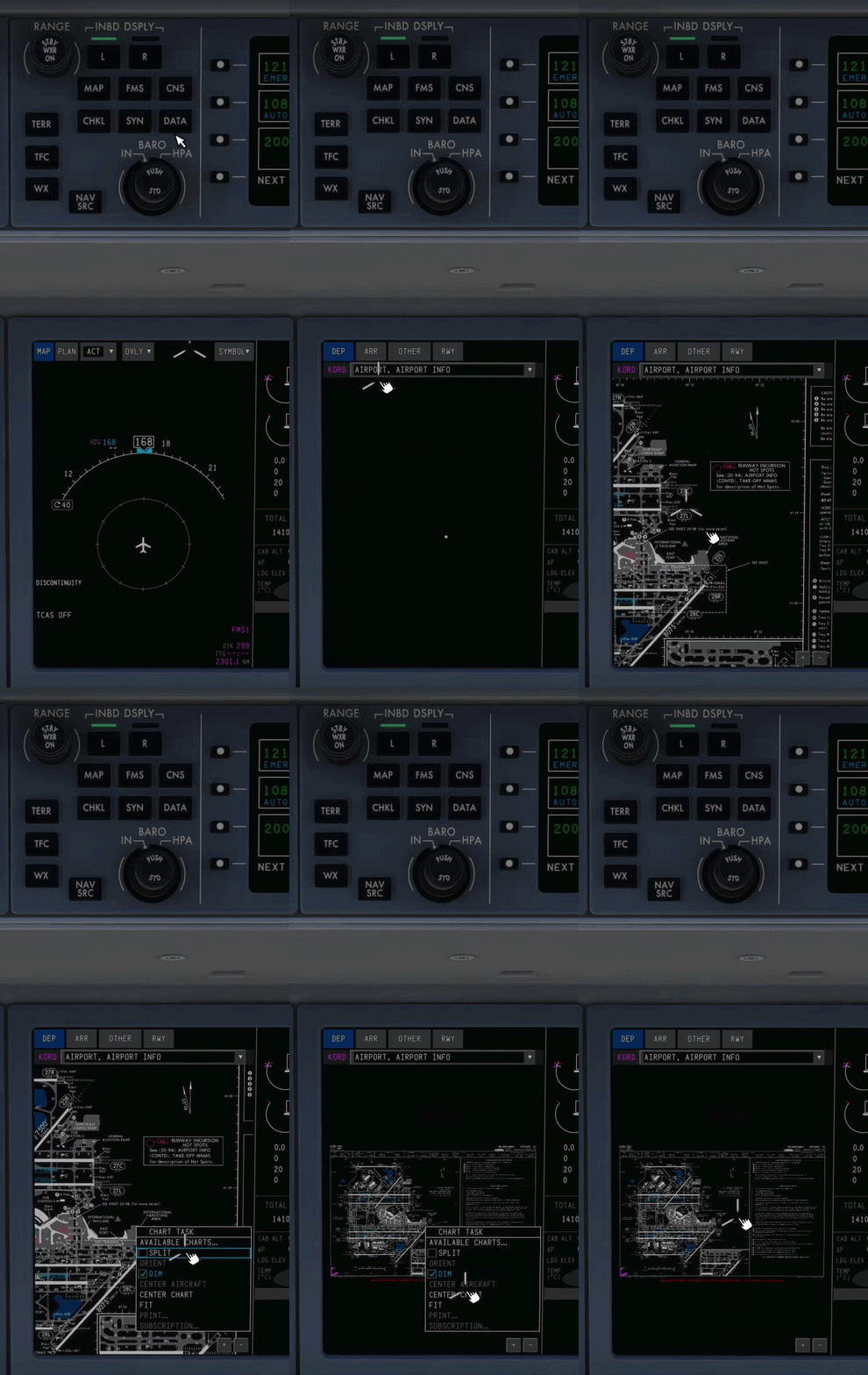
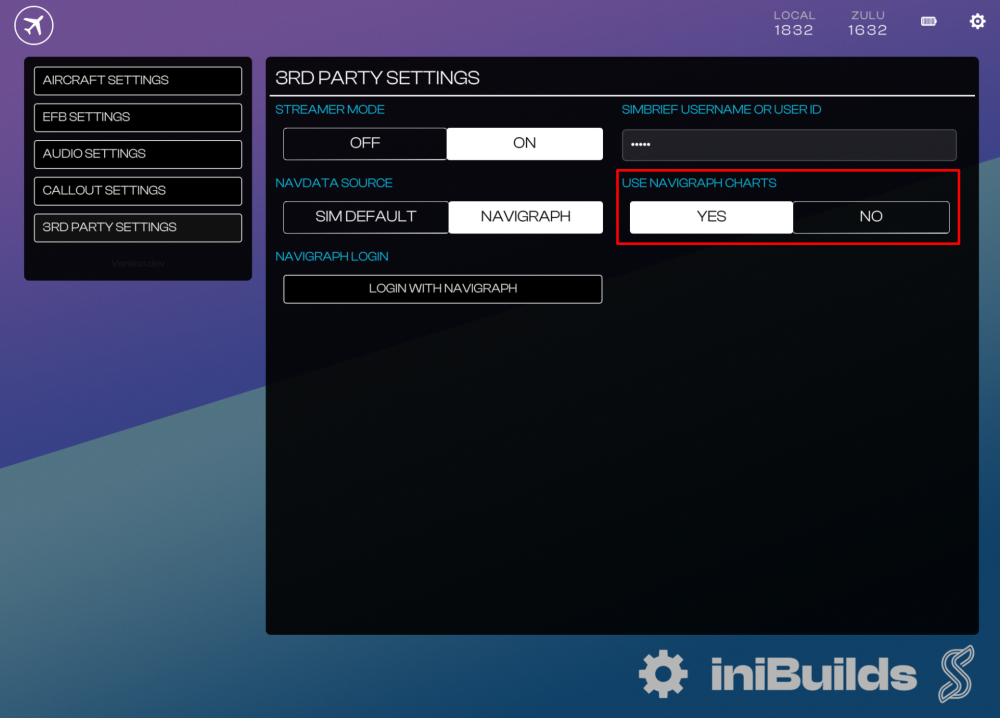
In MSFS 2024, the A220 EFB Charts app supports both default LIDO and Navigraph charts, which can be toggled on the EFB 3rd Party Settings page. Meanwhile MSFS 2020 supports Navigraph charts only. Navigraph Login - EFBConnecting Navigraph Scan or click on Open Browser to approve Navigraph integration. Refresh code will generate a new approval code. Window will close automatically once connected successfully Disconnecting Navigraph Pressing the logout button will reset the token. Purpose To connect your account and allow the EFB to access Navigraph API features such as Charts. Switching Charts Source - EFBMSFS 2024 Only: Toggle EFB Settings > 3rd Party Settings > 'Use Navigraph Charts'. Select YES for Navigraph or NO for default LIDO charts. Using Charts App - EFBSelect the “CHARTS” app from the home page. Select your desired airport. Automatic: If loaded via "My Flight," departure and arrival airports populate automatically. Manual Search: Type any airport ICAO code into the top-left box and press [Enter] to load its chart library. Once an airport is selected, the chart category selector and pinboard (last symbol on the right appears at the bottom of the screen. The layout varies slightly depending on the provider: LIDO: Navigraph: *Note: The categories may vary depending on the chosen airfield. Select any chart via the list on the left hand side to display it full on the right side of the display. LIDO: Navigraph: The right-side control pane lets you adjust zoom, refresh current chart, toggle the selection pane, and pan the chart (or drag using the mouse). At the bottom you will find a Page Selector for navigating between pages on charts where applicable. Using charts in the AvionicsTo access charts within the avionics, simply click the DATA button on the relevant display controller. Once on the DATA page, charts relevant to your flightplan and chosen procedures will be accessible via the menu. You can zoom in, zoom out, and click and drag to pan the chart around. Clicking anywhere on the chart will bring up a menu for various functions including a split screen, day/night mode toggle, and re-centering. To select which charts you'd like to view, click anywhere in the chart window to bring up the menu and choose AVAILABLE CHARTS... Once there, a dialogue box will appear asking you to select the chart for each relevant phase of flight. Once selected, that chart will be available in the drop down menu at the top of the page.


-
-
Hi. Testing this right now and the auto switching is working well, but for clarity, BATC doesn't support time compression, which is why you'll see errors after a while.
-
Hi. We look at every project independently and will make the determination at the time so I wouldn't think of anything being a permanent decision unless specifically called out in an official update.
-
Hi. The clickspots are a known issue brought on by some sdk changes implemented in SU5. When we look at the interactions everything is as expected but it's not working properly in the sim so we are searching for a workaround.
-
Simply put, the reference aircraft we had access to had the gauges you see in sim.
-
Just to address the above. It will be best to approach this model with the understanding that its a bit of a "hybrid" of the L1011 variants. As mentioned in the preview videos and dev updates, we have taken liberties with certain features/traits of the Tristar to give options to a wide cross-section of users and allow it's many unique qualities to shine through. It should not be seen as a 1:1 rendition of any particular serial number. Knowing that we hope it will conjure up many great memories of your time with the aircraft even if a fastener or two is not oriented the correct way round 😉
-
-
-
Our newer bespoke products (A350/A340) are compatible with the current suite of WC products. We are also planning to add limited compatibility for FCU/MCDU with the A300 in a future update.
-
Hi. This should be resolved in the next update but I don't have a firm idea of when it will ship.
-
Comments like these are both unhelpful and untrue. We have explained on both this forum as well as our discord the challenge using hand controllers when it comes to multiple cursor overlays due to the way the SDK i sbuilt in the sim. Despite that you should be able to use a mouse without problems for interaction with the screens. (I use VR extensively with all our aircraft daily and don't run into this issue) As the sim and its SDK mature, we hope to revisit this and see if it can be refined. Once that happens, we'll provide an update.
-
Apologies for the confusion. We don't see the issue in the xbox package sent to MS when testing it on the pc but DO replicate the issue on the console so it's likely tied to something in the way files are unpackaged. A reinstall will often resolve this. if not, a method we recommend that may work (I will admit it's neither elegant or easy) is to remove ALL inibuilds sceneries and reinstall them one by one. This will ensure all the packages are properly loaded and synced with the texture library
-
-
-
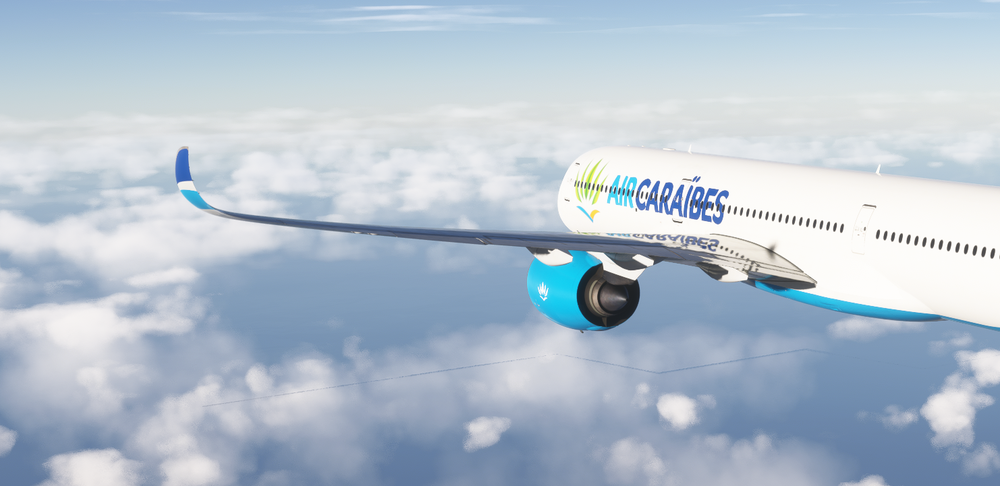
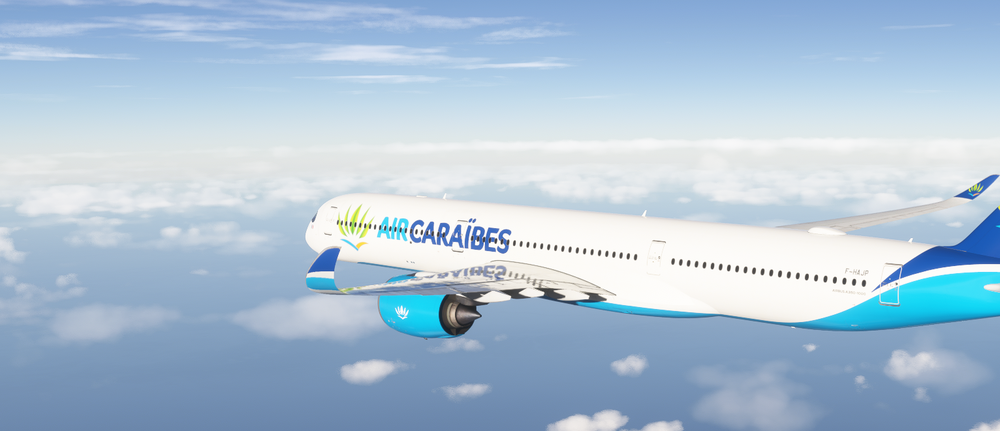
I am unable to repro this error. Can you confirm you're using the latest version of this livery?
-
To clarify, is your issue the Satcom antenna cover is displaying on the aircraft? There is an option in the EFB Aircraft page to show/hide.
-
Hi all. This was a bug that slipped through as a result of an FX modification. The good news is it has been identified and resolved and should be ingesting into the MP as you read this. Thanks.
-
-
Thanks for the report. This likely stems from an error in the map file on the core database that is being parsed to the display. Our terrain radar isn't dynamically scanning the earth in front of the aircraft.
-
Hi. A few replies in order - 1. This sounds like a config conflict. Do you have custom cameras setup or use Chaseplane? 2. The default cockpit camera is adjusted to account for the majority of monitor/POV setups, but some manual tuning (especially in VR) may be required to suit your specific use case. 3. You should be able to rotate or drag the MFD knobs CW (clockwise) as shown in the image below If this isn't occurring, you might want to reinstall the package as there is a chance something got corrupted.
-
I'll pass this on to the scenery team. Thanks for the insight
-
This should be resolved in the latest update from Feb 7th.


