




GMane
Member
-
Joined
-
Last visited
-
Something I have also noticed: I use the MSFS default charts (lufthansa systems etc) in the A350, but I have also link my Navigraph subscription to keep the Navdata up to date and use BTV/ND airport display. If I use the Navigraph charts then the enroute maps will initialize and not timeout. Whereas if I use the MSFS default charts after a certain time period it will timeout and stop displaying the enroute maps Perhaps this can isolate the bug.
-
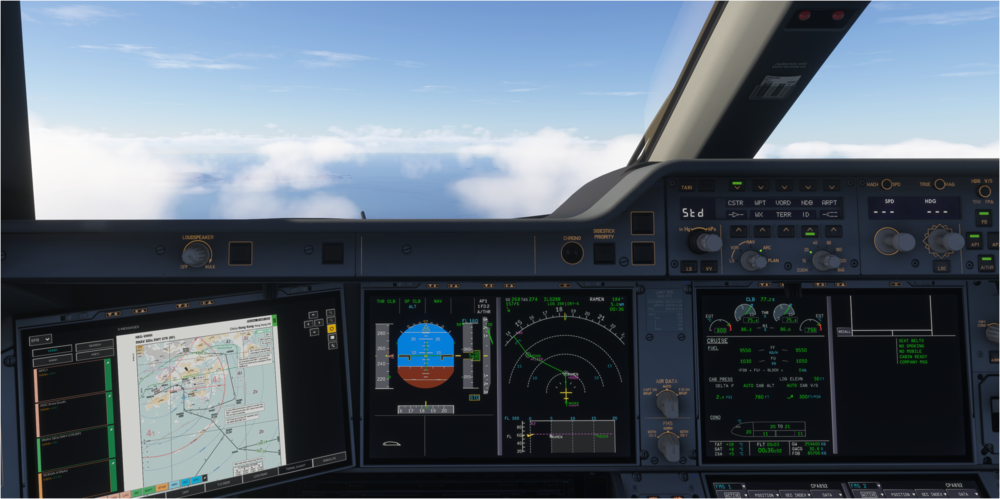
Hi having the same problem. And this isn't a minor issue. As soon as I take-off the VNAV reverts to descent mode, it ignores any STAR restrictions. The only way I managed to get it back in climb mode was to set the cruise altitude in the autopilot. I don't understand how ini releases updates with such basic bugs. Its like they don't bother with a basic test flight before releasing an update?? See picture
-
I've noticed that I get frequent errors with the Navigraph OIS map and also the BTV map where they don't load/bug out. Usually reset credentials fixes it, but I wonder if it would be better if the INIA350 automatically refreshes the authentication token on start-up/during long-haul flights to save us manually having to do it?
-
just a re request as starting in cold and dark at the gate all the time is waste of time
-
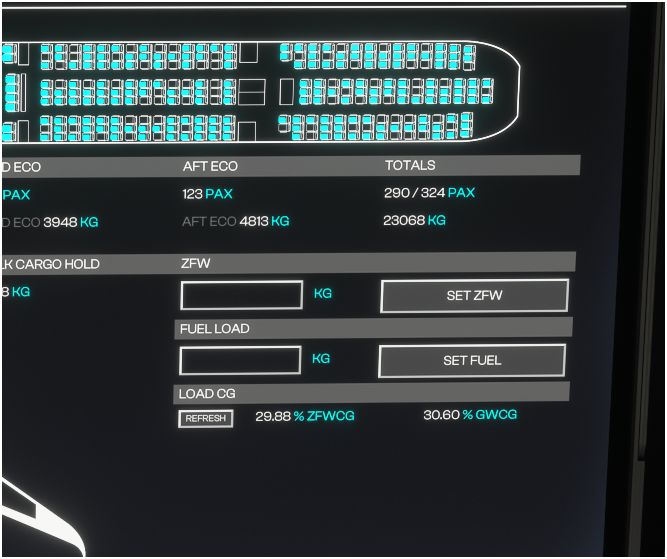
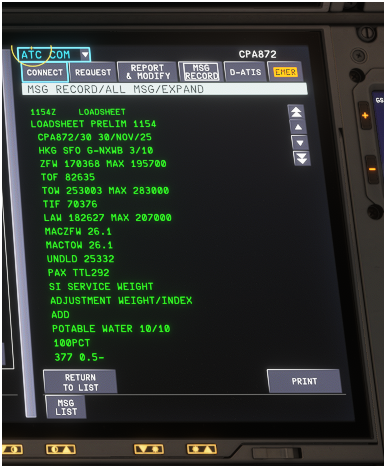
Hello, I notice there are consistently differences between the ACARS loadsheet and the OIS loadsheet page, specially involving the ZFWCG. See the pictures, unless I misunderstood the MACZFW is not the same as ZFWCG?? Also it would be good to have a live ZFW on the 'Loadsheet' page of OIS or a send to FMC option like the TO speeds Thanks
-
-
-
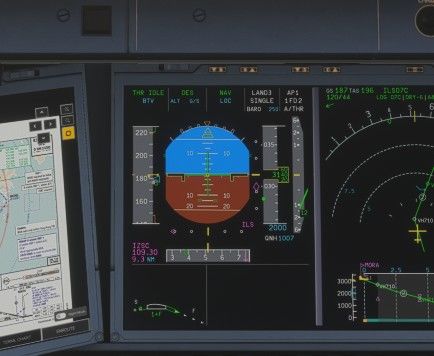
Ah I wasn't sure if this was normal behaviour or not. I didn't recall it happening before or the A320s on approach. But I'm not expert 😅
-
Hi, I have noticed a bug with the flap extension on approach. It appears that selecting flaps one will cause extension to Flaps 1+F (on the PFD) - not sure if this is a drawing error or the actual flap extension is affected. Ofc for take-off this is normal behaviour, but shouldn't occur on arrival. I'll upload a picture when I can, but I can someone else verify? Thanks
-
Hi Eddie, I use the universal announcer quite a bit since your recommendation. Can we have an option to disable the inbuilt sounds completely, so they don't talk over each other? Thanks
-
post a screenshot or an example
-
Yep agree, cant send PDC/CPDLC on Vatsim. Yet again highlights the lack of quality control from inibuilds. Why they cant run a simple beta/test flight before they release an update so they can iron out core bugs is beyond me??? All they need to do ensure the aircraft can fly from A to B on VATSIM with an ILS/RNP approach so that it would work for 99% of users🙄
-
Hi, Can we have the option whereby if I set panel state to 'AUTO' when I load at gate it is set as "ON GPU" rather than "COLD&DARK"? Thanks


