




Kirkus
Member
-
Joined
-
Last visited
Everything posted by Kirkus
-
Why does it still take 8 minutes when I load my plan with a panel state of on GPU or On APU or even Ready for take off? Surley this 8 minute load time should only be applicable for a cold and dark aircraft start up state.
-
Did you update to the latest version 1.0.4? Did you read this in the Update notes?
-
No sound was heard despite having Aural selected.
-
Reported multipule times, they are aware.
-
-
A couple of things to check. Are you on VATSIM? Is an ATIS being provided currently online? Is the airport broadcasting an arrival and departure ATIS separately? If the airport is not broadcasting an Arrival and Departure ATIS separately, from the drop down menu where it says ARR DEP and NONE select NONE.
-
Please add panel states that can be saved as a start up state.
-
-
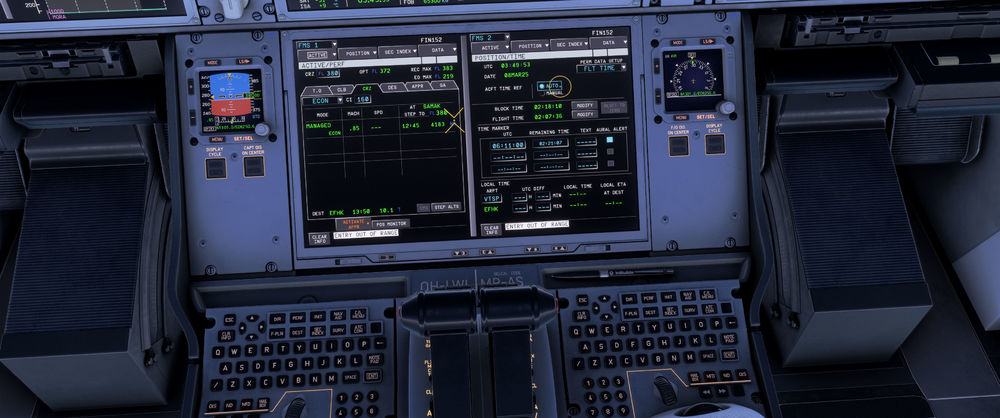
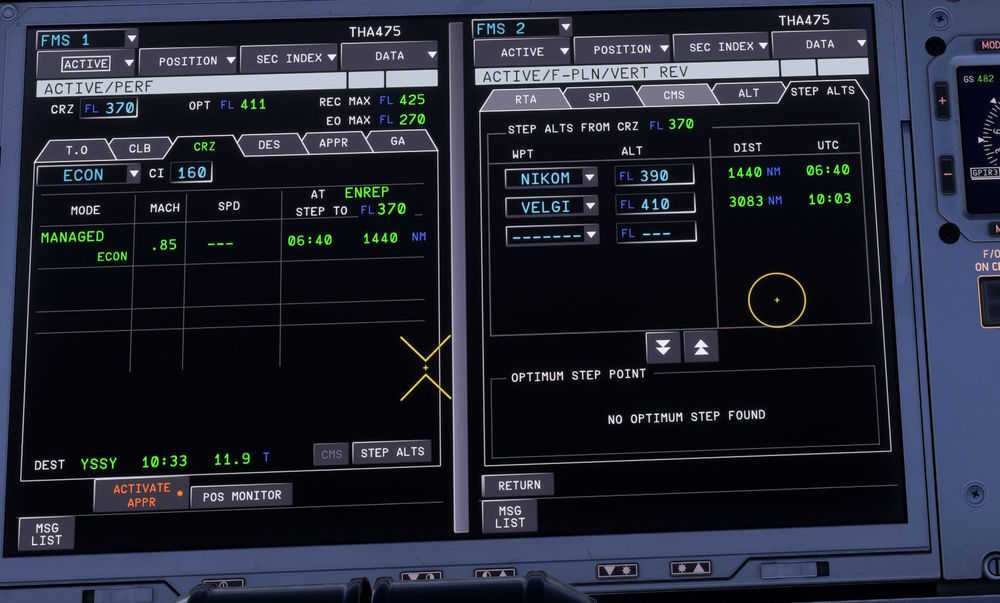
+1 for this issue. I have already stepped to 370 at the correct fix. CRZ page does not update to next planned STEP.
-
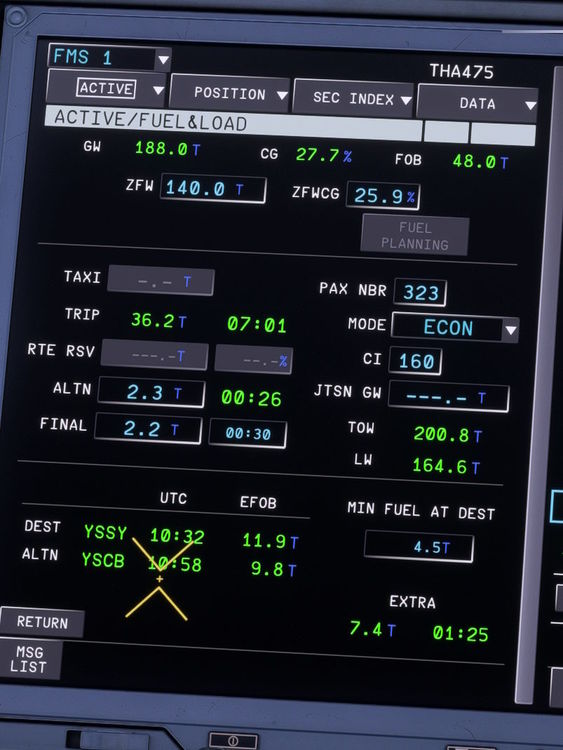
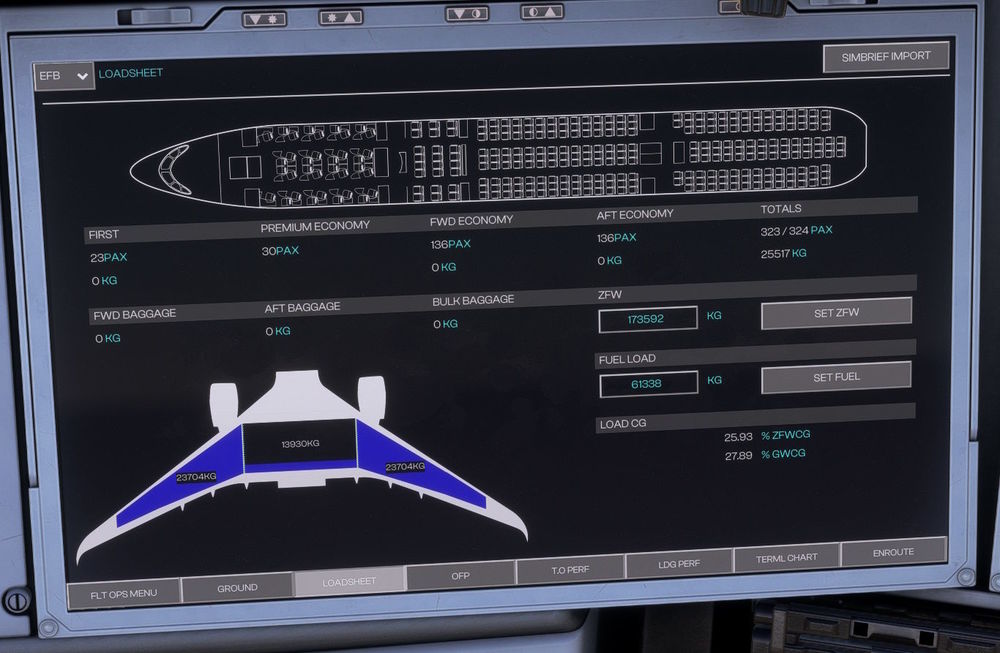
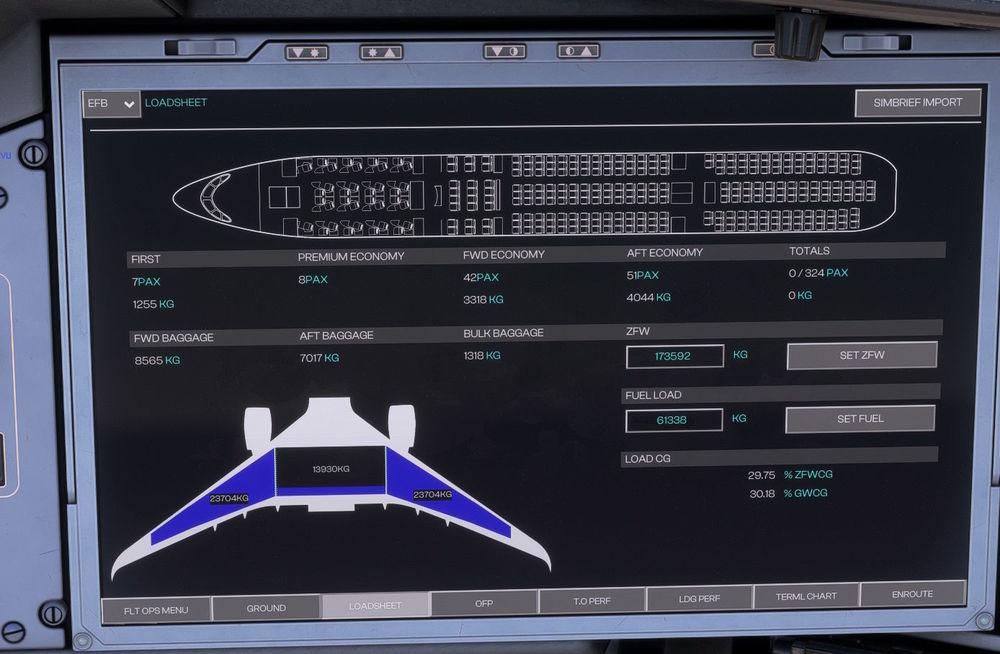
Refueling: GSX fuel truck does not disconnect once specified fuel value is reaced when using refueling via OIS GSX menu (had to restart GSX) Boarding: GSX boarding requested via OIS GSX menu, GSX Boarding is complete, GSX menu shows 323/323 boarded, OIS load sheet values do not reflect a loaded aircraft, totals remains at 0/324. Totals values does not reflect the values in the other sections, 7 + 8 + 42 + 51 = 0/324? 1255 + 3318 + 4044 = 0kg? To mitigate the unsuccessful load, I hit SET ZFW on the OIS, while the passenger numbers increased to the correct values, the weights below are stuck on zero no cargo was loaded. In the KCCU fuel and load page, my ZFW shows as 140t which represents no payload when using the enter key. Weight and Ballance is unable to be changed inflight any attempts to set ZFW on the OIS just reverts back to zero. (Fuel can be changed)
-
Use the mouse wheel on the wheel G
-
This is common for most payware add ons.
-
Lat/Long waypoints are displayed as FIX1 FIX2? Is this correct behavour for an A350? It makes it hard to know what actual waypoint you are crossing, or if you get a DCT TO, or to plan a step climb you have to match the FIXnn with the LAT/LONG.
-
Second this, the only map that does load is Standard.
-
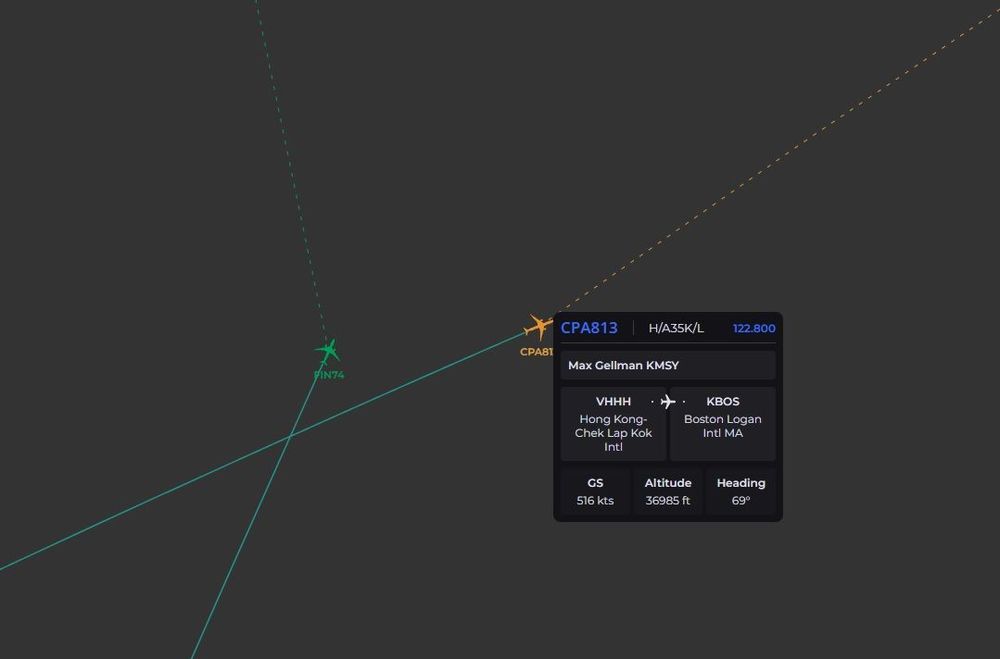
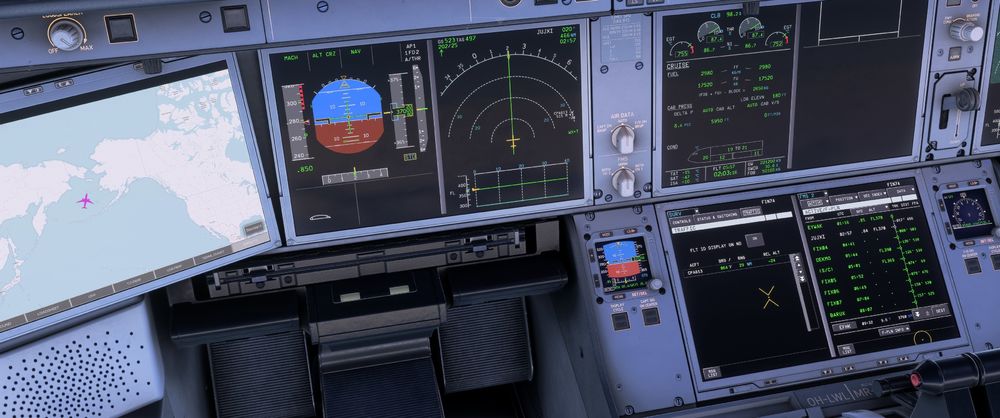
TCAS altitude shows -24 for both aircraft despite being at the same level. The pilot off the CPA813 messaged me to tell me that my level on their TCAS was being displayed as -24. and I was also displaying them as -24. Both planes were at 37000.
-
Look on Flightsim.to there is Finnair there for 2020.
-
Set a button to Auto Pilot Off in the controls menu under Autopilot options.
-
Are you using GSX auto push back function? AFAIK it reacts on the beacon being turned on to set you up for Departure, which would disconnect the GPU and other ground fixtures.
-
-
Are you using frame generator of any kind?


