iniSteven
Staff
-
Joined
-
Last visited
Everything posted by iniSteven
-
Hi, what marketplace upgrades are you referring to? Do you just mean that you purchased our LAX scenery?
-
Double check your content manager and make sure there isn't a marketplace version superseding it maybe?
-
As mentioned, please make sure that ALL assitances are turned off, not just Auto trim. Also, please ensure that you don't have a keybinding conflict on your controls - for example, do you have trim bound to an axis that is overriding the fly by wire?
-
-
Hi vanatia, At the moment we are not planning to make minor adjustments to the 3d model of the A350 - with the references we have available to us we feel that we have made the aircraft as accurate as possible. That said, we are working behind the scenes for more materials and access, but this is a longer term project for us. In the meantime, we think the model stands up well to other large aircraft available on the market and so we would like to minimize changes that cause issues for our livery creators 🙂 Best, Steven
-
Hi Ekosif - I think we need more information to know what exactly is going on here. I've flown a lot with the A350 over the past few weeks in 1.2.0 and haven't had the issues you are describing with the VNAV. Would you be able to record a video or take a screenshot when the plan is behaving as you describe? In the meantime, double check a couple things for me: What was the ISA on your climb? Sometimes the sim has a bug where the atmosphere incorrectly remains the same default temperature at all altitudes, and this causes a significant loss of thrust preventing the aircraft from climbing (As would happen if this situation occurred IRL) Do you have a keybinding conflict that is engaging or changing autopilot modes? If you have to push buttons several times for them to register, a keybinding conflict could also cause similar behavior. Best, Steven
-
Sorry, what A220 are you referring to? The A220 being developed by our partners at Synaptic has not released yet.
-
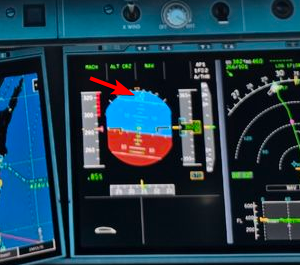
Hi stoneman - your rudder is not centered. You may have accidentally pressed Q or E or otherwise have a control binding conflict.
-
Hey guys, this should be fixed in the latest update 🙂
-
Hi, the sim currently has no way to support dual jetways. Something that hopefully can be added in the future!
-
I suspect this bug is more likely an error coming from the weather model that MSFS is pulling from, rather than an issue with MSFS itself. Hard to say with certainty though.l
-
The FlyByWire aircraft is coded in JS which supports vector graphics. Our aircraft is coded in C++ which doesn't natively support vector graphics and so we have to use bitmaps instead. JS is great at graphics but struggles with performance when performing complex calculations, while C++ is much more efficient at performing the kind of mathematical calculations that things like LNAV/VNAV and performance calculations require, but is harder to code graphics with. So it's a tradeoff and we've gone different directions in that regard.
-
Hi, looking at your ISA (bottom left of the lower SD) I see it's +47 - this is a bug with the sim weather making it MUCH hotter than it should be. Higher temperature = lower engine thrust = can't reach cruise altitude. Try cycling your live weather to see if it goes back to normal. An ISA of +10 would be considered very hot, +47 is like off the scale hot.
-
Hi Michel, Originally the FMS was based on a Honeywell P3 unit that we had documentation on. However, that documentation lacked certain pages including offsets, so in order to have that functionality we had to find alternative documentation on a different unit that included those functions. Now we have a tester with access to an actual A330 Honeywell unit so some pages have been updated as information has come on to better match that real unit. Despite that you can in fact consider our implementation a "hybrid" of different software suites in order to provide all of the functionality that users have requested. However, if you have detailed documentation on specific units that have all of the features we'd like to implement please shoot us an email 🙂 Best, Steven
-
Xbox is helpful, thanks. I will look more into it. -Steven
-
I've been doing flights in the A350 all week in 1.1.9 and haven't had an issue with a localizer as of yet. Are you guys on Sim Default or Navigraph data in the aircraft? Are you within the service volume of the beam when you are verifying reception?
-
Hi all, we're looking into this and we are unable to reproduce, and we have other users on the public build saying its working for them as well. Would you be able to try with a clean community folder and see if its working then? Perhaps this could be related to an imcompatible addon or modification? -Steven
-
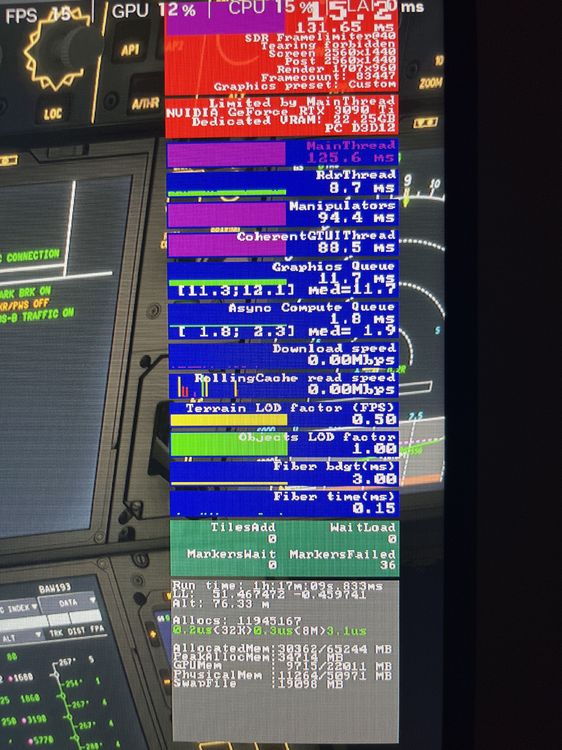
Nothing has changed in 1.1.8 that would have changed the performance - it's not like we've reverted back to the high node count models. Perhaps you could post a screenshot of your FPS window so we might be able to diagnose where the performance issues are coming from?
-
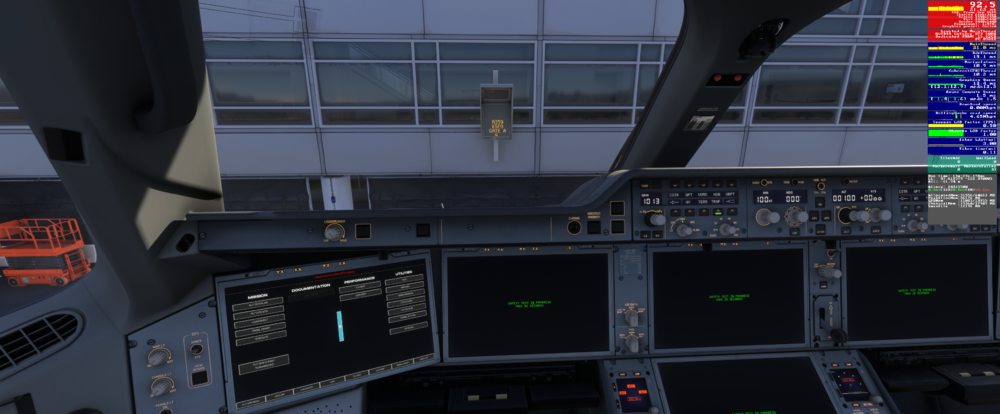
I can't say I'm sharing your experience, I'm currently getting ~90fps on the ground in the A350 in Su4. I also can't see the photo you've posted of the A350 fps, only the Fenix. Could you repost it? It would help to diagnose what might be hurting your FPS. -Steven
-
All of the improvements we made for performance have been applied to both the 2020 and 2024 versions of the aircraft. None of the changes we made for the sake of performance were 'only' applied to 2024.
-
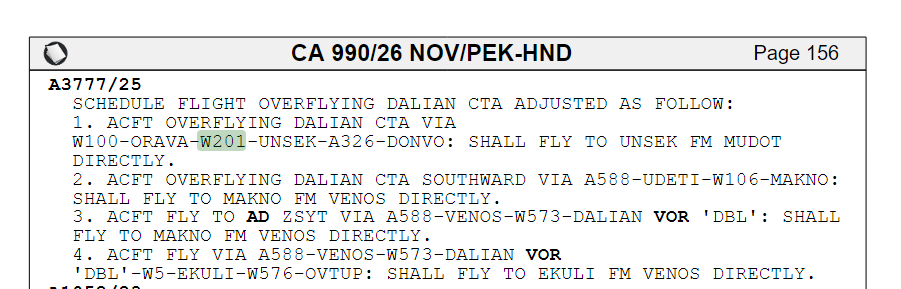
I take it you didn't read all your NOTAM's before you flew 😉 These waypoints are an issue IRL as well. The correct procedure is to plan direct from MUDOT to UNSEK when flying eastbound.
-
The reason the OIS is supported by touchscreens is that it's coded in JS and runs outside the WASM module of the aircraft. the MFD, as a core part of the aircraft avionics, has to be part of the WASM module and it is not possible for these screens to be controlled by a touchscreen.
-
Hi, the only way to fix this is to increase your texture resolution. There is nothing we can do to 'exclude' the airport navigation texture from being reduced in size by this setting.
-
Hi all, you can now download the A350 terrain data from the inimanager if you have trouble downloading it within the sim🙂
-
These things would have had to have been installed by the user in the first place. So of course as with any 3rd party modification we can only say that they need to be removed in the user added them 🙂