




ual763
Member
-
Joined
-
Last visited
Everything posted by ual763
-
Personally, to me, it still feels a bit dark. The darkness is especially noticeable over at the FE’s panel in the daytime. One almost always needs the instrument panel lights on. I know, MSFS ambient lighting has always been a struggle, but these dark windows seem to make the effect worse inside.
-
For me, the CVR needle on the appears to be missing in the gauge. When I press the test button, nothing happens.
-
I’d love to see an operative EFDARS panel. Don’t need all of the functions, but enough to be able to go in and complete the normal preflight items would be satisfactory. It’s the little things like this that add to the immersion.
-
-
I seem to be missing pretty much all interior cockpit ambient sounds (with buses powered) on the ground. I can hear switch sounds, warning sounds, external power cart, etc. I thought nothing of it, until I suddenly heard them while recycling views quick. Then, just as quick as they appeared, they disappeared again. Not sure exactly how to reproduce other than cycling my exterior/interior views back and forth quickly on ChasePlane.
-
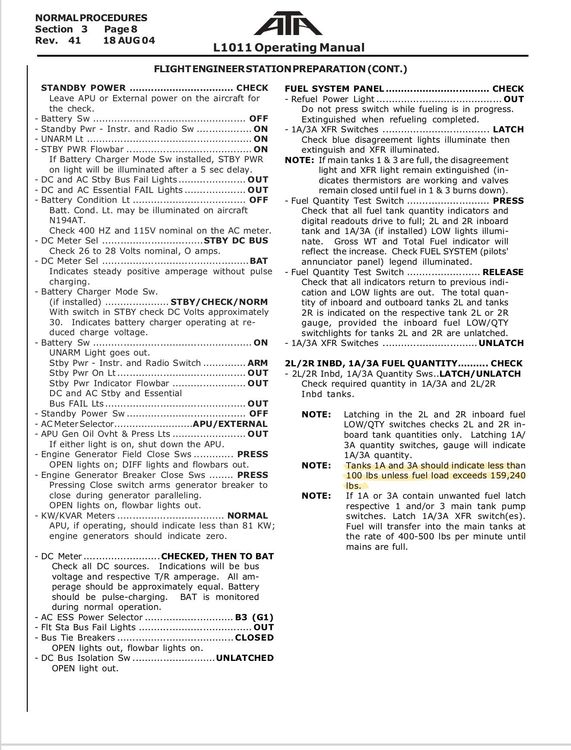
Great list! Also, the fuel quantity in the 1A and 3A inboard tanks appears to be backwards. Aka, when total fuel is above 159,240lbs, then the 1A & 3A quantities are showing less than 100lbs. But, when total fuel is below 159,240lbs, they are showing thousands of pounds of fuel in them. According to the manual, it should be reversed. Please see attached photos for reference
-
-
-
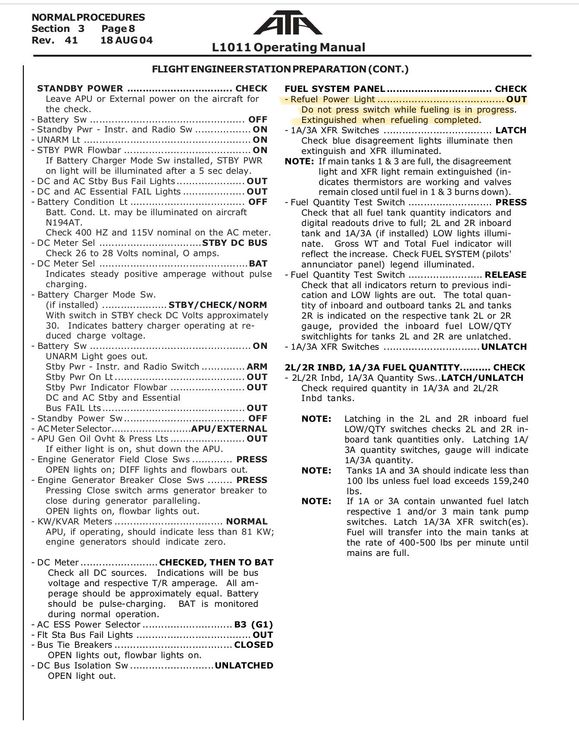
The Refuel Power Light seems to be on by default when going through the preflight checks from the cold/dark state. According to the manual, this should only be in while fueling is in progress.
-
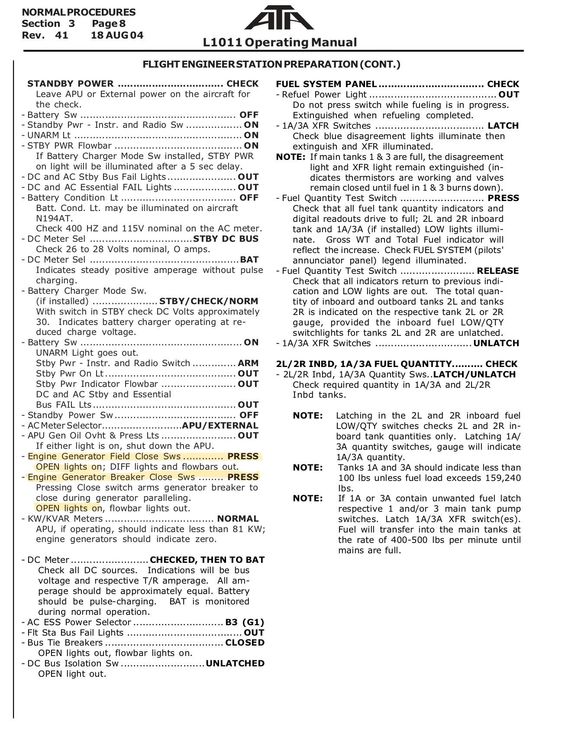
During the preflight, the OPEN lights should remain on when pressing both the Generator Field Close and Generator Breaker Close buttons. Right now, they are OFF and they stay OFF. According to the manual, they should be ON. Please see attached image for reference
-
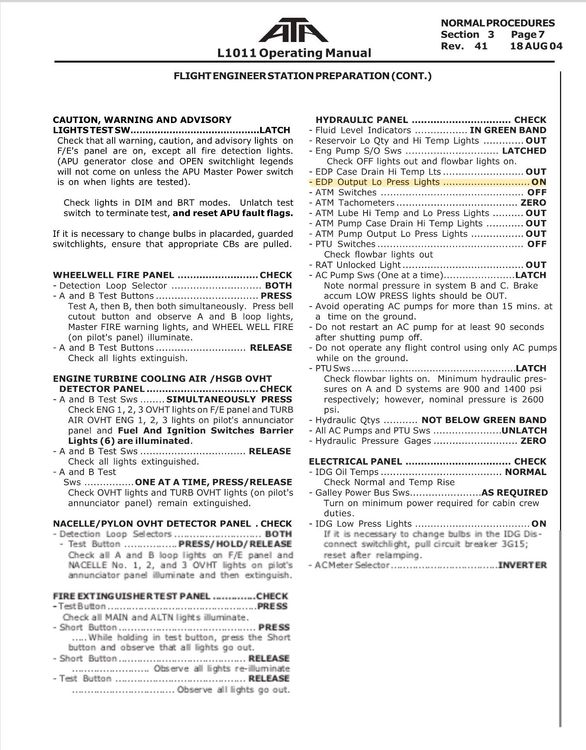
On the ground with the engines off, the LO PR lights on the engine driven hydraulic pumps should be illuminated, but it’s not. See attached photos for reference
-
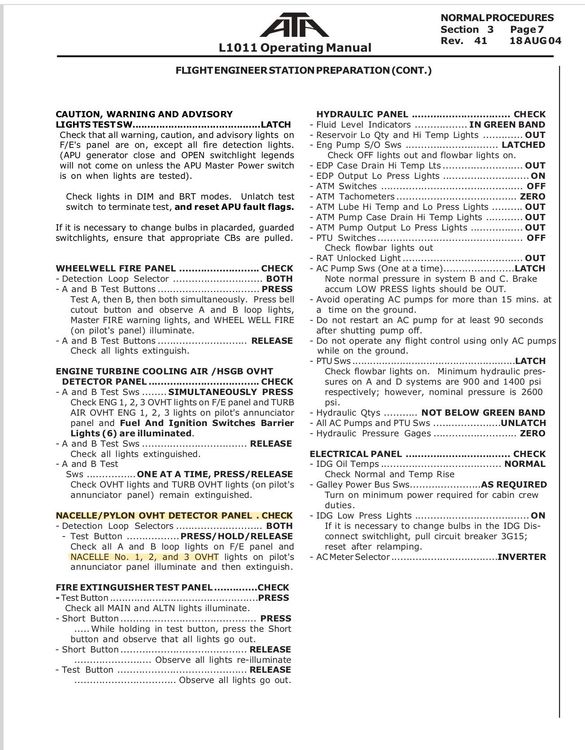
When testing the Nacelle/Pylon OVHT DET with the test switch: The NACELLE NO1, 2, & 3 OVHT lights do not illuminate on the pilot’s forward panel as they should. Please see the attached photo for reference.
-
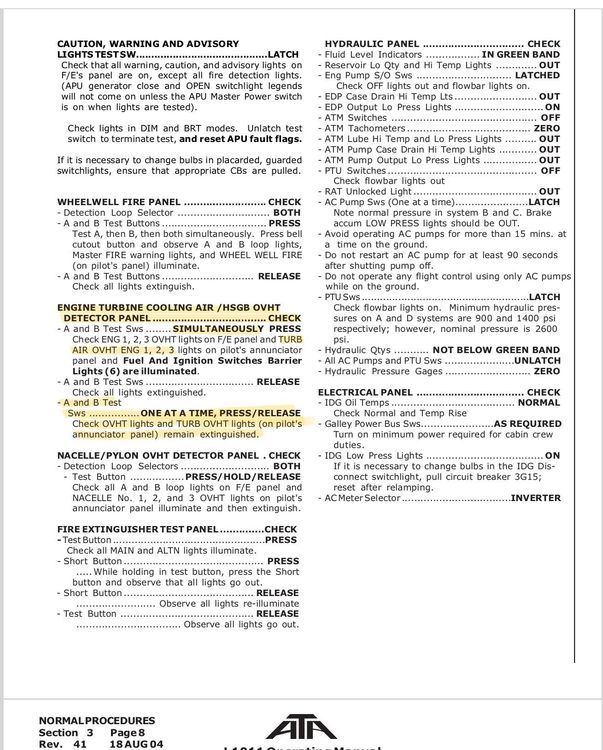
The ENG TURB COOLING AIR test isn’t functioning as it should. First, there is no mechanism to press both switches simultaneously like there is on the other fire test panels. Second, when pressing a single switch, the lights should not illuminate (they should only illuminate when pressed simultaneously) Third, the TURB AIR OVHT ENG lights should also illuminate on the Pilot’s forward panel during this test. As of now, they don’t. Please see attached photos for reference.
-
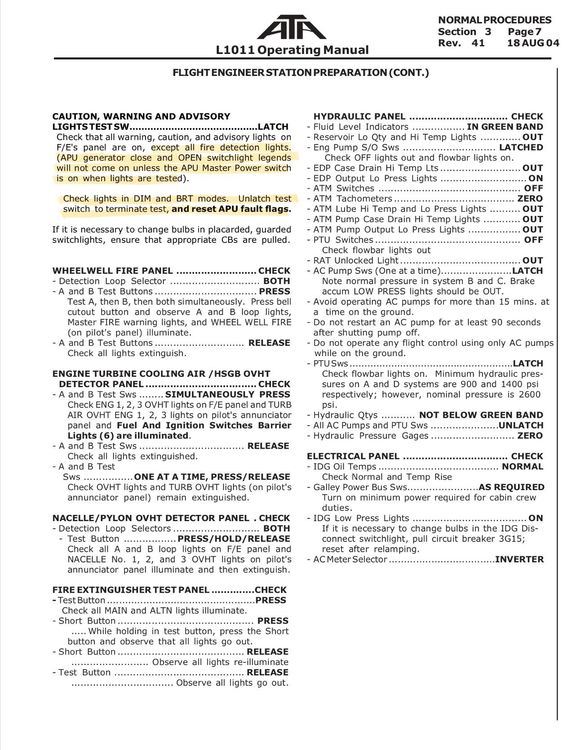
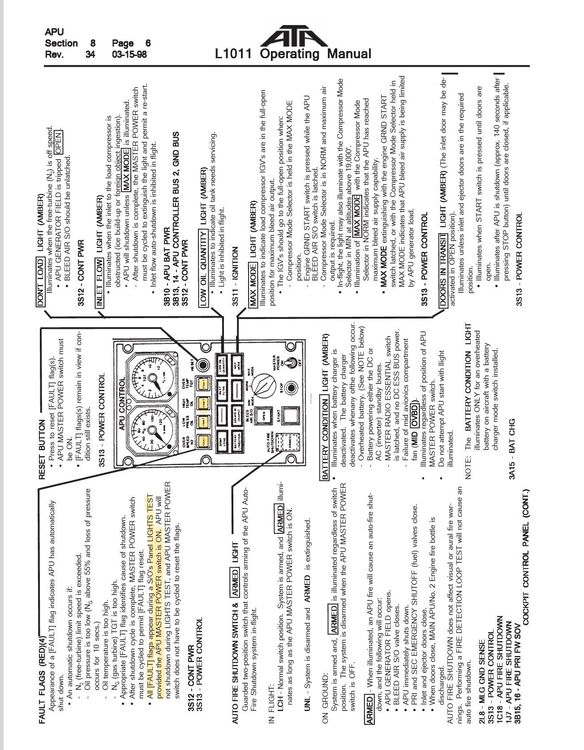
When performing the lights test on the FE’s panel, I’ve noticed a few things that aren’t quite right. First, the fire detection lights are still illuminating when the manual says that they shouldn’t Second, with the APU Master Power switch ON, the 4 red APU fault lights do not illuminate. these 4 lights should illuminate during the test, and then need to be reset by pressing the reset button after the lights test button is unlatched again. I understand, a comprehensive failure simulation isn’t part of this product, but since this test is part of the normal SOPs for most every L1011 operator out there, I really do think it should be added. Please see attached photos for reference.
-
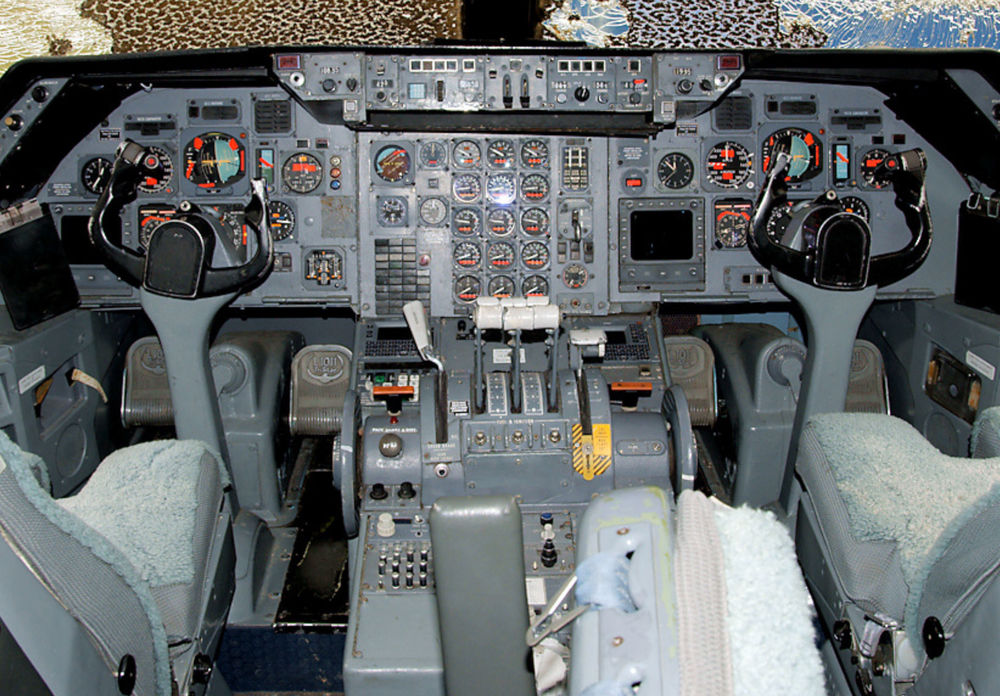
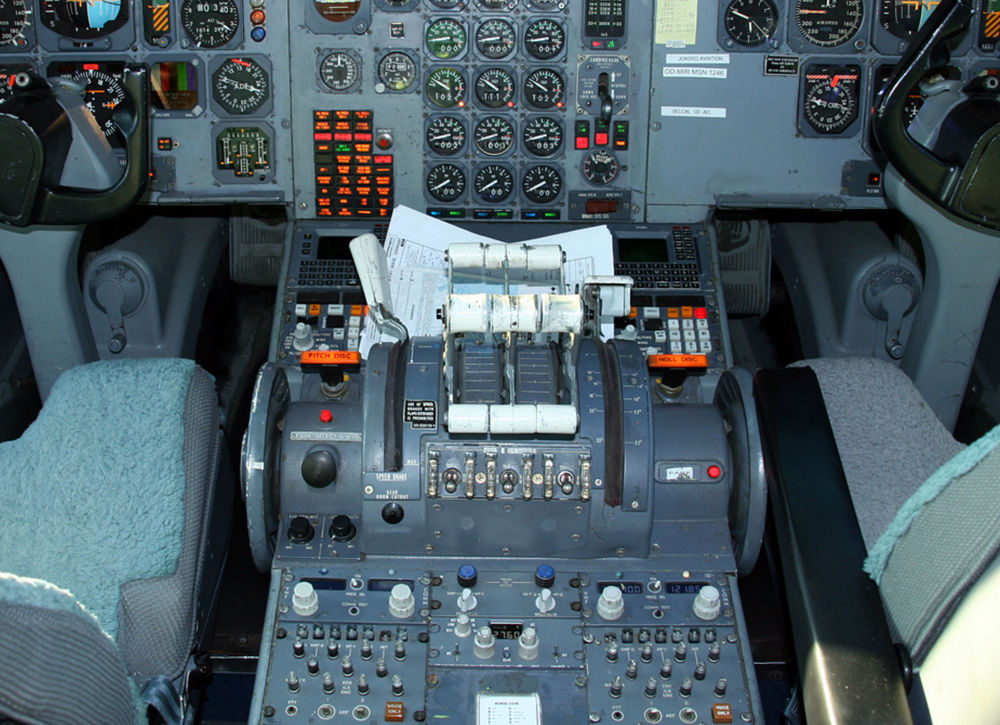
Hello, I am beyond ecstatic with the L1011 announcement! It is especially cool that you all are adding in support for a wide variety of navigation options. I would really just kindly like to request one option of including the Working Title UNS-1 added as an option. Quite a few L1011s had some shade of Universal FMS systems installed later in their lives. I think that this would be a bit more realistic than the GNS530, not to mention is a LOT easier to operate as a sim pilot in an already busy flight deck. Thanks for the consideration, Rob
-
It looks like you’ve got dual sceneries overlapping, my guy. Remove the default EGLL in the content manager/marketplace. Maybe that will fix your issue.
-
I am getting the same issue. I believe it is related to the issue I reported here: Anyways, for some reason the 2024 version of the airport has like 90% of the runway/taxiway surfaces covered in this hideous repeating concrete texture. The surfaces covered in this particular texture noticeably degrade the friction model (e.g. slow the aircraft down as you pointed out). This same texture is causing the winter issues I posted about above. INI, please fix this for 2024!! It is clearly a bug.
-
https://i.postimg.cc/C1qxt2FG/Content-Screenshot-2025-02-18-12-28-34-43.png
-
Not sure why the rest of my post is missing. Anyways.... Hello, this is a bug for the 2024 version, however there was no designated 2024 support area for this product in the forums so I am posting it here. Anyways, during the winter, with a slight dusting of snow on the ground, the snow textures on the runways/taxiways look absolutely horrible at MKE. Would it be possible to improve these, or if not to just remove them altogether? It really ruins the experience at MKE in the winter, unfortunately.
-
-
This would be tremendously helpful in lower light conditions, especially since there is not an ECAM indication for armed spoilers
-
I think that maybe your FCU lighting switch is turned off. Maybe you have a key bind for lighting that is conflicting. Turn the FCU lighting switch under the AFCS panel clockwise and let us know if this fixes your issue.
-
This version of the FCOM manual also does not mention the panel integral lighting - just the integrated lighting in windows and pb switches. So the question still remains for any who fly this in real life, does the knob also control the integral panel (backlighting) on the FCU?
-
Yes, it clearly should control display windows and the green bars on the FCU switches (not sure if this is simulated by INI or not). What is not clear from any of the manuals, is if this also controls the integrated panel lighting. One manual just says “integral lighting”, but then another manual (this one) defines integral lighting as the windows and the switch light bars. A real life A300 pilot would have to comment on if this knob also controls the panel integral lighting.
-
I see your FCU integral lights are also off. In v1.03, the fcu windows are dimmable along with the integral lighting, as per the real plane. Can you try turning the FCU lighting know up amd let us know if the screens come on for you?


