




Aya
Member
-
Joined
-
Last visited
Everything posted by Aya
-
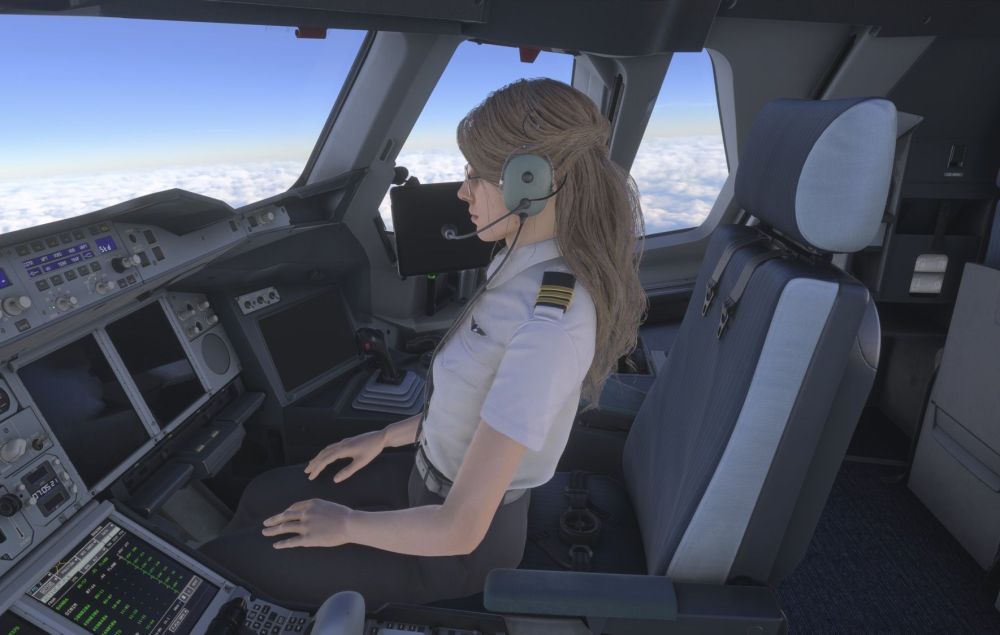
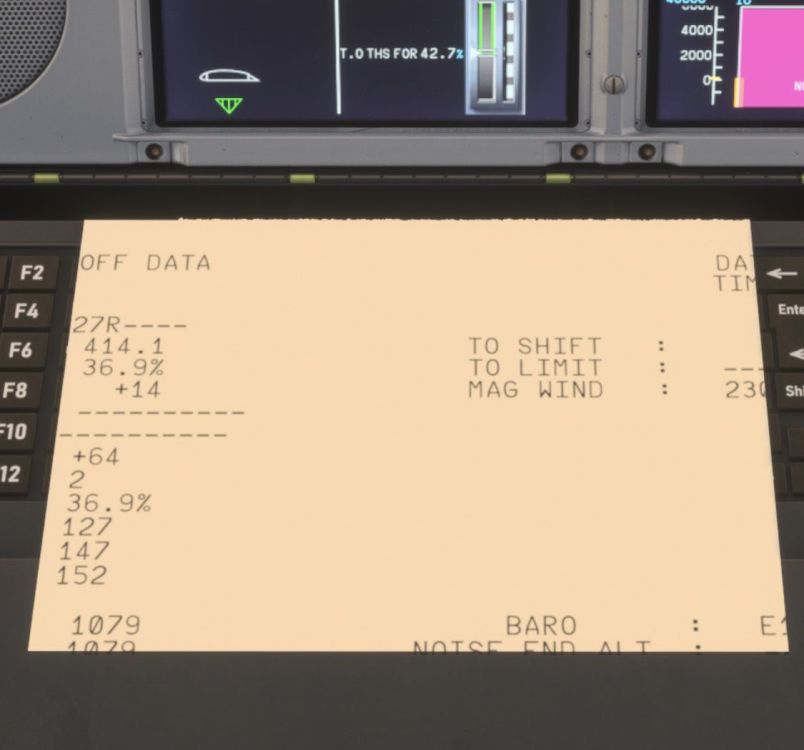
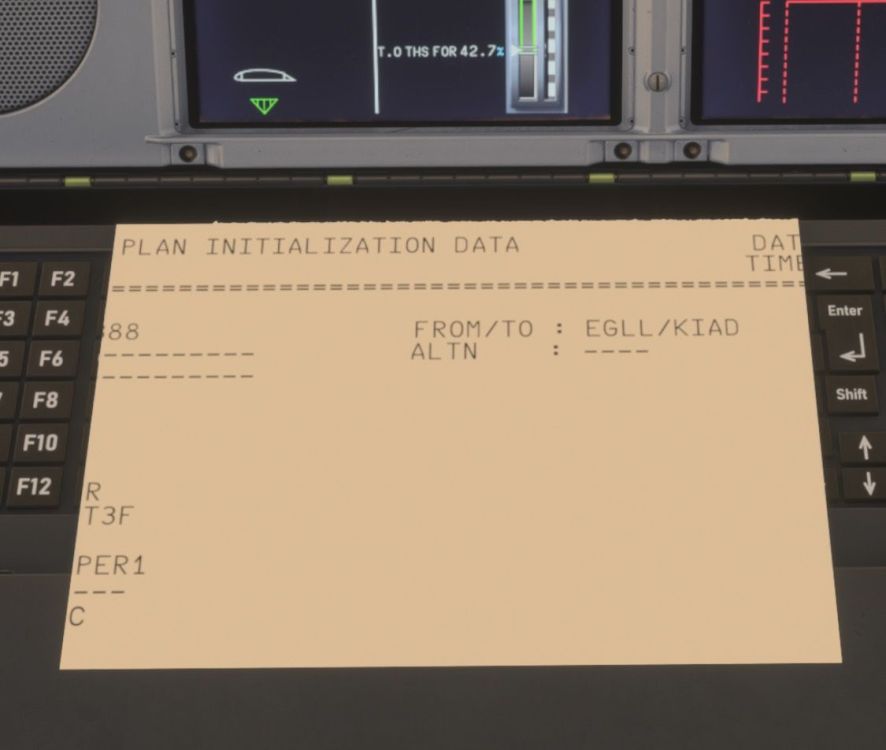
Hey! First off congratulations to the team on this release, my mind is blown. You completely changed the game, and the aircraft is obviously a love letter to airbus. And the functionality you brought to xbox as well, absolutely crazy! Okay, so i noticed a couple bits: (Xbox series X) The FO cant find her seat switch And the printer prints the wrong resolution/format. This is the same issue as in the A350. Thanks!
-
Hello! Exiting times ahead for Ini with the A380 + A350 update, can’t wait honestly! Was wondering if the team could look into the printer printing wrong resolution on Xbox? It’s been like this since release🥹 Thanks!


-
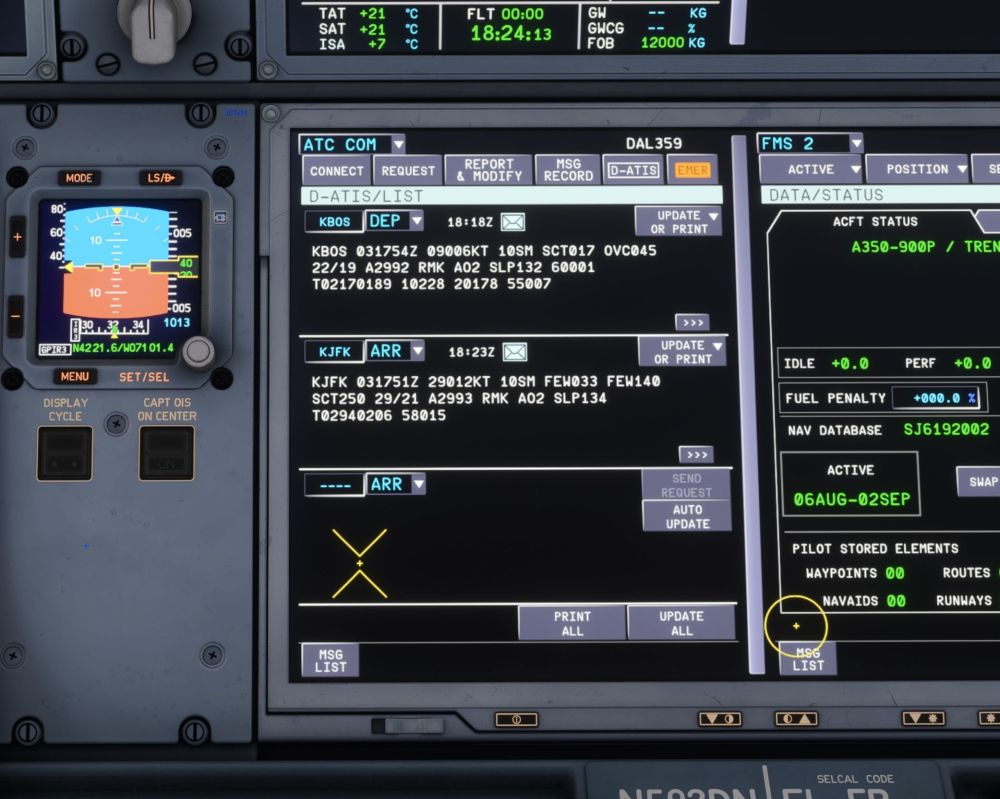
Hey! I wanted to update on this thread as I figured out something I wasn’t aware of. You CAN indeed get the ATIS in the D-ATIS on Xbox, by using Hoppie, I wasn’t aware if this, and thus this request is resolved!:)
-
Really? Could you show a screenshot of it working?
-
-
Hello👋🏽 Since work is being done with the A350 (which looks amazing), I’ll risk it and take a chance and suggest; Would it be possible to add a “mock” D-ATIS, which literally pulls sim-weather data, and presents it under the D-ATIS page? The A350 is the only Inibuilds Airbus that doesn’t have a METAR avaliable in the EFB, so if you’re on Xbox, you have to look up the airport weather using the msfs EFB. While this works of course, it simply isn’t as immersive and cool (lol). Thanks for any consideration🙏🏽
-
-
Hey:) The A340 has this beautiful terrain implementation which is available for download on Xbox. I was wondering if something similar could be possible for the A350?🙏🏽 If I understood correctly, the current A350 map is too heavy to run on xbox(?), but what about something like the A340s, even if it wouldn’t “look exactly right” it would still be nice to have! The map on the 340 is super nice for situational awareness:) Bonus question: The upcoming performance update and subsequent v2 update looks spectacular!! Might it be possible to implement some of the other functions currently omitted from the Xbox version as performance gets better in the future? Like BTV at xx via map.
-
Oh, okay. Yeah, only so much one can do about that. Thanks!
-
Hey! Why no Qantas livery for the 220?🥹 On Xbox we are only able to use the liveries from the livery pack. Also, would you consider adding the Lufthansa City livery at some point? They’re taking delivery soon!
-
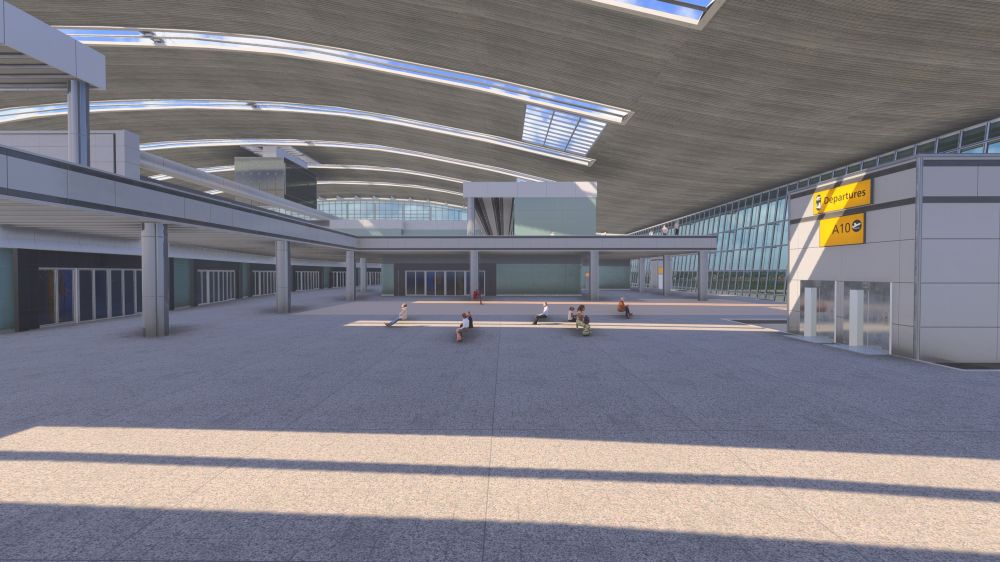
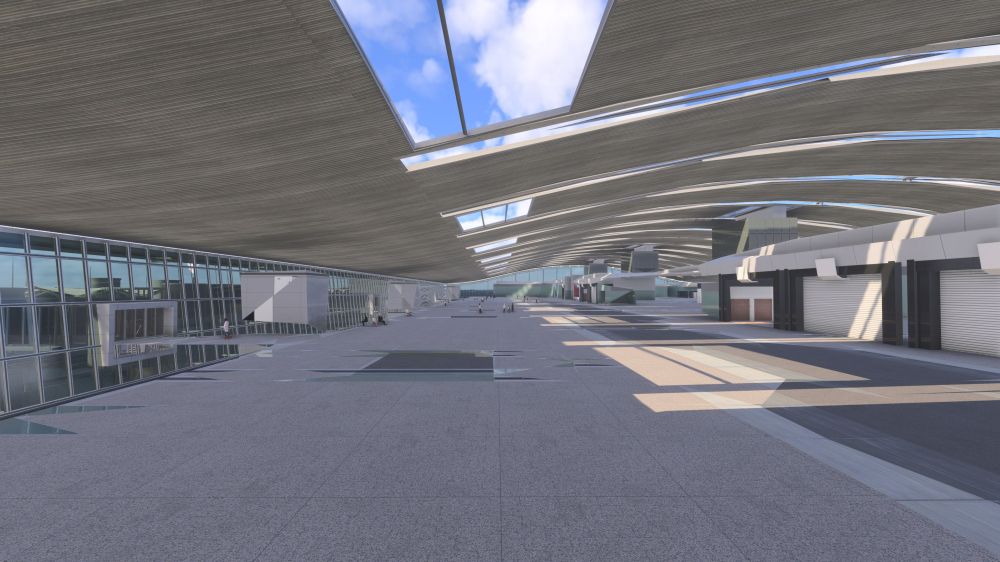
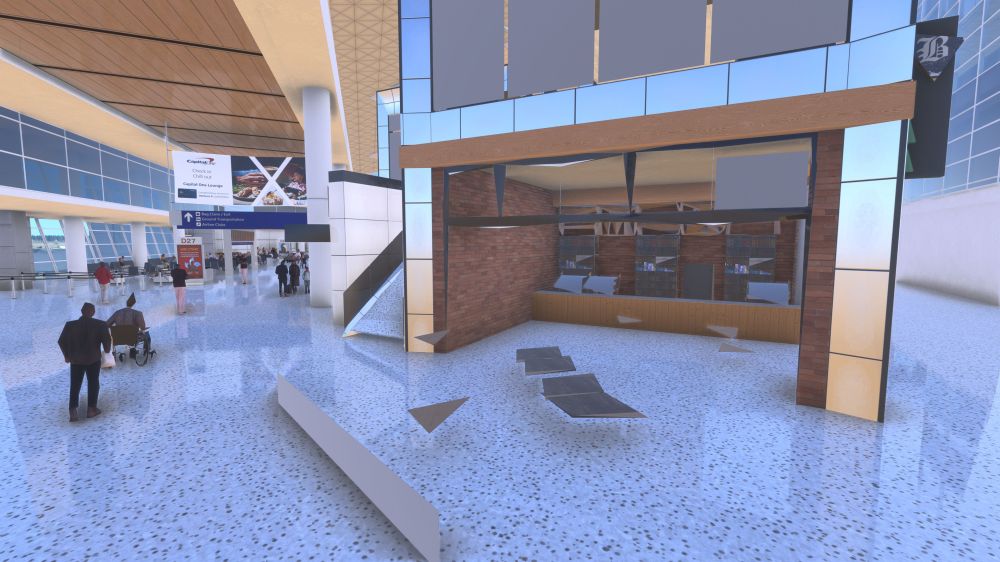
Hi! I have completely reinstalled the entire sim several times since SU5 launched, when I made the original post. Streamed (never tried downloading it) No sim altering addons installed - only airports + aircraft Asobo/Gaya EGLL disabled I made sure to check EGLL on a completely fresh reinstall prior to asking for an update. And it was the same. It also pertains to KDFW as well. Here are pictures from yesterday
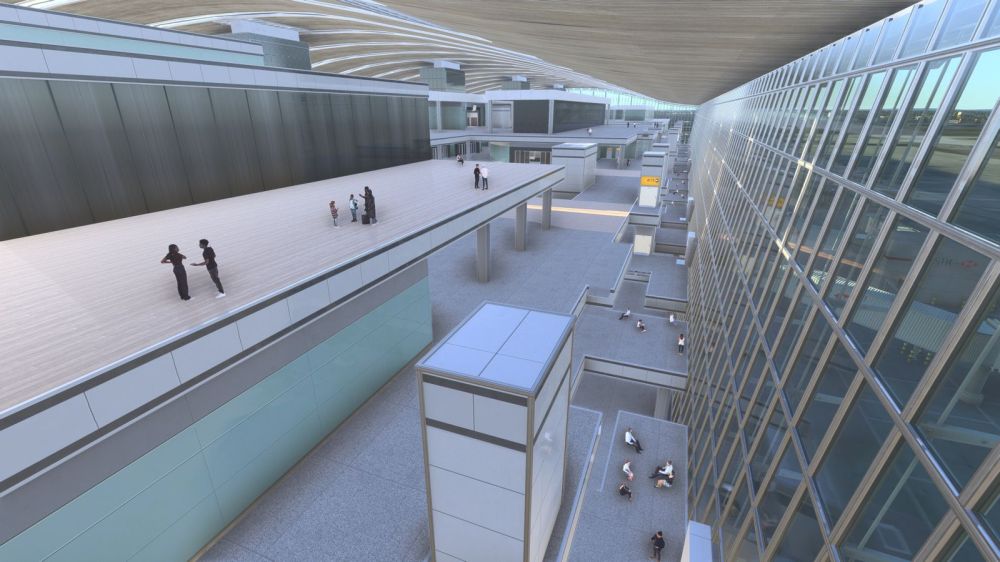
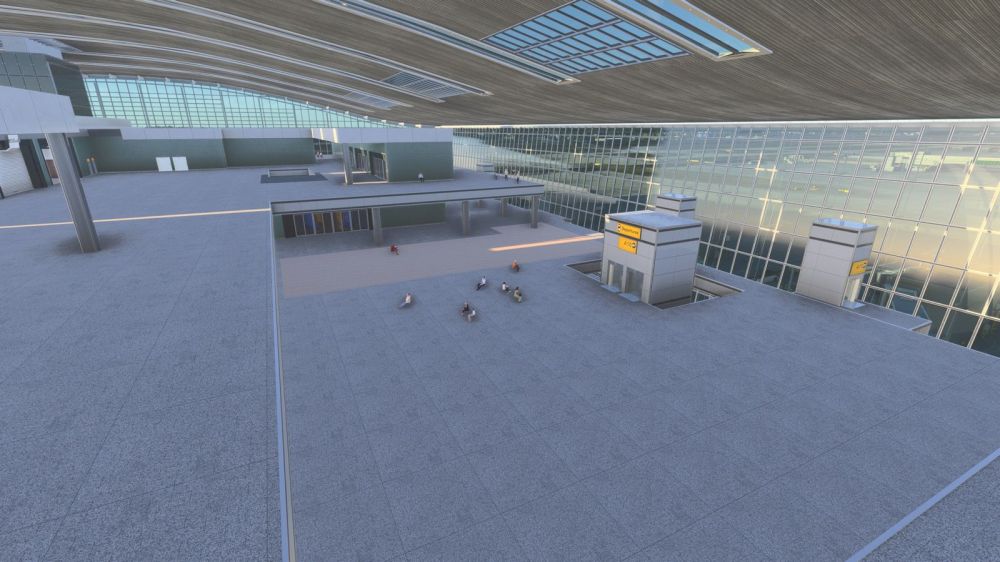
-
Any status update for this?
-
Thanks Kyle! And thanks for replying so quickly🙏🏽
-
Hi! I already posted this on the discord some time ago, but didn’t get a response, so someone suggested posting on this forum!:) I know they’re working hard on performance which is fantastic. However I am a bit worried about the Xbox related bugs I mentioned, as Xbox related bugs doesn’t seem to get a lot of attention other than the performance itself. I am sure they will work it out eventually, but I am just looking for anyone to at least comment that the reported bugs are seen.
-
Hi, First off, I appreciate the hard work of both the Synaptic and Inibuilds teams on this project The extent to which you both reply to inquiries and follow up with updates is amazing!🙌🏽 The A220, while an absolutely gorgeous and cool aircraft still suffers from some critical bugs on 1.0.4 on Xbox. I am using Xbox series X, with no addons except aircraft/airports, and during A220 testing I have been flying out of default non-handcrafted airports. Performance Framerate in single digits during flight, which makes handflying - takeoff and landing near impossible. This performance degradation happens from turning the DUs on, and gets progressively worse throughout a flight. At the end of the flight the sim also looks like Star Fox 64 because of the workload. Bugs Changelog for .3 noted new navdata cycle to be bundled is 2503, however its still 2410 as of 1.0.4. It is not possible to update navdata at all in the databases page. (Clicking Load new databases yields no result/empty screen) This was tested in .3 and .4 with several resets of navigraph in between. Lastly, which is pretty central to console users: The aircraft doesn’t communicate with the default MSFS ATC - in any way. Not only can you not hear the ATC, but you can not interact with it in any way either. The same goes for the AI copilot if you have this enabled. (Responding, setting squawk etc). This is the only form of ATC console users have.
-
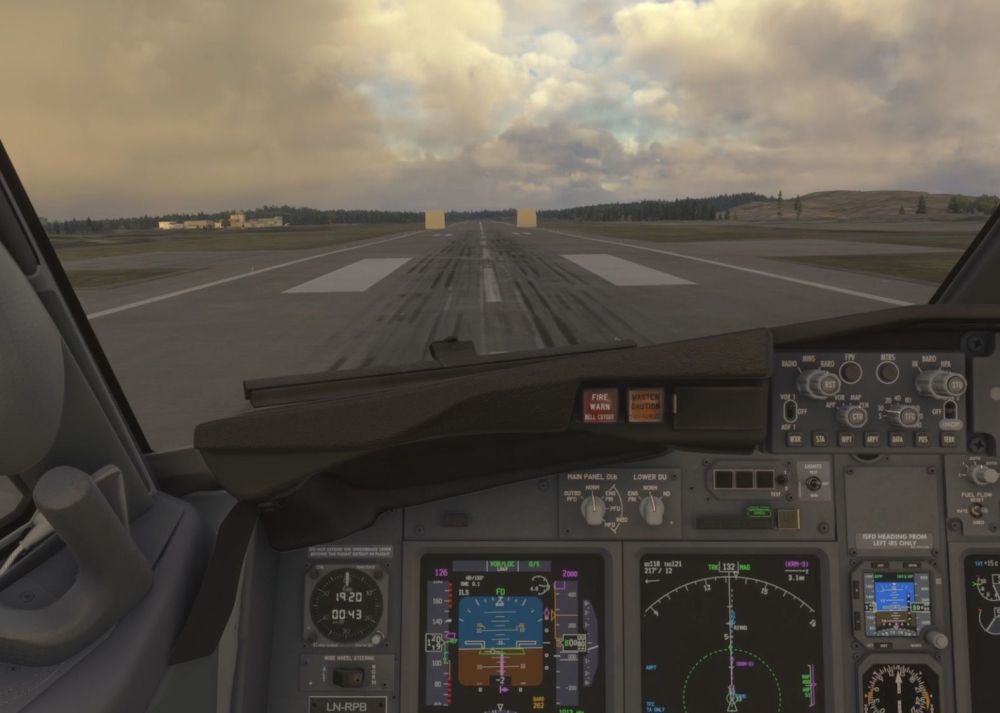
Hey, I am seeing these artefacts every time I land at ENHD. Xbox series x SU5.1/Public
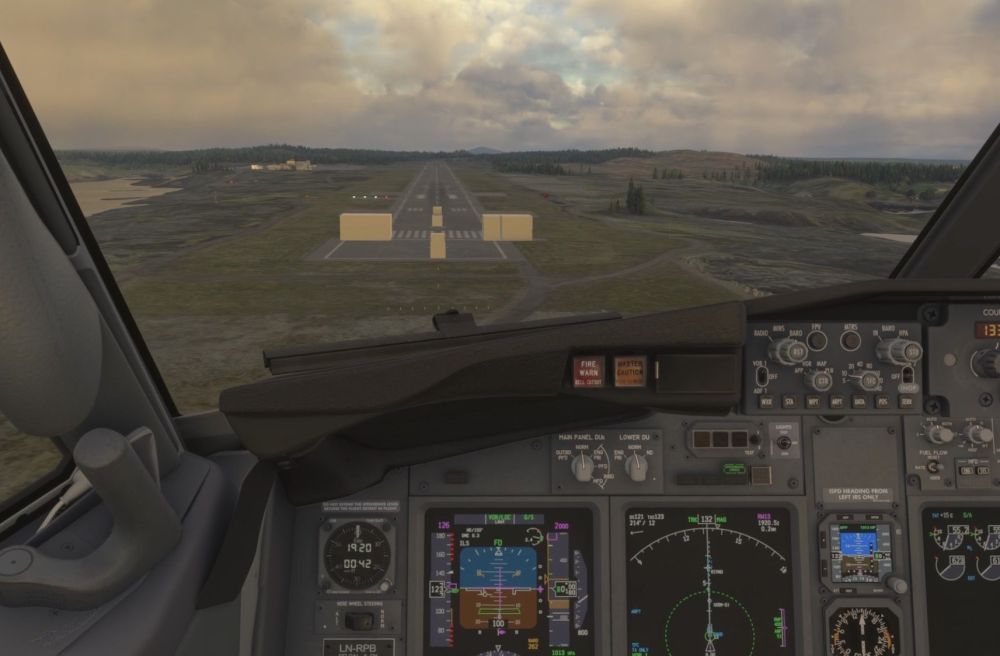
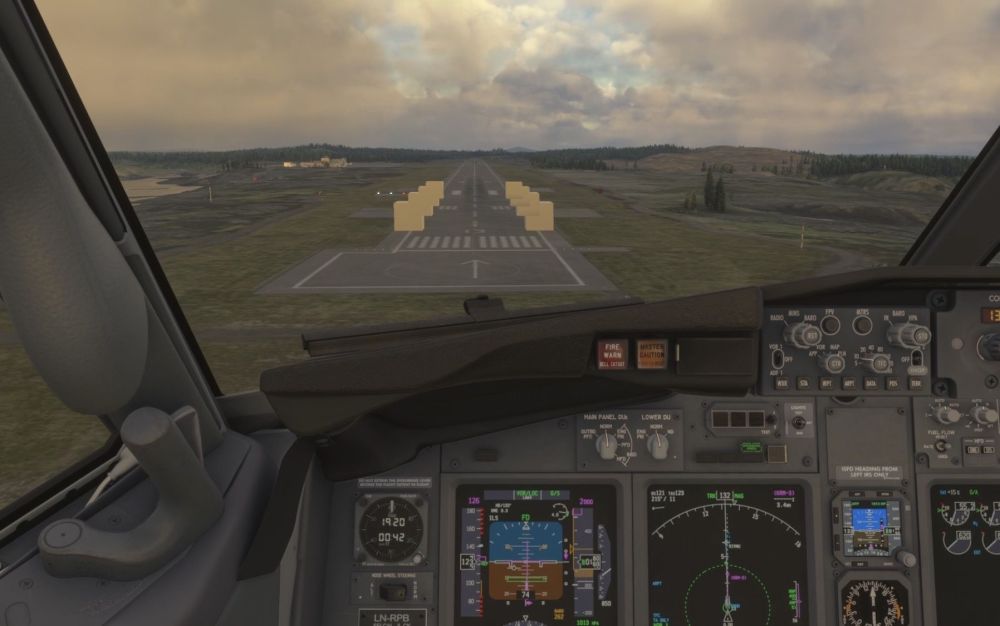
-
Hey:) There are of course a great selection of liveries available already for Xbox, but I was wondering: Is Inibuilds considering releasing a few more? Like the Lufthansa anniversary, Swiss, Edelweiss etc. So many good ones!
-
-
Hey, It looks like SU 5 broke a lot of things on Xbox (Series X), including a lot of sceneries. I am guessing this is a Asobo issue, and maybe not a INI issue, but I figured I’d report it anyways. Default airports are disabled. EGLL walkable terminal KDFW These kinds of issues are present in maybe half the sceneries in my library, so these are just examples. Additionally none of the inibuilds aircraft work anymore because of memory issues that shuts down avionics, or even CTDs. What did they do?🙈
-
Hello 👋🏽 SU 5 came out today alongside the 1.0.11 on Xbox Series X, and I have tried 5 different flights all of which resulted in a CTD. The first 3 had a CTD during the loading into the airports, before even clicking “ready to fly” The 4th came when trying to use the ATC, after setting up the flight, and was ready for pushback. Before every CTD i got the “Memory resources are getting low, disabling avionics to grant stability. Some settings may be lost due to this process” message. This has never happened before for me.
-
-
Hello! I was wondering if it might be possible in the future to add a function for Xbox users to get ATIS from the sim? Like in the D-ATIS page but simply pulled from the in-sim weather. Something like the A340/330/320 has. We can of course look it up in the MSFS EFB, but it just “feels” better to check it in the aircrafts own EFB/ systems you know?:) Thanks for any consideration!
-
-
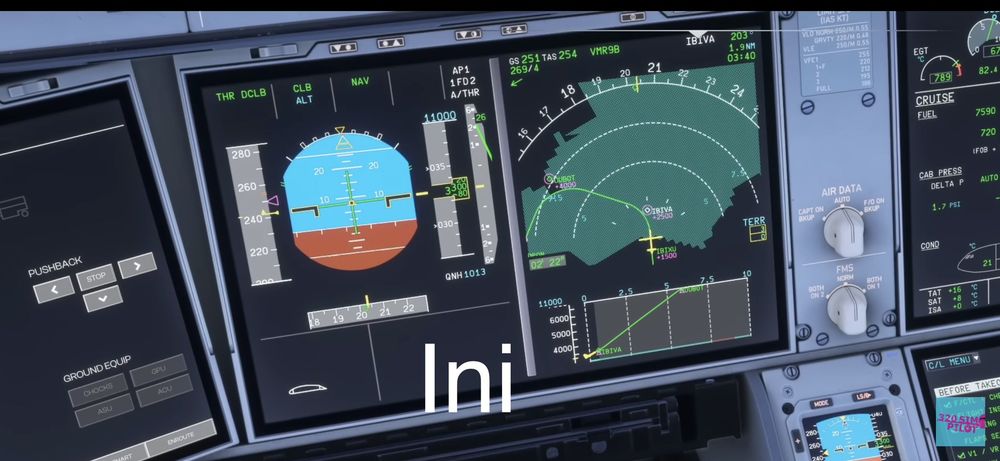
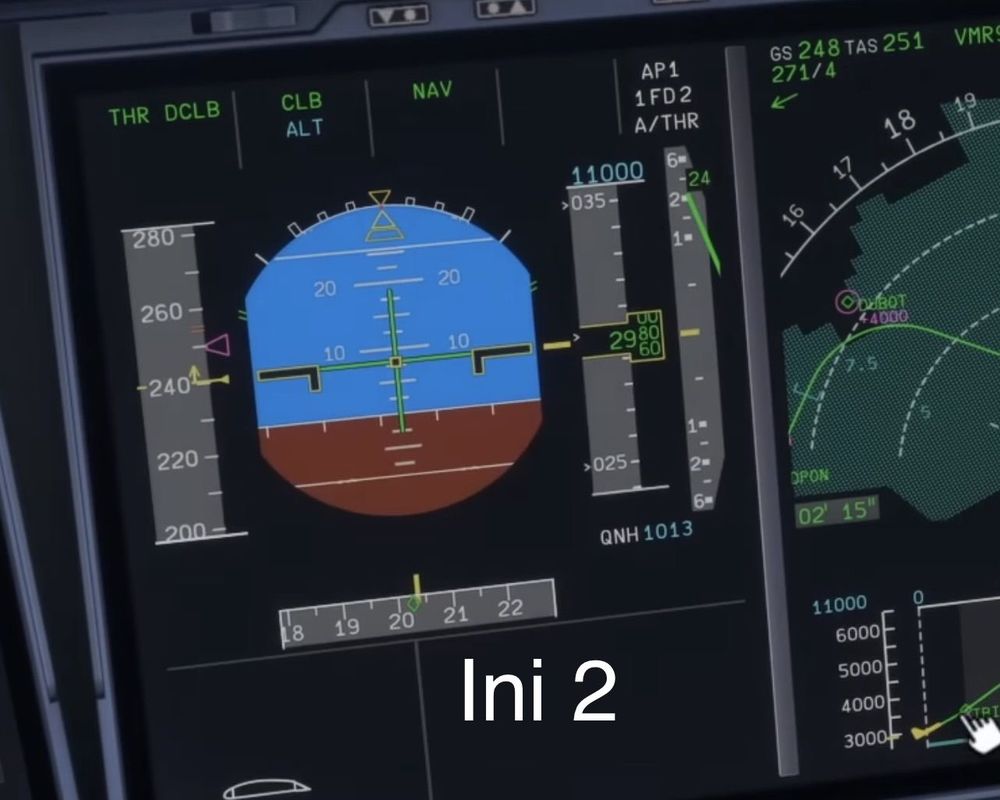
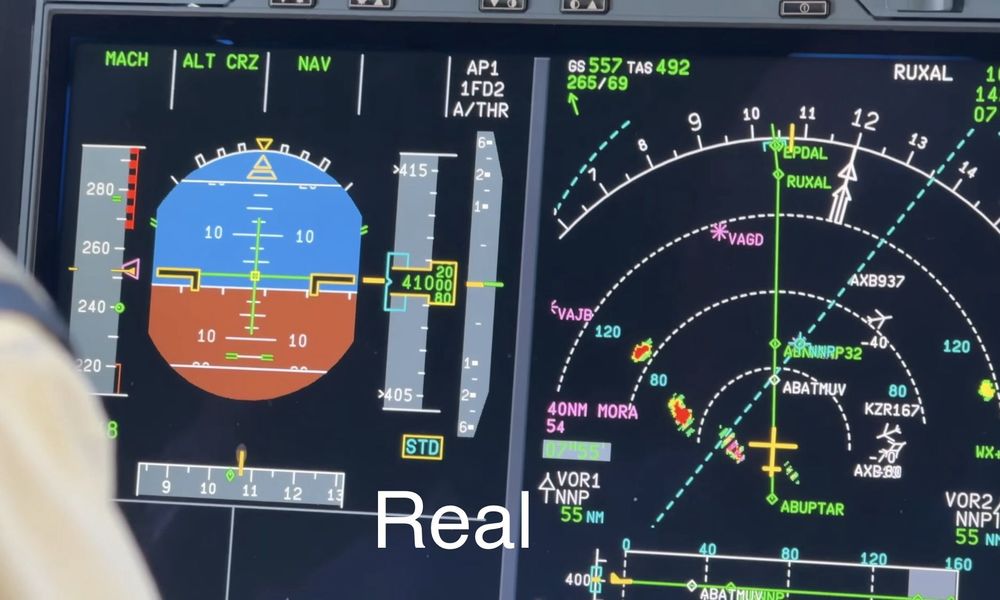
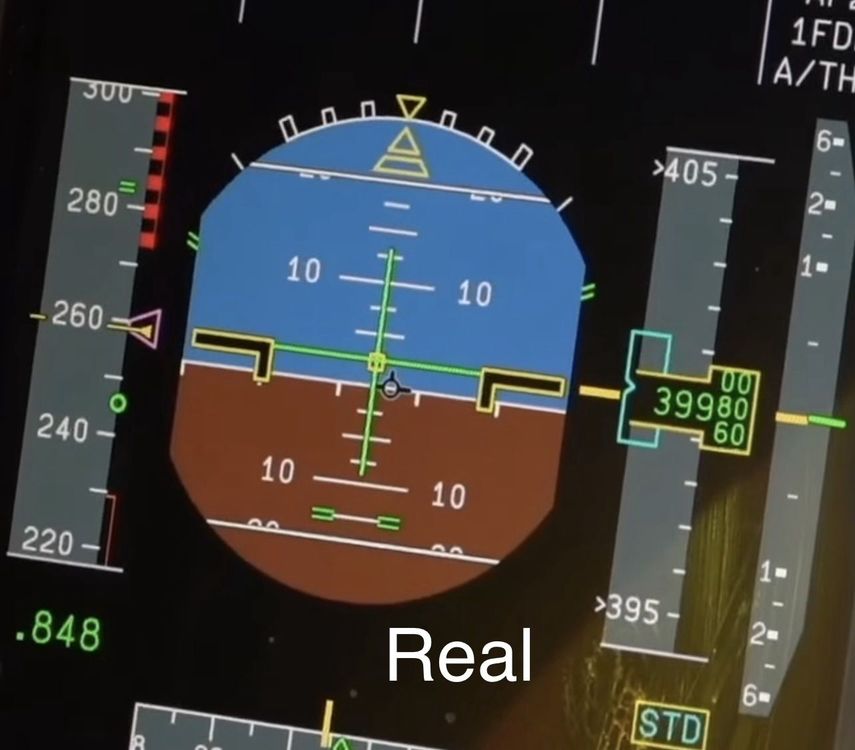
Hi! I am loving the A350, but I’m experiencing that it is somewhat difficult to clearly see the PFD. Both with HDR on or off (and on xbox, so no other settings available). So I was wondering if it might be possible to change the contrast in a future update, or include a colour change setting? Here is the Ini: And here is IRL: IRL it’s much easier to clearly distinguish the green FD from the blue sky. Also please accept the praise by the fact that I had to label them.
-
Hi! Since the A350 got updated to 1.2.1 on xbox, none of the interior or exterior lights works except integral cockpit light. I am not using any addons that change anything about the sim, only airport sceneries.


