Skip to content
View in the app

A better way to browse. Learn more.

iniBuilds Forum

A full-screen app on your home screen with push notifications, badges and more.

To install this app on iOS and iPadOS
  1. Tap the Share icon in Safari
  2. Scroll the menu and tap Add to Home Screen.
  3. Tap Add in the top-right corner.
To install this app on Android
  1. Tap the 3-dot menu (⋮) in the top-right corner of the browser.
  2. Tap Add to Home screen or Install app.
  3. Confirm by tapping Install.

Aya

Member
  • Joined

  • Last visited

Everything posted by Aya

  1. Hey Steve! Thanks for replying so quickly:) Xbox Series X. It seems the version number was a weird hiccup, as it’s now showing 1.1.8 in the OIS as well. I did 2 separate test flights, and the other bugs were persistent. On another note, performance is amazing!
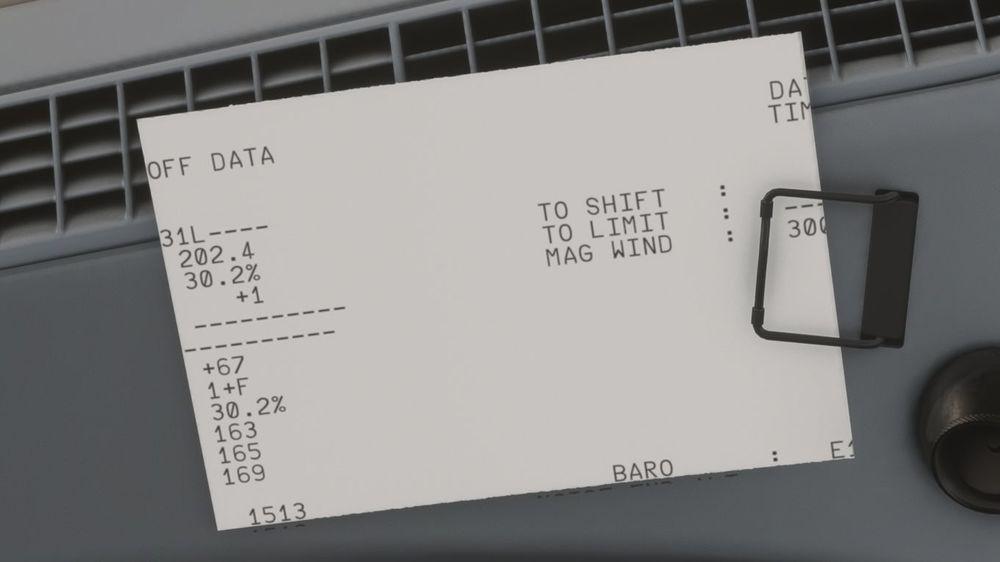
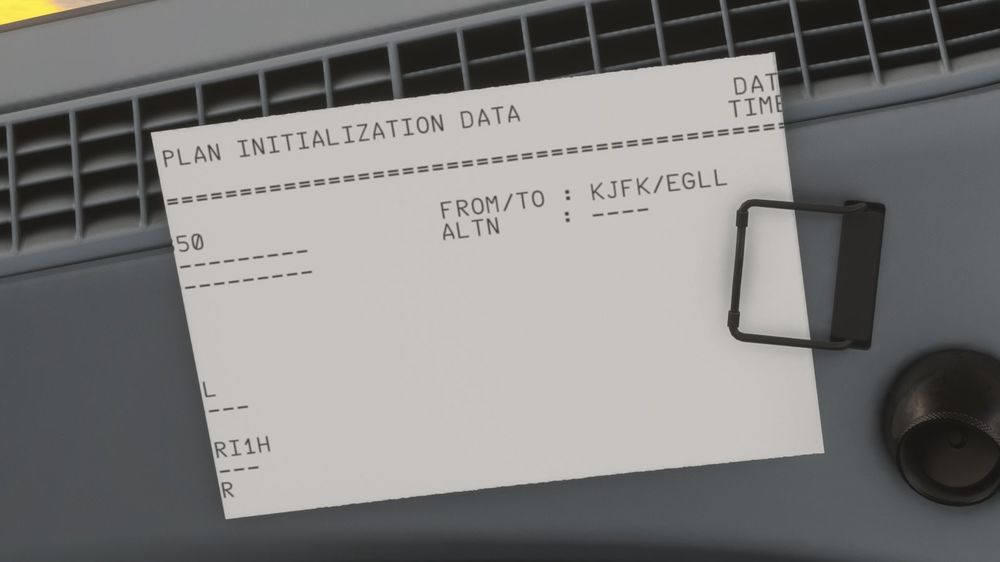
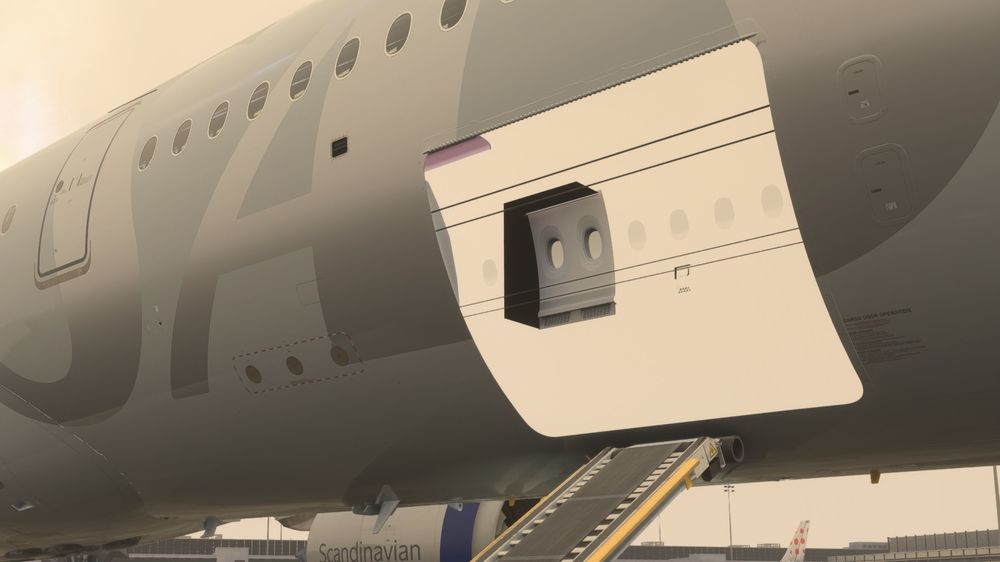
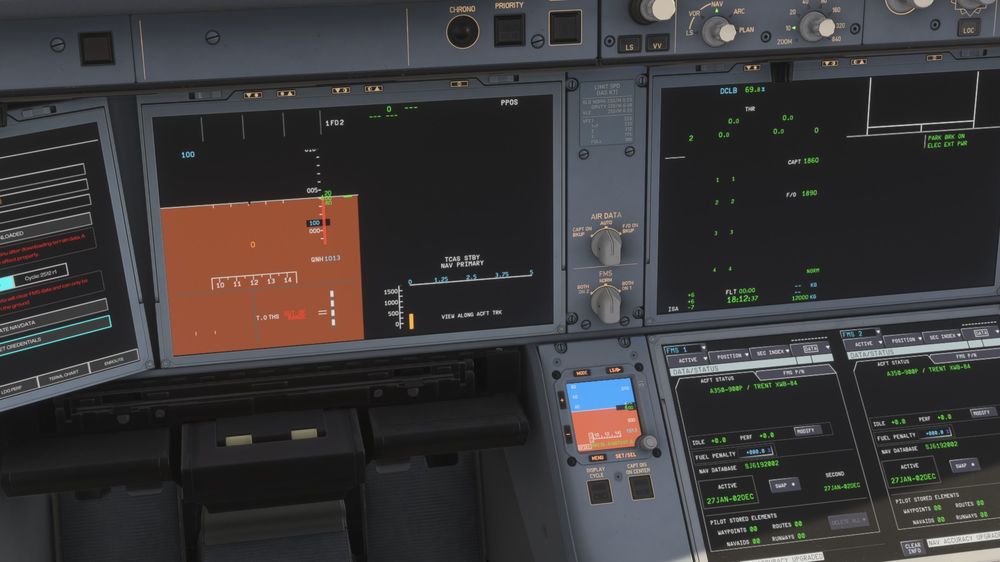
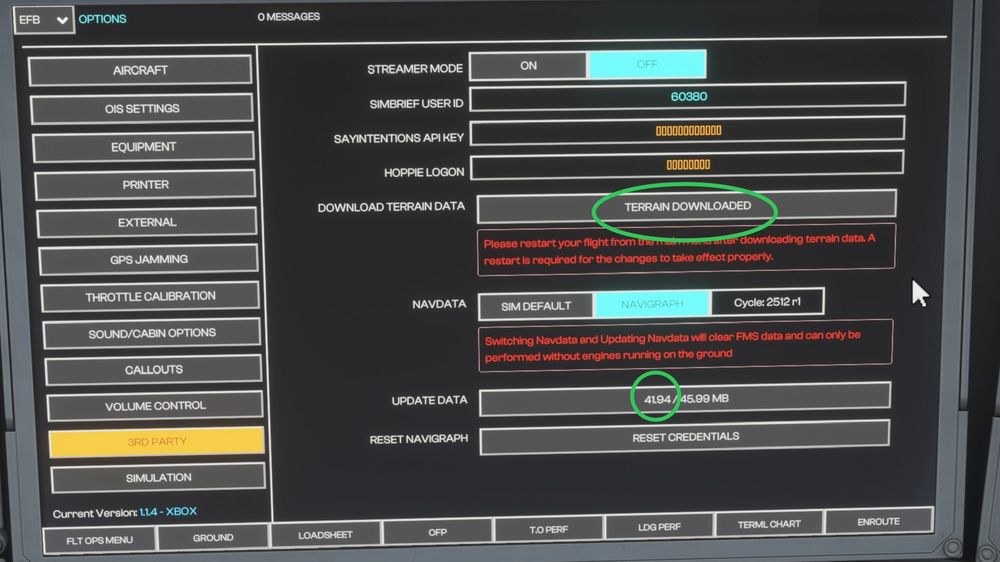
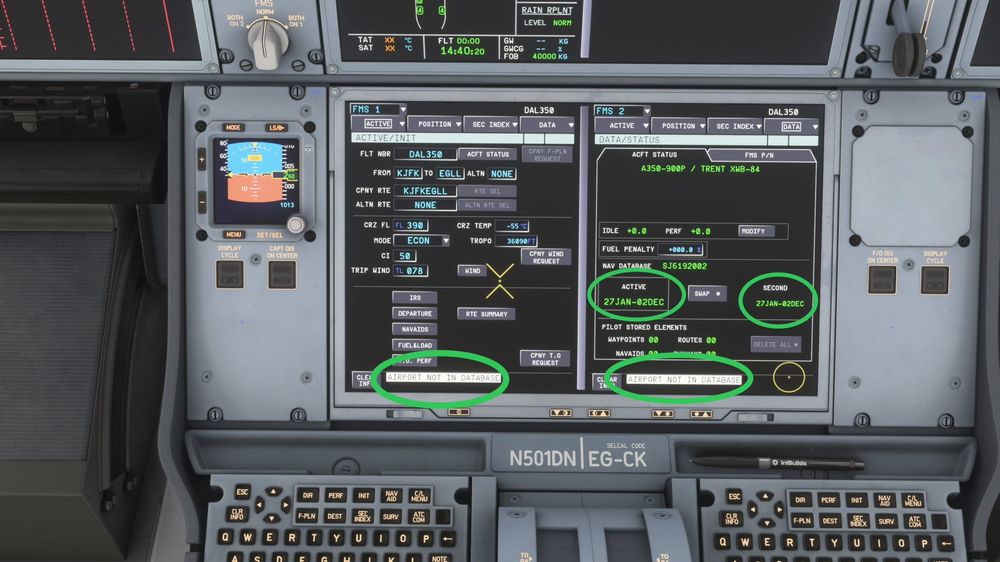
  2. Hi! I am experiencing a number of “gamebreaking” bugs in the A350 on Xbox. A350 1.1.8 (according to library - however in the OIS it says 1.1.4 (Xbox) • Navdata doesn’t update properly - Leading to issues with F-PLN and “airport not in database” etc. • Terrain doesn’t show on display after downloading it, and restarting flight from main menu. • No engine animations. - Engines are animated as idle when spooling up, on, and in the air. • Printer prints unreadable sized textures • Fully broken displays • Fuselage is transparent on exterior model, when looking through hatches and windows. Apart from the broken displays, all the other bugs are persistent 100% of the time. The broken displays were persistent 100% of the time, before I downloaded the A350 instead of streaming it, then deleted it, and had it streamed again. it seems fine for now!
Account

Navigation

Configure browser push notifications

Chrome (Android)
  1. Tap the lock icon next to the address bar.
  2. Tap Permissions → Notifications.
  3. Adjust your preference.
Chrome (Desktop)
  1. Click the padlock icon in the address bar.
  2. Select Site settings.
  3. Find Notifications and adjust your preference.