




LineDX
Member
-
Joined
-
Last visited
Everything posted by LineDX
-
Hi @iniBuilds team, love flying this plane but here and there. there are some random bugs which I would like to report. Using latest V1.0.6 1. In fs2020 T.O.THS is always out of range at cold and dark startup but gets normal after engine start. In FS2024 its always the normal and set to correct settings. Not sure if it is normal or not. 2-When open offset menu, the drop down list does not disappear after clicking the items. You have to press the ESC button after selections for lists to disappear. 3- Randomly the tab does not automatically change to correct segment of the flight. Happens rarely though. Noticed it today, it did not change from T/O to CLB when the ac was in climb mode. But after reselecting the PEFF menu it corrected. 4-FLEX temperature is always +67. Not sure if it is right? 5-Plane still takes off with nil or near to none input after V1. 6-The ac did not capture the ALT constraint during managed climb mode. Example, departing OPKC BADUL1 DEP. KC509 has an ALT cap FL070 but it did not capture and continued to climb just like OP climb when the AC was in fact in Managed CLB..It was maintaining the managed speed though. 7-Did not capture the STAR constraint ALT/FL during managed DES. VDEV more than 2500ft thus unable to capture the GS altitude of 3000ft set on FCU. Happening on MIMAL1 ARR and ILS36RZ for OPLA.. 8-OIS menu items on the right side of the OIS screen does not show a green border around them as used to be in previous updated. Its hard to see selected items. The left side of the menu shows the green borders correct. Hope all these bugs get fixed in the next updates. Regards


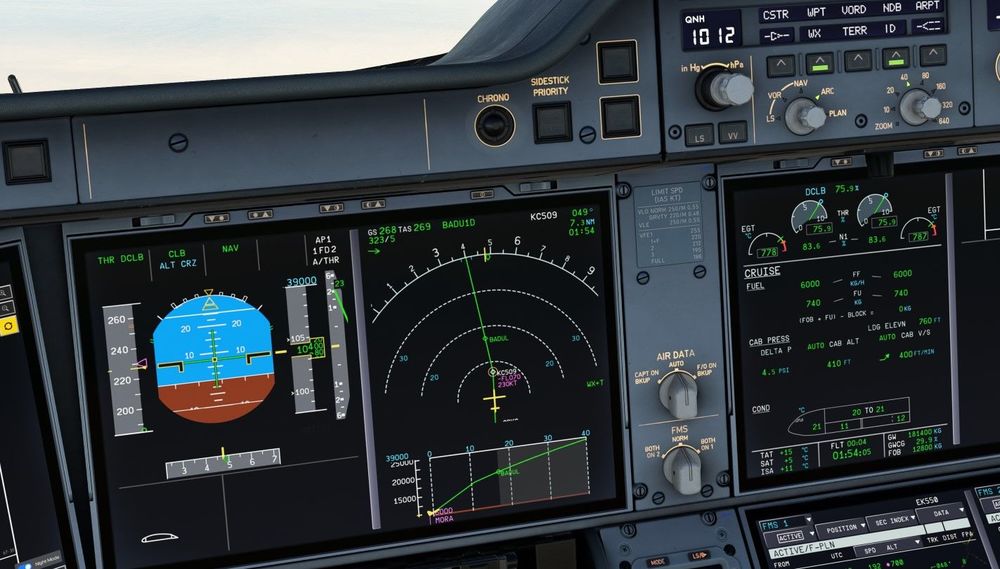
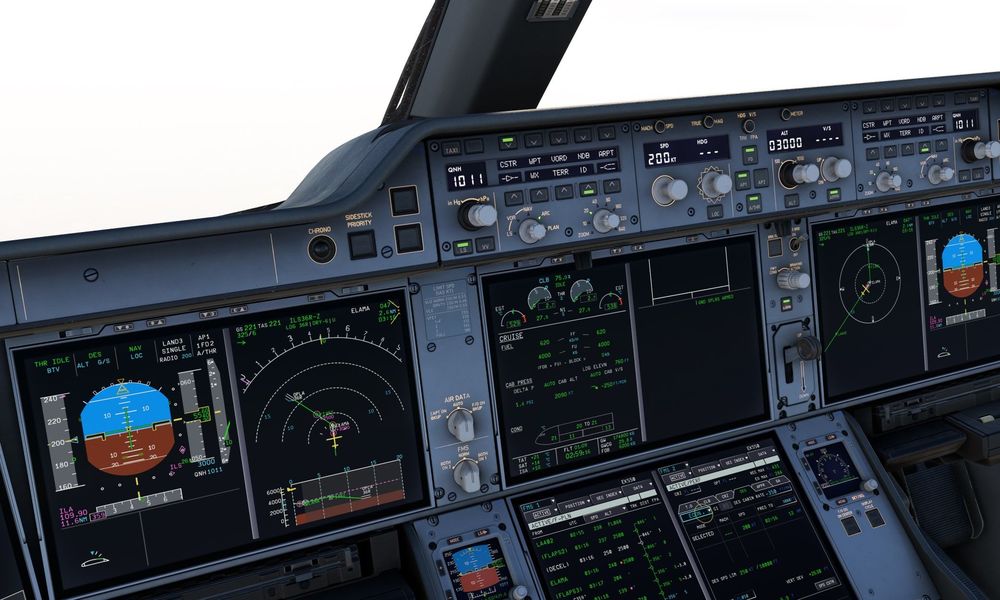
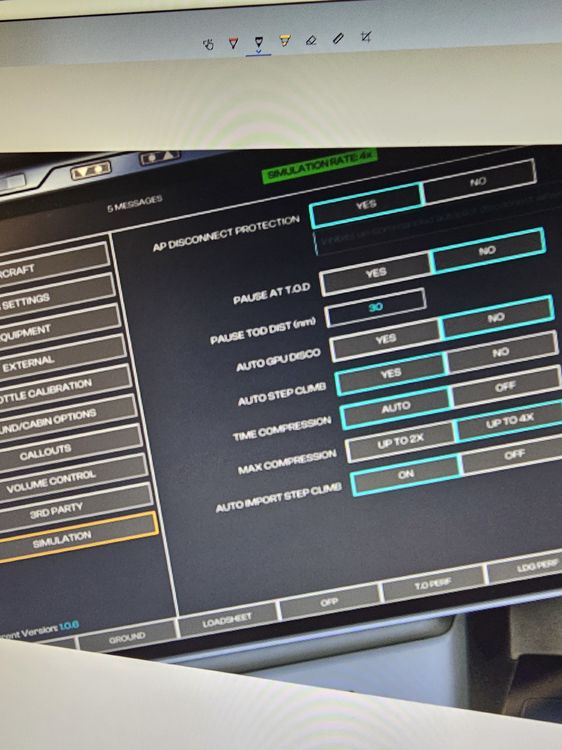
-
-
-
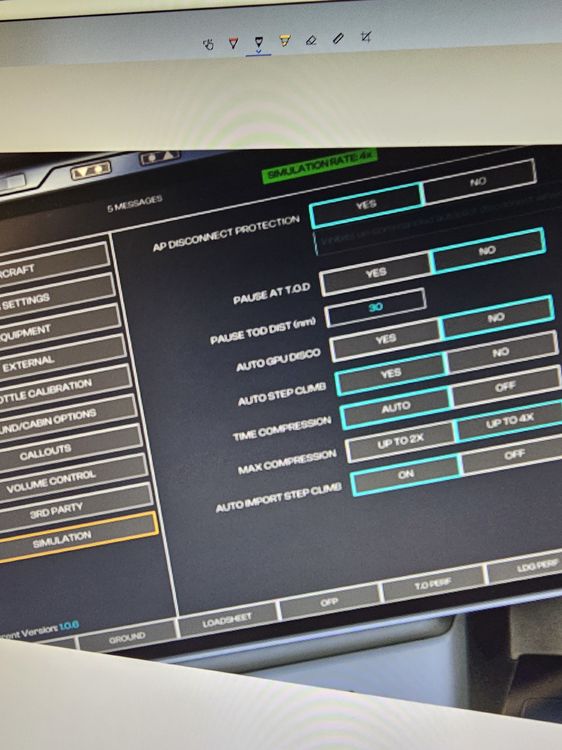
Hi team, since update to 1.06. The OIS selected items are not highlighted green. The left side menu items are shown in proper border color but not the items on the right hand side. Please fix it. Thanks
-
-
-
-
+1
-
No one stopped Fenix developing 350. It was Amir's own decision. I like Fenix 320 but the way Amir made remarks about ini was very unprofessional. JUST AN FYI, FENIX IS BASED ON PROSIM AND PROSIM DOES NOT HAVE 350.
-
Agree! Very honest feedback.
-
Brightness and bloom issue in FS2024. There is no option or config file for adjustments in FS2024. ANF is fine in FS2020. Overall cockpit lighting is way better in 2020. Microsoft needs to give users and option to control bloom and brightness.
-
-
Someone posted on avsim. Will give it a try later today. "If anyone is suffering with WASM crashes in the A350 I would suggest try flying with the TCAS completely switched off. I suspect many of the crashes are being caused by the same issue that has plagued PMDG, and indeed happened to me a few times in the 737 in 2020 until I just left TCAS turned off. If I recall correctly PMDG last year suggested the crash was due to Simconnect becoming overwhelmed (can't seem to find the thread currently), but it may be worth a try until Asobo can hopefully fix this issue once and for all."
-
Noticed it too
-
-
Update :same thing happening in FS2024 with 1000 Etihad variant at the button of the runway just when applying t/o power. It's all happening after the update.
-
HI guys, getting random displays freeze since updated to V1.02. Tested with -900 EK livery 5 times. Happened during push back, taxi and initial climb after everything setup as per SOP. Very annoying, before update did not happen once. Now on every flight with 350 in FS2020. Cleared the WASM folder couple of times, reinstalled this morning but same issue. Events: Grounding it until a new update comes next Friday. When it works, it works like a charm but disappointed to see these issues. Frustrating. 😞 😞 😞
-
Hi guys, after intial load, everything set. On pushback all the displays freeze. Happened twice dep from YUL(stock airport). It was fine with v1 and v. 01
-
It's the brightness and bloom issue in FS2024. Guess have to use nvidia filters.
-
Hi guys, noticed cursor movement is stuttering and quite jittery on the displays. It's not fluid smooth like flybywire a380. Please fix. Thanks
-
Hi Vrishabh, thank you for a prompt reply. It happed on YHZ-YUL flight OMBRE2 ARR for ILS 24R approach. It happened on turning from downwind and base leg when IAS automatically jumps to 250kts for a few seconds then gets back to normal. Now everytime I have to ininitate the app mode way earlier to avoid this situation. FYI Also coming for SLS/LPV app t/d is too late, have to go for a hold to des down. Vdev is close to 5000+ ft. Happed on rnav 23 sls YUL-YHZ with fundy5 are and YUL-Yqm legs where I tried the sls approachs so far. For ILS approaches td is ok. Both the segments planned altitude is FL410 Also noticed the offset does not work on sec flt plan. The option is grayed out when click on anyway. On act flt plan offset works as intended.
-
Noticed it few times
-
-


