





RyanAlmeida95
Member
-
Joined
-
Last visited
Everything posted by RyanAlmeida95
-
Oh, I'm pretty sure I put in over 999 in the past 😅 Hopefully can be addressed, along with maybe adding other missing PMS features.
-
-
-
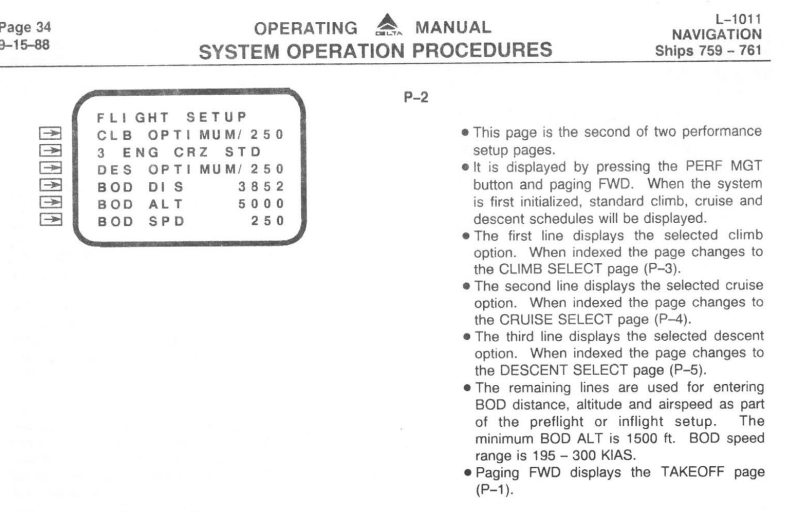
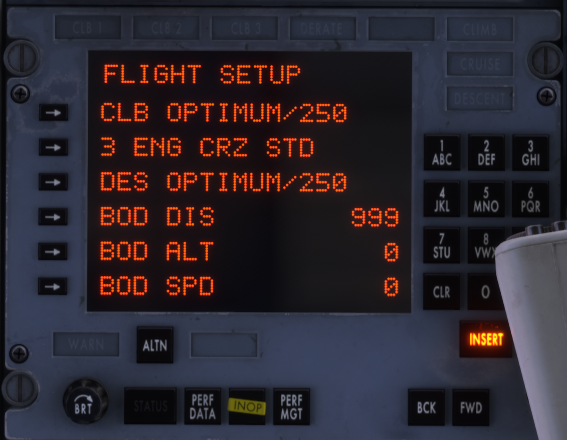
In the V1.03 update, the BOD DIS has been limited to 3 digits instead of 4 digits for some reason. There should be 4 digits to allow 1000's of NM to be added to monitor the TOD along the flight plan route from the departure point. FCOM example of PMS flight setup page. IN V vs, in the sim... limited to 999.
-
-
-
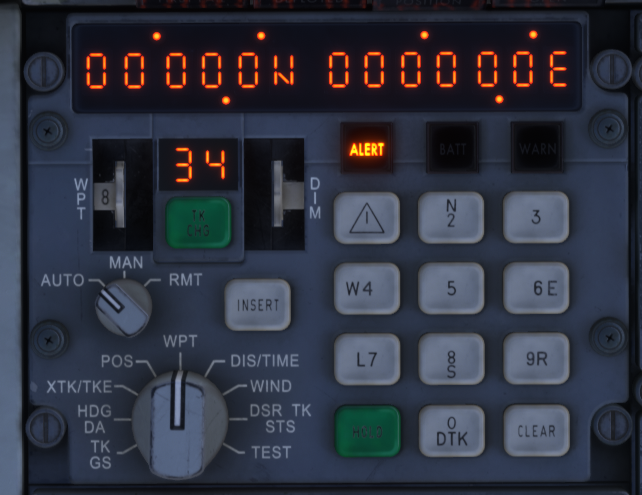
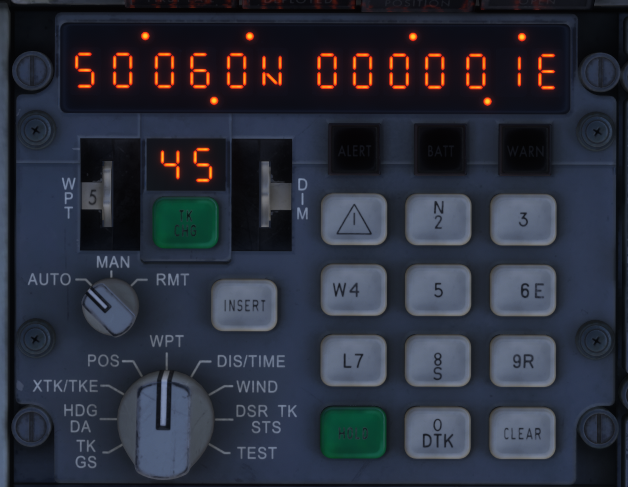
Just to add to the above, after some further flying around in circles and testing out the waypoints - I think the INS sturggles or does not recognise changing to a waypoint when the LAT/LON is either N/S0000.0 or W/E00000.0. This may be because it thinks the LAT or LON has not been loaded yet.. How each waypoint starts out when not loaded (WPT8 in this example). I changed the waypoint in the example above to N5006.0, E00000.1 and it worked by automatically changing to the next waypoint. Hope that helps - I just can't quite find any data on that being a real world issue.. only thing close it something called null island issues.
-
When you go to install the update, do you have the tristar selected in free flight? You have to select another aircraft and then complete the update from the marketplace, otherwise it will run into errors as your trying to update the aircraft whilst its loaded. For the rest - remain in control of the aircraft and preempt/stay ahead of the aircraft and everything works fine. Some of the things metnioned here are in other posts and being worked on or have solutions already 🙂
-
-
Interesting - with this does the INS show 78 as the correct leg and does the moveable map make sense to the waypoints that you've entered?.. just incase of input error (although you've proved it twice) Waypoint N5060.0E00000.0 is a good one because even if you get E/W mixed up it's the same location. So should be fairly safe from error. However interesting that the distance is increasing with leg 78 would only indicate that it thinks the waypoint is somewhere else.
-
-
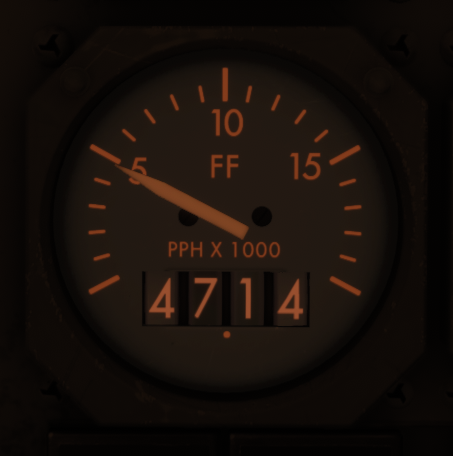
The guage is correct in reference to the needle and the markings and the fuel flow simulates normally as expected. I would agree that the numbered window displays incorrectly and should show 4.71 instead of 47.14 - using the image example below. From images I can find of the L1011 fuel flow gauges, the decimal point is in the right place and seems like it has been coded incorrectly to show the number incorrectly.
-
-
-
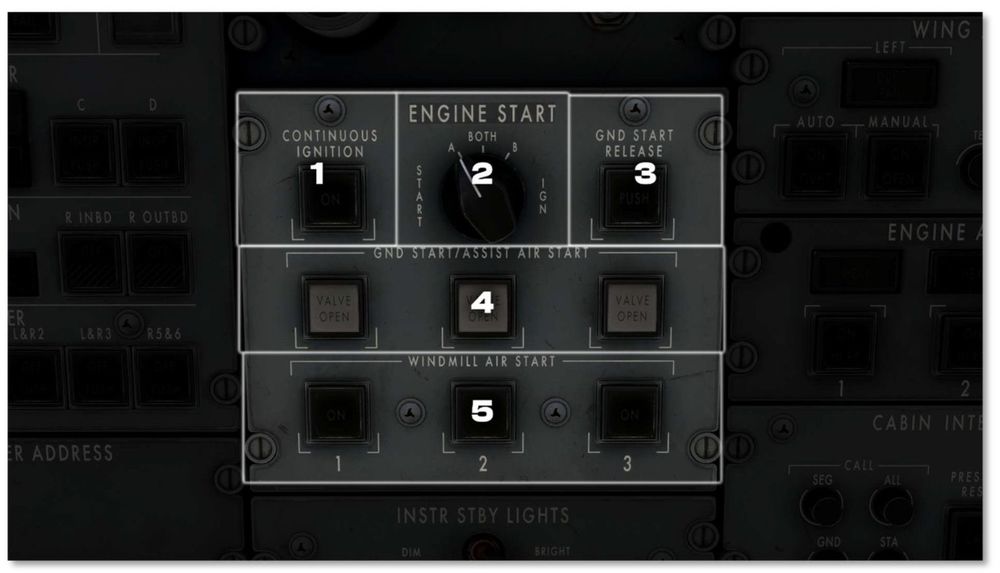
Hm, If you unlatch APU BLEED AIR S/O does air pressure drop on all PSIG gauges? (Checking that actually works) Separately with everything set normally, when you click on GND START does the switch illuminate green and stay on or does it just unlatch automatically after a second or so?
-
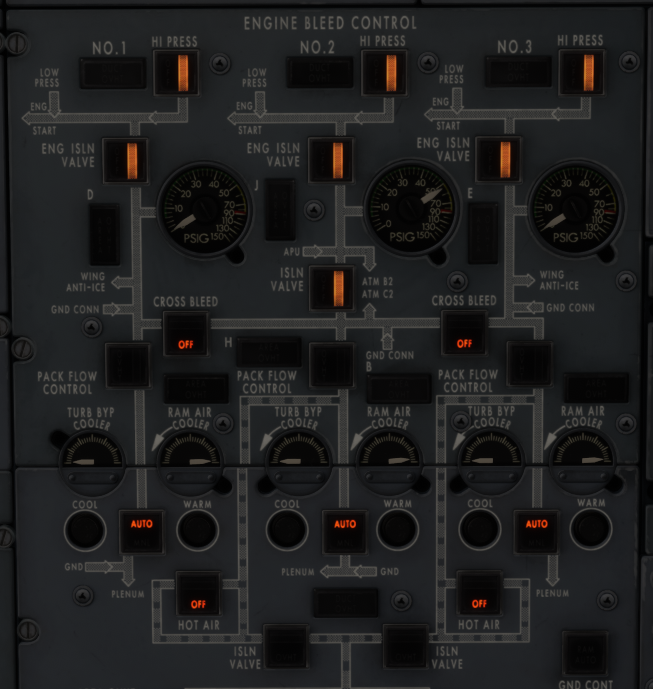
Have you tried cycling all the APU BLEED AIR S/O, All HI BLEED, All ENG ISLN VALVE, ISLN VALVE, Both CROSS BLEED and All PACK FLOW CONTROL to be unlatched then latched again? Just to make sure the aircraft didn't load with buttons confused in the wrong position? After that, can you just try the below config and hit ENG2 start? If that doesn't supply everything possible to ENG2 then its someting else broken 😅
-
-
Ah yes forgot about that I've been using it with INS only and havn't had any issues 🙃 Use this binding to toggle if that helps also 🙂

-
For me, I feel like the spoilers are waiting for the normally listed things above (landing/flaps/Idle or reverse...) and full braking action. The only time I've made it work when doing multiple circuits and rejected takeoffs (incluidng regular flights) to try it out..is where I slam on the brakes (90-100%). Which is not a normal thing to be doing.
-
Just wondering, have you tried making a seperate profile with no other bindings other than throttles (to test) that the 3 axis work and/or also try assigning 1 axis for all throttles and see if it works? Also, are you launching the flight as "shut down" or "ready for takeoff"?... To troubleshoot some other issue with the aircraft, I launched the flight as "ready for takeoff" to get going faster and the engines gave up after a few minutes.. so I suspect it stuggles with that if not from cold and dark. I find that "ready for takeoff" with more complex addons causes trouble with the flow/scripts that the models have to set themselves up.
-
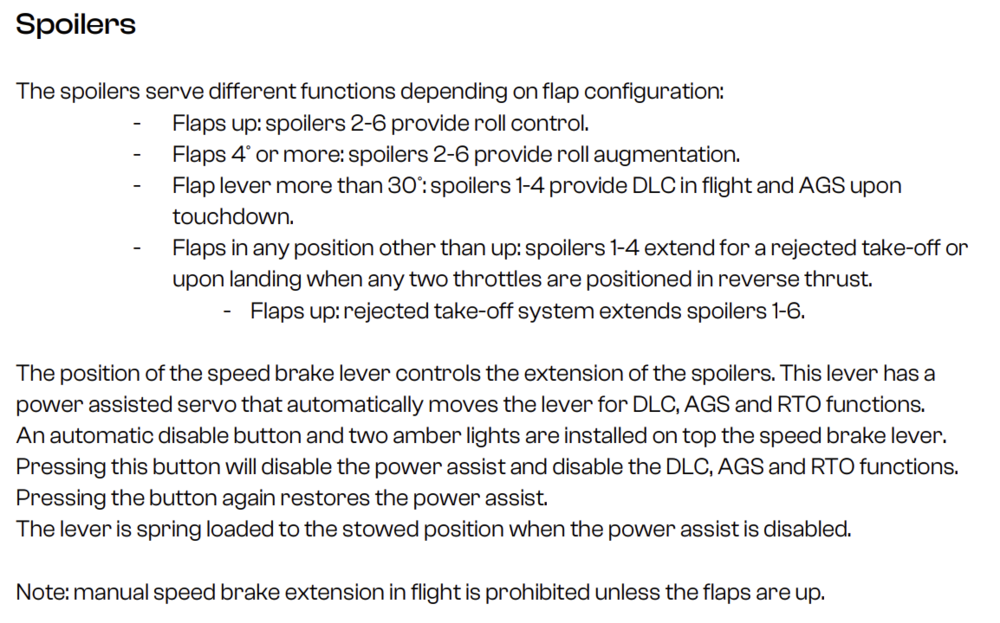
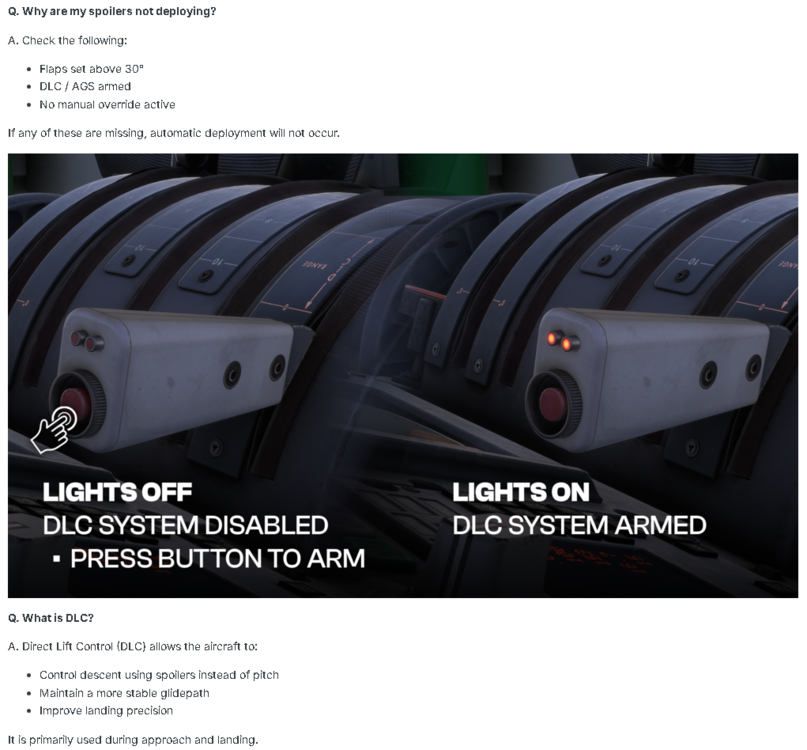
In the manual it says the opposite - If you press the button and the two lights are lit... the power assist system to move the handle is disabled.
-
Below is the concept they give in the FAQ section.. However I also have trouble getting it to work.. even with selecting the arm button. I also have the same thing.. once I have slowed down with brakes it will decide if it feels like going up or not. For the third dot point below, Im assuming that manual override is to have the DLC/AGS systems off on the overhead panel... but I have not been able to figure it out yet. Its probably something very simple. 🥲
-
I completed an ILS approach yesterday with V1.01 and it worked ok. Make sure you change from INS to Radio of course. I've also noticed that you need to establish and be stable on the localiser with LOC selected first, then select ILS... and when it intercepts the GS it will drop LOC use ILS for both localiser and GS guidance. Anything outside of being stable and it struggles.
-
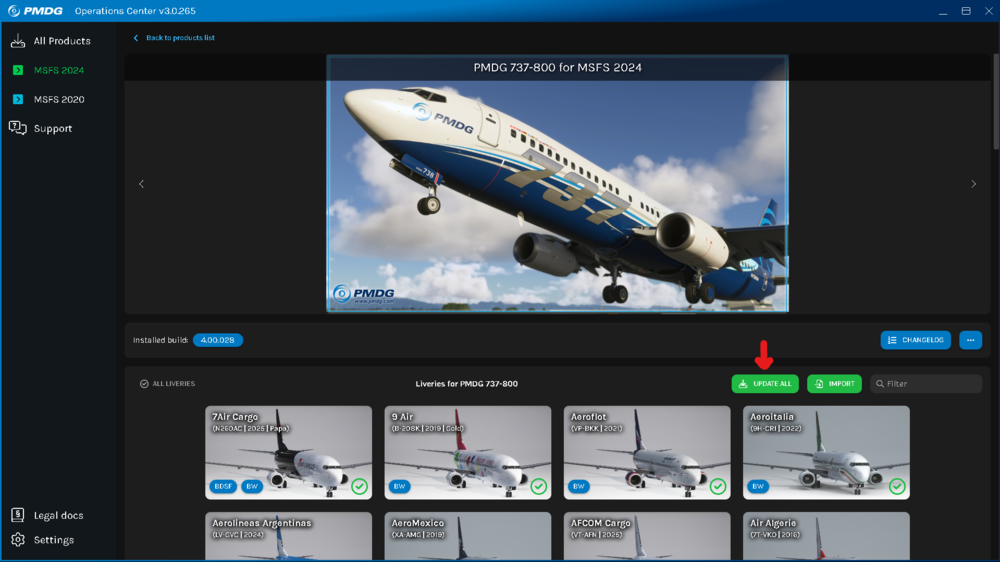
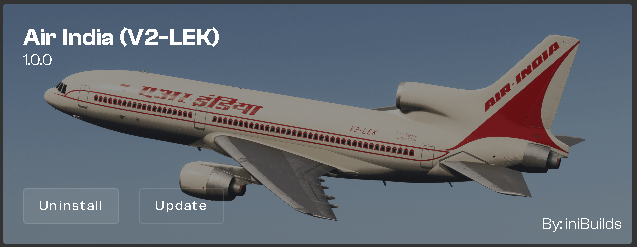
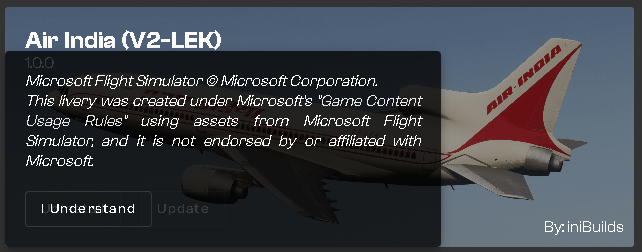
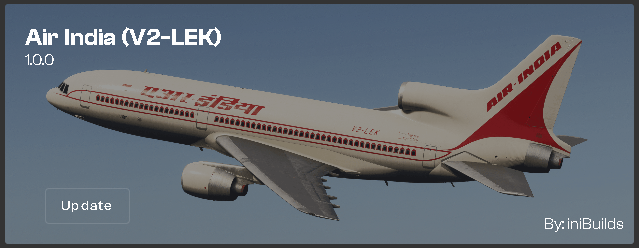
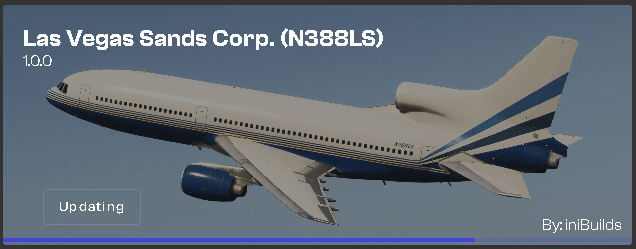
I would like to suggest an option to download/update all or multiple available liveries from the liveries section. At the moment, you would have to go through each livery available and 1. select the download/update icon for each livery seperatley and then 2. accept the terms and conditions for each livery seperatley (which seem to say the same thing each) and then as an additional note 3. once an option is selected, the button would change to "updating" or "queued".. which in this case the "updating" shows for the current download, however the "queued" icon longer seems to display - only way to know is to check the downloading list at the top of the app. Would it be feasable to add a check box to select multiple liveries at once and then have a master "download/update selected" button? I have added an image as an example from PMDG OCv3 of an update all... If its of importance, I'm running inimanger 2.5.3b after some troubles with the current manager version not starting for me even after troubleshooting, however this issue was also present in the current version also. 1. 2. 3. Example
-
I think I have seen that they are working on fixing that.. to turn it off - press the APU start button then the shut down button.


