





RyanAlmeida95
Member
-
Joined
-
Last visited
Everything posted by RyanAlmeida95
-
Hi There, Its been a month.
-
Hi There, Any response to this?
-
@iniBuilds Team
-
Hi there, just checking to see if there can be an update/response to this?
-
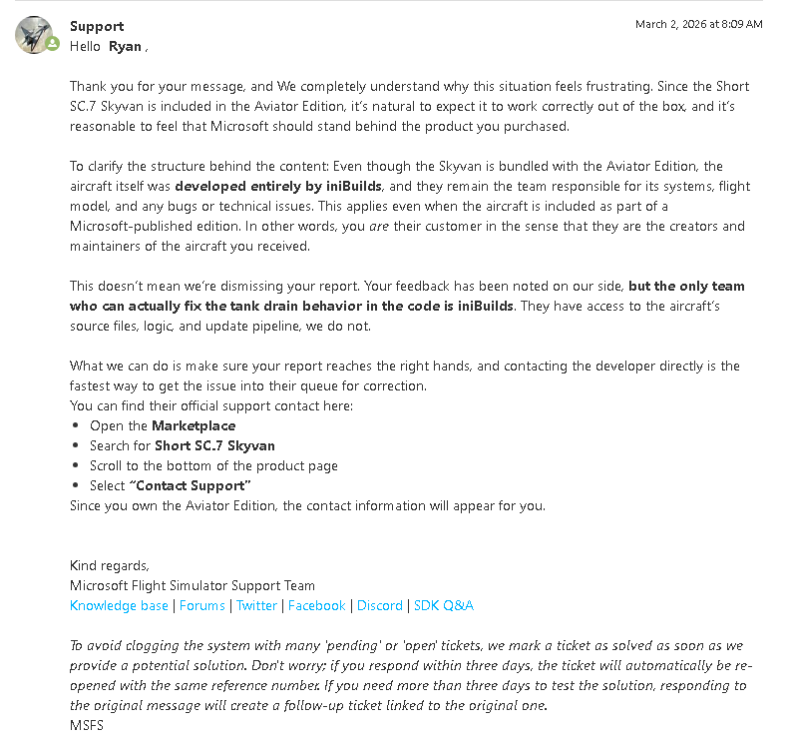
Hi There, I submitted a ticket to MSFS zendesk regarding issues with the Short SC.7 awhile ago and basically gave up as the customer with the lack of ownership from a seller. However I just want to see what the next steps would be to get this aircraft working. Their response was the below I can see another post from earlier in 2025 regarding this same issue where the aircraft is not usable, and the response to that user was to contact MSFS instead. I just wanted to reach out to check on what would be the way forward with this?
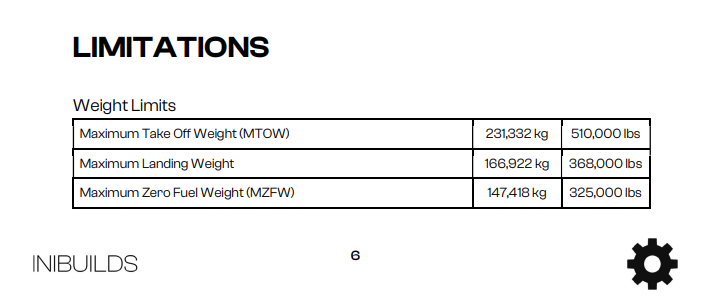
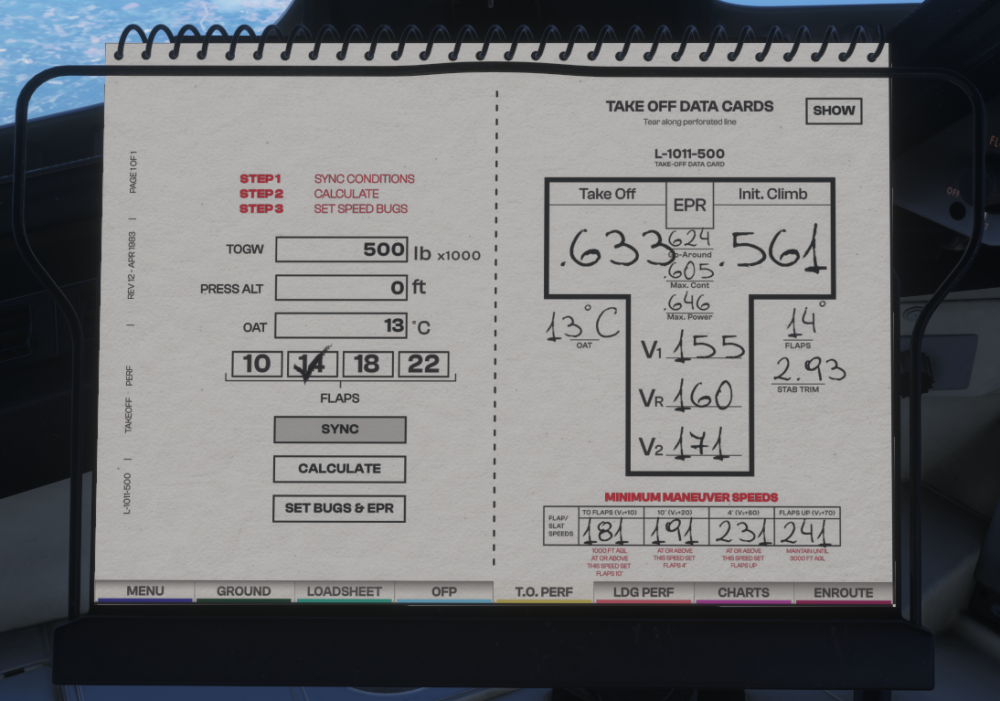
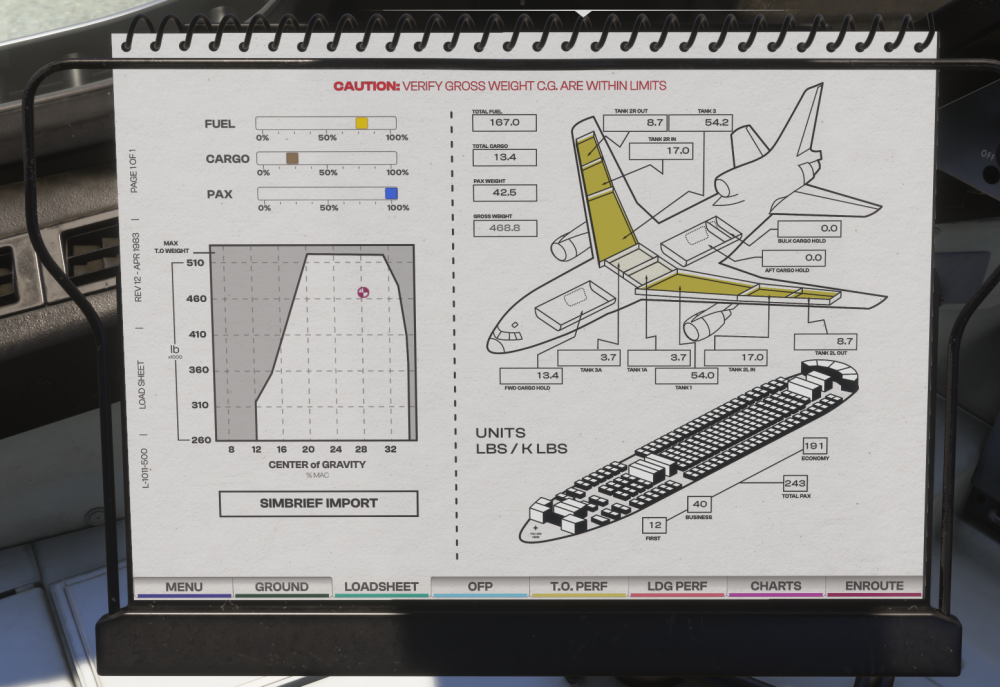
 Not sure if related to the enq, but Is your navdata up to date and not mixed in with anything from MSFS2020? :) https://forum.inibuilds.com/topic/36628-how-exactly-do-i-engage-the-ils-or-loc-for-an-automatic-landing-in-the-l-1011/I must have missed that part then, thanks :)The T.O.PERF sheet in the PFB has a 500,000lb limit on the TOGW even though this should be able to go up to the MTOW of 510,000lbs.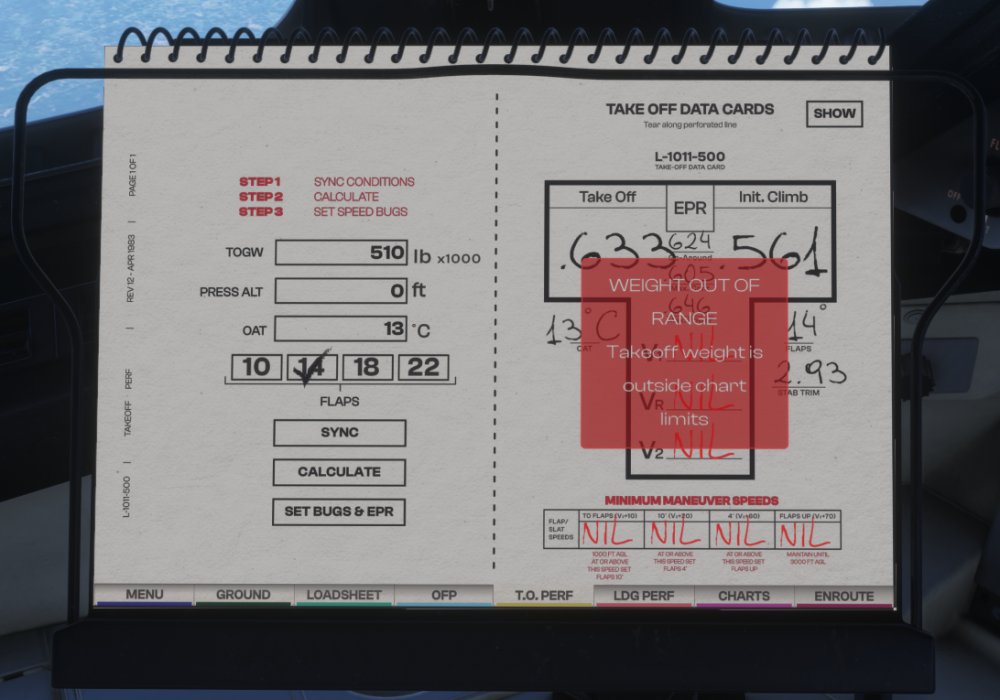
 Are we able to add a load button and timeframes in the PFB? Example, Instant, 5mins, 10mins and Realistic. The simbrief import would just load info from simbreif into the loadsheet and the an additional button like "start loading" would start loading the aircraft at a a selected rate, to allow time to do preping for the flight. At the moment, using the sliders or clicking import loads the aircraft instantly.
 So It was the nav data in the end, but definitely a unique case. 😅 You called it! I only responded that as long the sim was up to date that the nav data shouldn't be your issue because the aircraft will just use whatever the sim has instead of its own aircraft specific navdata. Anyway well done, Hope you enjoy all the approaches. 🙂Im not sure what to add 🫠 https://www.youtube.com/watch?v=KkGpmhAK8FM Although I don't think it will make a difference, Is Navigraph up to date for the sim? Have you updated to the Tristar to V1.0.4? Does the radio freq work on another aircraft in the same location? Have you tried any other approach elsewhere in the world to check if the RADIO is working?As pointed out, the radio freq data is not making it to the VOR/DME or HSI for some reason. Can you try the first thing again with the TOGGLE GPS DRIVES NAV1 whilst on the ground at an VHHH tuned to an ILS freq in RADIO and see if the instruments change? Maybe try selecting GPS option from the PFB and select CDI to change over to VLOC.. then turn the GPS off again in the PFB to see it that changes it over.
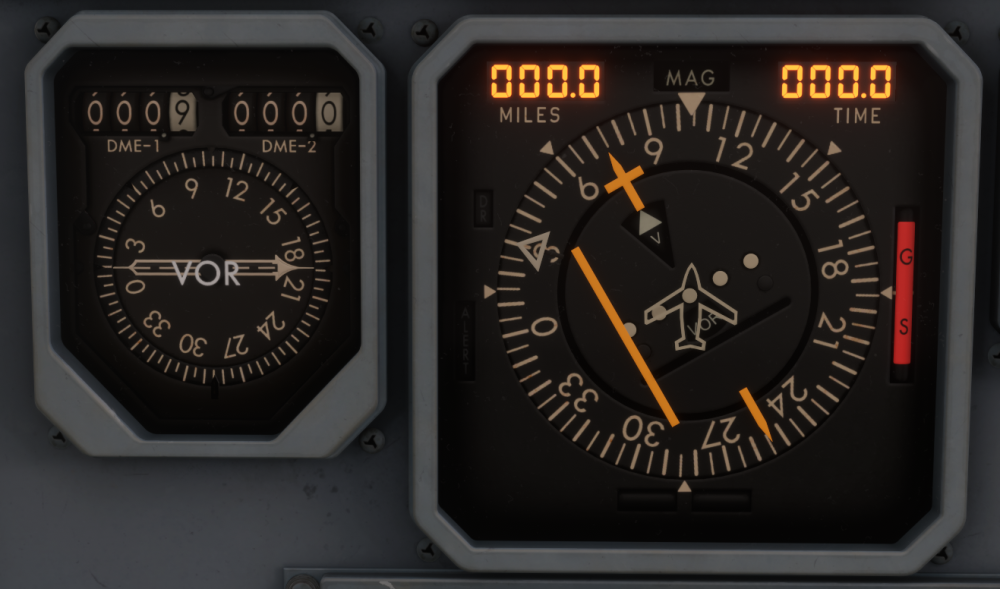
 Ok, it doesn't sound like an ILS/LOC button issue. Can you upload a screenshot of the instrument panel including the glaresheild? Do you use this aircraft with the GPS?NavData doesn't have an impact on radio navigation in this case where the sims navdata is up to date. Just to clarify, the VOR/DME indicator and HSI work independently to each other and from the ILS/LOC buttons. Regardless of the ILS/LOC buttons, the VOR/DME and HSI should show information to the radio within distance. If you are on the ground at VHHH and tune 109.30 in radio mode, does the HSI and VOR/DME show a response as per the above screenshots? DME showing distance (NORM has to be selected on nav radio) The course bar has moved wither left or right? Can you upload a video?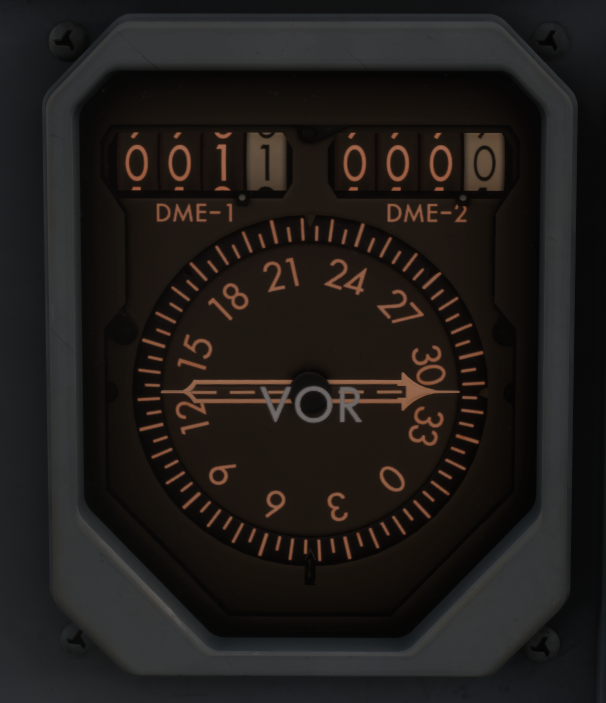
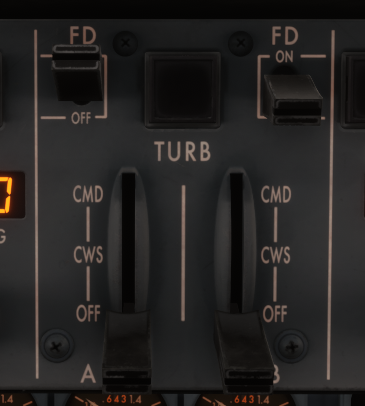
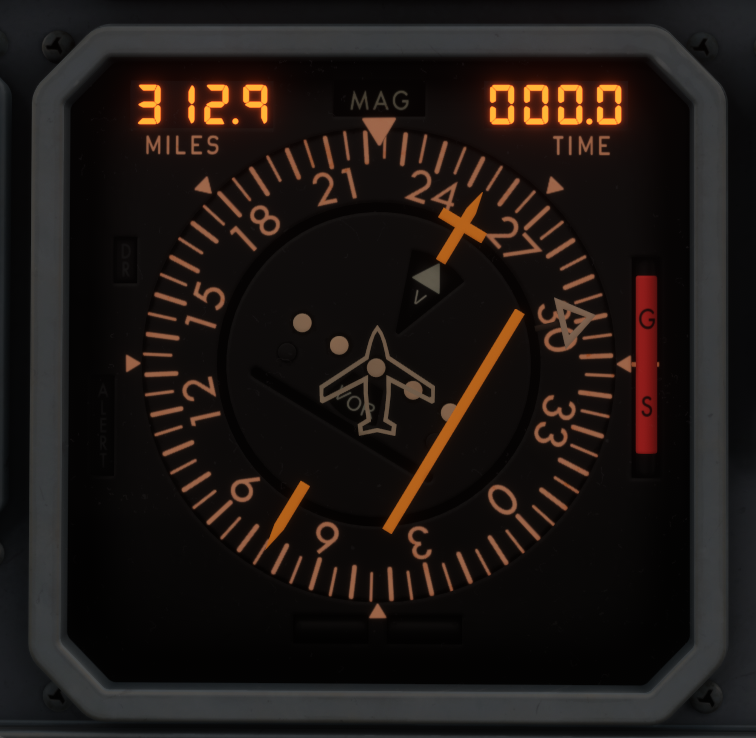 Interesting, I just did the IGS 13 into Kai Tak from another flight and then zipped back up to throw (literally 😅) myself into the ILS 25C after reading your last post and everything worked. https://www.youtube.com/watch?v=N9-H42bWBPY So just to check , You have 109.30 and RADIO selected? The ILS shows a DME on the VOR/DME Indicator? The HSI shows the correct course and the course bar has moved either left or right with no flags? You have at least one FD on?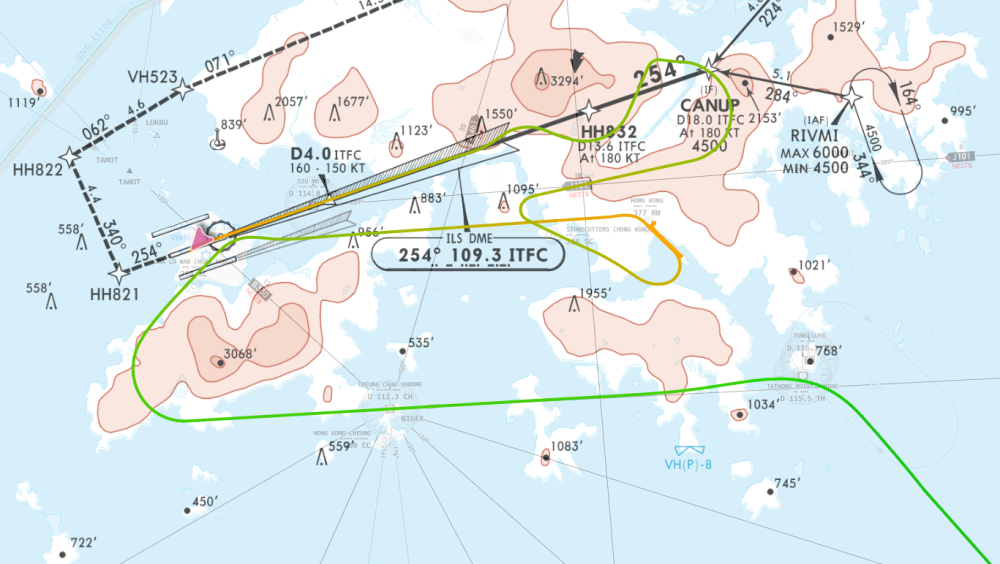
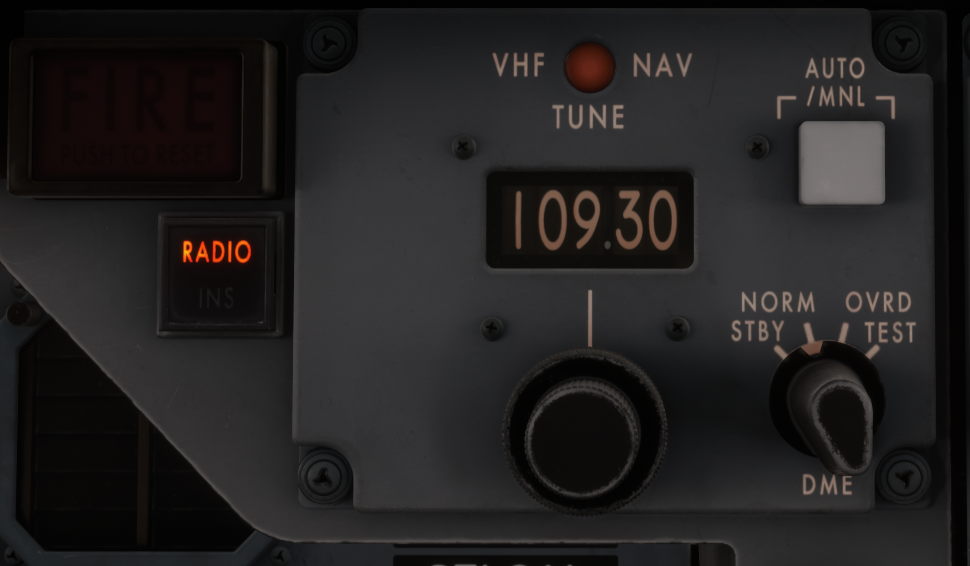
 At VHHH what runway and freq were you using? I just landed ILS 07C 109.30/074' and everything worked fine. Even on the ground I've used 07R 110.90 and been able to select ILS or LOC. http://youtube.com/watch?v=HoNRWNIHta0 When you have the ILS tuned does the HSI display as expected and DME show?
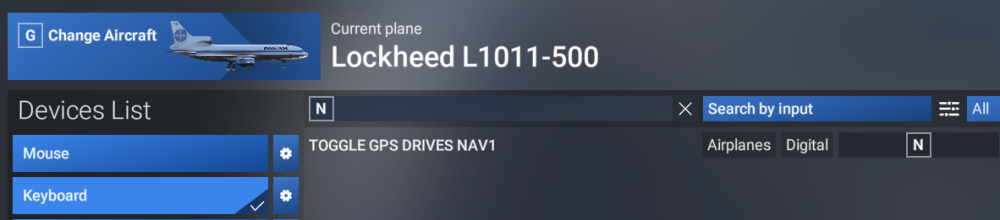
 Have you try this? :) If you are using the Garmin GPS, change from GPS to VLOC using the CDI button. OR Create a binding to the below to toggle it. The rest of what you are doing is perfect - sometimes the GPS/VLOC swap over and make the HSI not respond to RADIO. I hope thats all it is :)
@Prof_Plumpy When conducting a departure where a level off is required, first set your ATL SEL to 7000' so that the aircraft can level off at that ALT. When you are required to climb again, select the appropriate altitude using the ALT SEL then select VNAV. It will take a moment to initiate the climb. The speed drops abit and VS should increase abit, once TM recognises this, you should see the SPD window change to the CLB EPR as commanded by the PMS. Once VNAV can acheive the relevant speed for the climb, then you should see what you want from the VS. I've just done a departure from VHHX doing the DOTMI ONE ALFA Departure. This is RWY13 > TH > WHISKEY (7000')> Track 090 > R-104 CH untill 100 NM. I chose to climb to 14000 when establishing on the radial of CH because I misread the instruction. 😅but the same principle applies. Departure from VHHX on the DOTMI ONE ALFA just for fun. When it comes to the step climb later in the video from 7000' to 14000'.. I have done what I think may have happened to you when you tried to initate a climb to a new ALT. In this video it has also demonstrated that the ALT CAP works pretty well. 10:20min for the VNAV climb seeming not to work. https://www.youtube.com/watch?v=QdNLNJF5K9E Second video demonstrates the ALT CAP again and what happens when you select a new ALT then VNAV and wait a moment to allow the TM EPR to kick in. :) as it should. https://www.youtube.com/watch?v=XyIR3biZdqU I think it more about just waiting for the VNAV and TM to calculate the response and watch it happen :) I hope that helps anyway. Also, not sure about the stick and trim fighting... mine seems to hold the speed as commanded by the PMS pretty well all the way to cruise when in VNAV.I'd say the logic would be that the PMS and INS can share information with the FD in general, in any case. CWS and CMD are both functions of the APFDS that control the aircraft in an automatic or semi automatic way. TM is used to provide management of thrust in these automatic and semi automatic conditions. You could use VNAV with the FD to fly manually, but to use TM you would need CWS as a bare minimum to have thrust management controlled by the PMS in a semi automatic condition. Or CMD to have a fully automatic condition.Well in this case for the Tristar, AOA, AT and TM are different functions in their own right. They are not the same as each other. TM is directly controlled by the PMS. For the PMS to be engaged you need to use CWS/CMD as per the above. Without the PMS engaged by using CWS/CMD then TM has no instruction.
Have you try this? :) If you are using the Garmin GPS, change from GPS to VLOC using the CDI button. OR Create a binding to the below to toggle it. The rest of what you are doing is perfect - sometimes the GPS/VLOC swap over and make the HSI not respond to RADIO. I hope thats all it is :)
@Prof_Plumpy When conducting a departure where a level off is required, first set your ATL SEL to 7000' so that the aircraft can level off at that ALT. When you are required to climb again, select the appropriate altitude using the ALT SEL then select VNAV. It will take a moment to initiate the climb. The speed drops abit and VS should increase abit, once TM recognises this, you should see the SPD window change to the CLB EPR as commanded by the PMS. Once VNAV can acheive the relevant speed for the climb, then you should see what you want from the VS. I've just done a departure from VHHX doing the DOTMI ONE ALFA Departure. This is RWY13 > TH > WHISKEY (7000')> Track 090 > R-104 CH untill 100 NM. I chose to climb to 14000 when establishing on the radial of CH because I misread the instruction. 😅but the same principle applies. Departure from VHHX on the DOTMI ONE ALFA just for fun. When it comes to the step climb later in the video from 7000' to 14000'.. I have done what I think may have happened to you when you tried to initate a climb to a new ALT. In this video it has also demonstrated that the ALT CAP works pretty well. 10:20min for the VNAV climb seeming not to work. https://www.youtube.com/watch?v=QdNLNJF5K9E Second video demonstrates the ALT CAP again and what happens when you select a new ALT then VNAV and wait a moment to allow the TM EPR to kick in. :) as it should. https://www.youtube.com/watch?v=XyIR3biZdqU I think it more about just waiting for the VNAV and TM to calculate the response and watch it happen :) I hope that helps anyway. Also, not sure about the stick and trim fighting... mine seems to hold the speed as commanded by the PMS pretty well all the way to cruise when in VNAV.I'd say the logic would be that the PMS and INS can share information with the FD in general, in any case. CWS and CMD are both functions of the APFDS that control the aircraft in an automatic or semi automatic way. TM is used to provide management of thrust in these automatic and semi automatic conditions. You could use VNAV with the FD to fly manually, but to use TM you would need CWS as a bare minimum to have thrust management controlled by the PMS in a semi automatic condition. Or CMD to have a fully automatic condition.Well in this case for the Tristar, AOA, AT and TM are different functions in their own right. They are not the same as each other. TM is directly controlled by the PMS. For the PMS to be engaged you need to use CWS/CMD as per the above. Without the PMS engaged by using CWS/CMD then TM has no instruction.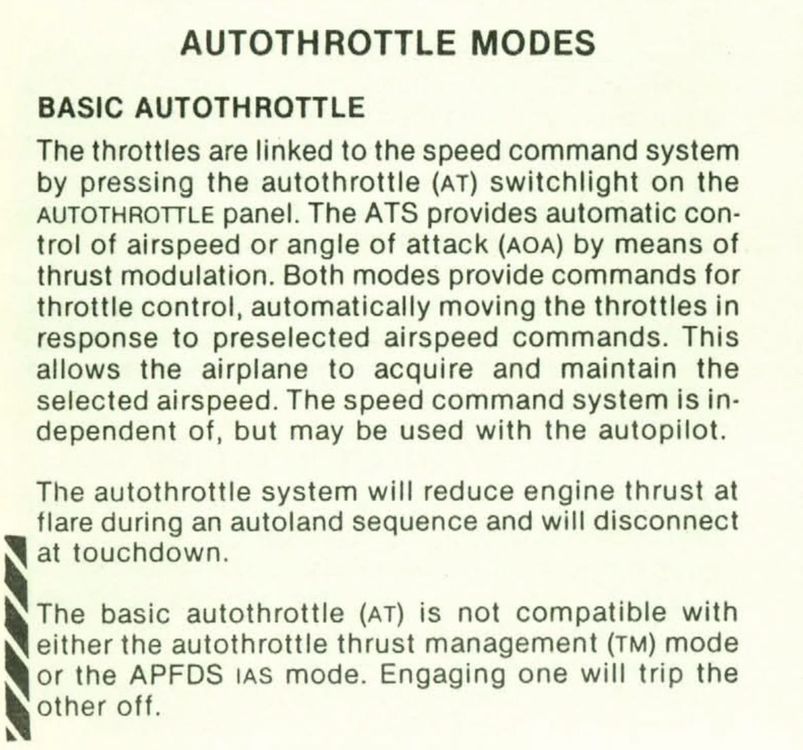
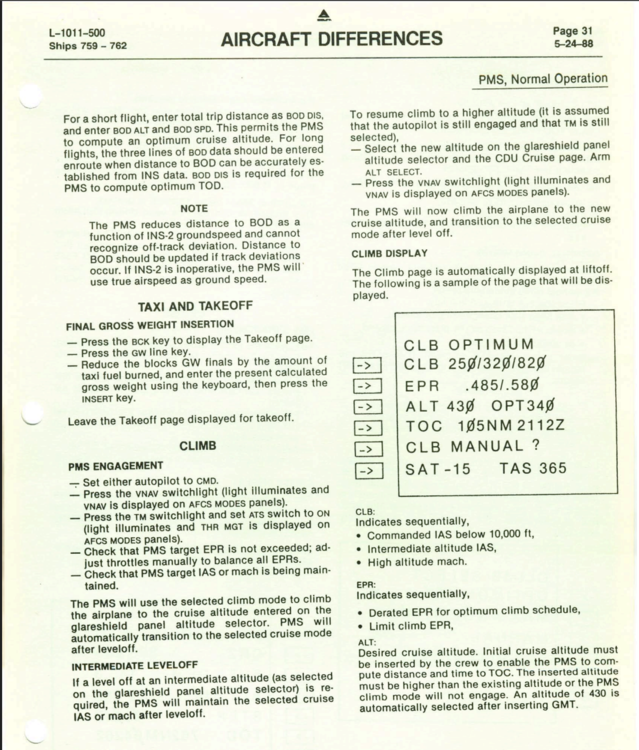
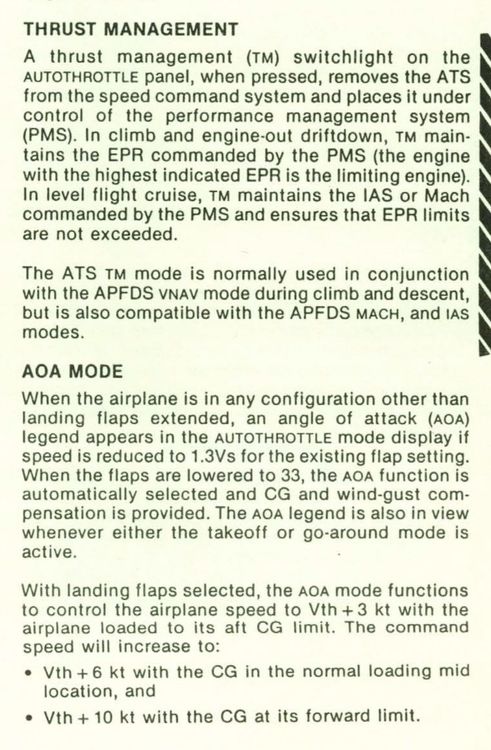 You have CWS engaged, this will control the trim. Disengage CWS/CMD on the ground.From what I can find. For the climb, engage CMD with VNAV selected and then select TM to follow the PMS EPR. TM is also compatible in semiautimatic mode and can be used with CWS engaged and or when using IAS or VS modes instead of VNAV. TM at a bare minimum needs a FD and CWS/CMD on to operate VNAV or Semiautomatic performance operations to be guided by PMS.
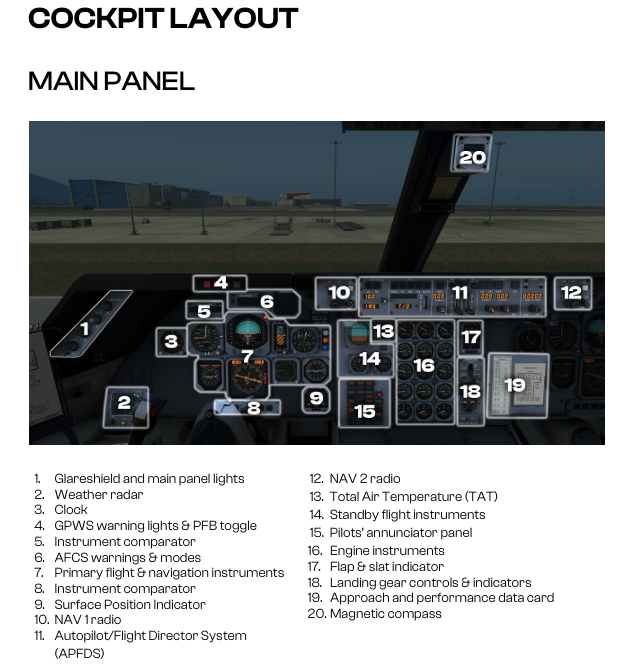
 @Gregory Butzek The PFB toggle button is on the glaresheild straight ahead of the pilot - should be in view. Its the third button from the left where item #4 is on the diagram below. Is that what you are looking for? 🙂
 Thanks! Maybe I'm imagining something else is all I meant - 😅


