




Maxijam
Member
-
Joined
-
Last visited
Everything posted by Maxijam
-
A380 v1.0.5 – Severe Runway Stuttering | RTX 4090 | MSFS 2024 Hi iniBuilds Team, I would like to add my experience regarding the severe stuttering affecting the A380 in MSFS 2024. System: NVIDIA RTX 4090 Intel Core i9 high-end KS processor NVIDIA App installed A380 v1.0.5, previously experienced on v1.0.4 Aircraft fully installed locally, not streamed Problem: During the takeoff roll, the entire simulator repeatedly freezes and jumps forward, creating a continuous stop-start-stop-start effect until the aircraft lifts off. I experience a similar effect to a lesser extent during the landing rollout, after which everything returns to normal. Taxiing around the airport is completely smooth, as is normal flight. This happens at the same airports where my other aircraft operate without issues. I own the other iniBuilds aircraft, all updated to their latest versions, and none exhibits this behaviour. It is exclusively the A380. I am aware of reports suggesting that uninstalling the NVIDIA App may resolve the problem. However, I use this application for other purposes and do not consider removing it a reasonable long-term solution to a problem affecting only one aircraft. Given that the problem is isolated to the A380, particularly during high-speed ground operations, I would appreciate further investigation into the aircraft's performance during takeoff and landing. Could you please confirm whether this issue is being addressed specifically for an upcoming A380 update? Thank you.
-
-
-
Uninstall or delete should I say in packages folder, restart and it will do a fresh install. Had the exact same issue.
-
Had exactly the same, removed all from the packages folder, restarted and it allowed the update as a fresh instalation.
-
Don't know why AP1 does not work, it disconnects after about a minute and keeps doing so even after a fresh install. AP2 is fine?
-
-
Doing long haul FACT to EDDF now through the night. GSX a mess and I guess I don't have the patience to fiddle. AP1 keeps disconnecting but AP2 is holding for 6 hours now. CAB V/S arrow keeps flashing at 50 ft/Mn. Need the centre FMC to work. So far going ok , would like ACARS etc.
-
-
-
-
Ok Great , I will set it to low. Thank you.
-
Ap disconnection is on, I'm using Rex weather and realistic weather in the sim?
-
Any long flight I do over 10 hours the aircraft leaves the programmed route and heads off into the sunset. Somethings wrong , do not struggle with other developers aircraft. I do not have any discontinuities programmed. Latest flight from EGLL to SCEL left the route after 12 hours and turned right and headed off on its own. This is the 5th time I have tried a long route to no avail. Routes programmed from Simbrief.
-
-
I have installed the A300 600 nd have been flying the PW version. I have no tcas switch anywhere? WHY? See screenshot
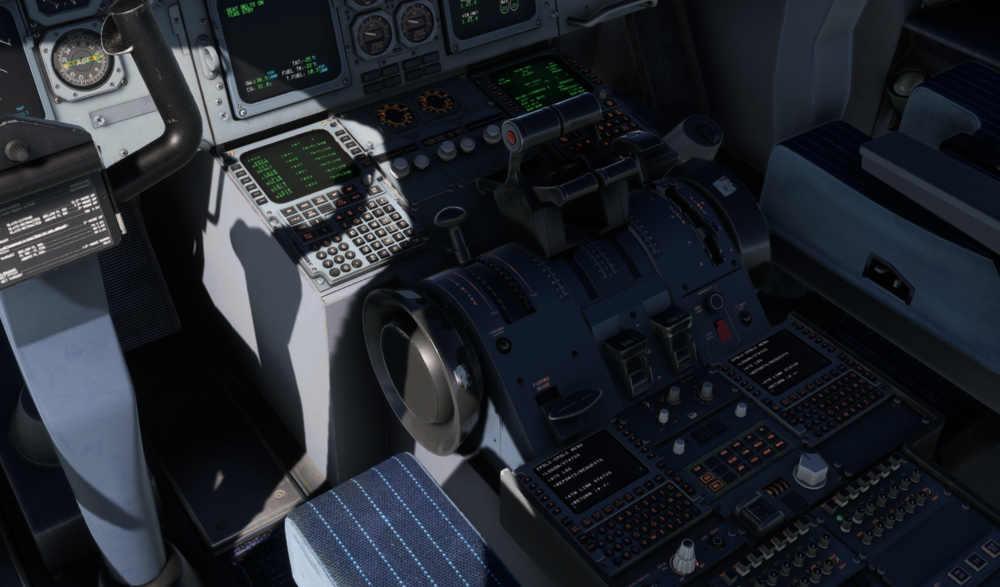
-
Help. I purchased from Simarket and there are no installation instructions anywhere?? Please can someone help. Cannot find help anywhere.

