




C. Schaffhausen
Member
-
Joined
-
Last visited
Everything posted by C. Schaffhausen
-
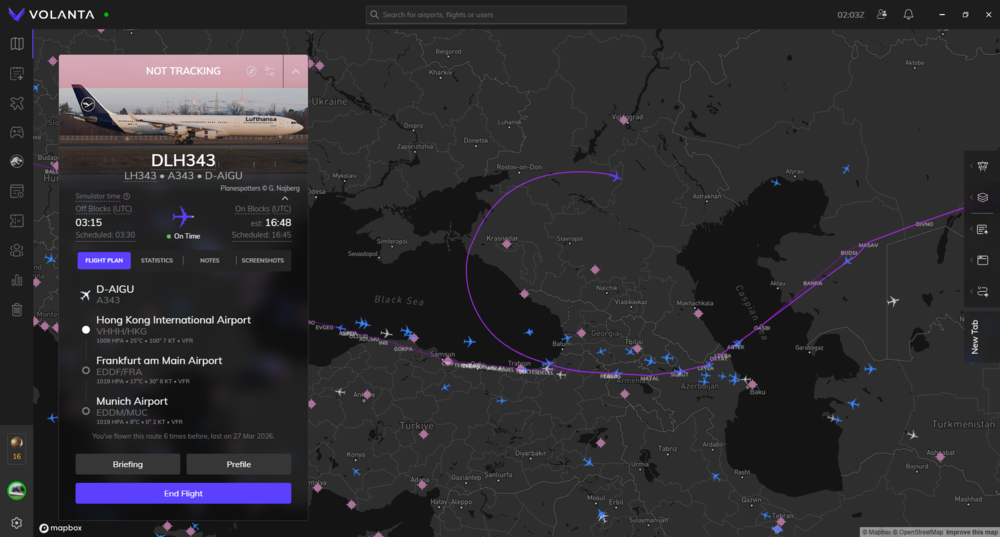
Another flight freeze, this time on 1.0.11. The sim was minimized in the task bar and I was not able to open the window again. I disabled auto import step climb and entered them manually, auto step climb enabled, navigraph navdata used.
-
-
The aircraft does not recognize the route "MOLKA M750 MUKEP", and probably onwards. When entering M750 after MOLKA, the page did not respond; whereas with the scenery off, it will recognize M750 MUKEP. Really strange to see other aircraft working without issue too. It is very easy to recreate, install the Kai Tak scenery, load the A350 onto RCTP, ensure in-sim navdata is selected, enter a MOLKA SID, then from MOLKA, you shouldn't be able to enter M750 MUKEP. Then, load into the same scenario with a default 737, programme the same route, you will be able to enter M750 MUKEP.
-
Aircraft: A350-900/-1000 Version: 1.2.4 Simulator: FS2024 SU5 1.7.17.0 Navdata Method: In-sim OFP: route provided WASM Error: Not related Specs: 9800X3D, RX 9070 XT 16G, 64G RAM Autosave File: Not related I've been using this Kai Tak scenery from flishtsim.to for a while, but I noticed an issue with the navdata. I use in-sim navdata on the A350 to prevent WASM crashes and flight path deviation/flight freeze. I planned a flight from RCTP to RJAA which the SID lead me to MOLKA M750 MUKEP. I entered the route into the FMS but it didn't recognize the route. While I understand that the Kai Tak scenery does have its approaches and navdata, which in my sim appears to override the jeppesen data. When I disable the Kai Tak scenery, the FMS recognize the route correctly. Up to this point, the problem seems to be the scenery, until I enable the scenery again and tried the same route on the default 737, as well as the FBW A380, which they all recognize the route correctly. Only the default aircrafts made by Inibuilds, as well as the A340/A350 does not recognize the route correctly. It looks like there is an issue on Inibuilds' aircraft when it comes to reading the default navdata, can the team please take a look? The Kai Tak scenery: https://flightsim.to/addon/51332/vhhx-kai-tak-enhancement-for-asobo-gaya-su11 Route: RCTP MOLKA M750 MUKEP Y891 AGIMO Y89 GUPER Y81 RUTAS RJAA
-
Understood, looks like I have a different problem then you do. Then perhaps it's worth getting Navigraph. However even with that I had to change to in-sim navdata to avoid wasm crash, which lead to a different problem for me.
-
@Rodolfo Becerra Vargas I had the same issues as you do. Try to use the package reorder tool to move the two navigraph entries to as low as you can, with navigraph-nav-base higher than navigraph-nav-app (I think being lower loads it last, therefore overwriting any entries that might have interfered with the jeppesen navdata.). Do that and clear wasm again.
-
Votes for this as well, as I have to use default navdata to avoid the wasm crashes and sim freeze. I have recently unable to use inbuilt navdata as well, looking for a solution.
-
Looking at the Tristar previews, with the steam gauges cockpit and such a vintage look, I can't help but imagine what if, what if Inibuilds make a Concorde? The only one in the market is working but not stunning, while the lab probably need 10 more years. 🤔
-
Hello team, any updates? I just flew there and notices the issues there, including the flags and inaccurate lat long of the airport. I understand this is freeware, but hopefully we can see an update to make things right. Thank you.
-
I've recorded a video showing the error, this also involves a premature rotation without any stick input during takeoff roll.
-
I've stopped my flight and made a video to demonstrate here. I did not apply any back pressure to pitch up during the takeoff roll, it took off by itself. This also demonstrate the VNAV fault which shift to DES phase after passing 1000ft
-
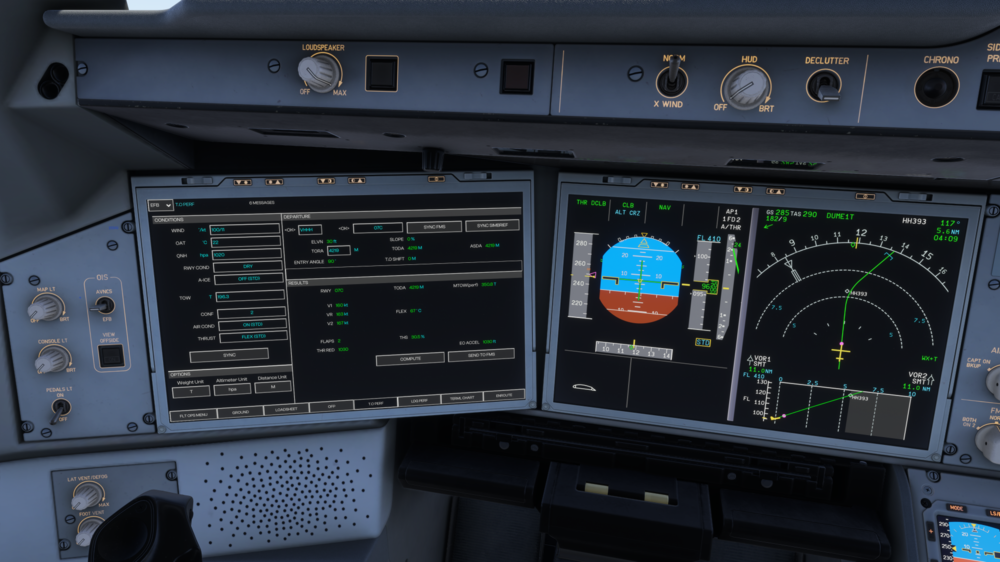
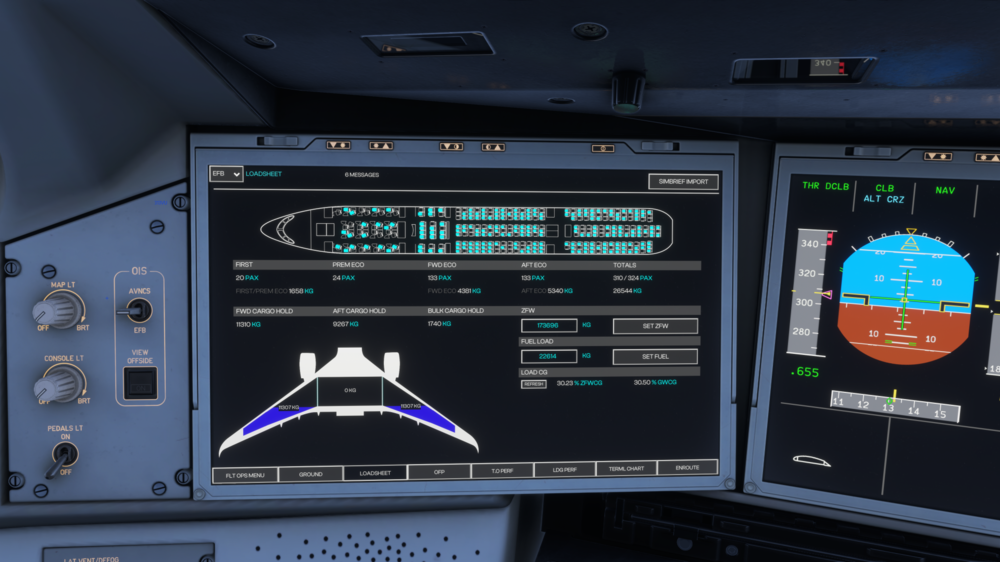
Aircraft: A350-900 Version: 1.2.3 Simulator: FS2024 Navdata Method: NAVIGRAPH OFP: Attached WASM Error: Not related Specs: 9800X3D, RX 9070 XT 16G, 64G RAM Autosave File: Not related As titled, I encountered 2 consistent premature rotation during takeoff roll. I did not record both flights but I have the aircraft loading available here. Takeoff performance calculated by the built-in tool. I can confirm that the load is correct and that no weight disagree message was shown. TOW: 194710kg ZFW: 173696kg 2026031501_VHHHRJFF_PDF_1773578058.6d60e72d.pdf
-
Had the exact issue, come on Inibuilds, fly it at least once before an update. Hotfix needed.
-
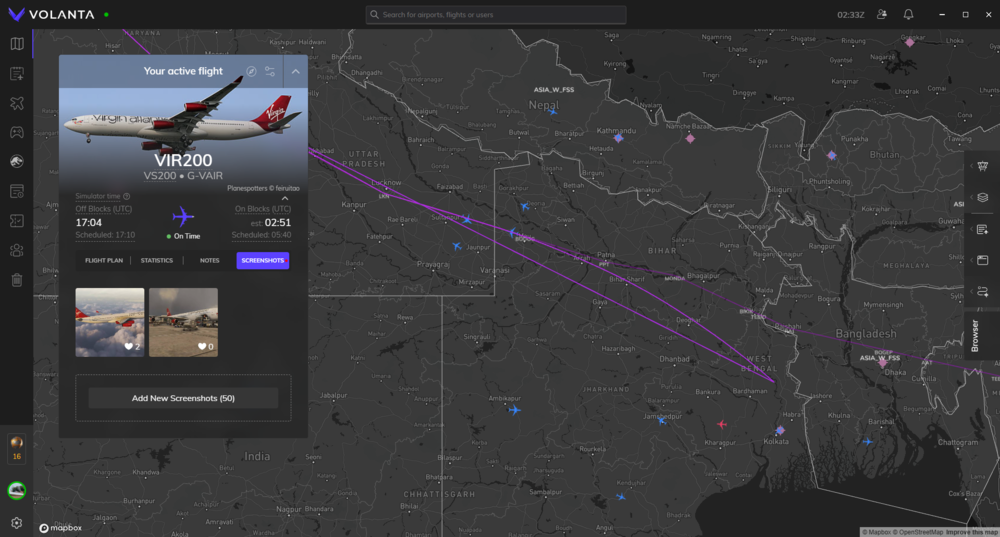
I have not encounter the issue in 1.0.10, but now I do. The sim was minimized in the task bar and I was not able to open the window again. I disabled auto import step climb and entered them manually, auto step climb enabled, navigraph navdata used.
-
No I'm not, I used the custom view setting to save wing views which are in the cabin. I also do that for the A350 and did not notice any cockpit warnings in the A350.
-
As titled, cockpit warnings like gpws callouts, warnings, and other system callouts can be heard when the viewpoint is in the cabin. Aircraft: A340-300 Version: 1.0.10 Simulator: FS2024 Navdata Method: NAVIGRAPH OFP: Not related WASM Error: Not related Specs: 9800X3D, RX 9070 XT 16G, 64G RAM Autosave File: Not related
-
Thank you, please reference the post on discord, that one contains most information.
-
The solution has been found. The issue is caused by assigning a button for "TO CONFIG" to your controller. When you push the button of the controller, depending on your setting, it will trigger the LVAR "PUSH_ECAM_TOCONFIG" to 1. In that state, you will get a configuration warning after landing. To solve this, I programmed my button to trigger "TO CONFIG" switch once on press and once on release. That would set the "PUSH_ECAM_TOCONFIG" to 0 on the second trigger, and you will no longer have a warning after landing.
-
Unfortunately I just kept running into this issue again and again, I'm on 1.0.10 now and the issue persist. I've just flown to LSZH and the same thing happened again. I'll also attach my autosaves for investigation. Aircraft: A340 EIS1 and EIS2 Simulator: FS2024 Version: 1.0.10 IniManager Navdata Method: NAVIGRAPH OFP: N/A WASM Error: Unknown Specs: 9800X3D 9070XT 64G DDR5 Autosave File: Please include the latest ".bin" autosave file prior to your crash. 1773030938.bin1773028997.bin1773027388.bin1773023584.bin1773034713.bin
-
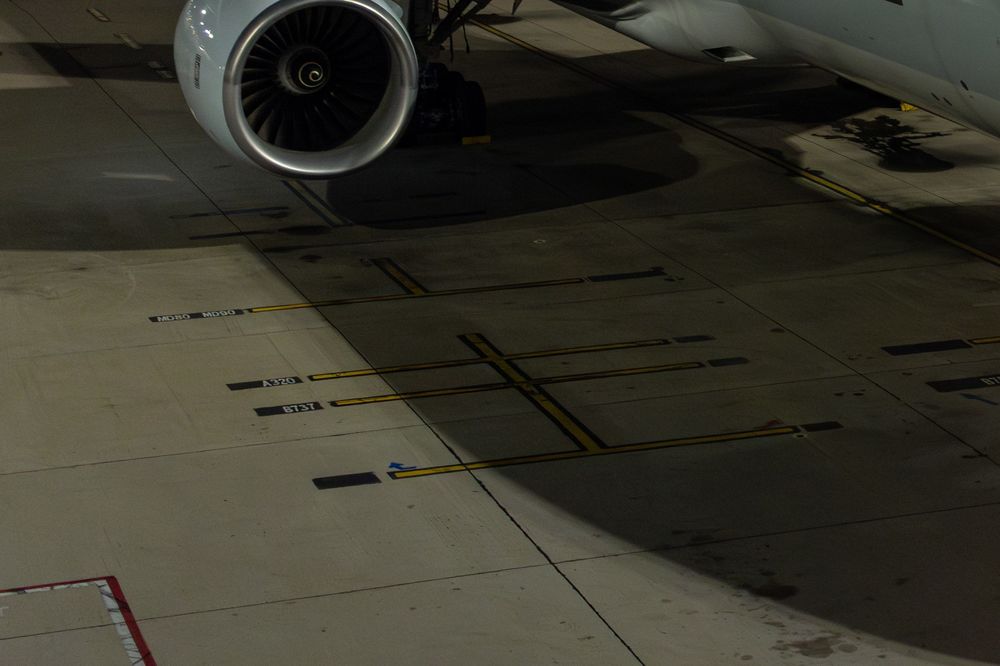
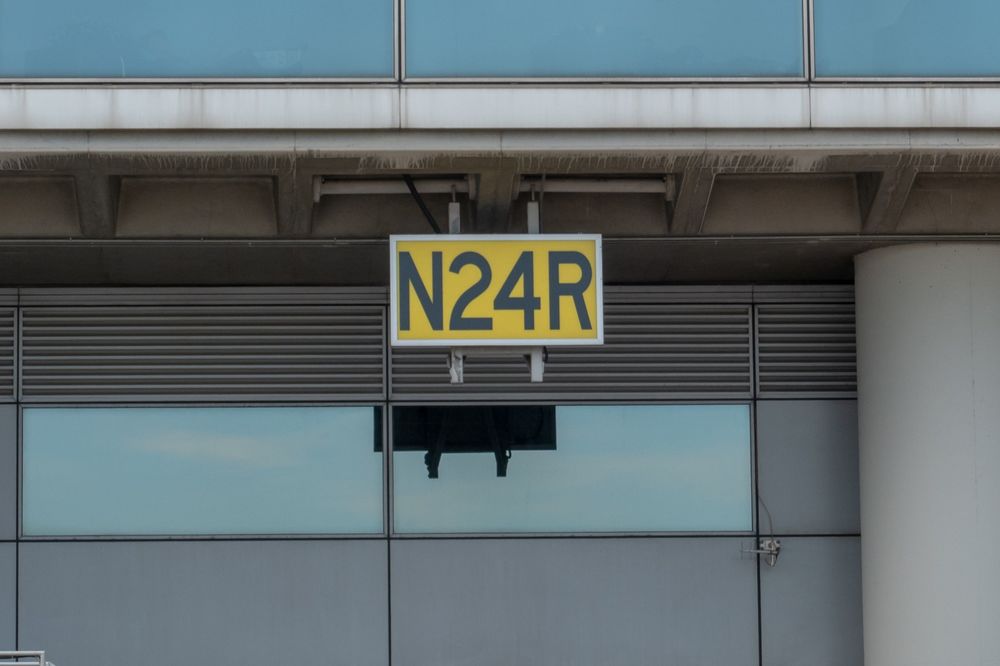
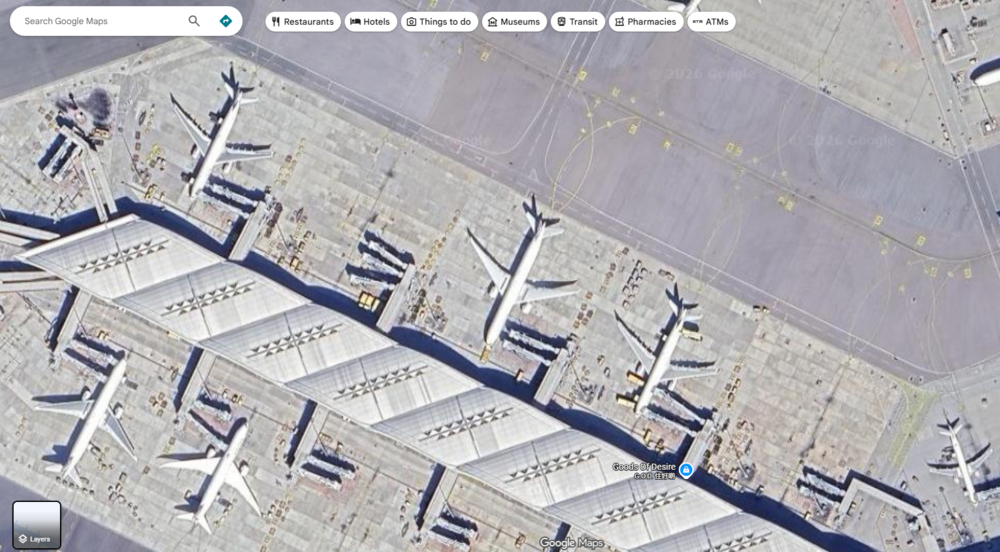
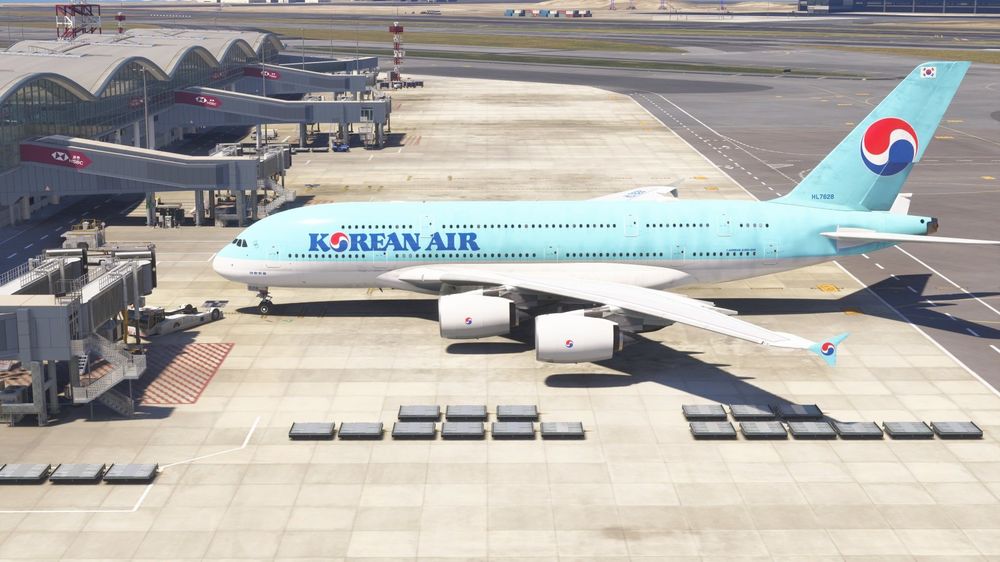
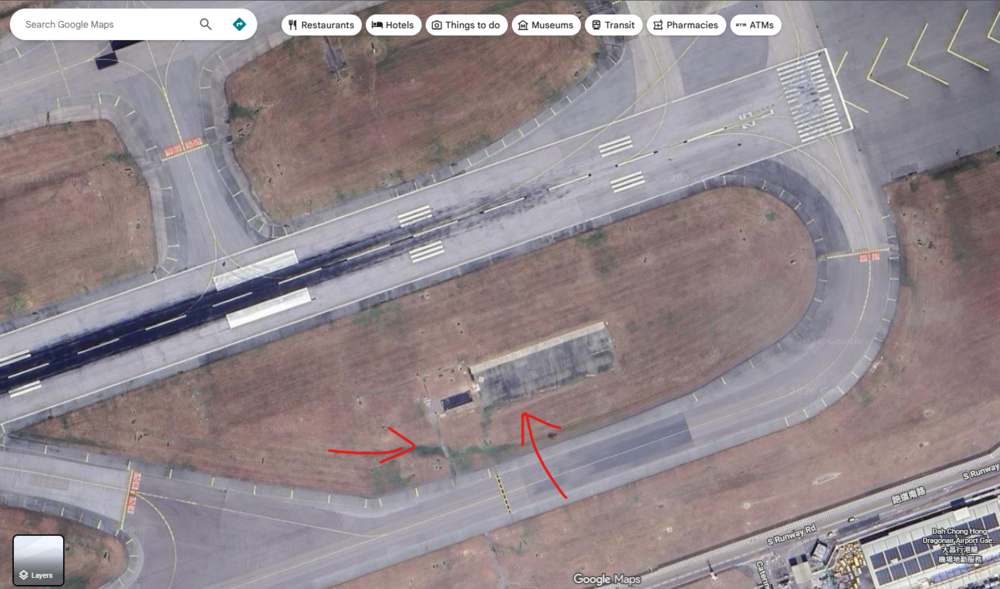
First thing, congratulations on the beautiful scenery. An amazing job with the terminal and I certainly liked it, great job to the team! That said, being someone who'd worked there, I do observe some areas where your team could take another look! 1. Wrong Stop at most positions. Centreline and stop position should be further down into the gates. Most prominent case being N36 through N66, and W40 through W50. All main terminal gates (Mid-field terminal seemed okay), displaced parking, remote parking and cargo parking (south cargo apron seemed okay), have the same issue and needs careful recalibration. A380 at N60 for illustration. 2. In the displaced parking position, there should be a blacked out stop position, B737 Stop, A320 Stop, as well as a MD80 MD90 stop position. Some stands have less than that but I couldn't tell which is which though. 3. Gate N10 and N12 are not for widebodies, and therefore should only have relevant stop positions 4. Aircraft Type missing on parking stop lines, gate N8, N9, N36, N60, N62, N64, N66, N68, N70, W71 5. N5, S23, D212 and D216 are capable of A380 parking and should have A380 Stop line. 6. The font of the gate number boards are too bold, and looks too short. Also, displaced parking do not carry Lat/Long information. Navaids 1. The glidepath antenna area should have concrete pathed areas and associated assess driveway (25L GS Antenna farm shown as illustration) I hope the team can take a look when you're back to work, if you need reference material, I can try to find some. Thank you for the great work!
-
I'll try the latest version and enable navigraph and auto climb as well. Thanks!
-
Even with a small roll input, the bank angle will gradually increase to 45 degrees for the A340. This should not be the case for an aircraft with FBW.
-
Ref the 2nd issue from OP, I have similar issues with the A340. I believe the root cause is the same here. I've tested 2 flights with the following settings and had no sim freeze and flight path deviation. 1. In-sim navdata used 2. Disable auto import step climb 3. Disable auto step climb 4. Not entering any step climb in the FMS, only by selecting level with FCU then Alt push. With any of the above on I have sim freeze and flight path deviation. Hopefully that helps the team to track down the issue.
-
I have no idea, but since I didn't end up freezing and deviating I'll keep flying like this until Inibuilds finally fix it for good.
-
I've tested 2 flights with the following settings and had no sim freeze and flight path deviation. In-sim navdata used Disable auto import step climb Disable auto step climb Not entering any step climb in the FMS, only by selecting level with FCU then Alt push.


